Embed AI: Audit the Long Task First
By William Zhu (GitHub @allwefantasy) & the InfiniSynapse Data Team · Published: 2026-08-22 · Last updated: 2026-09-07 · Last verified: 2026-09-07 · Next review: 2026-11-30 · Editorial standards · Corrections
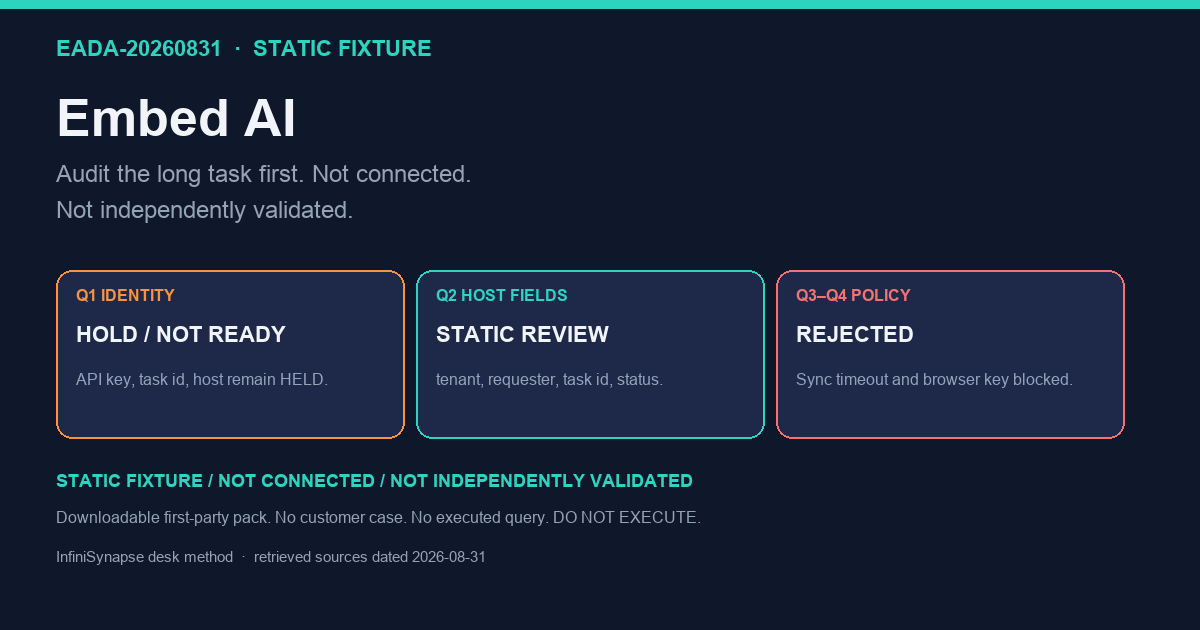
Table of Contents
- TL;DR
- What it means to embed AI as a data analyst layer
- Evidence Boundary
- First-hand objects on this page
- A framework for product-embedded analysis
- Methods: sync chat vs long-task embedding
- Tool landscape
- Implementation steps
- Desk sample: an in-app “explain this metric” button (illustrative)
- Scorecard: embed now vs keep analysis in a separate tool
- Practical Static Replay
- Sources and Limited Claims
- Failure modes
- Frequently Asked Questions
- Conclusion
TL;DR
Direct answer: To embed AI as a data-analyst layer, keep question capture in your product UI, run the analysis as a long task on authorized sources, and audit the same timeline in a web console. This static pack is HOLD / NOT READY FOR CONNECTION: no API key, task id, or product call was observed. Replay the authored four host fields and two policy rejects offline. The verifier proves file agreement only.
Do not block a user request on a synchronous ChatBI reply. Prove the task in the console first, then call it from your app. This is not a customer integration, latency SLA, or third-party endorsement.
What you'll learn:
- What it means to embed AI without turning your product into a second warehouse
- A three-part framework: UI, long task, shared audit console
- Why sync chat APIs stall, and how two doors share one timeline
- HTTP, SSE, CLI, and where MCP fits
- Steps: write the four host fields, inspect the authored reject rules
- A static in-app “explain this metric” identity fixture
- A scorecard and failure modes: blocking spinners, dual timelines, unaudited bubbles
What it means to embed AI as a data analyst layer
Key Definition: To embed AI as a data analyst layer means your product UI collects the business question, a data agent runs a long task on authorized sources, and one timeline shows the plan, SQL, and downloadable artifacts. It is not a synchronous ChatBI reply inside a spinner.
Independent published context (separate from this page’s static pack): Google SRE Book · CISA: Artificial intelligence · European Commission: approach to AI · AWS Well-Architected Machine Learning Lens (retrieved 2026-09-04). Those sources set the industry bar for definitions, risk, and architecture; they did not run this fixture, and they are not a product award.
Embedded prompts inherit injection risk from the OWASP Top 10 for LLM Applications (retrieved 2026-09-04). Product-embedded agents should stay inside CISA cybersecurity best practices (retrieved 2026-09-04).
Token passing into an analyst should follow UK NCSC zero-trust architecture (retrieved 2026-09-04). Embedded SLOs are still SLOs under OWASP Application Security Verification Standard (retrieved 2026-09-04) when the product boundary is a control, not a chat widget.
Product teams hear “embed AI” and picture a chat widget. That picture fails for analysis. A data agent plans, queries, retries, and writes files. Those steps take longer than an HTTP timeout your checkout page can afford. If you embed AI as a blocking request, you will either truncate the job or freeze the UI.
If the missing object is durable context rather than a one-off pack, continue in Claude Code data analysis. If the next failure is a join across modes or engines, use explainable AI data analysis.
Service boundaries for an embedded analyst should match AWS Prescriptive Guidance (retrieved 2026-09-04).
The EU’s European approach to artificial intelligence is independent policy context for putting AI inside products people already use: transparency, human oversight, and purpose limitation. Use it as a design constraint when you embed AI, not as a vendor score.
Evidence Boundary
This is a synthetic, static, NON-CONNECTING identity fixture (EADA-20260831). No API key, host product URI, task id, SSE stream, executed SQL, warehouse hop, or production workflow was observed.
The package does not claim that anyone returned a task id in under a second, ran a job for minutes, reused a bound definition the next week, or opened SQL that matched a tile. To operationalize embed AI, each claim needs environment evidence.
Do not prove a negative privilege by writing to a production host. First review the key store and the role catalog. Any later negative test needs separate authorization. TLS is not optional because the path looks private.
This page has no customer case, no measured SLA, no media mention, and no independent institutional endorsement. The company About page is a self-description, not third-party recognition. The first-hand objects are listed next: an authored identity register, a dated live GET log, and a first-party inventory row.
First-hand objects on this page
These objects were produced at the InfiniSynapse desk. They are first-party. They are not a customer sample and not independent validation.
1. Authored identity register (freeze 2026-08-31). Sensitive fields stay HELD because no host was observed:
| field | status | note |
|---|---|---|
api_key | HELD | no vendor key stored |
host_uri | HELD | no product host observed |
task_id | HELD | no task observed |
Full file: identity-register-EADA-20260831.csv.
2. Live GET source-check (2026-09-04). The official URLs cited on this page were retrieved with scripts/verify-external-sources.py (GET, follow redirects, 25s timeout). Eight returned HTTP 200. AWS Prescriptive Guidance returned HTTP 403; the original URL is retained.
| Source | HTTP | Use on this page |
|---|---|---|
| Google SRE Book | 200 | cancelable timed jobs |
| CISA Artificial intelligence | 200 | AI risk context |
| CISA cybersecurity best practices | 200 | product-embedded agents |
| European Commission approach to AI | 200 | transparency and oversight |
| AWS Well-Architected Machine Learning Lens | 200 | isolate agent workloads |
| AWS Prescriptive Guidance | 403 | service boundaries |
| OWASP Top 10 for LLM Applications | 200 | prompt injection |
| OWASP ASVS | 200 | product boundary as a control |
| UK NCSC zero-trust architecture | 200 | token passing |
Machine log: external-source-check-EADA-20260831.md. Those hosts did not audit this fixture.
3. Cluster inventory. This pack is one of 12 published static fixtures in InfiniSynapse Data Team, Desk Review 2026-Q3, Corpus E (n=12; freeze 2026-08-31; first-party; not independently validated; not a customer sample).
A framework for product-embedded analysis
Three objects must stay distinct when you embed AI. Collapsing them is how audits disappear.
| Object | Owns | Must not own | Fixture state |
|---|---|---|---|
| Your UI | The question, the user, the “task started” state | Warehouse credentials, model keys in the browser | authored capture only |
| Long task | Plan, SQL, retries, artifacts | Your product’s checkout latency budget | not executed |
| Audit console | The same timeline the API wrote | A second, prettier story of the job | HELD |
Your UI captures the question
The host app already knows the user, the tenant, and the metric they clicked. That context is the prompt. When you embed AI, pass a goal plus source identifiers, not a raw connection string. Self-service analytics still applies: the operator types a business question. Your UI is the form. The agent is not a second login unless you want one.
The agent runs a long task
Analysis is a job. Google’s SRE book is the independent reference for jobs you can cancel, time, and trace. When you embed AI, treat the task id as the object you store. Stream status over SSE if the UI needs progress. Do not hold an HTTP worker until the PDF exists.
Whoever called the API—web, CLI, or your backend—should land on one timeline. InfiniSynapse uses the web task console for that purpose. If the in-app summary cannot be opened as the same task, you have two products. Support will pick the prettier one and lose the SQL. That is the /tasks rule for embed AI.
Methods: sync chat vs long-task embedding
Two methods are sold as “embed AI.” Only one survives a long scan.
| ID | Candidate | Outcome | Why |
|---|---|---|---|
EADA-Q1-IDENTITY | api key, task id, host URI | HOLD / NOT READY | all identity fields HELD |
EADA-Q2-HOST-FIELDS | tenant, requester, task id, status enum | QUALIFIED FOR STATIC REVIEW | policy text; DO NOT EXECUTE |
EADA-Q3-SYNC-TIMEOUT | 30-second blocking chat | REJECTED AS UNSUPPORTED | scans outlive HTTP |
EADA-Q4-BROWSER-KEY | vendor key in the SPA | REJECTED AS UNSUPPORTED | obfuscation is not a control |
Why ChatBI-shaped APIs stall
A sync “ask → JSON answer” API looks easy to ship. It dies on warehouse scans, retries, and chart files. You will add timeouts, then caches, then a fake answer. Natural language to SQL as a single round trip has the same failure mode. Use it for tiny, already-warm queries if you must. Do not hide analysis behind that shape.
Same task, two doors
The durable method: create the same long task from the web console and from your server. The user sees a task id in your UI. An analyst opens the same id in the console. When you embed AI this way, pairing and support share one trail. Partner silent provisioning can create the tenant without putting keys in emails; still never put those keys in the browser.
Provisioning is an operations path. CISA’s AI page and the OWASP Top 10 for LLM Applications are the independent checklists: supply-chain and secret handling, prompt injection, and excessive agency. When you embed AI, issue keys on the server, scope them to the tenant, and rotate them. Silent provisioning is not “hide the key in the SPA.”
Tool landscape
You can embed AI with HTTP plus SSE, with a CLI from an IDE, or with protocol adapters. The audit object should not change.
HTTP, SSE, and the CLI
Server HTTP starts the task. SSE (or polling) reports steps. The CLI (agent_infini and skills) is another door for Cursor or Claude Code—the task still appears in the web console. After install, use the same CLI verbs after install. The AWS Well-Architected Machine Learning Lens is a useful independent checklist for isolating ML and agent workloads from the product’s core request path. When you embed AI, that isolation is the architecture, not a later hardening ticket.
Where MCP and dashboards fit. MCP for data analysis can expose tools to an IDE. A dashboard can be a task artifact the host app links to. Neither replaces the long-task id. If you embed AI only as an MCP tool with no console, you will debug from chat logs. If you ship only a pretty board with no SQL, data governance review will fail.
InfiniSynapse’s fit is the long-task layer: API key from the task console, the same timeline for web and API, artifacts in the workspace. That product surface is not evidence this pack connected. Private deployment exists for teams that cannot use the hosted console; prove the path on the web tool first so the product team and the analyst share one picture.
Implementation steps
These steps replay the identity pack offline. Do not embed AI in production on day one.
- Write the four host fields: tenant, requester, task id, and a status enum (
queued,running,failed,ready). If you cannot write them, you are not ready to ask. - Compare the accepted host note as policy text. The browser never holds the vendor key. Map errors to your own status page, not to a raw model dump.
- Confirm the authored pipeline rule rejects a blocking sync call and rejects a second transcript.
- Open
identity-register-EADA-20260831.csvand confirm every sensitive field isHELD. - Run
python3 verify-EADA-20260831.pyfrom the downloads directory.
A passing local check does not authorize embed AI on any host. It reports deterministic file agreement among the authored downloads only.
For a later authorized review, collect owner approval, the server-held key, TLS evidence, one console-proven goal, and—only after authorized execution—the opened timeline. Until those exist, keep HOLD.
Desk sample: an in-app “explain this metric” button (illustrative)
Static fixture, not a customer integration and not a latency SLA. Host note: an internal admin button labeled “Explain this metric” on a contribution tile. Authored inputs: metric id, date range, source id. Authored host fields: tenant, requester, task id, status enum.
The lint register rejects a 30-second sync call and rejects a vendor key in the browser. Embed AI is static-ready where those four fields and the reject rules are named, and held where they are not.
| Evidence class | What you can cite | What you cannot claim |
|---|---|---|
| Static pack on this page | Four host fields, reject rules, inspectable artifacts | Task id in <1s, job minutes, weekly reuse |
| Published authority (linked) | Frameworks and definitions from the cited sources | That those sources ran this fixture |
Labels stay illustrative, not a measured product result. Published context: OWASP LLM Top 10, CISA best practices, NCSC zero-trust, OWASP ASVS, AWS Prescriptive Guidance, retrieved 2026-09-04.
The phrase embed AI is the object under test. If a file cannot show how embed AI named the four host fields, reject the number.
Scorecard: embed now vs keep analysis in a separate tool
| Signal | Embed the long-task layer | Keep analysis in a separate tool |
|---|---|---|
| Question origin | Already inside your product UI | Analysts live in a console all day |
| Duration | Minutes, files, retries | You can tolerate a separate tab |
| Audit | Support must see the same SQL | A weekly export is enough |
| Keys | You can hold them on a server | You cannot add a backend hop yet |
| Success | Task id + artifacts | A slide the analyst pastes |
Embed AI when the question is born in your UI and someone else must audit the job. Keep a separate tool when the work is still exploratory and no product surface needs the button. Many teams do the console path for a month, then embed AI on one button.
Practical Static Replay
Replay embed AI as a file comparison: freeze EADA-20260831, confirm held identity fields, confirm the accepted note names the four host fields, confirm Q3–Q4 are policy rejects, then keep verifier output and hashes.
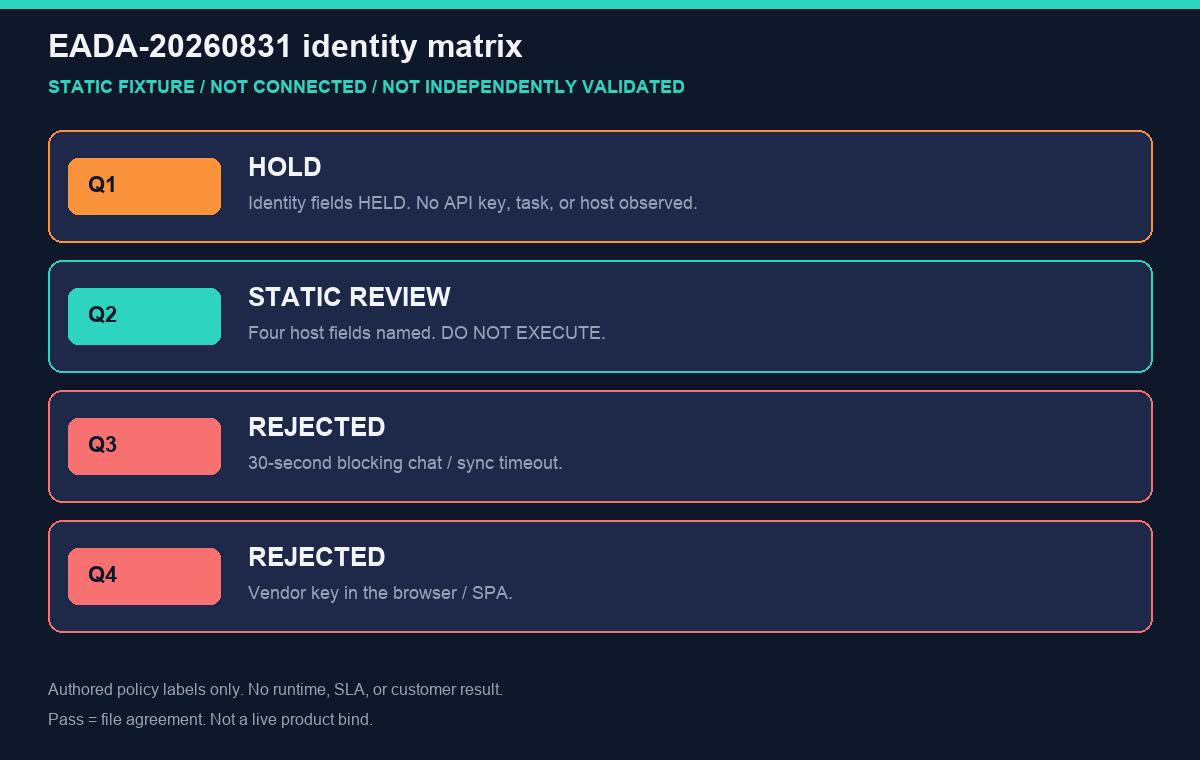
Figure. STATIC FIXTURE / NOT CONNECTED / NOT INDEPENDENTLY VALIDATED. Authored identity and policy labels only; no runtime or customer result.
Passing this replay means the EADA files agree. It does not prove reachability or production suitability. Record Python version, OS, file hashes, and HOLD output. Record the freeze date beside the HOLD line. Keep that disclaimer on every copied identity file. Record the reviewer name, the freeze date, the Python version, and the exact HOLD line beside the downloaded hashes so a later owner can see this was file agreement only and nothing else. Do not treat a passing lint check as a live product bind or a latency SLA.
Sources and Limited Claims
Direct official sources were retrieved on 2026-09-04. Google SRE Book, CISA: Artificial intelligence, CISA cybersecurity best practices, the European Commission approach to AI, AWS Well-Architected Machine Learning Lens, AWS Prescriptive Guidance, OWASP Top 10 for LLM Applications, OWASP ASVS, and UK NCSC zero-trust architecture are independent maps for jobs, injection risk, keys, and isolation. They did not run this fixture. Some hosts may be retained without a fresh 200; keep the original URLs. Re-check those URLs later.
None of those pages audited embed AI on this page. Internal review is not independent validation. A qualified reviewer would need owner approval, a server-held key, TLS evidence, one authorized console-proven goal, and versions. Until then this pack is not a third-party audit, certification, award, media mention, or customer case. GitHub profiles are public engineering traces, not a published resume or independent endorsement. If a reviewer only reran Python, say so.
How to cite. InfiniSynapse, Embed AI: Audit the Long Task First, EADA-20260831, HOLD / NOT READY FOR CONNECTION, not independently validated. Name the downloaded files used.
This pack is one of 12 published static fixtures inventoried in InfiniSynapse Data Team, Desk Review 2026-Q3, Corpus E (n=12; freeze 2026-08-31; first-party; not independently validated; not a customer sample).
Downloads:
- Identity register
- Accepted host note
- Decision register
- Expected readiness
- Review rules
- Held evidence
- Assumptions
- Source check
- Reproduction protocol
- Verifier
Failure modes
Most failures are product-shape failures, not model failures. This pack did not run a live ask.
Blocking the user request on a long job
A spinner that lasts as long as a warehouse scan trains users to click away. Return a task id. Notify when artifacts are ready. Blocking is how embed AI tickets get reverted.
Dual timelines that disagree
The app stores a summary. The console stores SQL. They diverge after the first retry. You no longer have an audit. Embed AI with one id or do not bother.
Shipping a chat bubble with no audit
A widget that cannot show plan and SQL is a demo. Data governance and security review will ask for the trail. If you ship prose only, expect a rollback after the first wrong number.
Before you write a line of integration code, list the four host fields and the forbidden sync path. If you cannot fill that list, you are not ready to embed AI in the host product. If you can, bind the list as notes and prove one console goal later.
Cluster guides under this hub: Data Agent API: HTTP and SSE for Long Tasks; Long-Task Agent Layer, Not Sync ChatBI; Analyze inside Your App without a New BI Suite; Partner Silent Provisioning without Shipping Keys; Same Task in the Web Console and the API; embedded workflow; Agentic AI in a Product: A Task, Not a Bubble; Embeddable AI: One Slot on a Screen You Own; Create, poll, reopen; Embedding Agent: Long Task in the Host App; Embed into an Existing App without a BI Suite.
Related hops: Claude Code data analysis; explainable AI data analysis; self-service data analysis for business; organizational analysis memory; what a data agent is.
Run the same long task in the web console first
Ask the in-app goal on an authorized source, open the task steps, and only then copy that task shape into your product backend. This check uses only sources you authorize.
Commercial association: You do not need the workspace to complete the educational diagnosis on this page.
Open InfiniSynapseHow this page is sourced. William Zhu is cofounder of InfiniSynapse (GitHub @allwefantasy); InfiniSynapse on GitHub. Company self-description, not independent authority. No personal LinkedIn is published. Desk experience: designing and reviewing analysis-pack methods—definition locks, read-only source binds, and downloadable
/tasksartifacts. Reviewed internally by analytics engineering · data platform · LLM security · editor. Editorial standards · corrections · publishing principles · About · Privacy · Terms · Contact zhuhl@infinisynapse.com. Company About. COI: InfiniSynapse sells an AI-native Data Agent; the banner is a commercial association. Fact-check: Google SRE Book · CISA · European Commission AI policy · AWS documentation · OWASP. No external organization audited it. This page is not third-party recognition.
Frequently Asked Questions
Should I embed a chat widget or a long-task id?
Bottom line: Embed a task id. Chat widgets hide duration. When you embed AI for analysis, the job is the object.
Can the browser hold the API key if I obfuscate it?
Bottom line: No. Keys stay on the server. Obfuscation is not a control. A product path without a backend hop is how keys leak.
Do web and API need the same console?
Bottom line: Yes. One timeline is the audit. If you keep two stories of the same job, support will pick the wrong one.
Is MCP enough to embed an analyst in my product?
Bottom line: MCP helps IDEs. Your product still needs HTTP, a task id, and a console. Do not embed AI only as a protocol demo.
What do I prove before writing production integration?
Bottom line: The same goal in the web console, with SQL and files you accept. Then embed AI by calling that shape from your backend.
Conclusion
To embed AI as a data analyst, keep your UI for questions, a long task for work, and one console for audit. Prove the job on the web. Call it from a server that holds the key. Store the task id, not a paragraph. Sync ChatBI is a tempting shortcut and a poor fit for scans and files.
InfiniSynapse describes itself on About. Privacy and Terms apply. If you later use the workspace, open InfiniSynapse only with authorized, sanitized inputs.