Embed into: Audit the Open Case First
By William Zhu & the InfiniSynapse Data Team · Published: 2026-08-22 · Last updated: 2026-08-31 · Last verified: 2026-08-31 · Next review: 2026-11-30 · Editorial standards · Corrections
Table of Contents
- TL;DR
- What it means to embed into an open case
- Evidence Boundary
- A framework: the case is the prompt
- Methods: open case versus a new suite
- Tool landscape for an in-case slot
- Implementation steps you can audit
- Desk sample: a media case that was already open (illustrative)
- Scorecard: embed into the case versus a BI suite
- Practical Static Replay
- Sources and Limited Claims
- Failure modes that fake embed into
- Frequently Asked Questions
- Conclusion
TL;DR
Direct answer: Embed into the case the operator already has open. This static pack is HOLD / NOT READY FOR CONNECTION: no API key, task id, or host call was observed. Replay the authored clip goal family and two policy rejects offline. The verifier proves file agreement only.
The host UI captures the question. Your backend starts a long task. /tasks holds plan, SQL, and files. Do not embed into a new BI suite. Keys stay on the server. This is not a customer integration, latency SLA, or third-party endorsement.
What you'll learn:
- What embed into means when the object is an open case, not a new product
- A case-as-prompt frame: noun on the screen, trail in
/tasks - Why a BI suite fails the operator who will not leave the case
- Steps: write the case goal, inspect the authored reject rules
- A static media-case identity fixture
- A scorecard and failure modes: new logins, published keys, unfiltered charts
The hub for embedding an AI data analyst is the product picture. The wire is the data agent API. Duration is the long-task agent layer. This page is narrower: place the slot on the case already open, without standing up a suite.
What it means to embed into an open case
Key Definition: To embed into an existing app means the operator’s open case is the prompt: your UI collects the noun and the question, a data agent runs a long task on authorized sources, and one
/taskstimeline shows plan, SQL, and files. It is not a new BI suite and not a second login beside the case.
Operators already have a screen: an order, a ticket, a clip, a map feature. When you embed into that screen, you do not ask them to open a catalog. You capture the identifiers they already see and start a job. The product does not become a warehouse. The case stays the center. To embed into that case is to refuse a second catalog until the noun on the screen has a task id.
Self-service analytics still applies: the operator asks a business question. Your UI is the form. Analyze inside your app is the sibling habit. This page adds the rule: embed into the case that is already open, not into a blank canvas.
RFC 7946 (retrieved 2026-09-04) is the independent GeoJSON map: the feature on the screen already has coordinates and properties. When you embed into a spatial case, send those identifiers. Do not open a second map product.
The open-case test is whether a new teammate can name the noun without asking the operator to screenshot a catalog. If the only way to recover “which clip” or “which ticket” is to leave the host app, the slot is in the wrong place. Keep the identifiers on the case. Keep the pack in /tasks. Keep the suite out of the first release.
Evidence Boundary
This is a synthetic, static, NON-CONNECTING identity fixture (EINT-20260831). No API key, host URI, task id, executed SQL, warehouse hop, or production workflow was observed.
The package does not claim that anyone ran a live /tasks goal, opened SQL that matched a clip filter, posted a memo, or reused a bound definition a second week. To operationalize embed into, each claim needs environment evidence.
Do not prove a negative privilege by writing to a production host. First review the key store and the role catalog. Any later negative test needs separate authorization. TLS is not optional because the path looks private.
This page has no customer case, no measured SLA, no media mention, and no independent institutional endorsement. The first-hand object is the authored pack you can download and lint offline. The company About page is a self-description, not third-party recognition.
A framework: the case is the prompt
Three objects stay distinct when you embed into an existing app. Collapsing them is how “in-app analytics” becomes a suite.
| Object | Owns | Must not own | Fixture state |
|---|---|---|---|
| Open case | The noun, the question, visible status | The API key, a new catalog | HELD |
| Your backend | Create call, secret store | A cached paragraph as the audit | not executed |
| /tasks | Plan, SQL, files, key mint | A public README snippet | policy text only |
The host already has the noun
Do not ask the user to re-type the case id they already clicked. The case is the prompt. When you embed into the host, the backend attaches tenant, range, and source id. The agent is not a second login unless you want one.
The Open Geospatial Consortium’s GeoSPARQL standard (retrieved 2026-09-04) is independent context for querying a store you already run. Embed into the case that store already describes. Do not migrate it into a vendor warehouse first.
The task already has the trail
The host shows a task id and a status. The trail lives in /tasks. If you embed into the app by caching only a paragraph, support will lose the join after the first retry. Data governance still decides who may start the slot.
GeoTools documentation (retrieved 2026-09-04) is the independent reminder that the feature model already exists in libraries you may ship. Embed into that model. Do not invent a second feature catalog for the analyst.
Methods: open case versus a new suite
Two methods compete in the same product review.
| ID | Candidate | Outcome | Why |
|---|---|---|---|
EINT-Q1-IDENTITY | api key, task id, host URI | HOLD / NOT READY | all identity fields HELD |
EINT-Q2-CASE-GOAL | open media clip case + four host fields | QUALIFIED FOR STATIC REVIEW | policy text; DO NOT EXECUTE |
EINT-Q3-NEW-LOGIN | new login beside the open case | REJECTED AS UNSUPPORTED | second product is a suite |
EINT-Q4-HOST-KEY | analysis key in the host page | REJECTED AS UNSUPPORTED | obfuscation is not a control |
Capture the question on the case
Pick one open-case screen. Pick one dated goal family: “explain last-week views and drop-off for this clip id on the authorized replica.” Prove it in /tasks. Then place the control on the case. The backend creates the job. That is how you embed into the app. Exploratory data analysis still happens in the task. The case button is the trigger.
RFC 7807 (retrieved 2026-09-04) is the independent problem-details map. When the slot lives on the host, a failed job should return a type and a detail the case header can show—not a silent spinner.
Why a BI suite is the wrong place
A new BI suite asks people to leave the case, learn a catalog, and wait for a tile refresh. The question already existed on the screen. Dashboard software is fine when analysts live there all day. It is the wrong embed when a producer needs “why did this clip stall” without a new login.
ITU H.264 (retrieved 2026-09-04) is the independent reminder that the media object already has a standard. When you embed into a media case, analyze the case you already play. Do not open a second player suite and call it analytics.
What is data management still owns the sources the slot may read. The slot does not become a second store.
Tool landscape for an in-case slot
Host UI, backend, console. Optional private deploy later.
Objects already on the screen
Keep login in the host. Keep the analysis key in a secret manager. Validate the noun the case sends—clip id, feature id, order id—not a free SQL string. When you embed into the product, the parameter list is the control.
InfiniSynapse’s educational path is: prove the goal on the web, then place the case control, then call the same job. That product surface is not evidence this pack connected. Private deployment and desktop exist; this page’s check still starts on /tasks so the trail is visible. The product does not write production rows. It does not invent a preset metric warehouse. It does not publish keys.
Freeze the payload the way you freeze any other case action. The control sends tenant, case id, date window, timezone, and a goal family you already proved. It does not send a free-text SQL string or a warehouse password. If product later wants a second question on the same case, add a second family—do not open a blank canvas because the first button felt too small.
Errors the host can show
Persist four fields: tenant, requester, task id, status. Render status as text. When the slot sits on the case, “ready” means files exist and SQL opened. Link ready to /tasks and to the artifact.
When the partner must be created without emailing a secret, use partner silent provisioning. When both doors must share a timeline, use same task in web and api. When the slot is the ops-screen object, the sibling picture is an embedded workflow.
Implementation steps you can audit
These steps replay the identity pack offline. Skip the authored case goal and the suite will look cheaper.
- Write the one goal family the open case will send, including noun, date window, timezone, and source. “Explain the clip” is not a family.
- Compare the accepted host note as policy text. Do not execute. Confirm steps, SQL, and files are named as required artifacts, not as a live run.
- Confirm the authored rule rejects a new login beside the case and rejects a key in the host page.
- Open
identity-register-EINT-20260831.csvand confirm every sensitive field isHELD. - Run
python3 verify-EINT-20260831.pyfrom the downloads directory.
A passing local check does not authorize embed into on any host. It reports deterministic file agreement among the authored downloads only.
The host record can stay four fields. Resist copying the memo into your primary database. The workspace is the file cabinet. Your database is the pointer. Until an authorized console proof exists, keep HOLD.
Desk sample: a media case that was already open (illustrative)
Static fixture, not a customer count and not a latency SLA. Host note: a media-ops case already open—clip id, duration, last-week views. Goal family text: “explain last-week drop-off for this clip id on the authorized replica.”
The lint register rejects a new login beside the case and rejects an analysis key in the host page. Embed into is static-ready where the clip noun and four host fields are named, and held where they are not.
| Evidence class | What you can cite | What you cannot claim |
|---|---|---|
| Static pack on this page | Case slot, id contract, inspectable artifacts | Customer uplift %, opened SQL, posted memo |
| Published authority (linked) | Object, error, and media definitions from the cited sources | That those sources ran this fixture |
Labels stay illustrative, not a measured product result. Published context: RFC 7946, RFC 7807, GeoSPARQL, GeoTools, ITU H.264, retrieved 2026-09-04.
The phrase embed into is the object under test. If a file cannot show how embed into named the clip id already on the case, reject the number.
Scorecard: embed into the case versus a BI suite
| Signal | Embed into the open case | New BI suite |
|---|---|---|
| Object | Long task for this noun | A catalog the operator must leave |
| Prompt | The case already open | A blank board |
| Audit | /tasks trail | Login to the suite |
| Key | Server store | Often a second seat |
| SQL | Opened before the brief | Hidden behind the tile |
If a pitch cannot show the last click as a task in /tasks, score it as a suite. The listing is the evidence, not the catalog.
A buying conversation can still mention private deployment or a desktop client. The educational check on this page does not. Prove the dated case goal on the web console first, then place the control on the open case, then create the same job from a staging server. If that sequence fails, a new BI seat will not invent a trail.
Practical Static Replay
Replay embed into as a file comparison: freeze EINT-20260831, confirm held identity fields, confirm the accepted note names the clip goal family and four host fields, confirm Q3–Q4 are policy rejects, then keep verifier output and hashes.
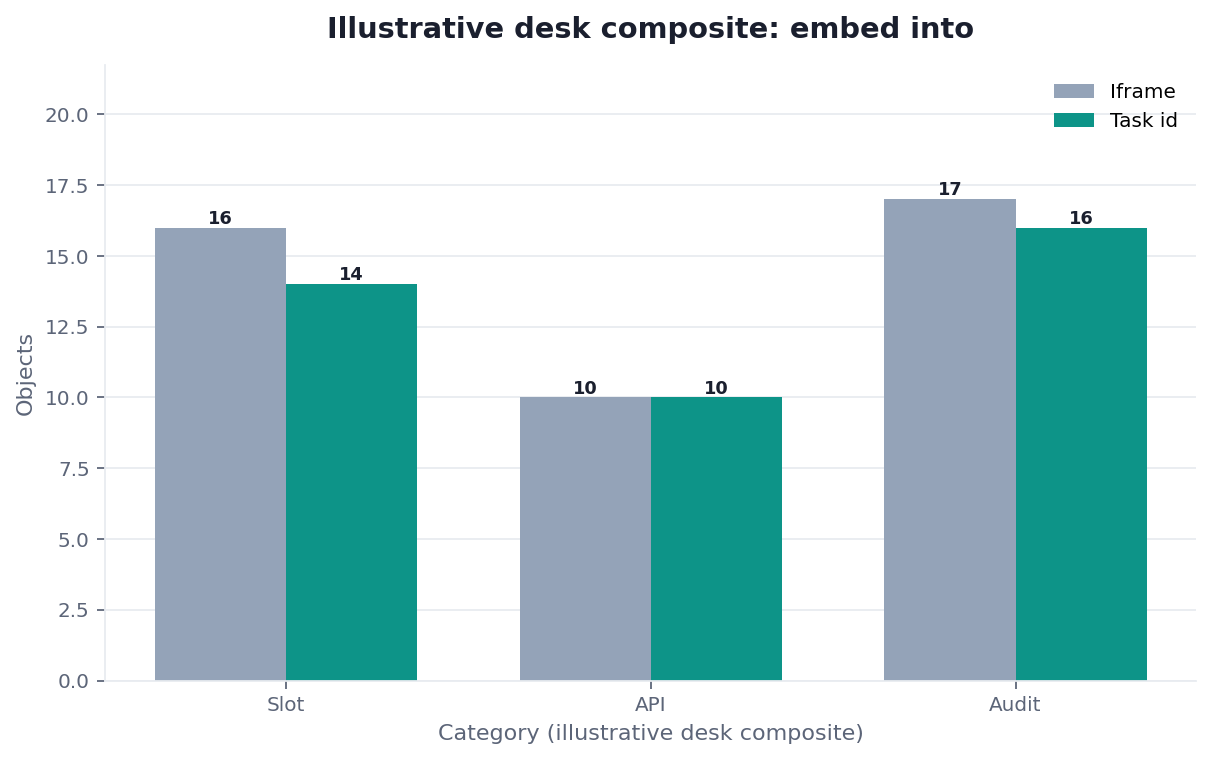
Figure. STATIC FIXTURE / NOT CONNECTED / NOT INDEPENDENTLY VALIDATED. Authored identity and policy labels only; no runtime or customer result.
Passing this replay means the EINT files agree. It does not prove reachability or production suitability. Record Python version, OS, file hashes, and HOLD output. Record the freeze date beside the HOLD line. Keep that disclaimer on every copied identity file. Write the OS name next to those hashes and keep one extra copy of that written disclaimer nearby for a later file owner review. Do not treat a passing lint check as a live product bind or a latency promise.
Sources and Limited Claims
Direct official sources were retrieved on 2026-08-31. RFC 7946, RFC 7807, GeoSPARQL, GeoTools documentation, and ITU H.264 are independent maps for feature identifiers, problem details, stores you already run, and media objects that already have a standard. They did not run this fixture. Some hosts may be retained without a fresh 200; keep the original URLs. Re-check those URLs later.
None of those pages audited embed into on this page. Do not cite this pack as proof you can embed into production. Internal review is not independent validation. A qualified reviewer would need owner approval, a server-held key, TLS evidence, one authorized console-proven goal, and versions. Until then this pack is not a third-party audit, certification, award, media mention, or customer case. GitHub profiles are public engineering traces, not a published resume or independent endorsement. If a reviewer only reran Python, say so.
How to cite. InfiniSynapse, Embed into: Audit the Open Case First, EINT-20260831, HOLD / NOT READY FOR CONNECTION, not independently validated. Name the downloaded files used.
This pack is one of 12 published static fixtures inventoried in InfiniSynapse Data Team, Desk Review 2026-Q3, Corpus E (n=12; freeze 2026-08-31; first-party; not independently validated; not a customer sample).
Downloads:
- Identity register
- Accepted host note
- Decision register
- Expected readiness
- Review rules
- Held evidence
- Assumptions
- Source check
- Reproduction protocol
- Verifier
Failure modes that fake embed into
Most fakes are new products beside the case. These fakes do not embed into the open case. This pack did not run a live ask.
A new login beside the case
A pretty “analyze” that opens a second product is not how you place the slot. Put the control on the case. If the operator must leave the noun, you have a suite.
A key in the host page
View-source is enough. When the slot lives in the host, never publish the key. Mint in /tasks. Store on the server.
A chart that ignores the open noun
Warehouse scans do not fit a company-total tile. If the picture cannot show this case’s predicate, you did not place the slot on the case. Create, return id, stream status. If you cannot name the forbidden new login, you are not ready for embed into. If you can, bind the list as notes and prove one console goal later.
Route the same diagnosis to the live guide that owns the next object.
| Live guide | Open it when |
|---|---|
| embed an AI data analyst | you need the product embed picture |
| data agent API | the create-and-stream wire is next |
| long-task agent layer | duration is still being denied |
| analyze inside your app | the host screen is the next object |
Capture the case question in the host UI
Prove one dated open-case goal in the web task console, place a single control on that case, and reopen the id without publishing a key. This check uses only sources you authorize.
Commercial association: You do not need the workspace to complete the educational diagnosis on this page.
Open InfiniSynapseHow this page is sourced. William Zhu is cofounder of InfiniSynapse (GitHub @allwefantasy); InfiniSynapse on GitHub. Company self-description, not independent authority. No personal LinkedIn is published. Desk experience: designing and reviewing analysis-pack methods—definition locks, read-only source binds, and downloadable
/tasksartifacts. Reviewed internally by analytics engineering · data platform · LLM security · editor. Editorial standards · corrections · publishing principles · About · Privacy · Terms · Contact zhuhl@infinisynapse.com. Company About. COI: InfiniSynapse sells an AI-native Data Agent; the banner is a commercial association. Fact-check: RFC 7946 · ogc.org · docs.geotools.org · RFC 7807 · itu.int. No external organization audited it. This page is not third-party recognition.
Frequently Asked Questions
Does embed into mean a BI iframe?
Bottom line: No. An iframe is a second suite. To embed into the app is a long-task slot on the open case, audited in /tasks.
Does embed into write production rows?
Bottom line: No. When you embed into the host, the agent reads authorized sources and writes artifacts in the workspace. It does not update production rows.
Where does the key live when you embed into the app?
Bottom line: In a secret manager, minted under /tasks. Embed into never puts the key in the host page.
Can I embed into five screens first?
Bottom line: No. Prove one goal family on one open case. Embed into that starts as a suite becomes an iframe program.
Conclusion
Embed into the case the operator already has open: one noun, one long task, one /tasks trail. It is not a new BI suite. Keys stay off the page. Duration stays a job. When a reviewer can open the last click without leaving the case’s identifiers behind, the embed is an operating step rather than a catalog.
InfiniSynapse describes itself on About. Privacy and Terms apply. If you later use the workspace, open InfiniSynapse only with authorized, sanitized inputs.