Cost of Large Analysis: A Verifiable Cost Evidence Chain
By William Zhu & the InfiniSynapse Data Team · Published: 2026-08-22 · Last updated: 2026-08-31 · Last verified: 2026-08-31 · Next review: 2026-11-30 · Editorial standards · Corrections
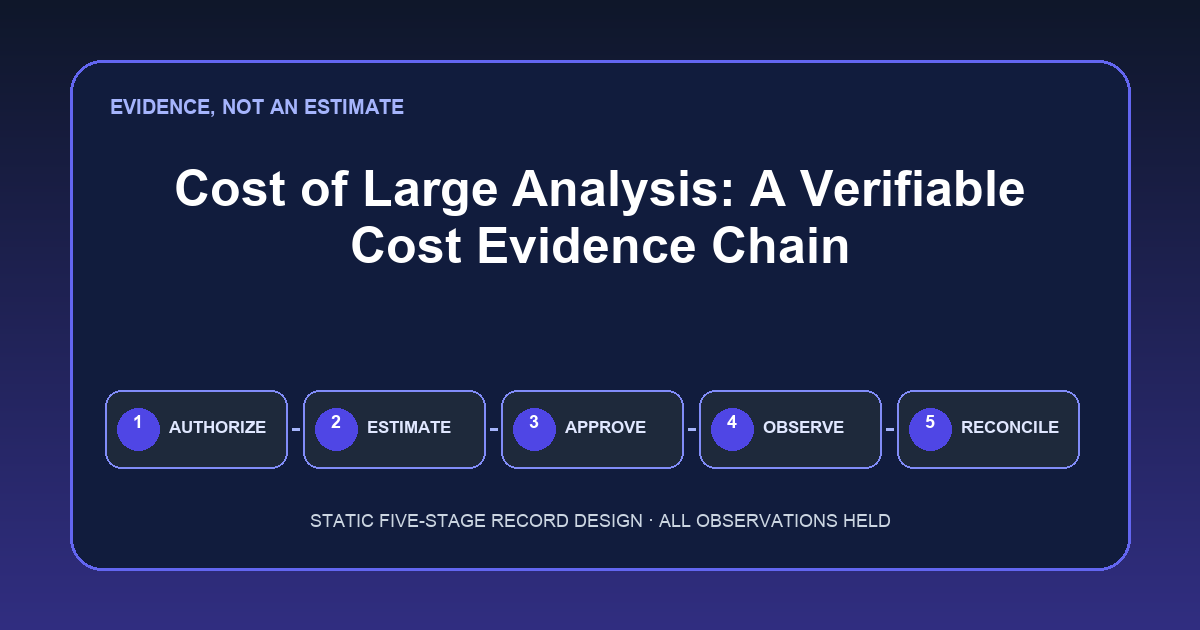
Table of Contents
- TL;DR
- Key Definition
- Evidence Boundary
- The five-stage cost evidence chain
- Pricing and metering models
- Practical Static Replay
- Access, cancellation, and copied data
- Independent Validation
- Sources and Limited Claims
- How to Cite
- Frequently Asked Questions
- Conclusion
TL;DR {#tldr}
Direct answer: The cost of large analysis is not established by an estimate, a usage screen, or an invoice alone. A defensible statement requires a linked chain: budget authorization, engine estimate, execution approval, observed job statistics, and billing reconciliation. Every stage in this page's downloadable fixture is
not_collected; therefore, this page reports no actual spend, rate, runtime, quota, job, scanned bytes, billed bytes, cancellation outcome, or savings.
The package is a static review template. It does not execute SQL, contact a vendor, inspect an account, or reproduce a product run. Its purpose is to show which records would be needed before a team describes the cost of large analysis as estimated, approved, observed, or reconciled.
The five statuses are intentionally empty of financial and engine observations. Another reviewer can validate their structure locally with the included standard-library script. That validation proves only that the fixture follows its declared rules; it does not prove that any analysis occurred.
Key Definition {#key-definition}
In this guide, the cost of large analysis means the accountable evidence chain connecting an authorized spending boundary to a vendor-specific pre-execution estimate, an approval decision, post-execution engine statistics, and a billing-system record for the same governed workload and period.
These records are not interchangeable. The cost of large analysis cannot be called “actual” from a dry-run estimate, and a billing total without a workload mapping cannot establish the cost of one analysis.
Evidence Boundary {#evidence-boundary}
This page makes a narrow, inspectable claim: the six downloads define a complete five-stage record design, and every stage is marked not_collected. No vendor account, warehouse, query, job, task console, invoice, screenshot, source connection, private deployment, or production environment was accessed for this revision.
The cost of large analysis fixture contains no price, rate, amount, runtime, quota, job identifier, scanned-byte value, billed-byte value, cancellation observation, or savings number. Blank fields are not zeros. They mean evidence was not supplied. The cost of large analysis therefore remains unknown in this package.
The chart is also a static matrix, not telemetry. Its two dimensions are evidence stage and required record category. Every status reads NOT COLLECTED. The visual does not imply that authorization was granted, an estimate was requested, execution was approved, a job ran, or billing was reconciled.
The five-stage cost evidence chain {#five-stage-cost-evidence-chain}
The matrix separates prerequisites, accountable evidence, status, and prohibited claims so a planning note cannot silently become proof of the cost of large analysis.
| Stage | Required record | Owner / approver evidence | Status | What cannot be claimed |
|---|---|---|---|---|
| 1. Budget authorization | Dated authorization record defining scope, billing account, policy boundary, validity window, and escalation rule | Named budget owner and approver identity or policy reference | not_collected | No budget, quota, remaining capacity, permission, or approved amount |
| 2. Engine estimate | Vendor-native estimate response plus query or workload fingerprint, engine configuration, pricing model, region, timestamp, and assumptions | Requester identity and reviewer acknowledgment | not_collected | No estimated bytes, credits, units, runtime, rate, price, or cost |
| 3. Execution approval | Dated go/no-go decision referencing stages 1 and 2, change record, and approval conditions | Authorized approver identity and decision evidence | not_collected | No approval, execution permission, risk acceptance, or expected savings |
| 4. Job statistics | Immutable engine job record and post-run statistics tied to the approved fingerprint | Operator identity, service principal, and evidence custodian | not_collected | No execution, job ID, runtime, scanned bytes, billed bytes, cancellation result, or output |
| 5. Billing reconciliation | Invoice, CUR, cost-management export, or equivalent ledger mapping with period and allocation method | FinOps owner, billing-account custodian, and reconciliation reviewer | not_collected | No billed amount, effective rate, allocation, variance, or realized savings |
Figure. Static evidence-chain matrix: five stages by required evidence and status. All stages are NOT COLLECTED; no run or billing observation is represented.
1. Budget authorization {#budget-authorization}
Budget authorization for the cost of large analysis should identify the billing account or cost center, workload scope, validity period, owner, approver, and escalation condition. A generic annual budget is not automatically approval for a particular query.
For this stage, the required record is absent. Neither an authorized ceiling nor a remaining balance is represented. Consequently, the cost of large analysis cannot be described as within budget, over budget, quota-limited, or approved.
2. Engine estimate {#engine-estimate}
An engine estimate for the cost of large analysis is vendor- and configuration-specific. Preserve the workload fingerprint, timestamp, region, settings, pricing model, and assumptions. Current vendor and account pricing must be retrieved when the review occurs; this page embeds no rate card.
Because no request or response exists here, no pre-execution figure is available. The cost of large analysis cannot be estimated from the blank stage.
3. Execution approval {#execution-approval}
Execution approval for the cost of large analysis should reference authorization, estimate, workload fingerprint, approver, timestamp, conditions, and expiry. An estimate does not prove approval, and approval does not prove that a job ran. Here the stage is not_collected.
Least privilege must be defined by required actions, not reduced to “read-only.” An execution identity may need narrowly scoped permissions to submit a query, inspect metadata, read approved objects, write only to a controlled destination, retrieve statistics, and cancel a job. Deny unrelated datasets, administrative changes, credential access, uncontrolled exports, and billing-account modification. Exact permissions depend on the engine and governance model.
4. Job statistics {#job-statistics}
Observed job statistics for the cost of large analysis are post-execution records, not forecasts. Preserve the engine identifier, workload fingerprint, timestamps, state, configuration, statistics, and cancellation fields. Do not infer billing from a progress indicator.
BigQuery's Job REST resource (retrieved 2026-09-04) documents job configuration, status, and statistics fields. Athena's query statistics guide (retrieved 2026-09-04), GetQueryExecution (retrieved 2026-09-04), and GetQueryRuntimeStatistics (retrieved 2026-09-04) document separate execution and runtime-statistics interfaces.
No such response is included. Thus the cost of large analysis has no observed engine evidence here. No execution, completion, cancellation, runtime, or scanned/billed quantity can be stated.
5. Billing reconciliation {#billing-reconciliation}
Billing reconciliation for the cost of large analysis compares eligible observed usage with an account financial record for the same period and allocation method. Document relevant timing differences, discounts, credits, shared capacity, minimums, taxes, and unmapped usage.
AWS explains the role of Cost and Usage Reports (retrieved 2026-09-04). Microsoft documents the Cost Management Query usage API (retrieved 2026-09-04). Snowflake documents QUERY_HISTORY (retrieved 2026-09-04), an account-usage source that can support operational analysis but is not by itself an invoice.
The fixture includes no ledger record and no mapping. Therefore the cost of large analysis is not reconciled and no financial amount or variance can be claimed.
Pricing and metering models {#pricing-and-metering-models}
On-demand bytes and capacity billing answer different cost of large analysis questions. An on-demand model may meter processed data under rules for minimums, caching, formats, compression, and account terms. Capacity billing may allocate slots, warehouses, clusters, credits, or another unit over time. Shared capacity needs an allocation policy; multiplying bytes by a list price may be wrong.
The cost of large analysis should name the applicable model and preserve the source used to retrieve current pricing. Do not transplant a public list price across regions, editions, contracts, currencies, or dates. Do not combine on-demand estimates with capacity invoices as if they were the same unit.
Athena workgroup controls can support governance; see workgroup data usage controls and CloudWatch (retrieved 2026-09-04). A control configuration is evidence about a rule, not evidence of remaining budget, query approval, execution, or final billing.
Practical Static Replay {#practical-static-replay}
The cost of large analysis replay uses only the downloaded files. It tests the package without creating cloud activity:
- Download
cost-evidence-chain-COLA-20260831.csv, the assumption register, held-field list, protocol, source check, and verifier. - Keep the filenames unchanged in one local directory.
- Inspect the chain CSV. Confirm that its stages are ordered 1 through 5 and each status is
not_collected. - Inspect owner and approver requirements, required-record descriptions, limitation text, and source markers. These describe evidence to obtain; they are not observations.
- Inspect the held-field CSV. Confirm every
actual_valueis blank and everyobservedvalue isfalse. - Run
python verify-COLA-20260831.pywith Python 3. The script uses only the standard library and makes no network request. - Read the report. A pass means the local files match the fixture contract. It does not change any stage to collected.
This replay cannot calculate the cost of large analysis because it has no financial or engine inputs. An internal extension should preserve the original, document provenance, and review newly supplied records.
Access, cancellation, and copied data {#access-cancellation-and-copied-data}
Cancellation affects the cost of large analysis under engine-specific semantics. It may stop future work but not reverse completed work, committed capacity, storage, transfer, minimums, or downstream activity. Job and billing evidence must determine what happened.
Copied data can create storage, transfer, egress, compute, governance, or lifecycle cost; it can also shift rather than duplicate cost. Some paths produce no separately itemized second charge. Identify vendors, regions, storage classes, direction, retention, and current terms before assessing the cost of large analysis.
Least privilege for the cost of large analysis should limit source objects, destinations, exports, keys, logs, metadata, and billing access. Read-only source access alone does not control job creation, exfiltration, temporary storage, or sensitive query text.
Common failure modes are: treating an estimate as an invoice; treating job statistics as a rate card; approving a workload without preserving its fingerprint; assigning shared capacity without a policy; assuming cancellation erases usage; and declaring copied data universally cheaper or universally double-billed. The evidence chain forces each claim into its proper stage.
Quota review is one step on the large dataset analysis hub. For adjacent methods, use analyze large datasets with AI, 200gb data analysis, analyze millions of rows, long-running analysis job, when large data needs a warehouse, Desktop vs Browser for Large Data Analysis, data governance, what is data management, semantic layer, and what is a data agent. They provide context, not missing evidence for this package.
Independent Validation {#independent-validation}
Independent validation requires a reviewer who did not author, operate, approve, or reconcile the original work and who has sufficient access and competence to inspect source records. Internal editorial, analytics-engineering, data-platform, security, FinOps, or management review can improve quality, but internal reviewers are not independent merely because they belong to another team.
For the cost of large analysis, an independent reviewer should obtain authoritative records, match identities, timestamps, and fingerprints, retrieve current pricing, reproduce allocation logic, investigate unmatched items, and sign a bounded conclusion.
The downloadable verifier is deterministic structural validation, not independent assurance. It confirms ordering, statuses, blanks, required text, and source markers. It cannot authenticate a person, attest to source completeness, establish the cost of large analysis, or provide audit assurance.
Sources and Limited Claims {#sources-and-limited-claims}
Direct vendor documentation retrieved 2026-09-04:
- BigQuery: Running queries — query execution context.
- BigQuery: Best practices for controlling costs — estimation and cost-control context.
- BigQuery Jobs REST resource — job configuration, status, and statistics fields.
- Amazon Athena pricing — public pricing context that must be refreshed for the relevant account and date.
- Athena query statistics — statistics context.
- Athena GetQueryExecution and GetQueryRuntimeStatistics — API response context.
- Athena workgroup controls — control-limit context.
- AWS Cost and Usage Reports — billing-record context.
- Azure Cost Management Query — cost-management query context.
- Snowflake QUERY_HISTORY — account query-history context.
These documents support cost of large analysis terminology and record selection. They do not show that any estimate, query, cancellation, billing export, or reconciliation was performed for this article. Vendor documentation can change. Retrieve current pricing and product behavior from the relevant vendor and account before making a decision about the cost of large analysis.
Context-only sources retained from the earlier version are Terraform, Google Analytics, Stripe, Azure Architecture, and CISA AI. They are not evidence for the five stages.
How to Cite {#how-to-cite}
Cite this page as a method and blank static fixture:
Zhu, William, and InfiniSynapse Data Team. “Cost of Large Analysis: A Verifiable Cost Evidence Chain.” Published 2026-08-22; verified 2026-08-31. https://infinisynapse.com/en/blog/cost-of-large-analysis
When citing the cost of large analysis downloads, include the filename, retrieval date, and hash calculated in your environment. State that all stages were not_collected at publication. Do not cite this package as evidence of a vendor price, account budget, approved execution, completed job, cancellation result, invoice amount, savings, customer outcome, or third-party audit.
The authors and InfiniSynapse Data Team are internal parties. Editorial review does not convert this page into independent validation. For the cost of large analysis in a specific organization, cite the organization's own authenticated records and the applicable current vendor terms.
Build the record before the claim
Use the downloadable static fixture to define authorization, estimate, approval, job-statistics, and billing-reconciliation evidence before any execution decision.
Commercial association: InfiniSynapse publishes this educational method; no product use is required to replay the fixture.
Open InfiniSynapseAccountability. William Zhu is cofounder of InfiniSynapse (GitHub @allwefantasy); no personal LinkedIn is published. Internal review roles: analytics engineering · data platform · LLM security · editor. Internal review is not independent assurance. Editorial standards · corrections · publishing principles · Contact zhuhl@infinisynapse.com. Company About. COI: InfiniSynapse sells an AI-native Data Agent.
Frequently Asked Questions {#frequently-asked-questions}
Can an engine estimate establish the cost of large analysis?
No. It is pre-execution evidence under stated assumptions. Preserve it, but compare any executed workload with observed job statistics and a billing record before claiming an actual amount.
Are scanned bytes and billed bytes interchangeable?
No. Fields and charging rules vary by engine, pricing model, cache behavior, minimums, file format, capacity arrangement, and contract. Keep vendor field names and retrieve current terms.
Does cancellation stop every charge?
No universal claim is valid. Cancellation may prevent some future work while completed work, committed capacity, storage, transfer, or downstream activity remains chargeable. Verify engine and billing records.
Is an internal review an independent audit?
No. Internal review can test completeness and policy compliance, but independence requires an appropriately qualified party outside the authorship, operation, approval, and reconciliation chain.
What does the verifier prove?
It proves that the local static files satisfy declared structural constraints. It does not prove execution, source authenticity, completeness, pricing, billing, savings, or the cost of large analysis for an account.
Conclusion {#conclusion}
A reliable cost of large analysis statement starts with authorization and ends with reconciliation. Estimates, approvals, engine observations, and billing records must remain distinct and linkable. This page supplies the record design and a static replay, while honestly leaving every operational field uncollected.
Use the chain to identify missing evidence before anyone converts a forecast into an “actual” claim. Retrieve current vendor and account terms, apply least privilege, preserve cancellation semantics, document copied-data paths, and seek genuinely independent validation when assurance is required.