Desktop vs Browser Large Data: Audit Placement First
By William Zhu & the InfiniSynapse Data Team · Published: 2026-08-22 · Last updated: 2026-08-31 · Last verified: 2026-08-31 · Next review: 2026-11-30 · Editorial standards · Corrections
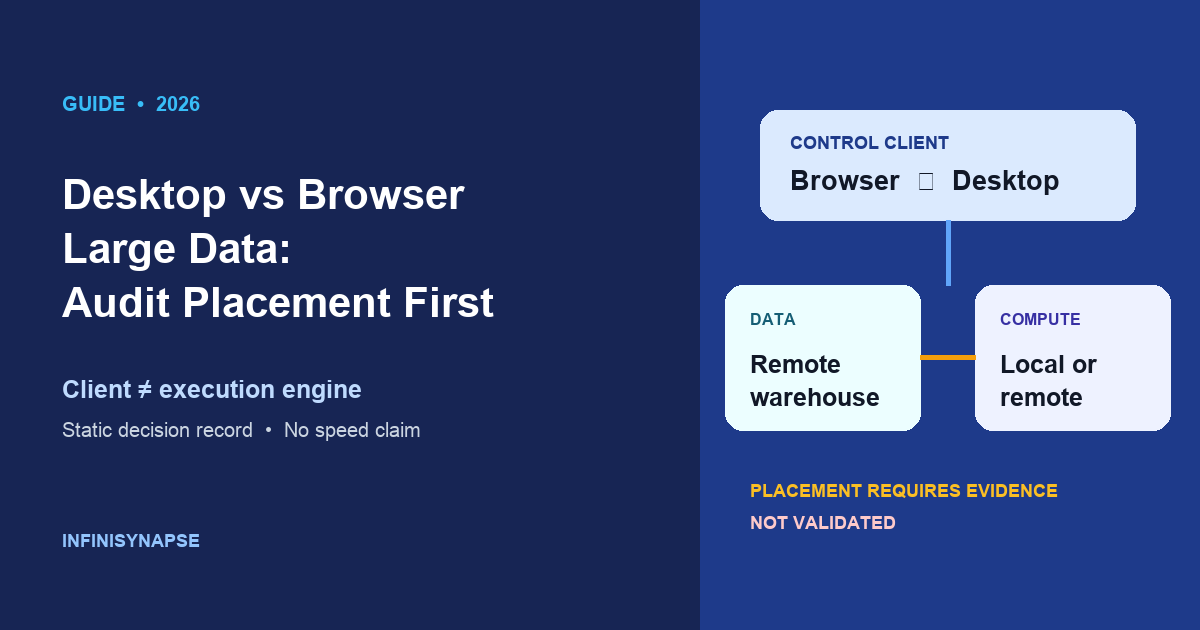
Table of Contents
- TL;DR
- Key definition
- Evidence Boundary
- Placement decision record
- Nine decision criteria
- Practical Static Replay
- Cancellation, observability, and charges
- Common inference failures
- Final selection protocol
- Independent Validation
- Sources and Limited Claims
- How to cite this record
- Frequently Asked Questions
- Conclusion
TL;DR
Direct answer: Desktop vs browser large data identifies a control client, not an execution engine. A browser may submit remote work or process locally; a desktop application may process locally or control remote work. Therefore location and performance claims require end-to-end evidence. Desktop vs browser large data records two synthetic requirement profiles, both
not_validated, and makes no client winner or speed claim.
What you'll learn:
- Why client surface, data location, compute location, and transfer path are separate facts
- How to replay exactly two static profiles against nine criteria
- Why a URL is not by itself an audit, and why local does not automatically mean private
- What evidence an equivalent authorized benchmark must retain before final selection
- How an independent reviewer can reproduce the classification offline
Key definition
Key Definition: Desktop vs browser large data is a client-and-placement decision record. It asks what the browser or desktop controls, where governed data resides, where compute executes, what crosses a boundary, and what evidence proves those facts. The client label alone establishes none of execution location, privacy, transfer, performance, observability, or cost.
Interface names cannot establish architecture. Browser code may execute locally or call remote services; desktop code may read local files or invoke a warehouse. In desktop vs browser large data, the client is one node, not the system.
Host placement sits under the large dataset AI analysis guides. Related context includes analyze large datasets with AI, 200gb data analysis, and analyze millions of rows. Their planning examples provide no execution evidence for desktop vs browser large data.
Evidence Boundary
This is a static educational replay dated 2026-08-31. No client, engine, source, query, transfer, benchmark, customer workload, or InfiniSynapse product behavior was run or observed for this page. Desktop vs browser large data has no measured runtime, speed, volume, latency, throughput, resource use, transfer duration, charge, or correctness result here. The chart visualizes requirements and provisional evaluation paths only.
Desktop vs browser large data does not default to browser control. A browser URL does not prove identity, engine state, lineage, or artifact access; a local path does not prove isolation, permissions, or absence of egress. Evidence follows the complete path.
Historical context links are Prometheus, Docker, the Google SRE book, GitLab, and IBM's augmented analytics overview. None provides evidence for desktop vs browser large data or audited this page.
Placement decision record
The downloadable placement record contains exactly two synthetic requirement profiles. A provisional recommendation says which path deserves evaluation; it does not identify a validated default or winner. Each row keeps decision_status=not_validated until equivalent, authorized evidence exists.
Profile one: governed remote warehouse
governed_remote_warehouse has the provisional recommendation evaluate_remote_execution_with_browser_control. Browser control is only a candidate in desktop vs browser large data because this profile requires governed access to a remote warehouse and evaluation of remote execution. The recommendation does not say the browser executes the work, wins by default, is faster, or provides an audit by existing.
Evaluation must identify the warehouse job, principal, authorization, network path, operation, and artifacts. BigQuery's introduction and query-plan explanation illustrate evidence below a client, not results for desktop vs browser large data.
Profile two: sanctioned local columnar directory
sanctioned_local_columnar_directory has the provisional recommendation evaluate_local_execution_with_desktop_control. Local execution with desktop control is a candidate to evaluate, not a speed statement and not a validated placement. Desktop vs browser large data still requires proof that execution is local, the directory is authorized, and any indexing, telemetry, updates, synchronization, model calls, or artifact publication do not create unrecorded transfers.
Apache Parquet documents its format. DuckDB documents Parquet operations and workload tuning. They establish no desktop vs browser large data result, privacy, correctness, or suitability.
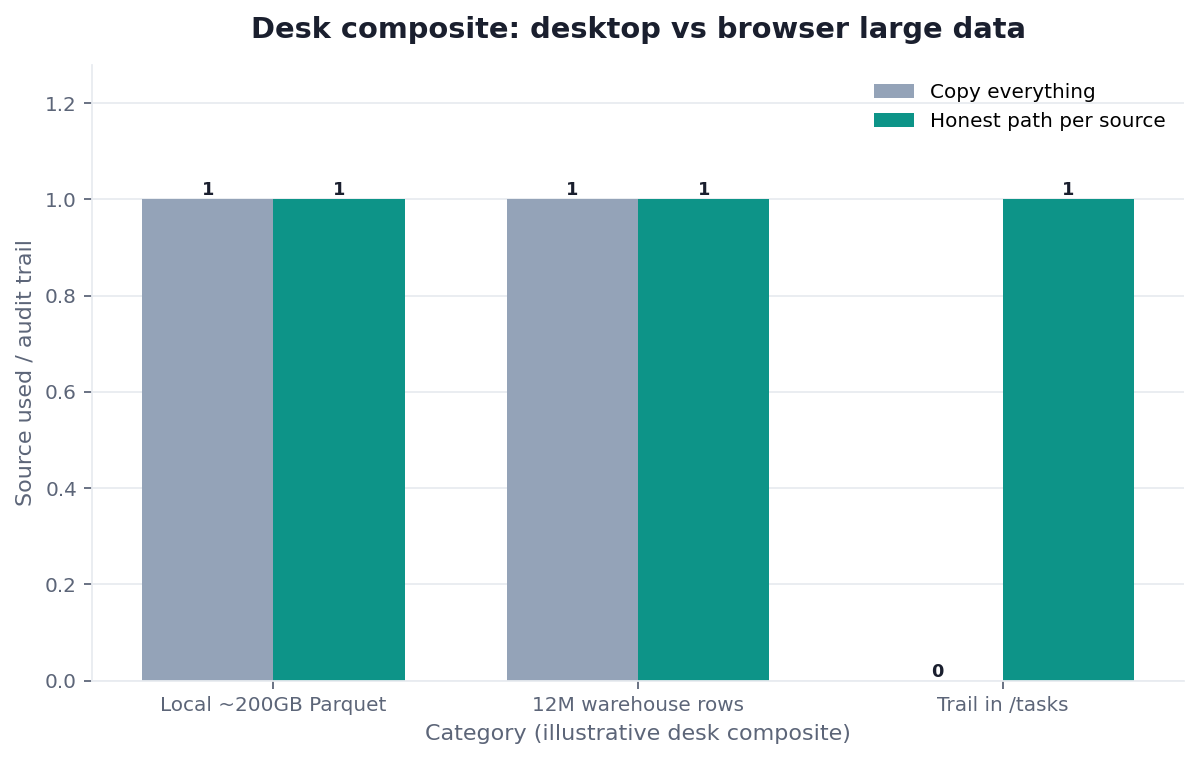
Figure. Static placement-decision matrix. No client or engine run. Both profiles remain not validated; recommendations indicate candidates to evaluate, not winners.
Nine decision criteria
The desktop vs browser large data criteria file has nine rows. Apply every row to both profiles. A missing criterion is an unknown, never a favorable assumption.
Location, compute, and transfer
Data location records authoritative storage, replicas, caches, temporary files, and the jurisdiction or environment that governs them. Compute location records each process or service that parses, plans, executes, spills, caches, and renders. Transfer path records every ingress, egress, intermediary, protocol, and persistence point.
A browser does not necessarily upload data: it can submit a reference or query to remote compute, or process bytes already available to it. A desktop does not necessarily keep data on the machine: it can control remote compute or transmit inputs. Transfer may dominate an end-to-end result, but desktop vs browser large data cannot assert that it does until bytes, timing boundaries, retries, compression, concurrency, and cache state are measured.
Identity, authorization, and egress
Authentication and authorization asks which human, workload identity, token, role, policy, and approval permits each action. Sensitivity and egress classifies fields and artifacts, tests whether movement is sanctioned, and records destination controls. OWASP's File Upload Cheat Sheet demonstrates that accepting files creates security design obligations; it does not characterize this page's clients.
“Local” is only a topology description. It does not mean private, because backups, telemetry, shared accounts, malware, plugins, or synchronization may cross the intended boundary. “Browser” is also a client description. It does not mean upload, because remote references and server-side execution can leave source data at an authorized service.
Execution evidence and operations
Execution evidence requires candidate-specific identifiers, plans, logs, timestamps, versions, settings, cache state, and observed inputs and outputs. Observability and cancellation semantics requires traces across the client, coordinator, engine, transfer service, and artifact system, plus explicit state transitions.
W3C Trace Context defines propagation fields; OpenTelemetry explains trace signals. Neither proves cancellation, completion, deletion, billing, or a desktop vs browser large data result without mapped system state.
Artifacts and reproducible benchmarks
Artifact publication asks who can retrieve outputs, under which authorization, for how long, with what integrity and provenance. It does not require a public URL. A shared URL alone does not prove auditability if access, content, lineage, retention, or immutable identity cannot be checked.
Reproducible benchmark defines equivalent authorized inputs, operation, correctness checks, warm-up, repetitions, cache handling, settings, versions, concurrency, resource limits, failure recovery, and retained evidence. The benchmark must include end-to-end transfer and artifact access where those belong to the decision. Until then, desktop vs browser large data remains a requirements classification.
Practical Static Replay
- Download
placement-decision-DVBLD-20260831.csvand confirm exactly two profile IDs, their allowed provisional recommendations, andnot_validatedstatus. - Download
decision-criteria-DVBLD-20260831.csvand confirm exactly nine unique criteria: data location, compute location, transfer path, authentication and authorization, sensitivity and egress, execution evidence, observability and cancellation semantics, artifact publication, and reproducible benchmark. - Read
assumption-register-DVBLD-20260831.csv. Every row is an assumption or unresolved evidence need; none is a measurement. - Run
python3 verify-DVBLD-20260831.pyin the downloads directory. It uses only the Python standard library and makes no network request. - Compare the output with the independent reproduction protocol. A pass confirms package structure and forbidden-field absence, not client fitness.
This replay makes desktop vs browser large data falsifiable at the classification layer. Editing a profile, adding a measured-result field, changing status, introducing a client-winner phrase, or dropping a criterion causes the verifier to fail. It cannot validate infrastructure that was never executed.
The downloads are placement decision, decision criteria, assumption register, source check, independent protocol, and offline verifier.
Cancellation, observability, and charges
A cancellation request is an instruction sent by a client or coordinator. It is not proof that an engine received the request, stopped scheduling, terminated active work, released resources, rolled back side effects, or stopped accruing charges. The engine's documented terminal state and billing or usage records are separate evidence.
BigQuery's REST Job resource and Storage Transfer Service overview illustrate distinct job and transfer states. They do not test desktop vs browser large data or guarantee another system's semantics.
For desktop vs browser large data, retain correlation IDs, acknowledgments, engine transitions, transfer events, artifact state, and charge reconciliation. “Cancelled” or a closed client proves no remote terminal state.
Common inference failures
Treating the client as the engine
A team sees a browser and labels execution remote, or sees desktop and labels execution local. Desktop vs browser large data rejects both shortcuts. Inspect process boundaries, endpoints, job records, file access, and traces before describing placement.
Treating a URL as an audit
A URL can be a locator, a mutable view, or a short-lived token. Auditability also needs authenticated access, stable identity, provenance, content integrity, retention, event history, and reviewer permissions. No universal browser audit URL exists merely because work began in a web interface.
Treating local as private
A local process may send telemetry, fetch remote services, write cloud-synced folders, or expose artifacts through weak permissions. Desktop vs browser large data requires sensitivity and egress evidence instead of the word “local.”
Treating transfer as the bottleneck
Transfer can be material, negligible, overlapped, repeated, compressed, or avoided. Its role depends on the measured end-to-end path. Without boundary timestamps and byte counts, “transfer dominates” is a hypothesis for the assumption register.
Comparing unequal candidates
Different filters, data snapshots, output grains, cache states, resource limits, or recovery conditions invalidate a client comparison. The provisional paths cannot be promoted using anecdotes or unrelated vendor benchmarks.
Final selection protocol
A final selection requires equivalent authorized benchmarks for both candidates where policy permits them. The acceptance record must compare correctness, end-to-end transfer, elapsed boundaries, resource use, recovery behavior, security controls, and artifact access. It must retain versions, settings, repetitions, cache policy, input identity, output reconciliation, failure tests, and reviewer approval.
Correctness is a gate, not one weighted feature. Security and authorization are also gates. Desktop vs browser large data cannot choose a client if one candidate violates data handling policy, even if another metric appears favorable. If policy forbids a candidate, record the exclusion and evidence; do not fabricate a benchmark.
For desktop vs browser large data, resource evidence spans client, engine, network, storage, and transfer services; recovery covers interruption, retry, partial artifacts, and reconciliation; artifact evidence covers access, retention, provenance, and revocation.
Independent Validation
An independent validator must not be the author, InfiniSynapse Data Team, or any internal reviewer named on this page. Internal editorial, analytics engineering, data platform, and security review can improve quality, but they are not independent validation. Desktop vs browser large data remains not_validated until a qualified external party reproduces the authorized protocol and reports methods and limitations.
The protocol starts with hashes and offline checks. An execution study needs authorization, equivalent candidates, correctness reconciliation, raw observations, and disclosed exclusions. A structural pass is not a third-party audit or desktop vs browser large data validation.
Sources and Limited Claims
Direct sources were retrieved on 2026-08-31. NIST's Cloud Computing Reference Architecture supports separating actors, providers, services, and system responsibilities. Parquet and DuckDB sources support format and engine capabilities. BigQuery documentation supports examples of managed remote execution, plans, and job resources. W3C and OpenTelemetry support trace propagation and trace concepts. OWASP supports upload-security considerations. Storage Transfer Service supports the existence of separately managed transfer operations.
These sources do not compare clients, validate recommendations, establish performance, or audit InfiniSynapse. Prometheus, Docker, Google SRE, GitLab, and IBM remain earlier context. Desktop vs browser large data draws no product capability from them. Historical internal context: database, chat, self-service, visualization, long job, warehouse, and cost. Editorial contact.
Document placement before choosing a client
Record data, compute, transfer, authorization, and evidence boundaries before any candidate benchmark. This check uses only sources you authorize.
Commercial association: You do not need the workspace to complete the educational diagnosis on this page.
Open InfiniSynapseHow this page is sourced. William Zhu is cofounder of InfiniSynapse (GitHub @allwefantasy); the organization also publishes at GitHub. Reviewed internally by analytics engineering · data platform · LLM security · editor. Editorial standards · corrections · publishing principles. COI: InfiniSynapse sells an AI-native Data Agent; the banner is a commercial association. Fact-check scope: NIST · Apache Parquet · DuckDB · Google Cloud · W3C · OpenTelemetry · OWASP. Internal review is not independent validation.
How to cite this record
Cite this page as an InfiniSynapse static placement-decision record, title, publication date, verification date, live URL, and access date. Cite the CSV filenames and hashes when discussing the two profiles. Describe recommendations as provisional and status as not validated.
Do not call desktop vs browser large data a benchmark, experiment, customer study, third-party audit, security assessment, product test, or proof of client performance. Cite each direct source for its own limited concept. Do not imply that NIST, Apache, DuckDB, Google, W3C, OpenTelemetry, OWASP, Prometheus, Docker, GitLab, IBM, or Google SRE reviewed or endorsed this record.
Frequently Asked Questions
Does the browser execute remote work by definition?
Bottom line: No. A browser can process locally, submit remote work, or coordinate both. Desktop vs browser large data requires execution evidence before assigning compute location.
Does desktop mean data remains private?
Bottom line: No. Local storage or execution does not establish permissions, encryption, telemetry, synchronization, or egress behavior. Inspect the complete boundary.
Is a task URL sufficient audit evidence?
Bottom line: No. A URL must be paired with identity, authorization, provenance, immutable or versioned content, retention, event state, and reviewer access. A locator alone is not an audit.
Which client is provisionally evaluated for the remote profile?
Bottom line: evaluate_remote_execution_with_browser_control is the provisional path for governed_remote_warehouse. It is a candidate, not a default winner or validated recommendation.
Which client is provisionally evaluated for the local profile?
Bottom line: evaluate_local_execution_with_desktop_control is the provisional path for sanctioned_local_columnar_directory. It is not a speed claim or validation.
What makes a final comparison acceptable?
Bottom line: Use equivalent authorized candidates and compare correctness, transfer, resource use, recovery, security, artifact access, and reproducible end-to-end evidence. Until that record exists, desktop vs browser large data stays not validated.
Conclusion
Desktop vs browser large data is not shorthand for local versus remote execution. It names a decision about a control client within an evidenced placement architecture. The two static profiles show where evaluation may begin, while nine criteria prevent a client label from becoming a location, privacy, speed, audit, cancellation, or cost claim.
Use the downloadable record to expose assumptions, then authorize an equivalent benchmark only if policy permits. Preserve correctness, transfer, resource, recovery, security, and artifact evidence. Until an independent validator reproduces that protocol, both profiles remain not_validated, with no client or engine winner.