Long-Running Analysis Job: Audit the State Machine
By William Zhu & the InfiniSynapse Data Team · Published: 2026-08-22 · Last updated: 2026-08-31 · Last verified: 2026-08-31 · Next review: 2026-11-30 · Editorial standards · Corrections
Table of Contents
- TL;DR
- Key definition
- Evidence boundary
- State-machine specification
- Success lifecycle trace
- Cancellation lifecycle trace
- State, progress, traces, and logs
- Rerun identity
- CloudEvents-style event fixture
- Four non-executing SQL drafts
- Practical static replay
- Independent validation
- Reviewer decision record
- Sources and limited claims
- How to cite this package
- Frequently asked questions
- Conclusion
TL;DR
A long-running analysis job can be audited without running a query or connecting data. This page defines a small state machine and supplies synthetic fixtures for two legal paths. The success path is submitted → queued → running → succeeded → artifacts_published. The cancellation path is submitted → queued → running → cancel_requested → canceled.
cancel_requested is nonterminal. It records intent, not proof that an engine stopped or that charges stopped. Only an event from the authoritative controller can establish a terminal state. Publication is legal only after success. A rerun receives a new job ID and an explicit parent_job_id relationship; it never rewrites the original history.
Everything in the package is static and synthetic. Timestamps are ordinal ISO fixture values used only to test ordering. They make no elapsed-time, throughput, scale, runtime, cost, customer, or product claim.
Key definition
A long-running analysis job is modeled here as an immutable identity plus an append-only sequence of controller-observed state transitions. State answers which lifecycle condition the controller reports. It is not interchangeable with a progress percentage, span, log line, query step, or user-interface message.
This long-running analysis job definition is deliberately narrow. Kubernetes Jobs and Pods illustrate why workload and lifecycle state need explicit controllers. BigQuery's Jobs API shows a cloud job resource and a separate cancellation method. AWS Batch distinguishes canceling a queued job from terminating a running job. Those systems differ; the sources support the need to specify semantics, not a universal state vocabulary.
The long-running analysis job fixture does not implement any cited platform. It is an educational model for reviewing invariants in a long-running analysis job. The Elastic documentation index, CNCF project catalog, Docker documentation, NIST AI Risk Management Framework, Stripe documentation, and Stanford AI Index remain contextual references only. None validates this fixture or describes an InfiniSynapse feature.
Evidence boundary
For this long-running analysis job audit, no warehouse, database, controller, queue, billing system, customer source, or product console was contacted. No SQL was executed. No results were produced. No bytes, rows, money, duration, speed, quotas, or infrastructure were measured. The fixture labels do not establish CloudEvents or W3C Trace Context conformance, certification, or interoperability.
The long-running analysis job package demonstrates only that its supplied records obey its declared rules. A long-running analysis job in a real system needs evidence from that system's authoritative controller, documented cancellation semantics, identity rules, access controls, retention policy, and artifact publisher. Static replay cannot prove operational behavior.
Internal analytics engineering, data platform, security, and editorial reviewers can inspect the logic, but they are not independent validators. “Independent validation” below means a person outside the authoring workflow can reproduce the local checks from published files; it does not mean a third-party audit.
State-machine specification
The long-running analysis job specification contains five ordinary lifecycle states, one cancellation-request state, and one post-success publication state.
| State | Terminal? | Meaning in this fixture | Allowed next state |
|---|---|---|---|
submitted | No | Identity and synthetic request event exist | queued |
queued | No | Controller fixture accepted queue placement | running |
running | No | Controller fixture reports active work | succeeded or cancel_requested |
cancel_requested | No | Cancellation intent was recorded | canceled |
succeeded | Yes for execution | Controller fixture reports successful execution | artifacts_published |
canceled | Yes | Controller fixture reports cancellation terminal | none |
artifacts_published | Yes | Synthetic publisher record follows success | none |
The long-running analysis job model intentionally does not infer transitions from silence, percentages, logs, or spans. For a long-running analysis job, an absent event is missing evidence, not a new state. Duplicate delivery could be handled by event ID in a production design, but this fixture contains unique IDs and does not claim delivery guarantees.
Success lifecycle trace
The successful long-running analysis job record uses job job-synthetic-001 and ordinal timestamps from 2026-08-31T00:00:01Z through 00:00:05Z. They are synthetic sequence markers. The legal trace is:
submitted → queued → running → succeeded → artifacts_published
Artifact publication is a separate event so reviewers can verify that it occurs only after succeeded. The fixture does not contain an artifact payload, data output, query result, or claim that publication happened in a real service.
Cancellation lifecycle trace
The canceled long-running analysis job record uses job-synthetic-002:
submitted → queued → running → cancel_requested → canceled
For a long-running analysis job, the request is nonterminal by design. A client request, button click, API acknowledgment, or log message must not be treated as proof that compute stopped. It also cannot prove that metering or charges stopped. The terminal canceled event must be emitted by the authoritative controller represented in the fixture. Actual systems may expose different semantics; consult their documentation and contracts.
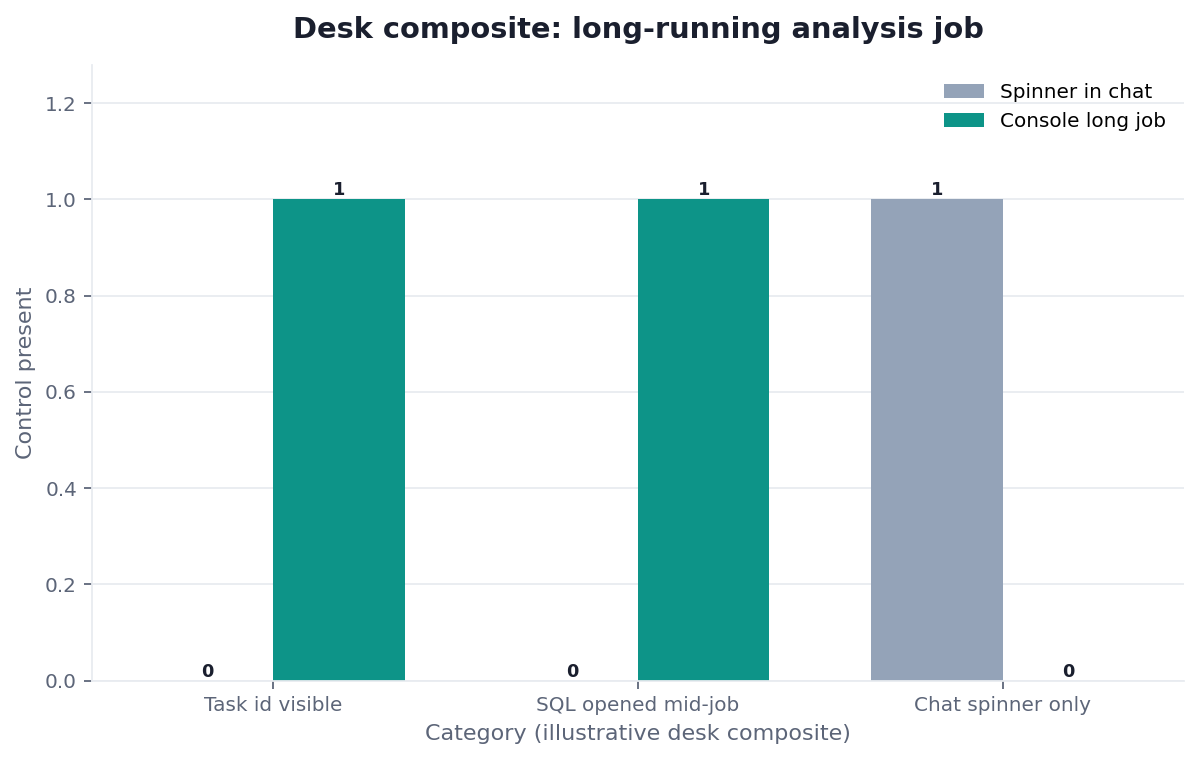
Figure: synthetic ordinal lifecycle paths. No job was run. No timing, scale, cost, or independent-validation claim is encoded.
State, progress, traces, and logs
A long-running analysis job may expose several observability signals, but they answer different questions:
- State is the controller's lifecycle assertion and drives legal transitions.
- Progress percent is an estimate with an unspecified denominator unless separately documented; it cannot establish terminal state.
- Trace spans describe causal or temporal operation boundaries. W3C-style
traceparentidentifiers in this fixture are format-inspired correlation values only. - Logs are timestamped records from components. They can explain behavior but do not override the authoritative controller.
For a long-running analysis job, OpenTelemetry describes traces as paths through distributed systems, while W3C Trace Context specifies propagation fields. Neither source says a span is a job controller. CloudEvents provides an event-envelope specification, but using familiar fields does not make this fixture conformant. NIST SP 800-92 supplies log-management context, not lifecycle semantics.
Rerun identity
A rerun creates job-synthetic-003, with parent_job_id=job-synthetic-001 and relation=retry. The new long-running analysis job has its own event stream, timestamps, and result state. The original events stay unchanged.
For a long-running analysis job, this prevents a common audit error: resetting an old row from succeeded to queued destroys historical meaning. Parent linkage supports lineage without identity mutation. The fixture allows only a known parent, rejects self-parenting, and requires the child ID to differ. It does not claim that retry is a standard term across platforms.
CloudEvents-style event fixture
synthetic-job-events-LRAJ-20260831.jsonl uses fields such as specversion, id, source, type, time, and data. Its trace values resemble W3C identifiers. The file is synthetic and deliberately says fixture=true.
A representative event is:
{"specversion":"1.0","id":"evt-s001","source":"urn:fixture:lraj-controller","type":"example.job.state.changed","time":"2026-08-31T00:00:01Z","data":{"fixture":true,"job_id":"job-synthetic-001","state":"submitted","ordinal":1}}
This long-running analysis job event is not a conformance assertion. The event type and source are local fixture names. Reviewers should inspect sequence legality, uniqueness, and identity linkage—not infer deployment behavior.
Four non-executing SQL drafts
The long-running analysis job SQL file contains four labeled draft steps. Every section starts with DO NOT EXECUTE — SYNTHETIC; comments state there is no connection and no result. The statements illustrate labels only: input contract, bounded selection, grouped draft, and reconciliation draft. They are never invoked by the verifier.
A long-running analysis job state audit does not require executing SQL. Separating lifecycle evidence from query text prevents a drafted statement from masquerading as an executed operation. Before any real execution, an authorized operator would need to select an engine, validate identifiers, inspect permissions, estimate impact, and use that engine's controls. Those actions are outside this package.
Practical static replay
- Read
job-state-machine-LRAJ-20260831.md. - Inspect the JSONL events and compare each job sequence with
expected-transitions-LRAJ-20260831.csv. - Check
synthetic-traces-LRAJ-20260831.jsonfor distinct state and span fields. - Review
rerun-identity-LRAJ-20260831.csvfor a new child identity and valid parent. - Confirm every SQL section carries its warning.
- Run
python3 verify-LRAJ-20260831.pylocally with Python's standard library. - Compare the output with the assumptions and source-check files.
The long-running analysis job replay validates fixture consistency only. Passing it does not attest to a service, controller, event producer, SQL engine, cancellation mechanism, charge policy, or artifact store.
Independent validation
For independent reproduction of a long-running analysis job audit, give a reviewer a clean copy of the ten downloads. They should need no network and no private context. Ask them to run the verifier, manually reconstruct both traces, confirm all event IDs are unique, inspect synthetic ordering, test the parent relation, and verify that publication follows success.
Then ask the reviewer to introduce one defect at a time in a disposable copy: move artifacts_published before succeeded, reuse a job ID for the rerun, omit canceled, or remove an SQL warning. The checker should fail. This mutation exercise is stronger evidence of checker behavior than a screenshot of a passing command.
“Independent” describes separation from the authors, not accreditation. This package has not received an independent third-party audit. Internal reviewers are named for accountability but are not counted as independent.
Reviewer decision record
A useful review ends with a short, signed decision record rather than only a passing command. Record the fixture version, file hashes, checker version, reviewer, review date, and whether mutations were tested. Note any assumptions that remain external to the files. This creates provenance for the review while keeping the claim limited to static consistency.
For each trace, write down the observed identity, ordered states, terminal event, and publication outcome. For the rerun row, record both identifiers and the relation. For cancellation, state explicitly which record establishes intent and which controller record establishes the terminal outcome. If evidence is absent, write “not established”; do not convert absence into an inferred transition.
Keep acceptance criteria separate from operational recommendations. Acceptance can say that the supplied events match the declared sequences and identity constraints. It cannot say a vendor will deliver, cancel, meter, retain, or publish work in the same way. Those conclusions require authenticated records from the chosen system and a review of its current contract.
Archive the untouched fixture beside any mutated test copies. This modest discipline makes later comparisons reproducible without elevating the exercise into certification.
Sources and limited claims
Retrieved 2026-09-04:
- Kubernetes Job controller and Pod lifecycle inform the distinction between controller and workload lifecycle.
- BigQuery Jobs reference and jobs.cancel show job resources and cancellation documentation.
- AWS Batch CancelJob and TerminateJob show state-dependent control operations.
- W3C Trace Context and OpenTelemetry traces support signal terminology.
- CloudEvents 1.0.2 specification informs envelope-style field names.
- NIST SP 800-92 provides log-management context.
These sources do not endorse this long-running analysis job article, its state names, fixtures, verifier, or conclusions. Vendor-specific behavior must be checked against current documentation and the system actually used. Contextual Elastic, CNCF, Docker, NIST AI RMF, Stripe, and Stanford references are not evidence that this synthetic package was executed.
Place this job on the large-scale analysis hub when the question is how to run it, not how to lint the state machine. Related internal guides remain available for context: analyze large datasets with AI, 200gb data analysis, analyze millions of rows, what is a data agent, Claude Code data analysis, MCP for data analysis, dashboard, Desktop vs Browser for Large Data Analysis, When Large Data Still Needs a Warehouse, and Cost of Large Analysis. Their claims are not imported here.
How to cite this package
For the long-running analysis job fixture, suggested citation: “InfiniSynapse Data Team. Long-Running Analysis Job: Audit the State Machine. Static synthetic fixture package, version 2026-08-31, published 2026-08-22.” Include the canonical URL and retrieval date.
Do not describe the page as a benchmark, customer study, production test, platform certification, CloudEvents conformance test, W3C certification, or third-party audit. Cite the upstream specifications for their own statements. Cite this page only for its local model and supplied fixtures.
Review the fixture before real execution
This educational package uses synthetic records and makes no product-operation claim.
Commercial association: InfiniSynapse publishes this page and sells data-agent software; no purchase is required to reproduce the static checks.
Visit InfiniSynapseHow this page is sourced. William Zhu is cofounder of InfiniSynapse (GitHub @allwefantasy); no personal LinkedIn is published. The authors created the specification and synthetic fixtures. Internal analytics engineering, data platform, LLM security, and editorial review is not independent validation. Editorial standards · corrections · publishing principles · Contact zhuhl@infinisynapse.com.
Frequently asked questions
Is this evidence of a production run?
No. The long-running analysis job records are synthetic. No job, query, data connection, or controller operation occurred.
Does cancel_requested mean work or charges stopped?
No. cancel_requested is nonterminal. Only the authoritative controller can emit the terminal event represented here, and billing evidence would require a separate authoritative source.
Can an artifact be published before success?
Not in this specification. artifacts_published is legal only immediately after succeeded. A canceled trace has no publication event.
Does rerun reset the original job?
No. A rerun gets a new ID, explicit parent relation, and separate history. The original long-running analysis job remains immutable.
Is this independently audited?
No. The files support independent reproduction of local checks, but this package has not received a third-party audit or certification.
Conclusion
Audit identity and legal transitions before interpreting ancillary signals. For a long-running analysis job, keep controller state separate from progress, spans, and logs; treat cancellation intent as nonterminal; publish artifacts only after success; and create a new linked identity for every rerun.
The downloadable long-running analysis job fixture makes those rules inspectable without pretending that any engine ran. Its strongest result is bounded: the supplied synthetic records pass the supplied static checks. Real operational conclusions require evidence from the real controller, execution system, and billing authority.