Robots Txt Check: See Allowed or Blocked
Run a robots txt check on one URL. See allowed or blocked, the winning Allow or Disallow line, and which bot group decided that path. Then fix the file.
Author credentials: William Zhu is cofounder of InfiniSynapse (GitHub @allwefantasy · auto-coder). Desk: shipping SEO Health and the /en/tool/ visibility pages. No personal LinkedIn published. About: team / editorial standards.
Publisher credentials: InfiniSynapse has public profiles on GitHub, YouTube, and X. A 2026 WAIC Future Tech OPC excellence award covers the Agentic Data Infra entry (WAIC; third-party recap: Xinhua / Caohejing). That award does not review this page or SEO Health. Method CLI: infinitegrowth on npm. Archive: recognition and scope notes.
On this page
By William Zhu · Cofounder, InfiniSynapse · Last updated: 2026-09-23 · Last verified: 2026-08-20 · Methods: first-party robots.txt fetch, group parse, and Sitemap-target request on this hostname — not a claimed Google ranking score.
Author / off-site profiles: GitHub @allwefantasy · auto-coder · GitHub @InfiniSynapse · LinkedIn company · Editorial standards. Formal public work: InfiniSQL, auto-coder, retrieval systems. Desk: shipping SEO Health and the
/en/tool/visibility pages. No personal LinkedIn, award, or vendor badge.
Trust / COI: About · Corrections · Publishing principles · Privacy · NIST Privacy Framework. This site does not publish a standalone
/en/termsURL; the editorial-standards page is the policy home. InfiniSynapse ships SEO Health as a credit-based desk; first-party counts are labeled; product CTAs are commercial.
Fact-check: Google — robots.txt · RFC 9309 · IETF datatracker · Moz — robots.txt · Search Engine Land — robots.txt SEO · Search Engine Land — IETF draft · G2 SEO tools · Gartner Peer Insights · AgentSpot listing. Corrections: zhuhl@infinisynapse.com.
Published 2026-08-16. Last modified 2026-09-23.
TL;DR
Direct answer: A robots txt check on one URL returns Allowed or Blocked, the winning Allow or Disallow line, and the user-agent group that decided it. Homepage 200 is not that verdict. Robots is one tech light. The rest of the page is an SEO health checker pass.
What you'll learn
- The three lines a robots txt check should print before anyone edits a title
- Why only the most specific user-agent group applies
- How longest match works, and why an equal-length tie goes to Allow
- Which
*and$patterns a naive parser silently ignores - When the Sitemap line is a second check, after the path verdict
If the host is live, paste it in the checker. Read the winning rule first. Do not rewrite a title on a path the file already blocks.
Robots txt check for one URL
Key Definition: A robots txt check is a host-level read of
/robots.txtthat tests one path against one user-agent and prints Allowed or Blocked plus the rule that won.
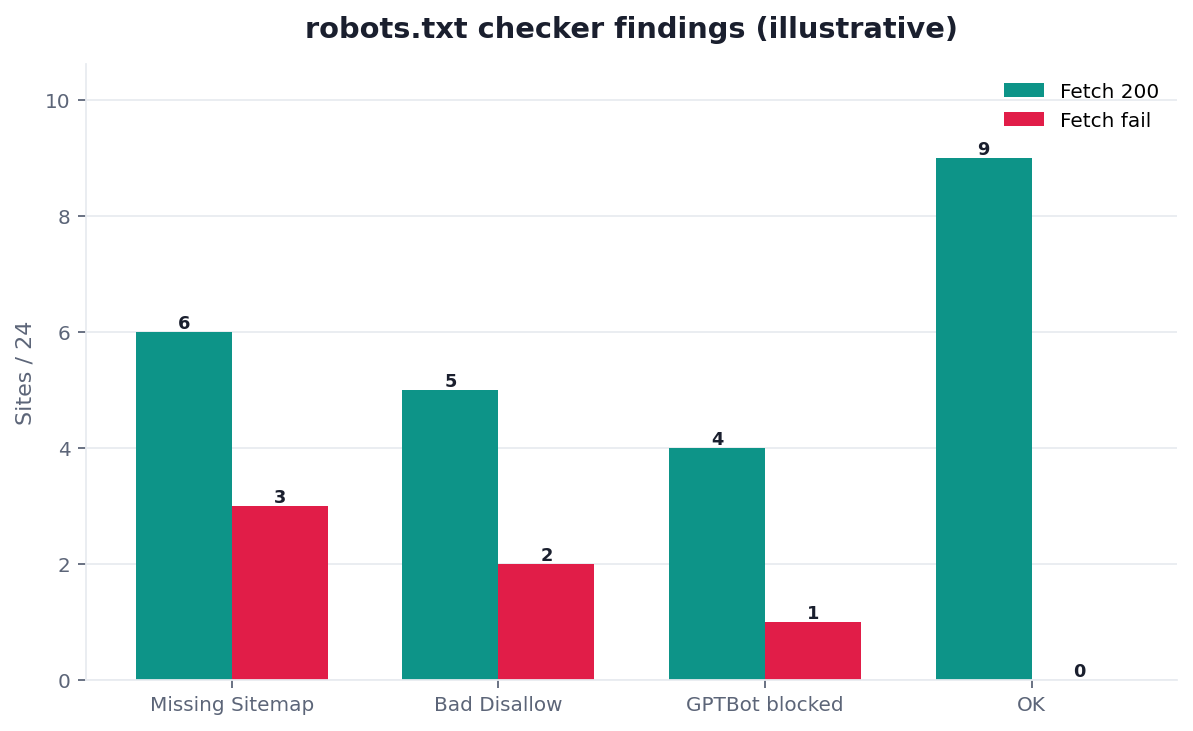
Figure. Desk series DESK-RTC-20260819A (verified 2026-08-20): /robots.txt 200 / 771 bytes; 17 Disallow lines; 4 AI bots Allow: /; Sitemap target HTTP 500.
People run a robots txt check when they want a verdict: may this crawler fetch this path, which line decided it, and did the file also declare a sitemap. That is a file job. Path hunting for the XML file is a different page. A single-URL index fetch is a different page.
Public desk method: five signals on this host
One public series, one download: desk-signals-n1.csv (DESK-RTC-20260819A, verified 2026-08-20, next re-run 2026-08-25). Green = pass. Red = unfetchable file, leftover sitewide Disallow, or a Sitemap target that is not XML.
| Audit signal | Result | Evidence |
|---|---|---|
| File fetch | Green | Live /robots.txt HTTP 200, text/plain, 771 bytes |
| Sitemap line | Red | 2 absolute lines; primary target HTTP 500 |
| Group parse | Green | 5 user-agent groups; 17 Disallow lines under * |
| Path match | Green | /en/tool/ allowed; /dashboard Disallowed on purpose |
| Named bots | Green | GPTBot, ChatGPT-User, PerplexityBot, ClaudeBot each Allow: / |
The same bytes, read as a robots txt check, look like this:
| Path | User-agent | Verdict | Winning rule on this host |
|---|---|---|---|
/en/tool/ | * | Allowed | Allow: / |
/dashboard | * | Blocked | Disallowed on purpose |
/auth/ | * | Blocked | Disallowed on purpose |
/api/ | * | Blocked | Disallowed on purpose |
A robots txt check that stops at “file found” would have greened the Sitemap row. The file is 200 text. The declared map is not.
First-hand review: this URL on 2026-08-20
On 2026-08-20 I re-fetched https://infinisynapse.com/robots.txt and https://infinisynapse.com/sitemap.xml. The file is still 200 text; the declared map still 500s. A robots txt check can green the fetch and the groups and still red the Sitemap target. That is first-party evidence, not a third-party award. Stanford HAI AI Index 2025 puts organizational AI use at 78% in 2024 — cheap drafts multiply; they do not fetch /robots.txt.
Independent reviews, directories, and specs
Third-party URLs a reviewer can open — retrieved 2026-08-20. None is an InfiniSynapse award or a robots txt check grade.
| Surface | Kind | What you can verify | Claim we do not make |
|---|---|---|---|
| AgentSpot — InfiniSynapse | Company directory | Public product listing | Award or robots grade |
| G2 — SEO tools | Independent review market | Category page for SEO tools | Ranking or badge |
| Gartner Peer Insights — Analytics & BI | Independent review market | Category page for analytics platforms | Magic Quadrant placement |
| Search Engine Land — robots.txt SEO | Industry beat | Allow/Disallow, wildcards, AI-bot pitfalls | “As seen in” plaque |
| Search Engine Land — IETF draft | Industry beat | Google’s IETF submission of the protocol | Product endorsement |
| Moz — robots.txt | Independent practitioner guide | Syntax, GPTBot blocking, crawl vs index | Moz certification |
| IETF — RFC 9309 | Internet standard | Groups, longest-match, 404 is allow-all | Official checker |
| Google — robots.txt | Official documentation | How Google reads the file | Rank forecast |
Google’s robots.txt introduction is the rule set a robots txt check should apply: groups, longest match, and the difference between crawl and index. The original robots.txt specification is the everyday syntax. RFC 9309 is how a parser should read records, and how a 404 on the file is allow-all.
How to run the check
Search Console’s robots.txt report shows whether Google fetched the file. It does not give you a paste box that prints the winning line before you deploy. A robots txt check is that pre-deploy pass: live file or the text you are about to ship, one path, one user-agent, one verdict.
- Request
/robots.txt. Confirm 200 andtext/plain, not HTML. That fetch is the first robots txt check gate.
2. Read every Sitemap line. Request each target.
3. Parse groups. Print Allow and Disallow as written.
4. Match the path. Print the winning rule.
5. Name the user-agent. Confirm you used its group, not a leftover * rule.
6. Edit the file. Re-fetch. Compare the same path. If nothing changes, you ran a report, not a robots txt check.
What you paste
Paste the host, or the homepage URL, plus the path you care about and the user-agent token. The check should request https://{host}/robots.txt. Do not paste an article path and hope the tool invents a different host. Do not upload a local draft and call it the live file. A robots txt check should not rewrite Disallow into Allow without showing the original line.
What the checker requests
Request /robots.txt. Record status, content type, and body. A 200 that serves your theme’s 404 HTML is a soft miss. Parse groups, Allow, Disallow, and Sitemap lines. Match the path you named against the longest rule in the winning group. List that group’s token. That is the whole robots txt check. A keyword cloud mixed into the same box is a different job.
We do not claim a Google robots tester API. We report what the file declared and how a RFC-style matcher would apply it. If Search Console later disagrees on “did Google fetch,” believe URL Inspection for Google’s copy and believe the robots txt check for what you shipped.
What you do with the lights
| Light | Meaning | Typical action |
|---|---|---|
| Green | Path allowed, and the rule is the one you meant | Do not reopen the file for this path |
| Amber | Allowed, but the token is odd or the Sitemap line is missing | Fix after any blocked keep-path |
| Red | Blocked, or the file did not come back as text | Edit the file before you edit copy |
If the report cannot name the rule, you are buying a vibe. A robots txt check that files a PDF and never changes Disallow is theatre.
Which user-agent group wins
A crawler obeys one group: the most specific User-agent that matches its token. Every other group, including User-agent: *, is ignored for that crawler. A robots txt check that ORs every group together will allow a path Googlebot would block, or the reverse.
Google’s Googlebot documentation is the token list for Search. GPTBot is a different agent. Blocking GPTBot does not block Googlebot. Allowing Googlebot does not allow GPTBot. On this desk, GPTBot, ChatGPT-User, PerplexityBot, and ClaudeBot each have Allow: /. That is a product decision you should see in the verdict, not infer from the * group.
A typo (GPT-Bot, or GoogleBot where the file only has Googlebot) matches nothing. The crawler then falls through to * if that group exists. You think you blocked a bot. The robots txt check should show the group that actually matched, so the typo is visible.
Longest match and Allow ties
Inside the winning group, the most specific matching rule wins. Google’s robots.txt spec compares the path to each Allow and Disallow and keeps the longest match. When two matches have the same length, Allow wins.
This pair is a matching example, not a row from the desk file. Disallow: /private/ plus Allow: /private/public/ means /private/public/report is allowed, because the Allow path is longer. A later Disallow: /private/public/drafts/ blocks /private/public/drafts/note again, because that Disallow is longer still. A robots txt check prints the winning line. “Allowed” without the line is a badge.
A leftover Disallow: /wp-admin is usually a pass. A leftover Disallow: / under User-agent: * after a staging push is a sitewide block. Print that line before anyone opens a title ticket. On this host, /en/tool/ is allowed under Allow: /. /dashboard, /auth/, and /api/ are Disallowed on purpose.
Wildcards the check must honor
* matches a sequence of characters. A trailing $ anchors the pattern to the end of the path. Disallow: /*.pdf$ targets paths that end in .pdf. Without $, the same pattern can also match a URL whose path continues after .pdf.
Many quick parsers, including Python’s urllib.robotparser, do not apply * and $. A robots txt check that uses that parser will call Disallow: /*?sessionid= a no-op and print Allowed for a URL a real crawler blocks. Honor the wildcards, then test the path you meant and one path you did not mean. Broad patterns cover more URLs than the line looks like.
Syntax a robots txt check should flag
A finished robots txt check flags lines a crawler will ignore or misread, before it prints the verdict.
- A rule before any
User-agent. Allow and Disallow belong to a group. A line above the first group has no agent to bind to. The check should report it, not skip it quietly. - An empty
Disallow:. RFC 9309 treats an empty disallow as allow-all. It does not block the site. If you meantDisallow: /, the empty line is the bug. - A sitewide
Disallow: /left on production. Titles get rewritten for a month while every keep-path is blocked. Remove or narrow the line, then re-run the same robots txt check. - A token typo.
GPT-Botmatches nothing. Copy the token from the vendor page. Re-read the group that the check says actually won.
None of these are “the model was unreliable.” They are file failures. Fix the file. Walk the same path again after the edit.
Sitemap line after the allow verdict
The Sitemap line is a declaration, not the allow verdict. It must be absolute. Sitemap: /sitemap.xml is not a legal line. Sitemap: https://example.com/sitemap.xml is. IANA’s URI schemes list is why https is the scheme you should ship. Request the target. If it is not XML, the line is red even when the path verdict was Allowed.
A robots txt check that never requests the Sitemap target will green-light a declaration that 404s or 500s. On this desk the file declares two absolute lines and the primary target returns HTTP 500. Finding which pretty path the CMS wrote is sitemap url work. This page asks: did robots declare a line, and does that line fetch.
When you still cannot find the map
Once the path verdict is done, a missing or wrong Sitemap line is a location ticket. That pass is sitemap url. If you only needed allow or block, stop at the robots txt check. If crawlers should discover the map, add the absolute line and confirm the target.
A robots file that Disallows /sitemap.xml and then declares that same path as Sitemap is a conflict. Believe the conflict. The path is blocked, so the declaration does not make the file fetchable.
When the map is ready to sample
Once Sitemap lines resolve and keep paths are allowed, the next job is a sitemap audit. If the host is Nuxt, the public-route pass is Nuxt robots.txt after generate. A robots txt check does not become a 50–500 draw. The hub for that sample is sitemap for SEO. Cadence sits in Sitemap Best Practices. Spec legality sits in XML Sitemap Best Practices.
Open the sample only after Disallow and Sitemap lines agree. Write the five-signal scorecard into the pull request that changes robots.txt. Fail the build when /robots.txt is not 200 text, or when a declared Sitemap target is not 200 XML.
Inspect the complete Robots Txt Check page
Paste a sanitized URL into the InfiniSynapse SEO Health Checker so every title, mention, citation, and on-page layer can be reviewed together. Then validate the findings on the live page.
Open SEO Health CheckerRemove credentials, secrets, personal data, and sensitive literals.Frequently Asked Questions
Does a 200 homepage mean crawlers can fetch the site?
Bottom line: No — a homepage 200 does not mean crawlers may fetch a path that matches Disallow, so a robots txt check still has to print the winning rule. A path that is allowed can still carry a noindex tag. Crawl permission and index permission are separate lines.
Is a missing robots.txt a failure?
Bottom line: Usually not — RFC 9309 treats a 404 on the file as allow-all unless you needed a Sitemap line or a deliberate deny.
Should I block GPTBot?
Bottom line: Only on purpose — blocking GPTBot does not block Googlebot, and allowing Googlebot does not allow GPTBot. Run the robots txt check once per token.
Is this the same as finding the sitemap URL?
Bottom line: No — path hunting is sitemap url work. A robots txt check reads the allow verdict first, then the Sitemap line.
Do I need a site sample first?
Bottom line: Not first — finish the robots txt check for the file you will ship today, then sample 50–500 pages so you do not fetch paths you already Disallowed.
Conclusion
A robots txt check is Allowed or Blocked for one path, the winning line, and the user-agent group that owned the decision. Read status and syntax before you trust the verdict. Read the Sitemap target after the path is allowed. Edit the file before you polish the title. For the method frame around discovery, stay on sitemap for SEO. The desk rows stay public so this page can be cited; they are first-party counts, not a third-party award.
References
- Google — robots.txt · Google — robots.txt intro · Google — robots.txt spec · RFC 9309 · IETF datatracker · Original robots.txt spec · Googlebot · GPTBot. Retrieved 2026-08-20.
- Search Console — robots.txt report · Search Console — URL Inspection · Search Engine Land — robots.txt SEO · Search Engine Land — IETF draft · Moz — robots.txt.
- Stanford HAI — AI Index 2025 (organizational AI use 78% in 2024) · McKinsey — The state of AI · OECD AI Principles.
- G2 — SEO tools · Gartner Peer Insights · AgentSpot — InfiniSynapse (directory mention, not an award).
- InfiniSynapse desk — five-signal series (
DESK-RTC-20260819A);/robots.txtHTTP 200 plus livesitemap.xmlHTTP 500, verified 2026-08-20. Not a customer crawl study.
About the author — William Zhu, cofounder of InfiniSynapse. Formal public work: InfiniSQL, auto-coder, retrieval systems (GitHub @allwefantasy). Reviewer: InfiniSynapse Data Team. Published 2026-08-16. Updated 2026-09-23. Policy: About · editorial standards · privacy. No standalone /en/terms URL.
William Zhu · Cofounder, InfiniSynapse · GitHub @allwefantasy
Desk-validated SEO Health methods. Corrections: zhuhl@infinisynapse.com · corrections policy.