
.doc; use Pandoc
or Word when a native .docx file is
mandatory.要减少 Markdown 转 Word 后的返工,应先清理源文件,再用支持
Markdown
的转换器渲染,检查预览、导出可编辑文档,并在接收者实际使用的 Word
环境中验收。InfiniSynapse 当前生成基于 HTML 的
.doc;明确要求原生 .docx 时应使用
Pandoc 或在 Word 中另存。
What Markdown to Word conversion actually changesMarkdown 转 Word 到底改变了什么
Markdown stores meaning as plain-text syntax. Hash marks identify
headings, hyphens and numbers create lists, pipes describe tables,
backticks protect code, and brackets define links. Copy those marks
from the markdown cheat sheet. Word stores a
rendered document with paragraphs, runs, styles, sections,
relationships, and page settings. A real conversion must parse the
source and map supported Markdown elements into a representation
Word can open and edit. Renaming .md to
.doc or .docx does not perform that
mapping.
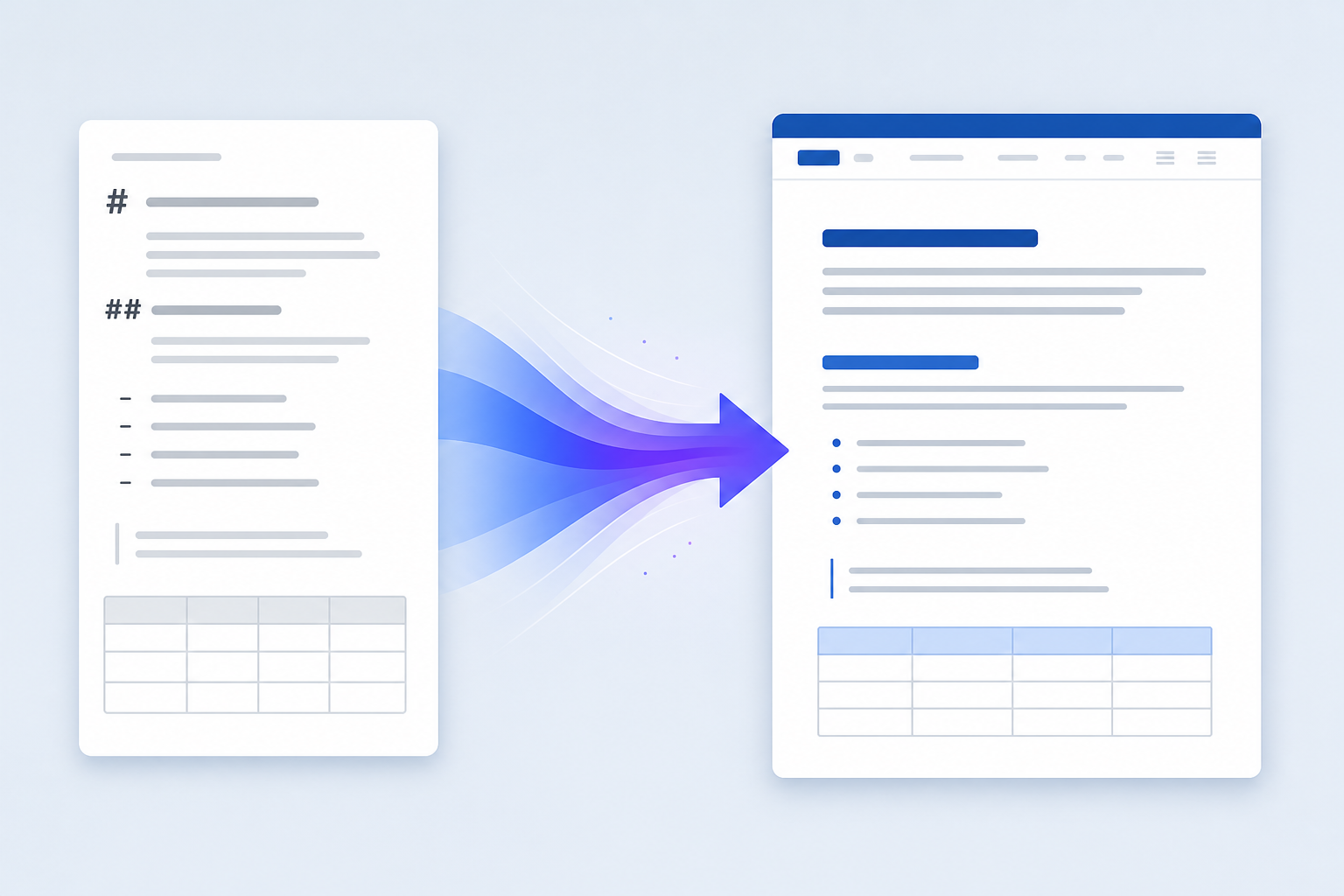
Markdown 使用纯文本语法保存含义:井号表示标题,连字符和数字形成列表,竖线描述表格,反引号保护代码,方括号定义链接。符号写法见 Markdown 语法速查表。Word 保存的是包含段落、文字片段、样式、章节、资源关系和页面设置的渲染文档。真正的转换必须解析源文件,再把支持的 Markdown 元素映射成 Word 能够打开和编辑的内容,仅修改扩展名并不能完成转换。
The practical target is structural fidelity, not pixel identity. Markdown does not define page size, margins, headers, footers, fonts, line spacing, or pagination. A dependable workflow preserves heading order, list nesting, table relationships, code boundaries, link destinations, and image meaning first; document styling comes second.
实际目标应是结构保真,而不是像素级一致。Markdown 并不定义纸张大小、页边距、页眉页脚、字体、行距和分页。可靠流程应先保留标题顺序、列表层级、表格关系、代码边界、链接目标和图片含义,再处理文档样式。
Prepare Markdown before converting it to Word转换成 Word 前先整理 Markdown
Most failed exports begin with ambiguous source rather than the final file. Use one document title, move through heading levels in order, leave blank lines around block elements, indent nested lists consistently, close every fenced code block, and keep table rows the same width. Remove raw HTML used only for visual tricks unless the selected converter explicitly supports it.
许多导出问题并不是 Word 引起的,而是源 Markdown 本身含糊。文档只保留一个主标题,标题层级按顺序推进,块元素前后留空行,嵌套列表使用一致缩进,代码围栏必须闭合,表格每行单元格数保持一致。除非已经确认转换器支持,否则不要依赖只为视觉排版而写的原始 HTML。
Check every local image path from the Markdown file's actual folder, including filename case.从 Markdown 文件实际目录检查每个本地图片路径,包括文件名大小写。
Delete credentials, API keys, customer data, private URLs, and internal hostnames before conversion.转换前删除账号密码、API 密钥、客户数据、私有网址和内部主机名。
Split very wide tables and shorten long code lines before they reach a portrait Word page.在进入纵向 Word 页面前拆分过宽表格,并缩短过长代码行。
Prefer descriptive anchor text and complete HTTPS destinations over temporary or relative links.优先使用描述性锚文本和完整 HTTPS 地址,避免临时或相对链接。
# Release Readiness Report

## Decision summary

- Owner: Operations
- Status: Ready with conditions

| Check | Result | Evidence |
|---|---|---|
| Backup | Pass | Snapshot verified |
| Rollback | Pass | Runbook tested |
Choose the right Markdown to Word workflow选择合适的 Markdown 转 Word 流程
| Method方法 | Best for适用场景 | Output输出 | Main trade-off主要取舍 |
|---|---|---|---|
| InfiniSynapse | Fast one-off conversion with visual preview需要可视化预览的快速单次转换 |
Editable HTML-based .doc可编辑的 HTML 型 .doc
|
Complex page design may need cleanup复杂页面设计可能需要整理 |
| Pandoc | Automation, templates, native DOCX自动化、模板和原生 DOCX |
Native .docx原生 .docx
|
Requires installation and path discipline需要安装并正确管理资源路径 |
| Editor export编辑器导出 | Authors already working in a compatible editor已经在兼容编辑器中写作 | Depends on the editor取决于编辑器 | Markdown support variesMarkdown 支持程度不同 |
| Copy rendered HTML复制渲染后的 HTML | Short emergency documents很短的临时文档 | Pasted Word content粘贴到 Word 的内容 | Hidden styles and structure can degrade隐藏样式和结构容易损坏 |
Choose according to the receiving system, not habit. A Word-compatible DOC may be sufficient for ordinary editing. A procurement portal, legal template, tracked-change process, document automation pipeline, or archive policy may require a genuine DOCX package. Once that draft exists, styles and placeholders still come from a docx template.
应根据接收系统选择方法,而不是按习惯选择。普通编辑可能只需要 Word 兼容 DOC;采购门户、法律模板、修订流程、文档自动化管道或归档政策则可能明确要求真正的 DOCX 文件。初稿成为真正的 DOCX 之后,样式和占位仍来自 docx 模板。
Convert Markdown to Word with a repeatable process用可重复流程把 Markdown 转成 Word
-
1Prepare the complete source准备完整源文件
Remove secrets, correct syntax, resolve image paths, and include every section that must be evaluated together.移除敏感信息、修正语法、核对图片路径,并放入需要一起评估的全部章节。 -
2Inspect the rendered preview检查渲染预览
Compare headings, lists, tables, quotes, code, links, and images with the Markdown source before downloading, after a markdown linter pass on that source.下载前对照源 Markdown,检查标题、列表、表格、引用、代码、链接和图片;源文件先用 markdown linter 看过结构和样式。 -
3Export the editable document导出可编辑文档
Download the file only after the preview represents the intended structure; do not treat preview success as final acceptance.只有在预览结构正确后才下载文件;预览成功并不等于最终验收完成。 -
4Verify in the recipient's Word environment在接收者的 Word 环境中验收
Open the file, review every page boundary, test important links, and confirm images remain available after the file is moved.打开文件,检查每个分页位置,测试重要链接,并确认文件移动后图片仍然存在。
Markdown to Word DOC is not the same as a native DOCXMarkdown 转 Word DOC 不等于原生 DOCX
Searchers who want a
markdown to word doc usually need a file Word
can open and edit. That file may be an HTML-based
.doc from a browser export, or a native
.docx package. Both can look similar on the first
page. They differ in styles, fields, templates, automation, and
whether a portal accepts the upload.
搜索 markdown to word doc
的人通常只要 Word 能打开并继续编辑的文件。它可能是浏览器导出的
HTML 型 .doc,也可能是原生
.docx
包。首页看起来可能相似,但样式、字段、模板、自动化以及门户是否接受上传并不相同。
Use the browser export when you need a fast review copy from
sanitized Markdown. Use a native DOCX route when the recipient
names .docx, requires Word styles, or will run
fields and templates. The native-styles steps live on
Markdown to DOCX.
需要从已脱敏 Markdown 快速得到审阅副本时,用浏览器导出。接收方点名
.docx、要求 Word
样式或要跑字段和模板时,走原生 DOCX。原生样式步骤在
Markdown to DOCX。
Convert a .md file, README, or pasted notes to Word把 .md 文件、README 或粘贴笔记转成 Word
Treat the source as one of three inputs: a local
.md file, a GitHub README or Obsidian note, or
pasted text. Upload or open the file when image paths and tables
must stay together. Paste when the draft is already on the
clipboard. Do not paste raw Markdown into Word and hope headings
become Heading 1; Word usually keeps the hash marks.
把源内容当成三种输入之一:本地 .md
文件、GitHub README 或 Obsidian
笔记、剪贴板文字。图片路径和表格必须成套时,上传或打开文件。草稿已在剪贴板时再粘贴。不要把原始
Markdown 直接贴进 Word 指望井号变成标题 1;Word 通常会留下符号。
Prefer a converter that keeps the document in the browser if policy forbids upload. “Runs in the browser” can still fetch remote images. Sanitize first. If the notes came from a chat model, clean claims and sources on MD to Word before you convert.
政策禁止上传时,优先选把文档留在浏览器里的转换。所谓“在浏览器运行”仍可能拉取远程图片。先脱敏。笔记来自对话模型时,先在 MD to Word 核验结论和来源,再转换。
Turn clean Markdown into an editable Word file把整理好的 Markdown 转成可编辑 Word 文件
Use the InfiniSynapse Markdown to Word tool to paste source
text, inspect the live preview, and download an editable
browser-generated .doc. Prepare sanitized Markdown
first, and verify the exported document before sharing it.
Comparing tools is a different job; score them on
Markdown to Word converter.使用 InfiniSynapse Markdown 转 Word
工具粘贴源文本、检查实时预览,并下载浏览器生成的可编辑
.doc。请先准备已脱敏的
Markdown,并在分享前验收导出文件。比工具是另一件事,评分看
Markdown to Word converter。
How Markdown elements should map into WordMarkdown 元素应如何映射到 Word
| Element元素 | Expected result预期结果 | What to verify验收重点 |
|---|---|---|
| Headings标题 | Distinct document sections层次清楚的文档章节 | Order and native Word styles when navigation matters顺序,以及需要导航时的 Word 原生标题样式 |
| Lists列表 | Bulleted or numbered paragraphs项目符号或编号段落 | Nesting, restarts, indentation, and long items嵌套、编号重启、缩进和长项目 |
| Tables表格 | Rows and columns with readable boundaries边界清楚的行列 | Cell count, width, wrapping, and page splits单元格数量、列宽、换行和跨页 |
| Code代码 | Monospace inline text or blocks等宽行内文字或代码块 | Whitespace, symbols, smart quotes, and long lines空格、符号、智能引号和长行 |
| Links链接 | Clickable descriptive text可点击的描述性文字 | Destination, protocol, and access permission目标地址、协议和访问权限 |
| Images图片 | Visible document images可见的文档图片 | Resolution, alt meaning, and true embedding分辨率、替代含义和是否真正嵌入 |
Visual resemblance can hide structural loss. A large bold paragraph may look like a heading without being a real Word heading style. If the document will be maintained, used with a navigation pane, or converted again, inspect the Word style pane and apply semantic heading styles where required.
视觉相似可能掩盖结构丢失。一个大号粗体段落看起来像标题,却未必是 Word 的原生标题样式。若文档需要长期维护、使用导航窗格或再次转换,应检查 Word 样式窗格,并在需要时应用语义化标题样式。
Preserve images, tables, code, and links保留图片、表格、代码与链接
Images are the most path-dependent element. A local reference such
as images/chart.png works only when the converter can
resolve that folder. Remote images can fail because of
authentication, expiry, hotlink protection, or network policy.
After export, move the document to another folder or device and
open it again. This reveals files that reference the original
asset rather than embedding it.
图片是最依赖路径的元素。images/chart.png
这样的本地引用只有在转换器能够解析对应文件夹时才有效。远程图片也可能因身份验证、链接过期、防盗链或网络策略失败。导出后应把文档移动到其他目录或设备重新打开,这可以发现只引用原始资源、没有真正嵌入图片的文件。
Keep tables concise, use one clear header row, and ensure each source row has the same number of cells. A wide table can convert successfully but remain unusable on a portrait page. For code, preserve characters and whitespace before decorative syntax highlighting. Shorten long examples, permit controlled wrapping, or use a landscape section instead of shrinking text until it becomes unreadable.
表格应保持简洁,只使用一个明确表头,并保证每一行单元格数量一致。过宽表格即使转换成功,也可能无法在纵向页面中阅读。代码应优先保留字符和空格,再考虑语法高亮。可以缩短过长示例、允许受控换行或使用横向页面,不应把字体缩小到难以阅读。
Generate native DOCX with Pandoc when required明确要求原生 DOCX 时使用 Pandoc
Pandoc's official manual documents Markdown input and Word DOCX output. A basic conversion is:
Pandoc 官方手册说明了 Markdown 输入和 Word DOCX 输出。基础转换命令如下:
pandoc report.md -o report.docxFor a repeatable branded workflow, create a reference DOCX that contains approved Word styles, then specify the Markdown dialect and resource path instead of relying on parser defaults.
若需要可重复的品牌文档流程,可以先制作包含批准字体、页边距和 Word 样式的参考 DOCX,再明确指定 Markdown 方言和资源路径,而不是依赖解析器默认行为。
pandoc report.md \
  --from=gfm \
  --reference-doc=brand-reference.docx \
  --resource-path=. \
  -o report.docx
Test the reference file with representative content before scaling the command across a folder. A template that looks correct for short prose may fail with nested lists, long URLs, wide tables, captions, or code. Keep the native-styles, TOC, and numbering checks on Markdown to DOCX; this page only decides when that route is required.
在批量处理整个文件夹前,应先用具有代表性的内容测试参考文件。适合短文本的模板,遇到嵌套列表、长网址、宽表格、图片说明或代码时可能仍会失败。原生样式、目录和编号验收放在 Markdown to DOCX;本页只判断何时必须走那条路。
Troubleshoot common Markdown to Word problems排查常见 Markdown 转 Word 问题
| Problem问题 | Likely cause可能原因 | Practical fix处理方法 |
|---|---|---|
| Markdown symbols remain仍显示 Markdown 符号 | Opened as text or unsupported syntax按纯文本打开或语法不受支持 | Use a Markdown-aware converter and identify the dialect使用支持 Markdown 的转换器并确认方言 |
| Image is missing图片缺失 | Broken path, blocked URL, or link-only export路径错误、网址受限或只保留链接 | Correct the source and verify embedding on another device修正源文件并换设备验证是否嵌入 |
| Table shifts or clips表格错位或裁切 | Unequal cells or excessive width单元格数量不同或表格过宽 | Normalize rows, shorten content, split the table, or use landscape统一列数、缩短内容、拆表或改横向页面 |
| Nested list becomes flat嵌套列表变平 | Inconsistent indentation or parser limits缩进不一致或解析器限制 | Use one indentation convention and reduce unnecessary levels统一缩进并减少不必要层级 |
| Code wraps badly代码换行混乱 | Lines exceed the printable area代码行超过可打印区域 | Shorten examples, allow wrapping, or use landscape缩短示例、允许换行或使用横向页面 |
| Word reports a format mismatchWord 提示格式不匹配 | Extension and internal representation differ扩展名与内部表示不同 | Generate or save a native DOCX for strict systems严格系统应生成或另存为原生 DOCX |
Verify the Word document with official sources and references依据官方来源与参考资料验收 Word 文档
- Open the file in the same Word version or compatible application the recipient uses.在接收者实际使用的 Word 版本或兼容应用中打开文件。
- Check title, heading order, paragraph sequence, list nesting, and table headers.检查标题、章节顺序、段落顺序、列表嵌套和表头。
- Review every page boundary for clipped code, split tables, blank pages, and orphaned headings.逐页检查代码裁切、表格跨页、空白页和孤立标题。
- Open important links and confirm images remain visible after moving the document.打开重要链接,并确认移动文档后图片仍然可见。
- Search for leftover hash marks, backticks, pipe characters, or unmatched brackets.搜索残留井号、反引号、竖线或未配对括号。
- Run spelling and accessibility checks, including useful image alt text.运行拼写和可访问性检查,包括图片替代文字。
- Remove comments, hidden metadata, tracked revisions, and private properties that should not be shared.删除不应外发的批注、隐藏元数据、修订记录和私有属性。
- Record the source revision, conversion method, template, and output date for reproducibility.记录源文件版本、转换方法、模板和输出日期,保证流程可复现。
Use the CommonMark specification to understand core parsing behavior and Microsoft's Word file-format guidance when choosing the final file type.
可通过 CommonMark 规范了解核心解析行为,并参考微软的 Word 文件格式说明选择最终文件类型。
Markdown to Word FAQMarkdown 转 Word 常见问题
Use valid source syntax, preview the rendered result, export with a Markdown-aware converter, and verify headings, lists, tables, code, links, images, and page breaks in Word. Build the table in the markdown table generator first when the source is still a grid.使用有效源语法,检查渲染预览,通过支持 Markdown 的工具导出,再在 Word 中验收标题、列表、表格、代码、链接、图片和分页。
The current browser tool exports an editable HTML-based
.doc. Use Pandoc or save through Word when a
native .docx package is required.当前浏览器工具导出基于 HTML 的可编辑
.doc。明确要求原生 .docx 时,可使用
Pandoc 或在 Word 中另存。
The converter may not resolve local paths, remote images may be blocked, or the export may reference assets instead of embedding them. Correct the source path and test the document away from its original folder.转换器可能无法解析本地路径,远程图片可能受限,导出文件也可能只引用资源而没有嵌入。应修正源路径,并把文档移出原目录后重新测试。
Use Pandoc when you need native DOCX, repeatable command-line conversion, a reference template, or automation across many files. Follow Markdown to DOCX for the styles and QA steps.需要原生 DOCX、可重复命令行转换、参考模板或批量自动化时,应使用 Pandoc。样式与验收步骤见 Markdown to DOCX。
No. A .doc from a browser export can be HTML
that Word still opens. Ask the recipient which package they
accept before you convert.不是。浏览器导出的 .doc 可能是 Word
仍能打开的 HTML。转换前先问接收方要哪种文件包。
This page is the how-to for markdown to word. Score tools on Markdown to Word converter.本页是 markdown to word 的操作说明。比工具看 Markdown to Word converter。
Clean facts, sources, and prompt residue on MD to Word first. Then return here for the conversion steps.先在 MD to Word 核验事实、来源和提示残留,再回到本页做转换。
About this guide关于本指南
Related hops: Markdown to Word converter; Markdown to DOCX; MD to Word; Convert Markdown to Word.
相关页面: Markdown to Word converter; Markdown to DOCX; MD to Word; Convert Markdown to Word。