
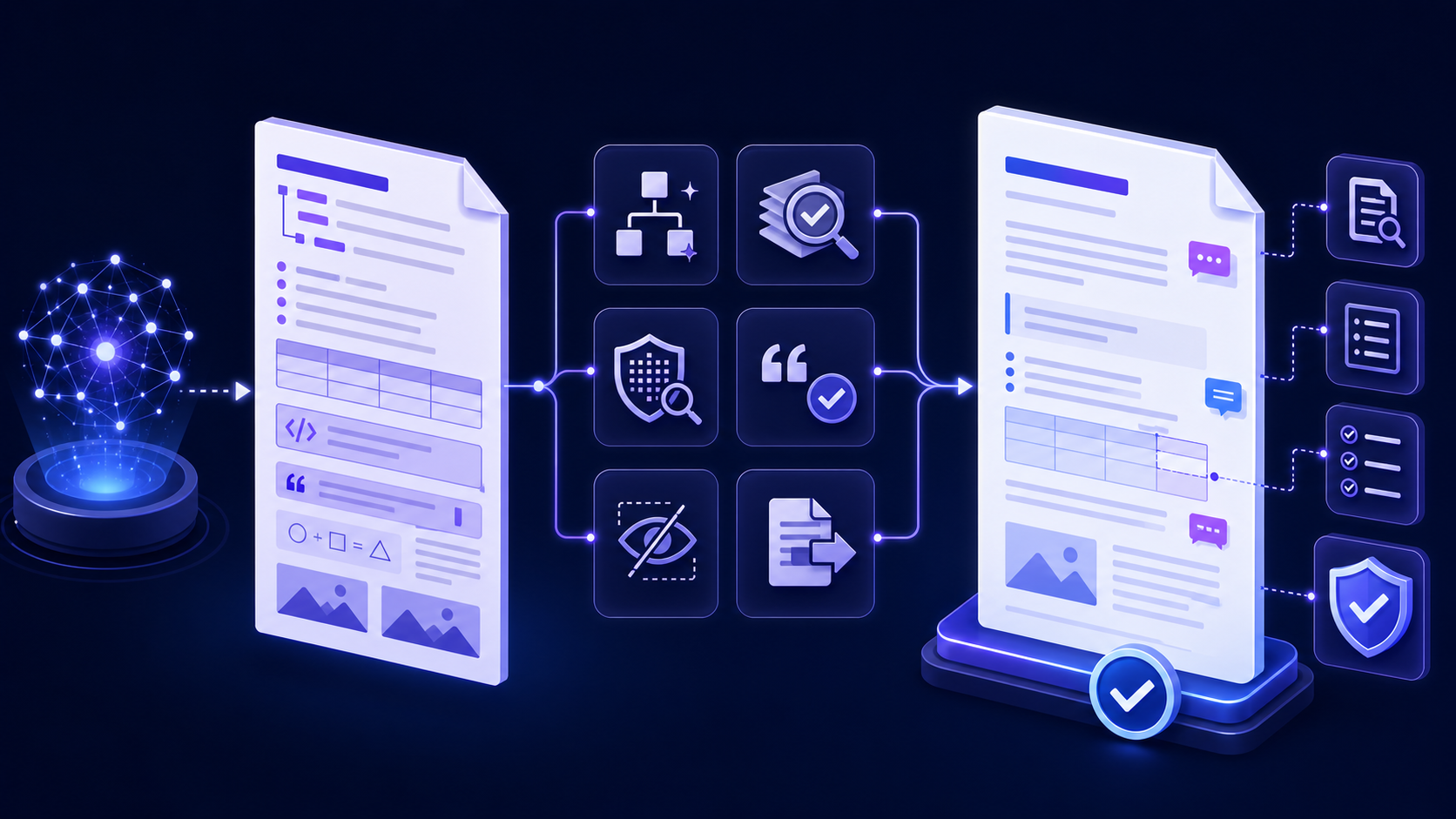
Quick answer: clean, verify, convert, and review MD to Word快速答案:清理、核验、转换并人工复核 MD 转 Word 文件
The primary search intent behind md to word is usually practical: a user has Markdown—often copied from ChatGPT, Claude, a code assistant, a note system, or a repository—and needs an editable Word document. The difficult part is not changing the extension. It is preserving meaning while making the result safe, reviewable, and usable by people who work in Word.
MD 转 Word 的核心搜索意图通常非常实际:用户已有 Markdown,可能来自 ChatGPT、Claude、代码助手、笔记系统或代码仓库,希望得到可编辑的 Word 文档。真正困难的不是更改扩展名,而是在保留含义的同时,让结果对 Word 用户安全、可审核且可继续编辑。
Why AI-generated Markdown needs review before Word conversion为什么 AI 生成的 Markdown 必须先审核再转 Word
Markdown can look convincing while still containing weak evidence, invented references, contradictory numbers, malformed tables, unsupported HTML, hidden instructions, or confidential material copied into a prompt. A polished DOCX can make those problems harder to notice because visual authority is not evidence. Conversion should therefore sit inside a controlled editorial workflow, not replace one.
Markdown 即使看起来很专业,也可能包含证据薄弱的陈述、虚构引用、相互矛盾的数字、格式损坏的表格、不受支持的 HTML、隐藏指令,或复制进提示词的机密材料。精美 DOCX 反而可能让问题更难察觉,因为视觉权威不等于事实证据。因此,转换应位于受控编辑流程中,而不能替代审核。
Unsupported claims, stale facts, missing caveats, fabricated sources, or recommendations that exceed the available evidence.无支持的结论、过时事实、缺失限制条件、虚构来源,或超出证据范围的建议。
Broken hierarchy, flattened lists, unreadable tables, lost code indentation, missing images, unsafe links, or hidden metadata.层级损坏、列表被压平、表格不可读、代码缩进丢失、图片缺失、不安全链接或隐藏元数据。
Assign two separate decisions: the content owner decides whether the material is accurate and appropriate; the document owner decides whether the Word output meets structural, accessibility, privacy, and distribution requirements. One person may hold both roles, but both decisions should remain explicit.
应明确两个不同决定:内容负责人判断材料是否准确、是否适合使用;文档负责人判断 Word 输出是否满足结构、可访问性、隐私和分发要求。两种角色可以由同一人承担,但两个判断必须分别记录。
Preserve the raw MD and create a sanitized working copy保留原始 MD,并创建脱敏工作副本
- 1Freeze the original. Save the raw response or Markdown file with a timestamp, source, model or system name when known, and the prompt context you are permitted to retain. Do not silently overwrite it.冻结原始版本。 保存原始回复或 Markdown 文件,记录时间、来源、已知的模型或系统名称,以及允许保留的提示上下文,不要静默覆盖。
- 2Work on a copy. Give the working file a distinct name and record material edits. This supports comparison when a reviewer questions a missing paragraph or changed number.在副本上工作。 为工作文件使用不同名称并记录重要修改,以便审核者质疑段落缺失或数字变化时进行比较。
- 3Classify the content. Determine whether it is public, internal, confidential, regulated, personal, or export-controlled before choosing an online converter.进行内容分类。 在选择在线转换器前,判断内容属于公开、内部、机密、受监管、个人信息还是出口管制材料。
- 4Sanitize the copy. Replace secrets, credentials, personal identifiers, customer data, unpublished financials, internal URLs, and proprietary code with approved placeholders.脱敏副本。 用批准的占位符替换密钥、凭证、个人身份信息、客户数据、未公开财务数据、内部 URL 与专有代码。
A browser-based MD to Word tool is appropriate only when the tool, content classification, processing location, retention behavior, and organization policy are compatible. If any of those are unknown, use synthetic content for testing and move sensitive work to an approved local or internal route.
只有当工具、内容分类、处理位置、保留行为与组织政策兼容时,才适合使用浏览器 MD 转 Word 工具。如果其中任何一项未知,应使用合成内容测试,并将敏感工作转移到批准的本地或内部流程。
Normalize Markdown structure before generating a Word document生成 Word 文档前规范 Markdown 结构
Word navigation, table of contents, accessibility, and reliable editing depend on real paragraph styles. Begin with one document title, then a logical heading sequence. Remove decorative headings used only to make text large. Convert pseudo-lists made from hyphens or emoji into real Markdown lists, ensure nested lists use consistent indentation, and separate paragraphs with blank lines.
Word 导航、目录、可访问性和稳定编辑依赖真实段落样式。先保留一个文档标题,再建立逻辑清晰的标题顺序。删除只为放大文字而使用的装饰性标题;把连字符或表情符号拼成的伪列表改为真正 Markdown 列表;统一嵌套列表缩进,并用空行分隔段落。
| Source check源文件检查 | Repair before conversion转换前修复 | Expected Word result预期 Word 结果 |
|---|---|---|
| Multiple level-one headings多个一级标题 | Keep one title; demote section headings logically只保留一个标题,按逻辑降低其他章节标题 | One Title style plus Heading 1/2 hierarchy一个“标题”样式及清晰的标题 1/2 层级 |
| Manual numbering手工编号 | Use real ordered or unordered list syntax使用真正的有序或无序列表语法 | Editable Word list, not typed prefixes可编辑 Word 列表,而非手打前缀 |
| Bare URLs裸露 URL | Add descriptive link text and verify the target添加描述性锚文本并验证目标 | Meaningful, clickable links有意义且可点击的链接 |
| Mixed line breaks混合换行 | Separate paragraphs and remove accidental hard wraps分隔段落并删除意外硬换行 | Stable paragraph flow and reflow稳定的段落流与自动重排 |
If the source uses GitHub Flavored Markdown features such as task lists, tables, or strikethrough, identify them explicitly. A converter may parse one Markdown dialect differently from another, so unsupported syntax needs a documented fallback rather than silent loss.
如果源文件使用 GitHub Flavored Markdown 的任务列表、表格或删除线,应明确识别。不同转换器对 Markdown 方言解析可能不同,不支持的语法需要记录回退方式,不能静默丢失。
Verify claims, numbers, quotations, and citations independently独立核验结论、数字、引语与引用
Treat every externally checkable statement as unverified until a reviewer confirms it against an appropriate source. Follow the cited URL; confirm that the source exists, supports the precise claim, is current enough for the decision, and is authoritative for the topic. A plausible title, DOI, report name, or quotation is not proof.
所有可从外部检查的陈述,在审核者确认前都应视为未验证。打开引用 URL,确认来源真实存在、能够支持精确结论、时效满足当前决策,并且对该主题具备权威性。看似合理的标题、DOI、报告名称或引语都不能当作证据。
- Numbers: recompute totals, percentages, units, currency, dates, and denominators from the cited data.数字:根据引用数据重新计算总数、百分比、单位、币种、日期与分母。
- Quotations: compare wording, speaker, context, and publication date with the original.引语:将措辞、发言者、上下文与发布日期同原始来源比较。
- Recommendations: separate evidence from judgment and name assumptions, constraints, and responsible decision owner.建议:区分证据与判断,写明假设、约束与负责决策的人。
- Unknowns: mark them as unknown; do not ask the converter or Word formatting to conceal uncertainty.未知项:明确标记未知,不要依靠转换或 Word 排版掩盖不确定性。
Keep a small evidence register with claim, source, access date, reviewer, result, and any caveat. It can remain outside the final document, but the approval record should show that verification occurred.
维护一份简洁证据登记表,记录结论、来源、访问日期、审核人、核验结果与限制条件。登记表可以不出现在最终文档中,但审批记录必须能够证明核验已经发生。
Inspect tables, code, math, links, images, and diagrams检查表格、代码、公式、链接、图片与图表
These elements fail more often than ordinary paragraphs because Markdown and Word represent them differently. Decide what “preserved” means before conversion, then compare the downloaded result with the source—not just with the browser preview.
| Element元素 | Pre-conversion check转换前检查 | Word acceptance checkWord 验收检查 |
|---|---|---|
| Tables表格 | Header row, escaped pipes, consistent columns, no critical meaning encoded only by alignment表头、转义竖线、列数一致,不仅依靠对齐表达关键含义 | Editable cells, readable widths, repeated header when needed, sensible page breaks单元格可编辑、列宽可读、必要时重复表头、分页合理 |
| Code代码 | Correct fences, language tag, indentation, secrets removed代码围栏正确、有语言标记、缩进正确、密钥已删除 | Characters unchanged, monospace style, safe wrapping, no smart-quote substitution字符不变、使用等宽样式、换行安全、没有弯引号替换 |
| Math公式 | Valid source notation and known parser support源表达有效且解析器支持情况已知 | Editable equation or an explicitly approved accessible fallback可编辑公式,或经过明确批准的可访问回退 |
| Images图片 | Approved source, usable path, rights, alt text, caption, high enough resolution来源获批、路径可用、权利清晰、有替代文本和说明、分辨率足够 | Embedded rather than broken, correct aspect ratio, meaningful placement and caption真正嵌入而非损坏链接,宽高比正确,位置和说明有意义 |
| Links链接 | Descriptive anchor, expected domain, safe protocol, live destination描述性锚文本、预期域名、安全协议、目标可访问 | Clickable after save/reopen and understandable when printed保存重开后可点击,打印时也能理解 |
这些元素比普通段落更容易失败,因为 Markdown 与 Word 的表达模型不同。应在转换前定义“保留”的含义,再把下载结果与源文件比较,而不能只看浏览器预览。
Remove prompt artifacts, hidden instructions, and unsafe content删除提示词痕迹、隐藏指令与不安全内容
AI output may include conversational prefaces, “here is your document” text, completion notes, placeholder citations, fabricated file paths, hidden HTML comments, raw script or style blocks, tracking parameters, or instructions that belong to the generation process rather than the document. Search the raw source before conversion and remove anything the recipient should not receive.
AI 输出可能包含对话式开场、“这是你的文档”等说明、生成结束语、占位引用、虚构文件路径、隐藏 HTML 注释、原始脚本或样式块、跟踪参数,或仅属于生成过程而不属于文档的指令。转换前应搜索原始源文件,删除所有不应交给接收者的内容。
Do not execute embedded instructions. Treat code, HTML, macros, commands, and links as untrusted input until reviewed. A document converter should transform content, not authorize actions.不要执行嵌入指令。 在审核前,把代码、HTML、宏、命令和链接视为不可信输入。文档转换器只能转换内容,不能授权操作。
Also search for credentials, API keys, access tokens, email addresses, personal identifiers, customer names, private repository paths, internal hostnames, and copied conversation history. Redaction must happen in the Markdown copy before upload; deleting the text from the final Word view may not remove it from earlier files, comments, properties, or revision history.
还要搜索凭证、API 密钥、访问令牌、邮箱、个人身份信息、客户名称、私有仓库路径、内部主机名与复制的对话记录。脱敏必须在上传前的 Markdown 副本中完成;只从最终 Word 视图删除文字,不一定能从旧文件、批注、属性或修订历史中移除。
Choose the right MD to Word conversion route选择合适的 MD 转 Word 转换路线
| Route路线 | Best fit适用场景 | Important limits重要限制 |
|---|---|---|
| Approved browser tool获批浏览器工具 | Quick, sanitized, ordinary files; preview-driven one-off conversion快速、已脱敏的普通文件;依靠预览的一次性转换 | Confirm processing, retention, file type, feature support, and output quality确认处理方式、保留策略、文件类型、功能支持与输出质量 |
| Pandoc or local CLIPandoc 或本地命令行 | Repeatable builds, reference DOCX styles, native structure, automation可重复构建、参考 DOCX 样式、原生结构与自动化 | Requires controlled versions, templates, dependencies, and test fixtures需要控制版本、模板、依赖和测试样例 |
| Internal document service内部文档服务 | Sensitive content, governed templates, batch workflows, audit logs敏感内容、受管模板、批量流程与审计日志 | Needs security ownership, access controls, monitoring, and maintenance需要安全负责人、访问控制、监控与维护 |
| Copy and paste复制粘贴 | Short, simple text when headings and lists are manually rebuilt短小简单文本,且愿意手工重建标题和列表 | Markdown symbols, list nesting, tables, code, and links may degradeMarkdown 符号、列表嵌套、表格、代码与链接可能损坏 |
For a local Pandoc workflow, the official Pandoc User’s Guide documents Markdown readers, DOCX output, reference documents, filters, and relevant options. Pin the version and verify the exact command against a representative fixture; do not assume a command copied from a forum matches your dialect or template.
对于本地 Pandoc 流程,官方 Pandoc 用户指南说明了 Markdown 读取器、DOCX 输出、参考文档、过滤器与相关选项。应固定版本并用代表性样例验证具体命令,不能假设论坛复制来的命令适配你的方言或模板。
Convert a sanitized MD file with InfiniSynapse使用 InfiniSynapse 转换已脱敏的 MD 文件
For a quick browser workflow, open the InfiniSynapse Markdown to Word tool with a sanitized working copy. Preview the source, generate the Word-compatible output, download it, and then complete the Word review and approval checks in this guide. Use an approved local or internal path for confidential, regulated, template-controlled, or automated work. After the AI review passes, follow markdown to word for the conversion steps.如需快速浏览器流程,可用已脱敏工作副本打开 InfiniSynapse Markdown 转 Word 工具。预览源内容、生成 Word 兼容输出并下载,然后完成本指南中的 Word 审核与批准检查。机密、受监管、模板受控或自动化任务应使用批准的本地或内部路线。AI 审阅通过后,转换步骤看 markdown to word。
Open the Markdown to Word tool打开 Markdown 转 Word 工具Review the converted document with Word styles and navigation使用 Word 样式与导航审核转换文档
Open the downloaded file in every Word environment required by the recipient. If Word shows a repair, Protected View, compatibility, external-content, or missing-font warning, record it rather than clicking through silently. Save, close, reopen, and export or print a test copy because some problems appear only after a second operation.
在接收者要求的每个 Word 环境中打开下载文件。如果 Word 出现修复、受保护视图、兼容性、外部内容或字体缺失警告,应记录而不是直接忽略。保存、关闭、重新打开,并导出或打印测试副本,因为有些问题只会在第二次操作后出现。
- Open the Navigation pane and confirm headings form a logical outline.打开导航窗格,确认标题形成逻辑清晰的大纲。
- Inspect Styles instead of judging only font size and bold formatting.检查“样式”,不能只凭字号与粗体判断标题。
- Generate or update the table of contents and test internal links.生成或更新目录,并测试内部链接。
- Check page breaks, headers, footers, numbering, captions, cross-references, and bibliography fields.检查分页、页眉页脚、编号、题注、交叉引用与参考文献字段。
- Run spelling and grammar review in the correct language, but do not let it rewrite technical meaning without owner approval.使用正确语言运行拼写与语法检查,但未经负责人批准,不得让工具改写技术含义。
Use tracked changes and comments for accountable human review使用修订与批注完成可追溯人工审核
Turn on Track Changes before substantive editing, assign reviewers, and use comments for questions that require a decision. Do not accept all changes merely to make the file look clean. Resolve each material change, preserve a review copy when policy requires it, and record who approved the final content.
在进行实质编辑前开启“修订”,分配审核者,并用批注记录需要决策的问题。不要为了让文件看起来干净而直接接受全部修改。应逐项解决重要变更,在政策要求时保留审核版本,并记录最终内容批准人。
Microsoft’s current guidance on tracking changes in Word explains how to enable tracking, display markup, review changes, and use comments. The feature provides evidence of editing activity; it does not prove that a reviewer checked facts, permissions, accessibility, or privacy, so keep those decisions explicit.
微软关于 Word 修订功能的现行说明介绍了如何启用修订、显示标记、审阅变更与使用批注。该功能能提供编辑活动证据,但不能证明审核者已经检查事实、权限、可访问性或隐私,因此这些决定仍需明确记录。
Run Document Inspector and remove unintended metadata运行文档检查器并删除非预期元数据
A clean-looking page may still contain author names, organization properties, comments, revisions, hidden text, custom XML, embedded files, document-server properties, or other personal and internal information. Inspect a copy of the final document before external distribution and decide which items must be retained for records and which must be removed.
页面看起来干净,文件中仍可能包含作者姓名、组织属性、批注、修订、隐藏文字、自定义 XML、嵌入文件、文档服务器属性,或其他个人与内部信息。外部分发前应检查最终文档副本,并决定哪些项目因留档必须保留,哪些必须删除。
Use Microsoft’s official instructions for removing hidden data and personal information with Document Inspector. Work on a copy because some removals cannot be easily reversed. After inspection, save, close, reopen, and inspect properties again.
可参考微软官方的 使用文档检查器删除隐藏数据和个人信息说明。应在副本上操作,因为某些删除难以撤销。检查后重新保存、关闭、打开,并再次检查属性。
Require a named human owner before the Word file is distributedWord 文件分发前必须由指定人员批准
The final approver should know the intended audience, purpose, deadline, distribution channel, source of the AI-generated material, verification status, unresolved limitations, and applicable policy. Approval is not a vague “looks good.” It is a decision that the content and document are fit for a defined use.
最终批准人应了解预期受众、用途、截止时间、分发渠道、AI 生成材料来源、核验状态、尚未解决的限制与适用政策。批准不能只是模糊的“看起来不错”,而应明确判断内容与文档是否适合指定用途。
Document identifier and version, approver name, date, approved purpose and audience, exceptions, and location of supporting evidence.文档标识与版本、批准人姓名、日期、批准用途和受众、例外,以及支持证据位置。
Unverified consequential claims, broken citations, unresolved personal data, suspicious links, missing permissions, inaccessible core content, or unexplained document warnings.影响重大的结论未核验、引用失效、个人数据未处理、链接可疑、权限缺失、核心内容不可访问,或出现无法解释的文档警告。
Use this final MD to Word delivery checklist使用这份 MD 转 Word 最终交付清单
- Preserve the raw Markdown and create a versioned working copy.保留原始 Markdown,并创建带版本的工作副本。
- Classify and sanitize content before any online processing.在线处理前完成内容分类与脱敏。
- Remove prompt artifacts, hidden instructions, unsafe HTML, secrets, and unnecessary conversation text.删除提示词痕迹、隐藏指令、不安全 HTML、密钥与无关对话文字。
- Normalize one title, heading hierarchy, lists, paragraphs, links, and source paths.规范一个主标题、标题层级、列表、段落、链接与源路径。
- Verify facts, numbers, quotations, citations, permissions, and image rights.核验事实、数字、引语、引用、权限与图片权利。
- Test tables, code, math, images, diagrams, links, and multilingual text.测试表格、代码、公式、图片、图表、链接与多语言文字。
- Choose a browser, local, or internal route that matches policy and output needs.根据政策与输出要求选择浏览器、本地或内部路线。
- Open, edit, save, reopen, navigate, export, and print in required Word environments.在要求的 Word 环境中打开、编辑、保存、重开、导航、导出与打印。
- Complete tracked review, accessibility checks, Document Inspector, and metadata cleanup.完成修订审核、可访问性检查、文档检查器与元数据清理。
- Record the named approver, approved use, version, date, exceptions, and evidence.记录批准人、批准用途、版本、日期、例外与证据。
MD to Word conversion FAQMD 转 Word 常见问题
Preserve the raw source, classify and sanitize a copy, remove prompt artifacts, verify claims and references, normalize structure, then use an approved converter. Review the downloaded file in Word, track substantive edits, inspect hidden data, and require human approval.保留原始源文件,对副本分类和脱敏,删除提示痕迹,核验结论与引用,规范结构,再使用批准的转换器。下载后在 Word 中审核,追踪实质修改,检查隐藏数据,并要求人工批准。
For short plain text, yes, but Markdown symbols, nested lists, tables, code, math, images, and links may not become native Word structures. If editability and navigation matter, convert and inspect the result or rebuild styles manually.短小纯文本可以,但 Markdown 符号、嵌套列表、表格、代码、公式、图片和链接不一定变成原生 Word 结构。如果重视可编辑性与导航,应转换并检查结果,或手工重建样式。
No. Conversion changes representation, not truth. A human reviewer must open sources, check that they support each claim, recalculate important numbers, and record uncertainty. A polished Word layout does not make unsupported content reliable.不会。转换改变的是表达形式,不是真实性。人工审核者必须打开来源、确认其支持具体结论、重新计算重要数字,并记录不确定性。Word 排版再精美,也不会让无支持内容变可靠。
Only when the service, processing location, retention, contract, access controls, content classification, and organizational policy are all approved. Otherwise use synthetic data for testing and an approved local or internal workflow for the real document.只有当服务、处理位置、保留策略、合同、访问控制、内容分类与组织政策全部获批时才可以。否则应使用合成数据测试,并对真实文档使用批准的本地或内部流程。
Sources and references for this AI Markdown to Word review guide本 AI Markdown 转 Word 审核指南的来源与参考资料
Technical references include the CommonMark specification for core Markdown behavior, the official Pandoc manual for controlled conversion, and Microsoft support guidance for tracked review and hidden-data inspection. Confirm current behavior in the versions and environments you actually use.
技术参考包括用于核心 Markdown 行为的 CommonMark 规范、用于受控转换的官方 Pandoc 手册,以及微软关于修订审核和隐藏数据检查的支持文档。实际使用时仍应在自己的版本与环境中确认当前行为。