
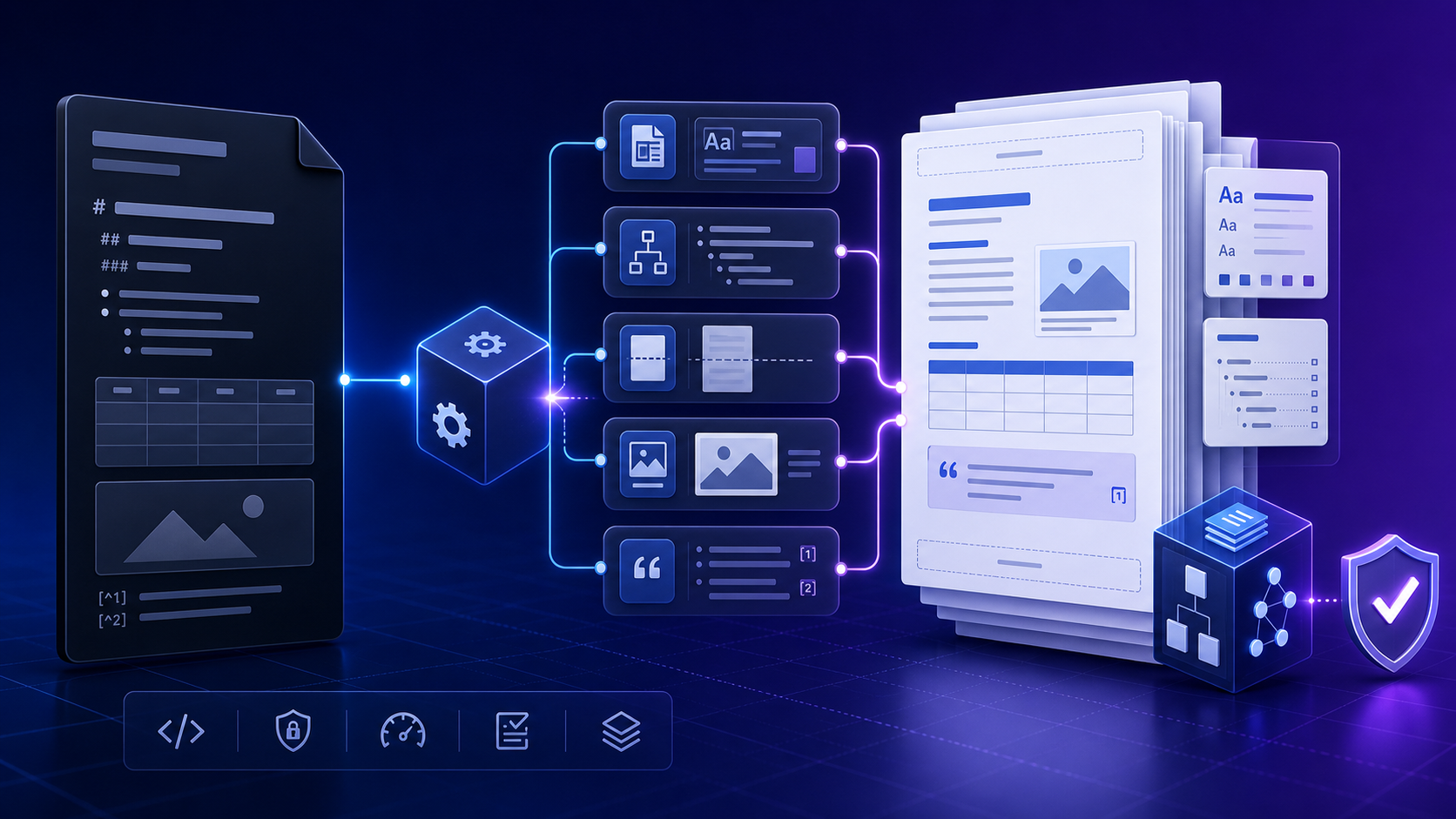
Quick answer: convert Markdown to a native, editable DOCX document快速答案:把 Markdown 转换为原生、可编辑的 DOCX 文档
The important distinction is structural. A file that Word can open
is not necessarily an Office Open XML .docx package.
Native DOCX stores document parts, relationships, styles,
numbering, media, and properties in a standardized package.
Microsoft describes a WordprocessingML document as a package
containing a main document part plus related parts; that structure
is what enables downstream editing and automation.
关键区别在于结构。Word 能打开的文件不一定就是 Office Open XML
.docx 包。原生 DOCX
会在标准化包中保存文档部件、关系、样式、编号、媒体与属性。微软将
WordprocessingML
文档描述为包含主文档部件和相关部件的文件包;正是这种结构支持后续编辑与自动化。
Choose native DOCX, Word-compatible DOC, or PDF deliberately有意识地选择原生 DOCX、Word 兼容 DOC 或 PDF
Before converting Markdown to DOCX, define what the recipient must do next. "Open in Word" is a weaker requirement than "edit through approved styles, refresh the table of contents, run document automation, and return revisions." The latter requires a native package and a controlled style model.
转换前先定义接收者下一步要做什么。"能在 Word 中打开"比"按照批准样式编辑、刷新目录、运行文档自动化并返回修订稿"的要求弱得多。后者需要原生文档包和受控的样式模型。
| Output输出 | Use it when适用情况 | Do not assume不要假设 |
|---|---|---|
Native .docx |
Editors need Word styles, headings, fields, tracked review, or automation编辑者需要 Word 样式、标题、字段、修订审核或自动化 | Every advanced Word feature will be generated automatically所有高级 Word 功能都会自动生成 |
Word-compatible .doc or HTMLWord 兼容 .doc 或 HTML
|
Fast browser export and basic editing are enough只需快速浏览器导出和基础编辑 | It has the same package structure as DOCX它与 DOCX 具有相同包结构 |
| Layout must be fixed and editing is not expected版式必须固定且不需要继续编辑 | Recipients can recover clean styles and structure接收者能够恢复干净的样式和结构 |
If the request says "Markdown to Word" but does not name the file format, ask what happens after download. That one question prevents many failed deliveries.
如果需求只说"Markdown 转 Word"却没有说明格式,应确认下载后的使用方式。这个问题能提前避免大量交付失败。
Prepare Markdown for predictable Word structure整理 Markdown,让 Word 结构可预测
A converter cannot reliably infer structure that the source never declared. Use one document title, descend headings one level at a time, keep lists syntactically consistent, give images stable relative paths, and separate data tables from layout tricks. Prefer semantic Markdown over embedded HTML because raw HTML support depends on the reader, writer, and extensions selected.
转换器无法可靠推断源文件从未声明的结构。每个文档只使用一个文档标题,标题逐级下降,列表语法保持一致,图片使用稳定的相对路径,并把数据表格与布局技巧分开。优先使用语义化 Markdown;嵌入的原始 HTML 是否有效取决于所选读取器、写入器和扩展。
- Give every image meaningful alternative text and keep the source asset beside the project, not in a private temporary path.为每张图片编写有意义的替代文本,并把资源放在项目目录中,不要引用个人临时路径。
- Use real headings instead of bold paragraphs so Word can build navigation and a table of contents.使用真正的标题,而不是加粗段落,以便 Word 构建导航和目录。
- Keep wide tables small enough for the target page or plan a landscape section outside the simple conversion path.让宽表格适配目标纸张;如需横向页面,应在简单转换流程之外单独设计分节。
- Define metadata in YAML when the build needs a title, author, date, language, bibliography, or document variables.需要标题、作者、日期、语言、参考文献或文档变量时,在 YAML 中明确声明。
---
title: Quarterly Operations Review
author: Data Operations
date: 2026-08-02
lang: en-US
---
# Executive summary
## Key findings
Run an explicit Pandoc Markdown to DOCX command运行明确的 Pandoc Markdown 转 DOCX 命令
The minimum command is intentionally small:
最小命令应保持简单:
pandoc report.md --from=gfm --to=docx --output=report.docx
Choose --from for the Markdown dialect actually used.
GitHub-Flavored Markdown, Pandoc Markdown, CommonMark, and other
readers do not expose identical features. An explicit reader
avoids a build silently changing when a source begins using
tables, task lists, definition lists, attributes, or raw blocks.
应根据实际语法选择 --from。GitHub-Flavored
Markdown、Pandoc Markdown、CommonMark
等读取器支持的功能并不完全相同。明确指定读取器,能避免源文件开始使用表格、任务列表、定义列表、属性或原始块后,构建行为悄然变化。
pandoc report.md \
  --from=markdown+yaml_metadata_block \
  --to=docx \
  --standalone \
  --reference-doc=templates/report-reference.docx \
  --table-of-contents \
  --number-sections \
  --resource-path=.:assets:images \
  --output=build/report.docx
Pin the Pandoc version in repeatable builds, record the command, and fail the pipeline if the process exits unsuccessfully. A successful exit proves that a file was written; it does not prove that the pages are ready to deliver.
可重复构建应固定 Pandoc 版本、记录命令,并在进程异常退出时让流水线失败。成功退出只能证明文件被写入,不能证明页面已经可以交付。
Control Word styling with a reviewed reference DOCX使用经过审核的 reference DOCX 控制 Word 样式
Pandoc's official guide states that
--reference-doc uses a DOCX file as a style
reference. The reference document's body content is ignored, while
its styles and document properties—including margins, page size,
header, and footer—are used in the generated file. For best
results, begin with Pandoc's own default reference file instead of
an unrelated corporate document with years of hidden style
history.
Pandoc 官方指南说明,--reference-doc 会把 DOCX
文件作为样式参考。参考文档的正文内容会被忽略,但其中的样式和文档属性——包括页边距、纸张大小、页眉和页脚——会用于新文档。最佳做法是从
Pandoc
默认参考文件开始,而不是直接使用带有多年隐藏样式历史的旧企业文档。
pandoc -o custom-reference.docx \
--print-default-data-file reference.docx- 1Generate the default reference DOCX with the installed Pandoc version.使用当前安装的 Pandoc 版本生成默认 reference DOCX。
- 2Open it in Word or LibreOffice and modify defined styles rather than manually formatting sample paragraphs.在 Word 或 LibreOffice 中打开,通过修改既有样式控制格式,不要只手工调整示例段落。
- 3Set page size, margins, header, footer, language, fonts, spacing, and numbered heading behavior required by the delivery standard.根据交付标准设置纸张、页边距、页眉页脚、语言、字体、间距和编号标题行为。
- 4Save it as a versioned build dependency and test it against a fixture containing every content type.把它作为有版本的构建依赖保存,并用包含所有内容类型的测试样例验证。
Do not rely on the visible document alone. Inspect the Styles pane, confirm style names, and remove template features your recipients are not authorized to receive.
不能只看文档表面。应检查"样式"窗格,确认样式名称,并删除接收者无权获得的模板功能。
Map Markdown semantics to Word paragraph and character styles把 Markdown 语义映射到 Word 段落与字符样式
A maintainable DOCX uses named styles, not thousands of unrelated direct-formatting decisions. Headings should become Word heading styles, normal paragraphs should use body styles, quotations should use a quote style, and code should use dedicated code styles. This gives editors consistent navigation, accessible hierarchy, global restyling, and reliable TOC generation.
可维护的 DOCX 应使用命名样式,而不是成千上万个互不相关的直接格式。标题应成为 Word 标题样式,普通段落使用正文样式,引用使用引用样式,代码使用专用代码样式。这样编辑者才能获得一致导航、可访问层级、全局改版和可靠目录。
| Markdown | Expected DOCX behavior期望的 DOCX 行为 | QA question验收问题 |
|---|---|---|
# / ## |
Heading 1 / Heading 2 or approved equivalents标题 1 / 标题 2 或批准的对应样式 | Does Navigation Pane show the correct hierarchy?导航窗格是否显示正确层级? |
| Paragraph | Normal, Body Text, or house body styleNormal、Body Text 或企业正文样式 | Can spacing be changed globally?能否全局修改间距? |
**strong** / *em* |
Strong / Emphasis character styles or semantic formattingStrong / Emphasis 字符样式或语义格式 | Does emphasis survive theme changes?主题变化后强调是否仍然有效? |
| Block quote | Block Text, Quote, or approved callout styleBlock Text、Quote 或批准的提示样式 | Is it distinguishable without color alone?不依赖颜色时是否仍能区分? |
| Code block | Source Code paragraph style with safe wrapping带安全换行的 Source Code 段落样式 | Do long lines clip or overflow?长代码行是否被裁切或溢出? |
Pandoc also supports custom styles for DOCX output. A fenced Div can carry a paragraph style and a bracketed Span can carry a character style when the corresponding style exists in the reference document:
Pandoc 还支持 DOCX 自定义样式。当 reference DOCX 中存在对应样式时,可用 fenced Div 指定段落样式,用 bracketed Span 指定字符样式:
::: {custom-style="Executive Summary"}
This paragraph uses the approved summary style.
:::

This is [a controlled warning]{custom-style="Warning Text"}.
Build a reliable table of contents and heading numbering构建可靠的自动目录与标题编号
Use semantic headings first; add
--table-of-contents and
--number-sections only after the hierarchy is
correct. The TOC is a Word field. Microsoft's guidance notes that
fields such as tables of contents and cross-references may require
an update; in Word, select the document and update fields before
final review. If headings changed, update the entire table, not
only page numbers.
先保证标题语义正确,再添加 --table-of-contents 和
--number-sections。目录属于 Word
字段。微软说明,目录和交叉引用等字段可能需要更新;最终审核前,应在
Word
中选择全文并更新字段。若标题发生变化,应更新整个目录,而不仅是页码。
- Confirm TOC depth matches the audience; a six-level contents list is rarely useful.确认目录深度符合受众需求;六级目录通常并不实用。
- Check heading numbering in the body, Navigation Pane, and TOC—not just one of them.同时检查正文、导航窗格和目录中的标题编号,而不是只看其中一个。
- Avoid manually typed section numbers in Markdown when the template owns numbering.如果编号由模板控制,不要在 Markdown 中手工输入章节编号。
- Reopen the saved document and verify fields again before distribution.保存后重新打开文档,并在分发前再次检查字段。
Common failure: an empty or incomplete TOC often means the source uses bold text instead of headings, the style mapping is broken, or fields were not refreshed.常见失败:目录为空或不完整,通常是因为源文件用粗体代替标题、样式映射损坏,或者字段尚未刷新。
Plan page breaks, sections, headers, and footers before delivery交付前规划分页、分节、页眉与页脚
Markdown describes content better than page layout. A reference DOCX can provide page dimensions, margins, headers, and footers, but complex section changes—such as switching one wide table to landscape and then returning to portrait—may require a Lua filter, a post-processing step, or deliberate editing in Word. Do not hide this limitation behind a generic "convert" button.
Markdown 更擅长描述内容,而不是页面布局。reference DOCX 可以提供纸张、页边距、页眉和页脚,但复杂分节——例如让某张宽表切换为横向页面后再恢复纵向——可能需要 Lua filter、后处理步骤或在 Word 中有意识地编辑。不要用一个通用"转换"按钮掩盖这种限制。
For simple forced page breaks, establish one documented convention and test it with the exact Pandoc version and writer. Raw OpenXML can be injected for tightly controlled builds, but it couples the source to DOCX and should be isolated rather than scattered through business content.
如需简单强制分页,应建立一种有文档说明的约定,并使用准确的 Pandoc 版本和写入器测试。受控构建可以注入原始 OpenXML,但这会让源文件与 DOCX 紧密耦合,应集中隔离,而不是散布在业务内容中。
Also inspect orphan headings, single-line carryovers, split table rows, code blocks across pages, blank pages, and headers that collide with content. Page-level review remains necessary even when the source structure is perfect.
还应检查孤立标题、单行跨页、表格行拆分、代码块跨页、空白页以及页眉与正文冲突。即使源结构完全正确,也仍然需要逐页验收。
Preserve Markdown images, captions, and tables in DOCX在 DOCX 中保留 Markdown 图片、说明与表格
Image failures are commonly path failures. Run the build from a
predictable project root, use relative paths, and set
--resource-path when assets live in approved
directories. Verify that the generated DOCX contains the intended
image, not merely an empty placeholder. Check resolution at the
size actually shown, aspect ratio, captions, alt text, color
contrast, and licensing.
图片失败通常是路径失败。应从固定项目根目录运行构建,使用相对路径,并在资源位于批准目录时设置
--resource-path。必须确认生成的 DOCX
包含预期图片,而不是空占位符;同时检查实际显示尺寸下的清晰度、宽高比、说明、替代文本、色彩对比和许可。
Markdown tables convert best when they represent tabular data. Merged cells, nested tables, rotated labels, precise column widths, formulas, and spreadsheet-like behavior require explicit testing or post-processing. A practical fixture should include narrow and wide tables, multiline cells, inline code, links, non-Latin text, missing values, and long unbreakable tokens. Build the pipe table in the markdown table generator before this conversion.
当 Markdown 表格确实表示表格数据时,转换效果最好。合并单元格、嵌套表格、旋转标签、精确列宽、公式和电子表格行为都需要明确测试或后处理。实用测试样例应包含窄表、宽表、多行单元格、行内代码、链接、非拉丁文字、缺失值和无法断行的长字符串。
Print the working directory, inspect filename case, test the resolved path, and check the DOCX media folder.输出工作目录,检查文件名大小写,测试解析后的路径,并查看 DOCX media 文件夹。
Remove nonessential columns, shorten labels, split the table, change page strategy, or create a designed appendix.删除非必要列、缩短标签、拆分表格、改变页面策略,或制作专门设计的附录。
Handle footnotes, citations, links, and cross-references explicitly明确处理脚注、引用、链接与交叉引用
Pandoc can turn Markdown footnotes into Word notes and can process citations when the bibliography, citation style, and cite processing are configured. Treat citation output as editorial content: confirm every source, locator, author, date, title, URL, and bibliography entry. A syntactically successful citation is not automatically a correct citation.
Pandoc 可以把 Markdown 脚注转换为 Word 脚注;配置参考文献、引文样式和引用处理后,也可以生成引文。引用输出属于编辑内容,必须核对每个来源、定位信息、作者、日期、标题、URL 和参考文献条目。语法上成功生成的引用并不自动等于正确引用。
pandoc report.md \
  --to=docx \
  --citeproc \
  --bibliography=references.bib \
  --csl=styles/apa.csl \
  --reference-doc=templates/report-reference.docx \
  --output=build/report.docx
Test internal links and cross-references after conversion. Bookmark names, field behavior, and numbering can vary with extensions and filters. External links should have descriptive anchor text, use the intended protocol, and resolve without an HTTP error. Remove private tracking parameters before delivery.
转换后要测试内部链接和交叉引用。书签名称、字段行为和编号可能随扩展与过滤器变化。外链应使用描述性锚文本、正确协议,并且不能返回 HTTP 错误;交付前还应删除私人追踪参数。
Know what Markdown to DOCX conversion does not guarantee了解 Markdown 转 DOCX 无法自动保证什么
A native DOCX writer does not make every Word feature appear. Review comments, tracked changes authored during collaboration, content controls, macros, mail-merge fields, custom XML, protected sections, exact equation layout, complex floating objects, advanced accessibility metadata, and organization-specific add-ins all require separate design and testing. Some features may need to be applied after conversion; others belong in a dedicated document-generation system.
原生 DOCX 写入器不会自动生成所有 Word 功能。协作产生的批注和修订、内容控件、宏、邮件合并字段、自定义 XML、受保护分节、精确公式排版、复杂浮动对象、高级无障碍元数据以及企业专用加载项,都需要单独设计与测试。有些功能需要转换后添加,另一些则应由专门的文档生成系统处理。
Do not promise visual identity from a template that has not been tested. Do not claim accessibility from alt text alone. Do not claim round-trip fidelity unless the same document has been edited in Word, converted back, and compared against a defined acceptance standard. State the supported boundary clearly.
不要在模板未经测试时承诺视觉一致性;不要因为存在替代文本就宣称符合无障碍标准;也不要在未定义验收标准、未实际完成 Word 编辑和反向转换比较时宣称可无损往返。应清楚说明支持边界。
Troubleshoot Markdown to DOCX by isolating the failed layer按失败层定位 Markdown 转 DOCX 问题
| Symptom现象 | Likely layer可能层级 | First evidence to collect首先收集的证据 |
|---|---|---|
| Reference DOCX has no effectreference DOCX 不生效 | Path, command, or style names路径、命令或样式名 | Absolute resolved path, build log, Styles pane绝对解析路径、构建日志、样式窗格 |
| TOC is blank or stale目录为空或过期 | Source headings or Word fields源标题或 Word 字段 | Navigation Pane and full field update导航窗格与完整字段更新 |
| Heading numbers duplicate标题编号重复 | Typed numbers plus template numbering手工编号与模板编号叠加 | Raw Markdown and multilevel-list definition原始 Markdown 与多级列表定义 |
| Image not found找不到图片 | Working directory or resource path工作目录或资源路径 | Resolved path, case, media folder in DOCX解析路径、大小写、DOCX media 文件夹 |
| Chinese or symbols use the wrong font中文或符号字体错误 | Theme fonts, language, or fallback主题字体、语言或回退字体 | Computed Word style and target-device font inventoryWord 实际样式与目标设备字体清单 |
| Build differs in CICI 输出不同 | Pandoc, template, filter, font, or locale driftPandoc、模板、过滤器、字体或区域设置漂移 | Version manifest, checksums, fixture output版本清单、校验和、测试样例输出 |
Reduce the source to the smallest document that still reproduces the failure. Then add back metadata, template, filters, resources, and options one layer at a time. This distinguishes source syntax from writer behavior and template behavior.
把源文件缩减为仍能复现故障的最小文档,再逐层加回元数据、模板、过滤器、资源和选项。这样可以区分源语法、写入器行为和模板行为。
Automate batch Markdown to DOCX conversion reproducibly可重复地自动批量转换 Markdown 到 DOCX
Batch conversion should be manifest-driven. Define each input, output, language, reference DOCX, bibliography, expected assets, and review owner. Preserve source directories in output names instead of flattening different files into collisions. Write to a clean build directory and never overwrite source content.
批量转换应由清单驱动。为每个任务定义输入、输出、语言、reference DOCX、参考文献、预期资源和审核负责人。输出名称应保留源目录信息,避免不同文件被压平后发生重名;写入干净的构建目录,绝不覆盖源内容。
$ErrorActionPreference = 'Stop'
$pandoc = 'pandoc'
$reference = 'templates/report-reference.docx'

Get-ChildItem content -Filter *.md -Recurse | ForEach-Object {
  $name = $_.BaseName + '.docx'
  & $pandoc $_.FullName --from=gfm --to=docx `
    --reference-doc=$reference --output=(Join-Path build $name)
  if ($LASTEXITCODE -ne 0) { throw "Pandoc failed: $($_.FullName)" }
}
Record the Pandoc version, template checksum, filter versions, command, source revision, output checksum, and review result. Hashes reveal unexpected binary changes but do not prove visual quality; Word packages may contain changing metadata, so compare structural and visual evidence as well.
记录 Pandoc 版本、模板校验和、过滤器版本、命令、源版本、输出校验和与审核结果。哈希可以揭示意外的二进制变化,但不能证明视觉质量;Word 包还可能包含变化的元数据,因此也要比较结构与视觉证据。
Use InfiniSynapse for a quick Word-compatible export使用 InfiniSynapse 快速导出 Word 兼容文件
When the goal is a fast browser-based Word-compatible file rather than a controlled native DOCX build, open the InfiniSynapse Markdown to Word tool. Use sanitized content, download the result, and review it in the target editor. For strict native DOCX requirements, keep the Pandoc and reference-template workflow described above.如果目标是快速获得浏览器生成的 Word 兼容文件,而不是受控的原生 DOCX 构建,可以使用 InfiniSynapse Markdown to Word 工具。请只处理已脱敏内容,下载后在目标编辑器中检查;若项目严格要求原生 DOCX,应继续使用上文的 Pandoc 与参考模板流程。
Open Markdown to Word Tool打开 Markdown 转 Word 工具Verify every native DOCX before delivery交付前验收每一个原生 DOCX
-
Confirm the file is a valid
.docxpackage and opens without a repair warning in the supported Word versions.确认文件是有效.docx包,并能在受支持的 Word 版本中打开且不出现修复警告。 - Check document properties, title, author, subject, language, and removal of private metadata.检查文档属性、标题、作者、主题、语言,并删除私人元数据。
- Use Navigation Pane to verify heading hierarchy and update all fields, including the complete TOC.使用导航窗格验证标题层级,并更新所有字段,包括完整目录。
- Inspect named paragraph and character styles; find direct formatting that blocks global edits.检查命名的段落与字符样式,找出阻碍全局编辑的直接格式。
- Review every page boundary for orphan headings, broken lists, split tables, clipped code, and blank pages.逐页检查孤立标题、列表断裂、表格拆分、代码裁切和空白页。
- Verify images, captions, alt text, links, footnotes, citations, cross-references, and bibliography.验证图片、说明、替代文本、链接、脚注、引用、交叉引用和参考文献。
- Test search, selection, copying, spellcheck language, comments, and the editing tasks recipients must perform.测试搜索、选择、复制、拼写检查语言、批注,以及接收者必须完成的编辑任务。
- Open the file on a second approved device to detect font substitution, field changes, or layout drift.在第二台批准设备上打开文件,检测字体替换、字段变化或版式漂移。
- Archive the exact source, command, reference DOCX, filters, dependencies, output, and signed review record.归档准确的源文件、命令、reference DOCX、过滤器、依赖、输出和签署后的审核记录。
A high-quality Markdown to DOCX workflow is not "click and trust." It is a controlled translation from semantic source to an editable document model, followed by evidence-based review of the artifact the recipient will actually use.
高质量 Markdown 转 DOCX 流程不是"点击后直接相信"。它是从语义化源文件到可编辑文档模型的受控翻译,并对接收者真正使用的文件执行基于证据的审核。
Markdown to DOCX FAQ: questions teams ask before deliveryMarkdown 转 DOCX 常见问题:团队交付前需要确认的答案
Use Pandoc with an explicit Markdown reader and a reviewed reference DOCX when you need a native, editable file. Validate headings, styles, fields, assets, notes, links, and page layout in the actual Word document.需要原生可编辑文件时,使用 Pandoc、明确的 Markdown 读取器和经过审核的 reference DOCX。应在实际 Word 文档中验证标题、样式、字段、资源、脚注、链接与页面布局。
Generate Pandoc's default reference file, modify its named
styles and document properties, save it as a versioned
template, and pass it with
--reference-doc=path/to/template.docx.先生成 Pandoc
默认参考文件,修改其命名样式与文档属性,保存为有版本的模板,再通过
--reference-doc=path/to/template.docx
传入。
Check that source headings are semantic, heading styles map correctly, and the Word field has been refreshed. If headings changed, update the entire table of contents rather than page numbers only.检查源标题是否语义化、标题样式是否正确映射,并刷新 Word 字段。若标题发生变化,应更新整个目录,而不是只更新页码。
Do not assume a simple Markdown-to-DOCX write creates the collaboration history expected from Word. Comments, tracked changes, review identities, and organization-specific workflows require a separately verified process.不要假设简单写入 DOCX 就能创建 Word 所需的协作历史。批注、修订、审核身份和企业专用工作流需要单独验证。
Yes. Use a manifest or script, isolate outputs, pin versions, record template and filter checksums, stop on errors, and run structural plus visual checks on representative and high-risk files.可以。应使用清单或脚本、隔离输出、固定版本、记录模板与过滤器校验和、遇错停止,并对代表性和高风险文件执行结构与视觉检查。
Sources and references for this Markdown to DOCX guide本 Markdown 转 DOCX 指南的来源与参考资料
Primary references: the Pandoc User's Guide for DOCX writers, reference documents, and custom styles; Microsoft Support guidance for updating Word fields; and Microsoft's Open XML package overview.
主要参考:关于 DOCX 写入器、参考文档和自定义样式的 Pandoc 用户指南;关于更新 Word 字段的 Microsoft Support 指南;以及 微软 Open XML 文档包概述。