
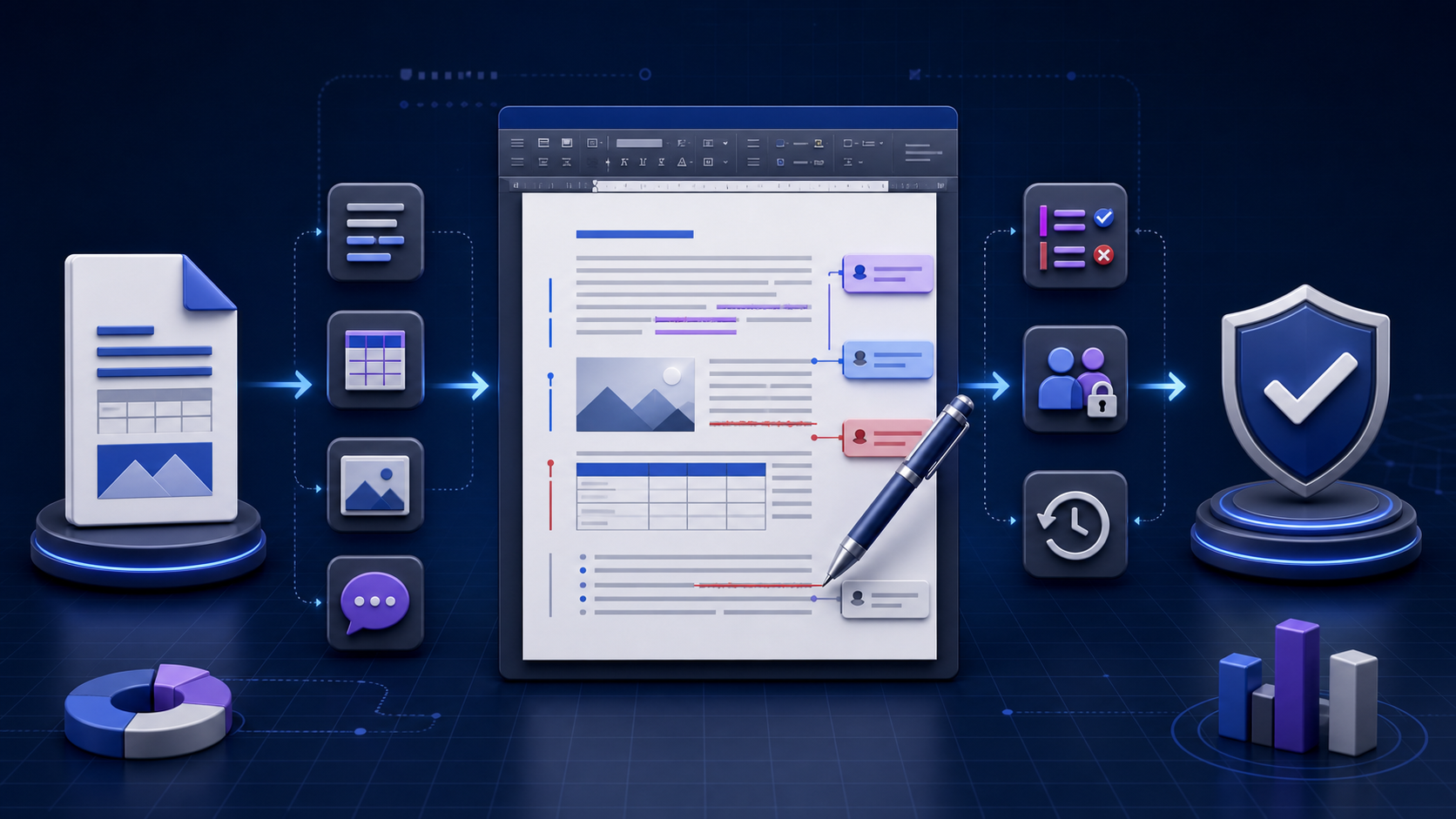
A DOCX editing solution keeps more than the visible text编辑方案保留的不只是可见文字
A DOCX editing solution is a path that opens, changes, and
saves a Microsoft Word .docx file while keeping
the styles, tables, images, comments, and tracked changes the
task needs.
A DOCX editor is the software on that path. Match the solution
to the file’s sensitivity, editing depth, and layout risk. Work
on a versioned copy, then reopen the saved file before you share
it. A successful save can still break pagination, fonts, fields,
or hidden revisions.
这套 DOCX 编辑方案是一条路径:打开、修改并保存 Microsoft
Word .docx 文件,同时留下任务需要的样式、表格、图片、批注和修订。DOCX editor 是这条路径上的软件。按文件敏感度、编辑深度和版式风险选择方案。在带版本的副本上工作,分享前重新打开已保存的文件。保存成功仍可能弄乱分页、字体、字段或隐藏修订。
Five DOCX editing solution types五类编辑方案
Search results for a DOCX editing solution are products you can open now: a free browser editor, Word for the web, a Windows desktop app, a phone app, or an editor SDK. They are not the same job. Use this table to pick a type, then test it on a copy of your file. This page does not rank products or quote prices.
搜索这个词时,结果是现在就能打开的产品:免费浏览器编辑器、Word 网页版、Windows 桌面应用、手机应用,或编辑器 SDK。它们不是同一件工作。先用下表选定类型,再在文件副本上测试。本页不给产品排名,也不引用价格。
| Type类型 | Where it runs运行位置 | Fits when适用 | Check before you trust it信任前要核对 |
|---|---|---|---|
| Browser editor浏览器编辑器 | A tab on your device, or a vendor site after upload本机标签页,或上传后的厂商网站 | A short edit that still needs styles and a DOCX export仍要样式和 DOCX 导出的短修改 | Whether comments and tracked changes survive the download批注和修订能否在下载后留下 |
| Word for the webWord 网页版 | A governed Microsoft 365 account受管的 Microsoft 365 账户 | The file already lives in that tenant and needs review文件已在该租户中,且需要审阅 | Desktop features the web app does not expose网页版没有露出的桌面功能 |
| Windows desktop appWindows 桌面应用 | An installed word processor已安装的文字处理程序 | Layout, fields, offline work, or a complex package版式、字段、离线工作或复杂文件包 | Install source, fonts, and whether the save is still a DOCX package安装来源、字体,以及保存结果是否仍是 DOCX 包 |
| Mobile multi-format app手机多格式应用 | A phone or tablet app手机或平板应用 | A quick text change or a look at edit history快速改文字,或查看编辑历史 | Pagination, tables, and objects on a small screen小屏幕上的分页、表格和对象 |
| Editor SDK or agent编辑器 SDK 或智能体 | Your application and an approved model你的应用和已批准的模型 | Repeated review or style commands on many files对许多文件重复审阅或样式命令 | Which commands may change the package, and who approves them哪些命令可以改文件包,以及谁来批准 |
Browser, upload, or Microsoft 365浏览器、上传,还是 Microsoft 365
A free online DOCX editing solution can stay in the tab, upload the package to a vendor, or open a copy that is already in Microsoft 365. The screens look alike. The difference is where the file is stored, who can retain it, and which Word features remain after save. The online DOCX editor page is the check after you download. How to test a DOCX editor online covers the same file across candidates. Team sharing, roles, and version ownership sit on the online DOCX editor collaboration guide.
免费的在线编辑方案可以留在标签页、把文件包上传给厂商,或打开已经在 Microsoft 365 里的副本。界面看起来差不多。差别在于文件存在哪里、谁能保留,以及保存后哪些 Word 功能还在。下载后的核对在 online DOCX editor 页。用同一份文件比较候选工具,见 如何测试 DOCX editor online。团队共享、角色和版本归属在 online DOCX editor 协作指南。
| Route路径 | What happens to the file文件去向 | Stop when停止条件 |
|---|---|---|
| Local browser本机浏览器 | The editor reads the package in the tab and writes a new file to the device编辑器在标签页读取文件包,再把新文件写回本机 | The tab still sends the file out, or the document has macros, a signature, or a layout you must keep标签页仍会把文件发出去,或文档含宏、签名,或有必须保住的版式 |
| Vendor upload厂商上传 | The service stores a working copy and returns a download服务保存工作副本,并提供下载 | The file is regulated, privileged, or the only copy文件受监管、受特权保护,或是唯一副本 |
| Microsoft 365Microsoft 365 | Word for the web edits a OneDrive or SharePoint copy under tenant policyWord 网页版按租户策略编辑 OneDrive 或 SharePoint 副本 | The edit needs a desktop feature the web app does not provide修改需要网页版没有的桌面功能 |
When the DOCX editing solution is an SDK, not an app何时用 SDK,而不是应用
An editor SDK or document agent fits a team that already runs its own model and can name which commands may change a DOCX package. That is a different DOCX editing solution from an app a person opens to fix one file. A converter that turns Markdown into a Word draft is a third step: it creates the file, and it does not review styles, comments, or tracked changes inside an existing package. Use the draft tool below only for that first file. Later edits go through the solution type you selected above.
编辑器 SDK 或文档智能体适合已经在跑自己的模型、并能写明哪些命令可以修改 DOCX 包的团队。这和一个人打开应用改一份文件,不是同一种方案。把 Markdown 转成 Word 初稿是第三步:它创建文件,不审阅已有文件包里的样式、批注或修订。下面的初稿工具只用于那第一份文件。之后的修改走上面选定的方案类型。
Match the DOCX editor to the task behind the search让 DOCX Editor 对应搜索背后的实际任务
People searching for a DOCX editor may need to correct a sentence, complete a form, review tracked changes, collaborate with colleagues, repair formatting, edit without Microsoft Word, or publish a final document. Those tasks do not require the same editor. A lightweight browser editor may be adequate for a short letter, while a contract with fields, section breaks, comments, signatures, and controlled styles needs a managed authoring environment and a documented review process.
搜索 DOCX Editor 的用户可能要改一句话、填写表单、审核修订、与同事协作、修复格式、在没有 Microsoft Word 的情况下编辑,或发布最终文件。这些任务对编辑器的要求并不相同。简短信件可能适合轻量浏览器编辑器;包含字段、分节符、批注、签名和受控样式的合同,则需要受管创作环境和有记录的审核流程。
| Task任务 | Minimum capability最低能力 | Primary risk主要风险 |
|---|---|---|
| Correct ordinary text修改普通文字 | Open, edit, save DOCX打开、编辑、保存 DOCX | Overwriting the source覆盖原文件 |
| Review a team draft审核团队初稿 | Comments, tracked changes, authorship批注、修订、作者身份 | Lost or unattributed decisions决策丢失或无法归属 |
| Edit a complex report编辑复杂报告 | Styles, sections, tables, fields, objects样式、分节、表格、字段、对象 | Silent layout reflow版式静默重排 |
| Handle confidential content处理机密内容 | Approved storage, access, retention, logs批准的存储、访问、保留与日志 | Unauthorized upload or sharing未授权上传或共享 |
| Release a final artifact发布最终成品 | Validation, accessibility, PDF or print proof验证、无障碍、PDF 或打印样张 | Treating editable draft as approved output把可编辑初稿误当成批准成品 |
Understand the DOCX package before editing it编辑前先理解 DOCX 文件包
DOCX is an Office Open XML package rather than one flat stream of formatted text. The package can contain a main WordprocessingML document, styles, numbering, relationships, media, headers, footers, comments, footnotes, settings, themes, and other parts. An editor must interpret relationships among those parts and write a coherent package when it saves. That is why changing visible paragraphs is only one part of compatibility.
DOCX 是 Office Open XML 文件包,而不是一段扁平的格式化文字。文件包可包含主 WordprocessingML 文档、样式、编号、关系、媒体、页眉页脚、批注、脚注、设置、主题和其他部件。编辑器保存时必须解释这些部件之间的关系并写回一致的文件包,因此修改可见段落只是兼容性的一个部分。
Do not rename an unrelated file to .docx and expect
it to become a Word document. Do not assume that every file ending
in DOCX is safe or well formed. Keep the original, verify the
source, and use supported software for recovery or inspection.
Macro-enabled documents normally use .docm; an
extension change is not a security control.
不要把无关文件改名为 .docx 并期待它自动变成 Word
文档,也不要假设所有以 DOCX
结尾的文件都安全且结构正确。应保留原件、核实来源,并使用受支持软件进行恢复或检查。启用宏的文档通常使用
.docm,修改扩展名不是安全控制。
Separate DOCX editing from viewing and conversion区分 DOCX 编辑、查看与转换
Renders a document for reading. It may not expose hidden content, fields, comments, or exact pagination and usually cannot save edits.
渲染文档供阅读,可能不显示隐藏内容、字段、批注或精确分页,通常也不能保存修改。
Changes and saves the package. Capability ranges from plain-text edits to full styles, references, collaboration, and page layout.
修改并保存文件包,能力可从纯文字修改延伸到完整样式、引用、协作与页面布局。
Maps content between formats such as Markdown, DOCX, PDF, HTML, or ODT. Conversion can create an editable draft but is not an editing session.
在 Markdown、DOCX、PDF、HTML 或 ODT 等格式间映射内容。转换可生成可编辑初稿,但不等同于编辑会话。
Establishes which version, renderer, reviewer, evidence, and output are authoritative. It may require desktop Word, an approved PDF, or a print proof.
确定哪个版本、渲染器、审核人、证据与输出具有权威性,可能需要桌面 Word、批准的 PDF 或打印样张。
Choose a DOCX editor with an evidence-based matrix使用证据矩阵选择 DOCX Editor
| Criterion标准 | Questions to ask需要询问的问题 | Evidence to inspect应检查的证据 |
|---|---|---|
| Editing depth编辑深度 | Text only, or styles, sections, references, fields, equations, and objects?仅文字,还是还要处理样式、分节、引用、字段、公式和对象? | Feature documentation and representative files功能文档与代表性文件 |
| Fidelity保真 | What changes after open, edit, save, and reopen?打开、编辑、保存并重开后会发生什么变化? | Before-and-after comparison in the target environment在目标环境做前后对比 |
| Collaboration协作 | Are comments, tracked changes, identity, conflicts, and history preserved?批注、修订、身份、冲突与历史是否保留? | Permission model, audit history, export test权限模型、审计历史与导出测试 |
| Privacy隐私 | Is content local or uploaded, and who can retain, process, or share it?内容在本地还是上传?谁能保留、处理或共享? | Architecture, policy, contract, network behavior架构、政策、合同与网络行为 |
| Operations运营 | Does it work on managed devices, offline, at scale, and with recovery?是否适用于受管设备、离线、规模化处理与恢复? | Pilot, support route, backup and rollback process试点、支持路径、备份与回滚流程 |
| Accessibility无障碍 | Can users preserve headings, alt text, table structure, language, and reading order?能否保留标题、替代文本、表格结构、语言和阅读顺序? | Semantic inspection and assistive-technology test语义检查与辅助技术测试 |
Edit a DOCX file in eight controlled steps用八个受控步骤编辑 DOCX 文件
-
1Define the approved outcome定义批准结果
State what must change, what must remain unchanged, who owns the decision, and which output will be distributed.
说明必须修改什么、必须保持什么、谁负责决策,以及最终分发哪种输出。
-
2Verify the source and file type核实来源与文件类型
Confirm sender, purpose, extension, size, expected content, version, and whether the file is DOCX, DOCM, DOTX, or another format.
确认发送者、目的、扩展名、大小、预期内容、版本,以及文件究竟是 DOCX、DOCM、DOTX 还是其他格式。
-
3Classify sensitivity and permissions划分敏感度与权限
Identify personal, legal, financial, health, customer, employee, credential, or confidential data before choosing local or online editing.
在选择本地或在线编辑前,识别个人、法律、财务、健康、客户、员工、凭证或机密数据。
-
4Create a controlled copy创建受控副本
Keep the source immutable where policy requires it. Name the working copy with owner, version, and date; avoid anonymous “final-final” files.
策略要求时保持源文件不可变。工作副本应包含负责人、版本和日期,避免无法追踪的“最终版-最终版”命名。
-
5Open in the selected mode用选定模式打开
Use viewing, reviewing, or editing intentionally. Confirm edit permission and understand whether the application creates a converted copy.
有意识地选择查看、审阅或编辑模式;确认编辑权限,并了解应用是否会创建转换后的副本。
-
6Make bounded changes进行有边界的修改
Use styles instead of manual formatting, control Track Changes, resolve comments deliberately, update fields only when appropriate, and avoid unrelated cleanup.
使用样式而非手工格式,控制修订,明确处理批注,仅在适当时更新字段,并避免无关清理。
-
7Save a new version and reopen it保存新版本并重新打开
Save to the required DOCX format without overwriting evidence. Close and reopen the actual exported file in the recipient’s expected environment.
按要求保存为 DOCX,且不覆盖证据;关闭后在收件人预期环境中重新打开真实导出文件。
-
8Validate and release验证并发布
Compare content, layout, changes, metadata, permissions, accessibility, links, print or PDF output, and approval status before distribution.
分发前对比内容、版式、修订、元数据、权限、无障碍、链接、打印或 PDF 输出及批准状态。
Compare browser and desktop DOCX editing honestly如实比较浏览器与桌面 DOCX 编辑
Browser editors reduce installation friction and can make sharing and concurrent review easier. Desktop editors may offer deeper page layout, references, fields, add-ins, offline work, local storage controls, and compatibility with complex documents. Neither category is automatically safer or more accurate. The real questions are where processing occurs, what features are supported, which version becomes authoritative, and how the exported file behaves elsewhere.
浏览器编辑器可降低安装门槛,并让共享与并发审核更方便;桌面编辑器可能提供更深入的页面布局、引用、字段、加载项、离线工作、本地存储控制和复杂文档兼容能力。两类工具都不会天然更安全或更准确。真正要问的是处理在哪里发生、支持哪些功能、哪个版本具有权威性,以及导出文件在其他环境中的表现。
| Dimension维度 | Browser editor浏览器编辑器 | Desktop editor桌面编辑器 |
|---|---|---|
| Access访问 | Fast on supported browsers; account or upload may be required支持的浏览器中启动快;可能需要账户或上传 | Installation and device support required需要安装与设备支持 |
| Complex layout复杂版式 | May preserve but not expose every setting可能保留但不显示所有设置 | Often deeper control; still version- and font-dependent通常控制更深,但仍依赖版本与字体 |
| Collaboration协作 | Often strong for live coauthoring and history通常擅长实时协作与历史 | May rely on shared storage or check-in workflow可能依赖共享存储或签入流程 |
| Sensitive files敏感文件 | Requires approved tenant, retention, access, and transfer controls需要批准的租户、保留、访问与传输控制 | Requires managed endpoint, encryption, backup, and sharing controls需要受管终端、加密、备份与共享控制 |
| Final proof最终校样 | Useful, but browser layout can differ有用,但浏览器版式可能不同 | Prefer the agreed authoring and print environment优先使用约定的创作与打印环境 |
Treat every DOCX editor as part of the data boundary把每个 DOCX Editor 都视为数据边界的一部分
Before uploading a document, identify its classification and the editor’s processing model. Check storage region, account ownership, sharing defaults, link access, subprocessors, retention, deletion, backups, logs, model-training terms, support access, and export behavior. A statement that files are deleted “after processing” is not a substitute for an approved contract or architecture review.
上传文档前,应识别其数据级别和编辑器的处理模型。检查存储区域、账户归属、共享默认值、链接访问、分包商、保留、删除、备份、日志、模型训练条款、支持人员访问与导出行为。“处理后删除”的说明不能替代批准的合同或架构审核。
Keep applications and operating systems supported and updated. Do not enable unexpected active content, external links, embedded objects, or credentials. If a file is suspicious, preserve it and use the authorized security route rather than experimenting in a public editor. Sanitization means removing sensitive content and metadata intentionally; changing the filename does not sanitize a document.
保持应用和操作系统受支持并及时更新,不要启用意外的活动内容、外部链接、嵌入对象或凭证。文件可疑时,应保留证据并走授权安全路径,不要在公共编辑器中试验。脱敏意味着有意识地删除敏感内容和元数据,仅修改文件名并不构成脱敏。
Preserve DOCX formatting through styles and controlled tests通过样式与受控测试保留 DOCX 格式
Formatting failures often come from unavailable fonts, manual spacing, incompatible section settings, unsupported floating objects, changed printer metrics, automatic field updates, or an editor that simplifies the document model. Use named paragraph and character styles, real lists, table properties, deliberate page and section breaks, and embedded or approved fonts where licensing and policy permit.
格式问题常来自字体不可用、手工空格、不兼容的分节设置、不支持的浮动对象、打印机度量变化、字段自动更新,或编辑器简化文档模型。应使用命名段落与字符样式、真实列表、表格属性、明确的分页与分节符,以及在许可和策略允许时使用嵌入或批准字体。
| Layer层级 | Inspect after editing编辑后检查 | Typical failure典型失败 |
|---|---|---|
| Text and styles文字与样式 | Characters, languages, styles, direct formatting, fonts字符、语言、样式、直接格式、字体 | Substitution changes wrapping and hierarchy替换导致换行与层级变化 |
| Pages and sections页面与分节 | Margins, orientation, columns, numbering, headers, footers页边距、方向、分栏、编号、页眉页脚 | Section properties are flattened or inherited分节属性被扁平化或继承 |
| Tables and objects表格与对象 | Widths, repeats, wrapping, anchors, captions, equations, charts宽度、重复、环绕、锚点、题注、公式、图表 | Objects shift, clip, flatten, or disappear对象移位、裁切、扁平化或消失 |
| Fields and references字段与引用 | TOC, cross-references, citations, dates, links目录、交叉引用、引文、日期、链接 | Fields become stale or update unexpectedly字段过期或意外更新 |
| Accessibility无障碍 | Heading semantics, alt text, table headers, language, reading order标题语义、替代文本、表头、语言、阅读顺序 | Visual appearance survives while semantics are lost视觉保留但语义丢失 |
Control comments, tracked changes, and version history控制批注、修订与版本历史
Decide whether the session is drafting, reviewing, or finalizing before edits begin. Record the author identity, keep Track Changes settings visible, resolve rather than silently delete important comments, and distinguish accepted content from unresolved suggestions. A clean-looking page can still contain hidden revisions, comments, document properties, or prior versions in connected storage.
编辑开始前先确定本次工作是起草、审阅还是定稿。记录作者身份,保持修订设置可见,重要批注应明确解决而不是静默删除,并区分已接受内容与未解决建议。页面看起来干净,仍可能包含隐藏修订、批注、文档属性或连接存储中的历史版本。
For high-stakes review, export a change report or retain a reviewed copy according to policy. Confirm whether accepting changes removes the evidence you are required to preserve. Coauthoring history, application undo, local backups, and formal records are different things; do not treat one as a substitute for another.
高风险审核应按策略导出变更报告或保留已审核副本,并确认接受修订是否会删除必须保留的证据。协作历史、应用撤销、本地备份与正式记录不是同一事物,不能彼此替代。
Diagnose why a DOCX file cannot be edited诊断 DOCX 文件为何无法编辑
| Symptom现象 | Likely layer可能层级 | Safe next step安全下一步 |
|---|---|---|
| Editing mode unavailable没有编辑模式 | Account or document permission账户或文档权限 | Request access from the owner; do not bypass controls向所有者申请访问,不绕过控制 |
| Read-only notification只读提示 | File attribute, storage policy, lock, or protected view文件属性、存储策略、锁定或受保护视图 | Verify source and policy; save an authorized copy if allowed核实来源与策略;允许时保存授权副本 |
| Password or restriction prompt密码或限制提示 | Encryption or restricted editing加密或限制编辑 | Obtain authorization and credentials from the owner从所有者取得授权与凭证 |
| File is locked文件被锁定 | Concurrent session, synchronization, or stale lock并发会话、同步或过期锁 | Confirm active editors, sync state, and supported recovery确认活动编辑者、同步状态与受支持恢复 |
| Content controls cannot change内容控件无法修改 | Template design or document protection模板设计或文档保护 | Use the intended form workflow or ask the template owner使用预定表单流程或联系模板所有者 |
Do not use unofficial password-removal services for protected or confidential documents. An inability to edit may be a deliberate control, not a defect.
不要对受保护或机密文档使用非官方密码移除服务。无法编辑可能是有意控制,而不是缺陷。
Handle DOCX compatibility mode without blind conversion不要盲目转换 DOCX 兼容模式
Compatibility Mode can limit newer features so a document remains usable with an older Word format or feature set. First identify the current mode, recipients’ applications, required features, and archival obligations. Converting may enable newer capabilities, but it can also make portions harder for older applications to edit. Test a copy and document the decision.
兼容模式可能限制较新功能,以便文档继续适用于较旧的 Word 格式或功能集。先识别当前模式、收件人的应用、所需功能与归档义务。转换可以启用新能力,但也可能让旧应用更难编辑部分内容。应对副本进行测试并记录决定。
Cross-editor compatibility must be tested through a complete round trip: open the source, make a bounded edit, save DOCX, close, reopen in the target environment, compare, and if needed open again in the original environment. Include comments, revisions, fields, tables, objects, page count, fonts, and accessibility—not only the paragraph you changed.
跨编辑器兼容性必须通过完整往返测试:打开源文件、进行有边界的修改、保存 DOCX、关闭、在目标环境重开并比较,必要时再回到原环境打开。检查范围应包含批注、修订、字段、表格、对象、页数、字体与无障碍,而不只是被修改的段落。
Create an editable DOCX draft from structured Markdown从结构化 Markdown 创建可编辑 DOCX 初稿
When content begins as Markdown rather than an existing Word file, the InfiniSynapse Markdown to Word tool can create a DOCX draft from headings, paragraphs, lists, and tables. This is an upstream creation step, not a DOCX editor and not a promise that every Word layout feature will be reproduced. Prepare sanitized Markdown, convert it, download the DOCX, and continue editing in an approved environment.
当内容源自 Markdown 而不是已有 Word 文件时,InfiniSynapse Markdown 转 Word 工具可从标题、段落、列表与表格创建 DOCX 初稿。这是上游创建步骤,不是 DOCX Editor,也不承诺复现所有 Word 版式功能。应准备脱敏后的 Markdown,完成转换,下载 DOCX,再在批准环境中继续编辑。
Prepare before conversion: use one clear heading hierarchy, real Markdown lists and tables, descriptive links, meaningful image alternatives, and no secrets or confidential literals. After conversion, establish Word styles, inspect tables and page breaks, add document metadata, run accessibility checks, and assign an owner and version.
转换前准备:使用清晰的标题层级、真实 Markdown 列表与表格、描述性链接、有意义的图片替代文本,并移除秘密或机密字面数据。转换后建立 Word 样式,检查表格与分页,添加文档元数据,执行无障碍检查,并指定负责人和版本。
Turn structured Markdown into a Word draft把结构化 Markdown 转成 Word 初稿
This step creates a draft. It is not the DOCX editing solution. After download, open the file in the solution you selected and review formatting, changes, metadata, accessibility, and delivery.
这一步只生成初稿,不是编辑方案本身。下载后,用上面选定的方案打开文件,再检查格式、修订、元数据、无障碍和交付。
Open Markdown to Word打开 Markdown 转 WordAdapt the DOCX editing workflow to the document根据文档类型调整 DOCX 编辑流程
Prioritize typography, one-page flow, links, export to PDF, privacy, and the exact file requested by the recipient.
重点检查排版、单页流、链接、PDF 导出、隐私,以及收件人要求的准确文件类型。
Preserve clauses, numbering, tracked changes, comments, approval evidence, headers, footers, and authoritative versions.
保留条款、编号、修订、批注、批准证据、页眉页脚与权威版本。
Test styles, tables, charts, captions, cross-references, fields, page breaks, branding, and print or PDF output.
测试样式、表格、图表、题注、交叉引用、字段、分页、品牌与打印或 PDF 输出。
Verify heading semantics, alt text, table headers, link purpose, language, reading order, contrast, and assistive-technology behavior.
验证标题语义、替代文本、表头、链接目的、语言、阅读顺序、对比度与辅助技术行为。
Test a DOCX editing solution before you adopt it采用前先测试这套方案
Build one sample before you commit to a DOCX editing solution: a styled heading, a table, an image, a comment, and one tracked change. Open that copy, change a single sentence, save, and reopen the saved file in the application that will approve it. Compare the heading style, table width, image position, comment, and tracked change. A solution that only shows clean text has not passed. The steps below are the check you run after a real edit, on the file you will share.
选定方案之前先做一份样例:一个带样式的标题、一张表、一张图、一条批注,以及一处修订。打开副本,只改一个句子,保存,再在将要批准该文件的应用里重新打开。比较标题样式、表格宽度、图片位置、批注和修订。只显示干净正文的方案还没有通过。下面的步骤用于真正改完、准备分享的那份文件。
Validate the edited DOCX before you distribute it分发前验证编辑后的 DOCX
-
1Reopen the exported file重开导出文件
Do not inspect only the still-open editing session. Close it and open the saved artifact from its delivery location.
不要只检查仍打开的编辑会话;应关闭并从交付位置打开已保存成品。
-
2Compare content and numbers比较内容与数字
Check required edits, names, dates, totals, formulas represented as text, citations, links, and omissions against the approved source.
针对批准源文件检查必需修改、姓名、日期、总数、以文本表示的公式、引文、链接与遗漏。
-
3Inspect structure and layout检查结构与版式
Review styles, pages, sections, tables, images, captions, fields, headers, footers, footnotes, and print or PDF output.
检查样式、页面、分节、表格、图片、题注、字段、页眉页脚、脚注及打印或 PDF 输出。
-
4Resolve review evidence处理审阅证据
Confirm comments, accepted and rejected changes, author identity, hidden content, version, and approval status.
确认批注、接受与拒绝的修订、作者身份、隐藏内容、版本和批准状态。
-
5Check accessibility and delivery检查无障碍与交付
Run the appropriate checker, test links, verify file name and metadata, scan under policy, confirm permissions, and open the actual shared copy.
运行适当检查器,测试链接,核实文件名与元数据,按策略扫描,确认权限,并打开真实共享副本。
Troubleshoot DOCX editor failures by layer按层排查 DOCX Editor 故障
| Failure故障 | Check first优先检查 | Controlled response受控处理 |
|---|---|---|
| File will not open文件无法打开 | Transfer completeness, actual type, size, protection, source传输完整性、实际类型、大小、保护与来源 | Preserve original; recover only on a copy with supported tools保留原件;仅用受支持工具恢复副本 |
| Formatting changes after save保存后格式变化 | Fonts, styles, sections, objects, editor support字体、样式、分节、对象与编辑器支持 | Compare a minimal edit and use the agreed authoring environment比较最小修改并使用约定创作环境 |
| Comments or changes disappear批注或修订消失 | Display filters, save format, accepted state, export limits显示筛选、保存格式、接受状态与导出限制 | Return to version history or retained review copy回到版本历史或保留的审核副本 |
| Images move or vanish图片移位或消失 | Anchoring, wrapping, external links, unsupported objects锚定、环绕、外部链接与不支持对象 | Embed approved assets and retest the round trip嵌入批准资产并重新测试往返 |
| Shared file has conflicts共享文件出现冲突 | Concurrent copies, sync state, owner, lock, naming并发副本、同步状态、负责人、锁定与命名 | Stop parallel edits, select a base version, reconcile visibly停止并行修改,选定基础版本并可见地合并 |
Complete this DOCX editor checklist before release发布前完成这份 DOCX Editor 检查清单
- The source, owner, purpose, file type, version, sensitivity, and required outcome are known.已知来源、负责人、目的、文件类型、版本、敏感度与所需结果。
- The selected editor supports the required styles, layout, fields, comments, changes, objects, and accessibility semantics.选定编辑器支持所需样式、版式、字段、批注、修订、对象与无障碍语义。
- Local or online processing is approved for the data classification and retention obligations.本地或在线处理符合数据分级与保留义务。
- A controlled working copy and recoverable version history exist; the source evidence was not overwritten.存在受控工作副本与可恢复版本历史,源证据未被覆盖。
- Required edits are bounded, attributable, reviewed, and separated from unrelated formatting cleanup.必需修改有边界、可归属、已审核,并与无关格式清理分离。
- The exported DOCX was closed, reopened, compared, and tested in the recipient’s expected environment.导出 DOCX 已关闭、重开、比较,并在收件人预期环境测试。
- Content, numbers, links, layout, comments, changes, metadata, permissions, accessibility, and final output are verified.内容、数字、链接、版式、批注、修订、元数据、权限、无障碍与最终输出均已验证。
- The authoritative version, approver, delivery route, and retention decision are recorded.权威版本、批准人、交付路径与保留决定均有记录。
Frequently asked questions about DOCX editors关于 DOCX Editor 的常见问题
Use a supported browser, cloud, desktop, or mobile editor that can open and save DOCX. Test formatting, privacy, permissions, comments, tracked changes, and the exported file because support varies.
使用能够打开并保存 DOCX 的受支持浏览器、云端、桌面或移动编辑器。由于支持程度不同,应测试格式、隐私、权限、批注、修订与导出文件。
Yes, when an online editor supports the required features and your policy permits upload or cloud processing. Verify retention, sharing, account ownership, export fidelity, and the final downloaded file.
可以,前提是在线编辑器支持所需功能,并且策略允许上传或云处理。应验证保留、共享、账户归属、导出保真与最终下载文件。
Possible causes include account permissions, a file attribute, protected view, document restrictions, encryption, a concurrent lock, storage policy, or an editor that only supports viewing. Identify the layer before changing anything.
可能原因包括账户权限、文件属性、受保护视图、文档限制、加密、并发锁、存储策略,或编辑器仅支持查看。修改前应先识别层级。
Use a compatible editor, approved fonts and styles, deliberate section settings, and a versioned copy. Make a small test edit, save, reopen in the target environment, and compare pages, objects, fields, revisions, and print output.
使用兼容编辑器、批准字体与样式、明确分节设置和带版本副本。先做小范围测试修改,保存后在目标环境重开,并比较页面、对象、字段、修订与打印输出。
No. An editor changes and saves a DOCX package; a converter maps content between formats. A converter may create a draft for later editing, but it does not replace review and validation.
不同。编辑器修改并保存 DOCX 文件包;转换器在格式间映射内容。转换器可以创建后续编辑初稿,但不能替代审核与验证。
A DOCX editing solution is a path that opens, changes, and saves a .docx file while keeping the styles, tables, images, comments, and tracked changes the task needs. Browser editors, Word for the web, desktop apps, mobile apps, and an editor SDK are different solutions. Choose by file sensitivity and by what must survive the save, then reopen the file before you share it.
DOCX 编辑方案是一条打开、修改并保存 .docx 文件的路径,同时留下任务需要的样式、表格、图片、批注和修订。浏览器编辑器、Word 网页版、桌面应用、手机应用和编辑器 SDK 是不同方案。按文件敏感度,以及保存后必须留下什么来选择,分享前重新打开文件。
Use Word for the web when the file already lives in an approved Microsoft 365 account. Use a browser editor for a low-risk one-off edit when upload is allowed. Use a desktop app when layout, fields, or tracked changes must match the original. Test that choice on your own file before you treat any option as best.
文件已经在获准的 Microsoft 365 账户里时,用 Word 网页版。允许上传、且只是低风险的一次性修改时,用浏览器编辑器。版式、字段或修订必须与原件一致时,用桌面应用。先在自己的文件上测试,再把某个选项当成最佳。
Verify DOCX editing behavior with primary sources使用第一方资料验证 DOCX 编辑行为
Microsoft documents the differences among Viewing, Reviewing, and Editing modes, and explains differences between browser and desktop Word behavior. Its compatibility guidance describes the tradeoff when converting documents to a newer format. Ecma International publishes ECMA-376 for Office Open XML representation and packaging. Verify current instructions for the exact editor, platform, account, tenant, and policy you use.
Microsoft 说明了查看、审阅与编辑模式的区别,并解释了浏览器版与桌面 Word 的行为差异。其兼容性资料说明了转换到较新格式时的取舍。Ecma International 发布了用于 Office Open XML 表示与打包的 ECMA-376 标准。请针对实际使用的编辑器、平台、账户、租户和策略验证当前说明。