
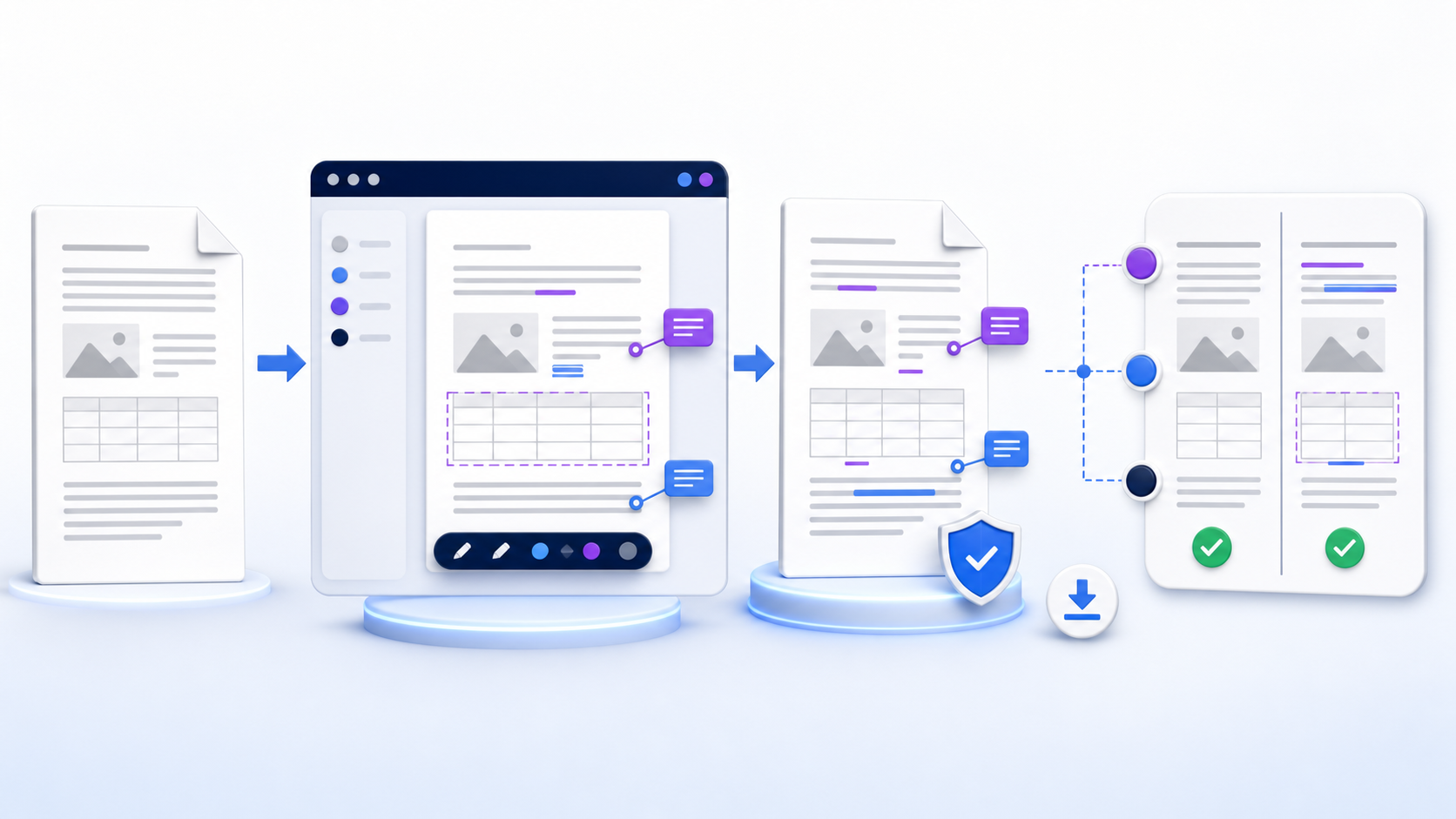
Keep the source and the review evidence保留原件与审阅证据
An online DOCX editor is finished when the saved file matches the source on the edits you asked for. Preserve the original, make a named working copy, choose a browser route approved for the file’s sensitivity, complete only the changes that the editor supports, and download a new DOCX for independent verification. Check text, styles, tables, images, links, comments, tracked changes, headers, page breaks, and file properties before replacing or sharing anything. If the file is password-protected, restricted, macro-dependent, signature-bearing, regulated, or layout-critical, use an approved desktop or managed environment instead of forcing a browser workflow.
Online DOCX Editor 完成的标准,是保存文件在你要求的修改上与原件一致。先保留原件并创建命名清晰的工作副本,再按文件敏感度选择获准的浏览器路径,只执行编辑器明确支持的修改,最后下载新的 DOCX 并独立验证。替换或共享前检查文字、样式、表格、图片、链接、批注、修订、页眉、分页与文件属性。若文件受密码或限制编辑保护、依赖宏、含数字签名、受监管或版式要求严格,应改用获准的桌面或托管环境,不要勉强在线处理。
Local vs upload for an online DOCX editorOnline DOCX Editor:本机处理还是上传
An online DOCX editor can stay in the tab, upload the file to a vendor, or open a copy already in a managed Microsoft 365 account. The three routes look similar on a landing page. They differ in where the package is stored, who can retain it, and which Word features survive the save.
Online DOCX Editor 可以只在当前标签页处理、把文件上传给厂商,或打开已在受管 Microsoft 365 账户里的副本。落地页上看起来差不多,但包存在哪里、谁能保留、哪些 Word 功能能在保存后留下,并不相同。
| Route路径 | What happens to the file文件去向 | Use when适用 | Stop when停止条件 |
|---|---|---|---|
| Local browser本机浏览器 | The online DOCX editor parses the package in the tab and writes a new file back to the device编辑器在标签页解析文件包,再写回本机 | Low-risk one-off edits and a policy that forbids upload低风险一次性修改,且政策禁止上传 | The tab still phones home, or macros, signatures, or layout-critical sections are in play标签页仍会外连,或涉及宏、签名、版式关键分节 |
| Vendor upload厂商上传 | The online DOCX editor receives the file, stores a working copy, and returns a download编辑器接收文件、保存工作副本并提供下载 | The operator, region, retention, and deletion path are already approved运营方、区域、保留与删除路径已获批准 | The file is regulated, privileged, or the only copy文件受监管、受特权保护,或是唯一副本 |
| Managed 365受管 365 | Word for the web edits a governed OneDrive or SharePoint copyWord 网页版编辑受治理的 OneDrive 或 SharePoint 副本 | Comments, Track Changes, version history, and tenant policy already apply已需要批注、修订、版本历史与租户策略 | The needed desktop feature is missing on the web comparison list网页版功能对比里缺少所需桌面能力 |
This page does not host an online DOCX editor widget. Score the route first, then use an approved tool. A local claim still needs a network check when the file is sensitive. View and qualify before you edit.
本页不托管编辑器控件。先给路径打分,再用获准工具。文件敏感时,即使声称本机处理,也要核验网络行为。先查看并做资格测试,再编辑。
Know what happens when the browser writes the package back理解浏览器把文件包写回时实际发生什么
A DOCX is a package of XML parts, relationships, media, themes, and document properties. An online DOCX editor must interpret that package, not merely the text visible on each page. It exposes a subset of editing controls and saves the package again. Depending on the route, the file may be uploaded to a service, opened from a managed cloud account, fetched through a shared link, or processed partly in the browser. These routes differ in storage, retention, identity, permissions, auditability, and feature support.
DOCX 是由 XML 部件、关系、媒体、主题和文档属性组成的包,并不只是页面上可见的文字。在线编辑器需要解释这些内容、提供一部分编辑控件,再重新保存文件。根据所选路径,文件可能被上传到服务、从受管云账户打开、通过共享链接获取,或部分在浏览器本地处理。不同路径在存储、保留、身份、权限、审计能力与功能支持上都不同。
“It opens” is therefore not proof that the editor preserves everything. Microsoft’s official comparison shows that Word for the web supports common text formatting, tables, pictures, comments, Track Changes, coauthoring, and version history, while some desktop capabilities—including macros, embedded objects, certain section features, and stronger protection controls—differ or are unavailable. Treat the saved file as a new output that must be checked.
因此,“能够打开”并不证明编辑器会保留一切。微软官方功能对比说明,Word 网页版支持常见文字格式、表格、图片、批注、修订、共同创作与版本历史,但宏、嵌入对象、部分分节功能及更强的保护控制等桌面能力可能不同或不可用。应把保存后的文件视为需要检查的新输出。
Choose the editing route by risk and task根据风险与任务选择编辑路径
| Route路径 | Best fit适合场景 | Verify before use使用前验证 |
|---|---|---|
| Managed Microsoft 365 account受管 Microsoft 365 账户 | Documents already governed in OneDrive or SharePoint; comments, review, coauthoring, and version history matter文档已在 OneDrive 或 SharePoint 治理范围内,且需要批注、审阅、协作与版本历史 | Tenant policy, sharing scope, edit/review/view permission, external access, retention租户策略、共享范围、编辑/审阅/查看权限、外部访问与保留规则 |
| Organization-approved online service组织批准的在线服务 | Low-risk one-off changes where the service, contract, region, and deletion process have been approved服务、合同、区域和删除流程已获批准的低风险一次性修改 | Operator identity, upload destination, retention, subprocessors, account requirement, deletion evidence, feature limits运营方身份、上传位置、保留、分处理方、账户要求、删除证据与功能限制 |
| Local or offline editor本地或离线编辑器 | Sensitive, protected, complex, macro-enabled, signed, or layout-critical documents敏感、受保护、复杂、启用宏、带签名或版式关键的文档 | Application trust, patch level, file permissions, backup, compatibility, final rendering environment应用可信度、补丁水平、文件权限、备份、兼容性与最终渲染环境 |
| Shared review link共享审阅链接 | A document owner wants suggestions or comments without granting unrestricted editing文档所有者希望收集建议或批注,又不授予无限制编辑权限 | Recipient identity, link expiry, review mode, download rights, resharing, existing permissions接收者身份、链接期限、审阅模式、下载权、再次共享与既有权限 |
A result advertised as a free online DOCX editor or “no sign up” may reduce friction, but those labels do not answer where data goes, how long it remains, or whether a complex file survives round-trip saving. Use them as discovery modifiers, not as security or fidelity evidence.
标注“免费在线编辑”或“无需注册”的结果可能更方便,但这些标签不能说明数据去向、保留时长,也不能证明复杂文件经过打开和保存后仍保持完整。它们只能作为发现工具的搜索修饰词,不能当作安全或保真的证据。
Prepare the file before the editor session打开编辑器前先准备文件
Copy the file, make the original read-only where practical, and record its filename, size, modified time, and storage location. Never test an unknown online DOCX editor on the only copy. An online DOCX editor session starts after that intake, not before.
复制文件,在可行时将原件设为只读,并记录文件名、大小、修改时间与存储位置。绝不能用唯一副本测试陌生编辑器。
Identify personal, financial, legal, health, customer, credential, source-code, confidential, export-controlled, or regulated information before any online DOCX editor upload.
上传前识别个人、财务、法律、健康、客户、凭证、源代码、机密、出口管制或受监管信息。
Permission to read a document is not automatically permission to send it through an online DOCX editor, create a public link, remove protection, or redistribute a copy.
有权阅读文档,并不自动代表有权把它上传给其他处理方、创建公开链接、移除保护或重新分发副本。
List the exact edits an online DOCX editor may make and what must remain unchanged: wording, numbering, styles, tables, links, comments, headers, fields, pages, properties, and accessibility structure.
列出确切修改以及必须保持不变的内容:措辞、编号、样式、表格、链接、批注、页眉、字段、页面、属性与无障碍结构。
Ten controlled steps before you save保存前的十个受控步骤
- Create a working copy.创建工作副本。 Add a version or date to the name and keep the source outside the online DOCX editor synchronization or overwrite path.在文件名中加入版本或日期,并让原件远离编辑器的同步或覆盖路径。
- Inspect the file offline first.先离线检查文件。 Note page count, sections, fonts, tables, images, comments, tracked changes, protection, fields, links, macros, and signatures.记录页数、分节、字体、表格、图片、批注、修订、保护、字段、链接、宏与签名。
- Choose the approved route.选择获准路径。 Match sensitivity, ownership, collaboration, retention, identity, and feature needs to a managed account, an approved online DOCX editor, or a local editor.根据敏感度、所有权、协作、保留、身份与功能需求选择受管账户、批准服务或本地编辑器。
- Open the copy and run an intake check.打开副本并进行导入检查。 Before typing, compare the first, representative middle, and final pages; inspect alerts about conversion, unsupported content, read-only mode, or protection.输入前对比首页、具有代表性的中间页与末页,并检查转换、不支持内容、只读模式或保护警告。
- Set the correct document mode.设置正确的文档模式。 Use Editing for direct changes, Reviewing for suggested changes, or Viewing when no change is authorized. Confirm who can switch modes.直接修改用编辑模式,提出建议用审阅模式,未获修改授权则用查看模式,并确认谁能切换模式。
- Make bounded edits.执行有边界的修改。 Change only the agreed text, styles, table cells, images, links, comments, or revisions. Avoid unrelated “cleanup” that expands review scope.只修改约定的文字、样式、表格单元格、图片、链接、批注或修订,避免扩大审阅范围的无关“清理”。
- Review before saving.保存前复核。 Search for the edited terms, inspect nearby paragraphs, confirm numbering and cross-references, and resolve only the comments or changes you own.搜索已修改词语,检查相邻段落,确认编号与交叉引用,并只处理自己负责的批注或修订。
- Save as a new version.另存为新版本。 Do not overwrite the source. Record editor, time, route, change summary, unresolved limitations, and reviewer.不要覆盖原件;记录编辑者、时间、路径、变更摘要、未解决限制与审阅者。
- Download and reopen.下载并重新打开。 Close the browser copy, download the DOCX, and open the downloaded file in the intended recipient or approval environment.关闭浏览器副本,下载 DOCX,并在预期接收或批准环境中打开下载文件。
- Approve with evidence.依据证据批准。 Compare content and layout to the source, verify required edits, run accessibility and link checks, and retain the accepted version plus review record.与原件对比内容和版式,核实必需修改,运行无障碍与链接检查,并保留获准版本和审阅记录。
Test editor capabilities before relying on them依赖编辑能力前先做测试
| Content or control内容或控制 | Browser acceptance test浏览器验收测试 | Escalate when升级条件 |
|---|---|---|
| Text, paragraphs, styles, lists文字、段落、样式、列表 | Edit a known sample; reopen and confirm style names, indents, spacing, list continuation, and special characters编辑已知样本;重新打开后确认样式名、缩进、间距、列表连续性与特殊字符 | Styles are flattened, numbering restarts, or language/font settings change样式被扁平化、编号重启或语言/字体设置变化 |
| Tables and images表格与图片 | Check merged cells, widths, repeating headers, captions, crop, wrapping, anchors, alt text, and resolution检查合并单元格、宽度、重复表头、题注、裁剪、环绕、锚点、替代文本与分辨率 | Objects move, crop changes, anchors are lost, or complex table behavior is unsupported对象移动、裁剪变化、锚点丢失或复杂表格行为不受支持 |
| Sections, headers, fields, references分节、页眉、字段、引用 | Inspect section boundaries, first/odd/even headers, page numbers, contents, footnotes, citations, captions, and cross-references检查分节边界、首页/奇偶页页眉、页码、目录、脚注、引文、题注与交叉引用 | Fields do not update, sections collapse, or authoritative pagination changes字段无法更新、分节合并或权威分页发生变化 |
| Protection, macros, embedded objects, signatures保护、宏、嵌入对象、签名 | Verify whether the editor only displays, preserves, removes, or blocks each feature; never enable untrusted active content确认编辑器对每项功能是仅显示、保留、移除还是阻止;绝不启用不可信活动内容 | The workflow depends on these features or saving could invalidate a signature or control流程依赖这些功能,或保存可能使签名或控制失效 |
Preserve DOCX formatting through round-trip editing在往返编辑中保持 DOCX 格式
Formatting drift in an online DOCX editor often comes from font substitution, different page metrics, missing styles, unsupported objects, field behavior, or a browser’s editing view. Microsoft notes that browser and desktop experiences differ; editing view may not show page formatting exactly as the final print layout. For layout-sensitive work, do not approve from the editing canvas alone.
格式漂移常来自字体替换、页面度量不同、样式缺失、不支持的对象、字段行为或浏览器编辑视图。微软说明浏览器与桌面体验存在差异,编辑视图不一定按最终打印版式显示页面格式。对于版式敏感工作,不能只依据编辑画布批准。
- Fonts: identify required fonts and define an approved substitute or embedding policy.字体:识别必需字体,并定义获准的替代或嵌入策略。
- Styles: apply named styles instead of manually imitating appearance; confirm hierarchy after download.样式:使用命名样式,不要手工模仿外观;下载后确认层级。
- Pagination: compare page count, breaks, widows/orphans, headers, footers, and tables across boundaries.分页:对比页数、分页符、孤行、页眉页脚以及跨页表格。
- Objects: verify image crop and anchors, charts, equations, SmartArt, embedded sheets, and text boxes in the intended final renderer.对象:在预期最终渲染器中验证图片裁剪与锚点、图表、公式、SmartArt、嵌入工作表和文本框。
Use comments, Track Changes, and permissions deliberately有意识地使用批注、修订与权限
An online DOCX editor treats direct editing, suggesting changes, and commenting as different authorities. In Microsoft Word for the web, Editing changes the document directly, Reviewing records suggestions as tracked changes, and Viewing prevents edits. A review link does not necessarily override permissions that a recipient already holds. Decide the document mode and recipient rights before inviting anyone.
直接编辑、提出修改建议与添加批注代表不同权限。在 Microsoft Word 网页版中,编辑模式直接改变文档,审阅模式把建议记录为修订,查看模式阻止修改。审阅链接不一定覆盖接收者已有权限,因此邀请任何人之前都要确定文档模式与接收者权利。
Before approval, show all markup, move through every tracked change, identify unresolved comments, and confirm whether authorship and timestamps survived. Accepting a change is a content decision, not a formatting shortcut. Preserve the reviewed version, the final clean version, and an approval record when accountability matters.
批准前应显示所有标记,逐项检查修订,识别未解决批注,并确认作者与时间信息是否保留。接受修订是内容决策,不是格式整理捷径。需要问责时,应同时保留经审阅版本、最终清洁版本和批准记录。
Do not confuse browser convenience with document privacy不要把浏览器便利性等同于文档隐私
An online DOCX editor with a no-sign-up interface can still receive file contents, metadata, filenames, IP addresses, device information, and telemetry. A client-side interface can still load third-party code or make network requests. Before uploading, verify the operator, processing location, account and sharing model, encryption claims, retention, deletion, subprocessors, incident process, and contractual fit. Use browser developer tools or organizational controls only when you are authorized and qualified to validate actual behavior.
无需注册的界面仍可能接收文件内容、元数据、文件名、IP 地址、设备信息与遥测数据;声称客户端处理的界面仍可能加载第三方代码或发出网络请求。上传前应验证运营方、处理位置、账户与共享模型、加密声明、保留、删除、分处理方、事件流程与合同适用性。只有在获得授权且具备能力时,才使用浏览器开发工具或组织控制验证实际行为。
Stop condition: do not upload credentials, secrets, identity documents, privileged legal material, health records, customer exports, unpublished financials, regulated data, or confidential source content unless the route is explicitly approved for that classification. Redaction must remove the underlying data, not merely hide it visually.
停止条件:除非路径明确获准处理相应分类,否则不要上传凭证、密钥、身份证件、受特权保护的法律材料、健康记录、客户导出、未公开财务数据、受监管数据或机密源内容。脱敏必须移除底层数据,而不是只在视觉上遮挡。
Keep a recoverable version chain for every online edit为每次在线编辑保留可恢复的版本链
Autosave in an online DOCX editor improves convenience but can also make every keystroke part of the authoritative cloud copy. Decide whether the working document is a disposable copy or the governed source of record. In OneDrive and SharePoint, version history can expose and restore earlier versions, but access and retention depend on the account and organization settings. Test recovery before relying on it for a critical document.
自动保存更方便,但也可能让每次按键都进入权威云端副本。应先决定工作文档是可丢弃副本,还是受治理的记录源。OneDrive 与 SharePoint 的版本历史可以查看并恢复早期版本,但访问和保留取决于账户与组织设置。关键文档不能未经测试就依赖恢复功能。
A practical filename can record subject, status, date, and revision—for example, `proposal-review-2026-08-02-v03.docx`. Pair it with a short change log containing the source identifier, editor, requested changes, completed changes, open issues, reviewer, and approval outcome. Do not place confidential details in a filename that may appear in logs or notifications.
实用文件名可记录主题、状态、日期和修订,例如 `proposal-review-2026-08-02-v03.docx`。同时保留简短变更日志,包含源文件标识、编辑者、请求修改、已完成修改、未决问题、审阅者与批准结果。不要在可能进入日志或通知的文件名中放置机密细节。
Verify the downloaded DOCX, not just the browser preview验证下载的 DOCX,而不只是浏览器预览
| Verification layer验证层 | Evidence to collect应收集证据 | Failure response失败响应 |
|---|---|---|
| File integrity文件完整性 | Expected extension, nonzero size, successful reopen, malware scan under policy, no repair warning扩展名正确、大小非零、可重新打开、按策略扫描且无修复警告 | Quarantine the output; return to the preserved source and approved route隔离输出;返回保留原件并改用获准路径 |
| Content内容 | Required edits present; unintended differences absent; search terms, numbers, links, tables, images, notes, and references correct必需修改存在、无意外差异;词语、数字、链接、表格、图片、注释与引用正确 | Reject the version, identify the first divergent step, and redo only the controlled change拒绝该版本,定位首个偏差步骤,只重做受控修改 |
| Layout版式 | Page count, breaks, headings, lists, table boundaries, image crop, headers, footers, footnotes, and print/PDF proof页数、分页、标题、列表、表格边界、图片裁剪、页眉页脚、脚注及打印/PDF 校样 | Use the agreed renderer or desktop application and record the limitation改用约定渲染器或桌面应用,并记录限制 |
| Review and accessibility审阅与无障碍 | Comments and tracked changes resolved as intended; headings, reading order, alt text, table headers, links, and language checked批注和修订按预期处理;检查标题、阅读顺序、替代文本、表头、链接与语言 | Keep the document in review; assign fixes and repeat the acceptance test保持审阅状态;分派修复并重复验收测试 |
Use mobile editing only for changes you can verify只在能够验证时使用移动端编辑
A phone can host an online DOCX editor for a short correction, comment, or approval note, but a narrow viewport can hide table columns, page boundaries, markup, headers, floating objects, and navigation context. Input methods may also change punctuation, capitalization, or language. For complex edits, use a larger screen and the final target application. If mobile editing is unavoidable, limit the change, record it, download the output, and perform desktop verification before approval.
手机适合短小更正、批注或批准说明,但窄屏可能隐藏表格列、页面边界、标记、页眉、浮动对象与导航上下文,输入法也可能改变标点、大小写或语言。复杂修改应使用更大屏幕和最终目标应用。若必须移动编辑,应限制修改范围、留下记录、下载输出,并在批准前完成桌面验证。
Editing is also an accessibility responsibility. Preserve semantic headings, meaningful link text, table headers, alt text, document language, logical reading order, sufficient contrast, and plain-language instructions. Run the available accessibility checker, then manually inspect items that automation cannot decide, such as useful alt text and sensible heading meaning.
编辑也承担无障碍责任。应保留语义标题、有意义的链接文本、表头、替代文本、文档语言、逻辑阅读顺序、足够对比度与清晰指示。先运行可用的无障碍检查器,再人工判断自动化无法决定的事项,例如替代文本是否有用、标题含义是否合理。
Create a Word draft when the source begins as Markdown当源内容是 Markdown 时创建 Word 初稿
If the source is structured Markdown rather than an existing DOCX, skip the online DOCX editor and start with the InfiniSynapse Markdown to Word tool can create an editable DOCX draft from headings, paragraphs, lists, and supported tables. This is a creation route. It is not an online DOCX editor for an existing file. Prepare sanitized Markdown, convert it, download the new file, and then apply the same Word review, privacy, fidelity, accessibility, and acceptance checks described in this guide.
如果源内容是结构化 Markdown,而不是已有 DOCX,InfiniSynapse Markdown 转 Word 工具可以根据标题、段落、列表与受支持表格创建可编辑 DOCX 初稿。这是创建路径,并不代表可以在线修改现有 DOCX。准备脱敏后的 Markdown,完成转换并下载新文件,再执行本指南中的 Word 审阅、隐私、保真、无障碍与验收检查。
Turn sanitized Markdown into an editable Word draft把脱敏 Markdown 转为可编辑 Word 初稿
Start from clean Markdown, create the DOCX, then verify the downloaded file. Use an online DOCX editor only after that draft exists and the source copy is safe.
从干净的 Markdown 开始创建 DOCX,再在实际审阅或批准环境中验证下载文件。
Open Markdown to Word打开 Markdown 转 WordTroubleshoot browser editing by failure layer按故障层排查在线 DOCX 编辑问题
| Symptom现象 | Likely checks优先检查 | Safe response安全响应 |
|---|---|---|
| File opens read-only文件以只读方式打开 | Link permission, account identity, protection, checkout state, unsupported format, review/view mode链接权限、账户身份、保护、签出状态、不支持格式、审阅/查看模式 | Request the right permission or create an authorized copy; do not bypass controls申请正确权限或创建获授权副本,不要绕过控制 |
| Formatting changes after save保存后格式变化 | Fonts, sections, page metrics, styles, object anchors, field updates, browser feature limits字体、分节、页面度量、样式、对象锚点、字段更新与浏览器功能限制 | Return to source; repeat in the authoritative desktop renderer or simplify only with approval返回原件;在权威桌面渲染器中重做,或仅在获批后简化 |
| Comments or revisions disappear批注或修订消失 | Markup view, accepted/rejected state, author filters, conversion, editor support, downloaded version标记视图、接受/拒绝状态、作者筛选、转换、编辑器支持与下载版本 | Do not approve; compare with the preserved reviewed source and use a supported review route不要批准;与保留的审阅源文件对比并使用受支持审阅路径 |
| Download is missing or corrupt下载缺失或损坏 | Browser download control, storage quota, session expiry, network, extension, zero-byte file, service error浏览器下载控制、存储配额、会话到期、网络、扩展名、零字节文件与服务错误 | Preserve evidence, stop repeated uploads, return to the source, and use an approved alternative保留证据,停止重复上传,返回原件并改用批准的替代方案 |
Complete this acceptance checklist完成这份验收检查表
Original preserved; working copy named; owner, editor, reviewer, sensitivity, and online DOCX editor upload authority confirmed.
原件已保留;工作副本已命名;所有者、编辑者、审阅者、敏感度与上传授权已确认。
Operator, account, storage, sharing, retention, deletion, features, and exact requested edits recorded.
运营方、账户、存储、共享、保留、删除、功能与确切修改请求均已记录。
Downloaded copy reopens; required content, layout, links, objects, comments, revisions, metadata, and accessibility checked.
下载副本可重新打开;必需内容、版式、链接、对象、批注、修订、元数据与无障碍均已检查。
Accepted version and decision record retained; temporary uploads or links removed according to policy; unresolved limits disclosed.
已保留获准版本与决策记录;临时上传或链接按策略移除;未解决限制已披露。
Questions about the editor workflow关于编辑器流程的常见问题
An online DOCX editor is a browser tool that opens a Word package, lets you change text or review marks, and writes a new DOCX. This page is the verify desk: it does not upload your file or run that editor here. Finished means the saved layer matches the source on the edits you asked for.
Online DOCX Editor 是在浏览器里打开 Word 包、修改文字或审阅标记、再写出新 DOCX 的工具。本页是验收桌,不在这里上传或运行编辑器。完成标准是保存结果在你要求的修改上与原件一致。
Use an approved online DOCX editor that supports the specific document features you need. Preserve the source, confirm privacy and permissions, make a working copy, save a new DOCX, and reopen the download in the intended final environment.
使用获准且支持所需文档功能的浏览器编辑器。保留原件,确认隐私与权限,创建工作副本,另存新的 DOCX,并在预期最终环境中重新打开下载文件。
Some services advertise a free online DOCX editor, but “free” and “no sign up” do not prove privacy, deletion, ownership, support, or round-trip fidelity. Verify the operator and behavior, and do not upload sensitive content without explicit approval.
有些服务宣传这种路径,但“免费”和“无需注册”不能证明隐私、删除、所有权、支持或往返保真。应验证运营方与实际行为,未明确获批时不要上传敏感内容。
Possible causes include view-only or review permissions, restricted editing, password protection, an unsupported format or feature, account mismatch, checkout state, or organization policy. Request the appropriate right; do not bypass the control.
可能原因包括仅查看或审阅权限、限制编辑、密码保护、不支持的格式或功能、账户不匹配、签出状态或组织策略。应申请适当权利,不要绕过控制。
It may preserve common content, but fonts, sections, fields, embedded objects, page metrics, protection, and advanced layout can behave differently. Test a representative copy and verify the downloaded DOCX in the final renderer.
常见内容可能保留,但字体、分节、字段、嵌入对象、页面度量、保护与高级版式可能表现不同。应测试代表性副本,并在最终渲染器中验证下载的 DOCX。
Reopen the downloaded copy, compare it with the source, verify every requested edit and protected invariant, resolve review items, check links and accessibility, confirm permissions, and retain an approval record.
重新打开下载副本,与原件对比,核实每项请求修改和受保护不变量,处理审阅项目,检查链接与无障碍,确认权限并保留批准记录。
Official sources for browser DOCX editing decisions用于浏览器 DOCX 编辑决策的官方资料
- Microsoft Support: Word features comparison—web and desktopMicrosoft 支持:Word 网页版与桌面版功能对比
- Microsoft Support: Differences between a browser document and WordMicrosoft 支持:浏览器文档与 Word 的差异
- Microsoft Support: Track Changes in WordMicrosoft 支持:在 Word 中使用修订
- Microsoft Support: Review mode and sharing permissionsMicrosoft 支持:审阅模式与共享权限
- Microsoft Support: Restore a previous OneDrive file versionMicrosoft 支持:恢复 OneDrive 文件的早期版本