
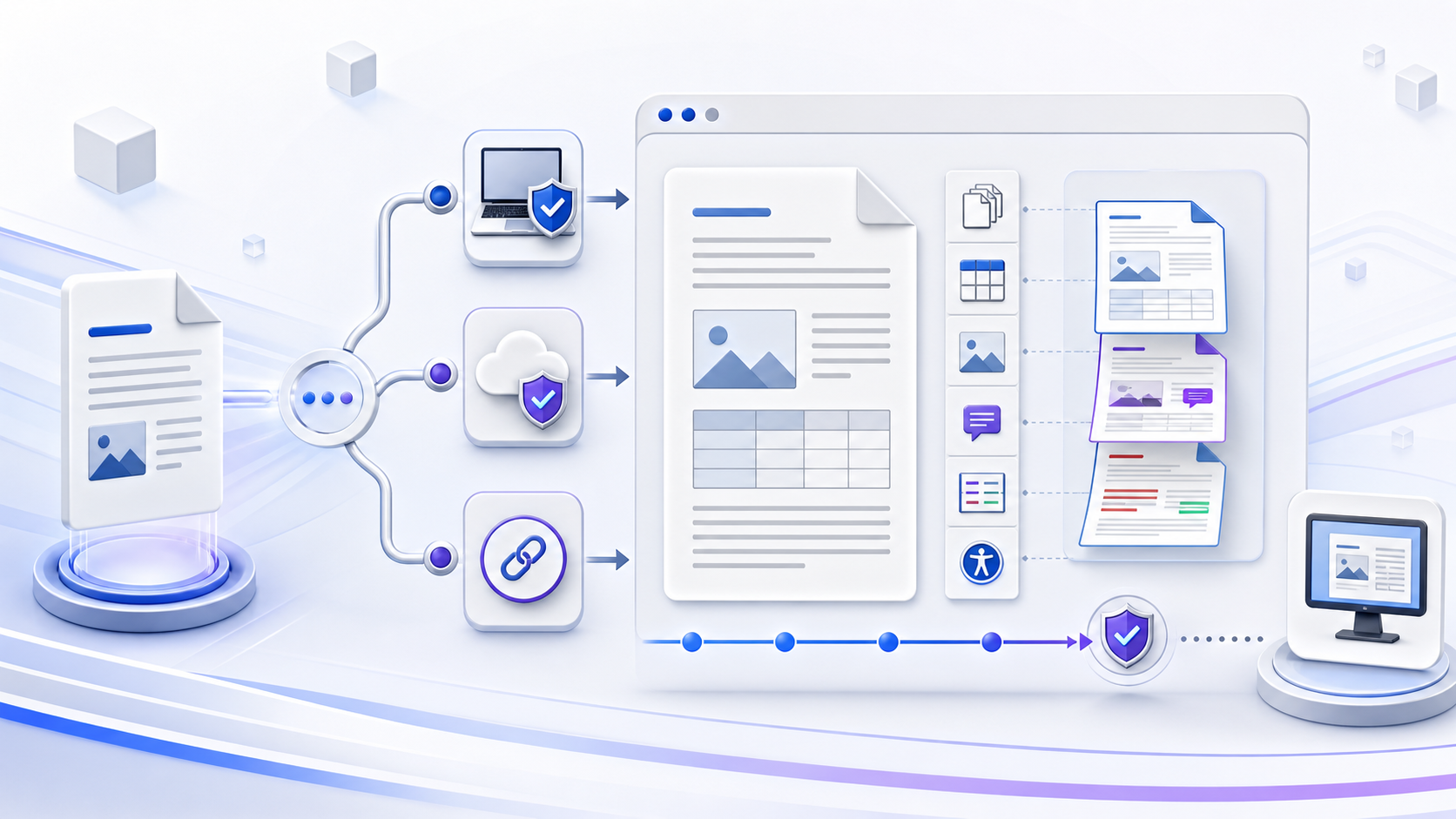
A DOCX viewer online should be chosen by risk and evidence选择 DOCX Viewer Online 应依据风险与证据
A DOCX viewer online opens or previews a Word .docx file in a web browser without requiring a dedicated desktop viewer. Before using one, identify whether the file is uploaded to a service, opened from an approved cloud account, fetched from a shared URL, or processed locally in the browser. Match that route to the document’s sensitivity and permissions, then verify the pages, fonts, tables, images, links, fields, comments, tracked changes, and accessibility information you actually need. Escalate critical layout, hidden metadata, protection, macro, signature, or approval work to a supported desktop or authoritative environment.
DOCX Viewer Online 是在浏览器中打开或预览 Word .docx 文件的方式,不要求安装专用桌面查看器。使用前先确认文件是上传到服务、从批准的云账户打开、由共享 URL 获取,还是在浏览器本地处理。让处理路径匹配文档敏感度与权限,再验证真正需要的页面、字体、表格、图片、链接、字段、批注、修订和无障碍信息。关键版式、隐藏元数据、保护、宏、签名或批准工作应升级到受支持桌面或权威环境。
Open a file with a docx viewer用 DOCX 查看器打开文件
You open the file in a viewer you are allowed to use. These three steps name the route.
文件要在已获授权的查看器里打开。下面三步用来选定路径。
- 1Confirm the file is a .docx确认文件是 .docx
Check the extension, sender, and size. A renamed extension can still be the wrong package. The DOCX file format is a ZIP of XML parts, not a PDF.
核对扩展名、发送者和大小。改过后缀的文件不是 Word 包。DOCX 文件格式是 XML 部件组成的 ZIP,不是 PDF。
- 2Pick account, upload, or local preview选择账户、上传或本地预览
Open from an approved cloud account, a third-party upload viewer, a shared link, or a parser that stays in the browser. The table in the next section is the choice.
从已批准的云账户、第三方上传查看器、共享链接,或留在浏览器里的解析器打开。下一节的表就是这个选择。
- 3Check pages, tables, and comments核对页数、表格和批注
Read the preview only after those three are visible. Layout approval, macros, and signatures go to desktop Word. Device steps are in open DOCX files online or offline.
页数、表格和批注都可见之后,再把预览当阅读结果。版式批准、宏和签名交给桌面 Word。设备步骤见在线或离线打开 DOCX。
What the preview keeps预览能保住什么
A browser preview is enough for a read-through when the items below show up. Treat a missing row as a reason to open the same file in desktop Word before you approve it.
下面各项都能看见时,浏览器预览足够做一次通读。某一行缺失,就先用桌面 Word 打开同一文件,再做批准。
| Item项目 | In a typical browser preview常见浏览器预览 | Confirm in desktop Word要在桌面 Word 确认 |
|---|---|---|
| Text and basic formatting文本和基本格式 | Usually visible通常可见 | Styles that reflow会重排的样式 |
| Tables and embedded images表格和嵌入图片 | Usually visible通常可见 | Exact column widths and wrapping精确列宽和环绕 |
| Fonts字体 | Substituted when the font is not on the device设备上没有该字体时会被替换 | The font named in the file文件里指定的字体 |
| Comments and tracked changes批注和修订 | Only if that viewer has a review mode仅当该查看器有审阅模式 | Authors, timestamps, and resolved state作者、时间戳和已解决状态 |
No Office install, and where the file goes不必安装 Office,以及文件去向
You can preview a .docx without installing Microsoft Office. The preview still has a data path. A third-party upload viewer sends the file to that operator. An approved Microsoft 365 account keeps it in the tenant. A browser-local parser does not hand the file to the viewer’s server, which you confirm from the vendor’s docs and, when authorized, from the browser’s network log. “No signup” describes the account wall. It does not describe retention.
不安装 Microsoft Office 也可以预览 .docx。预览仍然有数据路径。第三方上传查看器会把文件交给该运营方。已批准的 Microsoft 365 账户把文件留在租户里。浏览器本地解析不会把文件交给查看器服务器,这一点要用厂商文档确认;在获授权时,再看浏览器的网络日志。“免注册”说的是没有账户墙,不是保留期限。
DOC, DOCX, and a PDF previewDOC、DOCX 与 PDF 预览
A .docx file is an Office Open XML package. A .doc file is the older binary format, and many browser viewers only promise DOCX. A PDF preview is a separate export: when the approved layout is the PDF, do not sign off from the DOCX preview.
.docx 是 Office Open XML 包。.doc 是更早的二进制格式,许多浏览器查看器只保证 DOCX。PDF 预览是另一次导出:批准件是 PDF 时,不要用 DOCX 预览做签核。
When the browser preview is the wrong tool何时不该用浏览器预览
Use desktop Word, or the steps to open a DOCX file, when you need to edit, run macros, check a signature, or approve layout. This page stays on viewing. Editing is a later choice on edit DOCX online.
需要编辑、运行宏、核对签名或批准版式时,用桌面 Word,或按打开 DOCX 文件的步骤。本页只负责查看。编辑是之后的选择,见在线编辑 DOCX。
Compare four ways to view a DOCX online比较四种在线查看 DOCX 的路径
“Online” describes the interface, not the data flow. Two browser viewers can look similar while handling the file very differently. One may upload it to a vendor server; another may use an authenticated Microsoft 365 account; a third may fetch a publicly reachable link; a fourth may parse the file inside the browser. Do not infer privacy, retention, or fidelity from a button label. After the first open, qualify the online docx viewer with a sanitized test.
“在线”描述的是界面,不等于数据流。两个浏览器查看器外观相似,文件处理方式却可能完全不同:一种上传到厂商服务器;一种使用已登录的 Microsoft 365 账户;一种读取公开可访问链接;另一种在浏览器内部解析。不要从按钮标签推断隐私、保留或保真能力。首次打开之后,用脱敏测试给 online docx viewer 做资格核验。
| Route路径 | Useful when适用情况 | Verify first优先验证 |
|---|---|---|
| Approved account preview批准账户预览 | The file already lives in OneDrive, SharePoint, or Teams文件已位于 OneDrive、SharePoint 或 Teams | Identity, permissions, sharing scope, tenant policy, supported features身份、权限、共享范围、租户策略与功能支持 |
| Third-party upload viewer第三方上传查看器 | A non-sensitive file needs quick cross-device inspection非敏感文件需要快速跨设备查看 | Controller, purpose, region, encryption, retention, deletion, subprocessors控制方、目的、区域、加密、保留、删除与子处理方 |
| Shared-link or URL viewer共享链接或 URL 查看器 | An authorized owner distributes one managed copy获授权负责人分发一份受控副本 | Link scope, expiration, authentication, indexing, redirects, download rights链接范围、过期、认证、索引、跳转与下载权限 |
| Client-side browser viewer浏览器本地查看器 | Server upload should be avoided and feature coverage is sufficient应避免服务器上传且功能覆盖足够 | Actual network behavior, libraries, storage, telemetry, updates, limitations真实网络行为、库、存储、遥测、更新与限制 |
Check the file before using an online DOCX viewer使用 Online DOCX Viewer 前先检查文件
Confirm the sender, business purpose, expected filename, extension, size, date, version, and transfer path. Preserve the original. A .docx filename is not proof that the package is intact, harmless, or actually a DOCX. Unknown attachments, unexpected links, password requests, or files that demand active content should follow the organization’s security process rather than an improvised viewer.
确认发送者、业务目的、预期文件名、扩展名、大小、日期、版本与传输路径,并保留原件。.docx 文件名不能证明文件包完整、无害或确实为 DOCX。未知附件、意外链接、要求密码的文件或要求活动内容的文件,应进入组织安全流程,而不是随意交给在线查看器。
Identify personal, financial, legal, health, customer, credential, source-code, regulated, or confidential content before any upload.
上传前识别个人、财务、法律、健康、客户、凭证、源代码、受监管或机密内容。
Opening a file does not grant permission to upload it to a new processor, publish a URL, or create another copy.
能打开文件不等于有权上传给新的处理方、公开 URL 或创建额外副本。
Decide whether you need a quick preview, factual reading, comment review, accessibility check, exact layout approval, or download.
明确是快速预览、事实阅读、批注审核、无障碍检查、精确版式批准还是下载。
Name the features and facts that must be visible before the viewer can support the decision.
列明在查看器能够支持决策前必须可见的功能与事实。
Verify what the browser preview preserves验证浏览器预览保留了什么
A DOCX package can contain text, styles, numbering, images, relationships, headers, footers, sections, fields, comments, footnotes, endnotes, charts, equations, embedded objects, links, settings, and review history. An online viewer may render many of these, simplify some, expose others only in a separate panel, or omit them. Test representative files rather than trusting a generic compatibility badge.
DOCX 文件包可以包含文字、样式、编号、图片、关系、页眉页脚、分节、字段、批注、脚注、尾注、图表、公式、嵌入对象、链接、设置与审阅历史。在线查看器可能渲染其中许多内容、简化一部分、在独立面板暴露另一部分,或直接省略。应使用代表性文件测试,而不是只相信通用兼容徽章。
| Need需求 | Evidence to inspect应检查证据 | Escalate when升级条件 |
|---|---|---|
| Read content阅读内容 | Paragraphs, lists, tables, images, captions, notes, links段落、列表、表格、图片、题注、注释与链接 | Meaning depends on missing objects or layout含义依赖缺失对象或版式 |
| Approve layout批准版式 | Fonts, page breaks, margins, headers, footers, sections, print proof字体、分页、页边距、页眉页脚、分节与打印样张 | The online renderer differs from the agreed authoring environment在线渲染与约定创作环境不同 |
| Review changes审核修订 | Insertions, deletions, authors, comments, resolved state, display filters插入、删除、作者、批注、解决状态与显示筛选 | The viewer shows only final text or incomplete review evidence查看器只显示最终文字或审阅证据不完整 |
| Validate accessibility验证无障碍 | Headings, language, link purpose, alt text, table headers, reading order标题、语言、链接目的、替代文本、表头与阅读顺序 | Visual rendering does not expose semantic structure视觉渲染未暴露语义结构 |
| Inspect hidden risk检查隐藏风险 | Properties, hidden text, revisions, comments, links, external data, embedded content属性、隐藏文字、修订、批注、链接、外部数据与嵌入内容 | Document inspection or security tooling is required需要文档检查器或安全工具 |
Use a DOCX viewer online in nine controlled steps用九个受控步骤使用 DOCX Viewer Online
- 1Confirm the purpose确认目的
State what you need to read, verify, compare, review, share, or approve.
明确需要阅读、验证、比较、审核、共享或批准什么。
- 2Verify the source核实来源
Check sender, route, extension, size, version, date, and expected contents.
检查发送者、路径、扩展名、大小、版本、日期与预期内容。
- 3Classify the document分类文档
Identify sensitivity, permissions, retention, location, and sharing restrictions.
识别敏感度、权限、保留、位置与共享限制。
- 4Select the processing route选择处理路径
Prefer an approved account or verified local route; use third-party upload only when authorized.
优先选择批准账户或经验证的本地路径;第三方上传必须获得授权。
- 5Inspect service behavior检查服务行为
Verify identity, URL, policy, data flow, storage, deletion, telemetry, dependencies, and feature limits.
验证身份、URL、策略、数据流、存储、删除、遥测、依赖与功能限制。
- 6Open a safe copy打开安全副本
Preserve the original, avoid unnecessary edit permission, and do not enable active content.
保留原件,避免不必要的编辑权限,不启用活动内容。
- 7Verify content and rendering验证内容与渲染
Check the required pages, objects, facts, links, comments, changes, and accessibility semantics.
检查所需页面、对象、事实、链接、批注、修订与无障碍语义。
- 8Escalate exceptions升级例外
Use desktop Word, an approved renderer, fixed PDF, security review, or the owner when evidence is incomplete.
证据不完整时使用桌面 Word、批准渲染器、固定 PDF、安全审核或联系负责人。
- 9Close the loop闭环处理
Record the version and decision, sign out, remove temporary copies where required, and report viewer defects.
记录版本与决策,退出账户,按要求删除临时副本,并报告查看器缺陷。
Treat online viewing as a data-processing decision把在线查看视为数据处理决策
Ask who operates the viewer, under which terms, for what purpose, in which region, with which subprocessors, and for how long the file, derived preview, logs, thumbnails, caches, extracted text, and metadata may remain. Check whether deletion is automatic, user-controlled, contractual, or unspecified. “No login” removes an account step; it does not prove anonymity, local processing, immediate deletion, or suitability for confidential data.
应确认查看器由谁运营、适用哪些条款、处理目的、所在区域、子处理方,以及文件、派生预览、日志、缩略图、缓存、提取文字与元数据可能保留多久。检查删除是自动、用户控制、合同约定还是未说明。“无需登录”只减少账户步骤,并不能证明匿名、本地处理、立即删除或适合机密数据。
For client-side claims, inspect vendor documentation and, where authorized, browser network requests, storage, service workers, analytics, error reporting, and third-party libraries. Local parsing can reduce one class of upload risk but still leaves device security, browser extensions, cached copies, telemetry, dependencies, and screen capture to manage.
对于客户端处理声明,应检查厂商文档;在获授权情况下,还可检查浏览器网络请求、存储、Service Worker、分析、错误报告与第三方库。本地解析可以减少一类上传风险,但仍需管理设备安全、浏览器扩展、缓存副本、遥测、依赖与屏幕截图。
Measure DOCX rendering fidelity against the decision根据决策需求衡量 DOCX 渲染保真
Compare a known document in the online viewer and the agreed authoring environment. Include missing and substituted fonts, long tables, floating images, equations, fields, footnotes, section changes, page numbering, headers, footers, text boxes, columns, captions, links, tracked changes, and embedded objects. Record differences by severity: cosmetic, reading-impacting, decision-impacting, or blocking.
在在线查看器和约定创作环境中比较一份已知文档。样例应包含缺失与替代字体、长表、浮动图片、公式、字段、脚注、分节变化、页码、页眉页脚、文本框、分栏、题注、链接、修订与嵌入对象。按严重程度记录差异:外观、影响阅读、影响决策或阻塞。
A preview that is adequate for reading may still be unfit for print approval. A reflowed mobile view may improve legibility while hiding page boundaries and object positions. Define the authoritative representation before review begins, and use a fixed-layout proof when exact pages matter.
适合阅读的预览仍可能不适合打印批准。移动端重排可以提高可读性,却会隐藏分页与对象位置。审核开始前应定义权威表示;精确页面很重要时使用固定版式校样。
Do not let a clean preview hide review evidence不要让干净预览隐藏审阅证据
Check whether comments, replies, resolved status, insertions, deletions, formatting changes, authors, timestamps, and display filters are available. A viewer may present “final” text while unresolved changes still exist in the document. Microsoft documents that Word for the web and desktop Word can differ in viewing, editing, comparing, and advanced commenting behavior; verify the exact current route rather than assuming parity. When the file must change, leave the viewer and use the online docx editor desk.
检查是否能看到批注、回复、解决状态、插入、删除、格式变化、作者、时间戳与显示筛选。查看器可能展示“最终”文字,而文档仍含未解决修订。Microsoft 说明 Word 网页版与桌面 Word 在查看、编辑、比较与高级批注行为上可能不同,应验证当前具体路径,而不是假设完全一致。文件必须修改时,离开查看器,改走 online docx editor 验收桌。
Open DOCX from a URL only through an authorized link仅通过授权链接从 URL 打开 DOCX
Inspect the domain, owner, sharing scope, authentication, expiration, download permission, redirect chain, and whether search engines or unintended recipients can discover the link. Prefer a managed link to one controlled copy over emailed duplicates when the organization supports that workflow. Do not paste a private document URL into an unrelated viewer merely because it offers an “open from URL” field.
检查域名、负责人、共享范围、认证、过期时间、下载权限、跳转链,以及搜索引擎或非预期接收者是否可能发现链接。组织支持时,优先使用指向一份受控副本的托管链接,而不是通过邮件制造多个副本。不要因为某查看器提供“从 URL 打开”字段,就把私有文档 URL 粘贴进去。
Test mobile and accessible online DOCX viewing separately分别测试移动端与无障碍在线 DOCX 查看
On a phone, test orientation, zoom, reflow, search, page navigation, tables, images, comments, links, download behavior, file handoff, screen lock, clipboard, screenshots, and temporary storage. For accessibility, test keyboard operation, focus order, browser zoom, heading navigation, table exposure, link purpose, image alternatives, document language, and reading order with representative assistive technology.
手机端应测试方向、缩放、重排、搜索、页面导航、表格、图片、批注、链接、下载、文件交接、锁屏、剪贴板、截图与临时存储。无障碍方面应使用代表性辅助技术测试键盘操作、焦点顺序、浏览器缩放、标题导航、表格暴露、链接目的、图片替代、文档语言与阅读顺序。
A visually clear preview is not proof of semantic accessibility. If the viewer exposes only pixels or simplified text, it may remove the structure a screen reader needs. Return defects to the authoring and viewer workflows rather than asking the user to infer missing relationships.
视觉清晰的预览不能证明语义无障碍。如果查看器只暴露像素或简化文字,就可能删除屏幕阅读器需要的结构。应把缺陷返回创作与查看器流程,而不是要求用户猜测缺失关系。
Create a DOCX from Markdown before online review在线审阅前从 Markdown 创建 DOCX
When the source is structured Markdown rather than an existing Word file, the InfiniSynapse Markdown to Word tool can create an editable DOCX draft from headings, paragraphs, lists, and supported tables. It does not open an existing DOCX, act as a DOCX viewer online, verify viewer privacy, preserve every Word feature, or approve the final rendering.
当源内容是结构化 Markdown 而不是现有 Word 文件时,InfiniSynapse Markdown 转 Word 工具可以从标题、段落、列表与受支持表格创建可编辑 DOCX 初稿。它不会打开现有 DOCX,不是 DOCX Viewer Online,也不会验证查看器隐私、保留所有 Word 功能或批准最终渲染。
Use sanitized Markdown, convert and download the draft, then inspect it in an approved Word or browser environment. Verify styles, contents, links, tables, images, metadata, accessibility, pages, and output before sharing. If the content is sensitive, choose the conversion and viewing routes under the same data-handling policy.
使用脱敏 Markdown,完成转换并下载初稿,再在批准的 Word 或浏览器环境中检查。共享前验证样式、目录、链接、表格、图片、元数据、无障碍、页面与输出。如果内容敏感,转换与查看路径应遵循同一数据处理策略。
Turn sanitized Markdown into a DOCX review draft把脱敏 Markdown 转成 DOCX 审阅初稿
Create the editable DOCX, then open it through an approved viewer and verify content, layout, privacy, accessibility, and review evidence.
创建可编辑 DOCX 后,通过批准的查看器打开,并验证内容、版式、隐私、无障碍与审阅证据。
Open Markdown to Word打开 Markdown 转 WordTroubleshoot online DOCX viewing by failure layer按故障层排查在线 DOCX 查看问题
| Symptom现象 | Check检查 | Safe next step安全下一步 |
|---|---|---|
| File will not open文件无法打开 | Actual type, transfer completeness, corruption, size, protection, service support实际类型、传输完整性、损坏、大小、保护与服务支持 | Preserve original; use an approved supported application or recovery copy保留原件;使用批准的受支持应用或恢复副本 |
| Preview is blank or incomplete预览空白或不完整 | Unsupported objects, external links, fonts, fields, scripts, network不支持对象、外部链接、字体、字段、脚本与网络 | Compare in Word desktop or another approved renderer在桌面 Word 或另一批准渲染器中对比 |
| Formatting changed格式变化 | Fonts, page metrics, sections, reflow, application version字体、页面度量、分节、重排与应用版本 | Use the authoritative environment or fixed-layout proof使用权威环境或固定版式校样 |
| Comments or changes are missing批注或修订缺失 | View mode, filters, reader capability, permissions, document state查看模式、筛选、阅读器能力、权限与文档状态 | Open in an approved review environment and expose all markup在批准审阅环境中打开并显示全部标记 |
| Upload stalls or fails上传卡住或失败 | Connection, size limit, extension, browser storage, authentication, policy连接、大小限制、扩展名、浏览器存储、认证与策略 | Do not retry sensitive data blindly; use the approved support route不要盲目重复上传敏感数据;使用批准支持路径 |
| Shared URL requests unexpected access共享 URL 要求异常访问 | Domain, redirect, owner, scope, account, expiration, phishing signs域名、跳转、负责人、范围、账户、过期与钓鱼迹象 | Stop and verify through a separate trusted channel停止操作并通过独立可信渠道核实 |
Complete this DOCX viewer online checklist完成这份 DOCX Viewer Online 检查清单
- The sender, purpose, extension, actual format, size, version, date, and expected contents are verified.发送者、目的、扩展名、实际格式、大小、版本、日期与预期内容已核实。
- The file is authorized for the selected account, upload, URL, or client-side processing route.文件已获授权,可使用所选账户、上传、URL 或浏览器本地处理路径。
- The viewer’s operator, domain, policy, storage, retention, deletion, sharing, telemetry, and limitations are understood.已理解查看器运营方、域名、策略、存储、保留、删除、共享、遥测与限制。
- Required text, pages, tables, images, fields, links, comments, changes, and accessibility structure are visible.所需文字、页面、表格、图片、字段、链接、批注、修订与无障碍结构均可见。
- Critical facts, calculations, versions, permissions, and unresolved review evidence were checked in context.关键事实、计算、版本、权限与未解决审阅证据已结合上下文检查。
- Layout-sensitive, protected, signed, macro-enabled, hidden, or high-impact content was escalated appropriately.版式敏感、受保护、已签名、含宏、隐藏或高影响内容已适当升级。
- The decision and source version are recorded; temporary copies and sessions are handled according to policy.已记录决策与源版本;临时副本和会话按策略处理。
Frequently asked questions about online DOCX viewers关于 Online DOCX Viewer 的常见问题
A docx viewer opens a .docx in a browser. Confirm the extension, choose an account, upload, or local preview, then check text, tables, and comments. The signup-free label only describes the account wall.
DOCX 查看器在浏览器中打开 .docx。先确认扩展名,再选择账户、上传或本地预览,然后核对文本、表格和批注。免注册只说明没有账户墙,不说明文件在哪里处理。
Use a supported browser preview, approved cloud account, shared link, or verified client-side viewer. Match the route to privacy needs and test the document features required for your decision.
使用受支持浏览器预览、批准云账户、共享链接或经验证的浏览器本地查看器。让路径匹配隐私需求,并测试决策所需文档功能。
Some viewers process files in the browser, but verify documentation, network requests, storage, telemetry, libraries, and limitations. A client-side claim does not remove every privacy or device risk.
一些查看器在浏览器中处理文件,但应验证文档、网络请求、存储、遥测、库与限制。客户端处理声明不会消除所有隐私或设备风险。
Safety depends on authorization, sensitivity, operator, terms, architecture, retention, deletion, region, subprocessors, security controls, and actual behavior. Do not upload sensitive files without approval and evidence.
安全性取决于授权、敏感度、运营方、条款、架构、保留、删除、区域、子处理方、安全控制与真实行为。没有批准和证据时不要上传敏感文件。
Font substitution, page metrics, reflow, sections, fields, unsupported objects, themes, and simplified rendering can change the result. Use the agreed authoring environment or fixed proof for critical layout.
字体替换、页面度量、重排、分节、字段、不支持对象、主题与简化渲染都可能改变结果。关键版式应使用约定创作环境或固定校样。
Some do, but support and display modes vary. Test a known file and verify comments, replies, resolved state, insertions, deletions, authors, timestamps, and filters before relying on the view.
有些可以,但支持程度与显示模式不同。依赖预览前,应使用已知文件验证批注、回复、解决状态、插入、删除、作者、时间戳与筛选。
Verify online Word behavior with Microsoft sources使用 Microsoft 资料验证在线 Word 行为
Microsoft lists file types supported for preview in OneDrive, SharePoint, and Teams, explains differences between Word in a browser and desktop Word, and notes that the legacy Microsoft Office Word Viewer is no longer available. Microsoft also documents how to manage access to Word documents and the current Word for the web service behavior and limitations. Verify current behavior for the exact account, tenant, platform, policy, browser, and file.
Microsoft 列出了 OneDrive、SharePoint 与 Teams 支持预览的文件类型,说明浏览器 Word 与桌面 Word 的差异,并指出旧版 Microsoft Office Word Viewer 已不再提供。Microsoft 还说明如何管理 Word 文档访问权限,以及当前 Word 网页版服务行为与限制。应针对实际账户、租户、平台、策略、浏览器与文件验证当前行为。