
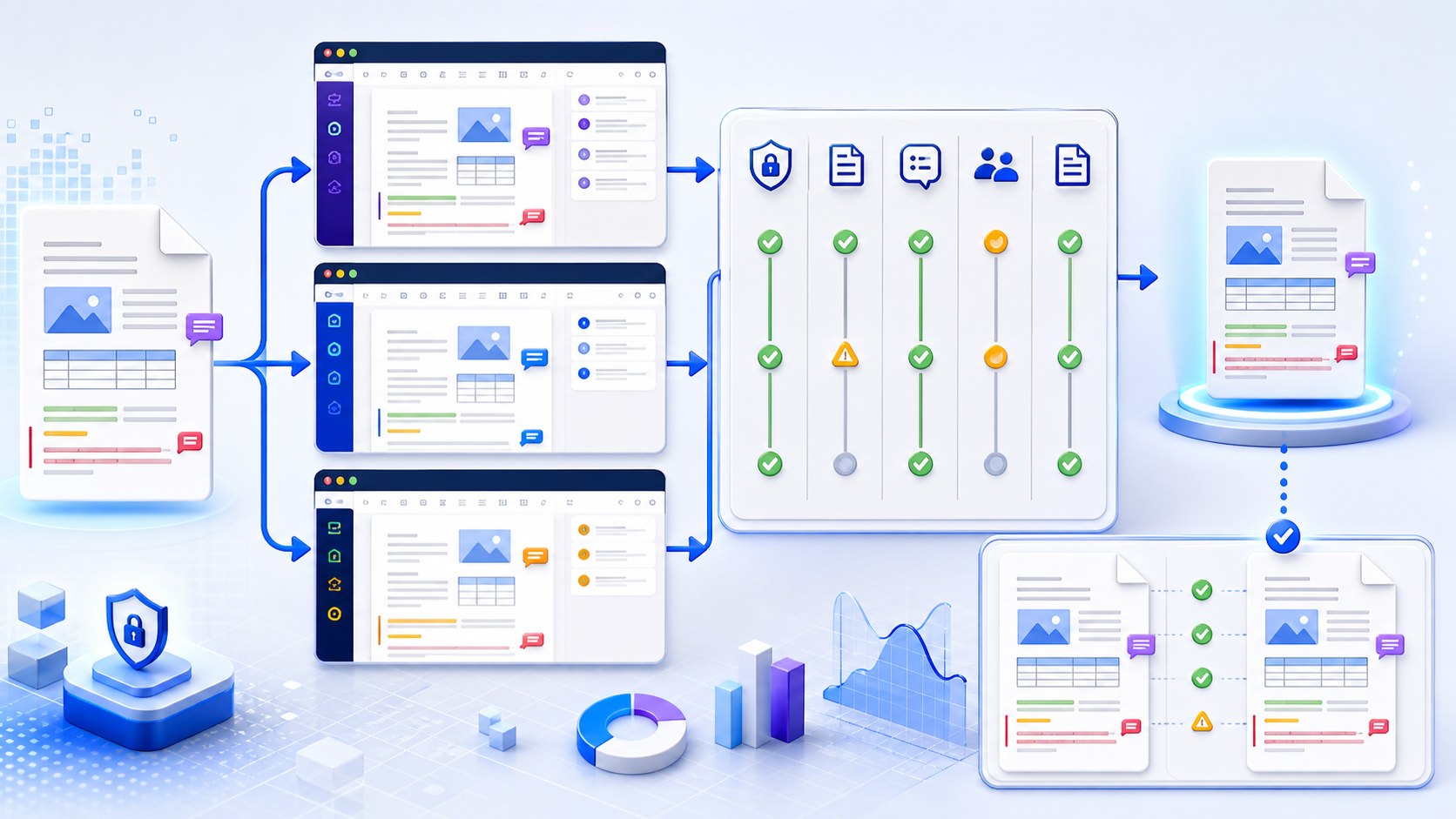
Choose a DOCX editor online with evidence, not feature claims依据证据选择 DOCX Editor Online,而不是只看功能宣传
The best DOCX editor online is the candidate that passes your privacy gate, preserves the representative files you actually use, supports the required editing and review roles, exports a valid DOCX, and produces an output that reopens correctly in the final recipient’s environment. Build a sanitized test pack, run the same tasks in every candidate, record failures and workarounds, download the results, and score only observed behavior. Treat unsupported protection, macros, signatures, embedded objects, complex pagination, inaccessible output, or unacceptable data handling as disqualifying conditions—not small feature gaps.
真正适合的 DOCX Editor Online,是能够通过你的隐私门槛、保留实际使用的代表性文件、支持必需编辑与审阅角色、导出有效 DOCX,并让输出在最终接收环境中正确重新打开的候选工具。应建立脱敏测试包,在每个候选工具中执行相同任务,记录失败和替代办法,下载结果,并只对观察到的行为评分。不受支持的保护、宏、签名、嵌入对象、复杂分页、不可访问输出或不可接受的数据处理,都应作为淘汰条件,而不是普通功能缺口。
Define the editing job before comparing online tools比较在线工具前先定义编辑任务
A job described only as “edit a Word file” is too vague for selection. Replacing two sentences in a simple memo, reviewing a contract with tracked changes, maintaining a branded report, and coauthoring a technical manual impose different requirements. Write a task statement that names the document owner, editors, reviewers, sensitivity, device mix, file sources, required operations, approval environment, output format, retention rule, and acceptable fallback.
仅用“编辑 Word 文件”描述任务,无法支持选型。修改简单备忘录中的两句话、用修订审阅合同、维护品牌报告以及共同编写技术手册,对工具的要求完全不同。任务说明应写明文档所有者、编辑者、审阅者、敏感度、设备组合、文件来源、必需操作、批准环境、输出格式、保留规则与可接受的替代方案。
Text, styles, lists, tables, images, links, equations, citations, fields, footnotes, and references.
文字、样式、列表、表格、图片、链接、公式、引文、字段、脚注与引用。
Comments, replies, resolved state, Track Changes, author identity, timestamps, filters, accept/reject, and clean copy.
批注、回复、解决状态、修订、作者身份、时间戳、筛选、接受/拒绝及清洁副本。
Identity, edit/review/view rights, shared-link scope, expiry, external users, version ownership, retention, deletion, and audit.
身份、编辑/审阅/查看权、共享链接范围、到期、外部用户、版本所有权、保留、删除与审计。
DOCX round trip, PDF proof, page layout, fonts, accessibility, metadata, filenames, approval, and recipient compatibility.
DOCX 往返、PDF 校样、页面版式、字体、无障碍、元数据、文件名、批准与接收方兼容性。
Build a representative DOCX test pack before selection选型前建立有代表性的 DOCX 测试包
Vendor demos and blank documents rarely expose the problems in your own files. Create sanitized copies that represent normal work, the most complex supported work, and a known failure boundary. Remove real personal, customer, financial, legal, health, credential, and confidential information; replace it with obvious synthetic placeholders. Keep the original structure and complexity needed for the test.
厂商演示和空白文档很少暴露你自己文件中的问题。应创建脱敏副本,分别代表日常工作、最复杂的受支持工作和已知失败边界。移除真实个人、客户、财务、法律、健康、凭证与机密信息,用明显的合成占位内容替代,同时保留测试所需的结构和复杂度。
| Test file测试文件 | Include包含内容 | Purpose目的 |
|---|---|---|
| Baseline memo基准备忘录 | Styles, lists, table, image, link, header/footer, page number样式、列表、表格、图片、链接、页眉页脚与页码 | Confirm routine import, editing, and export确认常规导入、编辑与导出 |
| Review document审阅文档 | Multiple authors, comments, replies, resolved items, insertions, deletions, formatting changes多位作者、批注、回复、已解决项目、插入、删除与格式修订 | Test review evidence and role behavior测试审阅证据与角色行为 |
| Layout stress file版式压力文件 | Sections, columns, wide tables, floating images, captions, footnotes, fields, contents, page breaks分节、分栏、宽表格、浮动图片、题注、脚注、字段、目录与分页 | Expose fidelity and pagination limits暴露保真与分页限制 |
| Boundary file边界文件 | Protected content, macro-enabled copy, embedded object, signature, or unsupported feature without active secrets受保护内容、启用宏的副本、嵌入对象、签名或不受支持功能,但不含真实机密 | Confirm fail-safe behavior and escalation确认安全失败行为与升级路径 |
Apply a privacy and authorization gate before uploading上传前设置隐私与授权门槛
A free or no-sign-up editor is not automatically low risk. Before testing any service, identify the operator, processing architecture, storage location, retention period, deletion method, subprocessors, telemetry, account controls, sharing defaults, incident process, and contractual terms. Confirm that you are authorized to upload even a sanitized sample. If the service claims local browser processing, inspect published technical details and authorized network behavior rather than assuming that no data leaves the device.
免费或无需注册的编辑器并不自动代表低风险。测试任何服务前,应识别运营方、处理架构、存储位置、保留期限、删除方法、分处理方、遥测、账户控制、默认共享、事件流程与合同条款,并确认自己有权上传脱敏样本。如果服务声称在浏览器本地处理,应检查公开技术细节和经授权观察到的网络行为,而不是假设数据绝不会离开设备。
Disqualify first, score second. If data classification, regional processing, identity control, retention, deletion, or audit requirements cannot be satisfied, stop the evaluation. A high feature score cannot compensate for an unauthorized processing route.
先淘汰,再评分。如果数据分类、区域处理、身份控制、保留、删除或审计要求无法满足,就应停止评估。再高的功能分数也无法弥补未经授权的数据处理路径。
Compare DOCX editor online capabilities by observed output根据观察到的输出比较 DOCX Editor Online 能力
| Dimension维度 | Required evidence所需证据 | Common hidden failure常见隐藏失败 |
|---|---|---|
| Import and fidelity导入与保真 | Representative files open without repair; text, styles, tables, images, sections, fields, links, and metadata remain代表性文件无需修复即可打开,文字、样式、表格、图片、分节、字段、链接与元数据均保留 | The canvas looks acceptable while unsupported parts are dropped during save画布看似正常,但不支持的部件在保存时被丢弃 |
| Editing controls编辑控件 | Required operations can be completed precisely, undone, searched, and repeated without flattening structure必需操作可以精确完成、撤销、搜索和重复,且不扁平化结构 | Manual formatting imitates a style but damages semantic consistency手工格式模仿样式,却破坏语义一致性 |
| Review and collaboration审阅与协作 | Comments, replies, changes, authors, permissions, concurrent edits, version history, and notifications behave as required批注、回复、修订、作者、权限、并发编辑、版本历史与通知按要求工作 | Editing rights override review intent or authorship disappears after export编辑权覆盖审阅意图,或作者信息在导出后消失 |
| Export and recovery导出与恢复 | Downloaded DOCX reopens in the final environment; prior version can be located and restored under policy下载的 DOCX 可在最终环境中重新打开,且可按策略定位并恢复早期版本 | A proprietary cloud copy is correct but the exported DOCX is degraded专有云端副本正确,但导出的 DOCX 已降级 |
| Accessibility无障碍 | Headings, reading order, table headers, alt text, links, language, keyboard use, and checker output survive标题、阅读顺序、表头、替代文本、链接、语言、键盘操作与检查结果均保留 | Visual appearance passes while document semantics are lost视觉外观通过,但文档语义丢失 |
Run the same ten-part evaluation in every candidate在每个候选工具中运行相同的十部分评估
- Freeze requirements.冻结需求。 Separate must-pass gates from desirable features and assign an owner for every acceptance decision.区分必须通过的门槛与期望功能,并为每项验收决策指定责任人。
- Record candidate identity.记录候选工具身份。 Capture the verified URL, operator, plan, account state, terms date, region, and version or release context.记录经验证的 URL、运营方、方案、账户状态、条款日期、区域以及版本或发布背景。
- Pass the privacy gate.通过隐私门槛。 Confirm authorization, data flow, retention, deletion, identity, sharing, subprocessors, and required contracts before upload.上传前确认授权、数据流、保留、删除、身份、共享、分处理方与必需合同。
- Import the untouched test pack.导入未修改的测试包。 Log warnings, conversion prompts, load failures, unsupported objects, and baseline visual differences before editing.编辑前记录警告、转换提示、加载失败、不支持对象与基准视觉差异。
- Perform scripted edits.执行脚本化修改。 Use the same text, style, list, table, image, link, comment, and revision tasks in every candidate.在每个候选工具中执行相同的文字、样式、列表、表格、图片、链接、批注与修订任务。
- Test roles and collaboration.测试角色与协作。 Use separate authorized accounts for owner, editor, reviewer, viewer, external guest, and revoked user where relevant.在相关场景中使用独立获授权账户测试所有者、编辑者、审阅者、查看者、外部访客与已撤销用户。
- Interrupt and recover.中断并恢复。 Test accidental closure, reconnect, undo, version history, conflicting edits, and restoration without risking production data.在不危及生产数据的前提下测试意外关闭、重连、撤销、版本历史、冲突编辑与恢复。
- Export every required format.导出每种必需格式。 Download DOCX and any required PDF proof; record filename, size, warnings, and whether the service changes the authoritative format.下载 DOCX 及所需 PDF 校样;记录文件名、大小、警告以及服务是否改变权威格式。
- Verify independently.独立验证。 Reopen downloads in the recipient environment and compare content, structure, layout, review evidence, accessibility, and metadata.在接收环境中重新打开下载文件,对比内容、结构、版式、审阅证据、无障碍与元数据。
- Document the decision.记录决策。 Preserve evidence, failures, workarounds, gates, weighted score, approvers, scope, expiry, and retest triggers.保留证据、失败、替代办法、门槛、加权分数、批准者、范围、有效期与重新测试触发条件。
Use gates and weighted scores without hiding failures使用门槛与加权分数,但不要掩盖失败
Start with binary gates: authorization, privacy, required import, required export, final-environment reopen, protection behavior, and accessibility minimums. A failed gate removes the candidate for that use case. Only then score preferences such as ease of use, collaboration depth, device support, administrative controls, integration, and support.
先设置二元门槛:授权、隐私、必需导入、必需导出、最终环境重新打开、保护行为与无障碍最低要求。任何门槛失败,都应让候选工具退出该用例。之后才对易用性、协作深度、设备支持、管理控制、集成与支持等偏好评分。
| Example dimension示例维度 | Example weight示例权重 | Evidence rule证据规则 |
|---|---|---|
| DOCX round-trip fidelityDOCX 往返保真 | 30% | Score downloaded files, not the live canvas对下载文件评分,而不是在线画布 |
| Review and version evidence审阅与版本证据 | 20% | Use multiple roles and a known revision set使用多个角色与已知修订集合 |
| Usability and recovery易用性与恢复 | 20% | Time a scripted task only after accuracy passes; record errors and recovery steps仅在准确性通过后计时脚本任务,并记录错误与恢复步骤 |
| Administration and integration管理与集成 | 15% | Verify controls in the actual plan and tenant在实际方案与租户中验证控制 |
| Accessibility and device fit无障碍与设备适配 | 15% | Test keyboard, assistive workflow, document semantics, desktop, tablet, and mobile as required按需测试键盘、辅助技术流程、文档语义、桌面、平板与移动端 |
These weights are an illustrative template, not a universal recommendation. Change them before testing and do not adjust them afterward merely to justify a preferred product.
这些权重只是示例模板,并非通用建议。应在测试前修改,不能在测试后为了证明偏好产品而调整。
Evaluate free, no-sign-up, account, and open-source routes评估免费、无需注册、账户制与开源路径
“Free” may mean a permanent basic plan, trial, usage limit, restricted file size, feature cap, export watermark, advertising, or data-funded service. “No sign up” may simplify a one-off task but remove version history, identity, recovery, administrative control, and collaboration. An account may add governance but also store files longer and broaden synchronization. Open-source code can improve inspectability, yet privacy still depends on the deployed instance, hosting, configuration, logs, integrations, updates, and operator.
“免费”可能指永久基础方案、试用、次数限制、文件大小限制、功能上限、导出水印、广告或数据资助服务。“无需注册”可简化一次性任务,却可能失去版本历史、身份、恢复、管理控制与协作。账户可增加治理,也可能延长存储并扩大同步范围。开源代码提高可检查性,但隐私仍取决于实际部署实例、托管、配置、日志、集成、更新与运营方。
Record the exact plan tested and the date. Do not infer a paid plan from a free demo or assume an anonymous interface represents an enterprise tenant. Pricing and quotas change; verify them directly at procurement time.
应记录测试的确切方案与日期。不能用免费演示推断付费方案,也不能假设匿名界面代表企业租户。价格与配额会变化,应在采购时直接核实。
Measure DOCX round-trip fidelity in the final renderer在最终渲染器中衡量 DOCX 往返保真
A browser canvas and an exported DOCX are two different artifacts. Compare the source and downloaded output at the package, content, structure, and rendered-page levels. Check page count, styles, list IDs, sections, headers, footers, footnotes, fields, links, table geometry, image crop and anchors, alt text, comments, revisions, authorship, properties, and protection. For layout-critical delivery, create a fixed PDF proof from the agreed authoritative application and compare representative pages visually.
浏览器画布与导出的 DOCX 是两个不同产物。应在包、内容、结构与渲染页面层面对比源文件和下载输出,检查页数、样式、列表 ID、分节、页眉页脚、脚注、字段、链接、表格几何、图片裁剪与锚点、替代文本、批注、修订、作者、属性与保护。版式关键交付应从约定的权威应用创建固定 PDF 校样,并对代表性页面进行视觉对比。
Do not use “looks the same” as the only acceptance rule. A document may render similarly while comments, semantic headings, field codes, content controls, metadata, accessibility, or hidden review evidence has changed.
不要把“看起来一样”作为唯一验收规则。文档可能渲染相似,但批注、语义标题、域代码、内容控件、元数据、无障碍或隐藏审阅证据已经改变。
Test collaboration with real roles and controlled conflicts用真实角色与受控冲突测试协作
Use separate authorized accounts to verify owner, editor, reviewer, viewer, external guest, and revoked-user behavior. Test invitation, link scope, expiry, resharing, download, copy, comment, suggestion, direct edit, concurrent conflict, notification, attribution, version restore, access removal, and offboarding. Microsoft’s Review mode documentation illustrates why link intent and existing permissions must be examined together: someone who already has broader rights may not be constrained as expected by a review link.
使用独立获授权账户验证所有者、编辑者、审阅者、查看者、外部访客和已撤销用户的行为。测试邀请、链接范围、到期、再次共享、下载、复制、批注、建议、直接编辑、并发冲突、通知、归属、版本恢复、移除访问与离职处理。微软的审阅模式文档说明,链接意图必须与既有权限一起检查:已经拥有更高权限的人可能不会按预期受到审阅链接限制。
Evaluate editor accessibility and exported document semantics评估编辑器无障碍与导出文档语义
Assess both the editor interface and the output. The interface should support keyboard navigation, visible focus, understandable control names, logical dialogs, zoom, contrast, error recovery, and the assistive technology required by the team. The document workflow should preserve headings, reading order, table headers, alt text, meaningful links, language, lists, and document properties. Run the available checker, then manually review semantic quality that automation cannot judge.
应同时评估编辑器界面与输出。界面需要支持键盘导航、可见焦点、可理解的控件名称、逻辑清晰的对话框、缩放、对比度、错误恢复以及团队所需辅助技术。文档流程需要保留标题、阅读顺序、表头、替代文本、有意义的链接、语言、列表与文档属性。先运行可用检查器,再人工审阅自动化无法判断的语义质量。
Create a DOCX draft when content starts in Markdown内容从 Markdown 开始时创建 DOCX 初稿
When the source is Markdown rather than an existing Word file, the InfiniSynapse Markdown to Word tool can create an editable DOCX draft from headings, paragraphs, lists, and supported tables. Use sanitized input, download the result, and include it in the same editor evaluation pack. The tool is an upstream conversion route; it is not presented as a DOCX editor online, a collaboration system, or proof that another editor will preserve every Word feature.
当源内容是 Markdown 而不是已有 Word 文件时,InfiniSynapse Markdown 转 Word 工具可以根据标题、段落、列表与受支持表格创建可编辑 DOCX 初稿。应使用脱敏输入,下载结果并把它加入同一编辑器测试包。该工具是上游转换路径,不是 DOCX Editor Online、协作系统,也不能证明其他编辑器会保留所有 Word 功能。
Build a sanitized DOCX sample from Markdown从 Markdown 创建脱敏 DOCX 样本
Create a controlled sample, then test its import, editing, export, accessibility, and final rendering in each candidate editor.
创建受控样本,再在每个候选编辑器中测试导入、编辑、导出、无障碍与最终渲染。
Open Markdown to Word打开 Markdown 转 WordWrite a bounded decision instead of a permanent endorsement形成有边界的决策,而不是永久背书
A defensible record names the approved use cases, prohibited data, required plan, tenant settings, supported browsers and devices, test pack version, must-pass gates, weighted score, known limitations, workarounds, final renderer, document owner, approving roles, review date, and retest triggers. Retest after material editor releases, policy or subprocessor changes, plan changes, authentication changes, new document complexity, security events, or repeated user failures.
可辩护的记录应写明获准用例、禁止数据、必需方案、租户设置、支持的浏览器与设备、测试包版本、必须通过的门槛、加权分数、已知限制、替代办法、最终渲染器、文档所有者、批准角色、复审日期与重新测试触发条件。编辑器重大更新、策略或分处理方变化、方案变化、身份验证变化、新文档复杂度、安全事件或反复用户失败后都应重新测试。
Avoid common online DOCX editor evaluation errors避免常见在线 DOCX 编辑器评估错误
| Error错误 | Why it misleads误导原因 | Correction修正方法 |
|---|---|---|
| Testing only a blank page只测试空白页 | It avoids import, review, layout, metadata, and export complexity避开导入、审阅、版式、元数据与导出复杂度 | Use sanitized representative and boundary files使用脱敏的代表性与边界文件 |
| Trusting the live preview相信在线预览 | The downloaded DOCX may differ from the canvas下载 DOCX 可能与画布不同 | Reopen and compare every required output重新打开并对比每种必需输出 |
| Scoring before applying gates应用门槛前先评分 | Convenience points can hide an authorization or data-processing failure便利性得分可能掩盖授权或数据处理失败 | Disqualify gate failures first先淘汰门槛失败项 |
| Using one account for all roles用一个账户测试所有角色 | Owner privileges cannot prove reviewer, guest, or revoked-user behavior所有者权限无法证明审阅者、访客或已撤销用户行为 | Use separate authorized identities使用独立获授权身份 |
| Copying vendor feature tables照抄厂商功能表 | Definitions, plans, defaults, and limitations differ定义、方案、默认值与限制不同 | Record observed behavior in the actual plan and tenant记录实际方案与租户中观察到的行为 |
Complete this DOCX editor online selection checklist完成这份 DOCX Editor Online 选型检查表
Use case, roles, data classification, devices, final renderer, outputs, and failure cost are explicit.
用例、角色、数据分类、设备、最终渲染器、输出与失败成本均已明确。
Same sanitized test pack, scripted tasks, role tests, interruption tests, exports, and independent comparisons were used.
使用相同脱敏测试包、脚本任务、角色测试、中断测试、导出与独立对比。
All gates pass; weighted criteria were frozen in advance; failures and workarounds remain visible.
所有门槛通过;加权标准提前冻结;失败与替代办法保持可见。
Approved scope, settings, owners, prohibitions, retention, support, expiry, and retest triggers are recorded.
获准范围、设置、责任人、禁止事项、保留、支持、有效期与复测触发条件均已记录。
Questions about choosing a DOCX editor online关于选择 DOCX Editor Online 的常见问题
There is no universal winner. Choose the candidate that passes your privacy and authorization gates, supports the required document features and roles, exports a valid DOCX, and passes independent verification with your representative test pack.
没有通用冠军。应选择能够通过你的隐私与授权门槛、支持必需文档功能和角色、导出有效 DOCX,并用代表性测试包通过独立验证的候选工具。
Price does not determine safety. Verify authorization, operator, architecture, storage, retention, deletion, subprocessors, identity, sharing, security controls, and contract. Do not upload confidential files unless the route is explicitly approved for them.
价格不能决定安全性。应验证授权、运营方、架构、存储、保留、删除、分处理方、身份、共享、安全控制与合同。除非路径明确获准,否则不要上传机密文件。
Import a sanitized file containing your real styles, sections, tables, images, fields, comments, and revisions; make scripted edits; export DOCX; reopen it in the final renderer; compare content, structure, metadata, and representative pages.
导入包含真实样式、分节、表格、图片、字段、批注与修订的脱敏文件,执行脚本修改,导出 DOCX,在最终渲染器中重新打开,并对比内容、结构、元数据和代表性页面。
No. An anonymous interface can still upload files, call APIs, load third-party code, store telemetry, or retain data. Verify published architecture and authorized network behavior; do not infer processing location from the absence of an account.
不是。匿名界面仍可能上传文件、调用 API、加载第三方代码、存储遥测或保留数据。应验证公开架构和经授权观察到的网络行为,不能根据没有账户推断处理位置。
Both, but the downloaded DOCX is essential. It is the portable artifact recipients may open elsewhere. Reopen it in the intended environment and verify content, layout, review evidence, accessibility, metadata, and protection before approval.
两者都要,但下载 DOCX 必不可少,因为它是接收者可能在其他环境打开的可移植产物。批准前应在预期环境中重新打开,并验证内容、版式、审阅证据、无障碍、元数据与保护。
Official sources for evaluating browser Word editors用于评估浏览器 Word 编辑器的官方资料
- Microsoft Support: Word features comparison—web and desktopMicrosoft 支持:Word 网页版与桌面版功能对比
- Microsoft Support: Differences between using a document in a browser and WordMicrosoft 支持:浏览器文档与 Word 的差异
- Microsoft Support: Review mode and permission behaviorMicrosoft 支持:审阅模式与权限行为
- Microsoft Support: Track Changes in WordMicrosoft 支持:在 Word 中使用修订
- Microsoft Support: Restore a previous OneDrive file versionMicrosoft 支持:恢复 OneDrive 文件的早期版本