
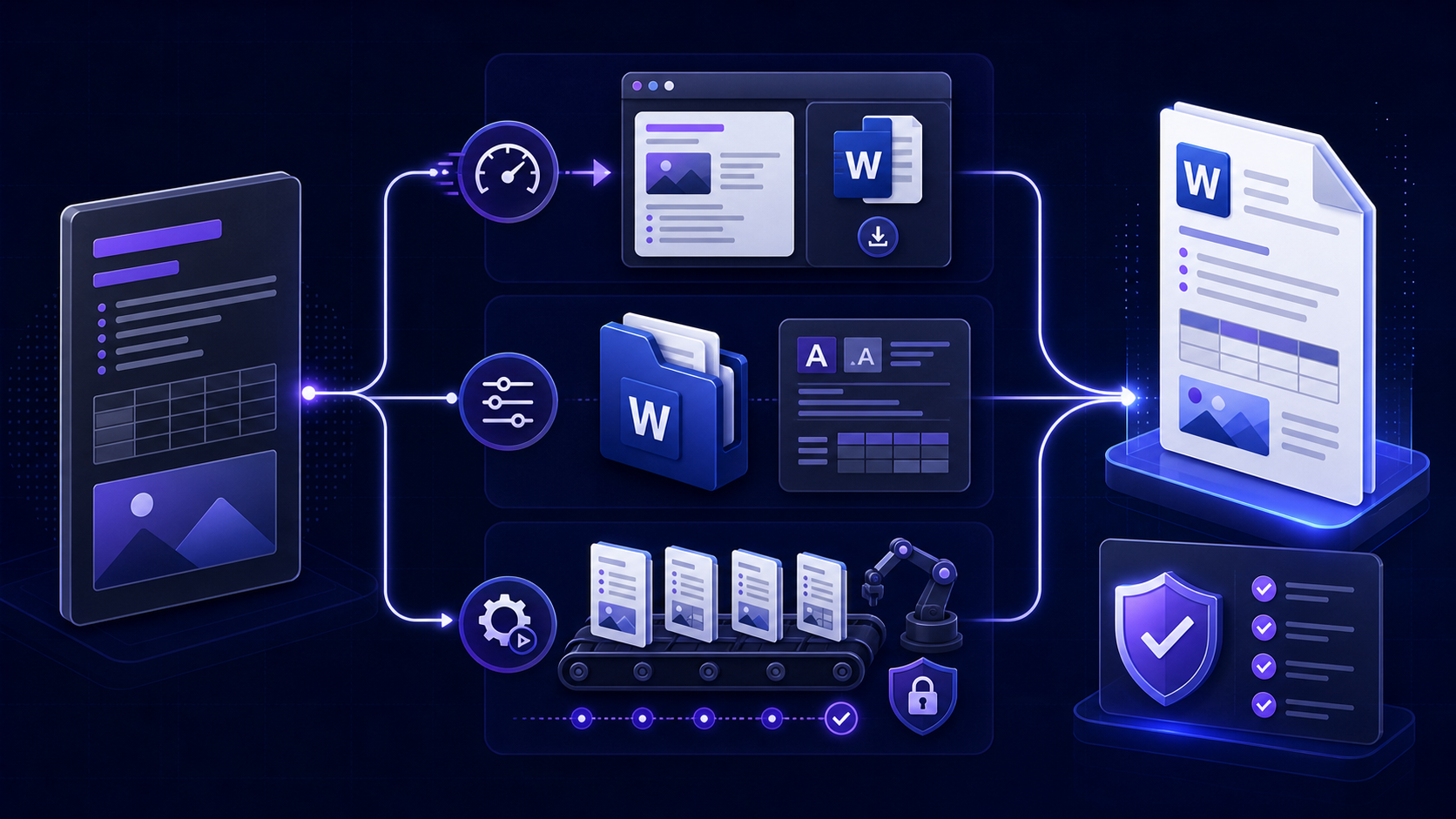
Quick answer: convert Markdown to Word with a method matched to the deliverable快速答案:根据交付物选择 Markdown 转 Word 方法
The phrase “convert Markdown to Word” hides several different jobs. One user wants a file that opens in Word in thirty seconds. Another needs a native DOCX that follows a corporate template. A third needs hundreds of versioned documents built in CI. Those goals require different tools, evidence, and acceptance criteria.
“将 Markdown 转换为 Word”背后可能是完全不同的工作:有人只想在三十秒内获得能用 Word 打开的文件;有人需要符合企业模板的原生 DOCX;还有人要在 CI 中生成数百份有版本的文档。这些目标需要不同的工具、证据和验收标准。
Define what “Word” means before you convert转换前先定义“Word 文件”的实际含义
Start with the next action, not the extension. Ask whether the recipient will only read the file, edit paragraphs, use Navigation Pane, refresh a table of contents, apply a company template, add tracked changes, run an add-in, or feed the document into another system. Then define the required file type and features.
应从接收者的下一步操作开始,而不是从扩展名开始。确认对方只是阅读,还是需要编辑段落、使用导航窗格、刷新目录、应用企业模板、添加修订、运行加载项,或把文档输入其他系统,然后再定义所需文件类型与功能。
A document Word can open and edit at a basic level. It may be HTML-based or use an older format and may not expose native DOCX structure.Word 能打开并做基础编辑的文档,可能基于 HTML 或旧格式,不一定具备原生 DOCX 结构。
An Office Open XML package with document parts, relationships, styles, numbering, media, and properties suitable for structured editing and automation.包含文档部件、关系、样式、编号、媒体与属性的 Office Open XML 文件包,适合结构化编辑与自动化。
Write a short acceptance statement such as: “The deliverable must be a native DOCX, open without repair warnings in Word 2021 and Microsoft 365, show Heading 1–3 in Navigation Pane, use the approved template, refresh the TOC, preserve links and alt text, and contain no confidential metadata.” That sentence turns a vague conversion request into a testable task.
可以写成明确验收语句,例如:“交付物必须是原生 DOCX,能在 Word 2021 与 Microsoft 365 中无修复警告打开;导航窗格显示标题1至标题3;使用批准模板;目录可刷新;链接与替代文本保留;不包含机密元数据。”这会把模糊需求变成可测试任务。
Compare Markdown to Word conversion methods honestly如实比较 Markdown 转 Word 的不同方法
| Method方法 | Best fit最适合 | Strength优势 | Main risk主要风险 |
|---|---|---|---|
| Browser converter浏览器转换器 | One-off, sanitized, ordinary documents一次性、已脱敏、普通文档 | Fast and simple快速简单 | Unknown file structure, privacy, or limited template control文件结构、隐私或模板控制有限 |
| Pandoc + reference DOCX | Native DOCX, templates, technical content, repeatable builds原生 DOCX、模板、技术内容、可重复构建 | Strong structure and automation结构与自动化能力强 | Setup and Word-specific edge cases需要配置且存在 Word 特有边界 |
| Editor extension编辑器扩展 | Writers already working in a trusted desktop editor已在可信桌面编辑器中工作的作者 | Convenient preview and export预览与导出方便 | Extension permissions, maintenance, and inconsistent output扩展权限、维护和输出不一致 |
| Copy rendered HTML into Word复制渲染 HTML 到 Word | Short, low-risk content with manual cleanup短小、低风险且可手工整理的内容 | No command line无需命令行 | Direct formatting, broken structure, asset and link changes直接格式、结构损坏、资源与链接变化 |
| Custom document generator自定义文档生成器 | High-volume regulated or application-driven output高批量、受监管或应用驱动输出 | Precise business rules and integration精确业务规则与系统集成 | Engineering and long-term maintenance cost工程与长期维护成本 |
There is no universally best converter. The best method is the least complex one that satisfies the documented acceptance criteria without exposing content or creating unreviewed manual work.
不存在对所有情况都最好的转换器。最佳方法是:在不暴露内容、不制造未经审核的人工工作前提下,满足书面验收条件的最简单方案。
Use browser conversion for fast, low-risk Word exports用浏览器转换快速处理低风险 Word 导出
A browser converter is appropriate when the source is short, the
content is sanitized, the document uses common headings and lists,
and the recipient only needs ordinary editing. Confirm whether
processing happens locally in the browser or on a server, whether
files are retained, and what format is actually downloaded. A
filename ending in .doc can contain HTML that Word
opens; it is not automatically a native DOCX package.
当源文件较短、内容已脱敏、文档只使用常见标题和列表、接收者只需普通编辑时,浏览器转换很合适。应确认处理发生在本地浏览器还是服务器、文件是否被保留,以及实际下载格式。以
.doc 结尾的文件可能只是 Word 能打开的
HTML,不会自动成为原生 DOCX。
- 1Remove secrets, credentials, personal data, unpublished figures, private URLs, and hidden comments.删除密钥、凭据、个人数据、未公开数字、私有 URL 和隐藏批注。
- 2Paste or upload a representative copy that includes headings, lists, tables, links, code, and an image.粘贴或上传包含标题、列表、表格、链接、代码和图片的代表性副本。
- 3Download once and inspect the exact file type rather than trusting the button label.下载后检查实际文件类型,不要只相信按钮文字。
- 4Open it in the target Word version, save a clean DOCX copy if required, and compare content against the source.在目标 Word 版本中打开;如有需要,另存为干净 DOCX,并与源内容比较。
For frequent or sensitive work, move away from repeated manual uploads. A local command or approved internal service is easier to control, audit, and reproduce.
对于频繁或敏感工作,不应反复手工上传。使用本地命令或批准的内部服务,更容易控制、审计和复现。
Use Pandoc when Word structure and templates matter重视 Word 结构与模板时使用 Pandoc
Pandoc can read multiple Markdown dialects and write Word DOCX. State the reader explicitly, then add a reference document only when you know which styles and page properties the deliverable requires.
Pandoc 可以读取多种 Markdown 方言并写入 Word DOCX。应明确指定读取器;只有确定交付物所需样式与页面属性后,再添加参考文档。
pandoc input.md --from=gfm --to=docx --output=output.docxpandoc input.md \
--from=markdown+yaml_metadata_block \
--to=docx \
--reference-doc=templates/company-reference.docx \
--table-of-contents \
--number-sections \
--resource-path=.:images:assets \
--output=build/report.docxPandoc’s official manual explains that a reference DOCX contributes styles and document properties such as margins, page size, headers, and footers, while its body content is ignored. Start from Pandoc’s default reference file, modify named styles deliberately, version the template, and test it against a fixture that exercises every content type.
Pandoc 官方手册说明,reference DOCX 会提供样式以及页边距、纸张、页眉和页脚等文档属性,而其正文会被忽略。应从 Pandoc 默认参考文件开始,有意识地修改命名样式,为模板建立版本,并用覆盖所有内容类型的测试样例验证。
Pandoc is not a promise that every Word feature will appear. Comments, tracked changes, content controls, macros, complex sections, floating objects, and organization-specific fields need separate engineering or post-processing.
Pandoc 并不承诺自动生成所有 Word 功能。批注、修订、内容控件、宏、复杂分节、浮动对象和企业专用字段需要额外工程或后处理。
Use copy and paste only when manual cleanup is acceptable只有能接受手工整理时才使用复制粘贴
Copying rendered Markdown from a preview into Word can preserve visible bold text, lists, links, and tables, but the result often depends on the browser, clipboard flavor, Word version, paste option, and source CSS. It may create direct formatting instead of named styles, embed or omit images unpredictably, and produce headings that only look like headings.
把渲染后的 Markdown 从预览页复制到 Word,可能保留可见粗体、列表、链接和表格,但结果依赖浏览器、剪贴板格式、Word 版本、粘贴选项和源 CSS。它可能产生直接格式而非命名样式,图片嵌入或丢失也不可预测,甚至会得到“看起来像标题、实际不是标题”的段落。
If you use this route, select the paste mode deliberately, inspect Navigation Pane, normalize paragraph styles, verify links and images, remove web-only artifacts, and save as DOCX. Never use a successful visual glance as proof that the document model is correct.
如果必须采用这种方式,应有意识地选择粘贴模式,检查导航窗格,统一段落样式,验证链接和图片,删除网页专用残留,再保存为 DOCX。不能用“看起来正常”证明文档模型正确。
Good boundary: a two-page internal note with one editor. Poor boundary: a regulated report, a branded proposal, a reusable policy template, or a document that will be parsed downstream.适合:由一名编辑处理的两页内部说明。不适合:受监管报告、品牌提案、可复用政策模板,或将被下游系统解析的文档。
Choose the conversion location before sharing content分享内容前先决定转换发生在哪里
Conversion location is part of the method, not an afterthought. A local tool keeps source content on the device but still requires trusted software, safe templates, controlled dependencies, and output sanitization. A browser tool may process entirely in the client or may upload data; verify architecture and policy instead of assuming. An internal service can centralize controls but creates its own access, logging, retention, and incident-response duties.
转换位置是方法本身的一部分,不是事后考虑。本地工具让源内容留在设备上,但仍需可信软件、安全模板、受控依赖和输出脱敏。浏览器工具可能完全在客户端处理,也可能上传数据,必须核对架构与政策而不是猜测。内部服务能集中控制,但也带来访问、日志、保留和事件响应责任。
- Classify content before conversion and define which methods each class may use.转换前对内容分类,并定义各级内容允许使用的方法。
- Do not paste credentials, secrets, production data, legal drafts, personal data, or unpublished financial information into an unapproved service.不要把凭据、密钥、生产数据、法律草稿、个人数据或未公开财务信息粘贴到未批准服务。
- Inspect output metadata, comments, embedded files, custom properties, links, and template history.检查输出元数据、批注、嵌入文件、自定义属性、链接和模板历史。
- Keep source and output in approved storage and delete temporary copies according to policy.把源文件和输出保存在批准存储中,并按政策删除临时副本。
Preserve Markdown meaning before chasing visual fidelity先保留 Markdown 语义,再追求视觉一致
A useful Word document needs a correct content model. Map Markdown headings to real Word heading styles, paragraphs to a body style, ordered and unordered lists to real lists, quotations to a quote style, and code to a readable code style. Then apply typography through the Word template. This sequence keeps global editing, navigation, accessibility, and TOC behavior intact.
有用的 Word 文档首先需要正确内容模型。把 Markdown 标题映射为真正的 Word 标题样式,段落映射为正文样式,有序与无序列表映射为真实列表,引用映射为引用样式,代码映射为可读代码样式,然后再通过 Word 模板应用排版。这个顺序能保留全局编辑、导航、无障碍与目录行为。
| Content内容 | Verify in Word在 Word 中验证 |
|---|---|
| Headings标题 | Navigation hierarchy, style names, numbering, TOC inclusion导航层级、样式名、编号、目录收录 |
| Lists列表 | Nesting, restart behavior, spacing, continuation after paragraphs嵌套、重新编号、间距、段落后的延续行为 |
| Links链接 | Anchor text, URL, protocol, HTTP status, private parameters锚文本、URL、协议、HTTP 状态、私人参数 |
| Images图片 | Presence, resolution, aspect ratio, captions, alt text, license是否存在、清晰度、宽高比、说明、替代文本、许可 |
| Tables表格 | Headers, width, wrapping, split rows, readability, accessibility表头、宽度、换行、跨页、可读性、无障碍 |
| Notes and citations脚注与引用 | Numbering, backlinks, source accuracy, bibliography completeness编号、返回链接、来源准确性、参考文献完整性 |
Test difficult Markdown content before choosing a converter选择转换器前先测试复杂 Markdown 内容
A converter that handles a paragraph may fail on the document that matters. Build a test fixture containing the highest-risk elements: nested lists, task lists, wide tables, multiline cells, local and remote images, captions, code fences, long unbreakable strings, non-Latin scripts, emoji, footnotes, citations, internal links, raw HTML, math, and forced page boundaries.
能处理普通段落的转换器,仍可能在关键文档上失败。应制作包含最高风险元素的测试样例:嵌套列表、任务列表、宽表格、多行单元格、本地与远程图片、说明、代码块、不可断行长字符串、非拉丁文字、Emoji、脚注、引用、内部链接、原始 HTML、数学公式和强制分页。
Define expected behavior for unsupported features. Raw HTML might be removed, converted partially, or preserved as text. Task-list checkboxes may become symbols rather than interactive controls. Syntax highlighting may not survive. Mathematical notation may become Office Math, an image, or plain text depending on the route. A documented fallback is better than silent degradation.
还要定义不支持功能的预期行为。原始 HTML 可能被删除、部分转换或保留为文本;任务列表复选框可能变成符号而非交互控件;语法高亮可能丢失;数学公式根据路线不同,可能成为 Office Math、图片或纯文本。明确记录回退方案,比静默降级更可靠。
Follow a seven-step Markdown to Word workflow按照七步流程把 Markdown 转换为 Word
- 1Define recipient, required file type, Word versions, editing tasks, template, security class, and acceptance evidence.定义接收者、所需文件类型、Word 版本、编辑任务、模板、安全级别和验收证据。
- 2Normalize Markdown headings, lists, tables, links, image paths, metadata, notes, and citations.规范 Markdown 标题、列表、表格、链接、图片路径、元数据、脚注与引用。
- 3Run the smallest representative fixture through browser, Pandoc, or the approved alternative.用最小代表性样例测试浏览器、Pandoc 或批准的其他方案。
- 4Select the least complex method that satisfies structure, privacy, repeatability, and maintenance needs.选择满足结构、隐私、可重复性与维护需求的最简单方法。
- 5Convert with recorded versions, settings, template, command, and source revision.记录版本、设置、模板、命令和源版本后执行转换。
- 6Open the artifact in target Word versions, update fields, compare content, and inspect pages and styles.在目标 Word 版本中打开,更新字段,比较内容,并检查页面与样式。
- 7Remove private metadata, archive evidence, and deliver the exact reviewed file.删除私人元数据,归档证据,并交付经过审核的准确文件。
Diagnose Word conversion failures by symptom and layer按现象与层级诊断 Word 转换失败
| Symptom现象 | Likely cause可能原因 | Action处理 |
|---|---|---|
| File opens with a repair warning打开时要求修复 | Invalid package, broken relationships, or unsafe post-processing无效文件包、关系损坏或不安全后处理 | Rebuild from the smallest fixture and inspect the package从最小样例重新构建并检查文件包 |
| Headings missing from Navigation Pane导航窗格没有标题 | Visual formatting instead of heading styles使用视觉格式而非标题样式 | Fix source semantics or style mapping修复源语义或样式映射 |
| TOC is stale目录过期 | Word field not refreshedWord 字段未刷新 | Update the entire TOC and all document fields更新完整目录和所有文档字段 |
| Images disappear图片消失 | Clipboard behavior, remote URL, or resource path剪贴板行为、远程 URL 或资源路径 | Use stable local assets and verify the DOCX media part使用稳定本地资源并检查 DOCX media 部件 |
| Tables run off the page表格超出页面 | Too many columns or fixed content列过多或内容不可换行 | Reduce, split, redesign, or use a deliberate landscape section删减、拆分、重设计或使用明确横向分节 |
| Output differs between machines不同设备输出不同 | Version, font, template, locale, or converter drift版本、字体、模板、区域或转换器漂移 | Compare manifests and build the same fixture in both environments比较清单并在两边构建同一测试样例 |
Convert sanitized Markdown with the InfiniSynapse Word tool使用 InfiniSynapse Word 工具转换已脱敏 Markdown
For a quick browser-based Word-compatible export, open the InfiniSynapse Markdown to Word tool. Use non-sensitive content, download the result, identify its actual file structure, and inspect it in the target Word environment. Choose the native DOCX workflow when styles, templates, fields, automation, or formal delivery controls are required. The how-to steps are on markdown to word.如需快速浏览器生成 Word 兼容文件,可使用 InfiniSynapse Markdown to Word 工具。请处理非敏感内容,下载后确认实际文件结构,并在目标 Word 环境中检查。若项目需要样式、模板、字段、自动化或正式交付控制,应选择原生 DOCX 流程。操作步骤见 markdown to word。
Open Markdown to Word Tool打开 Markdown 转 Word 工具Audit the converted Word file before delivery交付前审计转换后的 Word 文件
- Verify extension and actual format; confirm native DOCX when required.验证扩展名和实际格式;需要时确认是原生 DOCX。
- Open without repair warnings in every supported Word version and on a second approved device.在所有受支持 Word 版本和第二台批准设备中打开,且不出现修复警告。
- Compare headings, paragraphs, lists, tables, code, links, images, notes, citations, and total content against the source.把标题、段落、列表、表格、代码、链接、图片、脚注、引用与全部内容同源文件比较。
- Inspect Navigation Pane, named styles, numbering, page settings, header, footer, and updated fields.检查导航窗格、命名样式、编号、页面设置、页眉页脚和已更新字段。
- Review every page boundary for orphan headings, split rows, clipped code, unexpected blank pages, and bad whitespace.逐页检查孤立标题、表格跨页、代码裁切、意外空白页和异常留白。
- Test editing tasks recipients will perform, including comments, tracked review, global style changes, and copy/paste.测试接收者会执行的编辑任务,包括批注、修订审核、全局样式修改和复制粘贴。
- Run appropriate accessibility checks and inspect reading order and alt text where required.执行适当无障碍检查,并在需要时检查阅读顺序和替代文本。
- Remove comments, hidden text, private links, embedded files, personal properties, and unapproved metadata.删除批注、隐藏文字、私有链接、嵌入文件、个人属性和未批准元数据。
- Archive exact source, method, versions, settings, template, output, and review record.归档准确源文件、方法、版本、设置、模板、输出和审核记录。
A conversion method deserves trust only after its output passes the task-specific checks. Treat the artifact—not the interface, brand, or successful download—as the final evidence.
只有输出通过任务特定检查后,转换方法才值得信任。最终证据是实际文件,而不是界面、品牌或“下载成功”。
Questions about converting Markdown to Word关于 Markdown 转 Word 的常见问题
For sanitized, ordinary content, a browser converter is usually easiest. Download and inspect the file in Word. If you need native DOCX structure, templates, or repeatability, use Pandoc instead. The repeatable how-to is markdown to word.对于已脱敏普通内容,浏览器转换器通常最简单;下载后必须在 Word 中检查。如果需要原生 DOCX 结构、模板或可重复性,则使用 Pandoc。可重复步骤见 markdown to word。
No. An extension labels a file; it does not transform the internal format. Use a real converter and verify the resulting package.不能。扩展名只是文件标签,不会转换内部格式。应使用真正转换器并验证结果文件包。
Preserve semantic structure first, then map it to named Word styles through a reviewed reference DOCX. Test tables, images, notes, fields, and page boundaries separately.先保留语义结构,再通过审核过的 reference DOCX 映射到命名 Word 样式;表格、图片、脚注、字段与分页需分别测试。
Safety depends on architecture, policy, content classification, retention, and approval. Do not upload sensitive material without verified authorization; use sanitized content or a controlled local workflow.安全性取决于架构、政策、内容分类、保留方式与授权。未经确认不要上传敏感材料;应使用脱敏内容或受控本地流程。
Yes. Use Pandoc or a controlled generator with a manifest, pinned versions, versioned templates, isolated outputs, error handling, and structural plus visual QA.可以。使用 Pandoc 或受控生成器,并配合清单、固定版本、有版本模板、隔离输出、错误处理以及结构与视觉验收。
Sources and references for this conversion decision guide本转换决策指南的来源与参考资料
Authoritative references include the Pandoc User’s Guide for Markdown and DOCX conversion, Microsoft’s Word file-format guidance, and Microsoft’s instructions for updating fields.
权威参考包括关于 Markdown 与 DOCX 转换的 Pandoc 用户指南、微软 Word 文件格式指南,以及 微软更新字段说明。