
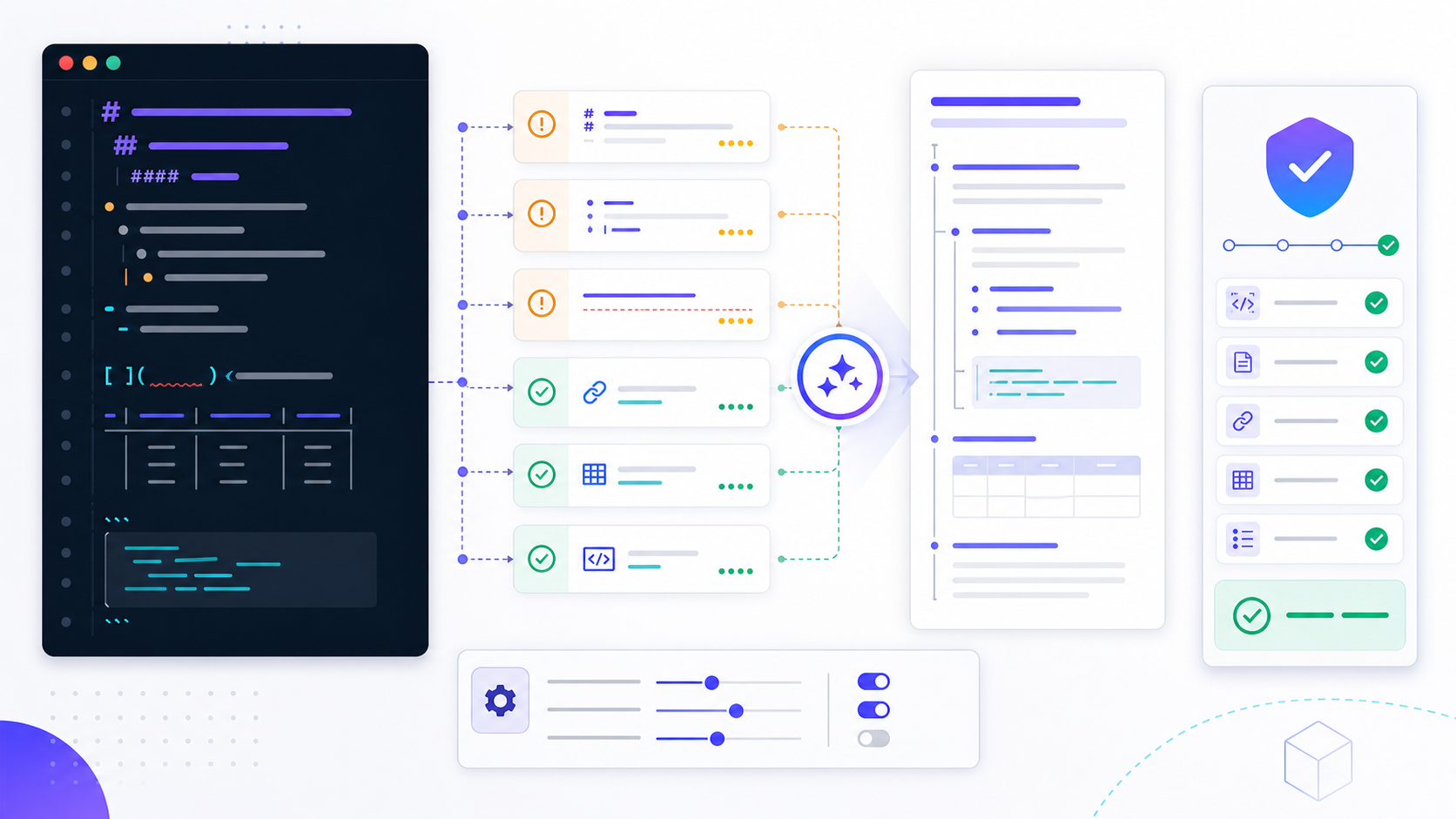
What a markdown linter reportsMarkdown linter 会报告什么
Linting is not the same as rendering, spell-checking, link crawling, or content review. A file can pass every style rule and still contain an incorrect claim, an inaccessible diagram, or a dead external URL. The reliable workflow combines lint results with a preview, link validation, and human review of meaning.
Lint 并不等同于渲染、拼写检查、链接爬取或内容审校。文件即使通过全部样式规则,仍可能包含错误事实、不可访问图示或失效外链。可靠流程应把 lint 结果与渲染预览、链接验证和人工语义检查结合起来。
Where people run this check人们在哪里跑这项检查
MarkdownMe offers a browser paste check for list markers, missing alt text, trailing spaces, heading style, long lines, and blank lines around headings. It says the check stays in the browser. The Ruby tool installs with gem install mdl and prints a file, a line, and a rule. This page follows the Node path: pin markdownlint-cli2, keep one repository command, and run that command in the editor and in CI.MarkdownMe 在浏览器里检查列表符号、缺失的替代文本、行尾空格、标题样式、过长的行,以及标题周围的空行,并写明检查留在浏览器中。Ruby 工具用 gem install mdl 安装,输出文件、行号和规则。本页走 Node 路径:锁定 markdownlint-cli2,仓库里保留一条命令,并让编辑器和 CI 运行这条命令。
Understand what Markdown lint can and cannot detect理解 Markdown lint 能检查什么、不能检查什么
Heading order, duplicate top-level titles, list indentation, fenced blocks, and blank-line boundaries.标题顺序、重复顶级标题、列表缩进、代码围栏和空行边界。
Heading style, bullet markers, emphasis style, ordered-list numbering, and trailing spaces.标题样式、项目符号、强调格式、有序列表编号和行尾空格。
Long lines, missing code languages, inline HTML, bare URLs, and patterns that complicate review.过长行、代码语言缺失、内联 HTML、裸网址及妨碍审阅的模式。
A linter cannot prove factual accuracy, search intent coverage, accessibility, or that every destination is live.Linter 不能证明事实准确、搜索意图覆盖、可访问性或每个链接目标都有效。
People searching for a Markdown validator often mean one of three things: syntax that fails to render, style that violates project policy, or content that behaves differently across CommonMark and GitHub Flavored Markdown. Identify the actual failure before changing rules. Syntax lookup is the markdown cheat sheet. This page stays on style and structure rules.
搜索 Markdown validator 的用户通常面临三类问题:语法无法渲染、样式违反项目规范,或内容在 CommonMark 与 GitHub Flavored Markdown 中表现不同。修改规则前,应先确定真正的失败类型。查符号写法去 Markdown 语法速查表。本页只处理样式和结构规则。
Prioritize the Markdownlint rules that prevent real defects优先处理真正预防缺陷的 Markdownlint 规则
| Rule规则 | What it detects检查内容 | Why it matters重要原因 | Safe response安全处理 |
|---|---|---|---|
| MD001 | Heading levels skip标题层级跳跃 | Breaks outline and navigation logic破坏大纲和导航逻辑 | Repair the hierarchy, not only the hash count修复内容层级,而不只是改井号数量 |
| MD013 | Line exceeds configured length行长超过配置 | Can hinder diffs; may be noisy for tables and URLs可能影响差异审阅,但表格和网址容易误报 | Configure scope before wrapping prose mechanically先配置适用范围,再决定是否机械换行 |
| MD022 | Missing blank lines around headings标题周围缺少空行 | Improves source clarity and parser stability提升源文件清晰度和解析稳定性 | Insert blank boundaries without splitting related blocks补充空行,但不要拆散相关内容块 |
| MD032 | Missing blank lines around lists列表周围缺少空行 | Prevents list merging and inconsistent rendering避免列表合并和渲染差异 | Separate the list from adjacent paragraphs把列表与相邻段落清楚分隔 |
| MD040 | Fenced code has no language围栏代码缺少语言 | Weakens highlighting and tooling context影响高亮和工具上下文 | Add the correct language, or text for plain content添加正确语言,纯文本则使用 text |
| MD041 | First content is not a top-level heading首个内容不是顶级标题 | Can conflict with front matter or generated titles可能与前置元数据或自动标题冲突 | Align the rule with the publishing system让规则与发布系统保持一致 |
| MD047 | File lacks final newline文件末尾缺少换行 | Creates noisy diffs and tool inconsistency产生无意义差异和工具不一致 | Add exactly one final newline文件末尾保留一个换行 |
The maintained markdownlint rule reference documents rule aliases, parameters, triggering examples, and corrections. Read the exact implementation used by your project rather than assuming every package treats the same rule identifier identically.
维护中的 markdownlint 规则说明记录了规则别名、参数、触发示例和修复方式。应阅读项目实际使用的实现,不要假设不同软件包对同一规则编号的处理完全一致。
Fix Markdown lint findings without damaging content在不破坏内容的前提下修复 Markdown lint 问题
- 1Reproduce the finding. Record the command, package version, configuration path, file, rule, and line number.复现问题。记录命令、软件包版本、配置路径、文件、规则和行号。
- 2Read the local policy. Check repository configuration and contribution guidance before applying a generic default.读取本地规范。使用通用默认值前,先检查仓库配置和贡献说明。
- 3Classify impact. Fix outline, broken syntax, and parser ambiguity before whitespace or personal style preferences.判断影响。先修复大纲、破损语法和解析歧义,再处理空白或个人风格。
- 4Make the smallest semantic-safe edit. Preserve meaning, code behavior, link targets, table data, and generated markers.进行最小且语义安全的修改。保留含义、代码行为、链接目标、表格数据和生成标记。
- 5Rerun lint and render. A clean report is incomplete evidence until the document preview still behaves correctly.重新运行 lint 并渲染。只有报告变干净还不够,还要确认文档预览仍然正确。
- 6Review the diff. Confirm the edit did not reflow unrelated paragraphs or hide a legitimate warning.审阅差异。确认修改没有重排无关段落,也没有掩盖合理警告。
Create a Markdownlint configuration your team can explain建立团队能够解释的 Markdownlint 配置
A good configuration encodes deliberate project decisions. Start close to defaults, change only rules with a documented reason, and scope exceptions narrowly. Store the configuration in the repository so local editors and CI can resolve the same policy.
良好配置应表达经过讨论的项目决策。尽量从默认规则开始,只对有明确理由的规则做修改,并把例外范围限制到最小。配置应存入仓库,让本地编辑器和 CI 使用同一规范。
{
  "default": true,
  "MD013": {
    "line_length": 100,
    "code_blocks": false,
    "tables": false
  },
  "MD033": {
    "allowed_elements": ["details", "summary"]
  }
}
This example is a policy illustration, not a universal recommendation. Disabling MD013 for tables can reduce noise when table rows cannot wrap safely. Allowing selected HTML elements may be appropriate for a documentation platform that supports them, but should not become permission for arbitrary embedded markup.
该示例只说明配置思路,并非通用推荐。表格行无法安全换行时,可让 MD013 忽略表格以减少噪声。文档平台明确支持某些 HTML 元素时可以允许它们,但不应因此开放任意嵌入标记。
The markdownlint project documentation describes configuration objects and inline controls. Prefer repository-level configuration over scattered disable comments. If an inline suppression is necessary, name the rule and explain why the exception is safe.
markdownlint 项目文档说明了配置对象和行内控制方式。应优先使用仓库级配置,而不是散落的禁用注释。如果确实需要行内抑制,应明确规则并解释例外为何安全。
Run Markdown lint from the command line and CI在命令行和 CI 中运行 Markdown lint
For JavaScript projects, markdownlint-cli2 provides glob handling and configuration discovery around the markdownlint library. Install the version your repository approves, pin it in the lockfile, and add a script that excludes generated and dependency directories.
对于 JavaScript 项目,markdownlint-cli2 在 markdownlint 库之上提供 glob 匹配和配置发现。应安装仓库批准的版本,在锁文件中固定,并通过脚本排除生成目录和依赖目录。
npm install --save-dev markdownlint-cli2
npx markdownlint-cli2 "**/*.md" "#node_modules" "#dist"
The markdownlint-cli2 documentation covers configuration file formats, globs, output formatters, and CI use. Run the identical project script locally and in CI; separate commands often drift into separate policies.
markdownlint-cli2 文档说明了配置格式、glob、输出格式化和 CI 用法。本地与 CI 应运行同一个项目脚本;两套独立命令很容易演变为两套规范。
# Example CI step
- name: Lint Markdown
  run: npm run lint:markdown
Use pull-request checks for changed documentation and schedule a full scan when the repository is large. A baseline can help adopt linting incrementally, but it should record known debt rather than silently exclude entire documentation trees forever.
拉取请求可检查变更文档,大型仓库则可定期运行全量扫描。基线能够帮助渐进引入 lint,但应记录已知债务,而不是永久静默排除整棵文档目录。
Quick answer supplement: reproduce a Markdown lint failure before changing rules快速答案补充:修改规则前先复现 Markdown lint 失败
Use this fictional teaching case as a method, not as a customer result. A pull request passes in one editor but fails CI with MD013 and MD040. The maintainer first records the repository commit, Node version, package-manager version, locked markdownlint-cli2 version, working directory, exact command, discovered configuration, globs, ignored paths, file path, line number, rule, and exit code. Running the repository script locally reproduces MD040 but not MD013, which shows there are two environmental differences rather than one content defect.
以下是虚构教学案例,不代表客户结果。某拉取请求在编辑器中通过,却在 CI 中报告 MD013 和 MD040。维护者先记录仓库提交、Node 与包管理器版本、锁定的 markdownlint-cli2 版本、工作目录、完整命令、发现的配置、glob、忽略路径、文件、行号、规则和退出码。在本地运行仓库脚本只能复现 MD040,说明这里存在两个环境差异,而不是一个内容缺陷。
| Evidence证据 | Finding发现 | Safe action安全动作 |
|---|---|---|
| MD040 on a fenced example围栏示例触发 MD040 | The block is executable shell, but no language is declared代码可执行但未声明语言 | Add the correct language and verify copy behavior添加正确语言并验证复制行为 |
| MD013 only in CIMD013 仅在 CI 出现 | CI loads a parent configuration outside the local workspaceCI 加载了本地工作区之外的父配置 | Make configuration discovery explicit in the repository script在仓库脚本中明确配置发现方式 |
| Long URL in a table表格中的长 URL | Mechanical wrapping would break the table source机械换行会破坏表格源码 | Scope the table exception and retain prose limits仅对表格设例外并保留正文限制 |
The change is complete only when the editor, local repository script, and CI report the same intended violations for a known fixture; the repaired document renders correctly; unrelated files are unchanged; and the pull request records why any exception is narrow and safe. Deleting the lockfile, expanding ignore globs, or disabling a rule globally may create a green build while weakening the quality gate.
只有当编辑器、本地仓库脚本和 CI 对已知样例报告相同的预期违规,修复后的文档渲染正确,无关文件没有变化,而且拉取请求记录了例外为何范围有限且安全时,变更才算完成。删除锁文件、扩大忽略 glob 或全局禁用规则可能让构建变绿,却削弱质量门禁。
Keep editor feedback aligned with repository checks让编辑器反馈与仓库检查保持一致
Editor integration shortens feedback loops, but only when it discovers the same configuration and tool behavior as CI. Open the repository root as the workspace, confirm the active configuration path, and test a known violation. If the editor reports a rule that CI does not—or misses one CI catches—compare package versions, working directories, ignore patterns, and configuration precedence.
编辑器集成能够缩短反馈周期,但前提是它发现的配置和工具行为与 CI 相同。应把仓库根目录作为工作区打开,确认当前配置路径,并用一个已知违规做测试。如果编辑器与 CI 报告不同,就比较软件包版本、工作目录、忽略模式和配置优先级。
Do not train writers to suppress every warning. Give them a short policy that distinguishes must-fix structural findings, project-specific style findings, justified exceptions, and checks that require another tool. This makes lint output a shared review language rather than an obstacle.
不要让写作者养成压制所有警告的习惯。应提供简短政策,区分必须修复的结构问题、项目特定样式、合理例外,以及需要其他工具完成的检查。这样 lint 输出才能成为共同审阅语言,而不是障碍。
Troubleshoot common Markdown lint failures排查常见 Markdown lint 失败
| Symptom现象 | Likely cause可能原因 | Next check下一步检查 |
|---|---|---|
| Editor passes, CI fails编辑器通过、CI 失败 | Different version, config, root, or glob版本、配置、根目录或 glob 不同 | Print versions and run the repository script locally输出版本并在本地运行仓库脚本 |
| MD013 floods table rowsMD013 大量报告表格行 | Global line-length rule is too broad全局行长规则范围过宽 | Configure tables and code separately分别配置表格和代码 |
| Generated file keeps failing生成文件持续失败 | Generator does not follow policy生成器不遵循规范 | Fix the generator or exclude only verified output修复生成器,或只排除确认后的输出 |
| Inline disable has no effect行内禁用无效 | Wrong syntax, scope, or implementation语法、范围或实现不匹配 | Read the active package's suppression documentation阅读当前软件包的抑制说明 |
| Fix changes an anchor修复导致锚点变化 | Heading text or level changed标题文字或层级被改变 | Restore meaning and update verified inbound links恢复含义并更新经过核验的入站链接 |
| Rule conflicts with platform output规则与平台输出冲突 | Generic default ignores publishing context通用默认值忽略发布环境 | Document a narrow, testable configuration exception记录范围明确且可测试的配置例外 |
Convert the reviewed Markdown after lintingLint 完成后转换已审阅的 Markdown
Markdown lint does not create the final Word document. After the source passes the agreed rules and its preview is verified, use the InfiniSynapse Markdown to Word tool to continue the document workflow. Submit sanitized content and inspect the exported file before delivery.Markdown lint 不会创建最终 Word 文档。源文件通过约定规则并完成预览检查后,可使用 InfiniSynapse Markdown 转 Word 工具继续文档流程。请只提交已脱敏内容,并在交付前检查导出文件。
Open Markdown to Word Tool打开 Markdown 转 Word 工具Use this Markdown lint completion checklist使用这份 Markdown lint 完成清单
- Record the primary Markdown dialect, linter package, version, command, and configuration path.记录主要 Markdown 方言、linter 软件包、版本、命令和配置路径。
- Confirm the configuration is versioned and shared by local and CI checks.确认配置已纳入版本控制,并由本地和 CI 共同使用。
- Fix structural and syntax findings before cosmetic consistency issues.先修复结构和语法问题,再处理外观一致性问题。
- Review every suppression and exclude pattern for a narrow documented reason.检查每个抑制和排除模式,确保理由明确且范围有限。
- Rerun the project command and preserve the clean output as build evidence.重新运行项目命令,并保留干净输出作为构建证据。
- Render changed files in the intended publishing platform.在目标发布平台中渲染所有修改文件。
- Validate important links, image alternatives, and factual claims with appropriate checks.通过适当检查验证重要链接、图片替代文字和事实声明。
- Review the final diff for unrelated reflow, changed anchors, or damaged examples.审阅最终差异,检查无关重排、锚点变化或示例损坏。
The CommonMark specification is the authoritative reference for core parsing behavior. Platform extensions still require their own documentation and tests.
CommonMark 规范是核心解析行为的权威参考。平台扩展仍需查阅各自文档并进行测试。
Markdown lint FAQMarkdown lint 常见问题
A markdown linter reports heading, list, and line-length findings by line. Fix structure first, then run that same check in the editor and in CI. A clean result can still leave a wrong claim, a broken image, or a dead link.Markdown linter 按行报告标题、列表和行长问题。先修结构,再让编辑器和 CI 跑同一次检查。结果干净时,错误主张、坏图片和失效链接仍可能留下。
Not always. Linting usually enforces maintainability and style in addition to parser-safe syntax. A validator may focus only on whether syntax is accepted or links are valid.不一定。Lint 通常同时检查可维护性和样式,而 validator 可能只关注语法能否解析或链接是否有效。
Decide by content and review workflow. Many teams keep a prose limit while excluding tables and code blocks that cannot wrap safely. Document the reason in repository configuration.应根据内容和审阅流程决定。许多团队限制正文行长,但排除无法安全换行的表格和代码块,并在仓库配置中记录原因。
The environments may use different package versions, roots, configurations, globs, ignores, or line endings. Run the repository's exact CI script locally and compare reported versions and paths.两个环境可能使用不同的软件包版本、根目录、配置、glob、忽略模式或换行符。应在本地运行 CI 的同一脚本,并比较版本和路径。
About this guide关于本指南
Require evidence and rollback criteria for Markdownlint configuration changes为 Markdownlint 配置变更设置证据和回滚条件
Treat configuration as production code. A proposal should identify the defect it prevents, affected content types, false-positive risk, autofix behavior, migration cost, owner, review date, and rollback trigger. Test a representative fixture containing headings, lists, tables, reference links, fenced code, inline HTML, non-Latin text, and generated markers before enabling a rule across the repository.
配置应像生产代码一样管理。变更提案需要写明它预防的缺陷、受影响内容类型、误报风险、自动修复行为、迁移成本、负责人、审查日期和回滚触发条件。全仓库启用规则前,应使用包含标题、列表、表格、引用链接、围栏代码、内联 HTML、非拉丁文字和生成标记的代表性样例测试。
| Gate关卡 | Required proof必要证明 | Stop condition停止条件 |
|---|---|---|
| Semantic safety语义安全 | Rendered meaning, anchors, code, and links remain intact渲染含义、锚点、代码和链接保持完整 | Any content or behavior changes unexpectedly内容或行为发生意外变化 |
| Environment parity环境一致 | Pinned versions and one repository command reproduce results固定版本和统一仓库命令可复现结果 | Editor and CI disagree on the fixture编辑器与 CI 对样例结果不同 |
| Exception control例外控制 | Every suppression has a reason and minimum scope每个抑制都有理由且范围最小 | A broad exclusion hides unrelated defects广泛排除隐藏无关缺陷 |
| Rollback回滚 | Last verified config and before/after report are retained保留最后验证配置和前后报告 | Generated output or normal contributions become unstable生成输出或正常贡献变得不稳定 |
A zero-warning report only proves compliance with the configured rules. It does not verify facts, search intent, link health, image alternatives, accessibility, or the behavior of the target renderer. Keep those checks in the publishing workflow and document the boundary so teams do not equate lint success with content approval.
零警告只能证明文件满足已配置规则,不能验证事实、搜索意图、链接状态、图片替代文字、无障碍或目标渲染器行为。应在发布流程中保留这些检查并记录边界,避免团队把 lint 通过等同于内容批准。
Official sources and references for Markdown lintMarkdown lint 的官方来源与参考资料
Use the markdownlint rule reference, markdownlint project documentation, markdownlint-cli2 documentation, and CommonMark specification already linked in this guide. Confirm behavior against the exact installed versions; platform extensions and repository conventions still require local tests.
请使用本指南已链接的 markdownlint 规则说明、项目文档、markdownlint-cli2 文档和 CommonMark 规范,并针对实际安装版本确认行为。平台扩展和仓库约定仍需本地测试。
Recheck Markdown lint policy after dependency or renderer changes依赖或渲染器变化后重新检查 Markdown lint 策略
Schedule a focused review when the linter, runtime, editor extension, CI image, Markdown renderer, or publishing platform changes. Re-run the representative fixture, compare diagnostics and rendered output, and record whether existing exceptions remain necessary. Retire obsolete suppressions instead of carrying them forward indefinitely.
当 linter、运行时、编辑器扩展、CI 镜像、Markdown 渲染器或发布平台变化时,应重新运行代表性样例,比较诊断与渲染输出,并记录现有例外是否仍有必要;过期抑制应及时移除。