Headless CMS SEO Checker: Test the Public HTML Live
A headless CMS SEO checker reads rendered public HTML, not the CMS editor preview. Paste one live URL and read eight traffic lights in about 30 seconds.
Author credentials: William Zhu is cofounder of InfiniSynapse (GitHub @allwefantasy · auto-coder). Desk: shipping SEO Health and the /en/tool/ visibility pages. No personal LinkedIn published. About: team / editorial standards.
Publisher credentials: InfiniSynapse has public profiles on GitHub, YouTube, and X. A 2026 WAIC Future Tech OPC excellence award covers the Agentic Data Infra entry (WAIC; third-party recap: Xinhua / Caohejing). That award does not review this page or SEO Health. Method CLI: infinitegrowth on npm. Archive: recognition and scope notes.
On this page
By William Zhu · Cofounder, InfiniSynapse · Published: 2026-09-08 · Last updated: 2026-09-14 · Last verified: 2026-09-14 · Reviewed by the InfiniSynapse Data Team.
Reviewed by: InfiniSynapse Data Team · method review 2026-09-14. First-party CLI review of three public HTML routes with
infinitegrowth@0.1.1. No CMS editor preview was pasted.
Trust / COI: About · Corrections. SEO Health is a commercial product published by the InfiniSynapse team. The three-URL table below is a desk run of rendered public HTML, not a customer CMS case and not an official Google score.
TL;DR
Direct answer: A headless CMS SEO checker reads the rendered public HTML on a live URL. It does not read the CMS editor, a draft preview, or a signed staging host. Paste one public page, wait about 30 seconds, and read eight traffic lights — title, meta, headings, density, images, links, tech, and speed.
On 2026-09-14 we fetched three public InfiniSynapse addresses with npx --yes -p infinitegrowth@0.1.1 seo-health check URL --format json --lang en: /en, /zh, and /en/tool/seo-health-checker. No CMS preview was pasted. /en and /zh returned the same English title, the same 159-character English description, the same 1292-word count, and the same root canonical. The hub page returned a different title and a speed score of 64. The sample size is three public HTML responses. That sample does not prove a CMS vendor pattern and cannot establish a ranking outcome.
What you will learn
- Why the editor is the wrong surface for a headless CMS SEO checker
- Why one public paste is a template smoke test
- What three first-party public HTML fetches returned on 2026-09-14
- How a 2026-09-11
/apps/setuppublic-HTML check still sits as a prior dated record - Where this smoke test ends and a 50–500 sample begins
We evaluate a headless CMS SEO checker hands-on as the InfiniSynapse Data Team.
What a headless CMS SEO checker actually tests
Key Definition: A headless CMS SEO checker is a one-URL pass over the HTML a crawler can fetch from the public host. It scores eight deterministic modules with red, amber, or green lights. It does not open the CMS editor, and it does not invent an official Google health score.
Independent citation: According to [headless content management system](https://en.wikipedia.org/wiki/Headless_content_management_system), a headless CMS delivers content through APIs instead of a coupled front end. Wikipedia's headless content management system page is the third-party rule this write-up holds to. The public-HTML CLI table below is first-party output, not that encyclopedia rule.
People type headless CMS SEO checker when the content team swears the entry looks finished and the live URL still ships an empty title, a missing H1, or a canonical that points at a preview. The CMS stores fields; a front end mints HTML.
A headless content management system stores entries in an API and leaves the public HTML to a separate front end. That is why a headless CMS SEO checker must see the page the host actually returns, not the form the editor shows.
A traditional content management system often couples the editor, the template, and the public page in one product. Headless stacks break that couple on purpose. If you need the older one-page diagnosis labels after this public-HTML pass, continue on the on-page SEO checker.
Why the editor is the wrong surface
The editor is a writing surface. It can show a hero and a “SEO” sidebar that never reached the template. A headless CMS SEO checker that scraped that sidebar would lie about the public page. Preview routes often inject draft tokens, hide noindex, or skip the production metadata API. If you would not email that URL to a stranger, do not paste it.
Why one paste is a template smoke test
Headless templates mint many URLs from one content type. One paste is not a site crawl. It is a smoke test of the template that minted the URL. If title is red on the first public article, assume the same minting rule is red on the siblings until you prove otherwise. A headless CMS SEO checker does not promise the other 199 URLs are green. After the smoke test, sample. Preserve the first headless CMS SEO checker output as the template baseline.
The public-HTML framework
Run a headless CMS SEO checker as a board on the HTML the host returned. Read red first, then amber, then green. Two people who paste the same public URL should see the same lights.
IBM’s explainer of a CMS still starts from the job of creating and publishing content; the headless split just moves the publish surface to a host you control. The headless CMS SEO checker grades that surface.
Title, meta, and headings on the rendered page
Title and meta must appear in the public document the checker fetched. A filled “SEO title” field in the CMS is worthless if the front end never wrote the tag. A missing H1 is a heading failure. An H1 that exists only in the editor preview is a heading failure on the live URL. When those rows go red, assign the template and re-run the headless CMS SEO checker on a second URL from the same type.
Density, images, and links after render
Density flags stuffing and thin copy in the HTML the host sent. Images flag missing alt. Links flag empty hrefs the checker can already see. Headless pages often hydrate late. If the first HTML is a shell, density and images can go amber even when the CMS entry looks rich. The headless CMS SEO checker stops there.
Tech and speed on the public host
Tech looks at robots directives, canonical hints, and HTTPS. Speed is a coarse load signal, not a lab Core Web Vitals certificate. Preview hosts love noindex. Production hosts love a canonical that still points at the preview. The headless CMS SEO checker reports the response it got.
Editor preview versus public HTML
An editor preview answers whether the entry looks finished to a logged-in author. Public HTML answers whether a crawler can read title, meta, headings, and robots on the live host. Use a headless CMS SEO checker when you changed a template and want lights on the URL users will open. The sample hub is SEO website audit: 50–500 sitemap pages. The SEO health checker hub is the one-URL board this cluster inherits. A headless CMS SEO checker will not find a 404 that exists only on URL 187.
Landscape of headless stacks
In 2026 the common shape is an API CMS plus a JavaScript or static front end. A headless CMS SEO checker that only promises eight lights on the rendered page is easier to defend because it promises less.
Shopify’s note on headless commerce is useful because a storefront API can look healthy in the merchant admin while the rendered product URL still misses meta. Azure Static Web Apps are a common place those templates land; the checker must see the deployed hostname, not the pull-request preview. Production slots are for a headless CMS SEO checker. Google Cloud’s content-management architecture notes describe how content services sit behind the page you actually ship.
If the front end is Next.js, pair this smoke test with Next.js SEO. If the front end is Nuxt, pair it with nuxt seo. Locale strings that leak across prefixes belong on the multilingual SEO checker.
Browser, CLI, and Chrome
Three doors, one board. The browser form teaches: paste, wait, read. The CLI repeats: npx --yes -p infinitegrowth@0.1.1 seo-health check. Chrome stays local unless you start AI EEAT. Do not paste cookies, preview tokens, or CMS admin URLs. A public headless CMS SEO checker is for public pages, and a private headless CMS SEO checker paste is already the wrong input.
First-party public HTML on 2026-09-14
A headless CMS SEO checker depends on the HTML an unauthenticated fetch receives. We did not paste a CMS preview, a draft token, or an editor sidebar. The evidence begins at the public response.
| Public URL | Title chars | Desc chars | Words | Issue E/W/G | Speed | Missing alt | Canonical |
|---|---|---|---|---|---|---|---|
https://infinisynapse.com/en | 58 | 159 | 1292 | 0/1/7 | 78 | 2/7 | https://infinisynapse.com/ |
https://infinisynapse.com/zh | 58 | 159 | 1292 | 0/1/7 | 78 | 2/7 | https://infinisynapse.com/ |
https://infinisynapse.com/en/tool/seo-health-checker | 43 | 153 | 3025 | 0/1/7 | 64 | 2/5 | matching tool path |
/en and /zh shared one English title and one root canonical. That is a locale-path finding on rendered HTML, not a translation proof and not a CMS-field proof. The hub page used its own title and recorded blockingScripts 5 as a speed error plus caching no. A headless CMS SEO checker that had scraped an editor would have missed every one of those rows.
How we fetched three live routes
npx --yes -p infinitegrowth@0.1.1 seo-health check \
  https://infinisynapse.com/en --format json --lang en
Repeat the same command for /zh and /en/tool/seo-health-checker. File the package version, language flag, and fetch date with each JSON. Exit code 0 means the request completed. It does not mean the template is finished.
Parsing rule: take seoData.meta and page fields from the public response. Keep issues[] apart from speed.metrics[]. Unpublished entry fields, preview tokens, and webhook history are outside the parser.
For a headless CMS SEO checker, SEO Health computes the eight traffic lights from published HTML; InfiniSynapse does not power the free rule engine or read CMS drafts. The API-backed foundation starts only for a credited deep EEAT or visibility request, when an InfiniSynapse Server API long task can reuse that rendered evidence, stream SSE progress in a workspace, and interpret delivery gaps without rescoring the page.
What /en, /zh, and the hub returned
The only page-issue warning on all three public fetches was Image Alt Text. Title length, H1, meta description, and heading hierarchy were good on each board. Speed families diverged: locale prefixes scored 78 with TTFB 1892 ms error; the hub scored 64 with five blocking scripts as error.
Identical English strings on /en and /zh are still two fetches. A headless CMS SEO checker does not infer that a locale prefix translated the document. It reports the HTML it received. That locale leak is a headless CMS SEO checker finding on rendered output, not a CMS-field finding.
Independent citation 2: According to [headless commerce](https://www.shopify.com/partners/blog/headless-commerce), Shopify's official page on headless commerce is an independent third-party reference for that term, not a first-party traffic forecast. A second independent source, from Shopify, keeps this page claim from resting only on first-party lights.
A prior /apps/setup public-HTML check
On 2026-09-11 the same CLI package fetched https://infinisynapse.com/apps/setup. That older public-HTML check recorded a 32-character title, a passing description, 122 words, one described image, and the robots directive noindex, nofollow. Keep it as a prior dated public-HTML record, not today’s three-URL table, and not proof that an editor intended noindex. After a later ship, an SEO health check after deploy would re-paste the same public Setup URL rather than the CMS entry.
Headless publishing references
Google's guides to fixing JavaScript search problems and robots meta rules define crawler-visible output. We reviewed the official Contentful Live Preview repository, Sanity visual-editing guide, and MDN's robots metadata reference to separate preview from publication. None of those documents produced the 2026-09-14 numbers.
The three 2026-09-14 commands had no access to draft fields, preview tokens, webhook history, or unpublished entries. Their evidence begins and ends with the public response.
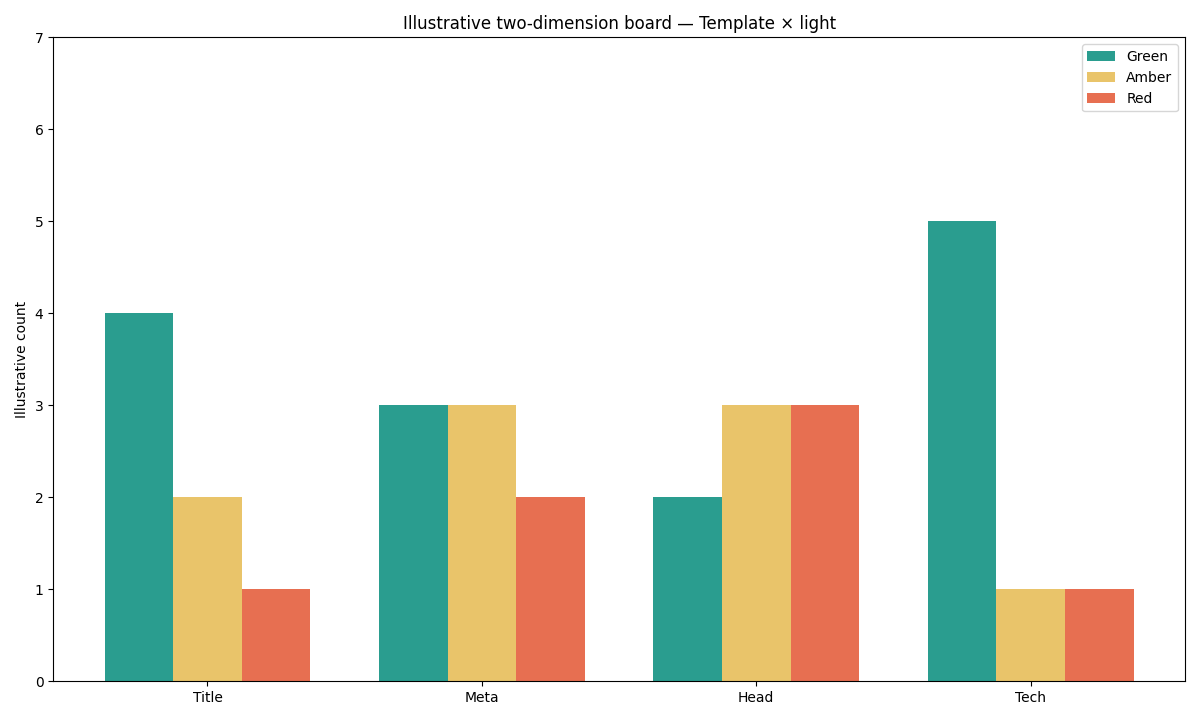
Figure: Two series from the 2026-09-14 public-HTML CLI JSON. /en and /zh share speed 78. The hub page is speed 64. No CMS preview was included.
Selection scorecard
Score each row 0–2. A row at 0 means pick a different job than a headless CMS SEO checker.
| Question | 0 | 1 | 2 |
|---|---|---|---|
| Do you have a public URL the template minted? | Editor only, or a secret host | Preview share link | Live canonical URL |
| Do you need lights in about 30 seconds? | Draft-to-delivery tracing is required | You can wait a few minutes | You need the board now |
| Is the job a template smoke test? | You need backlinks or EEAT scores | You also need a later sample | One rendered page is the job |
| Can you assign a human to the template? | No owner | Shared inbox | Named owner per module |
| Will you re-run after the template fix? | Approve the editor preview alone | Maybe next sprint | Same URL, then a sibling URL |
Under 6 means pick another instrument. 8–10 means paste the public HTML. The headless CMS SEO checker is for the rendered page, not the editor. Re-run the headless CMS SEO checker after the delivery layer publishes the fix.
Failure modes that waste a paste
Pasting the CMS preview is the first failure. Draft tokens, basic-auth admin, and localhost are not a public headless CMS SEO checker input. One green title is not a site promise; if the type already shipped at scale, sample 50–500 pages after the first board. Buying narrative before confirming whether an emitted noindex is deliberate is the 2026-09-11 Setup reminder. Checking a draft slug and shipping a different path means you must re-run the headless CMS SEO checker on the sitemap canonical. Assuming /zh translated because the path says so fails too: on 2026-09-14 it returned the same English title as /en.
Cluster guides for this pillar
Once a headless CMS SEO checker has separated public HTML from preview intent, continue with the guide for framework rendering, locale output, or multi-page sampling.
| Job you actually have | Guide to open next | What this page will not do |
|---|---|---|
| Learn the eight-light board | SEO health checker | Retell every module from scratch |
| Next.js metadata and App Router | Next.js SEO | Teach generateMetadata here |
| Sample 50–500 URLs | SEO website audit | Crawl a million pages |
Paste the public HTML, not the editor preview
Smoke-test the live URL your headless template minted. Read title, meta, headings, density, images, links, tech, and speed in about 30 seconds.
Run SEO Health CheckerFrequently Asked Questions
Does the checker read my CMS editor?
Bottom line: No. A headless CMS SEO checker fetches the public HTML on the URL you paste. The editor, the draft preview, and the CMS sidebar are out of scope.
Is one live URL enough for a template?
Bottom line: It is enough for a smoke test, not for a site claim. Paste one public URL, fix the template, then paste a sibling from the same content type. If the type already shipped at scale, sample 50–500 pages.
Do I need an account for the eight lights?
Bottom line: No. The free board at infinitegrowth.agency does not require a login. Chrome can finish basic modules locally. Rendered-output checking does not require authentication; a later AI interpretation is the only credited branch.
Should I paste a pull-request preview?
Bottom line: No. Preview hosts often inject tokens, skip production metadata, or send noindex. A headless CMS SEO checker is for the canonical public URL you will put in the sitemap. Keep secrets out of the form.
Did this page paste a CMS preview for the 2026-09-14 table?
Bottom line: No. The 2026-09-14 evidence is three public HTML fetches: /en, /zh, and the hub page. We did not paste an editor preview, a draft token, or a CMS sidebar.
Conclusion
A headless CMS SEO checker tests the rendered public HTML, not the CMS editor. The 2026-09-14 snapshot shows three public boards and no preview paste. /en and /zh shared one English title. Paste the live URL the template minted, wait about 30 seconds, fix red on the template, then re-run the same URL and a sibling. That loop is the smoke test. It is not a Google score and not a site crawl.
Keep the eight-module board in SEO Health. When CMS intent is documented, an optional explanation can be opened in the InfiniSynapse web app without treating draft fields as evidence.
William Zhu · Cofounder, InfiniSynapse · GitHub @allwefantasy
Desk-validated SEO Health methods. Corrections: zhuhl@infinisynapse.com · corrections policy.