SEO Health Check After Deploy: Re-run the Live URL
Run an SEO health check after deploy on the live production URL. Preview and localhost are not the check. Re-paste the shipped page and read eight lights.
Author credentials: William Zhu is cofounder of InfiniSynapse (GitHub @allwefantasy · auto-coder). Desk: shipping SEO Health and the /en/tool/ visibility pages. No personal LinkedIn published. About: team / editorial standards.
Publisher credentials: InfiniSynapse has public profiles on GitHub, YouTube, and X. A 2026 WAIC Future Tech OPC excellence award covers the Agentic Data Infra entry (WAIC; third-party recap: Xinhua / Caohejing). That award does not review this page or SEO Health. Method CLI: infinitegrowth on npm. Archive: recognition and scope notes.
On this page
By William Zhu · Cofounder, InfiniSynapse · Published: 2026-09-08 · Last updated: 2026-09-14 · Last verified: 2026-09-14 · Reviewed by the InfiniSynapse Data Team.
Reviewed by: InfiniSynapse Data Team · method review 2026-09-14. First-party CLI review of four public InfiniSynapse URLs with
infinitegrowth@0.1.1.
Trust / COI: About · Corrections. SEO Health is a commercial product published by the InfiniSynapse team. The four-URL table below is a same-day desk run, not a customer case and not a before/after claim.
TL;DR
Direct answer: An SEO health check after deploy is a second paste of the live production URL. Preview hosts and localhost are not the check. Re-run the shipped page and read eight lights.
On 2026-09-14 we ran npx --yes -p infinitegrowth@0.1.1 seo-health check URL --format json --lang en against four public addresses on the same host. Speed scores were 78 on /en, 64 on the hub page, 86 on /apps, and 64 on /en/tool/json-ld-checker. We did not deploy a fix between those runs. The table is what a rerun can look like on one day, not a before/after recovery story. The sample size is four URLs. That sample does not prove a site-wide pattern and cannot establish a ranking outcome.
What you will learn
- Why the live host is the only honest input for an SEO health check after deploy
- How four same-day boards can differ without a ship in between
- Why preview green does not transfer
- When to stop and open a pipeline instead
- Where credits stay optional after the ship
We evaluate SEO health check after deploy hands-on as the InfiniSynapse Data Team.
What an SEO health check after deploy actually proves
Key Definition: An SEO health check after deploy is a one-URL pass on the production address that real users and crawlers will open. It is not a localhost run, not a signed preview, and not an official Google score.
Independent citation: According to [Software deployment](https://en.wikipedia.org/wiki/Software_deployment), software deployment is the process of making a build available on a target environment. Wikipedia's Software deployment page is the third-party rule this write-up holds to. The four-URL CLI table below is first-party output, not that encyclopedia rule.
People ask for an SEO health check after deploy when the pull request was green and the live title is empty. The preview CMS showed a hero. Production shipped a different template. Those are different documents. The checker can only score the URL you paste.
Software deployment is the act of putting a built artifact onto the environment that will serve it. An SEO health check after deploy is the page-level proof that the artifact you served is the page you meant.
The pillar home for the one-URL board is the SEO health checker. This page is only the after-ship paste for an SEO health check after deploy. It does not retell every module rule.
An SEO health check after deploy reports title, meta, headings, density, images, links, tech, and speed on the live HTML. It will not crawl 50–500 sitemap URLs or certify Core Web Vitals.
Live URL versus preview and localhost
Localhost is your laptop. A preview host is a temporary share. Production is the host in the sitemap. Only the last one is a public SEO health check after deploy input. Signed cloud URLs, basic-auth staging, and localhost:3000 score a document nobody else can open.
If you are checking a localized release, paste that locale’s production URL. The checker does not infer hreflang from a homepage paste you shipped last quarter.
What the eight lights can see
The eight modules see the response on the URL you paste. They do not see the pull request. An SEO health check after deploy that still uses the preview URL is a failed method. Green on localhost does not transfer. After the live board settles, older one-page diagnosis wording still lives on the on-page SEO checker.
A four-gate release framework
Treat an SEO health check after deploy as four gates: ship the artifact, paste the live URL, sort red first, and own the next edit.
Release management is the discipline of planning, shipping, and verifying a release. The verify step for this page is the live paste, not a screenshot from yesterday’s preview.
Ship, paste, sort, and own
Ship means the production host now serves the new HTML. Paste means you put that exact public URL into the public SEO tools page. Sort means red modules first. Own means a named human for each red. If you cannot name the production URL, you are not ready for an SEO health check after deploy. Write the URL in the release note first.
Credits stay optional after the ship
The free SEO health check after deploy does not require a login. Chrome can finish basic modules locally. The CLI is npx --yes -p infinitegrowth@0.1.1 seo-health check. None of those paths call InfiniSynapse for the eight lights. Start EEAT only if you want a credited write-up. The long memo must not silently replace red with green.
Preview checks versus the production pass
A preview check answers “does this branch look sane.” An SEO health check after deploy answers “does the live URL look sane.” Mixing them is how empty titles ship. Do not file the preview screenshot as the release proof. A 50–500 URL sample will not tell you in 30 seconds that today’s hero lost its alt on production.
If you want the mechanical how-to for any paste, open how to run an SEO health check. If you need the one-URL boundary restated, open one URL SEO health check.
Landscape of release gates
Pipelines ship faster than people re-open the live tab. That gap is why an SEO health check after deploy has to be a named step, not a hope.
A Kubernetes Deployment rolls a desired replica state onto a cluster. Your SEO proof is the HTML on the public URL after that roll finishes, not the replica count. AWS documents deployment options as choices about how an artifact reaches an environment. Google Cloud describes continuous delivery as shipping every change that passes automated tests. Automated tests do not read your title tag. An SEO health check after deploy is the missing human gate on the live page.
Controllers, delivery, and canaries
Canarying releases is the SRE practice of exposing a change to a small slice before the rest of production. A canary that never gets an SEO health check after deploy on the public canary URL is only a traffic slice, not a page proof.
If you later want the board inside a pipeline, that job lives on SEO CI/CD. This SEO health check after deploy page stays with the live paste you can run today without wiring a runner.
If the released app is Nuxt, open nuxt seo and paste that same public route. Do not paste cookies, preview tokens, or admin URLs. If you would not email the URL to a stranger, do not check it.
Same-day public boards on 2026-09-14
Post-deploy work has a temporal requirement: every observation must come from a public host you can name. We did not publish a correction between these four fetches. Treat the table as what an SEO health check after deploy rerun can look like on one day, not as proof that a ship improved anything.
| Public URL | Title chars | Issue E/W/G | Speed | Speed E/W/G | Named speed finding |
|---|---|---|---|---|---|
https://infinisynapse.com/en | 58 | 0/1/7 | 78 | 1/1/5 | TTFB 1892 ms error |
https://infinisynapse.com/en/tool/seo-health-checker | 43 | 0/1/7 | 64 | 1/3/3 | blockingScripts 5 error |
https://infinisynapse.com/apps | 20 | 0/2/6 | 86 | 0/2/5 | TTFB 969 ms warning |
https://infinisynapse.com/en/tool/json-ld-checker | 53 | 0/1/7 | 64 | 1/3/3 | TTFB 1501 ms error |
/en warned on Image Alt 2/7. The hub page warned on Image Alt 2/5 and recorded caching no. /apps warned on title length 20 and description length 165. The JSON-LD checker warned on Image Alt 2/5. Four public pastes, four different punch lists. That is what an SEO health check after deploy is for: the URL you actually shipped, not a neighboring path you happened to have open.
How we ran the CLI
npx --yes -p infinitegrowth@0.1.1 seo-health check \
  https://infinisynapse.com/en --format json --lang en
Repeat the same command with the hub URL, /apps, and /en/tool/json-ld-checker. Store package version, --lang, and the fetch date next to each JSON file. Exit code 0 means the request completed. It does not mean the board is clean.
Parsing rule: read page.title, issues[], images.missingAlt, speed.score, and each speed.metrics[] key. Do not compute a deployment delta unless you also saved a pre-ship capture of the same URL. We did not save a pre-ship capture for a fix we did not ship.
In an SEO health check after deploy, SEO Health computes the eight traffic lights from the released URL; InfiniSynapse does not power the free rules. The API-backed foundation is optional and starts only for a credited deep EEAT or visibility request, allowing an InfiniSynapse Server API long task to reuse the deployment evidence, stream SSE status in a workspace, and recommend priorities without rescoring the captured release.
Four live speed scores
Speed 78, 64, 86, and 64 sat on the same calendar day on the same host. A rerun that only files “the site scored 78” would have erased three other live boards. An SEO health check after deploy files the URL you released.
/apps is the fastest of the four on this package’s speed score and the only one whose title failed the 40–60 window. The hub page and the JSON-LD checker share a speed score of 64 and do not share the same error: five blocking scripts versus TTFB 1501 ms. Keep those rows labeled.
Color order still applies after a ship. The SEO health check traffic lights page owns that contract. Red and error first, then amber, then green.
Independent citation 2: According to [Release management](https://en.wikipedia.org/wiki/Release_management), release management is documented in that encyclopedia article as a public third-party definition. The release-management reference frames process; the four 2026-09-14 CLI files document the observed artifacts.
Deployment references
We used Vercel deployment documentation and GitHub deployment environments to frame release identity. Google's recrawl request guide, MDN's Cache-Control reference, and web.dev speed guidance informed post-ship interpretation. None of those documents produced the four speed scores.
Because we did not deploy a fix between runs, this record cannot say which field would have moved after a repair. It reports only what four production URLs returned on the stated date.
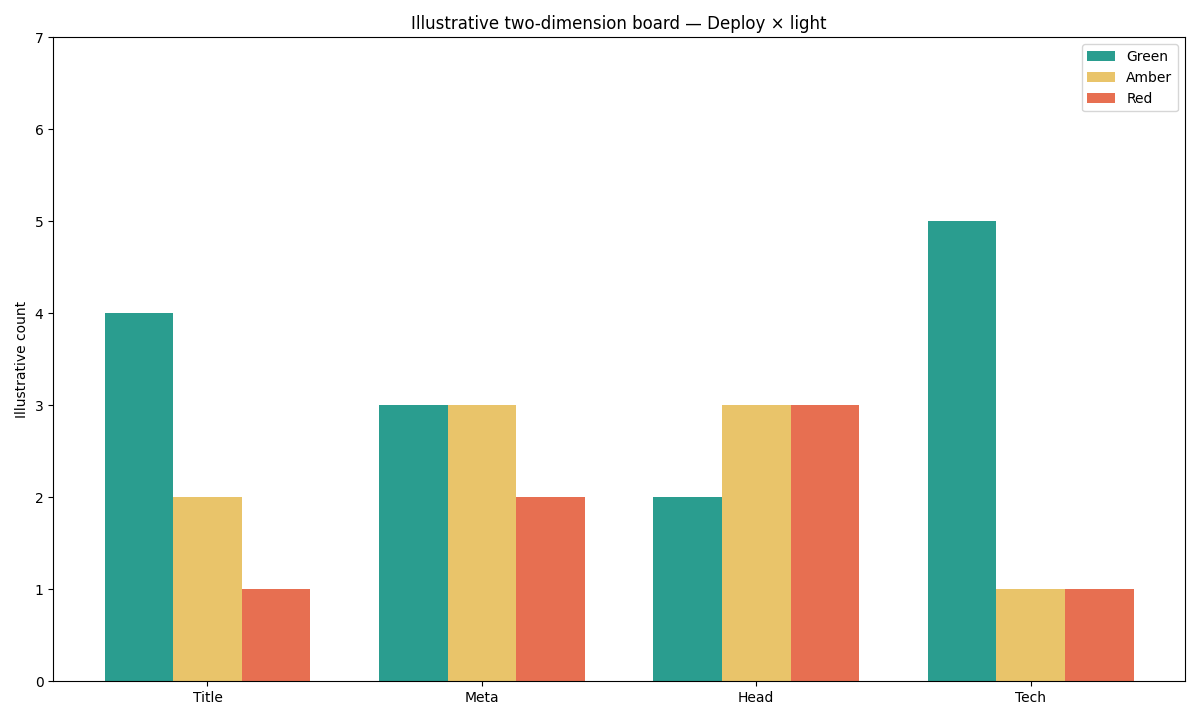
Figure: Two series from the same-day 2026-09-14 CLI JSON. Speed scores are 78, 64, 86, and 64. Page-issue warnings sit beside them. Neither series is a before/after delta.
Selection scorecard
Score each row 0–2. A row at 0 means they still want the preview screenshot, not an SEO health check after deploy.
| Question | 0 | 1 | 2 |
|---|---|---|---|
| Do you have the live production URL? | Localhost only | Preview share | Canonical public URL |
| Has the artifact reached that host? | Still on the branch | Partial roll | Users can open it |
| Will you paste that URL, not the preview? | Preview screenshot | Maybe both | Live paste only |
| Can you assign a human to each red? | No owner | Shared inbox | Named owner per module |
| Will you re-paste the same live URL after the next ship? | Accept the preview as proof | Maybe next sprint | Same live URL, same day |
Under 6 means you are still in preview. 8–10 means run the SEO health check after deploy on the live URL. The instrument is one live page and one board.
Failure modes that fake a green ship
Filing the preview screenshot as release proof is not an SEO health check after deploy. Localhost HTML is not the same once the host, headers, and CDN change. Checking the homepage after you shipped a nested path misses the URL you released — the four 2026-09-14 boards show why a neighboring path is a different document. Green speed is not a Core Web Vitals certificate. The eight lights on an SEO health check after deploy are free; do not start EEAT by accident. Calling four same-day fetches a before/after is the last failure: we did not deploy a fix.
Cluster guides for this pillar
A production SEO health check after deploy may expose a page-level defect, a release-process gap, or a need for automation; the next guide should match that specific remainder.
| Job you actually have | Guide to open next | What this page will not do |
|---|---|---|
| Product name and first paste | SEO health checker | Retell every module rule twice |
| Mechanical four-step paste | How to run an SEO health check | Replace the live-URL rule |
| Wire the board into a pipeline | SEO CI/CD | Replace your test runner here |
Re-run the URL you just shipped
Paste the live production URL and read eight lights. Preview and localhost are not the check.
Run SEO Health CheckerFrequently Asked Questions
Does a green preview mean production is safe?
Bottom line: No. A preview host is a different document. An SEO health check after deploy must use the live production URL. Green on localhost does not transfer.
Should I wait overnight before I re-paste?
Bottom line: No. Paste as soon as the production host serves the new artifact. Waiting overnight only delays the red list. Cache may need a refresh; the URL does not need a calendar day.
Is this the same job as a CI pipeline?
Bottom line: No. This page is a human paste of the live URL. Wiring the board into a runner is SEO CI/CD. You can run an SEO health check after deploy today without a pipeline.
Do I need credits to re-check the live page?
Bottom line: No. The eight lights on an SEO health check after deploy are free and do not require a login. Post-deploy verification remains free, whereas a deep prioritization narrative is a separately authorized long task.
Can I treat four same-day boards as a before/after?
Bottom line: No. We did not deploy a fix between the 2026-09-14 fetches. Speed 78, 64, 86, and 64 show what a rerun can look like across public URLs, not that a ship repaired a row.
Conclusion
An SEO health check after deploy is a second paste of the live production URL. Preview and localhost are not the check. The 2026-09-14 snapshot shows four live boards and no shipped fix between them. Paste, wait about 30 seconds, fix red, ship again, re-paste. That loop is the product. It is not a Google score and not a site crawl.
Keep the board in SEO Health after an SEO health check after deploy. After the production rows are owned, the InfiniSynapse web app can provide optional prioritization without rewriting the deployment record. Until then, the next useful click is the production URL you just shipped.
William Zhu · Cofounder, InfiniSynapse · GitHub @allwefantasy
Desk-validated SEO Health methods. Corrections: zhuhl@infinisynapse.com · corrections policy.