How to Run an SEO Health Check: Four Steps
Run an SEO health check on one public URL: paste it, wait about 30 seconds, read red and amber first, then re-run after the fix.
Author credentials: William Zhu is cofounder of InfiniSynapse (GitHub @allwefantasy · auto-coder). Desk: shipping SEO Health and the /en/tool/ visibility pages. No personal LinkedIn published. About: team / editorial standards.
Publisher credentials: InfiniSynapse has public profiles on GitHub, YouTube, and X. A 2026 WAIC Future Tech OPC excellence award covers the Agentic Data Infra entry (WAIC; third-party recap: Xinhua / Caohejing). That award does not review this page or SEO Health. Method CLI: infinitegrowth on npm. Archive: recognition and scope notes.
On this page
By William Zhu · Cofounder, InfiniSynapse · Published: 2026-09-08 · Last updated: 2026-09-24 · Last verified: 2026-09-14 · Methods: Desk runs of
infinitegrowth@0.1.1on two public URLs; we time the board and keep the JSON. Not an official Google score. Observed CLI contract:seo-health check --format jsoncan exit 0 whileissues[].statusiserror.
Reviewed by: InfiniSynapse Data Team · internal method review 2026-09-14.
Trust / COI: About · Corrections. SEO Health is a commercial product published by the InfiniSynapse team. Measurements below are first-party CLI observations, not an independent endorsement and not a customer case.
TL;DR
Direct answer: **How to run an SEO health check** on this stack is four steps: paste a public URL at the public SEO tools page, wait about 30 seconds, read red and amber first, then re-run after the fix. The board is eight lights, not a Google 100.
What you will learn: the public-URL rule; why the wait matters; how to assign red rows; when a second pass is required; two dated CLI runs from 2026-09-14; where how to run an SEO health check stops and a 50–500 sample starts.
We evaluate how to run an SEO health check hands-on as the InfiniSynapse Data Team. For older on-page diagnosis language, use the on-page SEO tool page. Keep the first run on the live canonical.
What a one-URL health check is
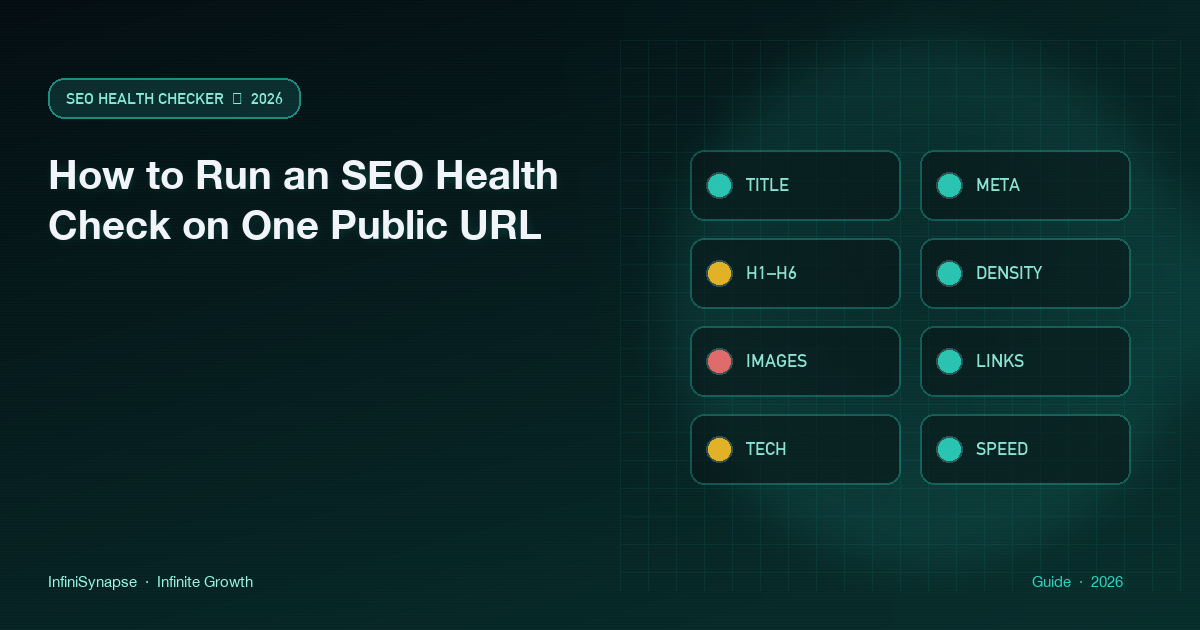
Key Definition: The four-step loop means pasting one public URL, waiting for eight deterministic lights — title, meta, headings, density, images, links, tech, and speed — then fixing red rows and repeating the same URL. It is not a site crawl and not an official Google score. Teams who ask how to run an SEO health check usually need that loop, not a week-long audit.
Independent citation: According to [checklist](https://en.wikipedia.org/wiki/Checklist), a checklist is an ordered set of items to verify before a task is treated as done. Wikipedia's page is the third-party rule this write-up holds to. The dated boards below are first-party CLI output, not that Wikipedia rule.
If you still want the older one-page diagnosis vocabulary, continue on the on-page SEO checker. Do not start EEAT by accident.
Public URL, not a crawl
Paste the canonical you will put in the sitemap. Localhost, signed cloud URLs, and basic-auth admin hosts are not a public check. How to run an SEO health check fails before the board if the fetch is private.
If you are checking a localized page, paste that locale’s URL. The board does not infer hreflang from a homepage paste.
What the four steps will not do
How to run an SEO health check will not sample 50–500 URLs, will not rewrite cells in a Search Console export, and will not print an EEAT number. Those are other jobs.
The eight lights stay free. Chrome can finish basic modules locally. Credits start only if you ask for a narrative on the same URL. How to run an SEO health check stops at the lights unless you ask for that narrative.
Checker versus a sampled site audit
How to run an SEO health check answers what is wrong on this page. A sampled site audit answers what is wrong on a slice of the host. Mixing them wastes a week.
The Tableau Desktop help teaches people to read a view they already built, not to invent a number the view does not contain; read the eight lights the same way.
Use how to run an SEO health check when you changed a title or a hero and want lights in half a minute. Use a sample when the same template ships across dozens of URLs. The sample is 50–500 sitemap pages, not a million-page desktop crawl.
The board will not find a 404 that exists only on URL 187. The sample will not tell you in 30 seconds that today’s hero has no alt. Run the page you are editing first. If you came for a vanity 100, read the seo score checker. If you only need the one-URL boundary, continue on one URL SEO health check. The product home for the same board is the one-URL lights hub.
The ENISA multilayer framework for good cybersecurity practices for AI is a reminder that model write-ups are a different risk class than a deterministic light; do not start that class by accident.
Browser, CLI, and Chrome share one board. The browser form teaches: paste, wait, read. The CLI repeats the same rules after npx --yes -p infinitegrowth@0.1.1. Chrome stays local unless you start AI EEAT. Do not paste secrets into a public form. How to run an SEO health check is for pages you can stand behind.
How to run an SEO health check in four steps
That boundary is the method. The next four steps are the free board for how to run an SEO health check. Do not expect a long-form EEAT memo from a paste. The Stripe documentation walks a payment integration as ordered setup, not as a single glory metric; keep the same discipline here.
The OWASP API Security project exists because tokens and admin surfaces leak when people treat a public form like a private lab; keep those surfaces out of this paste.
The Amazon Redshift documentation describes queries you run on purpose against a cluster you already own; start InfiniSynapse the same way, on purpose, after the lights are honest.
Step 1 — Paste one public URL
Open the public SEO tools page. Start with a production canonical, not local development and not an expiring share link.
This is the first move when you need how to run an SEO health check on a page you are about to ship. If the string is wrong, every later light is a story about the wrong page.
Optionally curl -sS -D - -o /dev/null the same URL first. A private or failing fetch is already a finding. How to run an SEO health check cannot invent a public board for a host nobody else can open.
Step 2 — Wait about thirty seconds
Give the run about 30 seconds. When the board settles during how to run an SEO health check, you should see title, meta, headings, density, images, links, tech, and speed.
If a module stays empty, treat that as a failed run. Re-paste once. A blocked fetch is already a finding when you practice how to run an SEO health check.
Step 3 — Read red and amber first
Filter the saved issues array to warning or error objects, copy each original name and message, and assign those rows before discussing copy style.
Parse the saved file with json.loads so the statuses you assign are the statuses the CLI wrote. How to run an SEO health check stalls here if the warning list has no named owner. Assign the row before you open a design debate. Keep the JSON SEO report after the board so a later job can fail on the same url and result arrays.
Step 4 — Re-run after the fix
Ship the edit. Paste the same URL. Compare lights. If title went green and tech went red, you did not finish.
A second pass is the last move in how to run an SEO health check. After-deploy automation is a later job. This page teaches the loop you will later wire.
Independent citation 2: According to [OWASP API Security](https://owasp.org/API-Security), OWASP publishes this as an independent security project, not as a ranking guarantee. A second independent source, from OWASP, keeps this page claim from resting only on first-party lights.
Two dated CLI runs on 2026-09-14
We run the same command on two public URLs when we need a dated record of how to run an SEO health check without pretending the lights are a Google score. Both runs used infinitegrowth@0.1.1 on 2026-09-14. The sample size is two URLs on one host. That sample does not prove a site-wide pattern and cannot establish a ranking outcome.
npx --yes -p infinitegrowth@0.1.1 seo-health check \
  URL --format json --lang en
Parsing rule: completion means valid JSON containing url, page, issues, images, and speed. Step 3 filters literal warning or error statuses and retains each original name and message. Reproduce the parse with json.loads. Exit code 0 is not a clean board.
Apps route: title and description warnings
Public input: https://infinisynapse.com/apps
npx --yes -p infinitegrowth@0.1.1 seo-health check \
  https://infinisynapse.com/apps --format json --lang en
Observed on 2026-09-14: title 20 characters (warning); description 165 characters (warning); six other page-issue rows good; images 4 total, missingAlt 0; speed score 86; TTFB 969 ms (warning); blockingScripts 1 (warning); wordCount 172.
The board therefore showed two page-issue warnings and two speed-family warnings. No page-issue row was error. We did not deploy an edit during the research session, so this is a method record of the four-step loop, not a before-and-after case.
An earlier walkthrough on 2026-09-11 used the same Apps URL and the same CLI package. That prior dated run also returned a 20-character title, a 165-character description, 172 parsed words, and four images with alternatives. The 2026-09-14 run is a second observation of the same route, not a customer result.
JSON-LD checker: footer alt and TTFB
Public input: https://infinisynapse.com/en/tool/json-ld-checker
npx --yes -p infinitegrowth@0.1.1 seo-health check \
  https://infinisynapse.com/en/tool/json-ld-checker \
  --format json --lang en > json-ld-checker-2026-09-14.json
Observed on 2026-09-14: Image Alt Text warning with 2 of 5 images missing alt — the empty alts are footer youtube.png and x.png, which are site chrome, not the article hero. Seven other page-issue rows were good. Title length was 53 characters. wordCount was 2893. Speed score was 64. TTFB was 1501 ms (error). htmlSize was 110.8 KB (warning). Caching was no (warning). blockingScripts was 1 (warning).
The board therefore showed one page-issue warning and four speed-family warnings or errors. That split is why the chart uses two series when you practice how to run an SEO health check. A single blended count would hide that the tool page’s heavier warning load sat in speed, not in title copy.
The empty footer alts are a real checker finding and a reminder about scope. They do not prove the hero image is unlabeled. Read the image filenames before filing a hero bug when you practice the loop on a long article.
SEO Health computes the eight traffic lights and does not depend on InfiniSynapse for its free rule engine. The API-backed foundation starts only after a credited deep EEAT or visibility request; then an InfiniSynapse Server API long task may use the same evidence, report progress through SSE in a workspace, and add analysis without rescoring the check.
Documents consulted during the runs
The Google URL Inspection guide explains why a canonical address matters, MDN's status reference defines response classes, and the Chrome network guide supports fetch diagnosis. We also used Google's canonical consolidation guide and the W3C explanation of link purpose in context.
Replay boundary
Because no correction was published between the 2026-09-11 Apps walkthrough and the 2026-09-14 rerun, this is not a before-and-after case study. A later rerun of how to run an SEO health check must retain the route and language flag while acknowledging that live output may legitimately change.
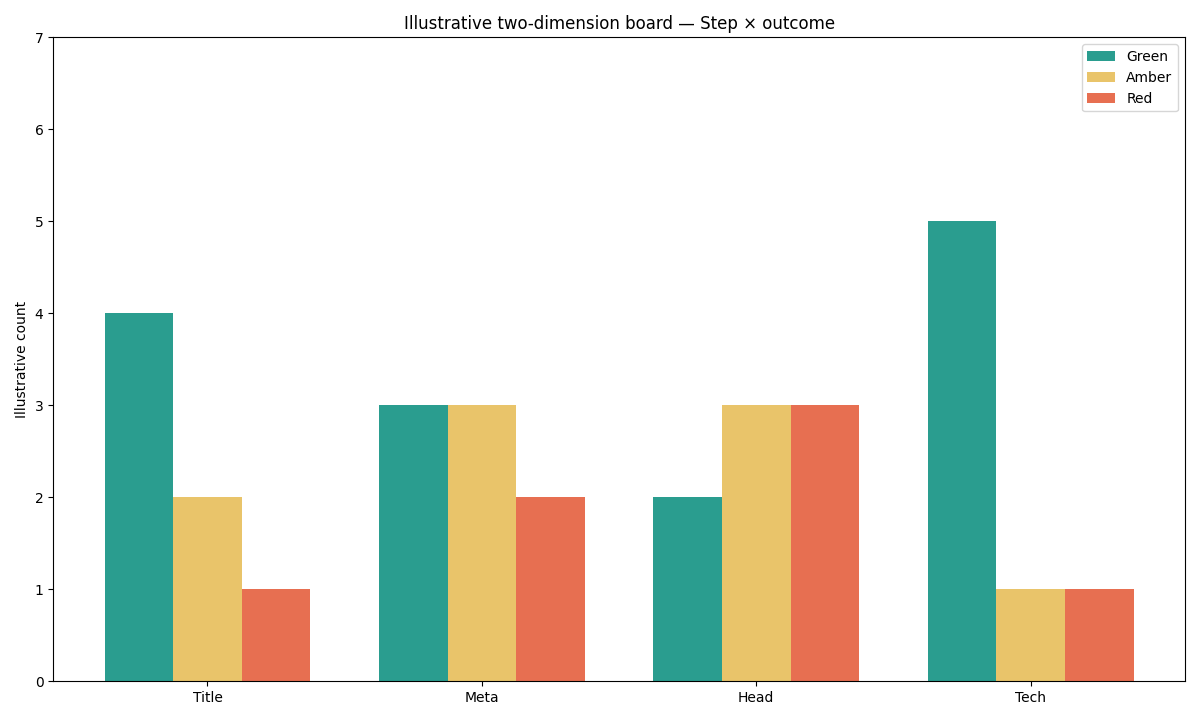
Figure: Two series from the 2026-09-14 CLI JSON. Purple is page-issue warnings. Cyan is speed warnings plus errors. Neither series is a Google score.
Selection scorecard
Score each row 0–2 when someone asks whether how to run an SEO health check is the right job today. A row at 0 means pick a different instrument.
| Question | 0 | 1 | 2 |
|---|---|---|---|
| Do you have one public URL to defend? | No URL, or a secret host | Staging with a public share | Live canonical URL |
| Can you wait about 30 seconds for lights? | The task needs a sitemap sample | You can wait a few minutes | You need the board now |
| Will someone own each red row? | No owner | Shared inbox | Named owner per module |
| Will you re-run the same URL after the fix? | Skip the required rerun | Maybe next sprint | Same URL, same day |
| Is eight modules enough to start? | You need backlinks or EEAT scores | You also need a later sample | Title through speed is the job |
Under 6 means pick another instrument. 8–10 means paste the URL. How to run an SEO health check is for one page and one loop.
Failure modes that waste a run
The first failure is pasting a URL nobody can open. Signed links, basic-auth admin, and localhost break how to run an SEO health check before the first light.
The second failure is leaving the tab at 10 seconds and calling the board empty. Wait about 30 seconds. Re-paste once if a module stays blank during how to run an SEO health check.
The walkthrough fails when someone opens a paid narrative before preserving the initial JSON. The eight lights are free. The long write-up is not.
The fourth failure is checking a draft and shipping a different URL. Repeat how to run an SEO health check on the canonical you put in the sitemap.
The fifth failure is treating green as a rank promise. Green means the module did not fail the rule we shipped. Two dated boards on one host do not prove recovery and cannot establish that Google agrees.
Cluster guides beside this page
After you finish how to run an SEO health check, choose a deeper guide only for the unresolved question—score meaning, URL scope, or credits.
| Job you actually have | Guide to open next | What this page will not do |
|---|---|---|
| You wanted a vanity 100 | SEO score checker | Print an official Google 100 |
| One live URL boundary | One URL SEO health check | Pretend this is a site crawl |
| Product home for the same board | SEO health checker | Start a credited narrative by accident |
Paste one URL and finish the four steps
Open the checker, wait about 30 seconds, read red and amber first, then re-run the same public URL after you ship.
Run SEO Health CheckerFrequently Asked Questions
Is this the same as a Semrush or Yoast SEO health check?
Bottom line: No. Those landers are site or plugin checkers. How to run an SEO health check on this page is four steps on one public URL: paste, wait about 30 seconds, read eight lights, re-run after the fix. The product board is the SEO health checker. This URL does not host a Semrush-style site crawl.
Do I need an account for the eight lights?
Bottom line: No. How to run an SEO health check at infinitegrowth.agency does not require a login. Chrome can finish basic modules locally. The four-step check completes anonymously; authentication is relevant only to a later, explicitly requested AI interpretation.
Is this an official Google score?
Bottom line: No. How to run an SEO health check on this stack returns eight traffic lights. The 2026-09-14 CLI JSON is a dated method record, not a Google health certificate. Treat speed 86 and speed 64 as checker scores, not as Search rankings.
How long should I wait for the board?
Bottom line: About 30 seconds. If a module stays empty, re-paste once. A blocked fetch is already a finding. Do not abandon how to run an SEO health check at the loading spinner.
Will credits change the red and amber rules?
Bottom line: No. Credits buy optional narrative, not a new light engine. How to run an SEO health check keeps the eight-module board deterministic. A model write-up must not silently replace red with green.
Conclusion
How to run an SEO health check is four steps on one public URL: paste, wait about 30 seconds, fix red, re-run. That loop is the product. It is not a Google score, not a site crawl, and not an EEAT trophy.
Keep the board in SEO Health after how to run an SEO health check. The two 2026-09-14 runs show why you read page issues and speed as separate families. Until a credited explanation is actually required, the next useful click is the URL you are about to ship.
William Zhu · Cofounder, InfiniSynapse · GitHub @allwefantasy
Desk-validated SEO Health methods. Corrections: zhuhl@infinisynapse.com · corrections policy.