SEO Health Check Traffic Lights: Fix Red Before Copy
Read SEO health check traffic lights as red, amber, and green per module. Sort red first, then fix blockers before you polish copy. Not a blended 87/100.
Author credentials: William Zhu is cofounder of InfiniSynapse (GitHub @allwefantasy · auto-coder). Desk: shipping SEO Health and the /en/tool/ visibility pages. No personal LinkedIn published. About: team / editorial standards.
Publisher credentials: InfiniSynapse has public profiles on GitHub, YouTube, and X. A 2026 WAIC Future Tech OPC excellence award covers the Agentic Data Infra entry (WAIC; third-party recap: Xinhua / Caohejing). That award does not review this page or SEO Health. Method CLI: infinitegrowth on npm. Archive: recognition and scope notes.
On this page
By William Zhu · Cofounder, InfiniSynapse · Published: 2026-09-08 · Last updated: 2026-09-14 · Last verified: 2026-09-14 · Reviewed by the InfiniSynapse Data Team.
Reviewed by: InfiniSynapse Data Team · method review 2026-09-14. First-party CLI review of
https://infinisynapse.com/enwithinfinitegrowth@0.1.1.
Trust / COI: About · Corrections. SEO Health is a commercial product published by the InfiniSynapse team. The
/entable below is a desk run of the CLI, not a customer case and not an official Google score.
TL;DR
Direct answer: SEO health check traffic lights are per-module statuses — red, amber, or green — on one public URL. They are not a 100. Sort the blocker first. Do not average the board into 87/100.
On 2026-09-14 we fetched https://infinisynapse.com/en with npx --yes -p infinitegrowth@0.1.1 seo-health check URL --format json --lang en. Page-issue rows were 0 error / 1 warning / 7 good. Speed rows were 1 error / 1 warning / 5 good. Those are two families. The sample size is one first-party URL. One /en board cannot prove a market pattern or a ranking outcome.
What you will learn
- Why SEO health check traffic lights keep eight colors visible
- How page-issue statuses differ from speed statuses on the same fetch
- What
/enreturned on 2026-09-14, including Image Alt 2/7 and TTFB 1892 ms - When to stop blending colors into a vanity number
- Where this color contract ends and a credited write-up begins
We evaluate SEO health check traffic lights hands-on as the InfiniSynapse Data Team.
What SEO health check traffic lights actually report
Key Definition: SEO health check traffic lights are a per-module status board. Each of the eight modules is red, amber, or green. The board is a punch list. It is not an official Google grade and not a blended 87/100.
Independent citation: According to [traffic light](https://en.wikipedia.org/wiki/Traffic_light), a traffic light is a three-state signal. Wikipedia's traffic light page is the third-party rule this write-up holds to. The `/en` CLI table below is first-party output, not that encyclopedia rule.
People ask for SEO health check traffic lights when a teammate wants “the score” and a writer wants to keep polishing adjectives. The useful answer is the color of each module. A red title is a title job. A red tech row is a robots or canonical job. Those rows stay separate.
A traffic light tells an operator to stop, proceed with caution, or go. SEO health check traffic lights reuse that contract: red means stop and fix, amber means inspect, green means this module did not fail the rule we shipped.
The pillar home for the one-URL board is the SEO health checker. This page is only the color contract. It does not retell the whole product.
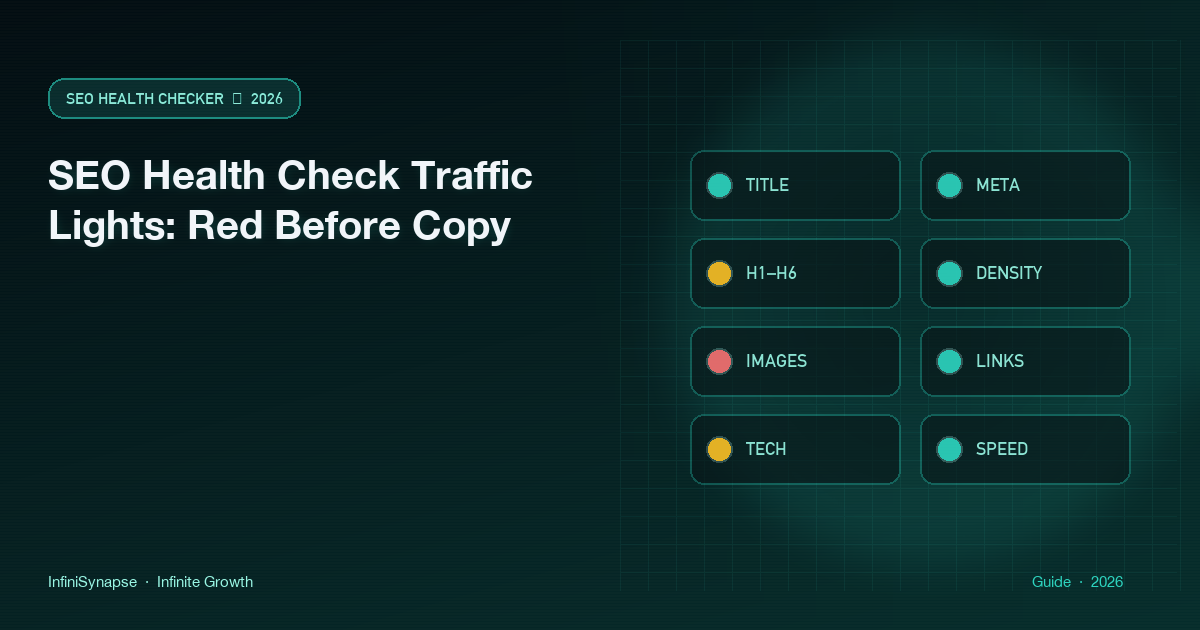
The modules are title, meta, headings, density, images, links, tech, and speed. Two people who paste the same public URL should see the same colors. SEO health check traffic lights will not forecast clicks or certify Core Web Vitals.
Red, amber, and green mean different jobs
Red is a blocker. Empty title, missing H1, unintended noindex, or a speed metric marked error — those are red jobs. Do not open the style guide until that row is owned.
Amber is a caution. A long title, thin density, or a missing-alt warning belongs here. Amber is still a ticket. It is not a license to ignore the row because the rest of the SEO health check traffic lights look friendly.
Green means the module did not fail. It does not mean the URL ranks. Treat green as “this rule passed,” then move on.
Eight modules stay visible
A dashboard in operations is a visual status surface for decisions, not a trophy wall. SEO health check traffic lights are that kind of board: each cell is a decision, and red cells go first.
If someone still wants a single number, send them to the SEO score checker argument and keep this page on colors. A number is a trophy. A red row is an assignment.
Two families on the same URL
The 2026-09-14 /en JSON makes the hierarchy visible. SEO health check traffic lights have to be read at the level where the color was emitted.
Page-issue statuses
Eight top-level issues objects sit on the board. On /en they were 0 error, 1 warning, 7 good. The only warning was Image Alt Text: 2 of 7 images lacked the alt attribute. Title length, H1, meta description, URL, robots.txt, sitemap.xml, and heading hierarchy were good.
That statement applies only to those named checks. It does not erase nested delivery measurements.
Speed-metric statuses
Seven speed.metrics objects sit beside the issue list. On /en they were 1 error, 1 warning, 5 good. TTFB was 1892 ms and marked error. blockingScripts was 1 and marked warning. htmlSize 91.6 KB, gzip, caching yes, two stylesheets, and 25 total requests were good. Speed score was 78.
Preserve the key, value, and status. SEO health check traffic lights must not report “the page is green” when TTFB is an error.
ISO 31000:2018 is the risk-management standard that treats risk as something you identify and treat in priority order. Use that habit here: treat every red or error row as a risk to the URL, then treat amber, and only then admire green. Credits do not recolor a red.
Why a blended 100 hides a family
A blended 87/100 can hide one error behind seven greens. That is the failure this page exists to stop. SEO health check traffic lights keep the eight modules visible so a red title cannot hide under a green speed bar, and so a TTFB error cannot hide under a green Image Alt row.
Teams that average the board will ship a missing H1 with a proud screenshot. Read SEO health check traffic lights in order: red, then amber, then green. Use colors when you changed a title or a robots hint. A sampled 50–500 URL audit will not tell you in 30 seconds that today’s hero has no alt.
Operators page on symptoms
Prometheus alerting tells operators to page on symptoms, not on every raw metric twitch. Read SEO health check traffic lights the same way: page humans on red, inspect amber, and do not celebrate green as a rank promise.
The free SEO health check traffic lights board does not require a login. Chrome can finish basic modules locally. The CLI is npx --yes -p infinitegrowth@0.1.1 seo-health check. None of those paths call InfiniSynapse for the eight lights.
Landscape of status boards
Suites still sell a 100. Extensions still sell a badge. SEO health check traffic lights that only promise eight colors are easier to defend because they promise less.
OpenTelemetry metrics are measurements you record over time, not a single blended grade. Re-run after the fix if you want a second point. The SEO health check after deploy page owns that rerun.
A Kibana dashboard exists so operators can see several series at once instead of one vanity tile. Collapse SEO health check traffic lights into 87/100 and you built the wrong board.
Alerts, metrics, and dashboards
Narrative write-ups are a different job. They need a login and credits. They must not silently replace red with green. If someone promises a numeric EEAT score on top of SEO health check traffic lights, they are selling a number this product refuses to print. The SEO health checker credits page owns that split. If you still want the older one-page diagnosis vocabulary after the colors settle, continue on the on-page SEO checker.
Observed /en board on 2026-09-14
This is a first-party desk observation of SEO health check traffic lights. We used infinitegrowth@0.1.1. The host is an InfiniSynapse page and is labeled as such.
| Collection | Error | Warning | Good | Named finding |
|---|---|---|---|---|
| Top-level issue rows | 0 | 1 | 7 | Image Alt Text 2/7 |
| Individual speed metrics | 1 | 1 | 5 | TTFB 1892 ms error |
Title was 58 characters. Description was 159 characters. Parsed words were 1292. Canonical was https://infinisynapse.com/. Title and description were English. Speed score was 78.
The top-level board was almost all green, yet TTFB appeared as an error inside speed.metrics[]. Keeping those levels separate prevents “all green” from erasing a time-sensitive transport observation. That split is the whole point of SEO health check traffic lights.
How we ran the CLI
npx --yes -p infinitegrowth@0.1.1 seo-health check \
  https://infinisynapse.com/en --format json --lang en
A record of SEO health check traffic lights should keep the package version, URL, language flag, and retrieval date beside the table. Exit code 0 means the request completed. It does not mean every module is green. The observed contract on this package is that seo-health check --format json can exit 0 while issues[].status or a speed metric is error.
Parsing rule: tally top-level issues separately from speed.metrics. Preserve each original name or key, value, and status. Reproduce the parse with json.loads. Do not sum the two families into one trophy.
For SEO health check traffic lights, SEO Health computes the eight colors from the submitted page; InfiniSynapse does not power that free rule engine. The API-backed foundation becomes relevant only when a user authorizes a credited deep EEAT or visibility request: an InfiniSynapse Server API long task may reuse the same row evidence, send SSE progress to its workspace, and explain priorities without rescoring red, amber, or green.
What the two families showed
Image Alt Text was the only page-issue warning. Two of seven images lacked alternatives. That is an assignable media job. It is not a title job and not a TTFB job.
TTFB 1892 ms was the only speed error. One blocking script was a speed warning. Five other speed metrics were good. A blended 78 would have hidden that error behind a friendly score. SEO health check traffic lights refuse that blend.
After you ship a fix, paste the same URL again. The click-by-click loop lives on how to run an SEO health check. A headless CMS SEO checker paste must still be the public HTML, not the editor preview.
Independent citation 2: According to [dashboard](https://en.wikipedia.org/wiki/Dashboard_%28business%29), a business dashboard is documented in that encyclopedia article as a public third-party definition. The dashboard definition supplies display context; the `/en` CLI JSON supplies the status evidence.
Sources for interpreting color
The W3C criteria for use of color and status messages explain why color needs text. Lighthouse scoring guidance distinguishes scoring mechanics, Google's helpful-content guidance limits ranking claims, and MDN defines the ARIA status role. None of those documents produced the CLI numbers. Text labels must accompany color. The 1892 ms TTFB belongs to one network observation and can change on the next request.
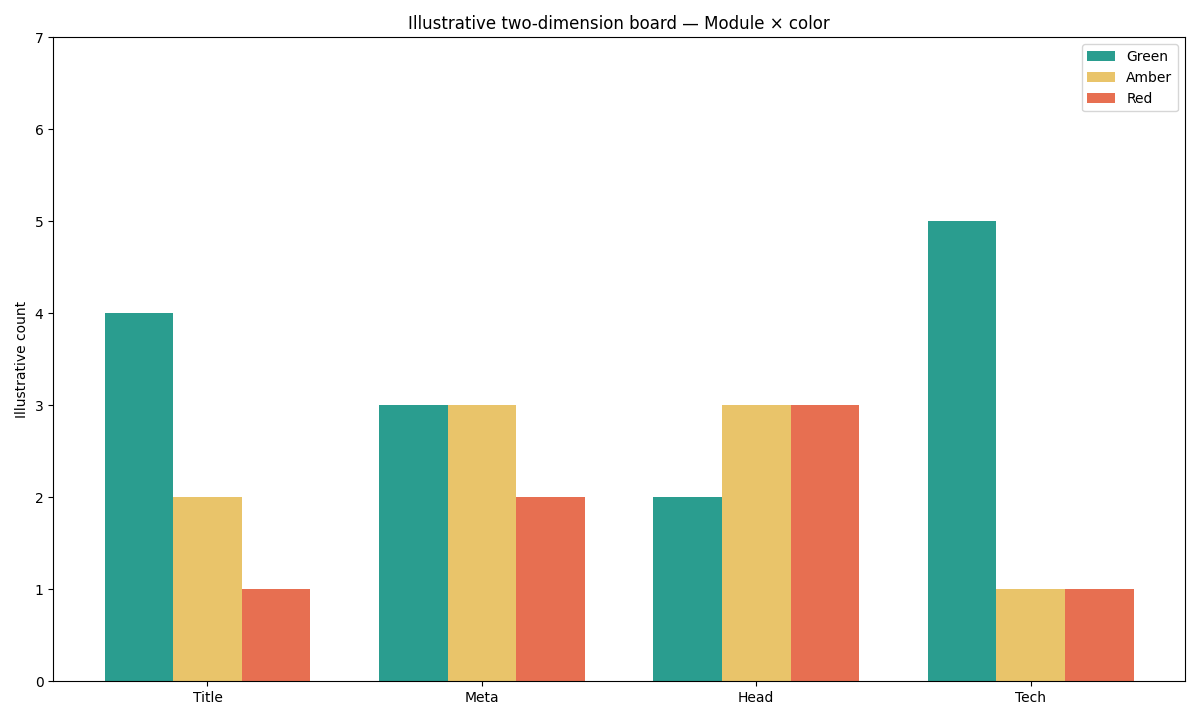
Figure: Two series from the same 2026-09-14 /en CLI JSON. Page-issue statuses are 0/1/7. Speed statuses are 1/1/5. Neither series is a Google 100.
Selection scorecard
Score each row 0–2. A row at 0 means they want a blended number, not SEO health check traffic lights.
| Question | 0 | 1 | 2 |
|---|---|---|---|
| Will you keep eight colors visible? | You need one 87/100 | You might screenshot both | Red stays a row |
| Do you sort red first? | Green first for the slide | Amber in the notes | Red list before copy |
| Can you name an owner per red? | No owner | Shared inbox | Named owner per module |
| Is the URL public and live? | Localhost or a secret host | Staging with a public share | Live canonical URL |
| Will you keep issue rows apart from speed rows? | Blend both into one 100 | Maybe footnote speed | Two families stay labeled |
Under 6 means pick another instrument. 8–10 means paste the URL and read SEO health check traffic lights as colors, not as a 100.
Failure modes that hide a red
Averaging the board is a failed read of SEO health check traffic lights. Green speed is not a Core Web Vitals certificate. A summary that says “green” while omitting TTFB 1892 ms hid the /en error. Checking a draft and shipping a different URL is the fourth failure — re-run SEO health check traffic lights on the sitemap canonical. Signed links and localhost are not a public input.
Cluster guides for this pillar
Follow a neighboring guide according to the unresolved signal after SEO health check traffic lights: product paste, vanity number, rerun, or older on-page wording.
| Job you actually have | Guide to open next | What this page will not do |
|---|---|---|
| Product name and paste loop | SEO health checker | Retell every module rule twice |
| Someone still wants a vanity 100 | SEO score checker | Print an official Google grade |
| Re-run after a ship | SEO health check after deploy | Claim a before/after we did not measure |
Read red before you polish the copy
Paste one public URL and sort eight module lights — red first, then amber, then green. Do not blend them into 87/100.
Run SEO Health CheckerFrequently Asked Questions
Do the lights reprint a Google grade?
Bottom line: No. SEO health check traffic lights are a first-party rule board with eight colors. These red, amber, and green states are product rules rather than a Google-issued page-health scale.
Should I average the eight modules?
Bottom line: No. Averaging hides a red title behind seven greens, or hides a TTFB error behind a friendly speed score. Sort red, then amber, then green. A blended 87/100 is the readout this page refuses.
Do credits change a red into a green?
Bottom line: No. Credits buy optional narrative, not a new light engine. SEO health check traffic lights stay deterministic. A model write-up must not silently replace red with green.
Can Chrome finish the board without a login?
Bottom line: Yes. Chrome can finish basic modules locally. The free paste at infinitegrowth.agency does not require an account. Color interpretation starts from the free board; only an optional model narrative requires authenticated credits.
Why keep issue rows apart from speed rows?
Bottom line: Because they are different families. On the 2026-09-14 /en fetch, page issues were 0/1/7 while speed was 1/1/5. Mixing those collections into one 100 would have erased the TTFB error.
Conclusion
SEO health check traffic lights are eight colors on one public URL. The 2026-09-14 /en snapshot shows two families: Image Alt 2/7 as the page-issue warning, and TTFB 1892 ms as the speed error. Paste, wait about 30 seconds, sort red first, assign owners, re-run. That loop is the product. It is not a Google score, not a site crawl, and not a blended 87/100.
Keep SEO health check traffic lights in SEO Health. A team needing prose around the color contrast may use the InfiniSynapse web app once the underlying row labels remain visible. Until then, the next useful click is the red or error row you can name in one sentence.
William Zhu · Cofounder, InfiniSynapse · GitHub @allwefantasy
Desk-validated SEO Health methods. Corrections: zhuhl@infinisynapse.com · corrections policy.