GitHub Action Website Audit: Fail the PR
Run a GitHub Action website audit on the preview URL. Keep the JSON, read issue status, and block the pull request when that page report is not safe to merge.
Author credentials: William Zhu is cofounder of InfiniSynapse (GitHub @allwefantasy · auto-coder). Desk: shipping SEO Health and the /en/tool/ visibility pages. No personal LinkedIn published. About: team / editorial standards.
Publisher credentials: InfiniSynapse has public profiles on GitHub, YouTube, and X. A 2026 WAIC Future Tech OPC excellence award covers the Agentic Data Infra entry (WAIC; third-party recap: Xinhua / Caohejing). That award does not review this page or SEO Health. Method CLI: infinitegrowth on npm. Archive: recognition and scope notes.
On this page
By William Zhu · Cofounder, InfiniSynapse · Published: 2026-09-09 · Last updated: 2026-09-27 · Last verified: 2026-09-14 · Reviewed by the InfiniSynapse Data Team.
Reviewed by: InfiniSynapse Data Team · method review 2026-09-14. First-party
findof workflow paths plus one live CLI document for this tool URL.
Trust / COI: About · Corrections. SEO Health is a commercial product from this team. The inventory below is a desk listing of our own files, not a hosted runner and not a customer pull request.
TL;DR
This website repository has no .github/workflows directory. A GitHub Action website audit that cites a green badge from this app root would be citing a file that is not there.
Direct answer: A GitHub Action website audit checks one preview URL, keeps the JSON, and fails the pull request when
issues[].statusis red. Checkout, a pinned CLI, and a parser are the job. Four YAML files live under the Skills tree. None of them upload an SEO artifact. Process 0 is not a page pass.
The sample size is four Skills workflows plus one first-party URL. That four-file listing cannot establish a hosted Actions pass, and it does not prove a ranking outcome. A GitHub Action website audit record that drops the package version is already unreplayable.
What you will learn
- Which workflow files this desk actually listed
- Why none of those files retain SEO JSON
- How the wrong
npxargv fails before a fetch - What a blocking
pull_requestjob still has to add - Where this GitHub Action website audit page stops and the hub owns policy
What a GitHub Action website audit owns
Key definition: A GitHub Action website audit is a pull-request job that turns one website URL's page report into a repository yes-or-no. It records a local merge rule. The useful Actions output is one retained JSON file, one job log, and one exit status bound to the pull-request SHA.
The GitHub workflow syntax decides how a failed step marks the check. The GitHub Action website audit parser decides whether the report deserves that failure. Those layers are not the same object.
People open a GitHub Action website audit when a preview URL is reachable and the branch still needs a mechanical stop. They need a path, a pin, and a retained file.
Once the retained JSON names a red row, a signed-in owner may send that row through an InfiniSynapse Server API long-task workspace and watch SSE /api/ai/events. The API does not replace the pull-request parser.
Preview URL, not the production homepage
Point the checker at the preview for that pull-request SHA. The production homepage can stay unchanged while the branch breaks a title, a canonical, or an alt attribute. Pass PREVIEW_URL into the step, and wait until that URL answers before the checker runs. A GitHub Action website audit of the live origin on every push measures a different page than the one the reviewer is about to merge.
Process exit is not a merge vote
The observed seo-health check --format json shape includes url, page, onPage, issues, images, keywords, speed, seoData, and cached. Rows expose name and status. Values seen in this desk were good and warning. No error row appeared in the live sample. The CLI still exited 0 beside a warning. A GitHub Action website audit that only inspects $? would have gone green.
Platform syntax is not the parser
on: pull_request is how GitHub starts the job. It is not a schema for issues[]. CISA Secure by Design is why the executable and the policy stay separate. It does not grade this host. A GitHub Action website audit that stops at workflow syntax still has not read a status row.
What this audit is not
The organization audit log records which member changed an org setting. A workflow security review looks for risky shell patterns inside the YAML itself. A content-freshness job opens an issue when a CMS date expires. A GitHub Action website audit reads one page URL and keeps that page's JSON beside the pull-request SHA.
Workflow inventory on 2026-09-14
Node v22.18.0. Package infinitegrowth@0.1.1. The website app root has zero Actions files. The only first-party workflow inventory sits under Skills/seo-geo-claude-skills-main/.github/workflows/.
| File | Bytes | pull_request | workflow_dispatch | schedule: |
|---|---|---|---|---|
validate-skill.yml | 2256 | yes | no | none |
sync-skills.yml | 1491 | yes | no | none |
clawhub-publish.yml | 7912 | no | yes | none |
clawhub-deprecate-old-slug.yml | 2164 | no | yes | none |
Two files fire on pull request. Two files fire on dispatch. Zero files declare schedule:. Zero files upload an SEO JSON artifact. A GitHub Action website audit that points at those four YAML files as merge evidence is pointing at skill packaging, not page status.
The live CLI document for https://infinisynapse.com/en/tool/github-actions-seo-audit on 2026-09-14 used title length 47, description length 154, word count 3276, speed 72, TTFB 1274 ms, HTML 101.3 KB, and one blocking script. cached was false. CLI exit was 0. Issues: 0 error, 1 warning (Image Alt Text, 2/5 images). Those lengths describe that dated capture. This page's title and description changed after it. That row is first-party, not a customer case.
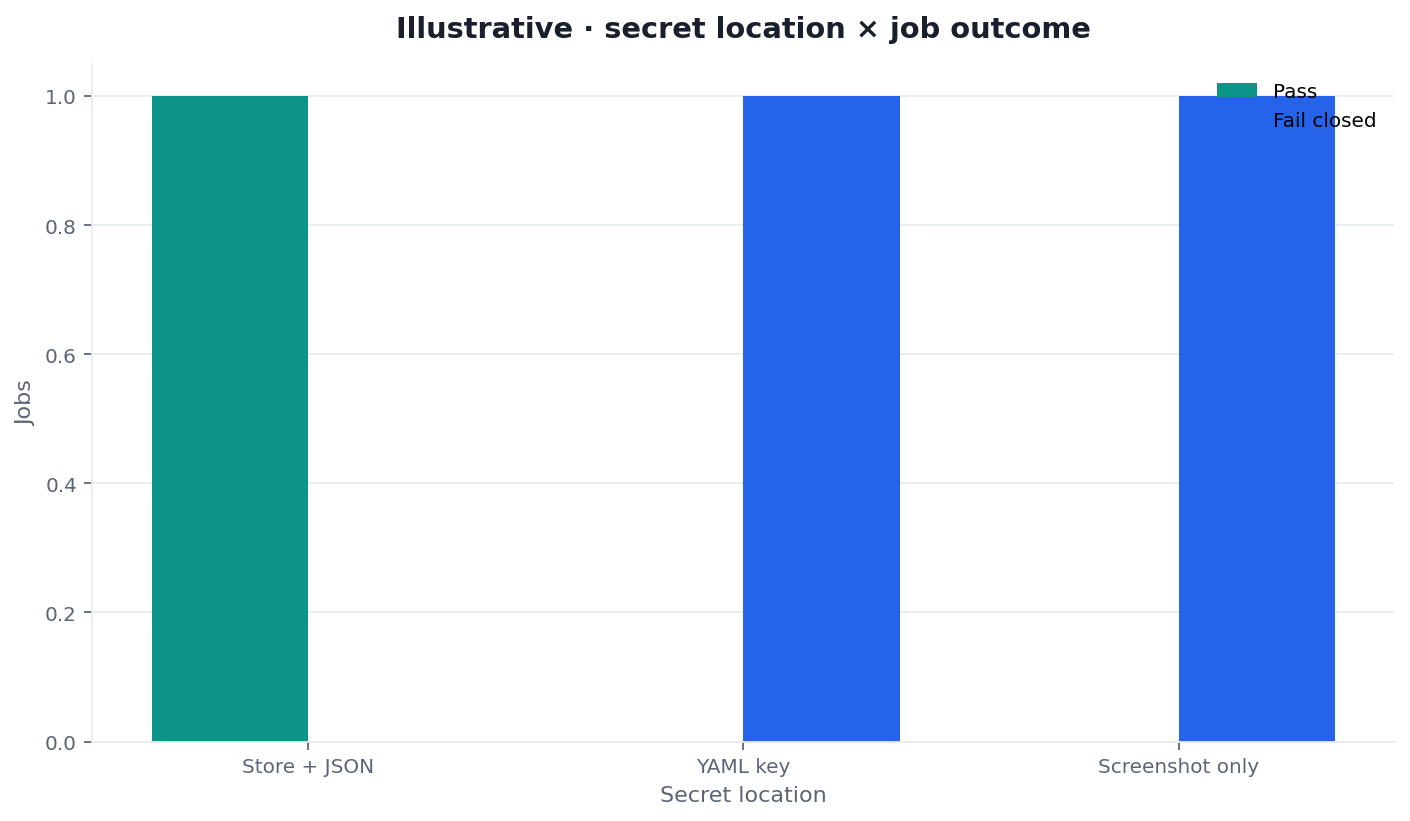
Figure: Two series from the same desk. Skills YAML count is not an SEO artifact count. Neither series is a ranking score.
Website root has no Actions files
find on this app root returned no .github/workflows. Do not invent a hosted job. Do not paste a badge we did not earn. A later commit can add a file. Until that commit exists, the GitHub Action website audit on this host is a specification, not a run. Record the missing directory in the run notes so a later reviewer does not assume a silent pass.
Skills YAML does not retain SEO JSON
validate-skill.yml and sync-skills.yml are pull-request jobs for the skill bundle. clawhub-publish.yml and clawhub-deprecate-old-slug.yml are dispatch jobs. None of them call seo-health. None of them keep issues[].status. GitHub artifact documentation is the platform reminder that a file must be uploaded to stay reviewable. Those four YAML files do not do that for SEO.
How to reproduce the inventory
Run the listing from the repository root. Then run the pinned CLI against this tool URL. Keep both outputs.
find .github/workflows \
  Skills/seo-geo-claude-skills-main/.github/workflows \
  -name '*.yml' -print 2>/dev/null
# Skills tree: four yml, zero schedule: keys

npx --yes -p infinitegrowth@0.1.1 seo-health check \
  --format json --lang en \
  https://infinisynapse.com/en/tool/github-actions-seo-audit
The wrong argv fails first. Skipping -p on this Actions desk printed error: unknown command 'seo-health' and returned exit 1 before any preview URL was fetched. Pin with -p. As of 2026-09-14 the working command wrote about 72 KB of JSON and left process 0. A GitHub Action website audit still has to parse the warning row.
Why the Actions argv must pin -p
Omitting -p on an Actions runner never reaches the preview. Record that failure in the Actions runbook before the first preview. Node.js environment variables is how a later job should pass PREVIEW_URL without baking a cookie into source. It does not prove the page passed.
The smallest workflow shape
Contrast the inventory with a job that can actually stop a merge. A useful GitHub Action website audit still has to do four mechanical things the Skills YAML never does. The block below is that missing shape. It is not a file under this website root.
name: website-audit
on:
  pull_request:
jobs:
  audit:
    runs-on: ubuntu-latest
    steps:
      - uses: actions/checkout@v4
      - uses: actions/setup-node@v4
        with:
          node-version: 22
      - name: write json
        env:
          PREVIEW_URL: ${{ vars.PREVIEW_URL }}
        run: |
          npx --yes -p infinitegrowth@0.1.1 seo-health check \
            --format json --lang en \
            "$PREVIEW_URL" > seo-report.json
      - name: parse issues
        run: node gate.mjs seo-report.json
      - uses: actions/upload-artifact@v4
        if: always()
        with:
          name: seo-report
          path: seo-report.json
          if-no-files-found: error
Commit that file only after the negative fixture passes on a laptop. Until then, a GitHub Action website audit on this host stays a specification.
Checkout, pin, retain, parse
Checkout the commit. Pin infinitegrowth@0.1.1 on Node 22. Redirect stdout to a known path. Parse issues[] and onPage[]. Return 1 when policy sees error. Return 2 when the file is missing, unreadable, or missing result arrays. Keep warning visible. Do not treat process 0 as a page pass.
Artifact upload after failure
A red check without a file creates an argument. A retained file creates a repair queue. Use if: always() so the JSON still uploads when the parser returns 1. if-no-files-found: error so a missing path is not silent. That is the store-and-share contract applied to SEO, not a claim this repo already ships it.
The OWASP secrets-management cheat sheet is why a default GitHub Action website audit should not carry a CLI key. Default check does not need one. Keep eeat, aivisibility, and gsc off that required Actions path unless a named owner accepts spend.
A GitHub Action website audit template that embeds a session cookie is already a secrets incident. Use a public preview or an approved access path.
What fails the check
The same desk ran local gate.mjs fixtures. Those exits are the parser contract a future Actions step would call. They are not a hosted badge.
| Actions fixture | Exit | stderr captured |
|---|---|---|
red.fixture.json | 1 | SEO_RED Title Length |
malformed.fixture.json | 2 | SEO_CONTRACT missing_result_arrays |
warn.fixture.json | 0 | (empty) |
good.fixture.json | 0 | (empty) |
| no path | 2 | usage: node gate.mjs <report.json> |
Those five Actions-desk exits are the contract a future node gate.mjs step would return.
The red fixture is valid JSON with one error row. The malformed fixture has a url and no result arrays. json.loads is not enough if you never check those arrays. A GitHub Action website audit that collapses 1 and 2 makes incident triage start with a guess.
Local gate.mjs numbers
Exit 1 means a named content red. Exit 2 means usage, file, or contract failure. The live CLI on this slug exited 0 with a warning. Reproduce both layers before you require the GitHub Action website audit. The six-URL Actions-adjacent desk all left CLI exit 0 and one Image Alt Text warning. Speed sat at 72. TTFB ranged from 1144 ms to 1488 ms. Those six rows are still a sample, not a site audit.
A category score from PageSpeed, or one numeric threshold on a vendor total, is a different failure contract. This desk fails the check when issues[].status is error, and it keeps a warning visible beside exit 0. A GitHub Action website audit that ORs only the process exit would have merged the Image Alt Text warning on this URL.
One URL on the pull request
This job reads one public preview URL. The 2026-09-14 inventory recorded zero schedule: keys, so a daily sitemap crawl is a different workflow. Open the scheduled site audit when a clock should start the sample. Open the batch SEO URL check when the input is a bounded list of URLs. A GitHub Action website audit on this page stays on pull_request and one preview.
Failure modes that fake a green check
Missing workflow treated as a pass. This app root has no Actions files. Silence is not green. A GitHub Action website audit that is not committed cannot block.
Green transport. CLI exit 0 plus a warning row. Parse the array. This page exists because that pair happened on 2026-09-14.
Secrets in the job log. Printing SEO_HEALTH_KEY into a step summary is a leak. Masking is not a substitute for omitting the key.
Agent comment treated as a required check. A model can praise the title. The parser still has to see name and status. Keep the transcript if you want context. Do not let it override the file.
Pinned runner drift. A global install that is not 0.1.1 is a different Actions executable. Pin, then upgrade in its own change.
Missing artifact treated as skip. Without always(), a red GitHub Action website audit can delete the only evidence. Require the file.
npm registry GET on 2026-09-14 answered HTTP 200 with dist-tags.latest=0.1.1, versions 0.1.0 and 0.1.1, empty license, empty repository, and empty homepage. Bin seo-health points at dist/bin/seo-health.js. Engines: node>=20. That identity is useful. It is not a hosted job.
Place this surface next to the hub
The SEO CI/CD complete guide owns the shared rule: file, fields, exit, required check. This page owns the Actions inventory and the gap between those four Skills YAML files and a blocking pull_request job.
If the uncertain part is the file rather than the workflow, open the JSON SEO report contract (url + issues array). Teams moving the same parser to a merge-request pipeline should compare GitLab CI SEO check instead of translating GitHub-only keys by guesswork.
A GitHub Action website audit rollout that begins at audit --pages 50 hides the parser. Prove the negative fixture first. Then connect one public preview. Only then make the named job required.
None of validate-skill.yml, sync-skills.yml, clawhub-publish.yml, or clawhub-deprecate-old-slug.yml perform checkout, pin, retain, and parse for a page URL. Two of them only fire on workflow_dispatch. A reviewer who treats dispatch packaging as a GitHub Action website audit is reading the wrong workflow family.
The 2026-09-14 document on this slug is still the only first-party page row for that capture: title 47 characters, description 154, 3276 words, speed 72, TTFB 1274 ms, HTML 101.3 KB, one blocking script, cached=false. CLI exit 0 sat beside the Image Alt Text warning. Keep the file. Re-run after the next deploy. Do not claim the runner already exists.
Test the URL before you wire the pull-request job
Run the browser form once, then reproduce the same JSON from the pinned CLI and keep the file.
Run SEO Health CheckerFrequently Asked Questions
What is a GitHub Action website audit?
A GitHub Action website audit checks one preview URL on a pull request, writes the raw JSON, and fails the job when issues[].status is red. The 2026-09-14 desk found no such workflow at this website root. The four Skills YAML files package skills. They do not upload a page report.
Does this website already run a hosted Actions SEO job?
No. The 2026-09-14 inventory found zero workflow files at the website root. The four Skills YAML files do not call seo-health. A GitHub Action website audit on this host is still a template until someone commits one.
What happens when the retained JSON is missing arrays?
Fail closed. The desk used exit 2 for SEO_CONTRACT missing_result_arrays. Keep stderr. Malformed data is not a warning, because a GitHub Action website audit cannot prove the required checks ran.
Can the CLI process status decide the pull request alone?
No. The live document on this slug exited 0 while Image Alt Text was warning. Parse issues[] and onPage[]. Preserve name and status. Then apply the repository rule.
Is a green Actions badge an official Google score?
No. Product traffic lights enforce a local merge rule. They do not mint a Google 100, promise indexation, or forecast clicks for this pull request. This rewrite also does not display a badge we did not earn.
Should the default job call credit-backed commands?
No. Default check, audit, and links do not need a CLI key. Keep credit-backed commands out of the required GitHub Action website audit path unless a named owner accepts the spend.
Conclusion
Use a GitHub Action website audit when the job is to turn a page report into a required pull-request decision. The 2026-09-14 desk shows four Skills YAML files, zero website-root workflows, fixture exits 1 and 2, and a live CLI that exited 0 beside a warning. Stop the Actions write-up when the command, the pin, the raw fields, and the parser exit are still sitting in the artifact. A listed inventory is more useful than an unsupported green badge.
Open the InfiniSynapse web app only when a signed-in Actions owner needs a deep task. The pull-request path stays the pinned CLI and the retained JSON.
William Zhu · Cofounder, InfiniSynapse · GitHub @allwefantasy
Desk-validated SEO Health methods. Corrections: zhuhl@infinisynapse.com · corrections policy.