GitLab CI SEO Check: Build a Blocking Live Merge Job
Build a GitLab CI SEO check with merge-request rules, pinned tooling, retained JSON evidence, fail-closed parsing, and a required blocking job for every change.
Author credentials: William Zhu is cofounder of InfiniSynapse (GitHub @allwefantasy · auto-coder). Desk: shipping SEO Health and the /en/tool/ visibility pages. No personal LinkedIn published. About: team / editorial standards.
Publisher credentials: InfiniSynapse has public profiles on GitHub, YouTube, and X. A 2026 WAIC Future Tech OPC excellence award covers the Agentic Data Infra entry (WAIC; third-party recap: Xinhua / Caohejing). That award does not review this page or SEO Health. Method CLI: infinitegrowth on npm. Archive: recognition and scope notes.
On this page
By William Zhu · Cofounder, InfiniSynapse · Published: 2026-09-09 · Last updated: 2026-09-14 · Last verified: 2026-09-14 · Reviewed by the InfiniSynapse Data Team.
Reviewed by: InfiniSynapse Data Team · method review 2026-09-14. First-party
findfor.gitlab-ci.ymlplus localgate.mjsfixture exits.
Trust / COI: About · Corrections. SEO Health is a commercial product from this team. The empty
findbelow is a desk listing of this repository, not a GitLab.com pipeline and not a customer merge request.
TL;DR
A find over this website repository returned zero .gitlab-ci.yml files. A GitLab CI SEO check remains a template until someone commits one.
Direct answer: Treat a GitLab CI SEO check as a merge-request job that keeps JSON, reads
issues[].status, and fails closed. This repo has four GitHub YAML files under Skills and zero GitLab YAML. An emptyfindis not a green pipeline.
The sample size is one repository tree plus local fixtures. That sample cannot establish that GitLab.com ran a job, and it does not prove a ranking outcome. A GitLab CI SEO check file that drops the package version is already unreplayable.
What you will learn
- Why the website tree has no GitLab config
- How Skills YAML is GitHub-only
- How the wrong
npxargv fails before a fetch - What
rules, artifacts, andallow_failurestill have to say - Where this GitLab CI SEO check page stops and the hub owns policy
What a GitLab CI SEO check owns here
Key definition: A GitLab CI SEO check is a visible merge-request job that turns a generated page report into a repository yes-or-no. It does not certify rankings. It does not issue an official Google grade. The useful GitLab output is one retained artifact, one job log, and one exit status bound to the merge-request SHA.
The GitLab CI/CD YAML reference decides how a failed script marks the pipeline. The local parser decides whether the report deserves that failure. Those layers are not interchangeable.
People open a GitLab CI SEO check when a preview URL is reachable and the merge request still needs a mechanical stop. They do not need a copied Actions file with the labels filed off. They need rules, a pin, and a retained artifact.
GitLab artifacts stay the merge evidence. A later InfiniSynapse Server API long-task workspace may consume SSE /api/ai/events only after the job already failed closed.
Process exit is not a merge vote
The observed JSON shape includes url, page, onPage, issues, images, keywords, speed, seoData, and cached. Rows expose name and status. Status values on the six first-party tool URLs were good and warning. No error row appeared in that sample. Every CLI process still exited 0 beside one warning. A GitLab CI SEO check that only inspects the script’s process status would have gone green.
YAML rules are not the parser
GitLab job rules decide when the job exists. They do not read issues[]. A rule that matches merge_request_event only starts the script. The script still has to parse the file.
Empty find on 2026-09-14
Node v22.18.0. Package infinitegrowth@0.1.1. find from the website root returned no .gitlab-ci.yml. The Skills tree has four GitHub workflow files and zero GitLab files.
| Tree | GitHub *.yml | GitLab .gitlab-ci.yml | schedule: keys |
|---|---|---|---|
| Website app root | 0 | 0 | n/a |
Skills/seo-geo-claude-skills-main/.github/workflows/ | 4 | 0 | 0 |
validate-skill.yml (2256 B) and sync-skills.yml (1491 B) are pull-request jobs. clawhub-publish.yml (7912 B) and clawhub-deprecate-old-slug.yml (2164 B) are dispatch jobs. None of them are GitLab syntax. A GitLab CI SEO check that cites those four files as proof this host already gates merge requests on GitLab is citing the wrong platform.
This page’s own live CLI row was not in the six-URL table. The six first-party documents that were fetched still share the same lesson: CLI exit 0, one Image Alt Text warning, cached=false, speed 72. Hub TTFB was 1488 ms. Those rows do not invent a .gitlab-ci.yml.
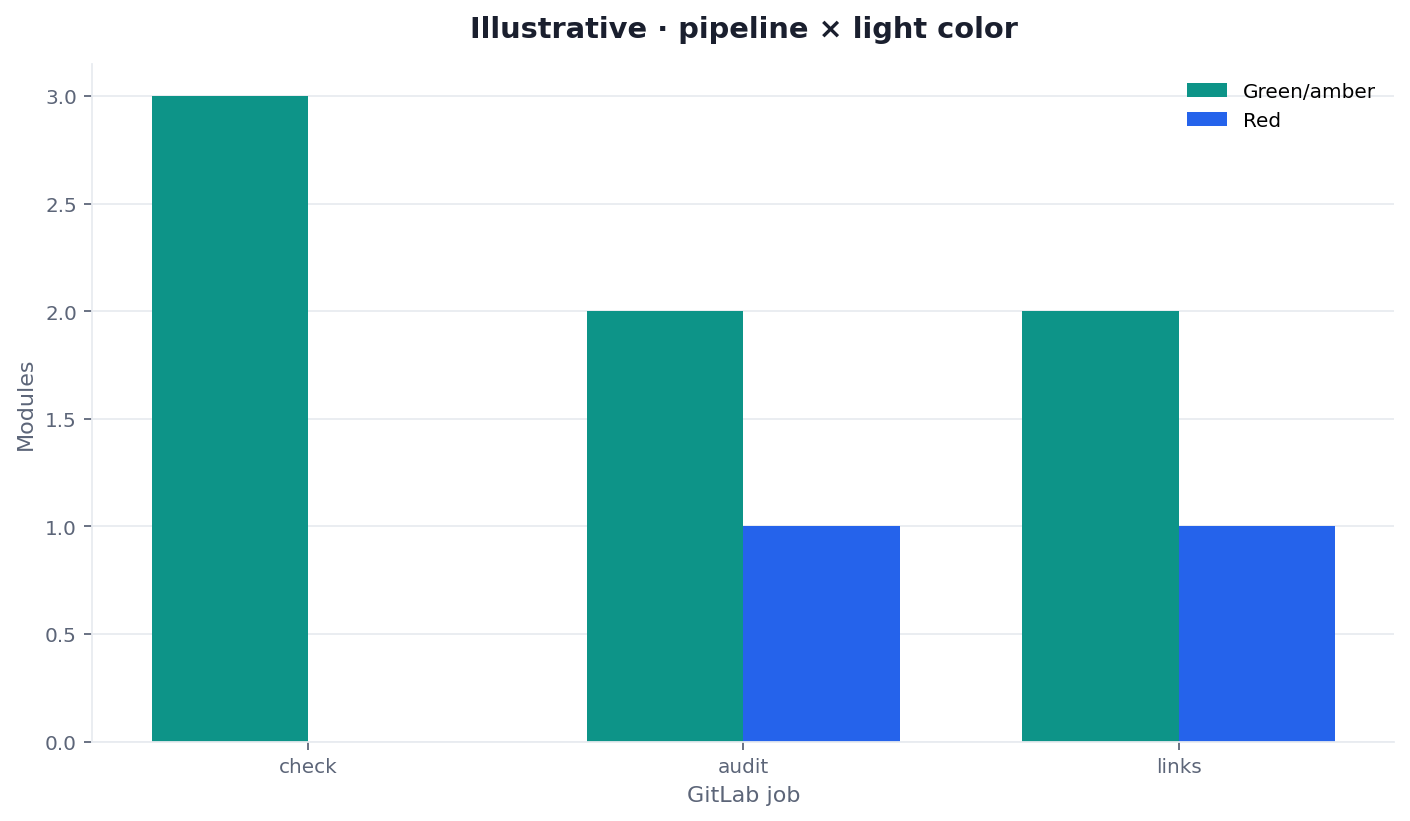
Figure: Two series from the same desk. GitHub YAML count is not a GitLab job count. Neither series is a ranking score.
Website tree has no GitLab config
Do not invent a hosted pipeline. Do not paste a GitLab badge we did not earn. A later commit can add .gitlab-ci.yml. Until that commit exists, a GitLab CI SEO check on this host is a specification.
Skills YAML is not a GitLab job
Copying on: pull_request into GitLab will not parse. GitLab wants rules and stages. The Skills files also do not call seo-health. They cannot stand in for a GitLab CI SEO check even after a rewrite of the keys.
How to reproduce the empty find
Run the listing from the repository root. Then run the pinned CLI against a first-party tool URL so you still have a JSON document to parse.
find . -name '.gitlab-ci.yml' -print
npx --yes -p infinitegrowth@0.1.1 seo-health check \
  --format json --lang en \
  https://infinisynapse.com/en/tool/seo-ci-cd
The wrong argv fails first. The GitLab desk recorded the argv miss without -p: npx printed error: unknown command 'seo-health' and stopped at exit 1. Pin with -p. As of 2026-09-14 the working command on the hub URL wrote about 72 KB of JSON and left process 0. A GitLab CI SEO check still has to parse issues[].status.
Why the GitLab argv must pin -p
Omitting -p on a GitLab runner never reaches the preview. Put that failure in the GitLab runbook before the first preview. NIST SP 800-218 is why the executable version belongs in the job record. It does not prove the page passed.
What a blocking merge-request job still needs
Contrast the empty find with a job that can actually stop a merge. A useful GitLab CI SEO check still has to declare a stage, a rule, a pin, a retained artifact, and allow_failure: false.
Rules, stage, and allow_failure
Give SEO its own stage so a test failure and a page-report failure stay distinct. Match merge_request_event first. Set allow_failure: false so parser exit 1 fails the pipeline. A job that is allowed to fail is telemetry.
Artifacts after a red script
GitLab job artifacts is the platform reminder that when: always keeps the file after a failed script. Expire it on a named schedule. A missing path should not look like a skip. A GitLab CI SEO check without that retention leaves reviewers arguing about a log line.
The OWASP secrets-management cheat sheet is why a default merge-request job should omit the CLI key. Default check does not need one. Keep eeat, aivisibility, and gsc off that GitLab required path unless a named owner accepts spend.
A GitLab CI SEO check template that embeds a session cookie is already a secrets incident. Use a public preview or an approved access path. GitLab CI YAML is also why variables: should hold the preview URL, not a pasted secret.
Fixture exits the job would call
The same desk ran local gate.mjs fixtures. Those exits are the parser contract a future GitLab script: line would call. They are not a hosted pipeline. Parse the JSON SEO report before the merge-request job grades a traffic light.
| GitLab fixture | Exit | stderr captured |
|---|---|---|
red.fixture.json | 1 | SEO_RED Title Length |
malformed.fixture.json | 2 | SEO_CONTRACT missing_result_arrays |
warn.fixture.json | 0 | (empty) |
good.fixture.json | 0 | (empty) |
| no path | 2 | usage: node gate.mjs <report.json> |
Those five GitLab-desk exits are the contract a future script: line would return.
The red fixture is valid JSON with one error row. The malformed fixture has a url and no result arrays. json.loads is not enough if you never check those arrays. A GitLab CI SEO check that collapses 1 and 2 makes incident triage start with a guess.
Local gate.mjs numbers
Exit 1 means a named content red. Exit 2 means usage, file, or contract failure. The live hub CLI exited 0 with a warning. Reproduce both layers before you require the job. Title length 49, description 153, word count 3332, speed 72, TTFB 1488 ms, HTML 100.9 KB, one blocking script. That hub row is still not a GitLab run.
Failure modes that invent a pipeline
Empty find treated as a pass. Silence is not green. A GitLab CI SEO check that is not committed cannot block.
Copied Actions YAML. on: pull_request and actions/upload-artifact will not parse on GitLab. Translate the contract, not the keys.
Green transport. CLI exit 0 plus a warning row. Parse the array. The hub document already showed that pair.
Agent approval treated as the job. A model can praise the title. The parser still has to see name and status. Keep the transcript if you want context. Do not let it override the file.
Image tag drift. A node:latest image that is not CLI 0.1.1 is a different GitLab executable. Pin, then upgrade in its own change.
Missing artifact treated as skip. Without when: always, a red GitLab CI SEO check can delete the only evidence. Require the file.
The 2026-09-14 registry GET answered HTTP 200, latest 0.1.1, and blank license, repository, and homepage fields. That identity is useful. It is not a GitLab job.
A clock job is a different surface. If you later want time-triggered breadth, open scheduled site audit. Do not hide a missing merge-request file behind a cron claim this repo also does not have.
Place this template next to the hub
The SEO CI/CD complete guide owns the shared rule: file, fields, exit, required check. This page owns the empty GitLab inventory and the gap between that empty find and a blocking merge-request job.
Teams translating an existing Actions check should open GitHub Actions SEO audit and compare semantics, not paste YAML. A GitLab CI SEO check rollout that begins at audit --pages 50 hides the parser. Prove the negative fixture first. Then connect one public preview. Only then make the named job required.
A blocking GitLab CI SEO check that this website does not yet commit would still need a dedicated seo stage, a merge_request_event rule, allow_failure: false, and artifacts: when: always. The Skills tree cannot supply those keys. Its four files are GitHub YAML. Two listen for pull_request. Two listen for workflow_dispatch. Zero listen for GitLab. A reviewer who copies on: pull_request into .gitlab-ci.yml will not get a GitLab CI SEO check. They will get a parse error.
The hub live row remains the first-party document this desk actually fetched for the sibling CLI: title 49, description 153, 3332 words, speed 72, TTFB 1488 ms, HTML 100.9 KB, one blocking script. CLI exit 0 sat beside the Image Alt Text warning. A GitLab CI SEO check that ORs only process exits would have merged that warning. Keep the artifact. Re-run after the next deploy. Do not claim GitLab.com already ran.
Test the URL before you wire the merge-request job
Run the browser form once, then reproduce the same JSON from the pinned CLI and keep the file.
Run SEO Health CheckerFrequently Asked Questions
Does this website already run a hosted GitLab SEO job?
No. The 2026-09-14 find returned zero .gitlab-ci.yml files. Skills YAML is GitHub-only. A GitLab CI SEO check on this host is still a template until someone commits one.
What happens when the retained JSON is missing arrays?
Fail closed. The desk used exit 2 for SEO_CONTRACT missing_result_arrays. Keep stderr. Malformed data is not a warning, because a GitLab CI SEO check cannot prove the required checks ran.
Can the CLI process status decide the merge request alone?
No. The live hub CLI exited 0 while Image Alt Text was warning. Parse issues[] and onPage[]. Preserve name and status. Then apply the repository rule.
Is a green GitLab badge an official Google score?
No. Product traffic lights enforce a local merge rule. They do not mint a Google 100, promise indexation, or forecast clicks for this merge request. This rewrite also does not display a badge we did not earn.
Should the default job call credit-backed commands?
No. Default check, audit, and links do not need a CLI key. Keep credit-backed commands out of the required GitLab CI SEO check path unless a named owner accepts the spend.
Conclusion
Use a GitLab CI SEO check when the job is to turn a page report into a required merge-request decision. The 2026-09-14 desk shows an empty find, four GitHub-only Skills files, fixture exits 1 and 2, and a live hub CLI that exited 0 beside a warning. Stop the GitLab write-up when the command, the pin, the raw fields, and the parser exit are still sitting in the job artifact. An empty inventory is more useful than an unsupported pipeline badge.
Reach the InfiniSynapse web app only if a signed-in GitLab owner needs a deep task. The merge-request path stays the pinned CLI and the retained JSON.
William Zhu · Cofounder, InfiniSynapse · GitHub @allwefantasy
Desk-validated SEO Health methods. Corrections: zhuhl@infinisynapse.com · corrections policy.