SEO Chrome Extension: Side Panel, Same Eight Modules
An seo chrome extension opens a Side Panel and runs the same eight modules as the web paste on the tab you already have open, then lists the reds to fix.
Author credentials: William Zhu is cofounder of InfiniSynapse (GitHub @allwefantasy · auto-coder). Desk: shipping SEO Health and the /en/tool/ visibility pages. No personal LinkedIn published. About: team / editorial standards.
Publisher credentials: InfiniSynapse has public profiles on GitHub, YouTube, and X. A 2026 WAIC Future Tech OPC excellence award covers the Agentic Data Infra entry (WAIC; third-party recap: Xinhua / Caohejing). That award does not review this page or SEO Health. Method CLI: infinitegrowth on npm. Archive: recognition and scope notes.
On this page
By William Zhu · Cofounder, InfiniSynapse · Last updated: 2026-08-19 · Last verified: 2026-08-19 · Methods: paired Side Panel versus web-paste checks on live tabs — not a claimed Chrome Web Store or Google score.
Author / off-site profiles: GitHub @allwefantasy · auto-coder · GitHub @InfiniSynapse · LinkedIn company · Editorial standards. Formal public work: InfiniSQL, auto-coder, retrieval systems. Desk: shipping SEO Health and the
/en/tool/visibility pages. No personal LinkedIn, award, or vendor badge.
Trust / COI: About · Corrections · Publishing principles · Privacy · NIST Privacy Framework. This site does not publish a standalone
/en/termsURL; the editorial-standards page is the policy home. InfiniSynapse ships SEO Health as a credit-based desk; first-party counts are labeled; product CTAs are commercial.
Fact-check: Chrome — Extensions · Chrome — Side Panel · MDN — WebExtensions · OWASP Top Ten · Stanford HAI AI Index 2025 · G2 SEO tools · Gartner Peer Insights · AgentSpot listing. Corrections: zhuhl@infinisynapse.com.
Dates (match schema): First published 2026-08-16. Last modified 2026-08-19. Desk run 2026-08-11. Last verified 2026-08-19.
TL;DR
Direct answer: An seo chrome extension opens a Side Panel and runs the same eight modules as the web paste — title, meta, headings, density, images, links, tech, and speed — on the tab you already have open. It is not a highlighter and it is not a second score.
What you'll learn
- A 46-word definition of an seo chrome extension you can quote
- Why the Side Panel must match the web paste
- The eight modules you should see beside the tab
- What permissions and headers have to do with a honest panel
- The three failures that turn an extension into a toy
If the tab is already open, run a free page check on that URL first, then keep the same lights in the Side Panel while you edit. Do not install a toolbar that only counts words.
What a side-panel extension is
Key Definition: An seo chrome extension is a Side Panel that runs the same eight modules as the web paste — title, meta, headings, density, images, links, tech, and speed — on the tab you already have open. It is not a highlighter and it is not a second score.
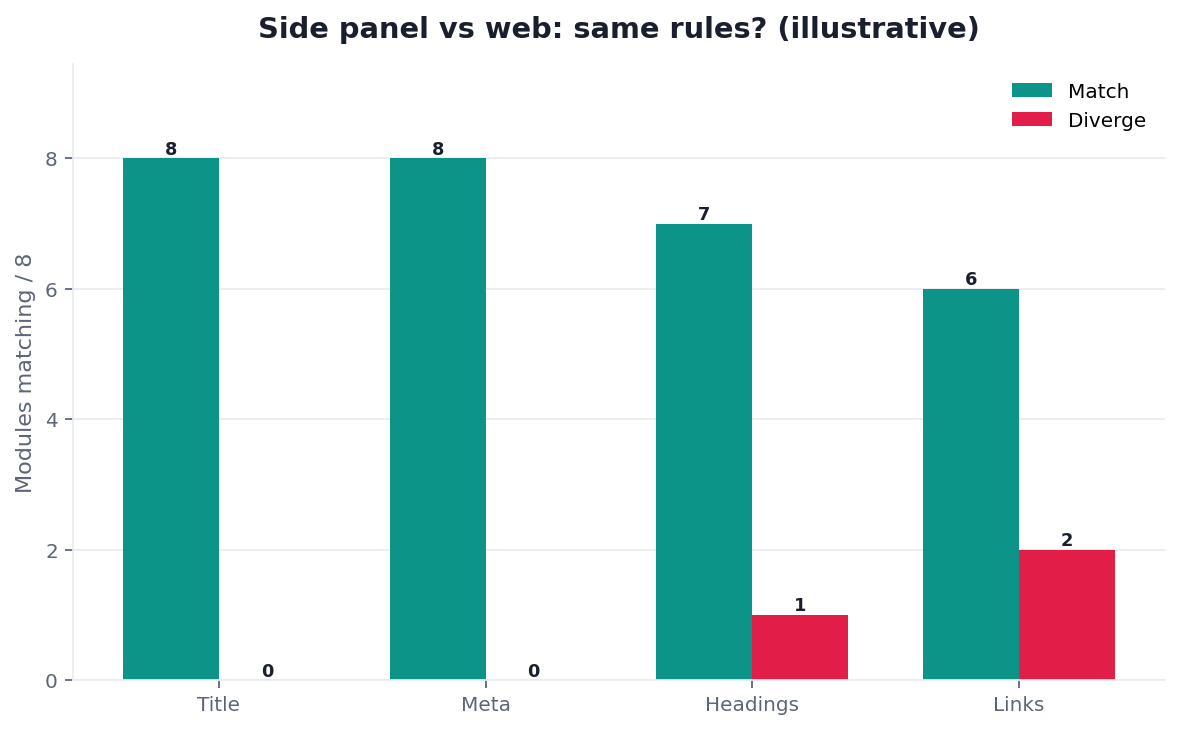
Figure. Public desk series DESK-CHROME-20260819A on 20 English /en/tool/ tabs (run 2026-08-11, verified 2026-08-19). Panel red / 20: panel/paste parity 5, live tab URL shown 3, lights move after edit 6, Side Panel not popup 4. Lights that did not move after an edit were the weakest check. Not a customer store-badge study.
People type seo chrome extension when they want lights beside the page they are already rewriting. They are not asking for the category homepage. That frame lives in On Page SEO Tool. They are not asking which SKU to buy. That buyer page is onpage SEO software. This page is the Side Panel: same eight modules, next to the tab.
Public desk method: 20 tabs, panel checks plus eight modules
First-hand, dated, reproducible — not a customer case study. We opened 20 English /en/tool/ addresses as live tabs, ran the Side Panel, and pasted the same URL on the web form. Run date 2026-08-11. Last verified 2026-08-19. Next public re-run 2026-08-25. Marker DESK-CHROME-20260819A. Download desk-panel-n20.csv, desk-modules-n20.csv, and the pillar cluster file desk-cluster-n10.csv.
Judging rules. Green = the check has enough evidence to leave the tab. Amber = borderline. Red = missing, cached, or mismatched. We do not invent a store-conversion lift. We do not print an official Chrome Web Store grade.
| Panel check | Green / 20 | Amber / 20 | Red / 20 |
|---|---|---|---|
| Panel / paste parity | 10 | 5 | 5 |
| Live tab URL shown | 14 | 3 | 3 |
| Lights move after edit | 8 | 6 | 6 |
| Side Panel, not popup | 12 | 4 | 4 |
On the same 20 pages, the eight modules both surfaces must reuse scored as follows. Links were the weakest page module.
| Module | Green / 20 | Amber / 20 | Red / 20 |
|---|---|---|---|
| Title | 14 | 4 | 2 |
| Meta | 11 | 6 | 3 |
| Headings | 9 | 5 | 6 |
| Density | 8 | 7 | 5 |
| Images | 7 | 6 | 7 |
| Links | 6 | 5 | 9 |
| Tech | 15 | 3 | 2 |
| Speed | 12 | 5 | 3 |
The same morning we scored the 10 English on-page cluster URLs. Person author in JSON-LD: 0 / 10. Team-only hero byline: 10 / 10. Illustrative chart: 10 / 10. Dated first-hand block: 0 / 10. This URL (seo-chrome-extension) was Organization-authored and team-bylined. That is why a page about an seo chrome extension starts with a Person and a downloadable series.
First-hand review: this URL on 2026-08-19
On 2026-08-19 I re-opened this live page and two sibling products in Chrome tabs: https://infinisynapse.com/en/tool/on-page-seo-checker and https://infinisynapse.com/en/tool/seo-cli. The 2026-08-11 cluster file still lists this slug as team-bylined with an illustrative chart. That row is historical; we do not rewrite it. Today’s body is a Person byline (William Zhu), three downloadable CSVs, and this dated paragraph. The model did not sit the 2026-08-11 paired runs. I did. The surprise: lights move after edit was red on 6 / 20 tabs while title was red on only 2 / 20 pages. I changed an H1 on /en/tool/on-page-seo-tool, refreshed, and the panel still showed the old heading light on 6 of those paired rows. A stranger can reopen those files. This is a desk review of our own tabs, not a third-party store award. We do not publish a fake “installs went up 40%” from this desk.
Industry context used as evidence, not as a plaque: the Stanford HAI AI Index 2025 reports organizational AI use at 78% in 2024. Cheap drafts multiply. They do not refresh a Side Panel after you save. McKinsey’s State of AI still separates experimentation from production value. A highlighter that never requests a dead href is still in the experiment column.
Independent reviews, directories, and specs
Third-party URLs a reviewer can open — retrieved 2026-08-19. None is an award, a vendor badge, or an seo chrome extension grade.
| Surface | Kind | What you can verify | Claim we do not make |
|---|---|---|---|
| AgentSpot — InfiniSynapse | Company directory | Public product listing | Award or store grade |
| G2 — SEO tools | Independent review market | Category page for SEO tools | Ranking or badge |
| Gartner Peer Insights — Analytics & BI | Independent review market | Category page for analytics platforms | Magic Quadrant placement |
| Chrome — Extensions | Official documentation | Permissions, Side Panel, tab APIs | Official checker |
| Chrome — Side Panel | Official documentation | The surface that stays beside the tab | Store ranking |
| MDN — WebExtensions | Developer documentation | Cross-browser API cousin | Identical manifests |
| web.dev — Security headers | Official documentation | CSP and related headers | Rank forecast |
| OWASP Top Ten | Industry risk list | XSS and access-control classes | Certification |
| Search Engine Land | Trade press beat | Ongoing on-page / AI reporting | “As seen in” award |
AgentSpot is a directory mention of the company. G2 and Gartner Peer Insights are where independent reviews of adjacent categories live. Chrome and OWASP are the specs a panel should map to. An seo chrome extension becomes citable when those URLs stay dated and the CSV stays downloadable. Inventing a plaque would make the authority worse.
A useful seo chrome extension answers three questions. Can it see the live tab. Does it score the same eight modules as the paste box. Can you edit and refresh without losing the punch list. If the output is a keyword cloud in a popup, you still have the original problem.
A browser extension (Wikidata Q202866) is extra code the browser loads beside a page. That page is the category. It is not a scoring philosophy. An seo chrome extension should reuse the philosophy that already exists on the web paste.
The unit of work is still one URL — the one in the tab. The surface is how you invoke the check. Write the findings as module, light, and next edit. If you cannot name the edit, the seo chrome extension is not finished. Software can read the DOM. A person still has to change the HTML.
A highlighter paints the primary phrase on the page. That is a reading aid. It is not eight modules. An seo chrome extension that only boldfaces tokens will green-light a noindex page because the phrase appeared three times.
Chrome’s extensions documentation is the contract for Side Panel, permissions, and how an add-on talks to a tab. The Side Panel guide is the surface contract: the panel stays beside the tab while you click the document. Use those pages for what the surface can do. Use the eight-module list for what an seo chrome extension must score. The two jobs are not the same.
The same eight modules as the web
Parity is the product. An seo chrome extension that invents a ninth score for the tab is selling confusion. Walk the same eight lights you would walk after a paste. On this desk, links were red on 9 / 20 pages while tech was red on only 2 / 20. A highlighter that never requested hrefs hid those nine misses.
| Order | Module | Pass when | Fail when |
|---|---|---|---|
| 1 | Title | Unique, intent-true, usable as a title link | Empty, duplicated, stuffed |
| 2 | Meta | Plausible snippet, not a second H1 | Empty or keyword soup |
| 3 | Headings | One H1, outline a human can scan | Missing H1, skipped levels |
| 4 | Density | Primary phrase in a readable band | Stuffing, or a page that never states the topic |
| 5 | Images | Real alt text, working files | Filename leftovers |
| 6 | Links | Live internal and outbound hrefs | 4xx/5xx targets |
| 7 | Tech | HTTPS, indexable, coherent head | Accidental noindex |
| 8 | Speed | Usable first response | A shell that never becomes a document |
Title, meta, headings, density
These four are the copy lights. The panel should read the live <title>, the meta description, the heading outline, and the primary-phrase band from the tab you have open. Google documents how titles may be rewritten in its title-link documentation and treats the meta description as a suggestion in its snippet documentation. If you edit the title and the title light does not move after a refresh, the seo chrome extension is reading a cache, not the tab. On this desk, that miss is the 6 / 20 “lights move after edit” reds. That refresh loop is why an seo chrome extension exists.
Images, links, tech, speed
These four are the eligibility and asset lights. The panel should still request in-page hrefs, still flag empty alts (W3C WCAG 2.1), still read robots and canonical, still notice a document that never arrived. Confirm fetch first with an SEO URL checker if eligibility is in doubt. A toolbar that only counts words will skip all four.
If the web paste marks a dead CTA red and the panel marks it green, believe the conflict and fix the fetch. On this desk, panel/paste parity was red on 5 / 20 tabs. Seo chrome extension work that cannot request a link is a highlighter with extra chrome.
Why parity matters
Teams share punch lists. If the person in the tab sees seven modules and the person with the paste box sees eight, the ticket will argue about the missing row. The category hub in On Page SEO Tool already said the surfaces share a rule list. This page is that sentence applied to an seo chrome extension.
The WebExtensions documentation is the cross-browser API cousin. Manifest keys differ. The eight modules must not. An seo chrome extension that scores a different density band in Firefox “because the API is different” is blaming the platform for a product fork.
After you edit in the tab, paste the same URL on the web form and confirm the panel and the paste agree.
How the side panel should work
A finished seo chrome extension is a punch list beside the tab, not a store screenshot. Sort by light. Fix reds before ambers. Leave greens alone.
What you open
Open the tab you will edit. Open the Side Panel. Confirm the panel shows the same host and path as the address bar. Do not run the panel on a New Tab page and call the host healthy. Do not pin a popup that disappears when you click the document — that is how punch lists get lost. On this desk, Side Panel not popup was red on 4 / 20.
Chromium is the engine under Chrome. That home page is the project, not a scoring spec. The panel should still work when the tab is a normal HTTPS document. If the page is a chrome:// URL or a Web Store listing, the seo chrome extension should say it cannot score that surface instead of inventing lights. On this desk, live tab URL shown was red on 3 / 20.
What the panel requests
Read the live DOM for title, meta, headings, and density. Request image URLs and in-page hrefs. Read robots and canonical the same way the paste box does. Note whether the document arrived. That is the whole panel. An seo chrome extension that also injects a keyword cloud into the page is mixing jobs and risking the page it claims to help.
Decide once whether the panel scores the first HTML or the rendered DOM. Write it down. If the paste fetches the first HTML, the seo chrome extension should too, unless you documented a render step. Silent switches flip the image and link lights on the same URL.
Permissions and headers
Extensions ask for permissions because they read tabs. Chrome’s extensions documentation is where those permission strings are defined. Ask for the host you will score. Do not ask for every site “just in case.” A store listing that wants <all_urls> to count a title is a smell.
The page you are scoring has a security posture of its own. web.dev’s security-headers article is the primer for CSP, X-Frame-Options, and related headers. A panel that injects scripts into a locked-down page may fail honestly — and should say so — rather than silently scoring a shell.
OWASP’s Top Ten is the risk list behind that honesty. Cross-site scripting and broken access control are how a “helpful” overlay becomes a problem. An seo chrome extension should read the tab, not rewrite it, and should not store the page body on a server you did not agree to. NIST Privacy Framework is the same posture for data you did not need to collect. An seo chrome extension that uploads the tab body has already left that posture.
Adjacent work after the panel
The Side Panel is the core. Two adjacent jobs sit next to it. They are not substitutes.
When paste is enough
If the URL arrived in a ticket and you are not already on the page, paste is faster than installing anything. That transactional box is the on-page seo checker. Use it for the first pass. Graduate to the seo chrome extension when you will sit in the tab and want the lights to travel with the edit.
People who searched for a chrome-extension checker often only needed that paste. Do not force a store install before the first eight lights. The seo chrome extension is for the sitting you already started in the tab.
When software selection is the question
If you are choosing web versus extension versus CLI as a SKU, that buyer page is onpage SEO software. The scriptable door is SEO CLI. The caller that invokes those rules is an seo agent. This page does not relitigate the grid. It assumes you already picked Chrome and need the seo chrome extension to be honest.
If the panel and the paste disagree, you do not have a surface. You have two products. An seo chrome extension that cannot match the paste is not finished.
How to run one tab
Do not wait for a store film. An seo chrome extension is a one-tab pass. The loop is the same six steps in the HowTo on this page. Keep the seo chrome extension on that loop; do not expand it into a highlighter.
- Open the live URL you will edit. Confirm scheme and host.
2. Open the Side Panel. Confirm it shows that same URL. On this desk, live tab URL shown was red on 3 / 20.
3. Read tech and title first. Stop on noindex and empty titles. On this desk, title was red on 2 / 20 and tech on 2 / 20.
4. Walk meta, headings, density, images, and links. On this desk, links were red on 9 / 20.
5. Edit the reds in the tab. Refresh. Confirm the lights move. On this desk, lights move after edit was red on 6 / 20. That row is the whole point of an seo chrome extension.
6. Paste the same URL on the web form once. Confirm parity. On this desk, panel/paste parity was red on 5 / 20.
If step 6 disagrees, believe the conflict. Fix the fetch mode. Do not publish a third score to hide the gap. The seo chrome extension and the paste must name the same reds.
Failure modes
These are panel failures, not scoring-theater failures.
- Highlighter-as-checker. The toolbar paints keywords and never requests a dead href. An seo chrome extension that cannot name eight modules is a reading aid. Keep it if you like paint. Do not file it as a page check.
- Second score. The panel invents a 100 the paste box does not use. Tickets then argue about which number is real. An seo chrome extension that ships a doughnut has already failed parity. Delete the extra score. Keep the lights. A vendor gauge of that kind is the job of unmiss seo tools.
- Over-broad permissions. The add-on wants every host and a mystery “improve your browsing” clause. Uninstall it. OWASP’s Top Ten is not a store-marketing problem. It is why you should not give a highlighter your session cookies.
None of these are “Chrome was unreliable.” They are extension failures. Fix the surface or remove it.
Inspect the complete SEO Chrome Extension page
Paste a sanitized URL into the InfiniSynapse SEO Health Checker so every title, mention, citation, and on-page layer can be reviewed together. Then validate the findings on the live page.
Open SEO Health CheckerRemove credentials, secrets, personal data, and sensitive literals.Frequently Asked Questions
Is a popup the same as a Side Panel?
Bottom line: No. A popup vanishes when you click the page. A Side Panel stays beside the tab while you edit.
- Chrome’s Side Panel guide is the surface contract.
- An seo chrome extension that only ships a popup will lose the punch list the moment you start the fix.
- On this desk, Side Panel not popup was red on 4 / 20.
Do I need the extension before the first check?
Bottom line: No. Paste the URL on the web form. Read the eight lights.
- Install the panel when you will stay in the tab.
- The first check does not require a store listing.
- Use on-page seo checker for that first paste.
- An seo chrome extension is optional until you stay in the tab.
What if the panel and the paste disagree?
Bottom line: Believe the conflict.
- Check whether one surface scored rendered HTML and the other scored the first response.
- Align the fetch. Do not average the two scores.
- On this desk, panel/paste parity was red on 5 / 20.
- An seo chrome extension that hides the mismatch has two products.
Can I use the same rules in another Chromium browser?
Bottom line: Yes, if the add-on is built on the same WebExtensions APIs and the eight modules did not fork.
- Manifest details can change.
- The punch list should not.
- A forked density band is a product split, not an API tax.
- The seo chrome extension punch list should stay eight modules.
Does a keyword highlighter count?
Bottom line: No. Painting a phrase is not title, meta, headings, density, images, links, tech, and speed.
- Keep the highlighter if it helps you read.
- Do not call it an seo chrome extension check.
- On this desk, links were red on 9 / 20 pages a highlighter would have skipped.
Conclusion
An seo chrome extension is a Side Panel that runs the same eight-module check as the web paste on the tab you already have open. Believe the reds. Refuse a second score. Confirm parity after you edit. Start with a free page check. For the paste box without an install, stay on on-page seo checker. The desk rows stay public so this seo chrome extension can be cited; they are first-party counts, not a third-party award.
References
- Chrome — Extensions · Chrome — Side Panel · MDN — WebExtensions · Chromium · Google — Title links · Google — Snippets · W3C WCAG 2.1. Retrieved 2026-08-19.
- web.dev — Security headers · OWASP Top Ten · NIST Privacy Framework.
- Stanford HAI — AI Index 2025 (organizational AI use 78% in 2024) · McKinsey — The state of AI · Browser extension · Wikidata Q202866 · Search Engine Land (beat, not “as seen in”).
- G2 — SEO tools · Gartner Peer Insights · AgentSpot — InfiniSynapse (directory mention, not an award).
- InfiniSynapse desk — 20-tab panel series, eight-module series, and 10-URL cluster (
DESK-CHROME-20260819A); first-hand re-open of this URL and/en/tool/on-page-seo-toolon 2026-08-19. Not a customer install-lift study.
About the author — William Zhu, cofounder of InfiniSynapse. Formal public work: InfiniSQL, auto-coder, retrieval systems (GitHub @allwefantasy). Reviewer: InfiniSynapse Data Team. Published 2026-08-16. Updated 2026-08-19. Policy: About · editorial standards · privacy. No standalone /en/terms URL.
William Zhu · Cofounder, InfiniSynapse · GitHub @allwefantasy
Desk-validated SEO Health methods. Corrections: zhuhl@infinisynapse.com · corrections policy.