
The reliable way to convert Markdown to PDF online可靠完成 Markdown 在线转 PDF 的方法
A successful download proves only that a file was created. It does not prove that a heading was kept with its first paragraph, a wide table remained readable, a remote image was embedded, or a private URL was removed. Treat conversion as a publishing workflow with source preparation, rendering, export, and final inspection.
下载成功只能证明文件已经生成,并不能证明标题与首段保持在同一页、宽表格仍可阅读、远程图片已嵌入,或私有链接已删除。更稳妥的做法是把转换当作一个发布流程,包含源文件准备、渲染、导出和最终检查。
Understand what happens between Markdown and PDF理解 Markdown 与 PDF 之间发生了什么
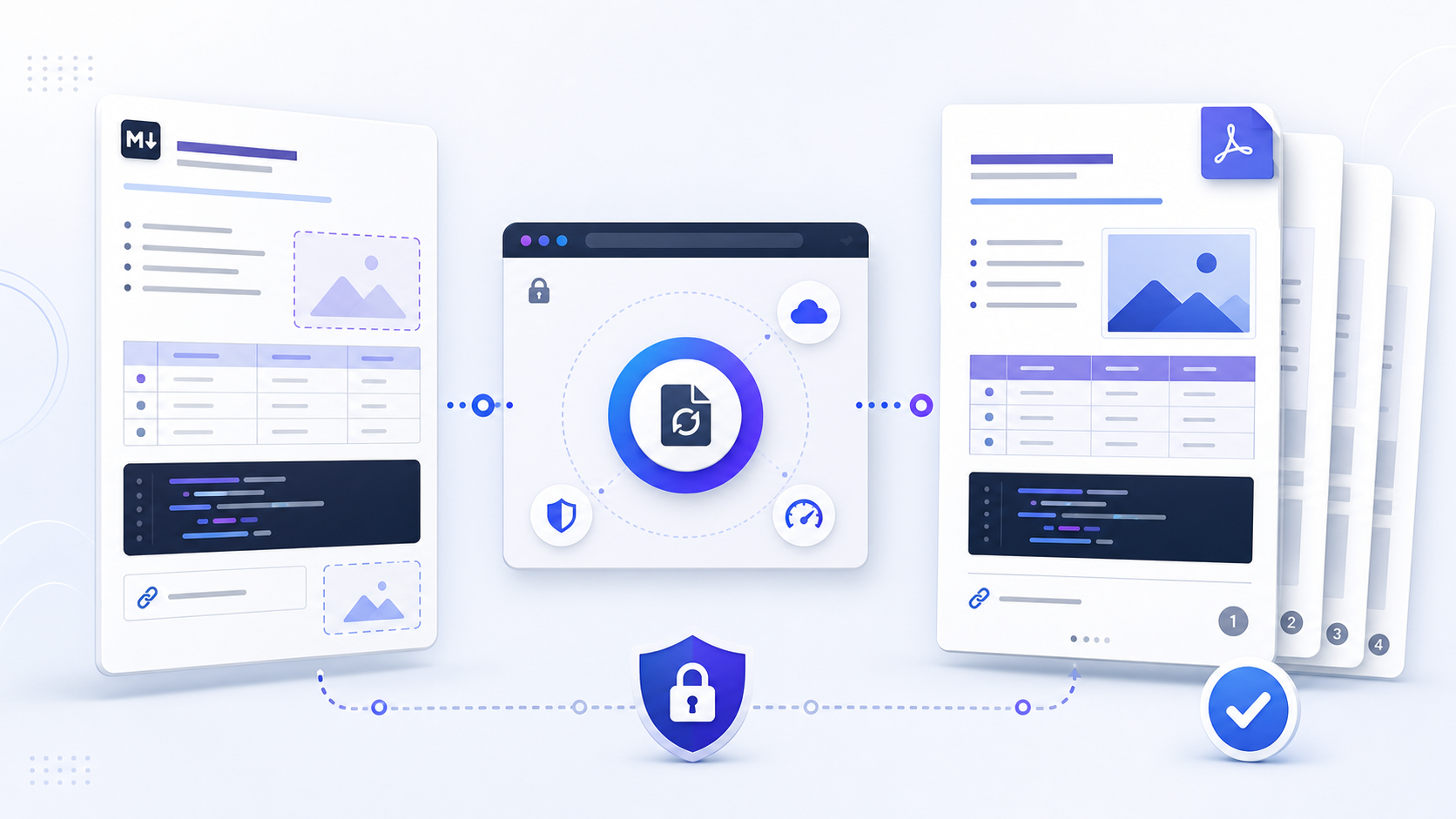
Markdown describes structure rather than final page geometry. A converter first parses headings, paragraphs, lists, tables, fenced code, links, and images; renders that structure through HTML and CSS or another typesetting engine; then captures the result as paginated PDF. Problems can originate in any layer. Build the pipe table in the markdown table generator before export.
Markdown 描述的是结构,而不是最终页面几何。转换器首先解析标题、段落、列表、表格、围栏代码、链接和图片,再通过 HTML/CSS 或其他排版引擎渲染,最后生成分页 PDF。任何一层都可能产生问题。
Markdown dialects interpret tables, task lists, footnotes, and raw HTML differently.不同 Markdown 方言对表格、任务列表、脚注和原始 HTML 的处理并不一致。
CSS, fonts, image dimensions, and long tokens determine whether content fits.CSS、字体、图片尺寸和长文本共同决定内容能否正确排版。
A continuous browser page must be divided into sheets without clipping content.连续网页必须切分为固定纸张,同时避免重要内容被截断。
The file may reveal metadata, fail elsewhere, or contain inaccessible links.文件可能暴露元数据、在其他设备异常,或包含接收者无法访问的链接。
Prepare Markdown before starting an online export在线导出前先准备好 Markdown 源文件
- Use one H1 for the document title and descend through heading levels without skipping.文档标题只使用一个 H1,后续标题按层级递进,不要跳级。
- Close fences, brackets, emphasis markers, and HTML tags; malformed syntax can damage everything that follows. Copy the marks from the markdown cheat sheet.闭合代码围栏、括号、强调标记和 HTML 标签;语法不完整可能影响后续全部内容。符号写法见 Markdown 语法速查表。
- Give local assets stable relative paths and place them beside the source in a predictable folder.为本地资源使用稳定的相对路径,并放入与源文件关系清晰的目录。
- Replace private dashboard links, temporary signed URLs, and credentials before uploading anything.上传前替换私有仪表板链接、临时签名网址和任何凭据。
- Add descriptive link text and useful image alternatives instead of raw URLs or filenames.使用有意义的链接锚文本和图片替代文字,不要只依赖裸网址或文件名。
# Monthly operations review
## Decision summary
- Owner: Analytics team
- Review date: 2026-08-01
| Metric | Result | Status |
|---|---:|---|
| Coverage | 96% | Review |
Preview this source with the same Markdown dialect the converter expects. A file that looks correct in one editor may rely on extensions the online renderer does not recognize. Use representative content rather than a perfect one-paragraph sample.
应使用转换器预期的 Markdown 方言预览源文件。在某个编辑器中显示正常的扩展语法,在线渲染器不一定能够识别。测试时要使用有代表性的内容,而不是只用一个完美的短段落。
Choose the right Markdown to PDF workflow选择合适的 Markdown 转 PDF 工作流
| Method方法 | Best for适合场景 | Control控制能力 | Main caution主要注意点 |
|---|---|---|---|
| Online converter在线转换器 | Quick one-off documents and visual review一次性文档和快速预览 | Low to medium低到中 | Check privacy, feature limits, and loaded assets检查隐私、功能限制和资源加载 |
| PandocPandoc | Repeatable exports, templates, and batches可复现导出、模板和批处理 | High高 | A tested PDF engine and configuration may be required可能需要经过测试的 PDF 引擎和配置 |
| Editor print编辑器打印 | Content already reviewed in a trusted editor已在可信编辑器中校对的内容 | Medium中 | Screen themes and print styles may differ屏幕主题与打印样式可能不同 |
| CI publishing pipelineCI 发布流水线 | Versioned documentation at scale规模化版本文档 | Very high很高 | Requires maintenance and regression tests需要维护和回归测试 |
Choose based on output quality, sensitivity, frequency, and reproducibility—not speed alone. A browser tool can suit a public README. Regulated reports or hundreds of files usually need an authorized, versioned local pipeline.
选择方法时应考虑输出质量、敏感程度、频率和可复现性,而不只是速度。公开 README 可能适合浏览器工具;受监管报告或数百个文件,则通常更适合经过授权且可版本化的本地流水线。
Use a repeatable online Markdown to PDF process使用可重复的在线 Markdown 转 PDF 流程
- 1Sanitize the source. Remove secrets, private links, comments, and content that should not leave its approved environment.清理源文件。删除密钥、私有链接、批注和不应离开授权环境的内容。
- 2Load representative content. Include tables, code, images, links, and nested lists so the preview tests real complexity.加载代表性内容。包含表格、代码、图片、链接和嵌套列表,让预览覆盖真实复杂度。
- 3Review the preview. Confirm heading hierarchy, spacing, syntax characters, images, and destinations.检查预览。确认标题层级、间距、语法字符、图片和链接目标。
- 4Set page rules. Choose paper size, orientation, margins, and header or footer behavior.设置页面规则。确定纸张尺寸、方向、页边距以及页眉页脚。
- 5Generate the PDF. Wait until fonts and images finish loading; never export an incomplete render.生成 PDF。等待字体和图片完成加载,不要导出尚未完成的渲染。
- 6Inspect the file. Reopen it in a PDF reader and verify every page, link, image, and searchable text sample.检查文件。在 PDF 阅读器中重新打开,逐页核验链接、图片和可搜索文本。
Evaluate Markdown document tools in your browser在浏览器中评估 Markdown 文档工具
Use the InfiniSynapse online tools page with sanitized content and confirm which output formats are currently available. If PDF output is not offered, use a verified local or approved conversion route; never label a Word download as PDF. Inspect every downloaded artifact before delivery.使用已脱敏内容访问 InfiniSynapse 在线工具页,并确认当前提供的输出格式。如果没有 PDF 输出,应改用经过验证的本地或获批转换路径,不能把 Word 下载文件标为 PDF。交付前必须检查实际下载文件。
Open InfiniSynapse Online Tools打开 InfiniSynapse 在线工具Control PDF pages, margins, and breaks控制 PDF 页面、页边距与分页
A browser preview is continuous; a PDF is divided into sheets. Select A4 or Letter according to the recipient. Use margins large enough for printing and annotations. Keep a heading with at least the first paragraph that follows it, and avoid splitting a short table or code block when moving it to the next page would be clearer.
浏览器预览是连续页面,而 PDF 会被切分为纸张。应根据接收者需求选择 A4 或 Letter。页边距要为打印和批注留出空间。标题应至少与其后的首段保持在同一页;短表格或代码块如果移到下一页更清晰,就不要强行拆分。
Do not solve every overflow by shrinking the whole document. First remove unnecessary columns, shorten visible URLs, permit code wrapping, scale images proportionally, or move genuinely wide content to a landscape page. The W3C CSS Paged Media specification explains the page model behind CSS-based output.
不要通过缩小整篇文档来解决所有溢出。应先删除不必要的列、缩短可见网址、允许代码换行、按原比例缩放图片,或仅把真正过宽的内容改为横向页。W3C CSS 分页媒体规范说明了 CSS 输出所依据的页面模型。
Preserve tables, code, images, links, and fonts保留表格、代码、图片、链接与字体
Tables: keep one clear header row, consistent cell counts, concise text, and units in labels. Split a giant matrix into focused tables instead of producing microscopic type. Code: preserve spaces and characters first; decorative highlighting is secondary. Wrap or shorten long lines and verify copied code from the PDF.
表格:使用清晰表头,保持每行单元格数量一致,压缩文字,并在标签中注明单位。大型矩阵应拆成多个聚焦表格,不要生成极小字体。代码:优先保留空格和字符,装饰性高亮是次要的。对长行进行换行或缩短,并从 PDF 中复制代码验证。
Images: confirm source resolution, aspect ratio, captions, and alternative descriptions. A visible remote image may disappear offline, so test away from the source folder and network. Links: use descriptive labels and verify destinations. Fonts: use fonts available to the renderer or embed permitted fonts; inspect non-Latin text, symbols, and emoji for missing glyphs.
图片:确认源分辨率、宽高比、说明文字和替代描述。远程图片预览可见,离线后也可能消失,因此要在离开源目录和网络后测试。链接:使用描述性锚文本并检查目标。字体:选择渲染器可用字体,或在许可允许时嵌入字体;检查非拉丁文字、符号和 Emoji 是否缺字。
Decide whether an online converter is appropriate判断在线转换器是否适合当前文档
Classify the document before uploading. Public documentation and synthetic examples have different risk from contracts, customer data, credentials, unreleased financial information, health records, or internal incident reports. Review service privacy terms, retention, processing location, access controls, and deletion options required by your organization.
上传前先对文档分类。公开文档和合成示例,与合同、客户数据、凭据、未发布财务信息、健康记录或内部事故报告具有完全不同的风险。应核对组织要求的隐私条款、保留方式、处理地点、访问控制和删除选项。
The OWASP Top 10 is a useful starting point for common web application risks, but it does not replace your organization's data-handling policy.
OWASP Top 10 可帮助了解常见 Web 应用风险,但不能替代你所在组织的数据处理政策。
Fix common Markdown to PDF export problems修复常见 Markdown 转 PDF 导出问题
| Symptom现象 | Likely cause可能原因 | Practical fix处理方法 |
|---|---|---|
| Markdown symbols remain仍显示 Markdown 符号 | Unsupported dialect or malformed source方言不支持或语法错误 | Validate syntax and select the expected dialect验证语法并选择预期方言 |
| Image is blank图片空白 | Broken path, blocked host, or incomplete loading路径错误、主机受阻或加载未完成 | Correct the asset, wait for preview, and export again修正资源,等待预览后重新导出 |
| Table is clipped表格被截断 | Width exceeds printable area宽度超过可打印区域 | Remove columns, wrap text, split the table, or use landscape删列、换行、拆表或使用横向页面 |
| Heading is alone at page bottom标题孤立在页尾 | Missing keep-with-next or break rule缺少保持或分页规则 | Move the heading with its first paragraph让标题与首段一起移动 |
| Characters become boxes字符变成方框 | Font lacks glyphs or was unavailable字体缺字或渲染时不可用 | Choose a compatible font and regenerate选择兼容字体并重新生成 |
| Text cannot be selected文字无法选择 | Content was rasterized内容被栅格化 | Use text-preserving export and retest search and copy使用保留文本的导出方式并重测搜索复制 |
Use Pandoc when conversion must be reproducible需要可复现转换时使用 Pandoc
The official Pandoc manual documents Markdown input, PDF output, variables, templates, resource paths, and supported PDF engines. A minimal command is below. Engine, YAML, and font checks are in Pandoc Markdown to PDF.
Pandoc 官方手册说明了 Markdown 输入、PDF 输出、变量、模板、资源路径和支持的 PDF 引擎。最简命令如下。引擎、YAML 和字体检查见 Pandoc Markdown 转 PDF。
pandoc report.md -o report.pdfA production command should pin the Markdown dialect, PDF engine, resource paths, template, paper size, margins, and fonts that your environment has tested. Store those settings with the source and run a regression document containing every important element. Reproducibility means controlled inputs produce the same acceptable output—not merely that a command runs twice.
生产命令应固定已经测试过的 Markdown 方言、PDF 引擎、资源路径、模板、纸张尺寸、页边距和字体。把配置与源文件一同保存,并使用包含所有关键元素的文档做回归测试。可复现并不是命令能运行两次,而是受控输入能够产生相同且合格的结果。
Verify the exported PDF before delivery交付前验收导出的 PDF
- Open the downloaded file in a PDF reader, not only the converting browser tab.在 PDF 阅读器中打开下载文件,不要只检查转换页面。
- Confirm the title, heading order, paragraph sequence, list nesting, and table headers.确认标题、章节顺序、段落顺序、列表嵌套和表头。
- Inspect every page boundary for clipped code, split rows, blank pages, and orphan headings.逐页检查代码截断、表格跨页、空白页和孤立标题。
- Open every important link and verify that labels match destinations.打开每个重要链接,确认锚文本与目标一致。
- Zoom in on images; check sharpness, proportions, captions, and contrast.放大图片,检查清晰度、比例、说明和对比度。
- Search, select text, and copy code to confirm the file was not flattened.搜索、选择文字并复制代码,确认文件没有被扁平化。
- Remove private author data, comments, attachments, and hidden material.删除私有作者信息、批注、附件和隐藏内容。
- Test in another viewer and record source revision, method, settings, and date.在另一阅读器中测试,并记录源版本、方法、设置和日期。
Keep the source Markdown and conversion configuration. A PDF is the delivered artifact, not the best place to make future content changes.
应保留 Markdown 源文件和转换配置。PDF 是交付产物,并不是后续修改内容的最佳位置。
Markdown to PDF online FAQMarkdown 在线转 PDF 常见问题
Validate the Markdown, make images reachable, preview the render, export with a Markdown-aware tool, and inspect every PDF page for clipping, broken links, missing glyphs, and bad page breaks.验证 Markdown,确保图片可访问,检查渲染预览,使用支持 Markdown 的工具导出,再逐页排查截断、断链、缺字和错误分页。
Relative paths may use the wrong base folder, remote images may be blocked, or assets may not finish loading. Correct the source and confirm every image in preview.可能是相对路径基准错误、远程图片受阻,或资源尚未加载完成。应修正源文件并在预览中确认每张图片。
Use Pandoc for repeatable command-line conversion, controlled templates, versioned automation, or batch work. Use an online tool for quick one-off exports with approved content.需要可重复命令行转换、受控模板、版本化自动化或批量处理时使用 Pandoc;经批准内容的一次性快速导出可使用在线工具。
Reduce unnecessary width, permit wrapping, split large tables, shorten long code lines, and use landscape only when genuinely required.减少无关宽度,允许换行,拆分大型表格,缩短代码长行,并仅在确有必要时使用横向页面。
About this guide关于本指南
Quick answer supplement: approve an online Markdown to PDF converter by evidence快速答案补充:依据证据批准在线 Markdown 转 PDF 工具
Do not choose a converter from one attractive preview. Build a sanitized evaluation pack that represents the real workload, define pass criteria before uploading it, and record the exact date, browser, service route, options, input hash, and downloaded output hash. The pack should include plain prose, nested headings, long links, wide tables, fenced code, local and remote images, non-Latin text, page-break pressure, and a document that must remain confidential. Exclude the confidential sample from any service that has not passed the organization’s data-handling review.
不要因为一次漂亮预览就选择转换器。应建立代表真实工作负载的脱敏评估包,上传前先定义通过标准,并记录日期、浏览器、服务入口、选项、输入哈希和下载输出哈希。评估包应覆盖正文、多级标题、长链接、宽表格、围栏代码、本地与远程图片、非拉丁文字、分页压力,以及必须保密的文档类型;未通过组织数据处理审查的服务不得接触保密样例。
| Decision area决策维度 | Evidence to collect收集证据 | Reject when拒绝条件 |
|---|---|---|
| Rendering scope渲染范围 | Supported Markdown, HTML, CSS, images, fonts, and page options支持的 Markdown、HTML、CSS、图片、字体与页面选项 | Unsupported features disappear without a warning不支持功能在无警告情况下消失 |
| Data handling数据处理 | Storage region, retention, deletion, access, and subprocessors存储区域、保留、删除、访问与子处理方 | Required controls cannot be verified无法验证必要控制 |
| Output quality输出质量 | Text searchability, fonts, links, images, tables, and pagination文本可搜索性、字体、链接、图片、表格和分页 | Meaning changes or required evidence becomes unreadable含义变化或必要证据不可读 |
| Repeatability可重复性 | Repeated exports and documented changes after service updates重复导出及服务更新后的变更记录 | Output drifts with no identifiable input or option change输入与选项未变但输出无法解释地漂移 |
Approval should state which document classes, features, browsers, and delivery purposes are supported. It should also name a fallback: a local Pandoc pipeline, an approved desktop application, or another controlled renderer. Online convenience is not a reason to weaken privacy, accessibility, evidence, or release controls.
批准记录应明确支持的文档等级、功能、浏览器与交付用途,并指定本地 Pandoc、获批桌面应用或其他受控渲染器作为备选。在线便利不能成为降低隐私、无障碍、证据或发布控制的理由。
Maintain a regression fixture for Markdown to PDF online exports为 Markdown 在线转 PDF 维护回归样例
Keep one small, versioned Markdown fixture with known page boundaries and expected output characteristics. It should intentionally stress title wrapping, a table near the printable width, a code line that may overflow, an image with explicit dimensions, Unicode characters, internal and external links, list continuation across pages, and a heading that must not be stranded at the page bottom. Do not require byte-identical PDFs when timestamps or renderer metadata vary; compare the properties that matter to readers and delivery controls.
维护一份小型、有版本的 Markdown 回归样例,记录已知分页边界和预期输出特征。样例应故意覆盖标题换行、接近可打印宽度的表格、可能溢出的代码行、带明确尺寸的图片、Unicode 字符、站内外链接、跨页列表,以及不能孤立在页尾的标题。若时间戳或渲染器元数据会变化,不必要求 PDF 字节完全一致,应比较真正影响读者与交付控制的属性。
| Regression check回归检查 | Expected evidence预期证据 | Escalate when升级条件 |
|---|---|---|
| Structure结构 | Heading order, page count range, and link destinations标题顺序、页数范围和链接目标 | Content is missing, reordered, or linked incorrectly内容缺失、重排或链接错误 |
| Typography排版 | Required glyphs render and body text remains readable必要字形正常且正文可读 | Substitution changes meaning or creates unreadable text字体替换改变含义或使文字不可读 |
| Page behavior页面行为 | No clipped code, table, image, header, or footer代码、表格、图片、页眉页脚均不被截断 | A page rule fails in the target reader or print route页面规则在目标阅读器或打印路径中失败 |
| Offline delivery离线交付 | Embedded resources remain available without network access断网后嵌入资源仍可用 | The PDF depends on temporary remote resourcesPDF 依赖临时远程资源 |
Run the fixture after service, browser, template, font, or CSS changes. Retain the last accepted PDF and a concise comparison record. A successful download is only a transport event; acceptance requires the actual PDF to preserve the intended content, evidence, accessibility, and security boundaries.
服务、浏览器、模板、字体或 CSS 变化后应运行样例,保留最后接受的 PDF 和简明比对记录。下载成功只是传输事件;验收必须确认实际 PDF 保留预期内容、证据、无障碍与安全边界。
Official sources and references for Markdown to PDFMarkdown 转 PDF 的官方来源与参考资料
Use the W3C CSS Paged Media specification, OWASP Top 10, and official Pandoc manual already linked in this guide. These references establish page-model, application-security, and reproducible-conversion concepts; they do not document the private behavior of every online service, which must be verified separately.
请使用本指南已链接的 W3C CSS 分页媒体规范、OWASP Top 10 和 Pandoc 官方手册。它们分别支持页面模型、应用安全和可复现转换概念,但不会说明每个在线服务的私有行为,后者必须单独验证。