
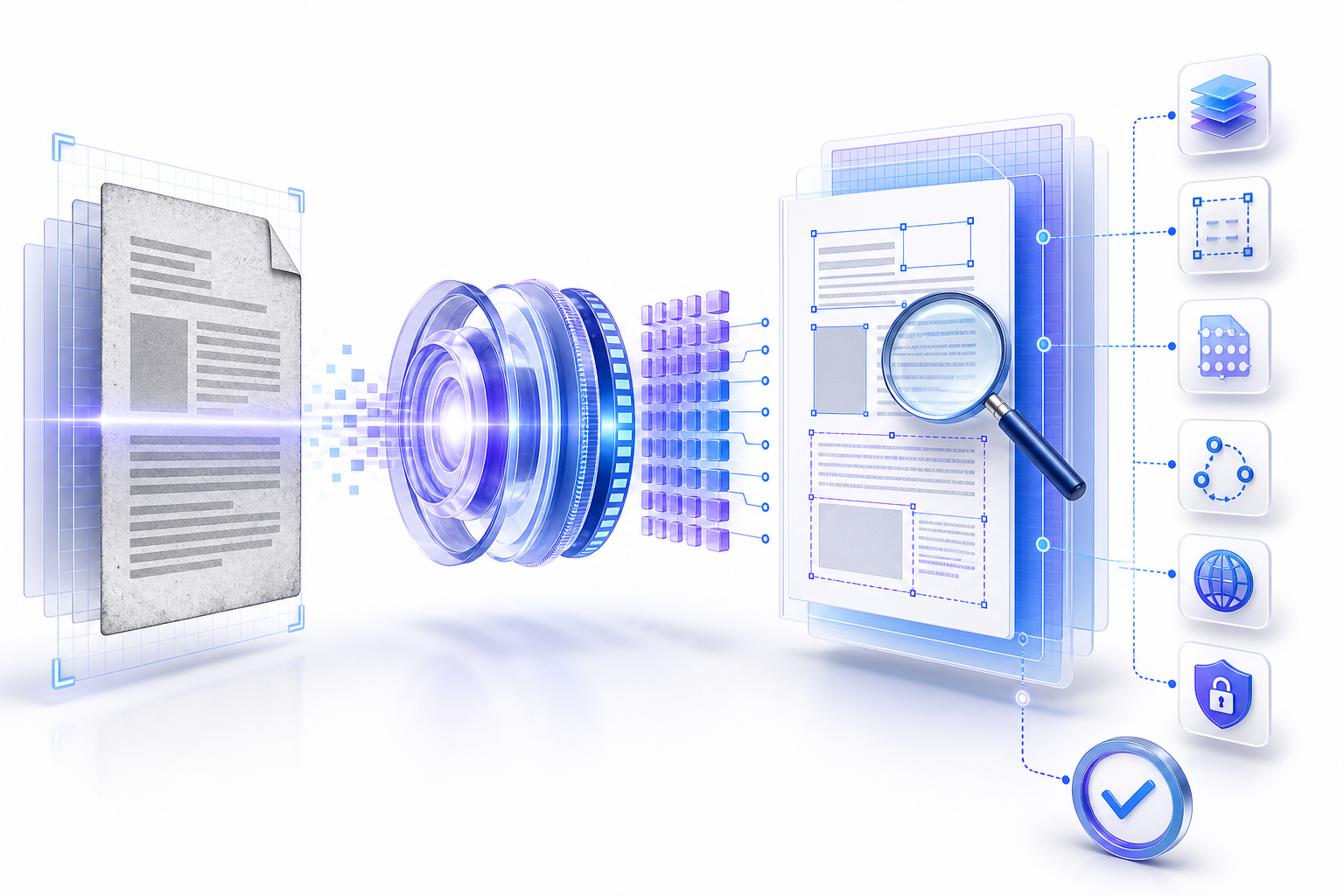
The file needs a usable, verified text layer文件需要可用且经过验证的文本层
A dependable searchable PDF preserves the visible page while adding text that can be found, selected, copied, extracted, and interpreted in the intended order. Diagnose the source, preserve the original, choose the correct OCR language and page range, then test representative names, numbers, punctuation, columns, tables, headers, and footnotes.
可靠的 Searchable PDF 应在保留页面视觉内容的同时,加入可搜索、选择、复制、提取并按预期顺序解释的文本。先诊断来源并保留原件,再选择正确的 OCR 语言与页码范围,最后测试有代表性的人名、数字、标点、分栏、表格、页眉与脚注。
A searchable PDF still needs accuracy, accessibility, editability, and authorization as separate checks. OCR can create an invisible text layer that looks correct because the image is unchanged while the underlying characters are wrong. Treat the visible page and extracted text as two related outputs that both require acceptance.
可搜索不等于准确、无障碍、可编辑或已获授权。OCR 可以在不改变页面图像的情况下生成错误的隐藏文本层,因此视觉上“正常”的文件仍可能提取出错误字符。应把可见页面与提取文本视为两个相关但都必须验收的输出。
How to tell if a PDF is already searchable如何判断 PDF 是否已经可搜索
This page is the verify desk. It does not run OCR in the browser. Try Find on a word you can see. If you can select the sentence and the Find hit lands on that word, the file already has a text layer. If nothing selects, the page is an image and needs an approved OCR pass.
本页是验收桌面,不在浏览器里跑 OCR。对看得见的词做 Find。若能选中句子且命中落在该词上,文件已有文本层。若选不中,该页是图像,需要获批 OCR。
| What you try你试什么 | What it means说明 | Next step下一步 |
|---|---|---|
| Ctrl+F / Command+F hits a visible wordCtrl+F / Command+F 命中可见词 | Text objects or a prior OCR layer exist已有文本对象或旧 OCR 层 | Still sample other page types before you file it归档前仍要抽查其他页型 |
| Nothing selects; Find finds nothing选不中,Find 也找不到 | Image-only page or locked interaction纯图像页或交互被锁 | Check permissions, then OCR a working copy先查权限,再对工作副本 OCR |
Image-only vs hybrid vs reconstructed text纯图像、混合层与重构文本
| Kind类型 | What you see看见什么 | What Find usesFind 用什么 |
|---|---|---|
| Image-only scan纯图像扫描 | Pixels of the page页面像素 | No useful characters没有可用字符 |
| Hybrid / image plus hidden layer混合 / 图加隐层 | The original scan stays visible原扫描件仍可见 | Recognized characters behind the image图像后的识别字符 |
| Reconstructed text重构文本 | New fonts and layout新字体与版式 | Rebuilt objects; higher layout risk重建对象;版式风险更高 |
Local vs upload OCR for a searchable PDF本机与上传 OCR:做 searchable PDF
A local engine keeps the scan on the device. A signed-in suite stores a copy in an account. An anonymous upload sends a copy to a host. A short delete clock is still a copy. Choose the column before anyone drops a contract or ID scan.
本机引擎把扫描件留在设备。登录套件把副本存进账户。匿名上传把副本送到主机。短删除时钟仍是副本。合同或证件扫描投放前先选列。
| Column列 | File location文件位置 | Use when适用 |
|---|---|---|
| Local OCR本机 OCR | Stays on the approved device留在获批设备 | The deck is confidential or regulated文稿机密或受监管 |
| Account suite账户套件 | Tenant or personal cloud租户或个人云 | The account and region are approved账户与地区已获批 |
| Anonymous upload匿名上传 | Host copy until deletion删除前的主机副本 | The file is public or already sanitized文件公开或已脱敏 |
Understand what makes a PDF searchable理解 PDF 具备可搜索能力的条件
A born-digital PDF usually contains text objects created by the source application. An image-only PDF contains page pictures without machine-readable words. An OCR-produced PDF commonly keeps each page image and overlays recognized characters in a hidden or visible text layer. All three may look similar in a viewer, so appearance alone cannot identify the document type.
原生数字 PDF 通常包含由源应用创建的文本对象;纯图像 PDF 只有页面图片,没有机器可读文字;OCR 生成的 PDF 则常保留页面图像,并叠加隐藏或可见的识别文本层。三者在阅读器里可能看起来相同,因此不能只凭外观判断。
Text, structure, and fonts originate in an authoring application. Extraction can still fail because of encoding, permissions, or malformed structure.
文字、结构和字体来自创作软件,但编码、权限或结构异常仍可能导致提取失败。
The viewer renders pixels. Find, selection, copy, indexing, reflow, and assistive access usually have little or no useful text to work with.
阅读器只能渲染像素,查找、选择、复制、索引、重排和辅助技术通常没有可用文本。
The page image remains authoritative visually while recognized characters support search and extraction. Alignment and recognition must be checked.
页面图像继续承担视觉呈现,识别字符用于搜索和提取,必须检查对齐和识别质量。
OCR output may replace or rebuild page content. It can improve editability but introduces greater layout, font, and pagination risk.
OCR 输出可能替换或重建页面内容,可提高编辑性,却增加版式、字体与分页风险。
Diagnose why the PDF is not searchable诊断 PDF 为什么无法搜索
Begin with observable evidence. Try selecting a sentence, searching for a distinctive word that is visibly present, copying a short passage into a plain-text editor, and inspecting several pages rather than only the cover. A mixed searchable PDF may contain findable pages, image-only inserts, signatures, maps, or photographed appendices. Security settings may also prevent copying even when text exists.
从可观察证据开始:尝试选择一句话,搜索页面上清楚可见的独特词语,把短段落复制到纯文本编辑器,并检查多页而不是只看封面。混合型 PDF 可能同时包含可搜索页面、纯图像插页、签名、地图或拍摄的附件;即使文本存在,安全设置也可能禁止复制。
| Observation现象 | Likely explanation可能原因 | Next evidence下一步证据 |
|---|---|---|
| Nothing can be selected任何内容都无法选择 | Image-only pages or restricted interaction纯图像页面或交互受限 | Check properties, permissions, and multiple pages检查属性、权限与多页情况 |
| Find works on some pages仅部分页面可搜索 | Mixed content or incomplete OCR page range混合内容或 OCR 页码范围不完整 | Create a page coverage map建立页面覆盖表 |
| Search misses visible words搜索漏掉可见词 | Recognition, language, segmentation, or encoding error识别、语言、分区或编码错误 | Copy text and compare character by character复制文本并逐字符比对 |
| Copy order is scrambled复制顺序混乱 | Columns, tables, or reading order were inferred incorrectly分栏、表格或阅读顺序推断错误 | Export representative pages to plain text将代表性页面导出为纯文本 |
Preserve the original before running OCR运行 OCR 前保留原始文件
Create a read-only source copy and a separately named working copy. Record the original filename, page count, size, acquisition channel, owner, date, and any checksum your process uses. OCR, optimization, rotation, deskewing, compression, redaction, or repair may rewrite the file. A preserved source lets you compare unexpected changes in the searchable PDF and recover pages without relying on memory.
建立只读原件与单独命名的工作副本,记录原文件名、页数、大小、获取渠道、责任人、日期以及流程使用的校验值。OCR、优化、旋转、纠偏、压缩、涂黑或修复都可能重写文件。保留原件后,才能对比意外变化并恢复页面,而不是依赖记忆。
If the file contains personal, financial, legal, medical, contractual, credential, or regulated information, decide where processing is permitted before uploading it. A convenient searchable PDF converter is not automatically an approved destination. Review retention, deletion, encryption, access, logging, residency, and contractual requirements through the organization responsible for the data.
如果文件含有个人、财务、法律、医疗、合同、凭证或受监管信息,上传前先确认允许在哪里处理。方便的 Searchable PDF Converter 并不自动代表获准目的地;应由数据责任组织审核保留、删除、加密、访问、日志、地域和合同要求。
Improve the image before recognizing text识别文字前先改善页面图像
OCR starts with the pixels it receives. Cropped characters, motion blur, shadows, low contrast, bleed-through, skew, warped pages, marginal notes, stamps, handwriting, decorative backgrounds, and aggressive compression can all reduce recognition quality. Correct orientation and page boundaries, but avoid destructive enhancement that removes faint punctuation, diacritics, decimal points, or thin table lines.
OCR 只能基于输入像素工作。字符裁切、运动模糊、阴影、低对比、透印、倾斜、页面弯曲、边注、印章、手写、装饰背景与过度压缩都会降低识别质量。可以校正方向和页边界,但不要用破坏性增强抹掉浅色标点、变音符号、小数点或细表线。
For a batch, sample the hardest pages before processing everything: smallest type, densest tables, unusual scripts, rotated inserts, two-page spreads, faded copies, and pages with mixed languages. If the sample fails, improve capture or segmentation first. Repeating a poor OCR configuration across thousands of pages only creates a larger searchable PDF verification problem.
批量处理前应抽取最困难的页面:最小字号、最密集表格、特殊文字、旋转插页、跨页、褪色复印件和混合语言页。如果样本失败,应先改善采集或版面分区;把错误配置重复到大量页面,只会制造更大的验证问题。
Choose OCR language, page range, and output mode选择 OCR 语言、页码范围与输出模式
Set the recognition language to the actual document language before you run OCR, not merely the user-interface language. For multilingual material, determine whether the engine supports multiple languages in one pass or whether distinct ranges need separate processing. Limit a searchable PDF test to a representative range, inspect the result, then expand. Confirm whether the output keeps the original image with hidden text, places visible recognized text, or reconstructs an editable page.
识别语言应匹配文档真实语言,而不是软件界面语言。对于多语言材料,要确认引擎是否支持一次识别多种语言,还是需要按页段分别处理。先对代表性页段测试和验收,再扩大范围;同时确认输出是保留原图并叠加隐藏文本、显示识别文字,还是重构可编辑页面。
Choose the least-transformative mode that meets the requirement. If legal appearance or historical facsimile matters, preserving the image may be essential. If reflow and editing matter, reconstruction may help but requires stronger layout review. Do not infer that one output mode is universally better; document the intended downstream use.
选择能满足要求且改动最小的模式。如果法律外观或历史影印效果重要,保留图像可能是核心条件;如果需要重排和编辑,重构可能有帮助,但必须加强版式检查。没有一种输出模式对所有场景都更好,应记录具体下游用途。
Make a PDF searchable through a controlled OCR pass通过受控 OCR 生成 Searchable PDF
- 1Open the working copy in an approved application and confirm page count, orientation, permissions, and available storage.在获准应用中打开工作副本,确认页数、方向、权限和可用存储空间。
- 2Select the tested page range, recognition language, and output mode. Capture the settings rather than relying on defaults.选择已测试的页码范围、识别语言和输出模式,并记录设置,不要只依赖默认值。
- 3Run OCR without overwriting the source. Save to a versioned filename in an approved location.运行 OCR 时不要覆盖原件,把结果以带版本的文件名保存到获准位置。
- 4Reopen the saved searchable PDF, verify its page count and basic rendering, then begin text-layer acceptance tests.重新打开保存后的输出,核对页数和基础渲染,再开始文本层验收。
Adobe's current guidance explains that scanned pages may contain only image data and that OCR creates searchable, selectable text; it also recommends reviewing accuracy after recognition. Treat those statements as workflow inputs, not as proof that a particular searchable PDF passed. The output itself remains the evidence to inspect.
Adobe 当前指南说明扫描页可能只有图像数据,而 OCR 会创建可搜索、可选择文本,并建议识别后复核准确性。这些说明应作为流程输入,而不是某个文件已经通过的证明;真正需要检查的证据仍是实际输出。
Verify the text layer directly直接验证文本层
Search for visible terms that are distinctive and distributed across the document: a title, a proper name, a hyphenated phrase, a number with punctuation, a footer, and a word near the final page. Search both exact and case-insensitive forms if supported. Then select and copy text from paragraphs, columns, tables, captions, headers, and footnotes into a plain-text editor. Compare characters and order with the page image. That comparison is the searchable PDF acceptance test.
选择分布在文档不同位置、且具有区分度的可见词进行搜索,例如标题、专有名称、带连字符短语、含标点数字、页脚和末页附近词语;工具支持时分别测试精确与不区分大小写搜索。随后从段落、分栏、表格、题注、页眉和脚注中选择并复制文字到纯文本编辑器,逐字符和顺序比对页面图像。
Important: a positive search result proves only that one recognized token is findable. It does not prove full-page coverage, correct spelling, reading order, accessibility, or absence of hidden text from another version.
重要:一次搜索命中只能证明某个识别词可被找到,不能证明所有页面均已覆盖、拼写正确、阅读顺序正确、具备无障碍,也不能排除隐藏层来自其他版本。
Map OCR coverage across every page type按页面类型建立 OCR 覆盖图
Group pages by structure rather than checking only a random percentage. A useful coverage map distinguishes narrative pages, forms, tables, multi-column layouts, images with captions, appendices, blank pages, rotated inserts, handwriting, and mixed-language sections. Select at least one representative from each group and record pass, partial, fail, or not applicable for the searchable PDF.
应按页面结构分组,而不是只随机检查某个百分比。实用的覆盖图可区分叙述页、表单、表格、多栏、带题注图片、附录、空白页、旋转插页、手写和混合语言部分。每组至少选择一个代表页,并记录通过、部分通过、失败或不适用。
For high-consequence use, expand the sample or perform full verification according to the risk owner’s policy. There is no universal sample size that proves a searchable PDF is accurate for every document. State what was tested, what was excluded, and who accepts residual risk.
对于高影响用途,应按风险责任人的政策扩大抽样或执行全量核验。不存在能为所有文档证明准确性的通用抽样比例;必须明确测试了什么、排除了什么,以及谁接受剩余风险。
Check characters that OCR commonly confuses检查 OCR 容易混淆的字符
Prioritize characters whose substitution changes meaning: zero and capital O, one and lowercase l, decimal points and commas, minus signs and dashes, quotation marks, accented letters, ligatures, superscripts, subscripts, currency symbols, mathematical notation, dates, account identifiers, and units. Names and identifiers deserve more scrutiny than repeated boilerplate because one wrong character can break retrieval in a searchable PDF or change a decision.
优先检查会改变含义的字符:数字零与大写 O、数字一与小写 l、小数点与逗号、负号与破折号、引号、变音字母、连字、上下标、货币符号、数学符号、日期、账户标识与单位。姓名和标识符比重复模板文字更值得核查,因为一个错误字符就可能导致检索失败或改变判断。
Compare the extracted searchable PDF text to the image, not to what the reviewer expects the sentence to say. Human reviewers can unconsciously repair obvious words while overlooking the underlying error. For critical fields, use a second reviewer or a separate source of truth where policy requires it.
应把提取文本与页面图像比较,而不是与审核者“认为句子应该是什么”比较。人会下意识补全明显词语,从而忽略底层错误。对于关键字段,应在政策要求时使用第二名审核者或独立事实来源。
Test columns, tables, headers, and reading order测试分栏、表格、页眉与阅读顺序
A searchable PDF can be findable while its extracted sequence is unusable. Two-column text may alternate lines; table cells may flatten without headers; page numbers may interrupt sentences; footnotes may appear in the middle of body text. Export representative pages or read them through a tool that exposes text order. Confirm that headings, paragraphs, lists, table relationships, captions, and notes remain understandable.
页面即使可搜索,提取顺序仍可能不可用:双栏文字可能逐行交错,表格单元格可能脱离表头被摊平,页码可能插入句子,脚注也可能出现在正文中间。应导出代表页或用能暴露文本顺序的工具读取,确认标题、段落、列表、表格关系、题注与注释仍可理解。
A searchable PDF does not automatically create semantic tags. If accessibility is a requirement, evaluate tags, language, headings, lists, tables, alternatives, form controls, bookmarks, and logical reading order separately. The W3C PDF7 technique describes OCR as a way to provide actual text, then calls for verification of completeness and reading order; it is not a blanket conformance certificate.
正确搜索并不会自动生成语义标签。如果无障碍是要求,还必须单独评估标签、语言、标题、列表、表格、替代文本、表单控件、书签与逻辑阅读顺序。W3C PDF7 技术把 OCR 作为提供实际文本的方法,并要求验证完整性和阅读顺序;它不是自动合规证书。
Confirm that OCR did not damage the visible PDF确认 OCR 没有破坏可见 PDF
Compare before and after at the same zoom. Check page count, page dimensions, rotation, crop boxes, image clarity, color, margins, signatures, stamps, annotations, links, bookmarks, layers, attachments, forms, and redactions. A searchable PDF can gain a text layer while losing an attachment or changing an annotation state. If the workflow optimizes or compresses images, inspect small type and line art at practical zoom and print if print use matters.
在相同缩放比例下比较处理前后,检查页数、页面尺寸、旋转、裁切框、图像清晰度、颜色、边距、签名、印章、批注、链接、书签、图层、附件、表单与涂黑。输出可能获得搜索能力,却丢失附件或改变批注状态。如果流程同时优化或压缩图像,应在实际缩放下检查小字与线稿;需要打印时还应检查打印结果。
Handle confidential OCR without exposing the document在不暴露文档的前提下处理机密 OCR
Before choosing local software, a managed service, or an online converter, classify the content and identify the authorized processing boundary. Ask whether files are transmitted, retained, used for service improvement, replicated, logged, reviewed by humans, or available to support personnel. Confirm deletion behavior and whether the output inherits access controls. If you cannot establish that a route is approved, do not upload the file to make a searchable PDF.
在选择本地软件、托管服务或在线转换器前,先对内容分级并确定获准处理边界。应了解文件是否传输、保留、用于服务改进、复制、记录日志、由人工查看或可被支持人员访问,并确认删除机制以及输出是否继承访问控制。如果无法证明路径获准,就不要上传文件。
OCR can expose text that was previously difficult to discover. Search, indexing, preview, and downstream automation may now surface names, identifiers, or hidden historical content. Apply appropriate permissions and retention to the searchable PDF output, not only to the scanned source.
OCR 会让原本不易发现的文字变得可搜索,索引、预览与下游自动化可能因此暴露姓名、标识符或历史内容。应把适当权限与保留政策应用到可搜索输出,而不只是原扫描件。
Never use visual covering as PDF redaction不要把视觉遮盖当作 PDF 涂黑
A black rectangle, white shape, crop, or annotation may hide words visually while leaving the underlying image or OCR text inside a searchable PDF. Use an approved redaction workflow that removes content, then search for the removed terms, copy text around the area, inspect metadata and attachments, and verify the saved output. OCR after weak visual covering can recreate the hidden words.
黑色矩形、白色形状、裁切或批注可能只在视觉上遮住文字,却把底层图像或 OCR 文本留在文件中供搜索和提取。应使用真正删除内容的获准涂黑流程,然后搜索被删除词、复制周边文本、检查元数据与附件并验证保存结果。对薄弱视觉遮盖再次 OCR,甚至可能重新生成被隐藏文字。
Fix common OCR failures by symptom按症状修复 OCR 常见失败
| Symptom症状 | Evidence to inspect应检查证据 | Controlled response受控处理 |
|---|---|---|
| OCR skips pagesOCR 跳过页面 | Page range, existing renderable text, permissions, errors, mixed page types页码范围、已有可渲染文本、权限、错误、混合页类型 | Isolate a copy of the failed range and test settings复制失败页段并单独测试设置 |
| Wrong language or gibberish语言错误或乱码 | Recognition language, script, resolution, orientation, encoding识别语言、文字体系、分辨率、方向、编码 | Correct language and image preparation, then rerun a sample修正语言与图像预处理后重新跑样本 |
| Search finds hidden old text搜索命中旧隐藏文本 | Duplicate text layers, replaced page image, prior OCR重复文本层、替换页面图像、旧 OCR | Return to the preserved source and rebuild in a controlled copy回到保留原件,在受控副本中重建 |
| Output is much larger输出体积大幅增加 | Image duplication, output mode, compression, embedded resources图像重复、输出模式、压缩、嵌入资源 | Compare settings and optimize only after acceptance对比设置,验收后再优化 |
Handle mixed text, scans, handwriting, and languages处理文字、扫描、手写与多语言混合文档
Do not rerun OCR blindly over pages that already contain a reliable searchable PDF text layer. Some applications reject pages with renderable text; others may create duplicated or conflicting layers. Identify image-only ranges and process them separately when the tool allows it. Handwriting, equations, chemical structures, music notation, maps, and decorative type may require specialized recognition or manual transcription rather than standard OCR.
不要盲目地对已有可靠文本的页面再次 OCR。有些应用会拒绝含可渲染文本的页面,另一些则可能生成重复或冲突文本层。工具允许时,应识别纯图像页段并单独处理。手写、公式、化学结构、乐谱、地图和装饰字体可能需要专门识别或人工转录,而不是普通 OCR。
Treat searchability as one accessibility input, not the finish line把可搜索性视为无障碍输入而不是终点
Actual text can enable selection, speech output, resizing, reflow, and other uses that an image alone cannot support. Yet a text layer does not establish document language, meaningful tags, correct heading levels, table headers, list semantics, alternative text, form labels, link purpose, or logical order. If the deliverable has an accessibility requirement, test it against the applicable organizational or legal standard with suitable tools and human review.
实际文本能够支持选择、朗读、放大、重排等纯图像无法提供的用途,但文本层并不能自动建立文档语言、有效标签、正确标题级别、表头、列表语义、替代文本、表单标签、链接目的或逻辑顺序。如果交付有无障碍要求,应按适用的组织或法律标准,结合合适工具与人工审核进行测试。
Do not label a file accessible or standards-conformant merely because OCR ran successfully. Conformance depends on the applicable requirements, document structure, semantics, reading order, alternatives, controls, and validation evidence—not on a searchable PDF alone.
不能仅因 OCR 成功就把文件标记为无障碍或符合标准。符合性取决于适用要求、文档结构、语义、阅读顺序、替代内容、控件与验证证据,而不是只取决于可搜索性。
Plan output for records and archives为记录与归档规划可搜索 PDF 输出
For records, preservation, discovery, or e-discovery, define whether the source image, OCR text, metadata, checksums, processing log, and derivative file must be retained. A searchable PDF can improve discovery, but mistaken OCR may create false positives and false negatives. Preserve provenance so a user can distinguish original evidence from machine-recognized text.
对于记录、保存、发现或电子取证,应明确是否保留源图像、OCR 文本、元数据、校验值、处理日志和衍生文件。可搜索输出能改善发现,但错误 OCR 也会产生误报与漏报。必须保留来源关系,让使用者能够区分原始证据与机器识别文本。
If PDF/A or another archival profile is required, use an approved creation and validation process specific to that profile. A searchable PDF and an archival profile describe different properties. Neither label proves the other.
如果要求 PDF/A 或其他归档配置,应使用针对该配置的获准创建与验证流程。“可搜索”和“可归档”描述不同属性,任何一个标签都不能证明另一个。
Automate OCR with acceptance gates and exception handling用验收门槛与异常处理实现 OCR 自动化
A batch pipeline should separate intake, source preservation, classification, OCR, validation, exception review, release, and retention. Log the tool and version, language, page range, output mode, time, result, warnings, and reviewer decision. Route low-confidence pages, unexpected page counts, unsupported scripts, password restrictions, damaged files, and duplicate text layers to an exception queue.
批处理流水线应分开接收、原件保留、分类、OCR、验证、异常审核、发布和保留。记录工具与版本、语言、页码范围、输出模式、时间、结果、警告和审核决定;把低置信页面、异常页数、不支持文字、密码限制、损坏文件与重复文本层送入异常队列。
Do not use a single average accuracy score to hide difficult pages. Report coverage and exceptions by page type and consequence. A searchable PDF pipeline is trustworthy when reviewers can reconstruct what happened and when unsafe or ambiguous output does not silently pass.
不要用单一平均准确率掩盖困难页面。应按页面类型和影响报告覆盖与异常。只有当审核者能够重建处理过程,而且不安全或含糊输出不会静默通过时,流水线才值得信任。
Define acceptance before processing处理前定义验收标准
Write the intended use, owner, deadline, included pages, excluded content, privacy boundary, required languages, critical fields, permitted error handling, accessibility target, visual-fidelity expectation, file-size constraint, and evidence needed for release. Then define failure conditions. Examples include missing pages, searchable PDF terms that do not match the image, wrong reading order in critical tables, exposed redacted text, unauthorized upload, or loss of signatures and attachments.
写明预期用途、责任人、截止时间、包含页面、排除内容、隐私边界、所需语言、关键字段、允许的错误处理、无障碍目标、视觉保真预期、文件大小限制与发布证据,再定义失败条件,例如缺页、搜索词与图像不符、关键表格阅读顺序错误、涂黑文本泄露、未经授权上传或签名附件丢失。
Use a twelve-step OCR workflow使用十二步 OCR 工作流
- 1Define the user task and acceptance criteria.定义用户任务与验收标准。
- 2Classify sensitivity and approve the processing location.对敏感度分级并批准处理位置。
- 3Preserve the original and create a named working copy.保留原件并建立命名清晰的工作副本。
- 4Diagnose native text, image-only, and mixed pages.诊断原生文字、纯图像与混合页面。
- 5Improve orientation, boundaries, contrast, and capture only as needed.仅按需要改善方向、边界、对比与采集。
- 6Test language, page range, and output mode on difficult samples.在困难样本上测试语言、页段与输出模式。
- 7Run OCR on the working copy and save a versioned output.在工作副本运行 OCR 并保存版本化输出。
- 8Reopen and compare page count, rendering, and document features.重新打开并比较页数、渲染与文档功能。
- 9Test search, selection, copy, extraction, and reading order.测试搜索、选择、复制、提取与阅读顺序。
- 10Review critical characters and every representative page type.复核关键字符与各类代表页面。
- 11Run separate privacy, redaction, accessibility, and archive checks.分别执行隐私、涂黑、无障碍与归档检查。
- 12Record evidence, exceptions, owner approval, and released filename.记录证据、异常、责任人批准与发布文件名。
Record OCR settings, tests, exceptions, and approval记录 OCR 设置、测试、异常与批准
A useful verification record is concise enough to maintain and specific enough to reproduce. Include source and output filenames, page counts, checksum or version reference, tool and version, OCR date, languages, page range, output mode, privacy decision, representative test pages, exact search terms, extraction checks, visual comparison, accessibility scope, exceptions, remediation, reviewer, approver, and final location.
实用验证记录既要足够简洁以便维护,也要足够具体以便复现。应包含源文件与输出文件名、页数、校验值或版本引用、工具及版本、OCR 日期、语言、页段、输出模式、隐私决定、代表测试页、精确搜索词、提取检查、视觉对比、无障碍范围、异常、修复、审核者、批准者与最终位置。
source: scanned-record-v1.pdf
output: scanned-record-searchable-v2.pdf
goal: discovery and verified text extraction
languages: [document languages]
pages_processed: [ranges]
tests: [search, select, copy, order, fidelity]
exceptions: [page, symptom, disposition]
approval: [owner, date, released version]
Turn the review into a clear Word report把审核整理成清晰的 Word 报告
Write the OCR plan, settings, page coverage, representative checks, exceptions, and approval in Markdown, then use the InfiniSynapse Markdown-to-Word tool to create a shareable document. The tool supports report preparation; it does not perform OCR or prove that a PDF is accurate, accessible, private, compliant, or safe.
先用 Markdown 记录 OCR 计划、设置、页面覆盖、代表性检查、异常与批准,再使用 InfiniSynapse Markdown-to-Word 工具生成便于共享的文档。该工具用于整理报告,并不执行 OCR,也不能证明 PDF 准确、无障碍、私密、合规或安全。
Open Markdown-to-Word Tool打开 Markdown-to-Word 工具Do not paste confidential document text into an unapproved service. Use placeholders or sanitized evidence when required.不要把机密文档文字粘贴到未经批准的服务中;需要时请使用占位符或脱敏证据。
Use this checklist before releasing the file发布前使用此检查清单
- The source is preserved and the searchable PDF output is versioned.原件已保留,输出已版本化。
- The searchable PDF processing route is approved for the document’s sensitivity.处理路径符合文档敏感度要求。
- Every intended page type has searchable PDF coverage evidence.所有目标页面类型都有 OCR 覆盖证据。
- Search, select, copy, extraction, and reading order were tested on the searchable PDF.已测试搜索、选择、复制、提取和阅读顺序。
- Critical names, identifiers, numbers, symbols, and dates in the searchable PDF match the image.关键姓名、标识、数字、符号和日期与图像一致。
- Page count, visible layout, annotations, forms, links, signatures, and attachments were compared.已比较页数、可见版式、批注、表单、链接、签名与附件。
- Redaction, privacy, accessibility, and archival requirements received separate checks.涂黑、隐私、无障碍与归档要求已分别检查。
- Exceptions, residual risk, owner approval, and the released searchable PDF filename are recorded.异常、剩余风险、责任人批准与发布文件名均已记录。
Frequently asked questions常见问题
Run OCR in an approved local or suite tool, keep the source copy, set the document language, then Find names and numbers on more than one page type. This verify desk does not upload the file. A searchable PDF is finished when the saved text layer matches the page image.
在获批本机或套件里跑 OCR,保留原件,设文档语言,再在多种页型上 Find 姓名与数字。本验收桌面不上传文件。保存后的文本层与页面图像一致,才算完成。
Search for several distinctive visible terms across different page types, select and copy representative passages, and compare extracted characters and order with the page image. One successful result is insufficient evidence of complete or accurate OCR.
在不同页面类型中搜索多个独特可见词,选择并复制代表段落,再把提取字符和顺序与页面图像比较。一次成功命中不足以证明 OCR 完整或准确。
The file may contain only page images, OCR may cover only part of the document, the wrong language or orientation may have been used, security may restrict interaction, or recognition may have failed on difficult content.
文件可能只有页面图像,OCR 可能只覆盖部分文档,也可能使用了错误语言或方向;安全设置可能限制交互,困难内容也可能识别失败。
It depends on the output mode and related processing. A hidden text layer may preserve the page image, while reconstructed text can change fonts and layout. Compression, deskew, rotation, optimization, and repair can also alter the file, so compare before and after.
取决于输出模式及相关处理。隐藏文本层可保留页面图像,而重构文字可能改变字体和版式;压缩、纠偏、旋转、优化与修复也可能改变文件,因此必须前后比较。
No. Searchable text is useful, but accessibility may also require correct language, tags, headings, lists, tables, alternatives, form labels, links, bookmarks, and reading order. Evaluate the applicable requirements separately.
不会。可搜索文本有帮助,但无障碍还可能要求正确语言、标签、标题、列表、表格、替代文本、表单标签、链接、书签和阅读顺序,应单独评估适用要求。
Only when the data owner and applicable policy approve that service and processing route. Confirm transmission, retention, access, deletion, logging, residency, and contract terms. If approval is unclear, do not upload the document.
只有数据责任人和适用政策批准该服务与处理路径时才可以。应确认传输、保留、访问、删除、日志、地域和合同条款;批准不明确时不要上传。
Authoritative sources for OCR and PDF accessibilityOCR 与 PDF 无障碍权威资料
- Adobe Acrobat: recognize text in scanned PDFsAdobe Acrobat:识别扫描 PDF 中的文字
- Adobe Acrobat: scan documents and configure OCRAdobe Acrobat:扫描文档并配置 OCR
- Adobe Acrobat: OCR and pages containing renderable textAdobe Acrobat:OCR 与含可渲染文本的页面
- W3C WAI PDF7: OCR scanned PDFs to provide actual textW3C WAI PDF7:通过 OCR 为扫描 PDF 提供实际文本