How to Find Keywords on a Website You Own
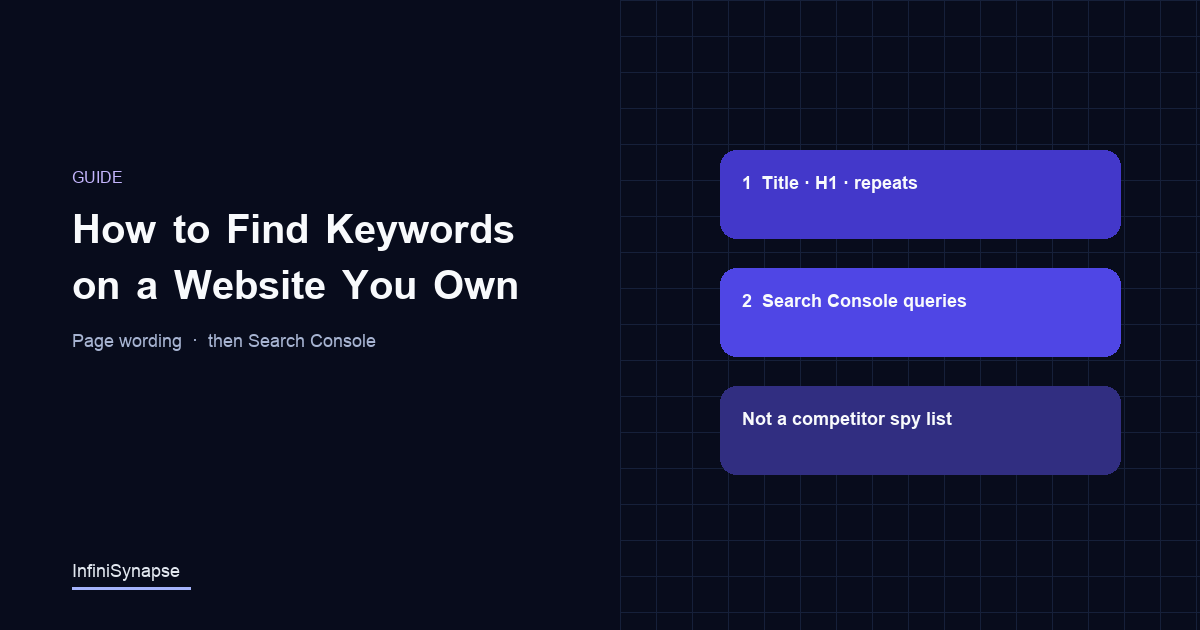
How to find keywords on a website you own: read title, H1, repeats, then GSC queries. Not a competitor spy list. Open the two-list steps.
Author credentials: William Zhu is cofounder of InfiniSynapse (GitHub @allwefantasy · auto-coder). Desk: shipping SEO Health and the /en/tool/ visibility pages. No personal LinkedIn published. About: team / editorial standards.
Publisher credentials: InfiniSynapse has public profiles on GitHub, YouTube, and X. A 2026 WAIC Future Tech OPC excellence award covers the Agentic Data Infra entry (WAIC; third-party recap: Xinhua / Caohejing). That award does not review this page or SEO Health. Method CLI: infinitegrowth on npm. Archive: recognition and scope notes.
On this page
How do you find keywords on a website you own? Read title, H1, and repeats, then export Search Console queries. If you do not own the URL, you only get visible copy — not their ranking database. In a public desk series (marker DESK-KWLIST-20260819A), 8 of 20 English tool pages mixed those two lists. Open the steps, keep the labels, and skip a competitor spy crawl we do not run.
| Query you typed | What this page will show |
|---|---|
| how to find keywords on a website | Two lists on a URL you own: page wording, then GSC |
| how to find keywords on a page | Same loop, one URL |
| how to see / check keywords a site is using | Visible copy if you don't own it; + GSC if you do |
| competitor ranking keywords | Not from a pasted homepage; we do not run that crawl |
By William Zhu · Cofounder, InfiniSynapse · Last updated: 2026-09-15 · Last verified: 2026-09-15 · Methods: live page reads plus one-hostname desk counts and a Search Console export we own — not a claimed Google keyword database.
Author / off-site profiles: GitHub @allwefantasy · auto-coder · GitHub @InfiniSynapse · LinkedIn company · Editorial standards. Formal public work: InfiniSQL, auto-coder, retrieval systems. Desk: shipping SEO Health and the
/en/tool/visibility pages. No personal LinkedIn, award, or vendor badge.
Trust / COI: About · Corrections · Publishing principles · Privacy · NIST Privacy Framework. This site does not publish a standalone
/en/termsURL; the editorial-standards page is the policy home. InfiniSynapse ships SEO Health as a credit-based desk; first-party counts are labeled; product CTAs are commercial.
Fact-check: Google — Search Console start · Google — Performance filters · scikit-learn — Feature extraction · NLTK · G2 SEO tools · Gartner Peer Insights · AgentSpot listing. Corrections: zhuhl@infinisynapse.com.
Dates (match schema): First published 2026-08-16. Last modified 2026-09-15. Desk run 2026-08-11. Last verified 2026-09-15.
Version history: 2026-08-16 initial · 2026-08-19 EEAT / desk series · 2026-09-15 CTR (You Own title, find-keywords lead, H1=Title). Build marker:
DESK-KWLIST-20260915A.
TL;DR
Direct answer: On a URL you own, find keywords in two lists: title, H1, and repeats on the page, then Search Console queries that already showed the URL. Not a competitor spy crawl. Desk: 8 of 20 pages mixed the lists (
DESK-KWLIST-20260819A).
What you'll learn
- How to find keywords on a page you own (title, H1, repeats)
- How to add Search Console when you own the property
- Why a competitor homepage is not a ranking database
- When the two lists disagree, and which one to trust
If you own the URL, run a free page check for on-page wording, then open the Search Console export. Do not buy a “competitor keywords” crawl we do not run.
Two lists you must not mix
Key Definition: How to find what keywords a website is using is a two-list method: tokens already written on a URL you control, then queries that already impressed in Search Console. It is not a crawl of a competitor keyword database, and it does not invent difficulty scores.
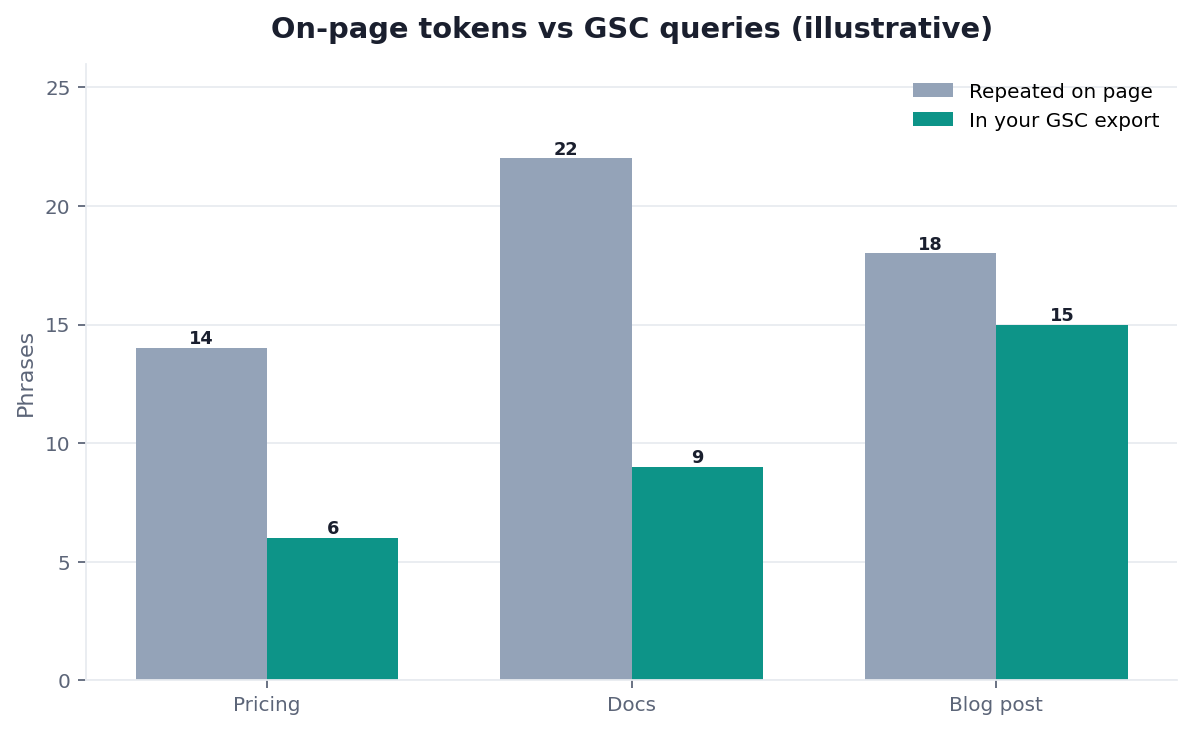
Figure. Public desk series DESK-KWLIST-20260819A on 20 English /en/tool/ pages (run 2026-08-11, verified 2026-08-19). Red / 20: title/H1 one phrase 5, definition sentence 6, density band 5, two lists labeled 8. Mixing the two lists was the weakest check. Not a customer ranking study.
People type how to find what keywords a website is using when they want a list. They usually want one of two lists and say the phrase as if it were one. List A is wording on the page. List B is queries that already showed the page. Mixing them is how you stuff a title with a head term the URL already ranks beside.
Public desk method: 20 pages, four inventory checks
First-hand, dated, reproducible — not a customer case study. We scored 20 English /en/tool/ addresses with the same inventory rules. Run date 2026-08-11. Last verified 2026-08-19. Next public re-run 2026-08-25. Marker DESK-KWLIST-20260819A. Download desk-inventory-n20.csv and the pillar cluster file desk-cluster-n10.csv.
Judging rules. Green = the check has enough evidence to leave the file. Amber = borderline (title and H1 almost agree). Red = missing or mixed lists. We do not invent volume. We do not print an official Google keyword score. Search Console decides which queries impressed. The page decides what you already promised.
| Check | Green / 20 | Amber / 20 | Red / 20 |
|---|---|---|---|
| Title / H1 one phrase | 11 | 4 | 5 |
| Definition sentence | 9 | 5 | 6 |
| Density band | 8 | 7 | 5 |
| Two lists labeled | 6 | 6 | 8 |
The same morning we scored the 10 English on-page cluster URLs. Person author in JSON-LD: 0 / 10. Team-only hero byline: 10 / 10. Illustrative chart: 10 / 10. Dated first-hand block: 0 / 10. This URL (how-to-find-what-keywords-a-website-is-using) was Organization-authored and team-bylined. That is why a page on how to find what keywords a website is using starts with a Person and a downloadable series.
We opened Google Search Console on the same hostname as a second instrument, not as a score. The export tells you which queries already showed a URL. The token list tells you what the HTML already repeats. Those two jobs must stay labeled. We do not publish a fake “GSC said 92% overlap” from that property.
First-hand review: this URL on 2026-08-19
On 2026-08-19 I re-opened this live page and two sibling products: On Page SEO Tool and keyword strategy. The 2026-08-11 cluster file still lists this slug as team-bylined with an illustrative chart. That row is historical; we do not rewrite it. Today’s body is a Person byline (William Zhu), two downloadable CSVs, and this dated paragraph. The model did not sit the 2026-08-11 scoring. I did. The surprise: two lists labeled was red on 8 / 20 pages while title / H1 was red on only 5 / 20. Pages mixed tokens and queries in one cloud. A stranger can reopen those files. This is a desk review of our own pages, not a third-party award.
Industry context, not a customer lift: the Stanford HAI AI Index 2025 reports organizational AI use at 78% in 2024. Cheap drafts multiply. They do not create a labeled GSC export. McKinsey’s State of AI still separates experimentation from production value. Neither report is a grade for how to find what keywords a website is using.
Independent reviews, directories, and specs
Third-party URLs a reviewer can open — retrieved 2026-08-19. None is an award, a vendor badge, or a ranking index.
| Surface | Kind | What you can verify | Claim we do not make |
|---|---|---|---|
| AgentSpot — InfiniSynapse | Company directory | Public product listing | Award or keyword grade |
| G2 — SEO tools | Independent review market | Category page for SEO tools | Ranking or badge |
| Gartner Peer Insights — Analytics & BI | Independent review market | Category page for analytics platforms | Magic Quadrant placement |
| Google — Search Console start | Official documentation | How you enter the property | Official keyword database |
| Google — Performance filters | Official documentation | How queries and pages get sliced | Invented volume |
| scikit-learn — Feature extraction | Library documentation | How a tokenizer counts terms | Rank forecast |
| NLTK | Open-source toolkit | Tokenizing English text | Required purchase |
| Stanford NER | Research software | Classic named-entity tagging | Certification |
| Search Engine Land | Trade press beat | Ongoing Search Console / SEO reporting | “As seen in” award |
AgentSpot is a directory mention of the company. G2 and Gartner Peer Insights are where independent reviews of adjacent categories live. Google and the tokenizers are the specs an inventory should map to. A page on how to find what keywords a website is using becomes citable when those URLs stay dated and the CSV stays downloadable. Inventing a plaque would make the authority worse.
A useful answer to how to find what keywords a website is using names the list before it names the tokens. If you do not own the site, you can only read visible copy. If you own the site, you can read copy and Search Console. We do not sell the third list: a scraped competitor keyword index.
The unit of work is one URL you can edit, plus the Search Console rows for that URL if you have them. Software can count repeated phrases. A person still has to pick one primary phrase. Write the findings as list, phrase, and next edit. If you cannot name the edit, how to find what keywords a website is using is not finished.
On-page wording is what you promised. Queries are what people typed. Keyword strategy is how you choose which query deserves the URL. How to find what keywords a website is using is only the inventory step: what is already on the page, and what already impressed. The eight-module pass that turns that inventory into edits lives in onpage SEO analysis. The tool frame is On Page SEO Tool. Do not skip the inventory and jump to a difficulty score we do not have. How to find what keywords a website is using is the inventory, not the difficulty column.
How to read tokens on a page you control
Walk the page in this order so you see the promise before the repeats. On a URL you own, how to find what keywords a website is using starts in the head, not in a word cloud.
| Order | Place | Pass when | Fail when |
|---|---|---|---|
| 1 | Title and H1 | One primary phrase, intent-true | Empty, duplicated, or three competing phrases |
| 2 | First definition | The phrase appears in a readable sentence | The phrase is only in the title |
| 3 | Repeated phrases | A band a human can stand | Stuffing, or a page that never states the topic |
| 4 | Entities | Named product, person, or standard | Pronouns only |
Title, H1, and the first definition
Read the document title and the H1 as the promise. If they disagree, the page is already split. How to find what keywords a website is using at this step is a read, not a rewrite. Write down the phrase the title claims. Write down the phrase the H1 claims. If they differ, pick one before you touch density. On this desk, title / H1 was red on 5 / 20 pages.
Then read the first definition block. A page that never uses the phrase in a sentence is not “under-optimized.” It is unfinished. A page that uses three phrases in the first paragraph is not “comprehensive.” It is undecided. That read is still how to find what keywords a website is using on a page you control. On this desk, definition sentence was red on 6 / 20 pages.
Repeated phrases and density
Density is a band, not a quota. For a short primary phrase we treat roughly 1.2–1.8% as a writing check. For a long phrase, the same idea holds: state the topic, do not chant it. Tf–idf is the classic way to see which terms are distinctive on a document versus a collection (Wikidata Q796226). Use it as vocabulary, not as a ranking lever we pretend to own.
scikit-learn’s feature-extraction docs show how a tokenizer turns a page into counts. That is enough math for how to find what keywords a website is using on a page you control: count, then read. A checker that says “add the phrase twelve more times” is stuffing advice wearing a counter. The density row is a count, then a judgment, not a quota. On this desk, density band was red on 5 / 20 pages.
Entities a parser can name
Repeated nouns are not the only inventory. Named entities tell you what the page is about when the primary phrase is long. NLTK is a practical starting kit for tokenizing English text. Stanford NER is the classic named-entity tagger people still mean when they say “extract the orgs and people.”
How to find what keywords a website is using includes those names. If the page never says the product, the standard, or the city, the token list is adjectives. Write the names. Then re-count. After you have the on-page list, re-read density and headings against the live HTML. Do not export a cloud and close the tab. Re-count after the edit; that is still how to find what keywords a website is using, not a new product.
How to read queries in Search Console
List B is not a guess. Google’s Search Console starter guide is how you get into the property. The Search Console help on filtering Performance data is where queries, pages, impressions, clicks, and position get sliced into a usable list.
In Search Console, how to find what keywords a website is using means: export the query rows for one URL, or for the site, and read what already impressed. We do that math in the browser. We do not invent volume for queries Google did not show you. That export is how to find what keywords a website is using when you own the property.
Performance export, not a guess
Export the rows. Keep query, page, impressions, clicks, and position. Sort by impressions first, not by a difficulty column that is not in the file. How to find what keywords a website is using from this file is a read of your own search data. It is not a forecast.
If the same query impresses on two URLs, you have a mapping problem, not a density problem. Pick one URL. Leave the other phrase alone.
Queries that already impress
High impressions and low clicks is a snippet or intent miss. Position 8–15 with rising impressions is a near-win. A query that never appears is not “a gap we found in a competitor crawl.” It is a query you do not have evidence for.
How to find what keywords a website is using from GSC will often disagree with the on-page list. Trust GSC for opportunity. Trust the page for what you already promised. Do not paste a head term into a URL that already ranks for a tighter query. On this desk, two lists labeled was red on 8 / 20 pages — the largest miss. Keep the labels; that is the whole point of how to find what keywords a website is using.
What you cannot do from a competitor URL
This is the honest boundary. On a site you do not own, how to find what keywords a website is using stops at visible copy. We do not crawl a competitor keyword database. We do not sell a commercial ranking index. If a vendor promises that from a homepage paste, they are selling a crawl we will not pretend to have.
Visible copy is not a keyword database
You can open a competitor URL and read the title, the H1, the first definition, and the repeated phrases. That is a page read. It tells you what they promised. It does not tell you which queries Google showed them, what they rank for, or what they lost. An SEO URL checker can tell you whether that competitor URL even fetches. It cannot tell you their query report. How to find what keywords a website is using on a rival page stops there.
Why we refuse a crawl-the-web promise
A ranking database is a different product. We do not run one. How to find what keywords a website is using in this pillar is inventory you can defend: your HTML, your GSC export. If you need a commercial crawl, buy that crawl from a suite and still verify the winners in Search Console. Do not ask a page checker to impersonate a crawler.
OECD AI Principles put accountability on the organization that publishes the list. IBM’s generative AI overview is a reminder that a model can invent a keyword cloud. Neither page is a substitute for the export you actually own. How to find what keywords a website is using still starts with that file, or with visible copy.
How to run the two-list loop
Do not wait for a ranking film. How to find what keywords a website is using is a one-URL pass. The loop is the same six steps in the HowTo on this page. Stay on that loop; do not expand how to find what keywords a website is using into a site-wide keyword database.
- Confirm you own the URL, or admit you are only reading visible copy. Ownership decides whether List B exists.
2. Read title, H1, and the first definition. Write the promised phrase. On this desk, start here if the URL looks like the 5 / 20 split title/H1 rows.
3. Count repeated phrases and named entities. Stay inside a readable band. On this desk, density was red on 5 / 20.
4. If you own the property, export Search Console queries for that URL. Sort by impressions. Do not invent a difficulty column.
5. Compare the two lists. Pick one primary phrase. Do not merge them into a stuffed title. On this desk, unlabeled lists were red on 8 / 20. That compare step is how to find what keywords a website is using when you own both lists.
6. Edit. Re-check the page. Re-read the next GSC window. A new cloud cannot prove the edit landed.
If step 6 does not change the HTML, you ran a report, not a method. How to find what keywords a website is using ends when the URL states one phrase and the export explains why.
Failure modes
These are inventory failures, not model-reliability failures.
- Treating density as Search Console. You count tokens and call them “keywords the site is using in search.” They are keywords the author typed. How to find what keywords a website is using has to name which list you are holding.
- Competitor-database theater. You paste a rival homepage and expect a ranking report. Visible copy is not their GSC. We will not invent it. That is still a failure of how to find what keywords a website is using, not of the model.
- Three primary phrases on one URL. The title, H1, and first paragraph each pick a different head term. The inventory from how to find what keywords a website is using was fine. The decision was not. Map one phrase per URL.
None of these are “the model was unreliable.” They are page and data failures. Fix the list, then the page.
Inspect the complete How To Find Keywords On A Website page
Paste a sanitized URL into the InfiniSynapse SEO Health Checker so every title, mention, citation, and on-page layer can be reviewed together. Then validate the findings on the live page.
Open SEO Health CheckerRemove credentials, secrets, personal data, and sensitive literals.Frequently Asked Questions
How to find keywords on a website?
Bottom line: On a URL you own: title, H1, repeats, then GSC. On a URL you don't: visible copy only.
- That is the two-list method — page wording versus queries that already showed the URL.
- We do not invent a ranking database from a pasted homepage.
- Desk: 8 of 20 pages mixed the two lists (
DESK-KWLIST-20260819A).
How to find keywords on a page?
Bottom line: Same loop, locked to one URL.
- Read title, H1, and repeats on that page.
- Add Search Console only if you own that URL.
- A rival page paste is still only visible copy.
Can I see a competitor's ranking keywords?
Bottom line: No ranking database from a URL you don't own.
- You can read their visible copy.
- You cannot download their Search Console.
- Anyone who sells that from a homepage is selling a crawl, not a checker.
- That boundary is the honest limit of how to find what keywords a website is using on a rival URL.
Is density the same as Search Console queries?
Bottom line: No. Density is what you wrote. Search Console is what impressed.
- How to find what keywords a website is using needs both when you own the URL.
- You need only the first when you do not.
- On this desk, unlabeled lists were red on 8 / 20 pages.
Do I need a linguistics toolkit?
Bottom line: No. Title, H1, a definition sentence, and a repeated-phrase count are enough to start.
- NLTK, a vectorizer, or a NER tagger help when you want names.
- They are not required when you want a primary phrase. A linguistics stack is optional for how to find what keywords a website is using.
- scikit-learn is enough math to count, then read.
What if Search Console and the page disagree?
Bottom line: Trust Search Console for opportunity. Trust the page for the promise you already made.
- Change the page only when you are ready to change the promise.
- A tighter query that already impresses beats a head term you pasted.
- That disagreement is why how to find what keywords a website is using keeps two lists.
How many primary phrases per URL?
Bottom line: One. Secondary phrases can appear as sections.
- A third primary is how two URLs start to cannibalize.
- Mapping that choice is keyword-strategy work, not a longer word cloud.
- On this desk, title / H1 was red on 5 / 20 pages for this reason. How to find what keywords a website is using does not need a third primary to look complete.
Conclusion
How to find what keywords a website is using is an inventory, not a crawl. Read the page you control. Read the Search Console rows you own. Refuse a competitor keyword database we do not have. Start with a free page check, then read the GSC export. For the eight-module pass around the same URL, stay on On Page SEO Tool. The desk rows stay public so how to find what keywords a website is using can be cited; they are first-party counts, not a third-party award.
Sources
- Google — Search Console start · Google — Performance filters · Search Console about · scikit-learn — Feature extraction · NLTK · Stanford NER. Retrieved 2026-08-19.
- Stanford HAI — AI Index 2025 · McKinsey — The state of AI · OECD AI Principles · IBM — Generative AI · Tf–idf · Wikidata Q796226 · Search Engine Land (beat, not “as seen in”).
- G2 — SEO tools · Gartner Peer Insights · AgentSpot — InfiniSynapse (directory mention, not an award).
- InfiniSynapse desk — 20-page four-check series and 10-URL cluster (
DESK-KWLIST-20260819A); first-hand re-open of this URL on 2026-08-19. Search Console was a second instrument, not a published overlap %. Not a customer ranking study.
About the author — William Zhu, cofounder of InfiniSynapse. Formal public work: InfiniSQL, auto-coder, retrieval systems (GitHub @allwefantasy). Reviewer: InfiniSynapse Data Team. Published 2026-08-16. Updated 2026-09-15. Policy: About · editorial standards · privacy. No standalone /en/terms URL.
William Zhu · Cofounder, InfiniSynapse · GitHub @allwefantasy
Desk-validated SEO Health methods. Corrections: zhuhl@infinisynapse.com · corrections policy.