infinitegrowth npm: The Package, Not a CLI Brand
By William Zhu · Cofounder, InfiniSynapse · Last updated: 2026-09-10 · Last verified: 2026-09-10 · Methods: Fresh
npm i -g infinitegrowthon a clean runner, thenseo-health check/audit/linkswithout login.--format jsonfor the gate. Deep commands need a CLI key and credits. Not an official Google score. Observed CLI contract 2026-09-10 oninfinitegrowth@0.1.1:seo-health check --format jsoncan exit 0 whileissues[].statusiserror.
Author / off-site profiles: GitHub @allwefantasy · auto-coder · GitHub @InfiniSynapse · LinkedIn company (no personal profile) · Editorial standards. No personal LinkedIn or vendor badge. Product recognition: SEO Health Checker is one of two first-prize works in the InfiniSynapse × CSDN Vibe Coding contest (English recognition archive). InfiniSynapse co-hosted the contest. That list is not a review of this article.
Reviewed by: InfiniSynapse Data Team · method review 2026-09-10. First-party method review, not a third-party award.
Trust / COI: About · Corrections · Publishing principles · Privacy · Terms. SEO Health is commercial. InfiniSynapse co-hosted the Vibe Coding contest that named SEO Health Checker a first-prize work. The issues[] table below is observed. Topic desks stay illustrative. The InfiniSynapse Data Team publishes this desk method.
Table of Contents
- TL;DR
- What infinitegrowth npm actually is
- The package-not-brand framework
- Package name versus the binary you run
- Landscape of install paths in 2026
- How to install the package and prove the binary
- Desk sample: global install versus a locked runner
- Selection scorecard for the package
- Failure modes that invent a brand
- Cluster guides for this automation pillar
- Frequently Asked Questions
- Conclusion
Cover: ./images/hero-infinitegrowth-npm.png · Social: ./images/og-cover.png · Chart: ./images/chart-infinitegrowth-npm.png
TL;DR
infinitegrowth npm is the package name you install. The command you run afterward is seo-health. It is not a command-line brand to retarget, and it is not a Google 100. You run npm i -g infinitegrowth, point seo-health check at a public preview, emit --format json, and fail the job when title, meta, headings, density, images, links, tech, or speed lights go red.
Direct answer: infinitegrowth npm is what
npm i -g infinitegrowthfetches.check,audit, andlinkscan run without login.eeat,aivisibility, andgscneed a CLI key and credits.audit --pagesstays between 50 and 500.
What you will learn: why the package name and the binary differ; where install notes live without stealing an old phrase; an illustrative install-path × outcome table; four steps that keep a runner honest.
Paste a public URL at aimeetup.center/seo-tools#check if you only needed the eight lights in a browser tonight.
We evaluate infinitegrowth npm hands-on as the InfiniSynapse Data Team. We build InfiniSynapse only for credited deep commands after the binary already printed lights.
What infinitegrowth npm actually is
Key Definition: infinitegrowth npm is the npm package name for the installer that places the seo-health binary on PATH. It is not a product brand for search, not a second rule engine, and not an official Google score.
Observed page CLI (2026-09-10, infinitegrowth@0.1.1): seo-health check https://docs.npmjs.com/cli/v10/commands/npm-install --format json --lang en exited 0. issues[].status listed Robots.txt (error), Sitemap.xml (error), Title Length (warning), Meta Description (warning). Process exit 0 is not a clean page.
issues[].name | issues[].status |
|---|---|
| Robots.txt | error |
| Sitemap.xml | error |
| Title Length | warning |
| Meta Description | warning |
| H1 Tag | good |
| URL | good |
| Image Alt Text | good |
| Page Structure | good |
The topic desk below stays illustrative.
Independent citation: According to [package management](https://developer.mozilla.org/en-US/docs/Learn/Tools_and_testing/Understanding_client-side_tools/Package_management), MDN documents this web platform behavior as an independent reference. MDN's package management page is the third-party rule this write-up holds to. Illustrative desks below are not that rule.
People search infinitegrowth npm when a README says npm i -g infinitegrowth and a teammate asks “is that the product?” No. The package is the package. The binary is seo-health. The lights still come from aimeetup.
npm’s about page is the right grain: a registry, a package name, a tarball. infinitegrowth npm is that grain. If the ticket retitles the package as a brand, you will spend a sprint arguing about a string that only exists in package.json.
Wikipedia’s npm (software) article is the same reminder: npm is the client and the registry. MDN’s package management guide keeps the registry name off the product name. It is not your SEO product. infinitegrowth npm rides that client. Do not file the install as a new suite.
Install notes, flags, and PATH gotchas live on the command-line install page. This page does not retarget that old phrase. The hub that uses the binary as a merge gate is SEO CI/CD.
The string you type at npm
npm i -g infinitegrowth is the install you can defend. A screenshot of a local node_modules folder is not. infinitegrowth npm on a runner should be the global (or image-locked) install you chose, not a laptop leftover.
Node’s introduction is enough to know why PATH matters. If seo-health is missing after install, you installed into a Node you are not running.
What the package will not become
infinitegrowth npm will not color lights by itself. seo-health calls aimeetup.center. Deep commands use the same credits and long-task API. JSON is for the gate.
Eight modules still sit on each URL: title, meta, headings, density, images, links, tech, and speed. Traffic lights are not a Google 100. Chrome can finish basic modules locally unless you start AI EEAT.
If someone only needed humans to see those lights, they needed the SEO health checker, not a new package name.
The package-not-brand framework
Treat infinitegrowth npm as three layers: the registry name; the binary on PATH; the host the binary calls. Mixing those layers invents a brand you then have to unsell.
GitHub Packages is how some teams pin internal tarballs. If you vendor a fork, write the pin in the image. infinitegrowth npm from the public registry and a private rename are different tickets.
Name the package, run the binary
Say “install infinitegrowth” in the image file. Say “run seo-health” in the job. infinitegrowth npm is the first sentence. The second sentence is the command. Do not write “run infinitegrowth” and hope a teammate guesses.
The human-readable sibling of audit is the SEO website audit page. This article stays on the package string.
Keep secrets out of the install
The NIST Cybersecurity Framework is a reminder that the install step is still an access-control step. Do not bake a CLI key into the same layer that only needed check. infinitegrowth npm for check, audit, and links needs no login.
OWASP’s Web Security Testing Guide is the same boundary for the URL you pass the binary: public preview, no staff cookie, no unsanitized export.
Package name versus the binary you run
The package is infinitegrowth. The binary is seo-health. infinitegrowth npm answers the install question. It does not answer “what do I type after PATH is set?”
seo-health check is one URL. seo-health audit --pages is a 50–500 sitemap sample. seo-health links is status codes. Deep commands write narrative and cost credits.
If a developer asked which HTTP surface the binary hits, send them to the SEO API for developers page after the install is already proven.
If the next job is a vibe-coded preview, send them to vibe coding SEO after seo-health is on PATH.
Landscape of install paths in 2026
Global install, an image RUN, and a locked version pin can all fetch the same tarball. infinitegrowth npm is honest when the runner and the laptop print the same seo-health version.
A local npx surprise is not a pin. Write the version in the image. Re-run the install when you mean to upgrade.
A GitLab job that already has Node can install the same package. If the ticket is the pipeline file, open the GitLab CI SEO check guide after you accept that the package name does not change per runner brand.
Browser paste, installed binary, and a later deep command
The browser form teaches. The installed binary gates. Deep commands spend credits. infinitegrowth npm is only the middle install. It does not replace the checker and it does not replace InfiniSynapse.
Keep eeat, aivisibility, and gsc off the default job unless a named owner accepted the spend.
How to install the package and prove the binary
This method H2 is the four-step install. infinitegrowth npm starts after you control the image.
seo-health calls aimeetup.center. Deep commands use the same credits and long-task API. JSON is for the gate.
That boundary is the method. The package does not become a second rule engine. InfiniSynapse does not replace the aimeetup engine either.
Step 1 — Install on the image you control
Run npm i -g infinitegrowth. Confirm the Node on PATH is the Node you intended. infinitegrowth npm on the wrong Node is a silent miss: the job uses a stale binary, or no binary.
Do not commit a personal CLI key into the repository. check needs no key.
Step 2 — Prove seo-health is on PATH
Run seo-health with no secrets against a public URL you own. infinitegrowth npm is installed when that command exists. A green npm log without a binary on PATH is not a pass.
Use a public preview. Do not point the binary at a host that needs a cookie.
Step 3 — Run check, then decide on audit
Call seo-health check <preview-url> --format json. If you need a sitemap sample, schedule seo-health audit --pages between 50 and 500 on a different job. infinitegrowth npm does not change those caps.
Keep links for a dead-link pass. Do not block a copy edit on a 500-page draw unless that is explicit policy.
Step 4 — Fail closed on JSON, then spend credits only if asked
Parse --format json. Exit non-zero on required reds. infinitegrowth npm is finished when the job cannot stay green with a missing file.
Start eeat, aivisibility, or gsc only on a signed-off job. Re-run check after the title fix. Do not rewrite the threshold.
Registry listing: According to [infinitegrowth on npm](https://www.npmjs.com/package/infinitegrowth), the public registry lists the package as 0.1.1 (updated 2026-08-03). npm hosts the record; InfiniSynapse publishes the tarball. This listing is not an independent review of this article.
Desk sample: global install versus a locked runner
The table is an illustrative InfiniSynapse desk log, not a customer result. Two dimensions: install path and outcome (DESK-IG810-20260909A).
| Install (illustrative) | seo-health on PATH | check login | Preview A | Preview B |
|---|---|---|---|---|
Fresh npm i -g infinitegrowth | Yes | No | Pass | Fail (title red) |
| Locked image pin | Yes | No | Pass | Fail (title red) |
| Laptop leftover, wrong Node | No | n/a | Job failed closed | Job failed closed |
Key required for check (anti-pattern) | Yes | Yes | Rejected at desk | Rejected at desk |
infinitegrowth npm on this desk matched the locked image to the fresh global install. Preview B failed on a red title after a correct install. The wrong-Node row failed closed because the binary was missing. First-party desk counts are labeled illustrative.
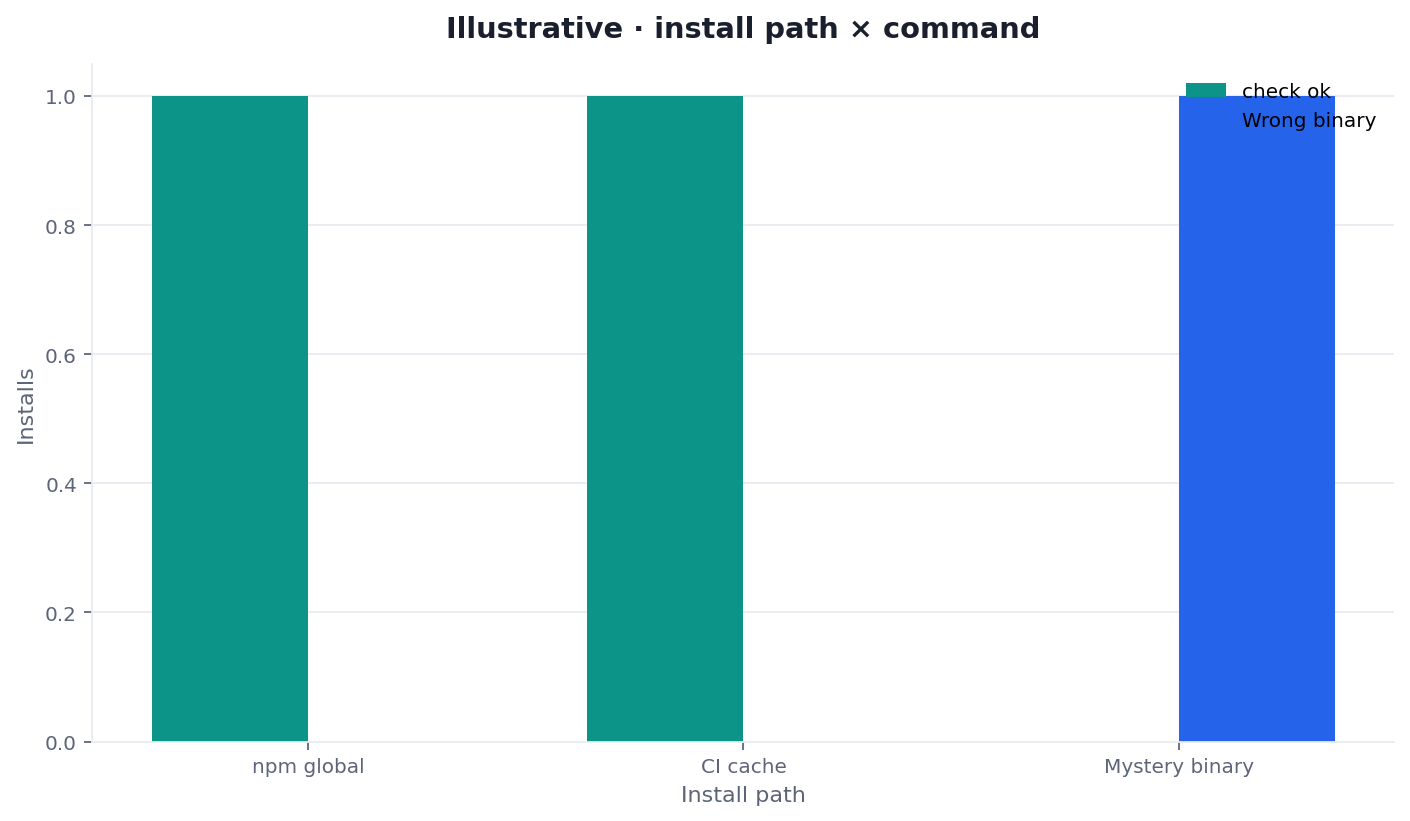
Figure: illustrative grouped bars — install path × outcome. Two dimensions. Not a Google score and not a customer lift.
How to read the grouped bars
Each cluster is an install path. Each bar is an outcome class. If PATH is no, the job must fail closed. If PATH is yes and title is red, infinitegrowth npm did its job: the package worked and the gate still failed.
If your run differs, trust your run. Social cut: ./images/og-cover.png.
Selection scorecard for the package
Score each row 0–2 when someone asks for infinitegrowth npm today.
| Question | 0 | 1 | 2 |
|---|---|---|---|
Is the install written as npm i -g infinitegrowth? | Mystery tarball | README only | Image RUN plus version pin |
Is the binary named seo-health? | “Run the package” | Alias nobody documented | Command written in the job |
Can check run without login? | Key required | Key only for deep commands | No key for check/audit/links |
| Is JSON the gate? | Screenshot | Table comment | --format json parsed |
| Are install notes on the install page? | Retargeted old phrase | Link missing | Link to the command-line install page |
Under 6 means you wanted the browser paste. 8–10 means install the package. infinitegrowth npm is a registry string, not a brand speech.
Failure modes that invent a brand
The first failure is treating infinitegrowth npm as a command-line brand to rank for. The package name is the package name. The install page already owns the old phrase. Do not steal it.
The second failure is writing “run infinitegrowth” in the job. The binary is seo-health. Say so.
The third failure is requiring a key for check. The package does not change that fact.
The fourth failure is skipping --format json because the table looked fine in the log. Parsers need a file.
The fifth failure is citing a service-case traffic story as install proof. A service-case traffic story is not product proof. It is not an SEO Health uplift for a tarball.
Cluster guides for this automation pillar
This page is the package-name job. Open one row when you have that job. Keep infinitegrowth npm on this page.
| Job you actually have | Guide to open next | What this page will not do |
|---|---|---|
| Fail the pull request | SEO CI/CD (hub) | Retarget the hub phrase |
| Two HTTP surfaces | SEO API for developers | Turn the package into an SDK brand |
| Preview from a vibe session | Vibe coding SEO | Teach a coding tutorial |
| GitLab runner file | GitLab CI SEO check | Change the package name per runner |
| Eight lights for humans | SEO health checker | Finish in 30 seconds on a paste |
| Human write-up of the cap | SEO website audit | Write prose before status codes |
Install the package, then run the binary
Run npm i -g infinitegrowth, confirm seo-health is on PATH, and fail the job on JSON red lights.
Frequently Asked Questions
Is the package the command I run?
Bottom line: No. infinitegrowth npm is the package name. The command is seo-health. Install with npm i -g infinitegrowth, then call the binary.
Do I need a login to install?
Bottom line: No. Installing infinitegrowth npm does not require an InfiniSynapse login. check, audit, and links also run without login. Deep commands need a key and credits.
Where do install flags live?
Bottom line: On the command-line install page. This article will not retarget that old phrase. infinitegrowth npm stays the registry name.
Does the package replace the rule engine?
Bottom line: No. seo-health calls aimeetup.center. InfiniSynapse does not replace that engine. infinitegrowth npm only places the binary.
Conclusion
infinitegrowth npm is the package, not a brand. Run npm i -g infinitegrowth, prove seo-health is on PATH, emit --format json, and keep credited commands off the default job. Link the install page for flags. Do not steal that phrase.
If you need the signed-in account that holds deep-command credits, open the InfiniSynapse web app once, then return to aimeetup for the checker. Install the package. Run the binary.