Best AI Data Visualization Tools in 2026: The Honest Landscape
- AI data visualization tools split into three categories: chart generators (Datawrapper, Flourish, AI chart bots), BI copilots (Tableau Pulse, Power BI Copilot, ThoughtSpot Spotter), and data agents that produce charts as part of an analysis (Databricks Genie, Snowflake Cortex Analyst, InfiniSynapse).
- Chart generators are best when the analyst already has the answer and needs a polished chart for a deck or article. Manual chart control is high.
- BI copilots are best when a semantic model already exists and the audience is non-technical stakeholders who want conversational access to existing dashboards.
- Data agents that produce charts are best when the question is open-ended, sources span beyond a single BI tool, and the chart is the side effect of an analytical answer.
- Pick by audience first, then source coverage, then chart-control needs. Cost and procurement are tie-breakers, not primary criteria.
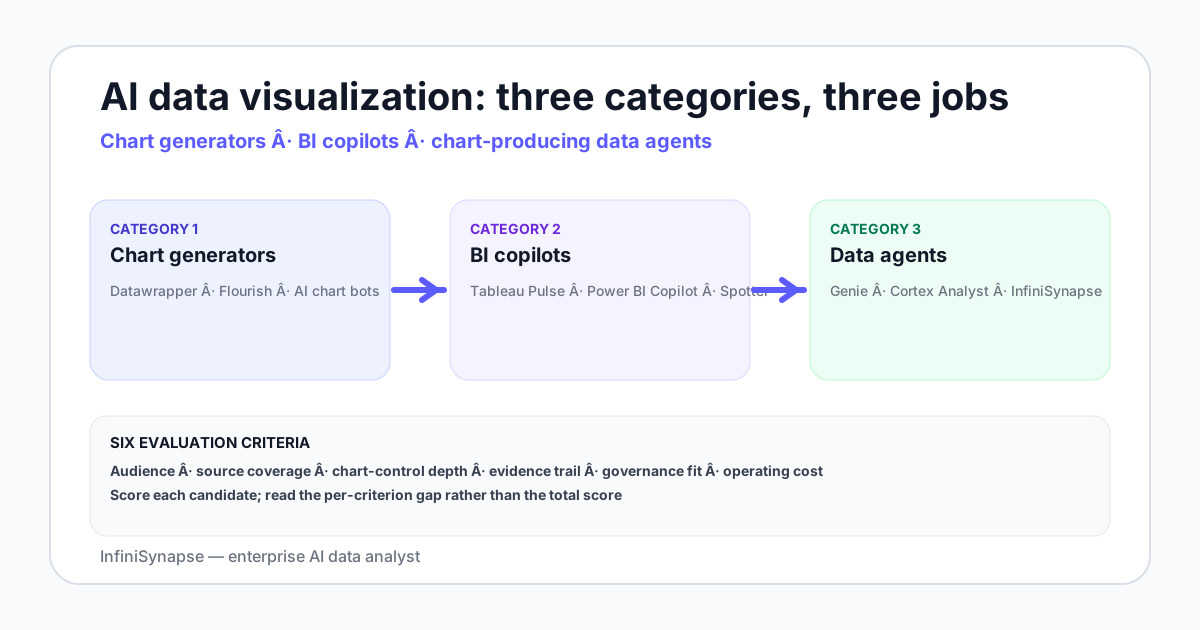
Three categories of AI data visualization tool in 2026
| Category | Examples | Job to be done |
|---|---|---|
| Chart generators | Datawrapper, Flourish, AI chart bots | Polish a chart for a deck or article when you already have the data and the answer |
| BI copilots | Tableau Pulse, Power BI Copilot, ThoughtSpot Spotter | Add a conversational layer over an existing semantic model and pre-built dashboards |
| Chart-producing data agents | Databricks Genie, Snowflake Cortex Analyst, InfiniSynapse | Answer an open-ended question with a plan, SQL, result, and chart returned together |
The categories are not competitors — they overlap on the visualization output but serve different jobs. A team often runs more than one.
Honest picks by category for 2026
Chart generators
- Datawrapper. Journalists, marketers, and one-off polished charts. Strong defaults, manual chart control, no analytical depth — you bring the data.
- Flourish. Storytelling and interactive embeds, especially for racing bar charts and animated stories. Same shape as Datawrapper with more interactive flair.
- AI chart bots (various). Conversational chart producers that take a CSV or natural-language description and emit a chart. Useful as a sketchpad; weak on analytical control.
BI copilots
- Tableau Pulse. Tableau-resident teams that already have a semantic model. Strongest fit when the data already lives in Tableau and the audience is non-technical stakeholders.
- Power BI Copilot. Microsoft-resident teams with a semantic model in Power BI. The conversational surface inherits Power BI's data connections.
- ThoughtSpot Spotter. Search-driven BI with strong non-technical UX. Independent of Tableau and Power BI; a credible third lane.
Chart-producing data agents
- Databricks Genie. Databricks-resident data, room-based curation. Produces charts as part of conversational answers.
- Snowflake Cortex Analyst. Snowflake-resident data, semantic model-based grounding. Similar shape to Genie on a different warehouse.
- InfiniSynapse. Cross-source agent with a deeper plan-execute-verify loop and a bound knowledge base — produces charts as part of the analytical answer.
How to evaluate — six criteria
- Audience. Technical analyst, business stakeholder, or non-analyst executive — each prefers a different surface.
- Source coverage. Single warehouse, multiple warehouses, files, or all of the above.
- Chart-control depth. Manual styling for publication vs auto-generated for fast iteration.
- Evidence trail. Does the tool show the SQL, the data, and a verification step the audience can defend?
- Governance fit. Read-only role, scoped grants, audit log, and alignment with NIST AI RMF or ISO/IEC 42001.
- Operating cost. Per-seat, per-question, or per-warehouse-compute — and how that scales with usage.
Score each candidate on each criterion. The total score is less informative than the per-criterion gap — a tool that wins on audience but loses on source coverage is a fit for a specific audience, not for the team.
Match the tool to the audience
| Audience | Best category | Why |
|---|---|---|
| Data analyst writing SQL daily | Chart-producing data agent | The chart is the side effect of a deeper analytical answer; the analyst wants SQL and plan transparency |
| Business stakeholder reading dashboards | BI copilot | The semantic model and pre-built dashboards are the contract; the copilot adds conversational reach |
| Marketer or journalist publishing a chart | Chart generator | Manual styling, polished defaults, single-purpose |
| Executive asking "what is happening" | BI copilot or chart-producing agent | Depends on whether the answer comes from a pre-modeled metric or open-ended exploration |
| Researcher exploring a one-off dataset | AI chart bot or data agent | Speed of first chart matters more than long-term governance |
A 10-minute selection rubric
- Who is the primary audience?
- Does a semantic model already exist in a BI tool?
- Are sources inside one warehouse or spread across many?
- Is the visualization the final artifact or a side effect of an analysis?
- Does the answer need an evidence trail an auditor can read?
- Is the workflow recurring (dashboard) or ad-hoc (agent)?
- What is the budget per seat per year?
Two or three "non-analyst, BI-resident, dashboard-shaped" answers → BI copilot. Two or three "analyst, cross-source, audit-needed, ad-hoc" answers → data agent. Two or three "single-chart polish for publication" answers → chart generator. Many teams end up with one in each category for different jobs.
Try a chart-producing data agent across your warehouse
Connect a warehouse read-only, seed a small business glossary, and ask one open-ended question. The agent returns the plan, the SQL, the result, the verification step — and a chart appropriate for the answer. See whether the chart-with-evidence pattern fits your team.
Try InfiniSynapse onlineFAQ
Methodology and review notes
Last updated: 2026-06-28 · Next scheduled review: 2026-09-28
This buyer guide synthesizes vendor documentation for Datawrapper, Flourish, Tableau Pulse, Power BI Copilot, ThoughtSpot Spotter, Databricks Genie, Snowflake Cortex Analyst, and InfiniSynapse; hands-on testing of each category in 2026; field experience across teams that picked one or more options; and public benchmark studies. The category framework reflects observed practice rather than vendor positioning.
Conflict of interest: InfiniSynapse publishes this guide and sells an enterprise AI data analyst. To reduce bias, the page leads with the topic itself, treats InfiniSynapse as one option among many, and links to external sources for every numeric claim.
Update cadence: Reviewed every 90 days for accuracy and link health.
Sources and references
- [Vendor] Tableau. Pulse documentation. help.tableau.com/pulse.
- [Vendor] Microsoft. Power BI Copilot reference. learn.microsoft.com/power-bi/copilot.
- [Vendor] Datawrapper. Documentation. academy.datawrapper.de.
- [Vendor] Databricks. Genie documentation. docs.databricks.com/genie.
- [Vendor] Snowflake. Cortex Analyst documentation. docs.snowflake.com/cortex-analyst.
- [Independent] Yao et al. ReAct: Synergizing Reasoning and Acting in Language Models. arxiv.org/abs/2210.03629.
- [Vendor] Anthropic. Building Effective Agents. anthropic.com/research/building-effective-agents.
- [Standard] NIST. AI Risk Management Framework. nist.gov/itl/ai-risk-management-framework.
- [Independent] BIRD-SQL benchmark. bird-bench.github.io.