
Inspect the file before you trust the preview先检查文件,再信任预览
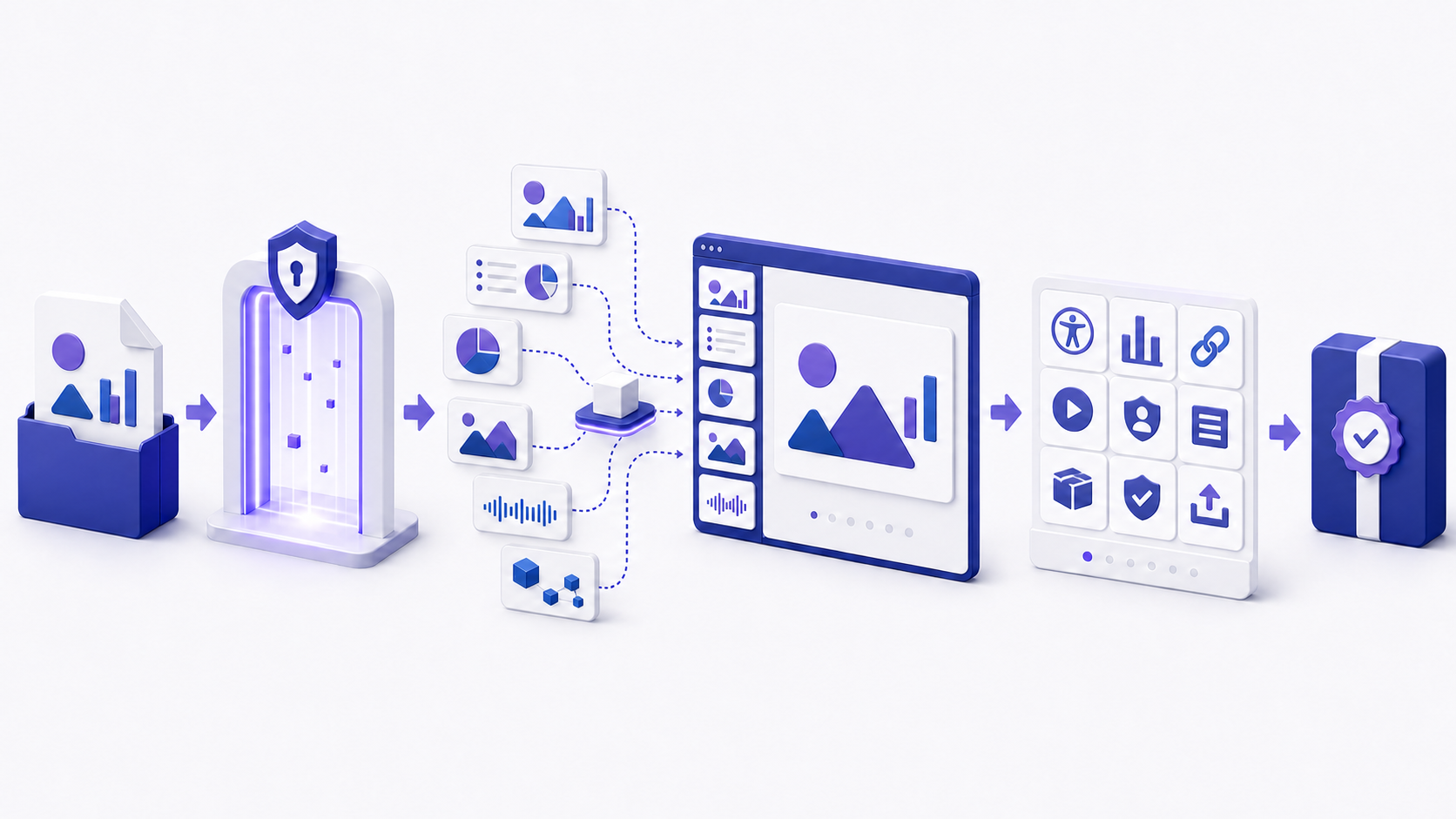
A PPTX viewer opens a PowerPoint Presentation file so you can inspect slide order, text, images, charts, layout, notes, links, and—depending on the PPTX viewer—transitions, animation, audio, and video. Choose the viewing environment according to file sensitivity and required fidelity. Preserve the original, confirm the source and extension, scan untrusted files through approved controls, open a copy, compare representative slides, test interactions, check accessibility and hidden data, and verify the final exported or shared version.
PPTX Viewer 用于打开 PowerPoint Presentation 文件,使你检查页面顺序、文字、图片、图表、版式、备注、链接,以及在查看器支持时检查切换、动画、音频与视频。应依据文件敏感度和所需保真度选择环境:保留原件,确认来源与扩展名,通过获批控制检查不可信文件,打开副本,比较代表性页面,测试交互,检查无障碍与隐藏数据,并核验最终导出或共享版本。
A successful preview proves only that one PPTX viewer rendered one copy under one set of conditions. It does not prove that every font, effect, link, media item, note, comment, relationship, or embedded object will behave the same elsewhere. It also does not verify claims, remove confidential content, clear rights, or guarantee that the file is safe.
预览成功只能证明某个查看器在一组条件下渲染了某个副本,并不能证明所有字体、效果、链接、媒体、备注、批注、关系或嵌入对象在其他环境中行为相同,也不能核验主张、删除机密内容、清理权利或保证文件安全。
How to open a PPTX without PowerPoint不安装 PowerPoint 时如何打开 PPTX
This page is the inspect desk. Open the file in an approved PPTX viewer first. Pick the route by sensitivity, then check notes, fonts, and the shared copy.
本页是检查桌面。先在获批查看器中打开文件,按敏感度选路径,再检查备注、字体与共享副本。
| Route路径 | Use when适用 | Check first先检查 |
|---|---|---|
| PowerPoint for the webPowerPoint 网页版 | You have an approved Microsoft account and storage已有获批 Microsoft 账户与存储 | Tenant, upload policy, and web feature limits租户、上传政策与网页功能边界 |
| Local browser viewer本机浏览器查看器 | The file must stay on the device文件必须留在设备上 | What the engine draws, skips, or flattens引擎会画什么、跳过什么、拍平什么 |
| Upload viewer上传型查看器 | The deck is public or already sanitized文稿公开或已脱敏 | Operator, retention, deletion, and region运营方、保留、删除与地区 |
| Desktop alternative桌面替代 | You need notes, media, or a rehearsal需要备注、媒体或彩排 | Fonts, codecs, and Protected View字体、编解码器与受保护视图 |
Opening errors stay on the how to open a PPTX file guide. Format parts stay on PPTX file. When you need to change slides, edit in a PPTX editor.
打不开的问题看 如何打开 PPTX 文件。包结构看 PPTX file。要改幻灯片时,用 PPTX editor 编辑。
Local vs upload PPTX viewer本机与上传 PPTX viewer
A local PPTX viewer unpacks the package in the tab. An upload viewer sends a copy to a host. A signed-in suite viewer stores the file in an account. Choose the column before anyone drops the deck.
本机 PPTX viewer 在标签页内解包。上传型会把副本送到主机。登录套件会把文件存进账户。先选列,再让人投放文稿。
| Column列 | File location文件位置 | Fails the buy when何时不该用 |
|---|---|---|
| Local tab本机标签 | Stays on the device; closing the tab clears it留在设备;关标签即清除 | You need server-side conversion or a shared audit log需要服务端转换或共享审计日志 |
| Anonymous upload匿名上传 | Host copy; a 24-hour delete clock is still a copy主机副本;24 小时删除仍是副本 | The deck is confidential, regulated, or under NDA文稿机密、受监管或在 NDA 下 |
| Account suite账户套件 | Tenant or personal cloud租户或个人云 | The account or region is unapproved账户或地区未获批 |
PowerPoint Viewer retired: what replaces itPowerPoint Viewer 已停用:用什么替代
Microsoft retired the standalone PowerPoint Viewer. Current routes are PowerPoint for the web, PowerPoint mobile, or an approved desktop app. A Store listing or a third-party installer is a download path, not this inspect desk. The PPT-plus-PPTX family lives on the how to build an ppt and pptx viewer page.
Microsoft 已停用独立 PowerPoint Viewer。当前路径是网页版、移动应用或获批桌面应用。商店列表或第三方安装包是下载路径,不是本检查桌面。PPT+PPTX 家族见 PowerPoint viewer。
PPT vs PPTX in a viewer查看器里的 PPT 与 PPTX
| File文件 | What it is是什么 | Viewer note查看说明 |
|---|---|---|
.pptx | Open XML ZIP package from PowerPoint 2007 onwardPowerPoint 2007 起的 Open XML ZIP 包 | Most browser viewers expect this family, including .ppsx and .potx多数浏览器查看器要这一族,含 .ppsx 与 .potx |
.ppt | Binary PowerPoint 97–2003 filePowerPoint 97–2003 二进制文件 | Save as .pptx in an approved app before a browser PPTX viewer先在获批应用另存为 .pptx 再进浏览器查看器 |
Match the viewer to the real viewing task让查看器匹配真实查看任务
“Open this file” can mean several different jobs: read the content, present it full screen, inspect notes, approve a design, extract evidence, review accessibility, diagnose a broken deck, or confirm how recipients will see it. Define the audience, device, operating system, browser, network, account requirements, permissions, deadline, and whether editing is allowed before selecting a PPTX viewer.
“打开这个文件”可能代表不同任务:阅读内容、全屏播放、检查备注、批准设计、提取证据、复核无障碍、诊断损坏文稿,或确认收件人看到的效果。选择查看器前,应定义受众、设备、操作系统、浏览器、网络、账户要求、权限、期限以及是否允许编辑。
| Task任务 | Viewer priority查看器重点 | Proof required所需证明 |
|---|---|---|
| Read content阅读内容 | Text, slide order, zoom, search文字、页面顺序、缩放、搜索 | Representative slides readable代表性页面可读 |
| Deliver a show播放演示 | Transitions, animation, media, controls切换、动画、媒体、控制 | Rehearsal on destination equipment在目标设备排练 |
| Approve release批准发布 | Fidelity, links, notes, metadata, accessibility保真度、链接、备注、元数据、无障碍 | Documented review and exported-file check有记录的复核与导出文件检查 |
Understand what a PPTX file viewer can and cannot validate理解 PPTX 文件查看器能验证什么、不能验证什么
A PPTX viewer typically decodes the presentation package, resolves slide relationships, applies layouts and themes, renders shapes and images, substitutes available fonts, and provides navigation. Some environments support comments, notes, hyperlinks, animation, media, or collaboration; others flatten or omit them. Viewing and editing support may differ even in the same product.
查看器通常会解码演示包、解析页面关系、应用版式与主题、渲染形状和图片、替换可用字体,并提供导航。部分环境支持批注、备注、超链接、动画、媒体或协作,其他环境可能扁平化或省略这些内容;即使同一产品,查看支持与编辑支持也可能不同。
| Usually drawn通常能画 | Often skipped or flattened常被跳过或拍平 |
|---|---|
| Text, shapes, images, tables, common charts, notes when the PPTX viewer exposes them文字、形状、图片、表格、常见图表,以及查看器能显示的备注 | SmartArt, embedded OLE, audio, video, glow or 3-D, animations, and transitionsSmartArt、嵌入 OLE、音频、视频、发光或三维、动画与切换 |
Do not infer more than the evidence shows. A rendered chart may still use stale or misleading data. A visible link may lead to an inaccessible or unsafe destination. A clean slide may contain hidden notes, off-slide objects, personal metadata, macros in a related file type, or embedded content. A PPTX viewer is one observation point in a release process, not a complete validator.
不要超出证据推断。可见图表仍可能使用过期或误导数据;可见链接可能指向不可访问或不安全目标;整洁页面仍可能包含隐藏备注、页面外对象、个人元数据、相关文件类型中的宏或嵌入内容。查看器只是发布流程中的一个观察点,不是完整验证器。
Treat a PPTX as a package of related presentation parts把 PPTX 视为由相关演示部件组成的软件包
Microsoft Learn describes a PresentationML document as multiple package parts connected by relationships. A typical file can include the presentation root, individual slide parts, slide masters, layouts, themes, notes, comments, images, charts, tables, audio, video, transitions, and other resources. One slide is not a self-contained image; its appearance can depend on several related parts.
Microsoft Learn 将 PresentationML 文档描述为由关系连接的多个软件包部件。典型文件可以包含演示根部件、单独页面、母版、版式、主题、备注、批注、图片、图表、表格、音频、视频、切换和其他资源。一张页面并非自包含图片,其外观可能依赖多个相关部件。
This structure explains why a file may partly open, why one damaged relationship can affect a specific slide, why a font or theme change can alter many slides, and why extracting only preview images is not equivalent to reviewing the presentation. It also explains why repair and conversion should occur on a copy: a tool may discard unsupported parts while producing a file that appears visually acceptable.
这种结构解释了文件为何可能只能部分打开、一个损坏关系为何会影响特定页面、字体或主题变化为何会改变多页,以及仅提取预览图为何不等于审阅演示。它也解释了修复和转换为何应在副本上进行:工具可能在生成视觉上可接受文件的同时丢弃不支持的部件。
Choose a secure viewing route before uploading the file上传文件前先选择安全的查看路径
Decide whether the file may leave the device or organization. Classify public, internal, confidential, regulated, personal, contractual, and export-controlled content according to applicable policy. For an online PPTX viewer, review ownership, operator, processing location, encryption, access controls, authentication, subprocessors, retention, deletion, logging, incident response, data-training terms, and whether a data-processing agreement is required.
先判断文件是否允许离开设备或组织,并依据适用政策分类公开、内部、机密、受监管、个人、合同限制与出口管制内容。使用在线查看器时,应检查所有者、运营方、处理地点、加密、访问控制、认证、分包商、保留、删除、日志、事件响应、数据训练条款,以及是否需要数据处理协议。
Do not upload credentials, secrets, customer records, health or payment data, unreleased financials, legal work product, or restricted designs to an unapproved service. If the file is sensitive, use an approved local or managed environment, or create a properly sanitized copy. “Free,” “browser-based,” and “no sign-up” describe convenience, not confidentiality or safety.
不要把凭据、密钥、客户记录、健康或支付数据、未发布财务信息、法律工作成果或受限设计上传到未获批服务。若文件敏感,应使用获批本地或托管环境,或创建经过正确脱敏的副本。“免费”“浏览器运行”和“无需注册”描述的是便利性,并不代表保密或安全。
Compare desktop, browser, mobile, and converted views比较桌面、浏览器、移动与转换后的查看方式
| Option选项 | Strength优势 | Review before relying依赖前检查 |
|---|---|---|
| Desktop authoring app桌面创作应用 | Highest access to native features and inspection tools最完整原生功能与检查工具 | Version, fonts, codecs, add-ins, trust settings版本、字体、编解码器、加载项、信任设置 |
| Managed browser viewer托管浏览器查看器 | Fast access and sharing across devices跨设备快速访问与共享 | Account, upload policy, feature limits, connectivity账户、上传政策、功能限制、连接 |
| Mobile app移动应用 | Convenient field review便于现场审阅 | Small-screen layout, font, media, offline behavior小屏版式、字体、媒体、离线行为 |
| PDF or image conversionPDF 或图片转换 | Stable static reference稳定静态参考 | Lost notes, links, animation, media, semantics丢失备注、链接、动画、媒体、语义 |
Use more than one PPTX viewer when release risk is material. The authoring environment shows intended behavior; the recipient-like environment shows practical delivery. A converted view is useful as a comparison artifact but should not silently replace the source when interactions, notes, or accessibility semantics matter.
发布风险较高时应使用多个环境。创作环境显示预期行为,类似收件人的环境显示实际交付效果。转换视图适合作为比较材料,但在交互、备注或无障碍语义重要时,不能悄悄替代源文件。
Verify the file and preserve evidence before opening打开前核验文件并保留证据
- 1Confirm the sender and purpose. Validate the delivery channel independently when the file is unexpected.确认发送者与目的。 文件出乎预期时,应通过独立渠道核验交付。
- 2Inspect the name and type. Show file extensions and watch for double extensions or a mismatched type.检查名称与类型。 显示扩展名,注意双扩展名或类型不匹配。
- 3Preserve the original. Record source, time, version, size, and an approved checksum when traceability matters.保留原件。 需要追溯时记录来源、时间、版本、大小与获批校验值。
- 4Use approved security controls. Follow organizational scanning, protected-view, sandbox, or endpoint procedures.使用获批安全控制。 遵循组织的扫描、受保护视图、沙箱或终端流程。
- 5Open a copy with least privilege. Avoid enabling content or granting unnecessary access merely to preview.以最小权限打开副本。 不要仅为预览而启用内容或授予不必要访问。
File-handling policy and security tooling differ by organization. This checklist is not a substitute for incident-response or malware-analysis procedures. If a file appears suspicious, stop and escalate rather than experimenting in an ordinary PPTX viewer.
不同组织的文件处理政策与安全工具不同。本检查表不能替代事件响应或恶意软件分析流程。若文件可疑,应停止并升级处理,而不是在普通查看器中尝试。
Run a structured first pass through the whole presentation对整个演示执行结构化第一次查看
Start with the file-level facts: title, owner, version, date, intended audience, confidentiality label, slide count, and whether notes or appendices are expected. Then scan every thumbnail in the PPTX viewer to detect missing, duplicated, hidden, unexpectedly blank, reordered, or differently sized slides. Note unusual masters, orientations, aspect ratios, or section boundaries.
先核对文件级事实:标题、负责人、版本、日期、预期受众、保密标签、页数,以及是否应有备注或附录。随后扫描所有缩略图,发现缺失、重复、隐藏、意外空白、顺序异常或尺寸不同的页面,并记录异常母版、方向、宽高比或章节边界。
Read the presentation once for meaning before fixing visual details. Identify the main claim, audience action, evidence chain, contradictions, missing context, and places where the story depends on notes or narration. A visually accurate preview can still reveal an incomplete or misleading argument.
在修复视觉细节前,先完整阅读一次以理解含义。识别主要主张、受众行动、证据链、矛盾、缺失背景,以及故事依赖备注或讲解的部分。视觉准确的预览仍可能暴露不完整或误导性论证。
Check PPTX rendering fidelity on representative slides在代表性页面检查 PPTX 渲染保真度
Select high-risk slides: title and section dividers, dense tables, charts, diagrams, grouped objects, cropped images, transparency, gradients, equations, non-Latin text, right-to-left text, vertical text, custom themes, mixed orientations, and anything aligned to a precise grid. Compare the PPTX viewer with an authoritative reference from the authoring environment.
选择高风险页面:标题与章节页、密集表格、图表、图解、组合对象、裁切图片、透明度、渐变、公式、非拉丁文字、从右到左文字、竖排文字、自定义主题、混合方向,以及依赖精确网格对齐的内容。将查看器结果与创作环境中的权威参考比较。
Look for shifted objects, changed line breaks, clipped text, missing bullets, altered colors, substituted symbols, different chart labels, broken masks, rasterized vectors, incorrect z-order, and crop changes. Record the PPTX viewer, version, operating system, browser, zoom, and file hash or version so another reviewer can reproduce the result.
检查对象位移、换行变化、文字裁切、项目符号缺失、颜色改变、符号替换、图表标签差异、蒙版破损、矢量栅格化、层级顺序错误与裁切变化。记录查看器、版本、操作系统、浏览器、缩放和文件校验值或版本,使其他评审者能够复现。
Diagnose missing fonts before accepting the preview接受预览前诊断缺失字体
A missing font can be substituted for viewing without changing the font assigned in the source, yet the replacement can change line length, wrapping, alignment, character coverage, and layout. Microsoft documents that its modern font picker can identify missing fonts and that embedded fonts may be viewable on supported devices. Availability still depends on font licensing, embedding settings, platform, and PPTX viewer support.
查看时可能替换缺失字体而不改变源文件指定字体,但替换会改变行长、换行、对齐、字符覆盖与版式。Microsoft 说明现代字体选择器可以识别缺失字体,嵌入字体可在支持设备上查看;但实际可用性仍取决于字体许可、嵌入设置、平台与查看器支持。
Inspect titles, body text, tables, chart labels, equations, symbols, multilingual passages, and bold or italic variants. Check for fallback tofu boxes, unexpected glyphs, clipped descenders, altered spacing, and text that no longer fits its container. Do not solve a licensing problem by embedding or distributing a font without permission.
检查标题、正文、表格、图表标签、公式、符号、多语言段落及粗体或斜体变体。注意替代方框、异常字形、下伸部裁切、间距变化和不再适配容器的文字。不要在未经许可时通过嵌入或分发字体来“解决”许可问题。
Test video, audio, animation, and transitions separately分别测试视频、音频、动画与切换
A static thumbnail does not prove playback. Test each critical animation trigger, transition, audio clip, video, narration, caption track, and poster frame from the beginning and after seeking. Confirm volume, timing, sequence, looping, links versus embedding, codec availability, network dependency, and whether the destination PPTX viewer preserves or flattens the feature.
静态缩略图不能证明播放正常。应从头播放并在跳转后测试每个关键动画触发、切换、音频、视频、旁白、字幕轨道与封面帧,确认音量、时序、顺序、循环、链接或嵌入方式、编解码器可用性、网络依赖,以及目标查看器会保留还是扁平化该功能。
Microsoft recommends checking media compatibility and notes that linked media, older formats, codecs, and destination devices can affect playback. Keep a non-media fallback for essential meaning. If a PPTX viewer cannot reproduce an effect, decide whether to use the native presentation environment, replace the effect, or provide an accessible static alternative.
Microsoft 建议检查媒体兼容性,并说明链接媒体、旧格式、编解码器与目标设备可能影响播放。关键含义应提供非媒体后备方案。若查看器无法重现效果,应决定使用原生演示环境、替换效果,或提供无障碍静态替代。
Review hyperlinks, speaker notes, comments, and hidden slides检查超链接、演讲者备注、批注与隐藏页面
Test every actionable link with its destination, redirect, access requirement, and expected behavior. Check links on text, shapes, images, charts, and navigation controls; internal slide links and custom shows may behave differently across PPTX viewers. Use meaningful visible link text and avoid exposing confidential internal URLs to external recipients.
测试每个可操作链接的目标、重定向、访问要求与预期行为。检查文字、形状、图片、图表和导航控制上的链接;内部页面链接与自定义放映在不同查看器中可能行为不同。使用有意义的可见锚文本,避免向外部收件人暴露机密内部 URL。
Speaker notes, comments, ink, hidden slides, and off-slide objects may contain decisions, names, instructions, draft language, or confidential context not visible in the normal show. Ask whether the PPTX viewer lists hidden slides, opens notes, and keeps presenter view. Decide deliberately whether each belongs in the release. A hidden control is still content in the package.
演讲者备注、批注、墨迹、隐藏页面与页面外对象可能包含决策、姓名、说明、草稿文字或在正常放映中不可见的机密背景。先问查看器是否列出隐藏页、打开备注、保留演讲者视图。再决定它们是否属于发布内容。控件被藏起来,包里仍可能有这些内容。
Use the viewer to observe accessibility, then verify the source先用查看器观察无障碍效果,再在源文件中验证
Visual inspection can reveal low contrast, tiny text, crowded layouts, color-only meaning, vague links, missing captions, and images that need alternatives. It cannot reliably expose every semantic property. Review unique slide titles, logical reading order, alternative text, table structure, link meaning, captions, transcripts, language, keyboard operation, and focus order in a tool that exposes the source semantics.
视觉检查可以发现低对比度、过小文字、拥挤版式、仅用颜色表达含义、模糊链接、字幕缺失与需要替代说明的图片,但不能可靠揭示所有语义属性。应在能显示源语义的工具中检查唯一页面标题、逻辑阅读顺序、替代文本、表格结构、链接含义、字幕、文稿、语言、键盘操作与焦点顺序。
Microsoft's Accessibility Checker can flag some issues, and the Reading Order pane helps inspect object sequence and alt-text needs. Automated checks do not determine whether an explanation is accurate, whether a diagram's alt text communicates its purpose, or whether the presentation is understandable to the intended audience. Combine automated, manual, and representative-user testing according to risk.
Microsoft 无障碍检查器可标记部分问题,阅读顺序窗格可帮助检查对象顺序与替代文本需求。自动检查无法判断解释是否准确、图解替代文本是否传达目的,或演示是否对目标受众易懂。应依据风险结合自动、人工与代表性用户测试。
Inspect hidden data and personal information on a copy在副本上检查隐藏数据与个人信息
Microsoft documents that presentations may contain comments, ink annotations, document properties, personal information, revision data, invisible on-slide content, off-slide content, notes, custom XML, embedded files or objects, and macros or code in applicable files. Some items can be found or removed by Document Inspector; some require manual review, and removal may not be reversible.
Microsoft 说明演示文件可能包含批注、墨迹、文档属性、个人信息、修订数据、页面内不可见内容、页面外内容、备注、自定义 XML、嵌入文件或对象,以及适用文件中的宏或代码。文档检查器可以发现或删除部分项目,另一些需要人工检查,而且删除可能不可逆。
Save and inspect a copy, review findings item by item, and re-inspect after removal. Do not treat Document Inspector as a universal sanitization guarantee. Verify embedded content, linked sources, screenshots, chart workbooks, media, filenames, alt text, and visible content separately. Preserve the original when auditability or recovery matters. A PPTX viewer preview does not replace that copy.
保存并检查副本,逐项复核结果,删除后重新检查。不要把文档检查器当作通用脱敏保证;还要分别核验嵌入内容、链接来源、截图、图表工作簿、媒体、文件名、替代文本与可见内容。需要审计或恢复时应保留原件。
Separate a damaged PPTX from a blocked or unsupported file区分损坏 PPTX、被阻止文件与不支持文件
“PPTX will not open” is a symptom, not a diagnosis. Possible causes include an incomplete download, zero-byte file, wrong extension, damaged package, missing relationship, unsupported or encrypted content, account restriction, access permission, protected-view policy, PPTX viewer outage, browser cache, file-size limit, storage issue, or security block. Record the exact message and environment before changing the file.
“PPTX 打不开”只是症状,不是诊断。可能原因包括下载不完整、零字节文件、扩展名错误、软件包损坏、关系缺失、不支持或加密内容、账户限制、访问权限、受保护视图政策、查看器故障、浏览器缓存、文件大小限制、存储问题或安全阻止。更改文件前应记录确切提示与环境。
Compare file size and hash with the sender's known copy when appropriate, retry an approved transfer, test a clean copy in a supported environment, and ask the author to open and resave from the source. Do not repeatedly upload a confidential or suspicious file to random repair services. Repair on a copy and compare slide count, content, notes, media, and package features after recovery.
适当时将文件大小与校验值同发送者已知副本比较,重新执行获批传输,在支持环境中测试干净副本,并请作者从源文件打开后另存。不要把机密或可疑文件反复上传到随机修复服务。应在副本上修复,并在恢复后比较页数、内容、备注、媒体与软件包功能。
Troubleshoot viewing problems by symptom and boundary按症状与边界排查查看问题
| Symptom症状 | Likely boundary可能边界 | Safe next check安全下一检查 |
|---|---|---|
| File will not open文件打不开 | Transfer, type, permission, encryption, corruption, policy传输、类型、权限、加密、损坏、政策 | Record error; verify source copy, size, extension, and supported formats记录错误;核对源副本、大小、扩展名与支持格式 |
| Text reflows or clips文字重排或裁切 | Font substitution, language, rendering engine字体替换、语言、渲染引擎 | Inspect missing fonts and compare native reference检查缺失字体并比较原生参考 |
| Video is blank视频空白 | Link, codec, network, viewer limitation链接、编解码器、网络、查看器限制 | Confirm embedding, source access, compatibility, and fallback确认嵌入、来源访问、兼容性与后备方案 |
| Animation differs动画不同 | Unsupported effect or trigger behavior不支持效果或触发行为 | Test native show mode and decide whether to simplify测试原生放映并决定是否简化 |
| Links fail链接失败 | Redirect, permission, relative path, blocked scheme重定向、权限、相对路径、被阻止协议 | Audit destination and recipient access separately分别审计目标与收件人访问 |
Change one variable at a time and preserve the failing artifact. Record whether the problem reproduces in the authoring application, browser, mobile device, exported PDF, and another known-good file. This separates a file defect from a PPTX viewer, account, device, or network problem.
每次只改变一个变量并保留失败材料。记录问题是否能在创作应用、浏览器、移动设备、导出 PDF 与另一个已知正常文件中复现,从而区分文件缺陷与查看器、账户、设备或网络问题。
Review PPTX files in a recipient-like environment在类似收件人的环境中复核 PPTX 文件
Build a small test matrix from actual recipients rather than testing every possible device. Include the authoring environment, primary delivery environment, one constrained environment, and the final shared or exported artifact. Capture operating system, PPTX viewer and version, browser, screen size, input method, network state, account status, fonts, and whether the file is local or cloud-hosted.
应根据实际收件人建立小型测试矩阵,而不是尝试所有设备。至少包括创作环境、主要交付环境、一个受限环境以及最终共享或导出材料,并记录操作系统、查看器及版本、浏览器、屏幕尺寸、输入方式、网络状态、账户状态、字体,以及文件位于本地还是云端。
Use a risk-based slide sample plus a full thumbnail scan. Test dense content, custom fonts, multilingual text, key charts, interactive navigation, media, notes, and accessibility. If recipients need only a static reference, consider a verified PDF alongside the PPTX, but label which artifact is authoritative and explain what features the static version omits.
采用基于风险的页面样本并扫描全部缩略图。测试密集内容、自定义字体、多语言文字、关键图表、交互导航、媒体、备注与无障碍。如果收件人只需静态参考,可在 PPTX 旁提供已核验 PDF,但要标明哪份材料为权威版本,并说明静态版省略哪些功能。
Evaluate an online viewer with evidence用证据评价在线查看器
Create a representative, sanitized test deck containing the features you actually rely on: target slide size, theme, fonts, multilingual text, tables, charts, transparent images, SVG, equations, notes, comments, internal and external links, animation, audio, video, captions, and accessibility properties. Record the expected result before uploading so evaluation is not biased by whatever the PPTX viewer displays.
创建具有代表性且脱敏的测试文稿,包含真正依赖的功能:目标页面尺寸、主题、字体、多语言文字、表格、图表、透明图片、SVG、公式、备注、批注、内外部链接、动画、音频、视频、字幕与无障碍属性。上传前记录预期结果,避免评价被工具显示结果反向影响。
Supported formats, package features, file size, password and account behavior.支持格式、软件包功能、文件大小、密码与账户行为。
Text flow, fonts, charts, media, animation, notes, and export differences.文字流、字体、图表、媒体、动画、备注与导出差异。
Identity, access, processing, retention, deletion, audit, and contract terms.身份、访问、处理、保留、删除、审计与合同条款。
Keyboard, focus, zoom, labels, reading order, alt text, captions, and output.键盘、焦点、缩放、标签、阅读顺序、替代文本、字幕与输出。
Use a three-pass PPTX review before release发布前执行三轮 PPTX 审阅
- 1Meaning pass. Verify audience, purpose, claims, evidence, definitions, limitations, rights, and requested action.含义轮。 核验受众、目的、主张、证据、定义、局限、权利与预期行动。
- 2Rendering pass. Check slide order, layout, text, fonts, charts, images, links, notes, animation, media, and accessibility.渲染轮。 检查页面顺序、版式、文字、字体、图表、图片、链接、备注、动画、媒体与无障碍。
- 3Release pass. Inspect privacy, hidden data, permissions, filenames, versions, export, delivery channel, fallback, and recipient access.发布轮。 检查隐私、隐藏数据、权限、文件名、版本、导出、交付渠道、后备方案与收件人访问。
Assign findings to an owner with severity, evidence, deadline, and retest status. Freeze a release candidate so late edits do not invalidate the review. After any repair, conversion, font change, media change, or metadata removal, repeat the affected checks in the same PPTX viewer and confirm that the file version under review is the version being distributed.
为发现项分配负责人、严重性、证据、期限与复测状态。冻结候选发布版,避免后期编辑使审阅失效。任何修复、转换、字体变化、媒体变化或元数据删除后,都要重复受影响检查,并确认审阅版本就是分发版本。
Verify the artifact after export, download, or sharing导出、下载或共享后核验实际材料
Export and sharing create a new observation point. Open the downloaded or recipient-facing artifact in a PPTX viewer rather than trusting the source preview. Compare slide count, dimensions, image crop, text wrapping, charts, hyperlinks, notes, bookmarks, media, captions, accessibility, metadata, and file size. Confirm permissions with a test recipient who does not inherit the author's access.
导出与共享会产生新的观察点。应打开下载文件或收件人实际看到的材料,而不是信任源文件预览。比较页数、尺寸、图片裁切、文字换行、图表、超链接、备注、书签、媒体、字幕、无障碍、元数据与文件大小,并用不继承作者权限的测试收件人确认访问。
Name files predictably, include a version or date when policy requires it, avoid ambiguous words such as “final-final,” and retire superseded copies. If both PPTX and PDF are delivered, state which is authoritative, what each is for, and what dynamic features are absent from the PDF.
文件应采用可预测命名,政策要求时加入版本或日期,避免“final-final”一类模糊名称,并撤回被替代副本。若同时交付 PPTX 与 PDF,应说明哪份为权威版本、各自用途,以及 PDF 缺少哪些动态功能。
Extract a review brief into Markdown before rebuilding slides重建页面前把审阅简报整理为 Markdown
When a presentation needs substantial revision, a Markdown review brief can separate content logic from layout. Record each slide's claim, evidence, source, visual purpose, limitation, owner, and disposition. This creates a searchable audit trail and lets reviewers resolve structure before editing positioned objects.
当演示需要大幅修订时,Markdown 审阅简报可以把内容逻辑与版式分开。记录每页的主张、证据、来源、视觉目的、局限、负责人和处理决定,形成可搜索审计轨迹,并让评审者在编辑定位对象前先解决结构问题。
# PPTX review brief
Source version: [file name / date / checksum]
Viewer environments: [authoring / browser / recipient]

## Slide claim
- Evidence and source: [verified reference]
- Rendering issue: [font / layout / media / link]
- Accessibility issue: [title / order / alt text / caption]
- Decision: [keep / revise / replace / remove]
- Owner and retest: [name / date / status]
Do not paste confidential slide content into an unapproved service. A text review cannot preserve every visual, timing, animation, note, or semantic property, so the revised presentation still needs a PPTX viewer check in a native and recipient-like environment.
不要把机密页面内容粘贴到未获批服务。文本审阅无法保留所有视觉、时序、动画、备注或语义属性,因此修订后的演示仍需在原生和类似收件人的环境中验证。
Turn a sanitized PPTX review brief into a Word document把脱敏的 PPTX 审阅简报转成 Word 文档
After you extract a sanitized Markdown review brief, use the InfiniSynapse Markdown-to-Word tool to create a document for comments, owners, and approval. The tool supports the documentation handoff; it does not open the PPTX, reproduce slide behavior, scan malware, remove metadata, verify facts, or certify accessibility.
提取脱敏 Markdown 审阅简报后,可使用 InfiniSynapse Markdown-to-Word 工具创建用于评论、负责人分配与批准的文档。该工具支持文档交接,但不会打开 PPTX、重现页面行为、扫描恶意软件、删除元数据、核验事实或认证无障碍。
Open Markdown-to-Word Tool打开 Markdown-to-Word 工具Use sanitized content only. Do not upload credentials, secrets, personal data, customer records, or confidential slide content.仅使用脱敏内容,不要上传凭据、密钥、个人数据、客户记录或机密页面内容。
Complete this viewing checklist before sharing共享前完成此查看检查表
- Sender, purpose, source, extension, version, size, and required permissions are verified.发送者、目的、来源、扩展名、版本、大小与所需权限已核验。
- The PPTX viewer environment is approved for the file's sensitivity and required fidelity.查看环境已获批,并匹配文件敏感度与所需保真度。
- The original is preserved and all repair, conversion, or inspection occurs on a copy.原件已保留,所有修复、转换或检查均在副本上进行。
- Slide count, order, hidden slides, layouts, fonts, charts, images, and text flow are checked.页数、顺序、隐藏页、版式、字体、图表、图片与文字流已检查。
- Critical links, notes, comments, animation, audio, video, captions, and fallbacks are tested.关键链接、备注、批注、动画、音频、视频、字幕与后备方案已测试。
- Accessibility Checker findings, reading order, alt text, keyboard use, and recipient experience are reviewed.无障碍检查结果、阅读顺序、替代文本、键盘使用与收件人体验已复核。
- Hidden data, personal information, embedded content, rights, privacy, and retention are reviewed.隐藏数据、个人信息、嵌入内容、权利、隐私与保留已复核。
- The final downloaded or shared artifact is retested in a recipient-like PPTX viewer.最终下载或共享材料已在类似收件人的环境中复测。
Frequently asked questions常见问题
Use PowerPoint for the web, a local browser viewer, an approved desktop alternative, or an upload viewer only when the deck may leave the device. This inspect desk does not render the file. A PPTX viewer still has to keep notes and fonts visible after the file opens.
使用 PowerPoint 网页版、本机浏览器查看器、获批桌面替代;仅在文稿可以离开设备时用上传型查看器。本检查桌面不渲染文件。打开后仍要能看见备注与字体。
Use an approved browser, mobile, or compatible desktop PPTX viewer that supports `.pptx`. Choose it according to file sensitivity and required features. Confirm format limits and compare high-risk slides because font, animation, media, notes, and layout behavior can differ.
可使用获批且支持 `.pptx` 的浏览器、移动或兼容桌面查看器,并依据文件敏感度与所需功能选择。确认格式限制并比较高风险页面,因为字体、动画、媒体、备注与版式行为可能不同。
Not by default. Safety depends on the PPTX viewer service, contract, processing, security controls, access, retention, deletion, and your organization's approval. Use an approved managed or local environment, or a properly sanitized copy, when content is confidential or regulated.
不能默认适合。安全性取决于服务、合同、处理方式、安全控制、访问、保留、删除与组织批准。内容机密或受监管时,应使用获批托管或本地环境,或经过正确脱敏的副本。
Common causes include missing fonts, a different rendering engine, unsupported effects, theme or master interpretation, chart behavior, image crop, language handling, codecs, browser limitations, and version differences. Compare representative slides with the authoring reference and change one variable at a time.
常见原因包括缺失字体、渲染引擎不同、不支持效果、主题或母版解释差异、图表行为、图片裁切、语言处理、编解码器、浏览器限制与版本差异。应将代表性页面与创作参考比较,并每次只改变一个变量。
Some can and some cannot; viewing and editing support also differ. Check the specific PPTX viewer's current behavior. Do not assume notes, comments, hidden slides, or off-slide content are absent merely because the normal viewing mode does not display them.
部分可以,部分不能,而且查看与编辑支持也不同。应检查具体查看器的当前行为。不要因为正常查看模式未显示备注、批注、隐藏页或页面外内容,就假定文件中不存在它们。
No. It can support visual and interaction checks, but complete review also needs source semantics, accessibility tools, manual testing, privacy and hidden-data inspection, evidence verification, rights review, and testing of the exact final artifact in a recipient-like environment.
不能。它可以支持视觉与交互检查,但完整复核还需要检查源语义、无障碍工具、人工测试、隐私与隐藏数据、证据、权利,以及在类似收件人的环境中测试确切最终材料。
Authoritative PPTX viewing and inspection guidance权威 PPTX 查看与检查指南
- Microsoft Support: View a presentation without PowerPointMicrosoft 支持:无需 PowerPoint 查看演示文稿
- Microsoft Learn: Structure of a PresentationML documentMicrosoft Learn:PresentationML 文档结构
- Microsoft Support: How features behave in web-based PowerPointMicrosoft 支持:Web PowerPoint 中功能的行为
- Microsoft Support: Missing and embedded fontsMicrosoft 支持:缺失与嵌入字体
- Microsoft Support: Video and audio playback compatibilityMicrosoft 支持:视频与音频播放兼容性
- Microsoft Support: Use the Reading Order paneMicrosoft 支持:使用阅读顺序窗格
- Microsoft Support: Remove hidden data and personal informationMicrosoft 支持:删除隐藏数据与个人信息