
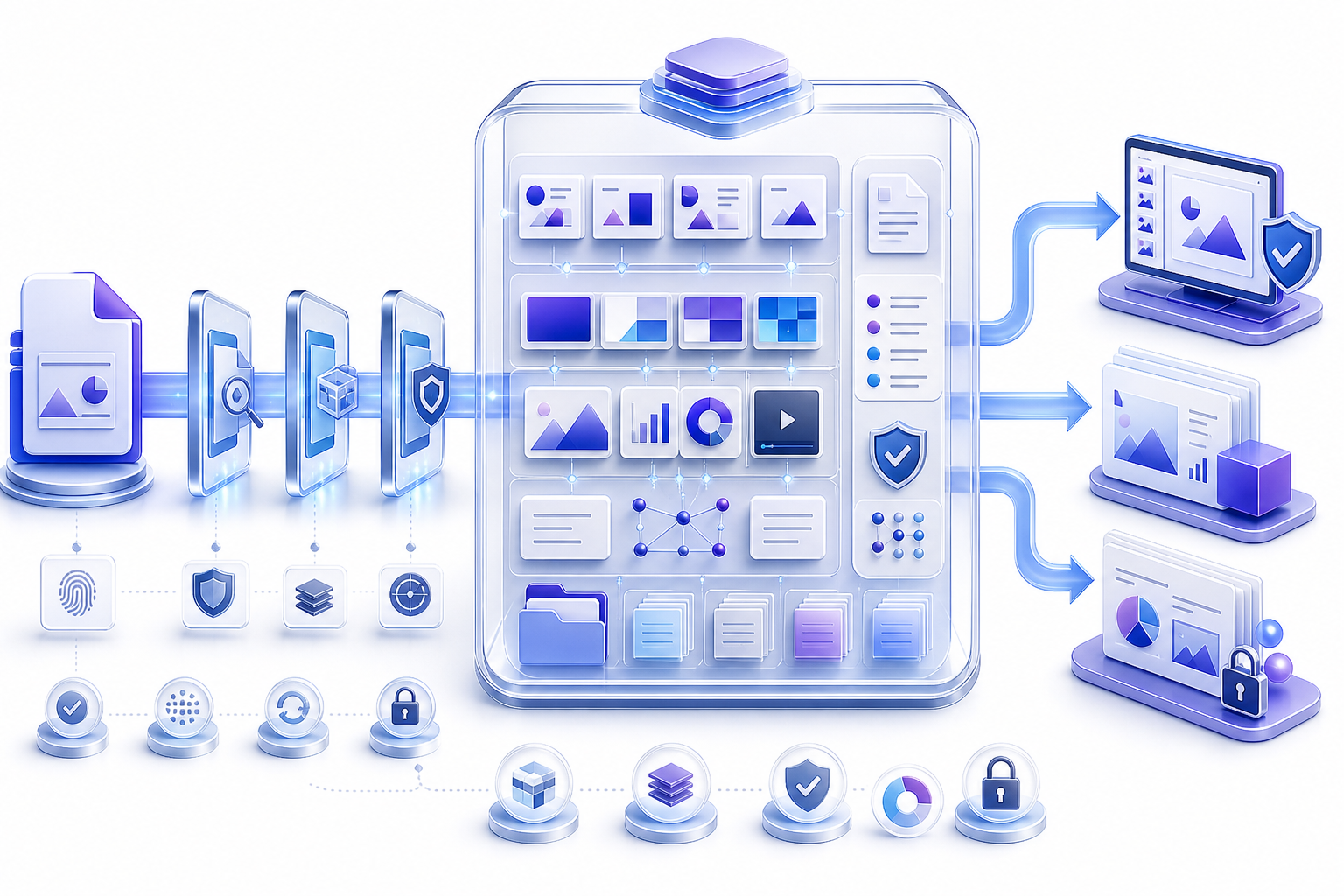
Treat a PPTX file as a structured package, not a single flat page把 PPTX File 视为结构化包,而不是单一平面页面
Confirm the sender, expected filename, extension, task, and sensitivity. Scan through approved controls, work on a copy, use an application that supports the required features, capture warnings, inspect visible and hidden content, save to a new name, reopen the result, and compare the exact file before sharing.
确认发送者、预期文件名、扩展名、任务与敏感级别。通过获批安全控制扫描,在副本上工作,使用支持必要功能的应用,记录警告,检查可见与隐藏内容,另存为新名称,重新打开结果,并在共享前比较确切文件。
A `.pptx` extension normally identifies an Office Open XML presentation, but the extension alone does not prove trust, integrity, compatibility, or factual accuracy. A file can be mislabeled, incomplete, damaged, protected, dependent on external resources, or changed after approval. Open steps for this extension are how to open a PPTX file. The viewing route for that extension is how to build an ppt and pptx viewer.
`.pptx` 扩展名通常表示 Office Open XML 演示,但扩展名本身不能证明可信、完整、兼容或事实正确。文件可能被错误标记、不完整、损坏、受保护、依赖外部资源,或在批准后被修改。打开步骤见如何打开 PPTX 文件。
Understand what a PPTX file is designed to contain理解 PPTX File 被设计用于包含什么
PPTX is the common filename extension for an editable presentation stored using Office Open XML conventions. The package can contain presentation-level settings, slide masters, layouts, individual slides, themes, notes, comments, media, charts, embedded objects, relationships, and document properties. Applications combine those parts to render and edit the presentation.
PPTX 是使用 Office Open XML 约定存储可编辑演示的常见扩展名。文件包可以包含演示级设置、母版、布局、单独页面、主题、备注、评论、媒体、图表、嵌入对象、关系与文档属性。应用把这些部分组合起来渲染和编辑演示。
The format separates structure from many assets, which supports editing and interoperability but also creates dependencies. A visible slide may rely on a theme, layout, font, linked source, embedded workbook, relationship entry, or media part stored elsewhere in the package or outside it. Inspect the whole behavior, not only the screenshot-like surface.
该格式把结构与许多资源分离,有利于编辑和互操作,但也形成依赖。可见页面可能依赖主题、布局、字体、链接来源、嵌入工作簿、关系条目或保存在包内其他位置甚至包外的媒体。应检查整体行为,而不只看类似截图的表面。
Verify that the PPTX extension matches the real file验证 PPTX 扩展名与真实文件一致
Use trusted operating-system or document-management properties to check filename, extension, size, creation and modification times, owner, source, and content type. Do not rely on an icon or a hidden extension. Renaming `.ppt`, `.pdf`, `.zip`, or an unknown file to `.pptx` does not convert its contents.
使用可信操作系统或文档管理属性检查文件名、扩展名、大小、创建与修改时间、负责人、来源与内容类型。不要只依赖图标或被隐藏的扩展名。把 `.ppt`、`.pdf`、`.zip` 或未知文件改名为 `.pptx` 并不会转换内容。
When provenance matters, record a checksum through the approved workflow and compare it at handoff points. A checksum can show whether bytes changed; it cannot prove the content is safe, correct, authorized, or equivalent to another version. Pair integrity evidence with source verification and content review.
当来源很重要时,通过获批流程记录校验值,并在交接点比较。校验值可以显示字节是否变化,却不能证明内容安全、正确、获授权或与另一版本等同。完整性证据应与来源验证和内容复核结合。
Understand PPTX file structure without treating internals casually理解 PPTX File 结构,但不要随意修改内部内容
A PPTX is based on an Open Packaging Convention container with XML parts and related resources. At a conceptual level, the package includes a presentation part, slide parts, slide masters, slide layouts, themes, notes, media, document properties, content-type declarations, and relationship files that connect one part to another.
PPTX 基于开放封装约定容器,包含 XML 部件与相关资源。从概念上看,文件包包括演示部件、页面部件、母版、布局、主题、备注、媒体、文档属性、内容类型声明与连接各部件的关系文件。
| Package concept | What it controls | Why it matters |
|---|---|---|
| Presentation and slide parts | Slide sequence and visible content | Missing or malformed parts can prevent opening or lose pages |
| Masters, layouts, themes | Shared geometry, placeholders, colors, and fonts | One dependency can affect many slides |
| Relationships | Connections to images, media, charts, notes, and external targets | Broken or unsafe targets can change behavior |
| Properties and metadata | Titles, authorship fields, timestamps, custom values | May expose history or confuse version identity |
Do not directly edit package XML on a production file unless the workflow, expertise, backup, validation, and authorization explicitly support it. A syntactically small change can break relationships, namespaces, content types, signatures, or application assumptions. Prefer supported application operations and work on disposable copies when diagnosis requires package inspection.
除非流程、专业能力、备份、验证与授权明确支持,否则不要直接修改生产文件的包内 XML。看似很小的语法修改可能破坏关系、命名空间、内容类型、签名或应用假设。优先使用受支持的应用操作;诊断需要检查包时只在可丢弃副本上进行。
Verify the source before opening a PPTX file打开 PPTX File 前验证来源
Confirm unexpected files with the sender through an independent channel. Check whether the business request, filename, size, language, and delivery method make sense. Use approved scanning, protected view, sandboxing, or endpoint controls. Treat repair prompts, password requests, unfamiliar sign-in pages, shortened links, external-content warnings, and requests to enable active content as review events.
对意外收到的文件,通过独立渠道向发送者确认。检查业务请求、文件名、大小、语言与交付方式是否合理,并使用获批扫描、受保护视图、沙箱或终端控制。把修复提示、密码请求、陌生登录页、短链接、外部内容警告与启用活动内容请求视为复核事件。
Do not upload a sensitive PPTX to an unapproved online viewer merely to discover whether it opens. Evaluate new services with a sanitized representative file containing similar layouts and object types. Approval must cover the content classification, account, processing, retention, deletion, and support model.
不要仅为了判断能否打开,就把敏感 PPTX 上传到未经批准的在线查看器。使用包含类似布局和对象类型的脱敏代表性文件评估新服务。批准应覆盖内容分类、账户、处理、保留、删除与支持模式。
Open a PPTX file through a controlled first-pass workflow通过受控首次流程打开 PPTX File
- 1Preserve the received file. Store a restricted source copy with its provenance.
- 2Create a working copy. Use an approved project location and meaningful name.
- 3Verify trust and format. Confirm sender, extension, content type, and scanning result.
- 4Choose the least-capable safe mode. Start with protected or read-only viewing when editing is not required.
- 5Capture warnings. Do not dismiss repair, compatibility, protection, or external-content prompts.
- 6Inspect before acting. Check slide order, visible content, notes, links, media, comments, and properties.
A successful open proves only that the tested application could interpret enough of the file at that time. It does not prove every part was preserved, all external resources were available, the content was safe, or a later save will be lossless. Save-reopen testing is a separate gate.
成功打开只证明当时测试应用能够解释足够多的文件内容。它不证明每个部件都被保留、所有外部资源都可用、内容安全或后续保存无损。保存后重开应作为单独关卡。
Use a viewer when the PPTX file does not need modificationPPTX File 不需要修改时优先使用查看方式
If the task is to read, navigate, or approve, begin with read-only or least-privilege access. Editing creates additional risks: autosave may change the source, fonts may substitute, unsupported features may be removed, links may refresh, and comments or metadata may change. Use an editor only when the requested outcome requires it. When it does, follow the PPTX editor workflow: keep the original, change a copy, then download and reopen.
如果任务只是阅读、导航或批准,先使用只读或最小权限访问。编辑会增加风险:自动保存可能改变源文件,字体可能替换,不受支持功能可能被删除,链接可能刷新,评论或元数据也可能变化。只有任务结果需要时才使用编辑器。需要改时走 PPTX editor workflow:留原件、改副本,再下载并重开。
A browser viewer can be appropriate for recipient testing, but check upload privacy, retention, account scope, supported features, download behavior, and rendering differences. A desktop application can provide deeper inspection but may create local copies or access external resources. Select the workflow, not merely the interface. After you know it is a PPTX package, open the pptx viewer inspect desk.
浏览器查看器适合收件人测试,但应检查上传隐私、保留、账户范围、支持功能、下载行为与渲染差异。桌面应用可能提供更深检查,却可能创建本地副本或访问外部资源。应选择完整流程,而不只是界面。确认是 PPTX 包后,打开 pptx viewer 检查桌面。
Check PPTX compatibility through a representative round trip通过代表性往返测试检查 PPTX 兼容性
Inventory slide dimensions, masters, layouts, themes, fonts, languages, equations, charts, linked data, embedded objects, images, audio, video, transitions, animation, notes, comments, hidden slides, protection, and accessibility. Match the target application and environment to the highest-risk feature.
盘点页面尺寸、母版、布局、主题、字体、语言、公式、图表、链接数据、嵌入对象、图片、音视频、切换、动画、备注、评论、隐藏页、保护与无障碍。让目标应用与环境匹配风险最高的功能。
On a copy, make one reversible change, save to a new name, close, reopen, and compare. Then export and reopen the exact download. Capture any warning that content will be converted, flattened, removed, repaired, or substituted. Decide with the owner whether the observed difference is acceptable.
在副本上进行一次可逆修改,另存为新名称,关闭后重开并比较,再导出和重新打开确切下载文件。记录内容将被转换、扁平化、删除、修复或替换的任何警告,并由负责人决定观察到的差异是否可接受。
Inspect slide sequence, size, titles, and visible content检查页面顺序、尺寸、标题与可见内容
Confirm the slide count, order, section boundaries, hidden-state markers, custom shows, aspect ratio, orientation, and background. Review titles, body text, tables, captions, citations, footers, page numbers, and calls to action at the target display size. Look for clipping, substitution, overflow, overlaps, and objects outside the canvas.
确认页数、顺序、章节边界、隐藏状态、自定义放映、页面比例、方向与背景。在目标显示尺寸下复核标题、正文、表格、说明、引用、页脚、页码与行动要求,并查找裁切、替换、溢出、重叠与画布外对象。
Compare consequential slides to the authoritative brief or source. A technically intact package can still contain outdated facts, incorrect numbers, duplicated pages, missing approvals, or an accidental draft. File integrity and editorial correctness are separate checks.
把重要页面与权威简报或来源比较。技术上完整的文件包仍可能包含过期事实、错误数字、重复页面、缺失批准或意外草稿。文件完整性与编辑正确性是不同检查。
Inspect shared themes, layouts, fonts, and text behavior检查共享主题、布局、字体与文字行为
Map representative slides to their master and layout. Check theme colors, theme fonts, placeholder geometry, backgrounds, footers, and language variants. One broken shared dependency can affect many pages. Avoid correcting every affected slide manually before identifying the master-level cause.
把代表性页面映射到其母版与布局。检查主题色、主题字体、占位符几何、背景、页脚与语言变体。一个损坏的共享依赖可能影响许多页面。在识别母版级原因前,避免逐页手工修正。
Compare the font inventory with available fonts in the target environment. Test every weight, style, symbol, equation, and language used. Font substitution can alter wrapping, line height, bullets, table dimensions, chart labels, and animation timing even when the replacement looks similar.
把字体清单与目标环境可用字体比较,并测试每种字重、样式、符号、公式与语言。字体替换即使外观相似,也可能改变换行、行高、项目符号、表格尺寸、图表标签与动画时间。
Inspect images, objects, charts, audio, and video检查图片、对象、图表、音频与视频
Review image cropping, transparency, compression, masks, alternative text, grouping, layers, connectors, and off-canvas objects. Determine whether charts are native, linked, embedded, pasted as images, or manually constructed. Reconcile chart values, units, dates, axes, legends, and source notes to authoritative evidence.
复核图片裁剪、透明度、压缩、蒙版、替代文本、组合、图层、连接线与画布外对象。确定图表是原生、链接、嵌入、粘贴为图片还是手工构建,并把图表值、单位、日期、坐标轴、图例与来源备注同权威证据对账。
Test audio and video codecs, poster frames, captions, volume, timing, autoplay, network dependence, and offline fallback. A media thumbnail does not prove the media part is complete or playable. Test from the beginning and by direct navigation in the actual delivery environment.
测试音视频编码、封面帧、字幕、音量、时间、自动播放、网络依赖与离线替代。媒体缩略图不能证明媒体部件完整或可播放。应在真实交付环境中从开头播放并直接跳转测试。
Inspect notes, comments, hidden slides, and document properties检查备注、评论、隐藏页与文档属性
Speaker notes, comments, hidden slides, custom properties, author fields, and revision information may reveal draft language, personal names, source paths, private discussion, credentials, unpublished results, or outdated numbers. Decide whether each item belongs in the recipient copy, a presenter-only copy, an internal archive, or nowhere.
演讲者备注、评论、隐藏页、自定义属性、作者字段与修订信息可能暴露草稿语言、个人姓名、源路径、私人讨论、凭据、未发布结果或过期数字。决定每项内容应进入收件人版本、仅演讲者版本、内部归档还是完全删除。
Use supported document-inspection features and verify the saved output. Visual deletion alone may leave relationships, metadata, cached previews, or package parts. Do not directly purge internals without a controlled method, because removing a related part incorrectly can damage the presentation.
使用受支持的文档检查功能,并验证保存结果。仅在视觉上删除,可能仍留下关系、元数据、缓存预览或包部件。不要在没有受控方法时直接清除内部内容,因为错误移除关联部件可能损坏演示。
Inspect links, relationships, and external dependencies检查链接、关系与外部依赖
Test hyperlinks, action buttons, linked images, linked charts, embedded workbooks, external media, and other destinations from the final file. Check visible anchor meaning, target URL, redirects, authentication, tenant, folder scope, recipient access, and whether the resource will remain available after handoff.
从最终文件测试超链接、动作按钮、链接图片、链接图表、嵌入工作簿、外部媒体与其他目标。检查可见锚文本含义、目标 URL、重定向、认证、租户、文件夹范围、收件人访问,以及交接后资源是否仍然可用。
An internal relationship can be valid while the referenced part is missing or malformed; an external URL can be syntactically valid while operationally wrong. When diagnosis requires package-level review, inspect a copy and document observations without changing the authoritative file.
内部关系可能语法有效,但引用部件缺失或格式错误;外部 URL 也可能语法有效,却在业务上错误。诊断需要包级检查时,应检查副本并记录观察结果,不要修改权威文件。
Understand passwords, permissions, signatures, and restricted access理解密码、权限、签名与受限访问
Distinguish a password to open, a password or setting intended to limit modification, information-rights restrictions, digital signatures, operating-system permissions, and cloud sharing roles. They protect different boundaries. Do not attempt to bypass protection; verify authority and use the approved recovery or owner-assisted process.
区分打开密码、限制修改的密码或设置、信息权限限制、数字签名、操作系统权限与云共享角色。它们保护不同边界。不要尝试绕过保护;应验证授权,并使用获批恢复或所有者协助流程。
Editing, conversion, repair, or package manipulation can invalidate signatures or remove controls. Capture the starting state, expected outcome, and warnings. If a protected file must be changed, create a newly approved artifact and document who authorized the transition.
编辑、转换、修复或包操作可能使签名失效或移除控制。记录起始状态、预期结果与警告。如果受保护文件必须修改,应创建新的获批产物,并记录谁授权了状态转换。
Diagnose a PPTX file that will not open without destroying evidence在不破坏证据的情况下诊断无法打开的 PPTX File
Preserve the original and record the exact error, application, version, device, account, operating system, storage location, network state, file size, and last known good behavior. Test a copy from a local approved path, then a known-good presentation in the same environment. This separates file-specific failure from application, permission, sync, or storage failure.
保留原始文件,并记录确切错误、应用、版本、设备、账户、操作系统、存储位置、网络状态、文件大小与最后已知正常行为。从获批本地路径测试副本,再在同一环境测试已知正常演示,以区分文件问题与应用、权限、同步或存储问题。
| Symptom | Possible variable | Safe next check |
|---|---|---|
| File type or extension error | Renamed or incomplete download | Verify content type, source, size, and a fresh authorized copy |
| Repair prompt | Malformed or missing package part | Capture prompt and test repair only on a duplicate |
| Blank or missing slide content | Broken relationships, unsupported objects, missing fonts | Compare in an authoritative application and inspect dependencies |
| Open fails only from shared storage | Permissions, sync, lock, path, or partial file | Test an approved local copy and storage health |
| Password or rights error | Protection, wrong account, expired permission | Verify ownership and authorized access path |
Repair a damaged PPTX file only on controlled copies只在受控副本上修复损坏的 PPTX File
Use supported application repair, version history, backups, autosave recovery, known-good exports, or owner-provided copies before considering manual package work. Name every recovery attempt, preserve logs and warnings, and never overwrite the only source. A file that opens after repair still requires content and structure comparison.
在考虑手工包操作前,优先使用受支持的应用修复、版本历史、备份、自动保存恢复、已知正常导出或所有者提供的副本。命名每次恢复尝试,保留日志与警告,绝不覆盖唯一源文件。修复后能打开的文件仍需比较内容与结构。
Validate slide count, order, masters, layouts, text, images, charts, data, media, notes, comments, links, accessibility, metadata, and protection. Mark content that could not be recovered. Do not present a partial recovery as complete merely because the first slides render.
验证页数、顺序、母版、布局、文字、图片、图表、数据、媒体、备注、评论、链接、无障碍、元数据与保护,并标记无法恢复的内容。不要因为前几页能渲染,就把部分恢复描述为完整恢复。
Convert a PPTX file according to the recipient's real task根据收件人的真实任务转换 PPTX File
Keep PPTX when the recipient needs structured editing. Use PDF when a page-oriented review is appropriate and loss of motion, notes, and some editing is acceptable. Use images only when search, editing, selectable text, and much accessibility are not required. A legacy PPT output may reduce interoperability and should be justified by the target environment.
收件人需要结构化编辑时保留 PPTX;适合页面式复核且可以接受动画、备注与部分编辑能力丢失时使用 PDF;只有不需要搜索、编辑、可选文字与大量无障碍能力时才使用图片。旧 PPT 输出可能降低互操作性,应由目标环境证明其必要性。
Conversion is a transformation, not a neutral copy. Verify slide order, dimensions, fonts, overflow, charts, images, transparency, links, notes, media, accessibility, metadata, permissions, and file size in the result. Preserve the source and record the tool, version, settings, warnings, and accepted differences.
转换是一种变换,而不是中性复制。验证结果中的页面顺序、尺寸、字体、溢出、图表、图片、透明度、链接、备注、媒体、无障碍、元数据、权限与文件大小。保留源文件,并记录工具、版本、设置、警告与已接受差异。
Check whether the PPTX file preserves accessible meaning检查 PPTX File 是否保留无障碍含义
Review descriptive slide titles, logical reading order, alternative text, sufficient contrast, accessible tables, clear link names, captions or transcripts, language metadata, and keyboard operation. Decorative objects should not interrupt the reading sequence. Information should not depend on color, position, or animation alone.
复核描述性页面标题、合理阅读顺序、替代文本、足够对比度、可访问表格、清晰链接名、字幕或文字稿、语言元数据与键盘操作。装饰对象不应打断阅读顺序,信息也不应只依赖颜色、位置或动画。
Run the application's accessibility checker, then manually inspect important slides and the exact final file. Conversion, repair, flattening, and unsupported editors can remove or reorder accessible properties. Provide an alternative when the presentation cannot carry all required information.
运行应用的无障碍检查器,然后手工检查重要页面与确切最终文件。转换、修复、扁平化与不受支持编辑器可能移除或重新排序无障碍属性。当演示无法承载全部必要信息时,应提供替代版本。
Use a twelve-step PPTX file handling workflow使用十二步 PPTX File 处理流程
- 1Confirm the task and authority. Record owner, audience, sensitivity, and expected outcome.
- 2Verify source and format. Check sender, filename, extension, content type, and integrity evidence.
- 3Preserve the original. Store a restricted source and create a named working copy.
- 4Scan through approved controls. Do not bypass warnings or protection.
- 5Open least privilege. Start read-only when modification is unnecessary.
- 6Capture warnings. Record repair, compatibility, external-content, and protection prompts.
- 7Inspect structure and content. Review slides, dependencies, hidden material, metadata, and accessibility.
- 8Test compatibility. Save, close, reopen, export, download, and compare a copy.
- 9Diagnose or repair cautiously. Preserve evidence and work only on controlled duplicates.
- 10Validate the exact artifact. Test the final file in recipient-like environments.
- 11Share least privilege. Publish a release copy and verify permissions.
- 12Close the task. Record approval, limitations, destination, retention, and revoked access.
Document PPTX file inspection in structured Markdown使用结构化 Markdown 记录 PPTX File 检查
A short record makes file handling reproducible. Include source, owner, checksum when appropriate, content classification, original filename, working filename, application and version, warnings, package observations, compatibility results, repaired or converted output, inaccessible or missing content, external dependencies, permissions, reviewer, acceptance, and release destination.
简短记录可以让文件处理可重复。包含来源、负责人、适当时的校验值、内容分类、原始文件名、工作文件名、应用与版本、警告、包观察、兼容结果、修复或转换输出、不可访问或缺失内容、外部依赖、权限、复核者、验收与发布目标。
# PPTX file inspection
Owner and source:
Original and working files:
Content classification:
Application and environment:
Warnings and package observations:
Compatibility and recovery tests:
Final artifact and limitations:
Approval, permissions, and destination:
Mark each claim as observed, documented, inferred, not tested, or unresolved. Do not include passwords, credentials, private links, or sensitive package contents in a report that circulates beyond the source file's authorized audience.
把每项主张标记为已观察、文档支持、推断、未测试或未解决。不要在传播范围超过源文件授权受众的报告中包含密码、凭据、私人链接或敏感包内容。
Turn the verified PPTX file record into a handoff document把已验证的 PPTX File 记录转为交接文档
Use the InfiniSynapse Markdown-to-Word tool to create a review, recovery, or handoff document from the structured record. Inspect converted headings, tables, links, page breaks, and lists before distribution. The tool supports document production; it does not inspect the PPTX package, repair files, validate permissions, or certify safety.
使用 InfiniSynapse Markdown-to-Word 工具,把结构化记录生成复核、恢复或交接文档。分发前检查转换后的标题、表格、链接、分页与列表。工具帮助制作文档,但不会检查 PPTX 包、修复文件、验证权限或认证安全。
Open Markdown-to-Word Tool打开 Markdown-to-Word 工具Use sanitized content. Never paste credentials, passwords, or restricted package details into an unapproved workflow.请使用脱敏内容,不要把凭据、密码或受限包细节粘贴到未经批准的流程。
PPTX file inspection and release checklistPPTX File 检查与发布清单
- The sender, owner, task, filename, extension, content type, sensitivity, and source are verified.发送者、负责人、任务、文件名、扩展名、内容类型、敏感级别与来源均已验证。
- The original is preserved and every working, repair, conversion, and release copy is distinguishable.原始文件已保留,每个工作、修复、转换与发布副本均可区分。
- Warnings, protection, external content, and compatibility limits are recorded.警告、保护、外部内容与兼容限制均已记录。
- Slides, themes, layouts, fonts, objects, charts, media, notes, links, metadata, and accessibility were checked.页面、主题、布局、字体、对象、图表、媒体、备注、链接、元数据与无障碍均已检查。
- Save-reopen and export-download-reopen comparisons passed for the required environment.必要环境下的保存重开和导出下载重开比较均已通过。
- Any repair or conversion was performed on a copy and incomplete recovery is disclosed.任何修复或转换均在副本上进行,不完整恢复已经披露。
- The exact release artifact and recipient permissions were tested with least privilege.确切发布产物与收件人权限已经按最小权限测试。
- Approval records the exact file, owner, reviewer, timestamp, limitations, and destination.批准记录包含确切文件、负责人、复核者、时间、限制与目标位置。
PPTX file frequently asked questionsPPTX File 常见问题
A PPTX is an editable Office Open XML presentation package. It can contain presentation settings, slides, masters, layouts, themes, notes, comments, images, charts, media, relationships, and document properties that an application combines to render the presentation.
PPTX 是可编辑的 Office Open XML 演示文件包。它可以包含演示设置、页面、母版、布局、主题、备注、评论、图片、图表、媒体、关系与文档属性,由应用组合后渲染演示。
PPTX uses a package based on ZIP and Open Packaging conventions, with XML parts and related resources. That does not make casual extraction or direct editing safe. Preserve the original and inspect only controlled copies with appropriate expertise and validation.
PPTX 使用基于 ZIP 与开放封装约定的文件包,包含 XML 部件和相关资源。这并不意味着随意解压或直接编辑是安全的。应保留原始文件,只在具备适当专业能力与验证时检查受控副本。
Possible causes include an incorrect extension, incomplete download, damaged package part, broken relationship, unsupported feature, protection, wrong account, permission, sync conflict, storage error, or application problem. Preserve the original and isolate file, application, storage, account, and device variables.
可能原因包括扩展名错误、下载不完整、包部件损坏、关系断裂、不支持功能、保护、错误账户、权限、同步冲突、存储错误或应用问题。保留原始文件,并隔离文件、应用、存储、账户与设备变量。
Work only on copies. Try supported application repair, version history, backups, autosave recovery, or a known-good source before manual package work. Capture warnings and compare every recovered slide, dependency, note, link, and accessibility property. Disclose anything not recovered.
只在副本上操作。手工处理包前,先尝试受支持的应用修复、版本历史、备份、自动保存恢复或已知正常来源。记录警告并比较每个恢复页面、依赖、备注、链接与无障碍属性,披露未恢复内容。
Check facts, slide order, dimensions, layouts, fonts, objects, charts, media, notes, comments, hidden slides, links, external dependencies, metadata, accessibility, protection, exact version identity, recipient permissions, and the downloaded artifact in the target environment.
检查事实、页面顺序、尺寸、布局、字体、对象、图表、媒体、备注、评论、隐藏页、链接、外部依赖、元数据、无障碍、保护、确切版本身份、收件人权限与目标环境中的下载产物。
Authoritative guidance used to explain PPTX files用于解释 PPTX File 的权威指导
- Microsoft Learn: Structure of a PresentationML documentMicrosoft Learn:PresentationML 文档结构
- Microsoft Learn: Open XML presentation documentationMicrosoft Learn:Open XML 演示文档
- Microsoft Support: PowerPoint file formatsMicrosoft 支持:PowerPoint 文件格式
- Microsoft Support: Inspect documents for hidden dataMicrosoft 支持:检查文档中的隐藏数据
- Microsoft Support: View previous file versionsMicrosoft 支持:查看文件早期版本
- Microsoft Support: Make presentations accessibleMicrosoft 支持:让演示具备无障碍能力