
Use a PowerPoint viewer as a controlled review environment把 PowerPoint Viewer 用作受控审阅环境
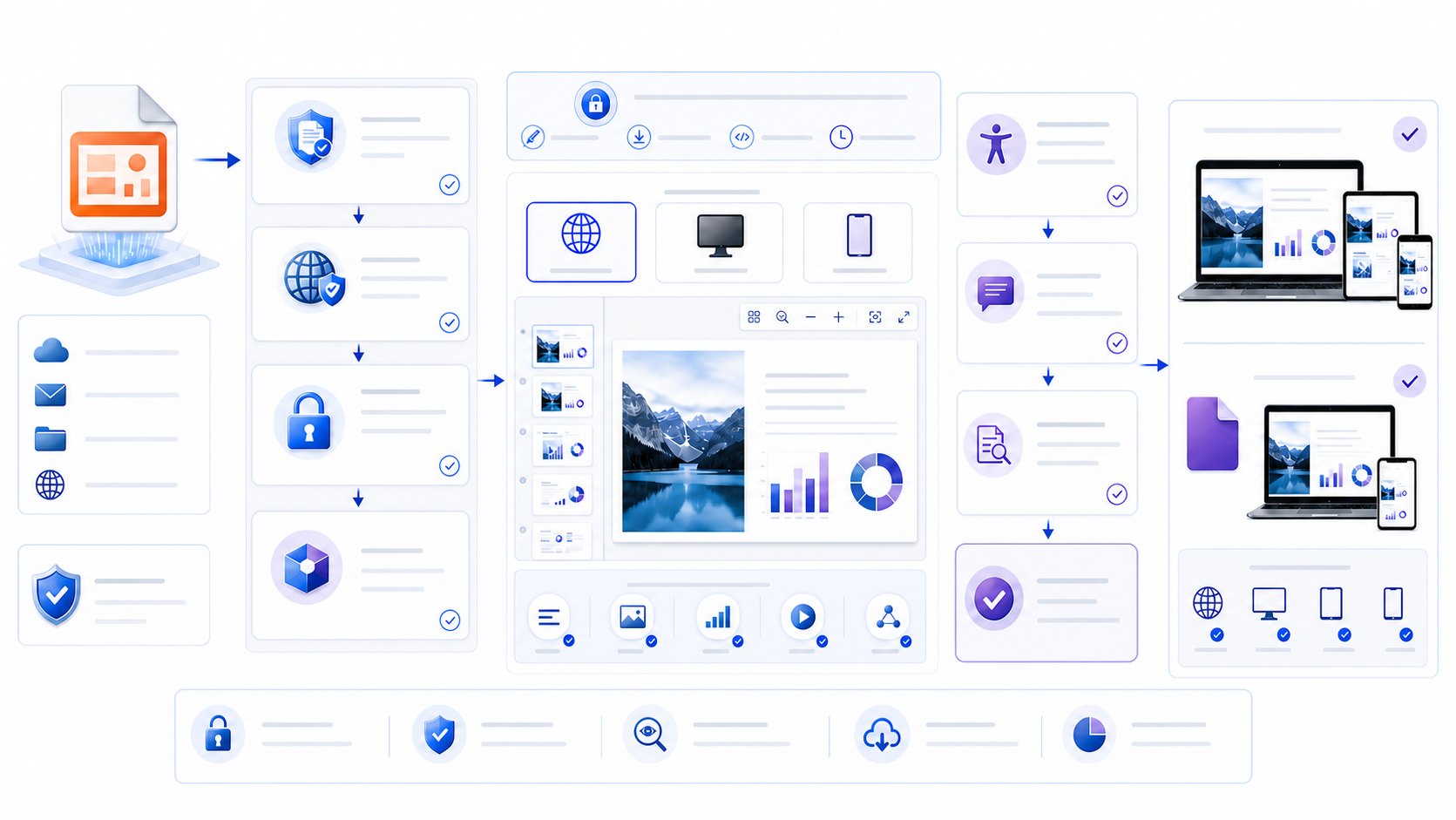
how to build an ppt and pptx viewer means one supported route—browser, desktop, or mobile—not an SDK install. Open the PPT and the PPTX on separate passes. A matching preview does not prove that builds and timed reveals still play. A PowerPoint viewer lets you inspect a presentation without beginning an editing workflow. Start by verifying the sender, file extension, expected purpose, access permission, and sensitivity. Preserve the original, use a supported browser, desktop, or mobile route, and prefer read-only or protected viewing for untrusted downloads. Review every slide, notes, comments, links, media, fonts, charts, animations, and accessibility order. Compare the file on the actual delivery device and export route before you approve or share it.
PowerPoint Viewer 让你在不立即进入编辑流程的情况下检查演示文稿。先核验发送者、文件扩展名、预期用途、访问权限和敏感级别,保留原始文件,对不受信下载优先使用只读或受保护的浏览器、桌面或移动端方式。逐页检查备注、评论、链接、媒体、字体、图表、动画与无障碍阅读顺序,并在批准或分享前使用真实交付设备和导出路径测试。
Viewing is not the same as trusting, editing, validating, or approving. A file can render correctly while containing stale numbers, misleading charts, inaccessible structure, unauthorized data, hidden comments, or unsafe active content. Treat the viewer as one control inside a larger review process. When viewing is not enough, choose an editor once viewing is not enough.
能查看不等于可信、可编辑、已验证或已批准。文件即使显示正常,也可能包含过期数字、误导图表、不可访问结构、未授权数据、隐藏评论或不安全活动内容。应把查看器视为更大审阅流程中的一个控制点。只看不够时,再选获批编辑器。
Know what a PowerPoint viewer can and cannot prove明确 PowerPoint Viewer 能证明与不能证明什么
Render slides, navigate the sequence, inspect visible objects, and sometimes play supported media or animations.
渲染幻灯片、浏览顺序、检查可见对象,并在支持时播放媒体或动画。
Check notes, comments, links, metadata, accessibility, and presentation behavior when the chosen route exposes them.
在所选方式支持时检查备注、评论、链接、元数据、无障碍和演示行为。
A viewer does not establish that facts, calculations, sources, permissions, or claims are accurate.
查看器不能证明事实、计算、来源、权限或主张准确。
Successful rendering is not a malware scan, identity check, privacy review, or authorization decision.
成功渲染不等于恶意软件扫描、身份核验、隐私复核或授权决定。
Define the job before choosing software. A recipient who only needs to read a finalized deck has different requirements from a reviewer who must see speaker notes, a presenter who needs animations and embedded media, or an owner who must edit source objects. The least-privilege route is usually the one that exposes only the capabilities required for that job.
选择软件前先定义任务。只需阅读最终材料的接收者,与必须查看演讲者备注的审阅者、需要动画和嵌入媒体的演讲者、必须编辑源对象的负责人,要求并不相同。通常应选择只暴露完成任务所需能力的最小权限方式。
Do not download the retired standalone PowerPoint Viewer不要下载已停用的独立 PowerPoint Viewer
Microsoft states that the standalone PowerPoint Viewer was retired on April 30, 2018 and is no longer available for download. Current supported routes include PowerPoint for the web and PowerPoint mobile applications, while desktop PowerPoint remains appropriate when full fidelity, advanced review, or authoring is required. A website offering an old installer under the Microsoft name should not be treated as an official supported source.
Microsoft 说明,独立 PowerPoint Viewer 已于 2018 年 4 月 30 日停用,不再提供下载。当前受支持方式包括 PowerPoint 网页版与移动应用;当需要完整还原、高级审阅或创作时,可使用桌面 PowerPoint。任何以 Microsoft 名义提供旧安装包的网站,都不应被视为官方受支持来源。
Decision rule: use a current, supported product from its official distribution channel. Do not install an abandoned viewer simply because a search result or download page uses familiar branding.
决策规则:从官方分发渠道使用当前受支持产品。不要因为搜索结果或下载页使用熟悉品牌,就安装已经停止维护的查看器。
Verify the presentation before opening it打开演示文稿前先完成核验
- 1Confirm context: were you expecting this file, from this sender, for this purpose?确认背景:你是否预期从这个发送者收到用于这个目的的文件?
- 2Check identity: validate the sender through a known channel when the request is unusual, urgent, or sensitive.核验身份:请求异常、紧急或敏感时,通过已知渠道确认发送者。
- 3Inspect the true type: compare the extension, file signature, size, and expected format; a renamed executable is not a presentation.检查真实类型:比较扩展名、文件签名、大小和预期格式;被改名的可执行文件不是演示文稿。
- 4Preserve the original: work from a controlled copy so conversion, repair, or inspection does not overwrite evidence.保留原件:从受控副本操作,避免转换、修复或检查覆盖原始证据。
- 5Apply policy: respect classification, retention, residency, upload, sharing, and device rules before using a cloud viewer.应用政策:使用云端查看器前遵守分类、保留、驻留、上传、分享与设备规则。
NIST defines a misnamed file as content disguised through an innocuous name or altered extension, requiring identification by file signature rather than extension alone. Organization-managed scanning, isolation, email protection, and endpoint controls should remain active. Do not disable security controls merely to make a presentation open.
NIST 将误命名文件定义为通过无害名称或修改扩展名伪装的内容,因此需要根据文件签名而不是只看扩展名来识别。组织管理的扫描、隔离、邮件保护和终端控制应保持启用。不要仅为了打开演示文稿而关闭安全控制。
Identify PPT, PPTX, PPSX, PPTM, ODP, and PDF correctly正确识别 PPT、PPTX、PPSX、PPTM、ODP 与 PDF
| Format格式 | Typical purpose常见用途 | Viewer concern查看重点 |
|---|---|---|
.pptx | Current editable presentation package当前可编辑演示包 | Fonts, linked media, advanced effects, embedded objects, version behavior字体、链接媒体、高级效果、嵌入对象与版本行为 |
.ppt | Legacy PowerPoint 97–2003 presentation旧版 PowerPoint 97–2003 演示 | May open read-only in web routes; conversion can change fidelity网页方式可能只读;转换可能改变还原度 |
.ppsx | Slide show that normally opens in presentation mode通常直接以放映模式打开 | Do not confuse automatic show behavior with authorization to run active content不要把自动放映行为当作运行活动内容的授权 |
.pptm | Macro-enabled presentation启用宏的演示文稿 | Treat macros as active code; view without enabling unless explicitly approved把宏视为活动代码;未经明确批准不要启用 |
.odp | OpenDocument Presentation开放文档演示格式 | Round-tripping can alter layouts, effects, or object behavior往返转换可能改变版式、效果或对象行为 |
.pdf | Fixed-layout reading copy固定版式阅读副本 | Animations, notes, transitions, media, and source objects may be absent动画、备注、切换、媒体和源对象可能缺失 |
Microsoft’s supported-format documentation distinguishes files that PowerPoint for the web can edit, view only, or cannot open. Check the current official table rather than assuming every PowerPoint-related extension behaves the same. The .pptx inspect desk is the pptx viewer page.
Microsoft 的受支持格式文档区分了 PowerPoint 网页版可编辑、仅可查看或无法打开的文件。应查看当前官方表格,不要假设所有 PowerPoint 相关扩展名行为相同。.pptx 检查桌面在 pptx viewer。
Choose the viewer by fidelity, risk, and review needs按还原度、风险与审阅需求选择查看方式
| Route方式 | Best suited to适合场景 | Important limits重要限制 |
|---|---|---|
| PowerPoint for the webPowerPoint 网页版 | Supported browser viewing, basic review, collaboration, no desktop installation受支持浏览器查看、基础审阅、协作、无需桌面安装 | Requires approved upload and account route; not every desktop feature behaves identically需要获准上传和账户路径;并非所有桌面功能行为相同 |
| Desktop PowerPoint桌面 PowerPoint | Highest native fidelity, notes, advanced media, inspection, authoring较高原生还原度、备注、高级媒体、检查与创作 | Use Protected View and organizational controls for downloaded files下载文件应使用受保护视图与组织控制 |
| PowerPoint mobilePowerPoint 移动端 | Quick phone or tablet review and real-device testing手机或平板快速审阅和真实设备测试 | Small screens can hide density, notes, object detail, and interaction differences小屏可能掩盖密度、备注、对象细节和交互差异 |
| Approved alternative suite获准替代套件 | Interoperability review or environments without Microsoft applications互操作审阅或没有 Microsoft 应用的环境 | Rendering, fonts, transitions, charts, and embedded objects can change渲染、字体、切换、图表与嵌入对象可能变化 |
| PDF or image copyPDF 或图片副本 | Controlled fixed-layout reading when motion and source objects are unnecessary不需要动态与源对象时的受控固定版式阅读 | Not evidence that the source deck, notes, media, or accessibility tree is complete不能证明源文件、备注、媒体或无障碍树完整 |
Open a PPTX in a browser without losing control of the file在不失去文件控制的前提下用浏览器打开 PPTX
Three places the file can sit: an uploaded browser copy, a desktop app on the machine, or a parser that stays in the tab. Confidential decks stay on the desktop route. Microsoft documents PowerPoint for the web as a supported way to view a presentation without desktop PowerPoint. Confirm that the organization permits the chosen cloud storage, account, tenant, region, and sharing configuration. Upload only the approved copy; choose the correct access group; disable public links when they are not required; and remove access when the review ends.
文件可以落在三处:上传后的浏览器副本、本机桌面应用,或留在标签页里的解析。机密文稿走桌面。Microsoft 将 PowerPoint 网页版记录为无需桌面 PowerPoint 即可查看演示文稿的受支持方式。应确认组织允许所选云存储、账户、租户、区域和分享配置,只上传获准副本,选择正确访问组,不需要时禁用公开链接,并在审阅结束后撤销访问。
Browser rendering can be convenient but is not identical to every desktop capability. Test transitions, fonts, embedded media, advanced charts, linked objects, and presenter behavior. If the deck will be delivered from desktop PowerPoint, the web preview is an additional check, not the final rehearsal.
浏览器渲染很方便,但并不等同于所有桌面能力。应测试切换、字体、嵌入媒体、高级图表、链接对象和演讲者行为。如果最终使用桌面 PowerPoint 演示,网页预览只是额外检查,不是最终彩排。
Use desktop PowerPoint when native fidelity matters需要原生还原度时使用桌面 PowerPoint
Desktop PowerPoint is appropriate when reviewers must inspect speaker notes, custom fonts, embedded objects, complex animation, add-ins, media playback, accessibility details, document properties, or the final presenter experience. Use the same operating system, Office build, display environment, adapters, and linked resources planned for delivery whenever possible.
当审阅者必须检查演讲者备注、自定义字体、嵌入对象、复杂动画、加载项、媒体播放、无障碍细节、文档属性或最终演讲体验时,桌面 PowerPoint 更合适。可行时使用计划交付的同一操作系统、Office 版本、显示环境、适配器和链接资源。
Open a controlled copy. Record whether the file is read-only, protected, repaired, converted, or modified during inspection. If PowerPoint reports corruption or proposes repair, preserve the original and document the repaired copy rather than silently replacing it.
打开受控副本,并记录文件在检查过程中是否只读、受保护、修复、转换或被修改。如果 PowerPoint 报告损坏或建议修复,应保留原始文件并记录修复副本,不要静默替换。
Use a mobile PowerPoint viewer as a real-device test把移动端 PowerPoint Viewer 用作真实设备测试
Mobile viewing answers a different question: can the intended recipient read and navigate the deck on the device they actually use? Check title wrapping, minimum text size, chart labels, table width, tap targets, link behavior, portrait and landscape rotation, download permissions, offline availability, and whether notes or comments are exposed.
移动端查看回答的是另一个问题:目标接收者能否在实际设备上阅读和导航?应检查标题换行、最小字号、图表标签、表格宽度、点击目标、链接行为、横竖屏旋转、下载权限、离线可用性,以及备注或评论是否暴露。
A phone preview should not become the only quality check. Small screens can conceal projection problems, animation timing, color contrast under room lighting, missing audio, and presenter-view behavior. Pair mobile review with the planned live or desktop environment.
手机预览不应成为唯一质量检查。小屏可能掩盖投影问题、动画时间、室内光线下的颜色对比、缺失音频和演讲者视图行为,因此应与计划中的现场或桌面环境配合测试。
Keep downloaded presentations in Protected View when warranted必要时让下载演示保持在受保护视图
Microsoft explains that files from the internet and other potentially unsafe locations can open read-only or in Protected View to reduce risk. Use that environment to inspect visible content before enabling editing. A request to bypass Protected View, enable content, enable macros, or disable security should have a verified business reason and follow organizational policy.
Microsoft 说明,来自互联网和其他潜在不安全位置的文件可能以只读或受保护视图打开,以降低风险。启用编辑前应先在该环境检查可见内容。任何绕过受保护视图、启用内容、启用宏或关闭安全控制的请求,都必须有已核验业务理由并遵循组织政策。
Stop condition: if the sender, source, true file type, purpose, or requested active content cannot be verified, do not proceed merely because the slides appear legitimate.
停止条件:如果无法核验发送者、来源、真实文件类型、用途或请求的活动内容,不要仅因幻灯片看起来正常就继续。
Treat PPTM macros, embedded objects, and links as active content把 PPTM 宏、嵌入对象与链接视为活动内容
A .pptm file can contain VBA code. A slide can also contain linked files, embedded documents, add-ins, external media, hyperlinks, and actions. Viewing the visible slide is not a review of what those components can do. Keep macros disabled unless the code, signer, source, purpose, and execution environment have been explicitly approved.
.pptm 文件可以包含 VBA 代码,幻灯片还可能包含链接文件、嵌入文档、加载项、外部媒体、超链接和动作。查看可见页面并不等于审查这些组件的行为。除非代码、签名者、来源、用途和执行环境均获明确批准,否则应保持宏禁用。
Inspect link destinations before clicking, especially shortened, mismatched, or unfamiliar domains. Confirm whether linked media and data sources are required, authorized, reachable from the delivery environment, and safe to expose. For a fixed reading copy, consider removing unnecessary active elements rather than asking every recipient to evaluate them.
点击前检查链接目标,尤其是缩短、显示不一致或陌生域名。确认链接媒体与数据源是否必要、获授权、能从交付环境访问且适合暴露。对于固定阅读副本,可删除不必要活动元素,不要把评估责任推给每个接收者。
Compare slide rendering instead of trusting the first preview比较幻灯片渲染,不要只相信第一次预览
Review the presentation in slide sorter, normal, reading, and slide-show views when available. Check slide size, theme, master, background, crop, transparency, gradients, shadows, equations, SmartArt, charts, tables, icons, SVGs, embedded spreadsheets, section order, and hidden slides. Compare a known reference export or source-system screenshot when fidelity is material.
在支持时使用幻灯片浏览、普通、阅读和放映视图审阅。检查页面尺寸、主题、母版、背景、裁剪、透明度、渐变、阴影、公式、SmartArt、图表、表格、图标、SVG、嵌入表格、章节顺序与隐藏幻灯片。当还原度重要时,应与已知参考导出或源系统截图比较。
| Symptom现象 | Possible cause可能原因 | Review action审阅动作 |
|---|---|---|
| Text wraps or overlaps文字换行或重叠 | Missing font, different font metrics, substitution, changed theme字体缺失、字宽不同、字体替换或主题变化 | Compare installed or embedded fonts and inspect on target devices比较已安装或嵌入字体,并在目标设备检查 |
| Objects move or disappear对象移动或消失 | Unsupported feature, grouping, crop, transparency, compatibility conversion不支持的功能、组合、裁剪、透明度或兼容转换 | Open in native desktop route and compare against the approved source使用原生桌面方式打开,并与获准源文件比较 |
| Chart values differ图表数值不同 | Linked data, stale cache, hidden series, filter, refresh behavior链接数据、旧缓存、隐藏系列、筛选或刷新行为 | Inspect source, cutoff, series, formulas, and authorized refresh status检查来源、截止日、系列、公式与获授权刷新状态 |
| Animation or video fails动画或视频失败 | Unsupported codec, external link, browser limitation, missing file不支持的编解码器、外部链接、浏览器限制或文件缺失 | Test the final player, network, audio route, and offline fallback测试最终播放器、网络、音频路径与离线备用方案 |
Diagnose missing fonts before accepting a PPTX preview接受 PPTX 预览前先诊断字体缺失
Font substitution changes line length, hierarchy, symbols, equations, and pagination. Record the intended font family, weight, language coverage, license, and whether embedding is permitted. If the target environment lacks the font, use an approved substitute with similar metrics or distribute a verified fixed-layout copy alongside the source.
字体替换会改变行长、层级、符号、公式与分页。应记录目标字体家族、字重、语言覆盖、许可及是否允许嵌入。如果目标环境没有该字体,应使用字宽相近的获准替代字体,或在源文件之外同时分发已核验的固定版式副本。
Do not solve overflow by shrinking every label until it becomes unreadable. Rework the text, widen the container, simplify the chart, split the slide, or use a different layout. Then test the same deck on the projector, conference display, laptop, browser, and mobile routes that matter.
不要通过把所有标签缩小到无法阅读来解决溢出。应重写文字、扩大容器、简化图表、拆分页面或更换版式,再在相关投影仪、会议屏幕、笔记本、浏览器和移动端路径上测试。
Test video, audio, transitions, and animation in the final viewer在最终查看器中测试视频、音频、切换与动画
Media may be embedded, linked, streamed, protected, or dependent on a codec. Document the source, rights, file location, internet dependency, start behavior, volume, captions, duration, and fallback. Test from a clean account and network rather than the author’s cached machine. Confirm that autoplay and external calls comply with venue and privacy policies.
媒体可能是嵌入、链接、流式、受保护或依赖编解码器。应记录来源、权利、文件位置、网络依赖、启动行为、音量、字幕、时长与备用方案,并从干净账户和网络测试,而不是只用作者已有缓存的电脑。确认自动播放和外部调用符合场地与隐私政策。
Animations should support sequence or meaning. If the story becomes incorrect when animation is unavailable, create a static fallback and verify the PDF. A viewer that shows the final state may conceal builds, triggers, branching, or timed reveals that matter during delivery.
动画应服务于顺序或意义。如果动画不可用时故事就会错误,应创建静态备用并核验 PDF。只显示最终状态的查看器可能隐藏演示中重要的逐步出现、触发器、分支或定时揭示。
Use the PowerPoint viewer to test accessible navigation使用 PowerPoint Viewer 测试无障碍导航
Microsoft recommends unique slide titles, logical reading order, alt text for meaningful visuals, sufficient contrast, non-color cues, readable text, meaningful link text, simple tables, captions, and accessibility checking. Inspect the reading order after objects are moved or custom layouts are applied; visual position does not determine screen-reader order.
Microsoft 建议使用唯一幻灯片标题、逻辑阅读顺序、有意义视觉的替代文本、充分对比、非颜色提示、可读文字、有意义链接文本、简单表格、字幕与无障碍检查。移动对象或应用自定义版式后应再次检查阅读顺序,因为视觉位置并不决定屏幕阅读器顺序。
Test with keyboard navigation and the assistive technology used by the audience when possible. Confirm whether the chosen viewer exposes titles, focus order, link purpose, alt text, captions, and controls correctly. If the browser or mobile route omits critical information, provide an accessible alternative rather than assuming the source file is enough.
可行时使用键盘导航和受众实际使用的辅助技术测试。确认所选查看器是否正确呈现标题、焦点顺序、链接目的、替代文本、字幕与控制。如果浏览器或移动方式省略重要信息,应提供无障碍替代方案,而不是假设源文件足够。
Separate viewing, commenting, editing, and approval permissions分离查看、评论、编辑与批准权限
Use role-based access. A viewer may need read permission; a reviewer may need comments; an editor may need source access; and an approver needs evidence of the final version and unresolved issues. Do not grant edit or download rights merely because the platform makes them convenient. Record owner, review window, version, cutoff, and expiration.
使用基于角色的访问控制。查看者可能只需读取,审阅者可能需要评论,编辑者需要源文件访问,批准者则需要最终版本和未解决问题的证据。不要仅因平台方便就授予编辑或下载权限,应记录责任人、审阅窗口、版本、截止日与到期时间。
Resolve comments with an audit trail when the content is regulated or consequential. Confirm whether deleted or resolved comments remain available in history, backups, exports, or compliance systems. A clean slide view is not proof that review metadata has been permanently removed.
内容受监管或后果重大时,应以可审计方式解决评论。确认删除或已解决评论是否仍存在于历史、备份、导出或合规系统中。干净的幻灯片视图不能证明审阅元数据已永久删除。
Troubleshoot a PowerPoint file that will not open or render correctly排查无法打开或显示异常的 PowerPoint 文件
- 1Reconfirm the type: inspect the extension and file signature; do not rename blindly.重核类型:检查扩展名与文件签名,不要盲目改名。
- 2Preserve evidence: keep the original and make a working copy before repair or conversion.保留证据:修复或转换前保存原件并创建工作副本。
- 3Try a supported route: compare approved web, desktop, and mobile viewers without disabling controls.尝试受支持方式:在不关闭控制的情况下比较获准网页、桌面与移动查看器。
- 4Record the error: capture exact message, app version, operating system, file size, source, and time.记录错误:保存准确消息、应用版本、操作系统、文件大小、来源与时间。
- 5Compare a clean copy: ask the authorized owner to re-export or resend through the approved route.比较干净副本:请获授权负责人通过获准路径重新导出或发送。
- 6Escalate safely: use IT, security, records, accessibility, or content owners according to the failure.安全升级:按失败类型交给 IT、安全、记录、无障碍或内容负责人。
Do not upload a sensitive file to an unknown “repair” or “viewer” website. Repair can alter content, remove evidence, expose data, or produce a file that opens but is no longer faithful. Keep hashes or version identifiers when chain of custody matters.
不要把敏感文件上传到未知“修复”或“查看”网站。修复可能改变内容、删除证据、暴露数据,或生成虽然能打开但不再忠实的文件。保管链重要时,应保存哈希或版本标识。
Review a presentation in ten controlled passes通过十轮受控步骤审阅演示文稿
- 1Intake: record sender, source, purpose, owner, classification, deadline, and expected format.接收:记录发送者、来源、用途、责任人、分类、期限与预期格式。
- 2Verify: confirm identity, true file type, scan status, permission, and required active content.核验:确认身份、真实类型、扫描状态、权限与所需活动内容。
- 3Preserve: retain the original and create a controlled review copy.保留:保存原件并创建受控审阅副本。
- 4Select: choose browser, desktop, mobile, or fixed-layout route by risk and fidelity.选择:按风险与还原度选择浏览器、桌面、移动或固定版式方式。
- 5Render: inspect every slide, master, chart, table, object, link, transition, and media element.渲染:检查每页、母版、图表、表格、对象、链接、切换与媒体。
- 6Reconcile: compare visible claims, numbers, sources, dates, and definitions to governed evidence.核对:把可见主张、数字、来源、日期与定义同治理证据比较。
- 7Inspect: review notes, comments, properties, hidden slides, off-slide content, and embedded files.检查:审阅备注、评论、属性、隐藏页面、页面外内容与嵌入文件。
- 8Access: test titles, reading order, alt text, contrast, links, captions, and keyboard route.无障碍:测试标题、阅读顺序、替代文本、对比、链接、字幕与键盘路径。
- 9Device test: use the actual display, browser, mobile, network, audio, and offline fallback.设备测试:使用真实显示器、浏览器、手机、网络、音频与离线备用。
- 10Release: version, approve, distribute least-privilege copies, expire access, and archive evidence.发布:版本化、批准、以最小权限分发、使访问到期并归档证据。
Capture PowerPoint viewer findings in structured Markdown使用结构化 Markdown 记录 PowerPoint Viewer 发现
A structured review log separates observations from changes. Record file name and version, source, viewer and version, operating system, viewport or display, slide number, expected result, observed result, severity, evidence, owner, decision, and retest status. Use headings for issue classes, tables for the defect register, and checklists for release gates.
结构化审阅日志把观察与修改分开。记录文件名与版本、来源、查看器及版本、操作系统、视口或显示器、页码、预期结果、观察结果、严重度、证据、责任人、决策与复测状态。使用标题表示问题类别,表格表示缺陷台账,检查表表示发布门槛。
The InfiniSynapse Markdown to Word tool can convert sanitized Markdown findings into an editable DOCX review document. Use it to circulate an issue register or approval memo. It is not a PowerPoint viewer, does not open PPT/PPTX files, does not scan attachments, and does not verify slide content or accessibility.
InfiniSynapse Markdown 转 Word 工具可把脱敏 Markdown 发现转换为可编辑 DOCX 审阅文档,用于流转问题台账或批准备忘录。它不是 PowerPoint Viewer,不会打开 PPT/PPTX、扫描附件,也不会验证幻灯片内容或无障碍。
Turn sanitized viewer notes into a Word review report把脱敏查看笔记转为 Word 审阅报告
Structure rendering, security, accessibility, and content findings in Markdown, then create an editable DOCX for accountable follow-up.
用 Markdown 整理渲染、安全、无障碍与内容发现,再创建可编辑 DOCX 供责任跟进。
Open Markdown to Word打开 Markdown 转 WordUse this PowerPoint viewer release checklist使用这份 PowerPoint Viewer 发布检查表
| Gate门槛 | Required evidence所需证据 | Stop when停止条件 |
|---|---|---|
| Source and safety来源与安全 | Expected sender, true type, scan status, source, permission, protected route预期发送者、真实类型、扫描状态、来源、权限、受保护路径 | Identity, format, active content, or authorization is unresolved身份、格式、活动内容或授权未解决 |
| Rendering渲染 | Slides, fonts, layout, charts, tables, media, animation, links, target devices页面、字体、版式、图表、表格、媒体、动画、链接、目标设备 | A material message changes or cannot be reproduced重要信息改变或无法复现 |
| Content内容 | Claims, definitions, source dates, units, denominators, approvals, caveats主张、定义、来源日期、单位、分母、批准与限制 | Visible content conflicts with governed evidence可见内容与治理证据冲突 |
| Privacy and access隐私与访问 | Notes, comments, metadata, hidden content, links, classification, least privilege备注、评论、元数据、隐藏内容、链接、分类与最小权限 | The release exposes unauthorized or unnecessary information发布副本暴露未授权或不必要信息 |
| Accessibility无障碍 | Titles, reading order, alt text, contrast, non-color cues, captions, keyboard test标题、阅读顺序、替代文本、对比、非颜色提示、字幕与键盘测试 | The intended audience cannot navigate or understand the file目标受众无法导航或理解文件 |
| Release发布 | Approved version, owner, route, expiry, fallback, archive, retest record批准版本、责任人、路径、到期、备用、归档与复测记录 | The delivered copy or environment has not been tested交付副本或环境未经测试 |
Questions about using a PowerPoint viewer使用 PowerPoint Viewer 的常见问题
Microsoft documents PowerPoint for the web and mobile applications as current supported routes. Use an authorized account and storage location, confirm upload and sharing policy, and test features that may behave differently from desktop PowerPoint.
Microsoft 将 PowerPoint 网页版与移动应用记录为当前受支持方式。应使用获授权账户与存储位置,确认上传和分享政策,并测试可能与桌面 PowerPoint 行为不同的功能。
Microsoft retired the standalone PowerPoint Viewer on April 30, 2018 and no longer provides it for download. Do not obtain abandoned installers from unofficial download sites. Use a current supported web, mobile, or desktop route.
Microsoft 已于 2018 年 4 月 30 日停用独立 PowerPoint Viewer,不再提供下载。不要从非官方下载站获取废弃安装包,应使用当前受支持网页、移动或桌面方式。
Common causes include missing fonts, different application versions, unsupported effects, linked or missing media, theme changes, slide-size differences, chart refresh behavior, and alternative-suite conversion. Compare the approved source on the target environment and document substitutions.
常见原因包括字体缺失、应用版本不同、不支持的效果、链接或缺失媒体、主题变化、页面尺寸差异、图表刷新和替代套件转换。应在目标环境比较获准源文件并记录替换。
Read-only or Protected View can reduce risk, but it is not a guarantee. Verify sender and true file type, keep security controls active, avoid enabling macros or editing without approval, and follow organizational scanning and isolation policy.
只读或受保护视图可以降低风险,但不能保证安全。应核验发送者与真实类型,保持安全控制启用,未经批准不启用宏或编辑,并遵循组织扫描与隔离政策。
Use PPTX when the recipient needs native slides, notes, animation, media, or structured accessibility; use a verified PDF when fixed layout and reduced editability are more important. Many teams provide both controlled copies. Inspect each output separately.
接收者需要原生页面、备注、动画、媒体或结构化无障碍时使用 PPTX;固定版式和降低可编辑性更重要时使用已核验 PDF。很多团队同时提供两个受控副本,并分别检查。
Authoritative sources for safe PowerPoint viewing安全查看 PowerPoint 的权威资料
- Microsoft Support: View a presentation without PowerPointMicrosoft 支持:无需 PowerPoint 查看演示文稿
- Microsoft Support: File formats supported in PowerPointMicrosoft 支持:PowerPoint 支持的文件格式
- Microsoft Support: Feature behavior in web-based PowerPointMicrosoft 支持:PowerPoint 网页版功能行为
- Microsoft Support: What is Protected View?Microsoft 支持:什么是受保护视图?
- Microsoft Support: Make PowerPoint presentations accessibleMicrosoft 支持:让 PowerPoint 演示无障碍
- Microsoft Support: Create slides with an accessible reading orderMicrosoft 支持:创建无障碍阅读顺序
- Microsoft Support: Inspect and remove hidden dataMicrosoft 支持:检查并删除隐藏数据
- NIST CSRC: Misnamed filesNIST CSRC:误命名文件