
Quick answer: choose a PPT editor by the work it must preserve快速答案:根据必须保留的工作选择 PPT Editor
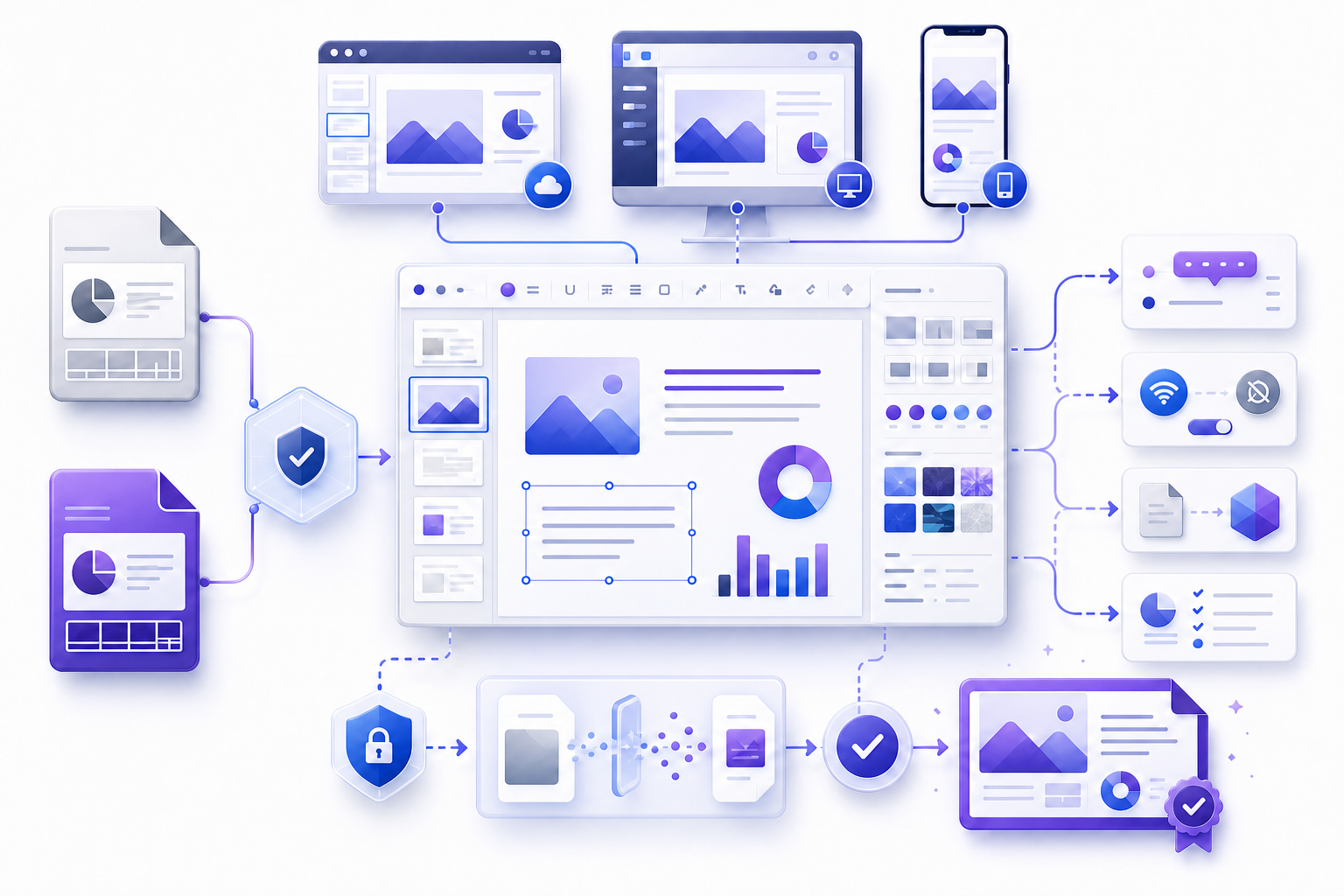
View the deck on the how to build an ppt and pptx viewer route before you change source objects. A local file can be edited first. Team acceptance is the same exported artifact after a browser upload. Define the format, required edits, sensitive content, collaboration model, offline need, accessibility obligation, target device, and final output. Test a sanitized representative copy, save and reopen it, compare the result, and choose the browser, desktop, or mobile PPT editor that passes the required checks.
本地文件可以先改。团队验收看浏览器上传之后的同一份导出文件。明确格式、必要修改、敏感内容、协作模式、离线需求、无障碍义务、目标设备与最终输出。使用脱敏的代表性副本测试,保存后重新打开并比较结果,再选择通过必要检查的浏览器、桌面端或移动端编辑器。
A popular or free PPT editor may be suitable for simple text changes but unsuitable for master layouts, linked charts, protected files, advanced motion, confidential data, or precise print output. Do not confuse “opens successfully” with “can edit, save, and deliver without material loss.”
热门或免费的 PPT Editor 可能适合简单文字修改,却不适合母版、链接图表、受保护文件、高级动画、机密数据或精确打印输出。不要把“成功打开”误认为“可以在没有实质损失的情况下编辑、保存与交付”。
Define the presentation task before comparing editors比较编辑器前先定义演示任务
Describe the audience, decision, deadline, source owner, slide count, delivery channel, target application, and allowed changes. Separate content correction, visual redesign, data refresh, localization, accessibility remediation, collaboration, conversion, and final publishing. Each category demands different capabilities and evidence.
说明受众、决策、截止时间、源文件负责人、页数、交付渠道、目标应用与允许修改范围。把内容修正、视觉重设计、数据刷新、本地化、无障碍修复、协作、转换和最终发布分开。每类任务需要不同能力与证据。
Write non-negotiable acceptance criteria: required file type, editable elements, supported fonts, intact charts, working media, readable notes, logical reading order, approved permissions, and a tested exported artifact. Optional convenience features should not outweigh a failed mandatory requirement.
写明不可妥协的验收标准:必要文件类型、可编辑元素、受支持字体、完整图表、可用媒体、可读备注、合理阅读顺序、获批权限和经过测试的导出文件。可选便利功能不应掩盖强制要求失败。
Compare browser, desktop, mobile, and server-side editors比较浏览器、桌面端、移动端与服务器端编辑器
| Editor type | Typical strengths | Main review questions |
|---|---|---|
| Browser | Fast access, comments, coauthoring, links, simple edits | Upload policy, feature limits, fonts, save fidelity, account scope |
| Desktop | Masters, advanced objects, media, offline work, precise control | Licensing, local copies, add-ins, sync, device security |
| Mobile | Quick review, comments, lightweight corrections | Reduced controls, small-screen mistakes, upload/download behavior |
| Server/API | Repeatable conversion or document automation | Supported features, privacy, deterministic output, logs, failure handling |
Treat these as operating models, not quality rankings. A desktop PPT editor can still use insecure local storage; a browser PPT editor can be governed and appropriate; a mobile PPT editor can be the correct emergency review surface; and an automated converter can be reliable for a narrow, tested template. Evaluate the whole workflow.
这些是运行模式,不是质量排名。桌面编辑器仍可能使用不安全本地存储;浏览器编辑器也可以合规适用;移动端可能是紧急复核的正确界面;自动转换器也可能对经过测试的固定模板可靠。应评估整个流程。
Local desktop pass versus an upload editor本地桌面流程与上传编辑器
A local desktop pass keeps the deck on an approved device while you change one reversible item, save, close, and reopen. An upload PPT editor sends a copy to a host so you can fix text or images in the browser. Both can be a valid PPT editor path. Choose the column before anyone drops a production file.
本地桌面流程把文稿留在获批设备上,改一处可逆内容,保存、关闭再打开。上传编辑器把副本送到主机,以便在浏览器里改文字或图片。两条都可能是有效路径。任何人投放生产文件之前先选列。
Use the browser when the deck is already sanitized, the edit is small, and retention is approved. Stay on the desktop when masters, linked charts, media, notes, or precise print output must survive. After either path, download the candidate and open that file in the recipient application. The canvas is a working view.
文稿已脱敏、改动很小、保留策略已批准时,可以用浏览器。母版、链接图表、媒体、备注或精确打印必须保留时,留在桌面。两条路径之后都要下载候选文件,并在收件人应用中打开。画布只是工作视图。
Understand what PPT, PPTX, PPSX, and PDF imply理解 PPT、PPTX、PPSX 与 PDF 的含义
Legacy `.ppt` is a binary presentation format with different compatibility and security considerations from modern Open XML `.pptx`. Slide-show formats may open directly in presentation mode. Template formats are intended to create new files. PDF preserves a page-oriented result but is not an equivalent editable presentation. Renaming an extension does not convert the content.
旧 `.ppt` 是二进制演示格式,与现代 Open XML `.pptx` 具有不同兼容与安全考虑。放映格式可能直接进入演示模式;模板格式用于创建新文件;PDF 保留面向页面的结果,却不等同于可编辑演示。只改扩展名不会转换内容。
Identify the real format a PPT editor must keep, the required output, and features that must survive. If a legacy file must be modernized, preserve the source, open it through an approved path, capture warnings, save to a new filename, close, reopen, and compare slide count, layouts, fonts, charts, media, links, notes, and protection.
识别真实格式、必要输出与必须保留的功能。如果旧文件需要现代化,应保留源文件,通过获批路径打开,记录警告,另存为新文件名,关闭后重新打开,并比较页数、布局、字体、图表、媒体、链接、备注与保护。
Build a requirements matrix for the deck建立演示需求矩阵
List every required PPT editor capability and mark it mandatory, useful, or irrelevant. Include open/save formats, master editing, custom fonts, equations, charts, linked data, embedded media, animation, comments, coauthoring, version history, offline work, accessibility checking, encryption, rights management, export formats, audit logs, retention, regional processing, and administrative controls.
列出每项必要能力,并标记为强制、实用或无关。包括打开与保存格式、母版编辑、自定义字体、公式、图表、链接数据、嵌入媒体、动画、评论、共同编辑、版本历史、离线工作、无障碍检查、加密、权限管理、导出格式、审计日志、保留、区域处理与管理控制。
Attach an evidence method to each mandatory row: documentation, administrator confirmation, a representative-file test, a recipient-account test, or an exported-artifact comparison. Marketing labels such as “full compatibility” and “secure” are not acceptance evidence without scope and observed behavior.
为每个强制项附上证据方法:文档、管理员确认、代表性文件测试、收件人账户测试或导出文件比较。没有范围与观察行为时,“完全兼容”“安全”等营销标签不能作为验收证据。
Evaluate upload, retention, and data-use rules评估上传、保留与数据使用规则
Before uploading to a PPT editor, identify content classification, approved services, processing location, encryption, retention, deletion, backup, support access, telemetry, model-training terms, sub-processors, breach process, and account administration. A public file still deserves integrity and access checks; a confidential file may require an entirely different workflow.
上传前识别内容分类、获批服务、处理位置、加密、保留、删除、备份、支持访问、遥测、模型训练条款、分包处理者、事件流程与账户管理。公开文件仍需完整性与访问检查;机密文件可能需要完全不同的流程。
Use sanitized test content when PPT editor approval or capability is uncertain. Do not include credentials, unpublished financials, personal data, client names, private links, embedded access tokens, or sensitive speaker notes. Deleting the visible file may not erase backups immediately; follow the documented retention model.
服务批准或能力不确定时使用脱敏测试内容。不要包含凭据、未发布财务数据、个人信息、客户名称、私人链接、嵌入访问令牌或敏感备注。删除可见文件不一定立即清除备份,应遵循文档化保留模式。
Use a representative test deck before real work真实工作前使用代表性测试演示
Build a sanitized deck containing the same slide sizes, themes, layouts, fonts, languages, object types, charts, tables, equations, images, audio, video, transitions, animation triggers, notes, comments, hidden slides, links, protection, and accessibility structure as the production file. Include deliberately difficult cases such as long titles, dense tables, transparent images, and unsupported fonts.
构建脱敏演示,包含与生产文件相同的页面尺寸、主题、布局、字体、语言、对象类型、图表、表格、公式、图片、音视频、切换、动画触发、备注、评论、隐藏页、链接、保护与无障碍结构。加入长标题、密集表格、透明图片和不受支持字体等困难案例。
In the PPT editor, open, edit, save, close, reopen, export, download, and inspect the test file. Test with the intended browser, device, account, network, and recipient role. Record both what works and what is unsupported; absence from a short test is not evidence of support.
对测试文件执行打开、编辑、保存、关闭、重开、导出、下载与检查。使用预期浏览器、设备、账户、网络和收件人角色测试,并记录可用与不支持的内容;短测试中没有出现问题,不等于已经证明支持。
Assess online editor behavior beyond the feature list超越功能列表评估在线编辑器行为
Check PPT editor sign-in, tenant selection, folder destination, autosave, coauthoring, comments, version history, supported browsers, offline behavior, upload limits, font substitution, master access, chart editing, media playback, animation, notes, accessibility, download options, and permission inheritance. Test what happens when the network drops or two people edit the same slide.
检查登录、租户选择、目标文件夹、自动保存、共同编辑、评论、版本历史、支持浏览器、离线行为、上传限制、字体替换、母版访问、图表编辑、媒体播放、动画、备注、无障碍、下载选项与权限继承。测试网络中断或两人编辑同一页时会发生什么。
Browser PPT editor work is valuable when it reduces setup and centralizes collaboration, but cloud state can hide which artifact will be delivered. Always download the release candidate and test that file. Confirm that the recipient can open the intended version without gaining access to the working folder or unrelated documents.
浏览器编辑可以减少设置并集中协作,但云端状态可能掩盖最终交付的是哪个产物。始终下载候选发布文件并测试它,并确认收件人能打开预定版本,却不会获得工作文件夹或无关文档的访问权。
Assess desktop editor control and local risk评估桌面编辑器的控制能力与本地风险
A desktop PPT editor may provide deeper control over masters, media, animation, linked content, print settings, add-ins, and offline work. Confirm application version, license, update policy, supported formats, trusted locations, macro and add-in controls, recovery settings, font installation, local encryption, backups, and synchronization.
桌面编辑器可能对母版、媒体、动画、链接内容、打印设置、加载项与离线工作提供更深控制。确认应用版本、许可、更新策略、支持格式、受信位置、宏与加载项控制、恢复设置、字体安装、本地加密、备份与同步。
Local PPT editor control does not remove governance. Downloads can create unmanaged copies; sync tools can create conflicts; add-ins can access content; and a missing font can change layout. Use an approved project folder, preserve the source, name checkpoints, and separate experimental work from the release path.
本地控制不会消除治理问题。下载可能产生非受控副本;同步工具可能制造冲突;加载项可能访问内容;缺失字体可能改变布局。使用获批项目文件夹,保留源文件,命名检查点,并把实验工作与发布路径分开。
Limit mobile editing to tasks the small screen can verify把移动编辑限制在小屏能够验证的任务
A mobile PPT editor is useful for comments, approvals, short text corrections, and emergency review. Small screens make overflow, alignment, object selection, notes, metadata, and permission scope harder to inspect. Touch interactions can move objects accidentally, and background upload behavior may differ from desktop.
移动编辑器适合评论、批准、短文字修正与紧急复核。小屏幕使溢出、对齐、对象选择、备注、元数据与权限范围更难检查。触控可能意外移动对象,后台上传行为也可能与桌面端不同。
Define which PPT editor edits are allowed on mobile and require a larger-screen final review. Test the exact app version, account, device orientation, connection state, download location, and share sheet. Avoid high-impact master, chart, data, media, and permission changes unless the device exposes enough evidence to verify them.
明确移动端允许的修改,并要求在大屏上进行最终复核。测试确切应用版本、账户、设备方向、连接状态、下载位置与系统共享面板。除非设备提供足够证据,否则避免高影响的母版、图表、数据、媒体与权限修改。
Convert PPT to PPTX only through a verified round trip只通过已验证的往返流程把 PPT 转为 PPTX
Preserve the legacy original before any PPT editor conversion, create a conversion copy, capture warnings, and record the converting application and version. After saving as PPTX, close and reopen the result. Compare slide count, dimensions, masters, layouts, fonts, text overflow, images, charts, tables, equations, media, animation, notes, links, hidden slides, protection, and accessibility.
保留旧格式原始文件,创建转换副本,记录警告、转换应用与版本。另存为 PPTX 后关闭并重新打开结果,再比较页数、尺寸、母版、布局、字体、文字溢出、图片、图表、表格、公式、媒体、动画、备注、链接、隐藏页、保护与无障碍。
Do not overwrite the source or claim perfect conversion without a defined test set. Decide which differences are acceptable, which require reconstruction, and which make conversion unsuitable. A modern extension does not guarantee that old design, active content, or embedded dependencies became safe or maintainable.
不要覆盖源文件,也不要在没有定义测试集时声称完美转换。决定哪些差异可接受、哪些需要重建、哪些意味着不适合转换。现代扩展名并不能保证旧设计、活动内容或嵌入依赖已经变得安全或易维护。
Edit themes, layouts, and slide structure systematically系统编辑主题、布局与页面结构
Map which slides use each master and layout before changing shared elements. Prefer theme colors, theme fonts, placeholders, guides, alignment, and reusable layouts over scattered manual overrides. Duplicate a layout for an intentional section difference. Keep slide titles and section structure meaningful for navigation and accessibility.
修改共享元素前,确认每页使用的母版与布局。优先使用主题色、主题字体、占位符、参考线、对齐与可复用布局,而不是分散的手工覆盖。对有意的章节差异复制布局,并保持页面标题与章节结构对导航和无障碍有意义。
Inspect hidden, off-canvas, duplicated, and ambiguously named objects. Group and layer intentionally. A slide can look correct while retaining obsolete shapes, private material, inaccessible reading order, or objects that reappear during animation. Use the PPT editor object list and document-inspection features where available.
检查隐藏、画布外、重复与名称含糊的对象,并有意识地组合与分层。页面可能看起来正确,却保留过期形状、私人材料、错误阅读顺序或动画时重新出现的对象。在可用时使用编辑器的对象列表与文档检查功能。
Verify claims and charts while editing presentation content编辑演示内容时验证主张与图表
For every consequential claim, record the source, owner, extraction date, definition, scope, exclusions, unit, aggregation, rounding, and uncertainty. Reconcile chart values to an authoritative table. Identify whether a chart is linked, embedded, pasted as an image, or manually drawn; each behaves differently when edited or moved.
对于每个重要主张,记录来源、负责人、提取日期、定义、范围、排除项、单位、聚合、舍入与不确定性。把图表值与权威表格对账,并识别图表是链接、嵌入、粘贴为图片还是手工绘制;每种形式在编辑或移动时行为不同。
Do not change an axis, baseline, time window, category order, or color meaning to strengthen a narrative. Label estimates, incomplete periods, and projections. Verify captions, source notes, units, legends, and accessibility descriptions after any visual redesign or format conversion.
不要为了强化叙事而修改坐标轴、基线、时间窗口、类别顺序或颜色含义。标注估算、不完整周期与预测。任何视觉重设计或格式转换后,都要核验说明、来源备注、单位、图例与无障碍描述。
Test media, motion, notes, and links in the final environment在最终环境测试媒体、动画、备注与链接
Audio, video, animation, transitions, action buttons, external links, and embedded content depend on codecs, network, permissions, security settings, and PPT editor support. Test from the start and by direct slide navigation. Check captions, poster frames, volume, timing, offline behavior, and a static fallback for decision-critical media.
音视频、动画、切换、动作按钮、外链与嵌入内容依赖编码、网络、权限、安全设置与编辑器支持。既从头播放,也直接跳转测试,并检查字幕、封面帧、音量、时间、离线行为与关键媒体的静态替代方案。
Review speaker notes, comments, hidden slides, file properties, and hyperlink destinations for sensitive or obsolete information. Test links from the final exported artifact with a recipient-like account. A working link under the owner's session may fail, expose the wrong tenant, or grant broader access for someone else.
检查演讲者备注、评论、隐藏页、文件属性与链接目标中的敏感或过期信息。使用类似收件人的账户从最终导出文件测试链接。所有者会话下可用的链接,可能对他人失败、进入错误租户或授予更广访问。
Manage comments, coauthoring, and version ownership管理评论、共同编辑与版本所有权
Assign sections in the PPT editor, identify the decision owner, and state when parallel editing stops. Use comments for clear questions and requested actions, with an owner and closure evidence. Do not treat unresolved comments as invisible simply because they are hidden in presentation mode. Avoid simultaneous editing of a dense slide when merge behavior is uncertain.
分配章节,明确决策负责人,并规定并行编辑何时停止。评论应包含清晰问题、要求动作、负责人和关闭证据。不要因为放映时评论不可见,就把未解决评论当作不存在。如果合并行为不确定,应避免多人同时编辑同一复杂页面。
Create named PPT editor checkpoints before structural changes, bulk replacements, data refreshes, conversions, and cleanup. Test version recovery on a non-production copy. If a conflict occurs, preserve every branch before comparing and merging. Approval belongs to an exact version, not to a filename that continues changing.
在结构修改、批量替换、数据刷新、转换与清理前创建命名检查点,并在非生产副本上测试版本恢复。如果发生冲突,先保留每个分支再比较合并。批准属于确切版本,而不是仍在变化的文件名。
Compare accessibility support with real checks通过真实检查比较无障碍支持
Required capabilities may include descriptive slide titles, reading-order control, alternative text, sufficient contrast, accessible tables, clear link names, captions or transcripts, language metadata, keyboard operation, and an accessibility checker. Confirm whether these properties survive save, conversion, download, and reopening in the target application.
必要能力可能包括描述性页面标题、阅读顺序控制、替代文本、足够对比度、可访问表格、清晰链接名、字幕或文字稿、语言元数据、键盘操作与无障碍检查器。确认这些属性在保存、转换、下载和目标应用重开后仍然保留。
Automated checks are useful prompts, not proof. Manually inspect reading order, keyboard navigation, object meaning, table structure, and the experience at presentation scale. Provide an accessible alternative when the PPT editor or format cannot preserve information needed by the audience.
自动检查是实用提示,不是证明。手工检查阅读顺序、键盘导航、对象含义、表格结构与演示尺寸体验。当编辑器或格式无法保留受众需要的信息时,提供无障碍替代版本。
Control edit, comment, view, and download permissions separately分别控制编辑、评论、查看与下载权限
Distinguish owner, editor, commenter, viewer, downloader, external recipient, and administrator roles. Check whether links are named-recipient, tenant-only, organization-wide, or public; whether folder inheritance broadens access; and whether the recipient can discover other files. Grant least privilege for the shortest useful period.
区分所有者、编辑者、评论者、查看者、下载者、外部收件人与管理员角色。检查链接是指定收件人、仅租户、全组织还是公开;文件夹继承是否扩大访问;收件人是否能发现其他文件。在最短有效时间内授予最小权限。
Test with a recipient-like account and device. “View only” may not prevent screenshots, photography, retyping, or disclosure by an authorized viewer. Revoke temporary links, remove obsolete collaborators, and follow retention rules after release. Access controls reduce exposure but do not make unsuitable content safe.
使用类似收件人的账户与设备测试。“仅查看”可能无法阻止截图、拍照、重新输入或获授权查看者披露。发布后撤销临时链接、移除过期协作者并遵循保留规则。访问控制降低暴露,却不能让不适合共享的内容变安全。
Validate the exported presentation, not only the editor canvas验证导出演示,而不只检查编辑画布
Download the release candidate, close the PPT editor, and open the downloaded file in the recipient's target application. Check filename, size, format, slide count, order, dimensions, titles, layouts, fonts, text overflow, images, charts, data, media, animation, notes, hidden content, links, accessibility, comments, metadata, and protection.
下载候选发布文件,关闭编辑器,并在收件人的目标应用中打开下载文件。检查文件名、大小、格式、页数、顺序、尺寸、标题、布局、字体、文字溢出、图片、图表、数据、媒体、动画、备注、隐藏内容、链接、无障碍、评论、元数据与保护。
Use representative desktop, projector, browser, mobile, print, and assistive scenarios according to the real delivery. Capture the exact file, timestamp, reviewer, environment, result, and accepted limitations. The artifact that passed must be the artifact that is distributed.
根据真实交付使用代表性桌面、投影、浏览器、移动、打印与辅助场景,并记录确切文件、时间、复核者、环境、结果与已接受限制。通过检查的产物必须就是被分发的产物。
Avoid common selection and release failures避免常见选择与发布失败
| Failure | Why it happens | Prevention |
|---|---|---|
| Choosing by brand or price alone | Required file behavior is never tested | Use a weighted requirements matrix and representative deck |
| Uploading the production file first | Convenience outruns privacy approval | Verify governance and use sanitized test content |
| Opening without round-trip testing | Preview looks correct but save removes features | Edit one reversible item, save, reopen, and compare |
| Overwriting the original | No authoritative baseline or recovery path | Preserve source and use named working copies |
| Approving the cloud canvas | The downloaded artifact differs | Validate the exact exported file |
| Sharing the working folder | Recipient gains draft or unrelated access | Publish a controlled release location with least privilege |
Use a ten-step selection and editing workflow使用十步选择与编辑流程
- 1Define the task. Record audience, outcome, source, sensitivity, formats, changes, and delivery.
- 2Set mandatory requirements. Separate must-have capabilities from convenience.
- 3Shortlist approved models. Compare browser, desktop, mobile, and automated options.
- 4Review governance. Check upload, retention, accounts, permissions, and administration.
- 5Build a test deck. Represent risky structures without sensitive data.
- 6Run the round trip. Open, edit, save, close, reopen, export, and compare.
- 7Protect production work. Preserve the source and create named checkpoints.
- 8Edit with evidence. Control structure, content, data, media, accessibility, and comments.
- 9Validate the artifact. Test the downloaded result in recipient environments.
- 10Release and close. Record approval, limit access, revoke temporary rights, and retain evidence.
Document the editor decision in structured Markdown使用结构化 Markdown 记录编辑器决策
A concise Markdown record keeps requirements and evidence outside the changing presentation. Include task, owner, content classification, source format, target format, mandatory capabilities, shortlisted tools, test file, test environment, observed results, limitations, chosen PPT editor, fallback, acceptance checks, recipient permissions, and release destination.
简洁的 Markdown 记录把需求与证据保存在不断变化的演示之外。包含任务、负责人、内容分类、源格式、目标格式、强制能力、候选工具、测试文件、测试环境、观察结果、限制、所选编辑器、回退方案、验收检查、收件人权限与发布目标。
# PPT editor decision
Owner and audience:
Source and target formats:
Content classification:
Mandatory capabilities:
Representative test deck:
Observed save/export behavior:
Chosen editor and fallback:
Acceptance and release evidence:
State whether each requirement passed, failed, was not tested, or was accepted with a limitation. Do not convert “not observed” into “supported.” Link the record to the exact source, test, working, and released artifacts without embedding secrets or restricted access tokens.
说明每项要求是通过、失败、未测试还是带限制接受。不要把“未观察到”改写为“支持”。把记录链接到确切源文件、测试文件、工作文件与发布文件,但不要嵌入密钥或受限访问令牌。
Turn the verified editor decision into a review document把已验证的编辑器决策转为复核文档
Use the InfiniSynapse Markdown-to-Word tool to turn the structured decision record into a document for approval, procurement, or handoff. Inspect converted headings, tables, links, page breaks, and list numbering. The tool supports document production; it does not certify PPT editor security, compatibility, accessibility, or approval.
使用 InfiniSynapse Markdown-to-Word 工具,把结构化决策记录转为批准、采购或交接文档。检查转换后的标题、表格、链接、分页与列表编号。工具帮助制作文档,但不会认证编辑器安全、兼容性、无障碍或批准状态。
Open Markdown-to-Word Tool打开 Markdown-to-Word 工具Use sanitized content. Never paste credentials, secrets, or restricted material into an unapproved workflow.请使用脱敏内容,不要把凭据、密钥或受限材料粘贴到未经批准的流程。
Evaluation and release checklist评估与发布检查清单
- The source format, target format, delivery environment, and allowed changes are explicit.源格式、目标格式、交付环境与允许修改范围均已明确。
- Mandatory capabilities have evidence from documentation or a representative test.强制能力均有文档或代表性测试证据。
- Privacy, retention, account, processing, and permission requirements are approved.隐私、保留、账户、处理与权限要求已经批准。
- The original is preserved and working copies are named and controlled.原始文件已保留,工作副本已命名并受控。
- A save-close-reopen and export-download-reopen comparison passed.保存关闭重开与导出下载重开比较均已通过。
- Structure, fonts, data, media, notes, links, accessibility, and comments were checked.结构、字体、数据、媒体、备注、链接、无障碍与评论均已检查。
- The final artifact passed in recipient-like desktop, browser, mobile, or print conditions.最终产物已在类似收件人的桌面、浏览器、移动或打印条件下通过。
- Approval identifies the exact file, owner, timestamp, limitations, permissions, and destination.批准记录包含确切文件、负责人、时间、限制、权限与目标位置。
Frequently asked questions常见问题
Define mandatory formats, editing features, privacy, collaboration, offline, accessibility, export, and recipient requirements. Test a sanitized representative deck through open, edit, save, close, reopen, export, and download. Choose the approved PPT editor that passes every mandatory check.
定义强制格式、编辑功能、隐私、协作、离线、无障碍、导出与收件人要求。使用脱敏代表性演示执行打开、编辑、保存、关闭、重开、导出与下载测试,选择通过所有强制检查的获批编辑器。
Some approved browser or desktop alternatives can edit supported PPT or PPTX files, but capability varies. Test legacy format support, masters, fonts, charts, media, animation, notes, protection, accessibility, save fidelity, and the exact exported file before production use.
一些获批浏览器或桌面替代工具可以编辑受支持的 PPT 或 PPTX,但能力不同。生产使用前测试旧格式、母版、字体、图表、媒体、动画、备注、保护、无障碍、保存保真与确切导出文件。
Price does not establish safety. Check service approval, content classification, processing location, encryption, retention, deletion, data-use policy, accounts, permissions, administration, support access, and incident handling. Use sanitized content until the workflow is approved.
价格不能证明安全。检查服务批准、内容分类、处理位置、加密、保留、删除、数据使用政策、账户、权限、管理、支持访问与事件处理。流程获批前只使用脱敏内容。
You can use the browser as a working draft. Release still means the downloaded file, opened in the recipient application, with the approved permissions. A PPT editor canvas is not the artifact you send.
浏览器可以当工作稿。发布仍以下载文件为准,并在收件人应用中打开,权限也要获批。编辑器画布不是你要发送的产物。
Convert only when the target workflow requires it and a controlled test shows acceptable preservation. Keep the original, capture warnings, save to a new file, close, reopen, and compare layouts, fonts, charts, media, notes, links, protection, and accessibility.
只有目标流程需要,并且受控测试证明保留结果可接受时才转换。保留原始文件,记录警告,另存为新文件,关闭重开,并比较布局、字体、图表、媒体、备注、链接、保护与无障碍。
Test facts, slide order, dimensions, masters, fonts, overflow, objects, charts, data, media, animation, notes, hidden content, links, accessibility, comments, metadata, permissions, and the downloaded artifact in recipient-like environments.
测试事实、页面顺序、尺寸、母版、字体、溢出、对象、图表、数据、媒体、动画、备注、隐藏内容、链接、无障碍、评论、元数据、权限与收件人环境下的下载产物。
Sources and references used to evaluate editors用于评估编辑器的来源与权威参考资料
- Microsoft Support: PowerPoint file formatsMicrosoft 支持:PowerPoint 文件格式
- Microsoft Support: Edit in PowerPoint for the webMicrosoft 支持:在 PowerPoint 网页版中编辑
- Microsoft Support: Feature behavior in web-based PowerPointMicrosoft 支持:PowerPoint 网页版功能行为
- Microsoft Support: Work together on presentationsMicrosoft 支持:共同编辑演示
- Microsoft Support: View previous file versionsMicrosoft 支持:查看文件早期版本
- Microsoft Support: Make presentations accessibleMicrosoft 支持:让演示具备无障碍能力