Chrome Plugin Install
How to Install the Browser Use Browser Extension
What is Browser Use?
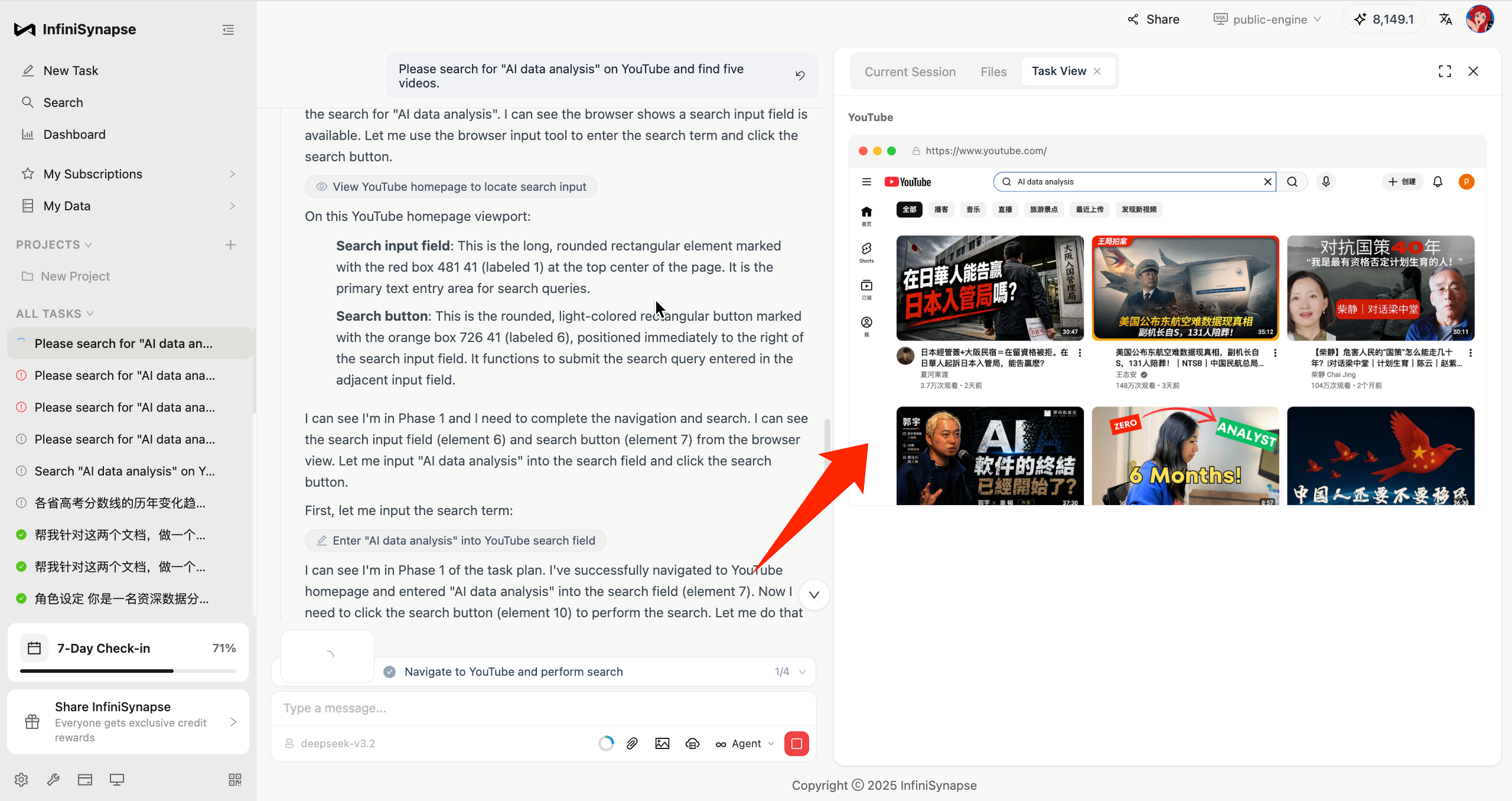
InfiniSynapse's Browser Use feature lets the AI operate a browser like a real user, automatically completing all kinds of web tasks for you:
✅ Automated data collection: Bulk-scrape web pages without manual copy-and-paste
✅ Smart form filling: Auto-fill repetitive forms and save tons of time
✅ Web content extraction: Pull exactly the information you need out of complex pages
✅ Multi-step workflows: Automate logins, searches, clicks and other complex flows
To use this powerful feature, you first need to install the InfiniSynapse browser extension. Two installation methods are provided below — pick whichever you prefer.
Method 1: Download from the product home page (Recommended)
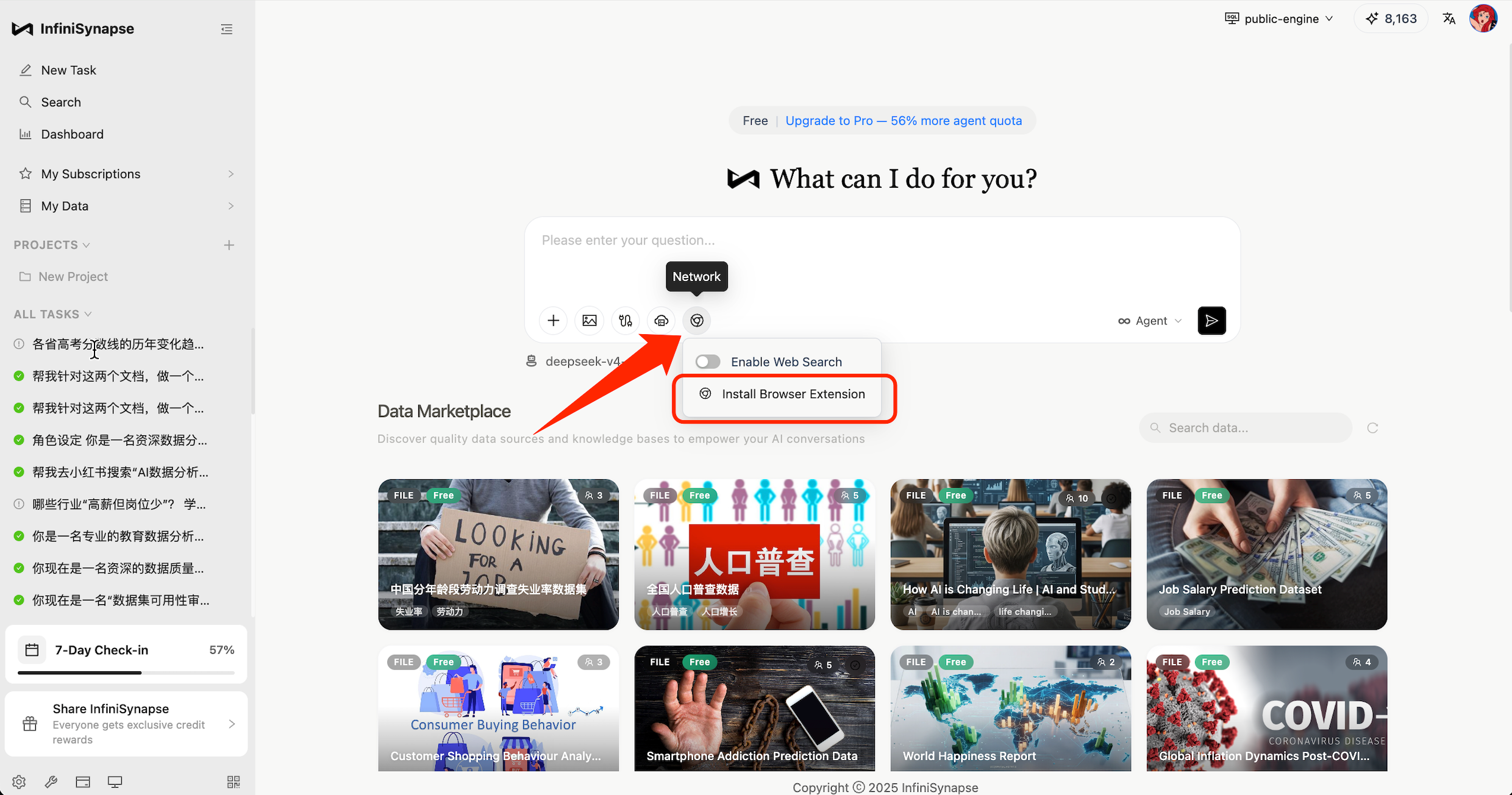
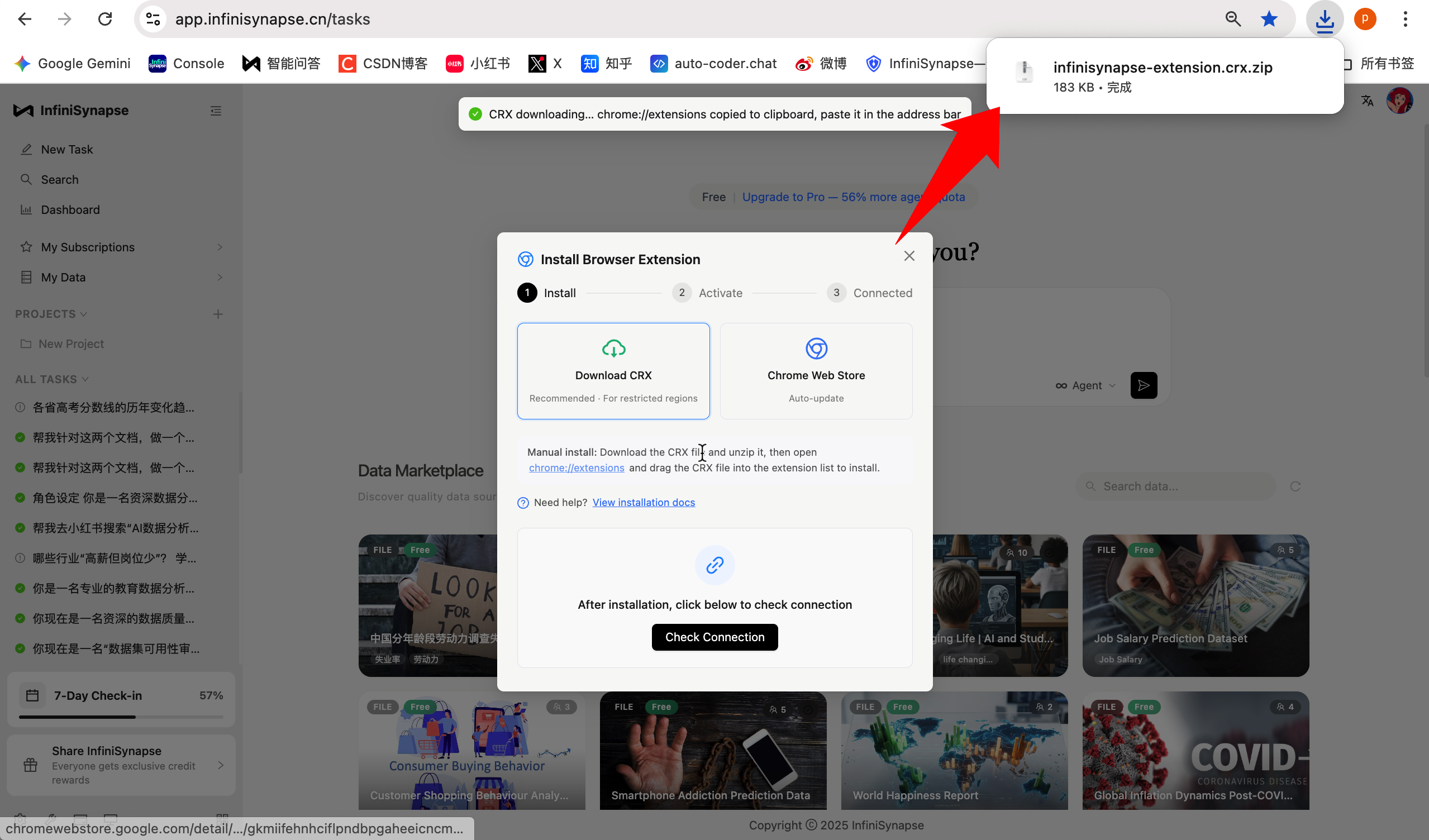
First, on the home page (https://app.infinisynapse.cn/tasks), click "Install Browser Extension". A dialog will appear — choose "Download CRX to install".
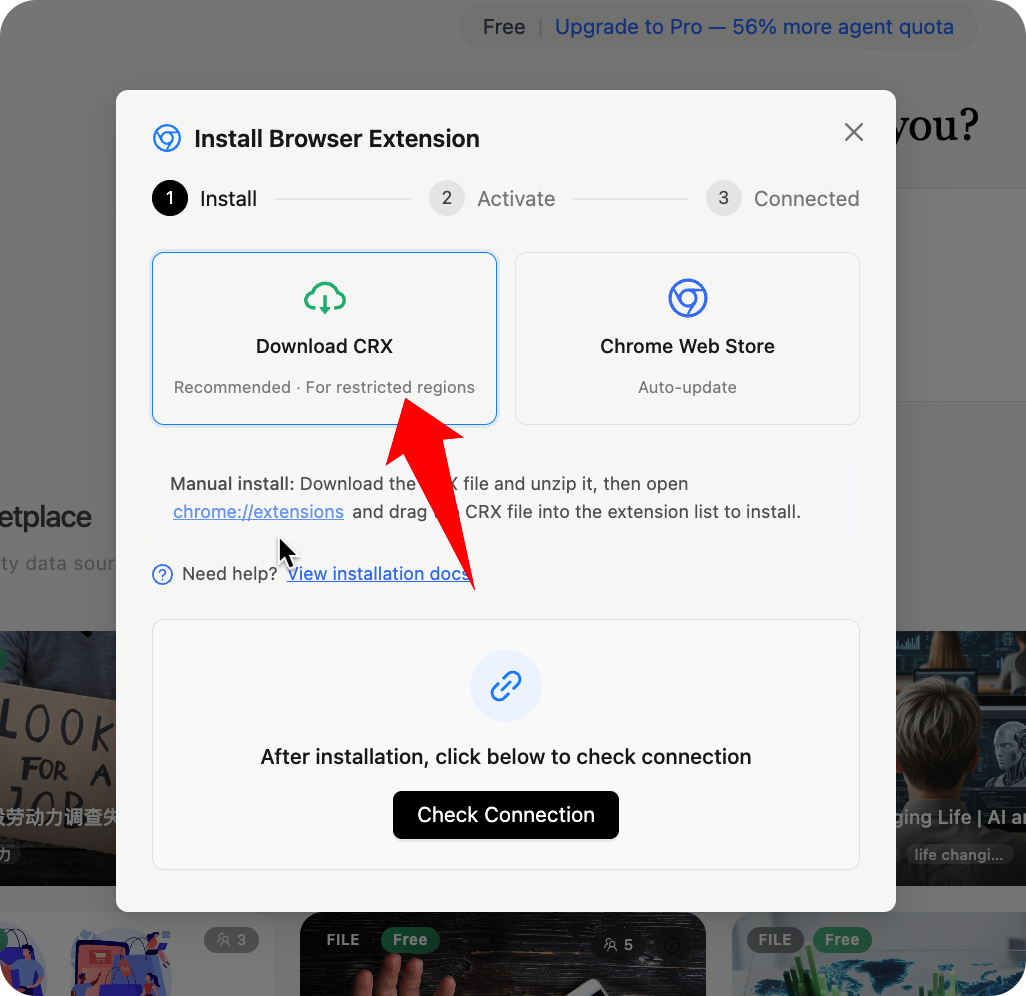
Once the download finishes, you can find the extension archive in your browser's downloads list. Extract it.
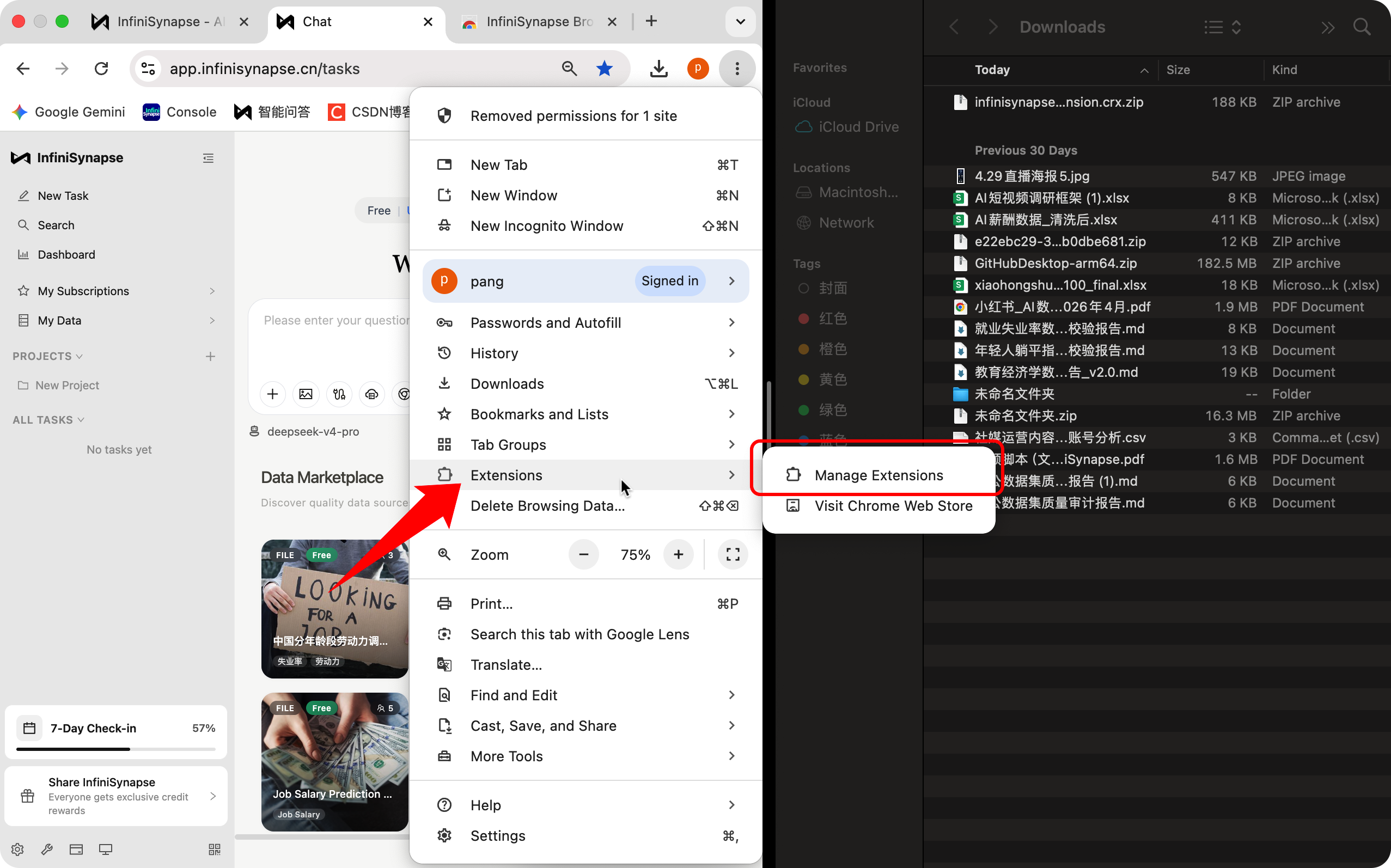
Click the three-dot menu in the top-right corner of the browser → Extensions → Manage Extensions.
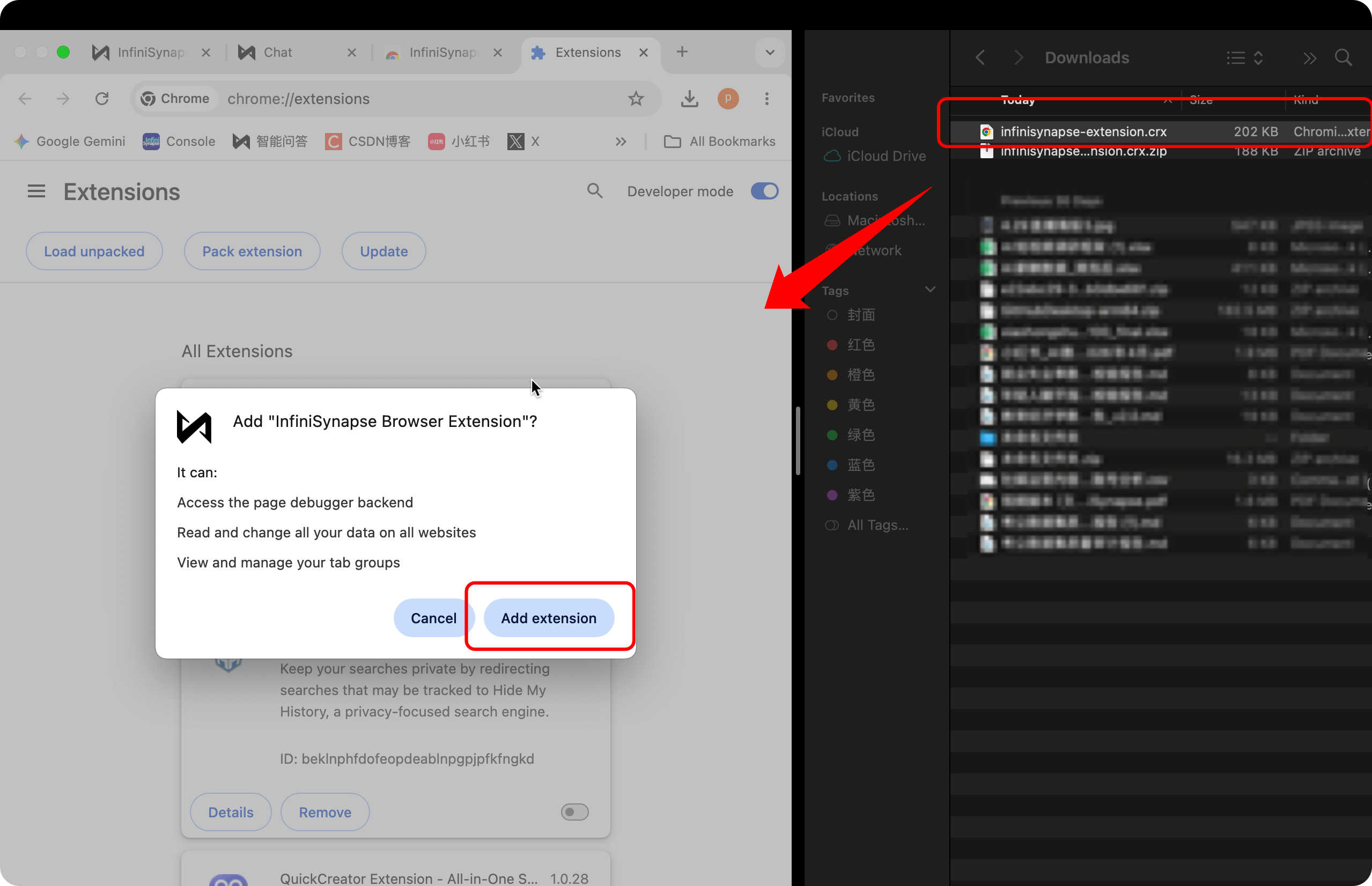
Then drag the extracted CRX file into the browser window.
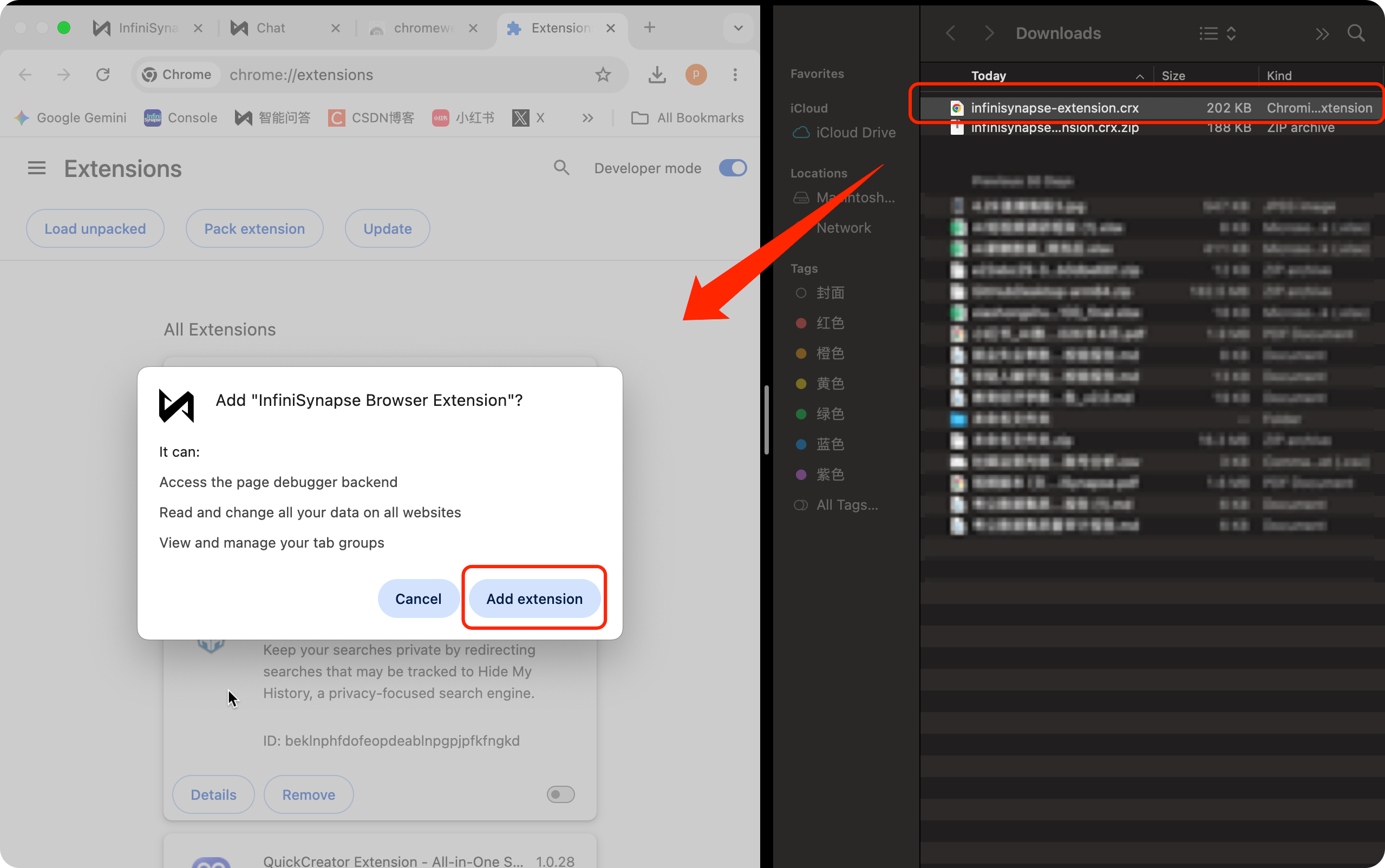
A confirmation dialog will pop up — click "Add extension" to finish the installation.
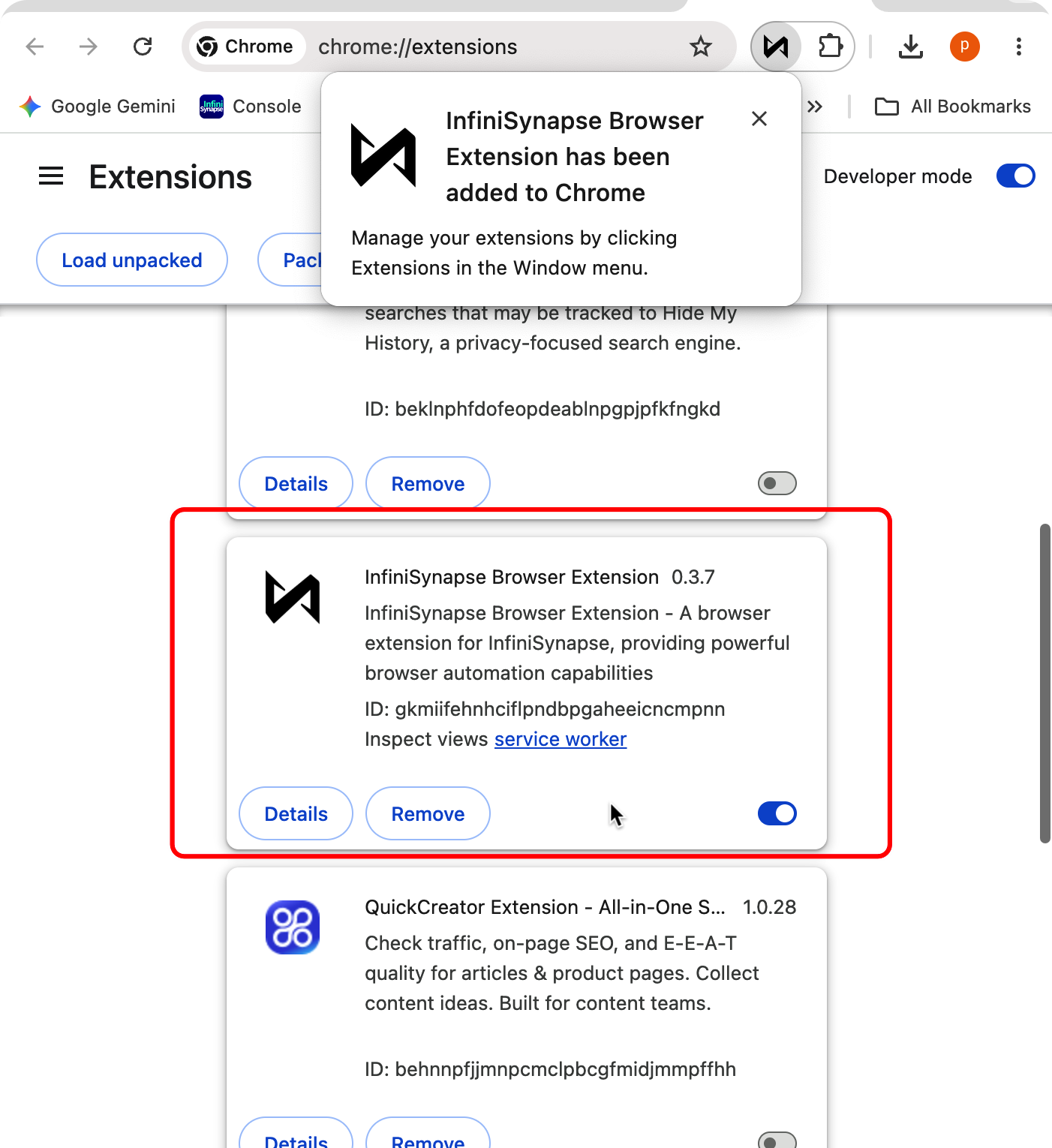
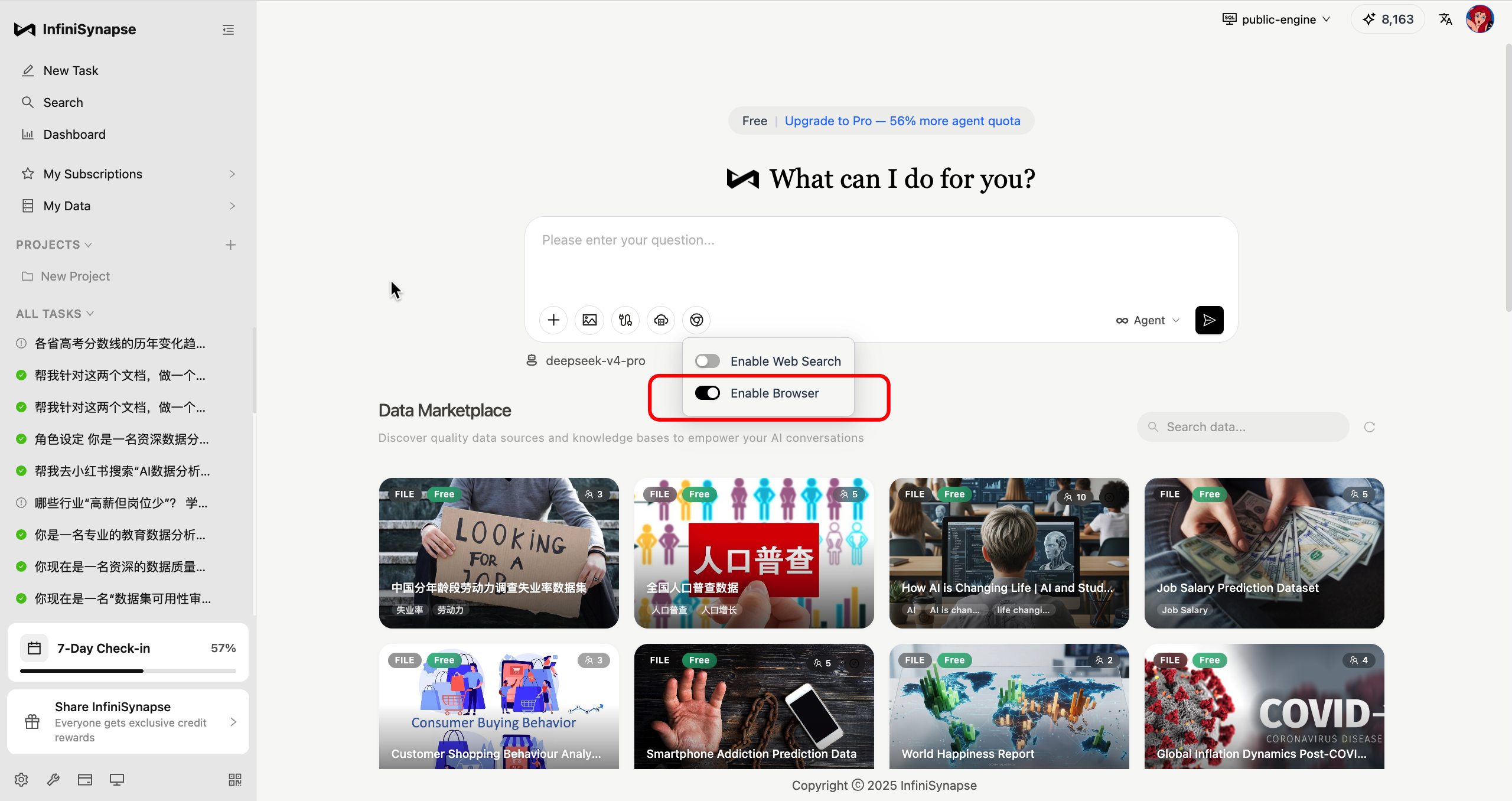
Go back to the home page (https://app.infinisynapse.cn/tasks). You'll see the "Enable Browser" toggle is now switched on, and you can start using the browser feature!
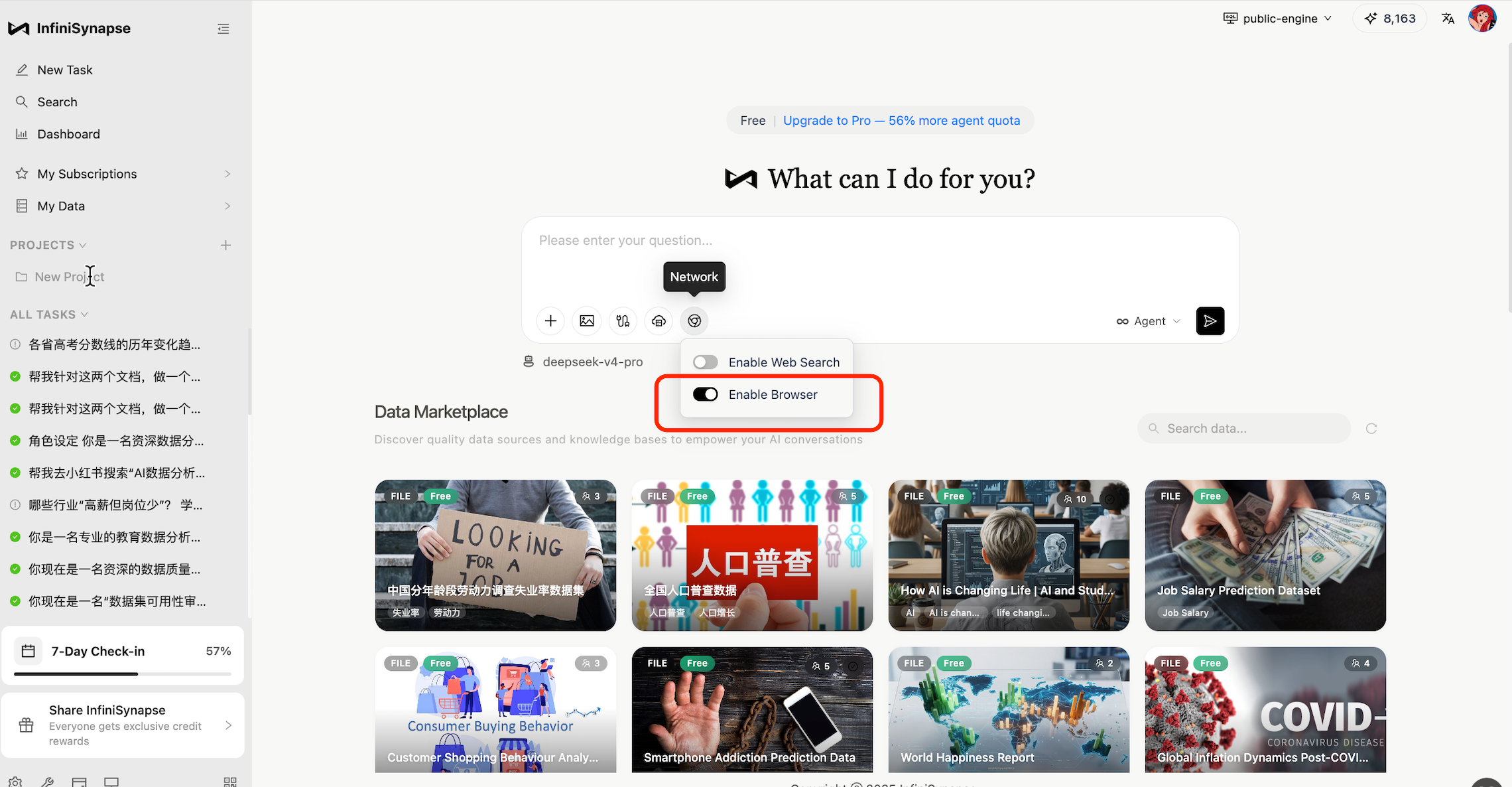
Method 2: Download from the official website
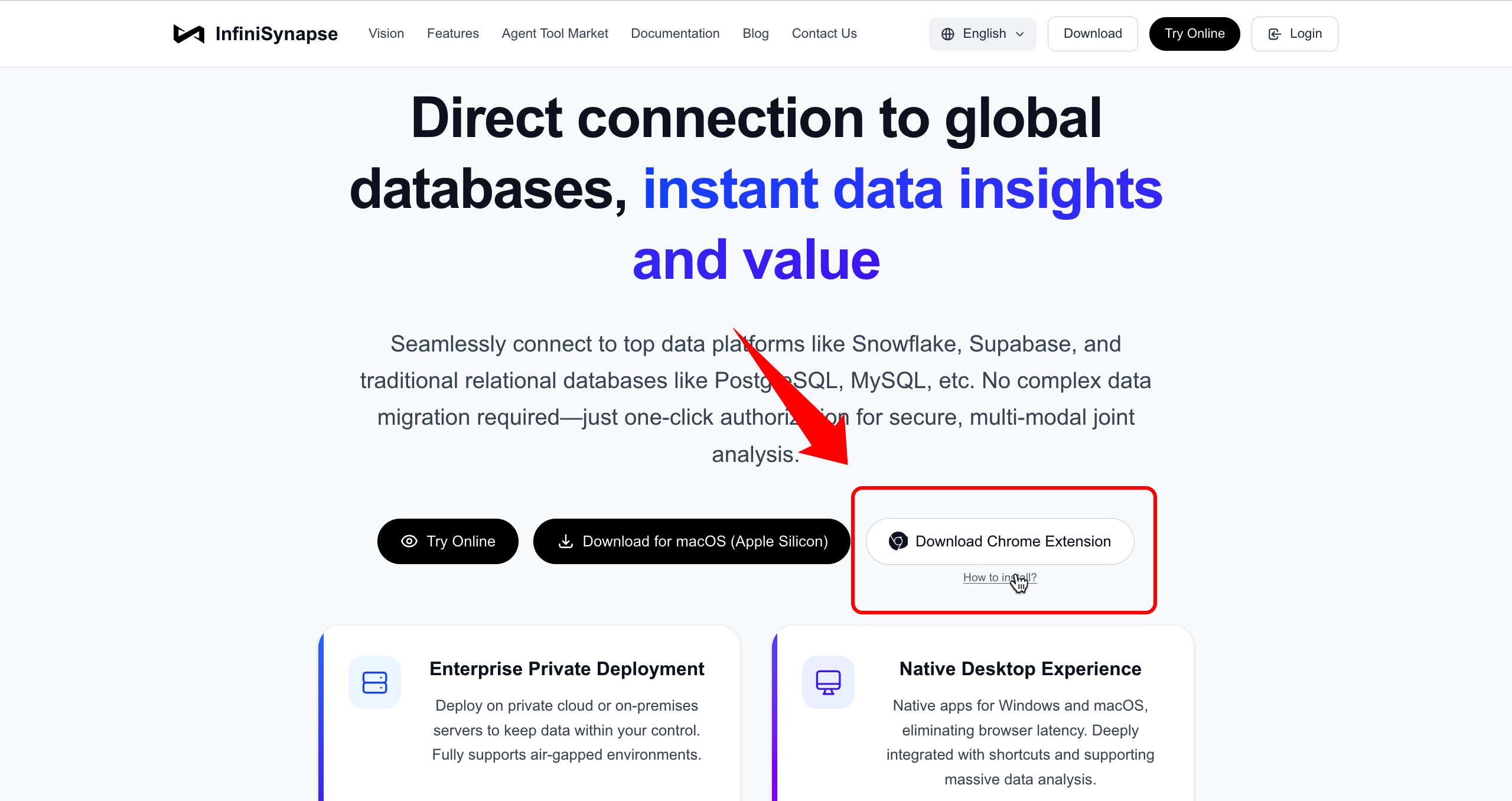
Visit the InfiniSynapse website (https://www.infinisynapse.cn/) and click "Download Chrome Extension".
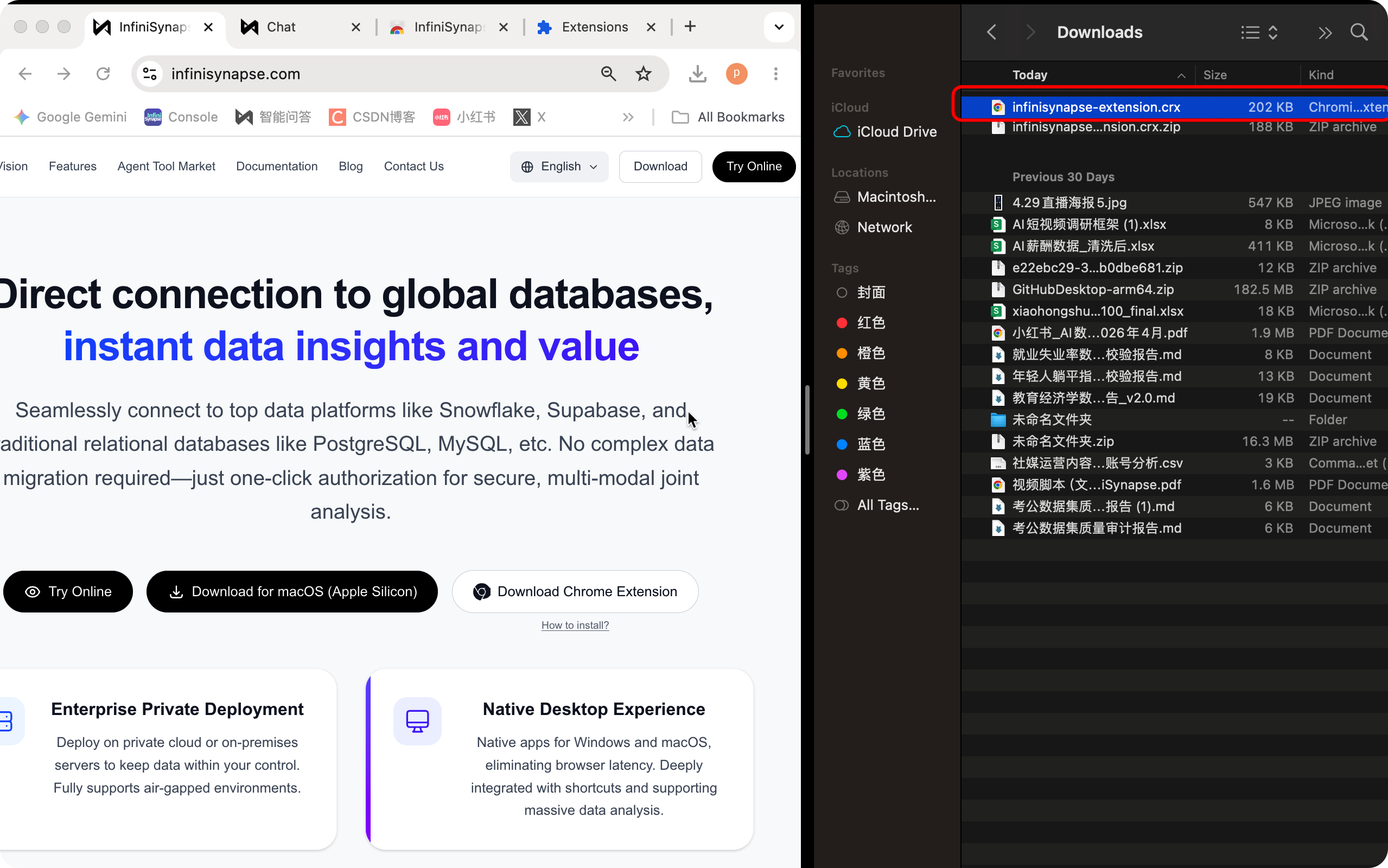
The CRX file will be downloaded to your computer:
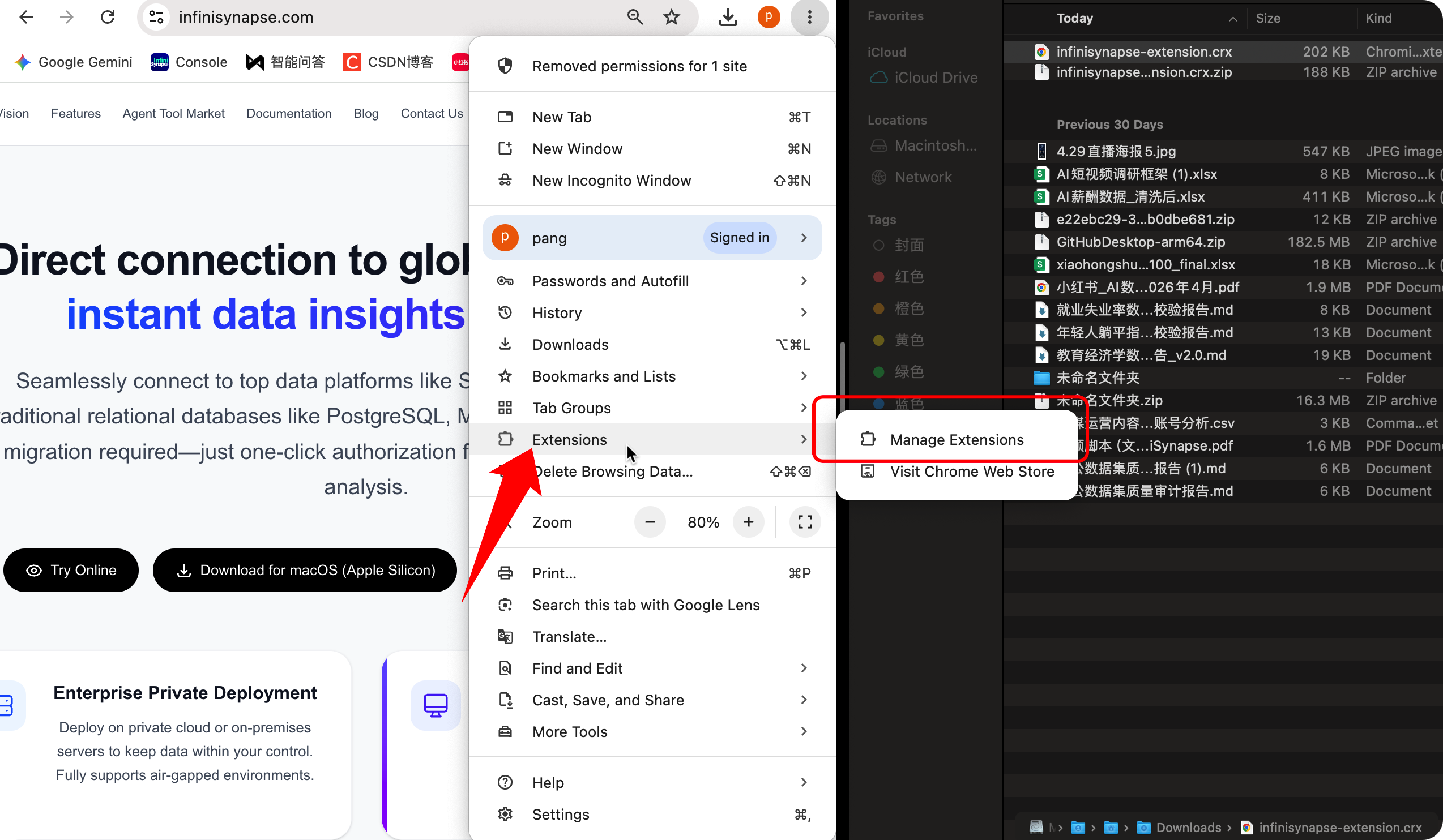
Click the three-dot menu in the top-right corner of the browser → Extensions → Manage Extensions, then drag the local CRX file directly into the browser window.
A confirmation dialog will pop up — click "Add extension" to finish the installation.
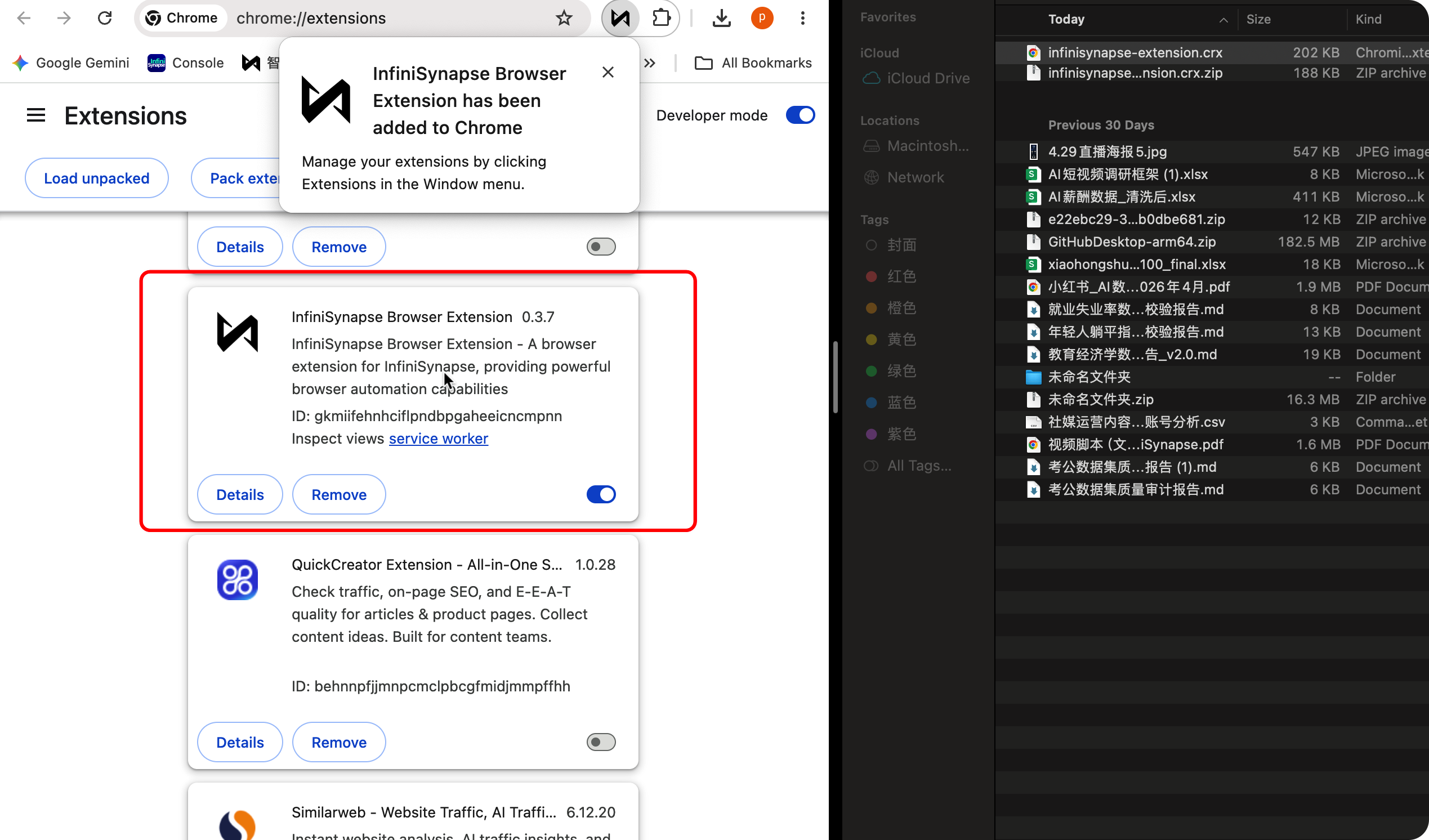
Go back to the home page (https://app.infinisynapse.cn/tasks). You'll see the "Enable Browser" toggle is now switched on, and you can start using the browser feature!