What makes an SQL query example useful?
A useful SQL query example connects a specific data question to a known schema, states the intended row grain, shows the complete query, and explains how to verify the result. Syntax alone is not enough. A query can parse successfully and still choose the wrong population, multiply revenue through a many-to-many join, exclude zero-activity entities, mishandle date boundaries, or return a nondeterministic top-N result.
This guide uses twelve read-only PostgreSQL-style examples over one synthetic commerce model. The patterns are broadly recognizable across PostgreSQL, MySQL, BigQuery, Snowflake, SQL Server, and other systems, but functions, quoting, parameters, date arithmetic, and window-filter syntax differ. Treat every example as a reasoning pattern to adapt—not production-ready code for an unknown database.
Use one explicit schema for all twelve SQL query examples
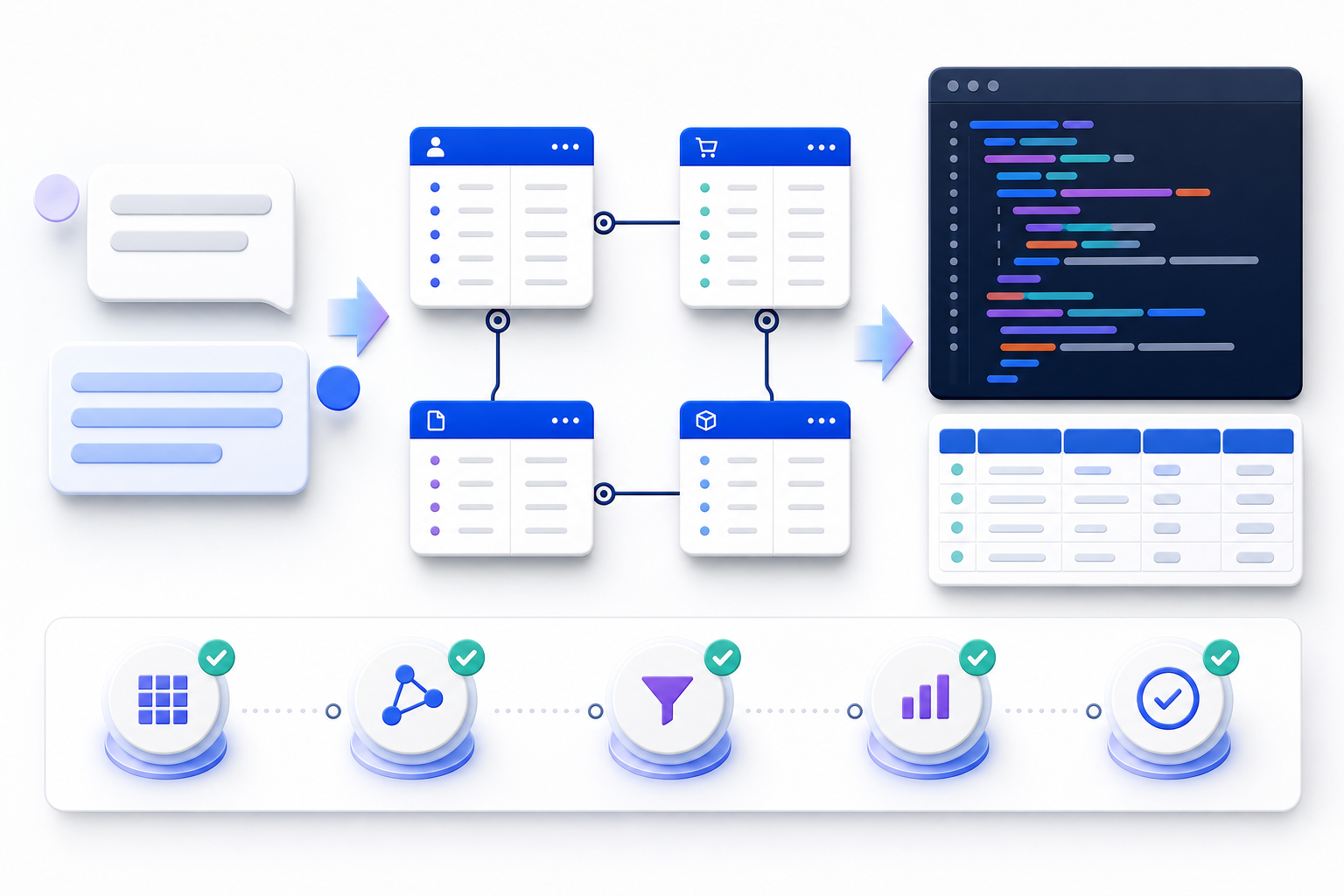
Examples become easier to compare when tables, keys, units, and time fields stay stable. The synthetic model below represents customers placing orders that contain products. Payments are separated from orders because one order may have multiple attempts, refunds, or settlements. Monetary examples use the order header's total_amount unless the question explicitly requires item-level economics.
| Table | Primary grain | Important columns | Relationship |
|---|---|---|---|
customers | One row per customer | customer_id, customer_name, region, created_at | Parent of orders |
orders | One row per order | order_id, customer_id, order_date, status, total_amount | Many orders per customer |
order_items | One row per order-product line | order_id, product_id, quantity, unit_price | Many lines per order |
products | One row per product | product_id, product_name, category | Parent of order items |
payments | One row per payment event | payment_id, order_id, paid_at, amount, payment_status | Zero or many events per order |
customers 1 ─── * orders 1 ─── * order_items * ─── 1 products
                         │
                         └──────── * payments

Canonical reporting amount: orders.total_amount
Canonical completed-order rule: orders.status = 'completed'
Half-open date interval: date >= start AND date < next_period_start
The model deliberately exposes a common trap: joining orders to both order_items and payments can multiply rows. If an order has three item lines and two payment events, the combined join can produce six rows before aggregation. Decide the measure's source and pre-aggregate each one-to-many branch before combining it.
Read every SQL example as a six-part analytical contract
A natural-language question hides choices that SQL must make explicit. Before looking at the code, identify the measure, population, time boundary, grouping dimensions, row grain, and tie or null behavior. After looking at the code, verify that those choices survived translation.
What decision or observation should the result support?
Which field, status rule, unit, and aggregation define the measure?
Which entities qualify, and are date boundaries inclusive or exclusive?
Does one row represent an order, customer, region-month, or ranked entity?
Which filters, joins, aggregates, CTEs, or windows implement the contract?
Which row-count, total, uniqueness, null, and edge-case checks could falsify the answer?
The examples use named placeholders such as :start_date. These are conceptual parameters, not a universal wire format. Bind them through the parameter mechanism of your driver, warehouse, BI tool, or orchestration layer. Never substitute untrusted values by concatenating strings.
SQL query example 1: filter completed orders and sort deterministically
Business question: “List completed orders placed in April 2026, newest first.” The result grain is one row per order. A precise prompt should name the status, start date, exclusive next-period boundary, selected columns, and a stable secondary sort key.
SELECT
  o.order_id,
  o.customer_id,
  o.order_date,
  o.total_amount
FROM orders AS o
WHERE o.status = 'completed'
  AND o.order_date >= DATE '2026-04-01'
  AND o.order_date <  DATE '2026-05-01'
ORDER BY
  o.order_date DESC,
  o.order_id DESC;
Why this shape: a half-open interval includes every timestamp on April 30 without relying on an assumed last second of the day. The secondary order_id sort makes output deterministic when multiple orders share the same timestamp. Selecting named columns also protects downstream consumers from silent column-order changes.
COUNT(*) = COUNT(DISTINCT order_id). Test midnight, month-end, and timezone conversion explicitly.SQL query example 2: calculate monthly orders, revenue, and average order value
Business question: “For each month in 2026, show completed-order count, completed revenue, and average order value.” The result grain is one row per calendar month. Revenue and average order value both come from the one-row-per-order table, so the query must not join item or payment detail.
SELECT
  DATE_TRUNC('month', o.order_date) AS order_month,
  COUNT(*)                           AS completed_orders,
  SUM(o.total_amount)               AS completed_revenue,
  AVG(o.total_amount)               AS average_order_value
FROM orders AS o
WHERE o.status = 'completed'
  AND o.order_date >= DATE '2026-01-01'
  AND o.order_date <  DATE '2027-01-01'
GROUP BY DATE_TRUNC('month', o.order_date)
ORDER BY order_month;
Interpretation: this returns only months that contain at least one completed order. If the report must show zero-activity months, join the aggregation to an approved calendar table or generated date series. Do not fill gaps in the presentation layer without documenting that behavior, because a missing month and a true zero are different observations.
SQL query example 3: find top customers with a controlled join
Business question: “Show the ten customers with the highest completed-order revenue in Q1 2026, including region and order count.” The result grain is one row per customer. The customer table provides descriptive attributes; the order table provides the count and amount.
SELECT
  c.customer_id,
  c.customer_name,
  c.region,
  COUNT(*)             AS completed_orders,
  SUM(o.total_amount)  AS completed_revenue
FROM customers AS c
JOIN orders AS o
  ON o.customer_id = c.customer_id
WHERE o.status = 'completed'
  AND o.order_date >= DATE '2026-01-01'
  AND o.order_date <  DATE '2026-04-01'
GROUP BY
  c.customer_id,
  c.customer_name,
  c.region
ORDER BY
  completed_revenue DESC,
  c.customer_id
FETCH FIRST 10 ROWS ONLY;
Why this shape: the join remains one customer to many orders, and aggregation returns to one customer per row. customer_id is included in grouping even if names appear unique; names can change or collide. The final customer ID ordering resolves revenue ties deterministically. In MySQL or PostgreSQL, LIMIT 10 is a common alternative to the standard-style fetch clause.
SQL query example 4: keep customers with zero orders using LEFT JOIN
Business question: “For every customer created before 2026, show the number and value of completed orders in Q1 2026, including customers with none.” The result grain is one row per eligible customer. The date and status predicates belong in the join condition so they limit matching orders without removing unmatched customers.
SELECT
  c.customer_id,
  c.customer_name,
  COUNT(o.order_id)                    AS completed_orders,
  COALESCE(SUM(o.total_amount), 0)     AS completed_revenue
FROM customers AS c
LEFT JOIN orders AS o
  ON o.customer_id = c.customer_id
 AND o.status = 'completed'
 AND o.order_date >= DATE '2026-01-01'
 AND o.order_date <  DATE '2026-04-01'
WHERE c.created_at < DATE '2026-01-01'
GROUP BY
  c.customer_id,
  c.customer_name
ORDER BY c.customer_id;
Critical details: use COUNT(o.order_id), not COUNT(*). An unmatched customer still produces one null-extended row, so COUNT(*) would incorrectly report one order. SUM over no matches returns null and is intentionally converted to zero. Moving the order predicates into WHERE would reject null-extended rows and turn the outer join into an effective inner join.
SQL query example 5: compare order statuses with conditional aggregation
Business question: “By region, compare completed, cancelled, and pending order counts in Q1 2026, and calculate the completed share of all orders.” The result grain is one row per region. One scan can produce several governed counts, but the numerator and denominator must use compatible populations.
SELECT
  c.region,
  COUNT(*) FILTER (WHERE o.status = 'completed') AS completed_orders,
  COUNT(*) FILTER (WHERE o.status = 'cancelled') AS cancelled_orders,
  COUNT(*) FILTER (WHERE o.status = 'pending')   AS pending_orders,
  COUNT(*)                                        AS all_orders,
  ROUND(
    COUNT(*) FILTER (WHERE o.status = 'completed')::numeric
    / NULLIF(COUNT(*), 0),
    4
  ) AS completed_share
FROM orders AS o
JOIN customers AS c
  ON c.customer_id = o.customer_id
WHERE o.order_date >= DATE '2026-01-01'
  AND o.order_date <  DATE '2026-04-01'
GROUP BY c.region
ORDER BY c.region;
Dialect note: PostgreSQL supports aggregate FILTER. A portable alternative is SUM(CASE WHEN status = 'completed' THEN 1 ELSE 0 END). BigQuery supports COUNTIF. MySQL users commonly use conditional SUM. The business definition must remain identical even when syntax changes.
The denominator here includes every Q1 order, including statuses not displayed as separate columns. If the business wants completed share among only completed, cancelled, and pending orders, restrict both numerator and denominator to that set. Label the metric accordingly; “completion rate” is not self-defining.
SQL query example 6: pre-aggregate one-to-many tables before joining
Business question: “For each completed order in April 2026, show order value, item quantity, successful payment amount, and the difference between paid and ordered value.” The result grain is one row per order. Both item lines and payment events are one-to-many children, so joining raw rows would create a many-to-many multiplication within each order.
WITH item_totals AS (
  SELECT
    oi.order_id,
    SUM(oi.quantity) AS item_quantity
  FROM order_items AS oi
  GROUP BY oi.order_id
),
payment_totals AS (
  SELECT
    p.order_id,
    SUM(p.amount) AS successful_payment_amount
  FROM payments AS p
  WHERE p.payment_status = 'succeeded'
  GROUP BY p.order_id
)
SELECT
  o.order_id,
  o.total_amount AS order_value,
  COALESCE(i.item_quantity, 0) AS item_quantity,
  COALESCE(p.successful_payment_amount, 0) AS paid_amount,
  COALESCE(p.successful_payment_amount, 0) - o.total_amount
    AS paid_minus_order_value
FROM orders AS o
LEFT JOIN item_totals AS i
  ON i.order_id = o.order_id
LEFT JOIN payment_totals AS p
  ON p.order_id = o.order_id
WHERE o.status = 'completed'
  AND o.order_date >= DATE '2026-04-01'
  AND o.order_date <  DATE '2026-05-01'
ORDER BY o.order_id;
Why this shape: each CTE restores one row per order before the branches are combined. The final joins therefore preserve order grain. The query does not assume that item-line value equals the order header or that successful payments always equal completed order value; instead, it exposes the reconciliation difference for investigation.
SQL query example 7: find customers without recent completed orders
Business question: “Find customers created before 2026 who had no completed order in the first half of 2026.” The result grain is one row per customer. This is an anti-semi-join: return an outer row only when no qualifying inner row exists.
SELECT
  c.customer_id,
  c.customer_name,
  c.region
FROM customers AS c
WHERE c.created_at < DATE '2026-01-01'
  AND NOT EXISTS (
    SELECT 1
    FROM orders AS o
    WHERE o.customer_id = c.customer_id
      AND o.status = 'completed'
      AND o.order_date >= DATE '2026-01-01'
      AND o.order_date <  DATE '2026-07-01'
  )
ORDER BY c.customer_id;
Why NOT EXISTS: it expresses absence directly and avoids the null semantics that can make NOT IN surprising when the subquery contains null. A left join followed by WHERE o.order_id IS NULL can also work, but the qualifying predicates must stay in the join condition. NOT EXISTS makes the intended anti-match boundary easier to audit.
Do not label these customers “churned” unless the organization has a governed churn definition. The query proves only that no qualifying completed order exists in the selected interval. A new, dormant, seasonal, blocked, refunded, or externally served customer may require a different business classification.
SQL query example 8: rank the top three products within each category
Business question: “For completed orders in Q2 2026, return the three products with the highest item revenue in each category.” The output grain is one row per category-product. First aggregate order-item revenue at that grain, then rank the aggregated rows inside each category.
WITH product_revenue AS (
  SELECT
    p.category,
    p.product_id,
    p.product_name,
    SUM(oi.quantity * oi.unit_price) AS item_revenue
  FROM orders AS o
  JOIN order_items AS oi
    ON oi.order_id = o.order_id
  JOIN products AS p
    ON p.product_id = oi.product_id
  WHERE o.status = 'completed'
    AND o.order_date >= DATE '2026-04-01'
    AND o.order_date <  DATE '2026-07-01'
  GROUP BY
    p.category,
    p.product_id,
    p.product_name
),
ranked_products AS (
  SELECT
    pr.*,
    ROW_NUMBER() OVER (
      PARTITION BY pr.category
      ORDER BY pr.item_revenue DESC, pr.product_id
    ) AS category_position
  FROM product_revenue AS pr
)
SELECT
  category,
  product_id,
  product_name,
  item_revenue,
  category_position
FROM ranked_products
WHERE category_position <= 3
ORDER BY category, category_position;
Tie decision: ROW_NUMBER returns exactly three rows per category when at least three products exist; product ID breaks equal-revenue ties. Use RANK when tied products should share a rank and the output may exceed three rows. Use DENSE_RANK when ranks should not have gaps. The prompt must state which interpretation the decision requires.
PostgreSQL evaluates window functions after WHERE, grouping, and ordinary aggregation, so the ranking is calculated in a separate query level and filtered outside it. BigQuery can express the last step with QUALIFY; that is a dialect feature, not portable standard syntax.
SQL query example 9: calculate monthly revenue, running total, and change
Business question: “For completed orders in 2026, show monthly revenue, cumulative year-to-date revenue, the prior month's revenue, and month-over-month change.” The result grain is one row per observed month. Aggregate first; apply windows second.
WITH monthly_revenue AS (
  SELECT
    DATE_TRUNC('month', o.order_date) AS revenue_month,
    SUM(o.total_amount)               AS revenue
  FROM orders AS o
  WHERE o.status = 'completed'
    AND o.order_date >= DATE '2026-01-01'
    AND o.order_date <  DATE '2027-01-01'
  GROUP BY DATE_TRUNC('month', o.order_date)
),
with_prior AS (
  SELECT
    mr.revenue_month,
    mr.revenue,
    SUM(mr.revenue) OVER (
      ORDER BY mr.revenue_month
      ROWS BETWEEN UNBOUNDED PRECEDING AND CURRENT ROW
    ) AS year_to_date_revenue,
    LAG(mr.revenue) OVER (
      ORDER BY mr.revenue_month
    ) AS prior_month_revenue
  FROM monthly_revenue AS mr
)
SELECT
  revenue_month,
  revenue,
  year_to_date_revenue,
  prior_month_revenue,
  revenue - prior_month_revenue AS absolute_change,
  ROUND(
    (revenue - prior_month_revenue)
    / NULLIF(prior_month_revenue, 0),
    4
  ) AS change_rate
FROM with_prior
ORDER BY revenue_month;
Missing-month warning: LAG means prior returned row, not necessarily prior calendar month. If February has no row, April's prior returned row may be January or March depending on the data. For calendar-continuous analysis, join monthly totals to a calendar series first and choose whether missing activity means zero, unknown, or not applicable.
The explicit ROWS frame makes the running-total rule visible. With non-unique ordering values, the default frame can include peers in ways that surprise reviewers. A month is unique in this CTE, but the explicit frame remains useful documentation.
SQL query example 10: return each customer's latest completed order
Business question: “For every customer who has a completed order, return the latest completed order and its value.” The result grain is one row per customer with qualifying history. The phrase “latest” requires a deterministic rule when timestamps tie.
WITH ranked_orders AS (
  SELECT
    o.customer_id,
    o.order_id,
    o.order_date,
    o.total_amount,
    ROW_NUMBER() OVER (
      PARTITION BY o.customer_id
      ORDER BY o.order_date DESC, o.order_id DESC
    ) AS recency_position
  FROM orders AS o
  WHERE o.status = 'completed'
)
SELECT
  c.customer_id,
  c.customer_name,
  r.order_id,
  r.order_date,
  r.total_amount
FROM ranked_orders AS r
JOIN customers AS c
  ON c.customer_id = r.customer_id
WHERE r.recency_position = 1
ORDER BY c.customer_id;
Why not MAX(order_date) alone: the maximum timestamp identifies a value, not necessarily the rest of the row. Joining the maximum back can return multiple orders when timestamps tie. ROW_NUMBER keeps the complete row and applies an explicit tie-breaker. PostgreSQL's DISTINCT ON can solve the same task compactly, but it is PostgreSQL-specific.
This query excludes customers without a completed order. If the requirement says “every customer,” start from customers and left join the ranked result, then describe null order fields as no qualifying history rather than missing data.
SQL query example 12: measure 30-day repeat purchase by first-order month
Business question: “Group customers by their first completed-order month in 2026 and report how many placed another completed order within 30 days after the first order.” The output grain is one row per first-order month. The analysis requires a first event, a forward-looking event window, a customer-level flag, and a cohort aggregation.
WITH completed_orders AS (
  SELECT
    o.customer_id,
    o.order_id,
    o.order_date
  FROM orders AS o
  WHERE o.status = 'completed'
),
first_orders AS (
  SELECT
    co.customer_id,
    MIN(co.order_date) AS first_order_date
  FROM completed_orders AS co
  GROUP BY co.customer_id
),
eligible_first_orders AS (
  SELECT
    f.customer_id,
    f.first_order_date
  FROM first_orders AS f
  WHERE f.first_order_date >= DATE '2026-01-01'
    AND f.first_order_date <  DATE '2027-01-01'
    AND f.first_order_date
        <= CAST(:as_of_date AS timestamp) - INTERVAL '30 days'
),
customer_repeat_flags AS (
  SELECT
    e.customer_id,
    e.first_order_date,
    CASE WHEN EXISTS (
      SELECT 1
      FROM completed_orders AS later
      WHERE later.customer_id = e.customer_id
        AND later.order_date > e.first_order_date
        AND later.order_date <= e.first_order_date + INTERVAL '30 days'
    ) THEN 1 ELSE 0 END AS repeated_within_30_days
  FROM eligible_first_orders AS e
)
SELECT
  DATE_TRUNC('month', first_order_date) AS first_order_month,
  COUNT(*)                              AS new_customers,
  SUM(repeated_within_30_days)          AS repeat_customers_30d,
  ROUND(
    AVG(repeated_within_30_days::numeric),
    4
  ) AS repeat_rate_30d
FROM customer_repeat_flags
GROUP BY DATE_TRUNC('month', first_order_date)
ORDER BY first_order_month;
Censoring rule: a customer whose first order occurred near the data extract's end may not have a complete 30-day observation window. The :as_of_date condition includes only first orders with a mature observation window. If the report must show incomplete cohorts, label and separate them; otherwise recent cohorts will be biased downward.
Definition choices: decide whether the second order must be strictly later by timestamp, whether same-day separate orders count, whether refunded orders invalidate either event, which timezone defines a day, and whether the first completed order means lifetime first or first within 2026. This example uses lifetime first completed order and then selects cohorts whose first event occurred in 2026.
Adapt the examples to the target SQL dialect before execution
“SQL” is a language family implemented through product-specific dialects. A query can be logically sound and still fail because the target system uses different date functions, casts, identifier quoting, parameters, top-N syntax, or window filtering. Name the engine and version in the prompt whenever the output will be executed.
| Task | PostgreSQL | MySQL 8.4 | BigQuery / GoogleSQL | Control |
|---|---|---|---|---|
| Month bucket | DATE_TRUNC('month', ts) | DATE_FORMAT(ts, '%Y-%m-01') | DATE_TRUNC(DATE(ts), MONTH) | Return type and timezone differ |
| Top rows | LIMIT or FETCH | LIMIT | LIMIT | Always pair with deterministic ordering |
| Conditional count | COUNT(*) FILTER | SUM(CASE...) | COUNTIF(...) | Preserve identical population logic |
| Filter window result | Subquery or CTE | Subquery or CTE | QUALIFY | Logical evaluation order still matters |
| Add 30 days | ts + INTERVAL '30 days' | DATE_ADD(ts, INTERVAL 30 DAY) | DATE_ADD(date, INTERVAL 30 DAY) | Date versus timestamp semantics |
| Named parameter | Depends on driver, client, BI tool, or execution API | Bind values; do not concatenate | ||
The official PostgreSQL SQL tutorial, MySQL 8.4 SELECT reference, and BigQuery query syntax reference should be treated as the authority for their respective dialects. Confirm behavior against the deployed version, because compatibility modes and feature releases can change accepted syntax.
Turn a vague data request into a testable natural-language SQL prompt
“Show sales by customer” is not a complete specification. It leaves sales meaning, customer population, time, status, currency, refund treatment, grouping grain, zero-activity behavior, sorting, and dialect unresolved. A generator must either guess or ask for clarification. A stronger prompt makes the decision boundary visible.
Engine and version:
Available tables, keys, and relevant columns:

Return [metric] for [population]
during [half-open date interval],
grouped at [one-row grain].

Include:
- [dimensions and measures]
- [status, null, refund, and zero-activity rules]
- [tie behavior and deterministic ordering]

Use bound parameters for [values].
Return read-only SQL only.
Do not invent tables, columns, relationships, or business definitions.
State unresolved assumptions before the SQL.| Vague phrase | Clarification needed | Example precise wording |
|---|---|---|
| “Sales” | Header, item, payment, recognized revenue, or net of refunds? | “Sum completed orders.total_amount before refunds” |
| “Last month” | Relative to which as-of date and timezone? | “From 2026-06-01 inclusive to 2026-07-01 exclusive, UTC” |
| “Top customers” | Top by what, how many, and how are ties handled? | “Exactly ten by completed revenue; break ties by customer_id” |
| “All customers” | Include customers with no qualifying activity? | “Preserve every eligible customer and return zero for no orders” |
| “Growth” | Absolute, percent, compound, or contribution? What if prior value is zero? | “Month-over-month percent change; return null when prior revenue is zero” |
Validate generated SQL in layers before trusting the answer
SQL correctness has several layers. Parsing proves only that the target engine recognizes the syntax. Object resolution proves that tables and columns exist. Neither proves that joins, definitions, time boundaries, aggregation grain, or output meaning match the decision. Use a review sequence that can reject a plausible query early.
- Freeze the question and expected grain. Write a one-sentence contract such as “one row per customer-month, completed orders only, UTC calendar months.”
- Parse in the target dialect. Use the actual engine or its official parser; do not infer portability from visual similarity.
- Resolve every object. Confirm schema qualification, table names, columns, aliases, data types, keys, and relationship direction.
- Audit population and time. Check status rules, exclusions, null behavior, timezone, inclusivity, and late-arriving or future records.
- Audit join cardinality. Compare row counts before and after each join, measure key uniqueness, and pre-aggregate one-to-many branches.
- Reconcile measures independently. Compare counts and totals with a simpler trusted query, ledger, approved dashboard, or hand-checked sample.
- Test adversarial edge cases. Include nulls, duplicates, ties, zero denominators, empty periods, month-end timestamps, refunds, and multiple child rows.
- Inspect the execution plan safely. Start with non-executing plan inspection where available; remember that
EXPLAIN ANALYZEactually runs the statement. - Run with constrained access. Use read-only, least-privilege credentials, bounded resources, and approved data environments.
- Record evidence and ownership. Preserve the prompt, SQL, schema version, parameters, reviewer, test results, and known limitations.
PostgreSQL's official Using EXPLAIN documentation explains that a query plan contains scan, join, aggregate, and sort nodes, and warns that EXPLAIN ANALYZE actually executes the statement. For data-changing SQL, use an approved safe method rather than assuming the word “explain” prevents side effects.
Keep natural-language SQL generation separate from safe execution
A generated statement is code. It must pass the same security and governance gates as hand-written SQL. Values such as customer IDs and date limits should be bound through prepared or parameterized interfaces. Table names, column names, sort directions, and other structural elements generally cannot be bound as values; when dynamic structure is necessary, select from a strict allow-list controlled by the application.
Bind dates, IDs, statuses, thresholds, and search strings using the execution client's parameter API.
Map approved user choices to known table, column, and ordering identifiers; reject everything else.
Use a read-only role limited to necessary schemas, views, rows, and columns; separate generation from execution approval.
Apply statement timeouts, scan or cost limits, row limits where appropriate, cancellation, and workload isolation.
The OWASP SQL Injection Prevention Cheat Sheet recommends prepared statements with parameterized queries as a primary defense and discourages dynamic query construction through string concatenation. It also emphasizes least privilege as an additional control. Parameterization does not prove analytical correctness, but it prevents data values from rewriting intended SQL structure when implemented properly.
Use the NL2SQL Query Tester to inspect a generated SQL pattern
The InfiniSynapse NL2SQL Query Tester accepts a plain-English question and displays generated SQL over built-in synthetic examples. Its current page demonstrates table selection, join paths, filters, aggregates, ordering, and limits entirely in the browser. It is useful for inspecting how a question may be translated into SQL structure.
| What the tester can demonstrate | What it does not establish | Your next control |
|---|---|---|
| Question-to-SQL structure | Correctness for your schema or business vocabulary | Provide governed metadata and review every object |
| Illustrative joins, filters, and aggregates | Cardinality, data quality, or result accuracy on your data | Run row-count, uniqueness, reconciliation, and edge-case tests |
| SQL text for review and adaptation | Execution, performance, permissions, or safe production behavior | Parse, plan, parameterize, and execute in an approved environment |
Test a precise business question against an illustrative NL2SQL workflow
Start with the prompt contract above. Use synthetic names and values, inspect the generated SQL, then adapt and validate it against your approved schema before any real execution.
Open the NL2SQL Query Tester Browser-based demonstration using built-in synthetic examples. It does not execute SQL or connect to your database.Use the example library with deeper SQL pattern guides
These examples show complete questions, but each SQL feature has additional semantics and failure modes. Review SQL joins for relationship and cardinality control, GROUP BY SQL for grain and aggregation, CTE SQL for staged logic, and SQL window functions for ranking and time-series patterns.
For review after generation, use the SQL checker guide to distinguish syntax, structural complexity, and execution-plan checks, then follow the SQL query optimization workflow only after correctness and grain are established. A faster wrong query is still wrong.
Follow a review-ready workflow from question to approved result
- Name the decision. Identify the owner, action, deadline, and consequence the analysis will support.
- Define the metric contract. Specify numerator, denominator, statuses, units, currency, exclusions, and recognition rules.
- Describe result grain. State exactly what one output row represents and which keys should be unique.
- Provide governed schema context. Supply approved tables, columns, data types, keys, relationships, descriptions, and dialect.
- Write a precise prompt. Include population, dates, grouping, zero behavior, ties, output columns, and unresolved assumptions.
- Generate read-only SQL. Keep generation separate from execution and reject invented objects.
- Review structure and semantics. Inspect selected fields, joins, filters, aggregation, windows, nulls, and ordering against the contract.
- Validate with controls. Run counts, uniqueness, totals, samples, boundaries, and adversarial cases.
- Inspect cost and plan. Use the target engine's planning tools, production-scale statistics, and representative parameters.
- Approve, observe, and version. Record reviewer evidence, query and schema versions, runtime safeguards, ownership, and change triggers.
Avoid twelve mistakes that make SQL examples misleading
A query cannot be validated if reviewers do not know what one row represents.
SELECT *It hides the data contract and can break downstream consumers when schemas change.
“Through 23:59:59” can miss higher-precision events; prefer a half-open next-period boundary.
WHERERight-side filters can remove null-extended rows and destroy zero-activity coverage.
* after a LEFT JOINAn unmatched parent still has one output row; count a non-null child key.
Items times payments can multiply measures; pre-aggregate each branch to the target key.
A limit without complete ordering can change rows between executions.
ROW_NUMBER, RANK, and DENSE_RANK answer different questions.
A missing month may mean no events, incomplete ingestion, or excluded data.
Revenue, active, customer, conversion, and churn need governed definitions.
Use parameter APIs for values and allow-lists for unavoidable dynamic identifiers.
First establish population, grain, joins, and reconciled totals; then improve the plan.
Frequently asked questions about SQL query examples
What is an SQL query example?
An SQL query example is a complete, contextual illustration of a data question, the tables and columns it requires, the SQL statement, the intended result grain, and the checks used to verify the result.
What are the most common SQL queries?
Common analytical SQL queries filter and sort rows, join related tables, aggregate measures by a defined grain, find missing relationships, rank records within groups, and compare values across time.
How do I write a good natural-language prompt for SQL?
State the metric, population, date range, grouping dimensions, inclusion and exclusion rules, desired row grain, tie behavior, and target SQL dialect. Replace vague business terms with governed definitions.
Can I run these SQL examples without changes?
Usually not. The examples use a synthetic schema and PostgreSQL-style syntax. Adapt table names, columns, data types, date functions, parameters, and dialect features before testing against your own system.
How should I validate AI-generated SQL?
Parse it in the target dialect, inspect referenced objects, confirm join cardinality and result grain, compare totals with trusted controls, test edge cases, review the execution plan, and run with read-only least-privilege access.
Does the InfiniSynapse NL2SQL Query Tester execute SQL?
No. The browser-based tester demonstrates how a plain-English question can be converted into SQL over built-in synthetic examples. It does not connect to your database or prove that a query is correct for your schema.
Primary references for SQL syntax, windows, plans, and safety
- PostgreSQL: The SQL Language — official tutorial covering querying, joins, and aggregate functions.
- PostgreSQL: Window Functions — official definitions for ROW_NUMBER, RANK, DENSE_RANK, LAG, frames, and peer behavior.
- PostgreSQL: Using EXPLAIN — official plan-reading guidance and the execution warning for EXPLAIN ANALYZE.
- MySQL 8.4: SELECT Statement — official MySQL syntax for SELECT, WITH, joins, grouping, windows, ordering, and limits.
- BigQuery: Query Syntax — official GoogleSQL reference including QUALIFY, window evaluation, CTEs, ordering, and limits.
- OWASP: SQL Injection Prevention Cheat Sheet — parameterization, allow-list validation, and least-privilege controls.