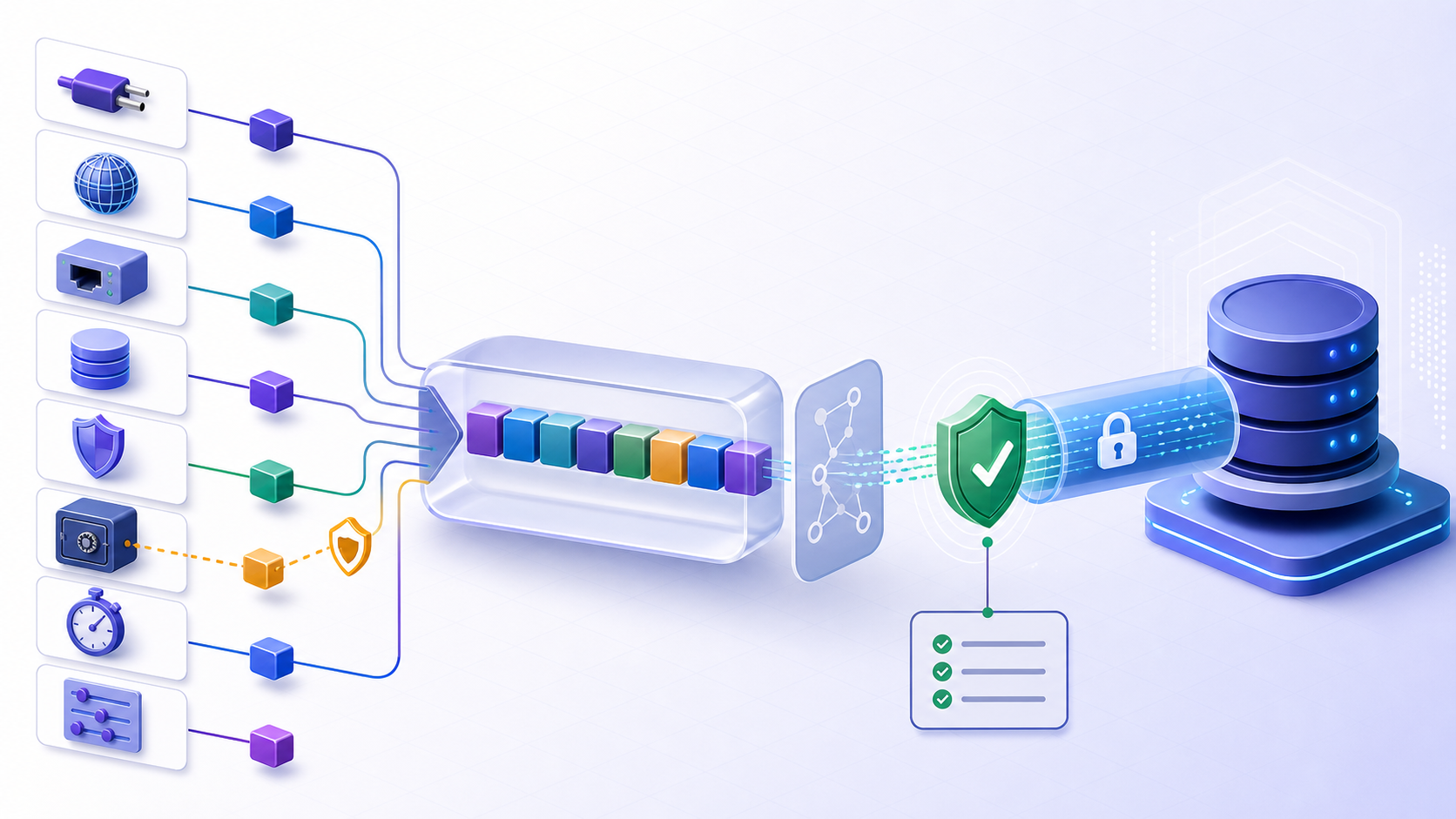
What is a connection string?
A connection string is a driver-specific configuration value that tells an application how to locate, secure, authenticate to, and use a database connection. It commonly contains a host or server, port or instance, database or service, TLS settings, authentication method, timeouts, pooling and application options. Some formats embed credentials, but a safer design keeps reusable secrets in an approved secret system and injects or resolves them at runtime.
Connection string syntax is not universal. URI formats, semicolon-delimited key/value formats, ODBC attributes, JDBC URLs and vendor-specific properties differ in escaping, defaults and option names. Always parse and build the value with the intended driver rather than copying an example from another stack.
Connection string anatomy and parameter meanings
Read the value by responsibility. Endpoint fields decide where traffic goes; security fields decide how the peer and identity are verified; behavior fields control timing, pooling and failover. A syntactically valid value can still select the wrong environment or weaken security.
| Component | Purpose | Frequent mistake |
|---|---|---|
| Driver or scheme | Selects the protocol implementation and parser. | Using syntax or options from another driver. |
| Host or server | Names the endpoint, cluster, proxy or instance. | Stale host, wrong environment, reader/writer mismatch. |
| Port or instance | Selects the network listener or discovery mechanism. | Assuming a default when the service uses a custom or dynamic port. |
| Database, catalog or service | Selects the logical database or service. | Landing in a default database with different permissions. |
| TLS and trust | Controls encryption, hostname and certificate verification. | Disabling verification to bypass a certificate problem. |
| Authentication | Chooses password, integrated, token, certificate or workload identity. | Embedding secrets or selecting an unsupported method. |
| Timeout and pooling | Controls connection budget and session reuse. | Confusing connect, command, socket and pool-acquisition timeouts. |
Connection string examples are templates, not production values
Examples should use reserved or clearly fictional hosts, non-secret placeholders and explicit option commentary. Before adapting one, verify the driver version, authentication provider, TLS defaults, endpoint role, failover behavior and supported aliases. Never test a copied example with a production password pasted into an online formatter, chat, issue or code review.
How connection string aliases and defaults create hidden behavior
Drivers may accept multiple names for one property or silently ignore unknown keys. Defaults can change between driver releases, operating systems or authentication plugins. Inspect the official driver reference and log non-secret effective settings at startup. Treat unrecognized options as configuration errors rather than assuming they were applied.
Connection string formats for SQL Server, PostgreSQL, MySQL, ODBC and JDBC
Key-value connection strings and escaping rules
Semicolon-delimited formats require driver-defined quoting when values contain semicolons, quotes, leading or trailing spaces, braces or other control characters. Building by concatenation is fragile and can create injection-like configuration changes. Use the driver or framework connection-string builder so values are escaped and canonicalized correctly.
Server=db.example.internal;Port=<port>;Database=<database>;Encrypt=True;TrustServerCertificate=False;Connect Timeout=<seconds>URI connection strings and percent-encoding
URI formats combine scheme, authority, path and query components. Reserved characters in usernames, passwords, host forms, database names or option values require component-aware percent-encoding. Encoding the complete URI can corrupt separators; failing to encode a secret can change how it is parsed. Prefer a URI or driver builder and keep credentials outside the URI when possible.
<driver>://<host>:<port>/<database>?<tls-option>=<value>&<timeout-option>=<value>ODBC and JDBC connection strings are not interchangeable
ODBC configuration flows through an ODBC driver manager and may use a DSN or driver attributes. JDBC uses a Java driver and a vendor-defined JDBC URL plus properties. Although both describe endpoints and authentication, their driver selection, property names, escaping, pooling and TLS behavior differ. Map intent field by field during migration rather than translating punctuation.
Secure a connection string without breaking the application
Should a connection string contain a username and password?
Avoid embedding reusable secrets where the driver and platform support runtime identity, token providers, integrated authentication or separately protected secret parameters. If a password-bearing connection string is unavoidable, treat the entire value as a secret: store it only in an approved secret system, restrict retrieval, redact it before logging, rotate it, and prevent copies in source control or deployment history.
TrustServerCertificate and TLS verification
Options that trust a server certificate without normal chain or hostname validation can be useful only in narrowly controlled scenarios and are not a general fix. They may hide an untrusted CA, wrong hostname, expired certificate or interception risk. Install the correct trust chain, use the intended DNS name, confirm driver TLS semantics, and validate certificate rotation before enforcing production settings.
How to log connection configuration without leaking secrets
Log a structured allowlist of non-secret effective settings: driver name and version, endpoint role, masked host if required, port, database, TLS mode, authentication method, timeout and pool policy. Do not log the original raw string. Redact before serialization and test with synthetic secret markers because exceptions, telemetry agents and support bundles can bypass application log formatting.
Connection string timeout and pooling settings explained
Connection timeout versus command timeout
Connection timeout limits some portion of creating a session; command or query timeout limits an operation after a session exists. Drivers may also expose socket, DNS, TLS, login, pool-acquisition, idle, lifetime and validation timeouts. Document the exact property and measured stage. Increasing a command timeout will not repair a blocked TCP connection, and increasing a connect timeout can delay failover.
How pooling options change connection string identity
Many pools key sessions by a normalized connection configuration and identity. Small differences in database, user, TLS, application name or option order can create separate pools, increase connection counts or preserve stale sessions. Use one canonical builder, control variations, set sensible maximums and lifetimes, and validate new sessions after rotation or failover instead of relying only on pool reuse.
Troubleshoot a connection string with evidence
Why a connection string works locally but not in production
The literal value may differ after templating, secret injection, environment overrides, escaping, configuration precedence or deployment transformation. Even identical text can behave differently because of DNS, network source, driver version, trust store, runtime identity or authentication provider. Compare a redacted parsed representation and effective runtime metadata, not screenshots of two raw secret-bearing strings.
Unknown parameter, parse error and unsupported option
Validate with the exact driver and version used by the workload. Unknown properties may be rejected, ignored or passed to another layer. Reduce a sanitized copy to the minimum endpoint and required security settings, then add options in controlled groups. Do not remove TLS validation or authentication controls simply because the minimal connection succeeds.
Connection string login failure after credential rotation
Determine whether the string embeds the old value, references the wrong secret version, was not reloaded, was transformed by escaping, or is held by a stale connection pool. Inventory all consumers and revisions, stop high-frequency retries that can lock accounts, verify fresh sessions with the new version, then revoke the old version once rollback and pool behavior are understood.
Migrate a connection string across drivers or databases
Map connection intent instead of copying option names
Create a field-level migration matrix: endpoint and failover, database selection, authentication identity, secret delivery, TLS encryption and verification, connect budget, command budget, pooling, application name, encoding, session initialization and observability. For each intent, choose the supported destination property and test default behavior. A property with a similar name may have different semantics.
Validate migrated connection strings with staged evidence
Validate parsing, DNS, TCP, TLS, authentication, database selection, a minimal read, a controlled write when required, transaction behavior, timeout, failover and pool recovery. Test negative cases such as untrusted certificates and insufficient privileges. Record driver versions and effective non-secret configuration so a passing result can be reproduced after deployment.
A safe connection string validation workflow
Use a sanitized copy and the exact target driver. Validate one responsibility at a time, and retain a non-secret parsed record rather than the raw value.
- Identify the parserRecord driver, framework, version, connection format and configuration precedence.
- Parse and redactUse a builder or parser, reject unknown properties and remove passwords, tokens and private material before sharing.
- Verify endpoint intentConfirm environment, host, port or instance, database or service, reader/writer role and failover path.
- Verify TLS and identityConfirm encryption, hostname and certificate verification, authentication method and runtime secret reference.
- Verify timeouts and poolingMeasure the failing stage, pool key, maximums, lifetime, retry behavior and fresh-session result.
- Run representative operationsValidate selection, permissions, minimal queries, transaction behavior and failure handling from the real workload path.
Prepare a connection string for compatibility review
Prepare a parsed and sanitized list of driver and version, host, port or instance, database or service, TLS mode, authentication method, non-secret secret reference, connect timeout, pooling, application options, exact failure stage and environment. Never paste a password, token, private key or raw secret-bearing string.
Review connection string compatibility before testing
Use the InfiniSynapse DB Compatibility Checker to organize endpoint, driver, TLS, authentication and option questions from sanitized data. Treat its output as guidance, then test the exact driver and workload with a fresh least-privilege connection.
Open DB Compatibility CheckerConnection string FAQ
What is a connection string?
A connection string is a driver-specific configuration value that tells an application how to locate, secure, authenticate to, and use a database connection.
What does a database connection string contain?
It commonly contains a driver or scheme, host, port or instance, database or service, TLS settings, authentication method, timeouts, pooling and application options.
Should a connection string contain a password?
Avoid embedding reusable secrets where possible. Prefer runtime identity, token providers, secret references or separately protected parameters. If a password is embedded, protect the entire value as a secret.
What is the difference between connection timeout and command timeout?
Connection timeout limits part of session creation. Command timeout limits an operation after a session exists. Drivers may expose additional DNS, socket, TLS, login and pool-acquisition timeouts.
Why does a connection string work locally but fail in production?
Effective values, secret versions, DNS, routes, driver versions, trust stores, runtime identities, authentication providers, environment overrides or pool states may differ. Compare parsed redacted runtime configuration.
How do I validate a connection string safely?
Use the exact driver and parser, redact secrets, reject unknown options, verify endpoint and TLS intent, test a fresh least-privilege connection, run representative operations, and record non-secret effective settings.