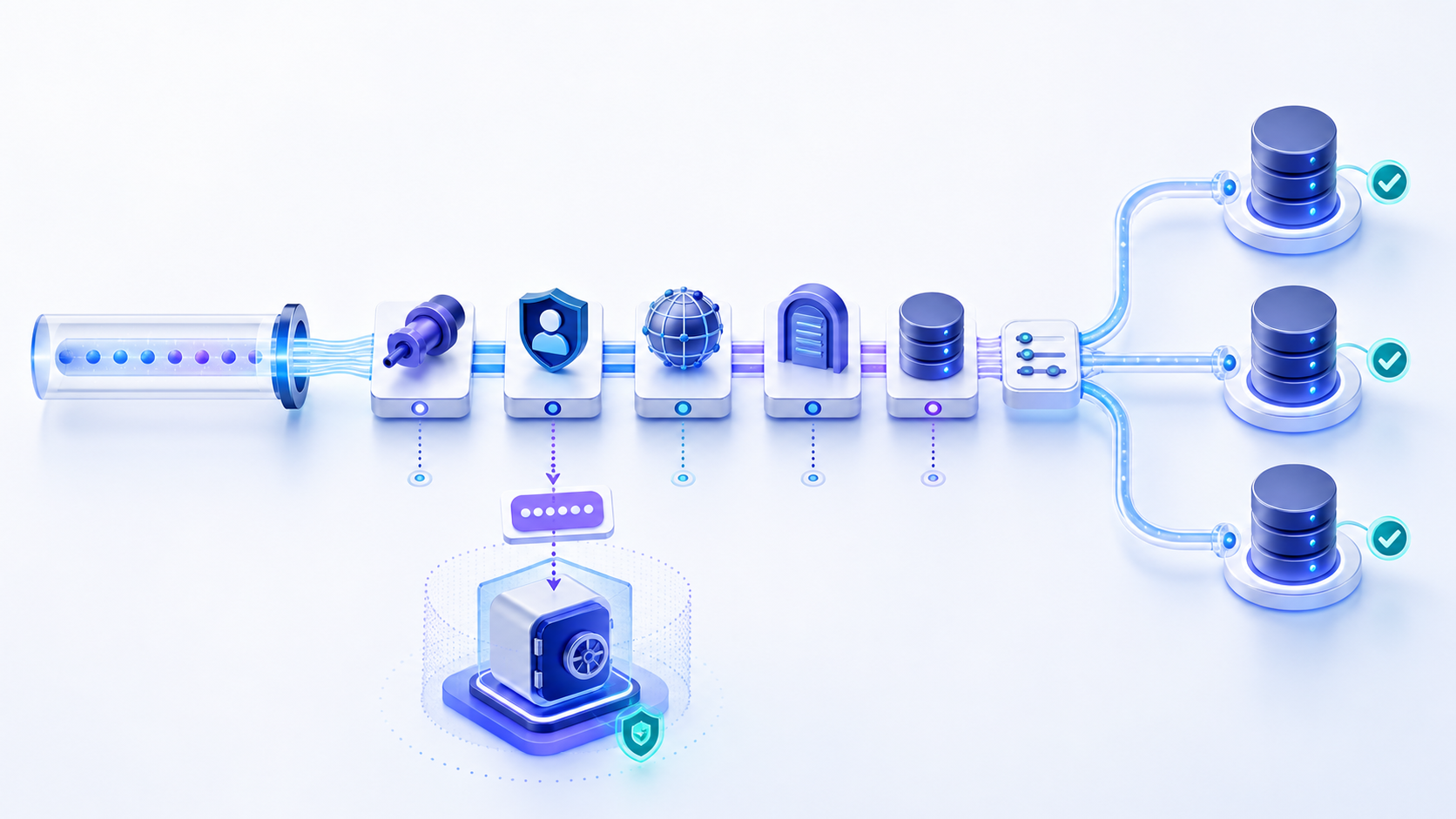
What is a database URL format?
A database URL format is scheme://user:password@host:port/database?options. The scheme picks the driver family. Host and port locate the listener. The path selects a database or service. Query options set TLS and other driver flags. Production systems should inject the password at runtime, not commit it.
A URL that looks correct is not proof that a database is reachable or that login will succeed. Syntax, DNS, routing, firewall rules, TLS, authentication, authorization, and database selection are separate checks. Treat the URL as configuration, then validate the connection layer by layer.
Database URL, URI, and connection string are related—not identical
Developers often use these names interchangeably because all three carry connection details. The difference matters when copying a value between a cloud console, framework, driver, command-line client, and application.
| Term | Practical meaning | Typical shape |
|---|---|---|
| Database URL | A location-oriented connection value with a scheme and endpoint. | postgresql://host:5432/app |
| Database URI | A broader identifier term. In practice, many database URIs use URL syntax. | mongodb+srv://cluster/app |
| Connection string | Any driver-supported serialization of connection properties; it may not follow generic URI syntax. | Server=host;Database=app;... |
Rule: use the format documented by the exact driver and version your application loads. A PostgreSQL URI cannot be converted to a SQL Server JDBC URL by replacing only the scheme.
Read a database URL from left to right
postgresql://app_user@db.example.internal:5432/analytics?sslmode=require- Scheme or subprotocol
postgresql,mysql,mongodb, or a JDBC prefix selects a compatible parser and driver. An unsupported scheme can fail before any network request occurs. - User informationThe portion before
@may identify a user and sometimes a password. Avoid embedding the password. If a framework requires one combined value, assemble it at runtime and keep it out of logs. - HostThe hostname must resolve from the application network. Private endpoints may work inside a VPC or VPN but fail from a laptop or public checker.
- PortThe port identifies the listening service. Common defaults are 5432 for PostgreSQL, 3306 for MySQL, 1433 for SQL Server, and port 1521 for the Oracle Net listener, but managed services can use different values.
- Path or database selectorDepending on the vendor, the path may select a database, service, or initial catalog. Do not assume a schema name belongs here.
- Query options or propertiesTLS mode, timeouts, application name, read preference, and other behaviors live here. Property names and safe defaults are driver-specific.
Database URL format by engine
These examples explain structure; they are not universal copy-and-paste production settings. Confirm driver syntax, TLS policy, and authentication method in the current vendor documentation.
| Database | Sanitized format | Important distinction |
|---|---|---|
| PostgreSQL | postgresql://user@host:5432/db?sslmode=require | libpq also accepts postgres://. Keyword/value form is not a URL. |
| MySQL URI | mysql://user@host:3306/db | Common in DATABASE_URL. JDBC uses jdbc:mysql://—see jdbc connection. |
| SQLite | sqlite:///relative.db or sqlite:////abs/path.db | Three slashes for a relative file; four for an absolute Unix path. |
| SQL Server JDBC | jdbc:sqlserver://host:1433;databaseName=db;encrypt=true | Semicolon properties, not URI query pairs. |
| Oracle Thin JDBC | jdbc:oracle:thin:@//host:1521/service | Service-name and SID formats differ. |
| MongoDB SRV | mongodb+srv://user@cluster.example/db?tls=true | SRV discovery can supply hosts and ports through DNS. |
SQLAlchemy wraps the same idea as dialect+driver://user@host:port/db (for example postgresql+psycopg2://). Use the official engine URL page; do not invent a dialect prefix. Semicolon JDBC and ODBC strings are a connection string, not this URI shape.
DATABASE_URL in env files
Heroku, Prisma, Django (dj-database-url), Railway, and many PaaS hosts read one environment variable named DATABASE_URL. The value is still the same database URL format: a URI, not the browser address of the admin console. Put the variable in a secret store or a gitignored .env. A pooled host and a direct host are different URLs—copy the one the workload needs.
If the password contains @, :, or /, encode that component only. A leaked DATABASE_URL is a credential incident: rotate, do not just delete the line from git history and move on.
How to find your database URL without copying the wrong address
- Open the database connection detailsIn a managed service, look for “Connect,” “Endpoint,” “Connection info,” or “Networking.” The browser address of the administration console is not the database URL.
- Choose the application pathSelect public, private, proxy, pooler, or read-replica endpoints according to the deployment architecture. The right endpoint for a local client may be wrong for a production workload.
- Copy components separatelyRecord database type, host, port, database or service name, required TLS mode, and authentication method. Keep the password in a secret manager.
- Assemble for the actual driverUse the driver documentation instead of converting another tool's example by intuition. Test in a non-production environment from the same network path as the application.
Percent-encode reserved characters in a database URL format
Characters such as @, :, /, ?, #, and % have structural meaning in URI syntax. If a username or password contains a reserved character and the driver accepts credentials in the URL, that component may require percent-encoding. Encode the component—not the complete URL—and never encode it twice.
Security warning: percent-encoding is syntax handling, not encryption. A password encoded as %40 instead of @ is still a password and can be recovered. The safer design is a secret manager, runtime injection, redacted logs, and short-lived or rotated credentials.
Test a database URL as a sequence of independent claims
Do not paste a production URL containing secrets into an unknown website. Redact credentials first, identify the database type, then extract the host and port. Test from the network where the application runs.
| Check | What success proves | What it does not prove |
|---|---|---|
| Parse | The value matches the parser's expected grammar. | Endpoint reachability or valid credentials. |
| DNS | The hostname resolves in that environment. | A database listens on the resolved address. |
| TCP | A network path reaches a listening endpoint. | TLS, login, permissions, or query execution. |
| TLS | The client and server agree on protected transport. | The database identity has access. |
| Authentication | The server accepts the supplied identity. | Required schema access or workload reliability. |
Check the host and port behind your database URL
Extract the authorized host and port, then use the InfiniSynapse DB Compatibility Checker. PostgreSQL, MySQL, MariaDB, Redshift, and CockroachDB support a one-time authentication test. Snowflake, ClickHouse, Databricks, SQL Server, Oracle, and MongoDB are checked for TCP reachability only. Interpret the result according to the test type.
Open DB Compatibility Checker Use approved, temporary, or least-privilege credentials. A TCP pass does not validate TLS, login, permissions, database selection, or queries.Why a database URL fails and what to inspect next
| Symptom | Likely cause | Useful next step |
|---|---|---|
| Unknown scheme or no suitable driver | Wrong URL prefix, missing driver, or framework adapter mismatch. | Verify installed driver, version, and required subprotocol. |
| Malformed URL | Missing separator, incorrect slash/semicolon form, or an unescaped reserved character. | Compare component-by-component with current driver documentation. |
| Host not found | Typo, private DNS, missing VPN, or wrong environment endpoint. | Resolve the host from the application network. |
| Connection refused or timed out | Wrong port, listener down, route/firewall block, or endpoint not exposed to this source. | Check assigned port and TCP reachability from the actual source. |
| Certificate or TLS error | Wrong hostname, untrusted CA, expired certificate, or incompatible TLS property. | Inspect certificate name, chain, trust store, and driver TLS mode. |
| Password works elsewhere but fails in URL | Reserved characters were not encoded, were double-encoded, or were parsed as delimiters. | Prefer separate secret fields; otherwise encode only the credential component. |
| Database or service not found | Database, schema, SQL Server instance, Oracle SID, and service name were confused. | Confirm the selector type with the database administrator. |
| Works locally but fails in a container | localhost refers to the container itself, or container DNS/routes differ. | Use the service DNS name and test inside the workload environment. |
Secure database URLs through their full lifecycle
- Keep secrets out of source control: store credentials in a secret manager or protected runtime configuration, not code, screenshots, tickets, or documentation examples.
- Redact observability data: remove user information and sensitive query parameters before URLs enter logs, traces, errors, analytics, or crash reports.
- Use least privilege: separate migration, administration, read-only, and application identities. A connectivity test should not use an owner account.
- Require verified TLS: encrypt transport and verify the server identity. Avoid disabling certificate checks merely to make an error disappear.
- Rotate and revoke: treat every accidentally exposed URL as a possible credential incident. Remove the exposure, rotate the secret, revoke sessions if supported, and inspect access records.
A production-ready database URL validation checklist
Correct scheme, driver version, separators, path semantics, and option names.
Environment-specific host, assigned port, resolvable DNS, and intended private/public path.
TLS required, certificate verified, CA available, and hostname matches.
No hardcoded password, runtime injection works, output is redacted, and rotation is documented.
Identity can connect only to the required database and perform only the required operations.
DNS, TCP, TLS, login, and a harmless health query are tested from the application environment.
For the broader network and session model behind these checks, continue with the database connection and connectivity guide.
Database URL FAQ
A database URL format is scheme://user:password@host:port/database?options. The scheme, host, port, and path must match the driver. Prefer injecting the password at runtime.
They overlap, but not every connection string is a URI. PostgreSQL and MongoDB often use URI-style values, while SQL Server and Oracle JDBC use vendor-specific structures.
Prefer not to embed it. URLs can leak through repositories, logs, process inspection, crash reports, and monitoring. Retrieve the secret securely at runtime.
Use the endpoint details provided by your database administrator or managed-service connection panel, then construct the value using the exact driver format.
Syntax can be valid while DNS, routing, firewall, TLS, credentials, permissions, database selection, or driver properties are wrong.
Redact credentials, extract the authorized host and port, test reachability, then use a least-privilege account for TLS, authentication, authorization, and a harmless query.
Wrap IPv6 in brackets: postgresql://user@[2001:db8::1]:5432/db. A Unix socket is a host path, usually percent-encoded or passed as a named parameter—see the driver's URI docs, not a guessed slash count.
Official database URL and security references
- IETF RFC 3986: Uniform Resource Identifier syntax
- SQLAlchemy: Engine configuration and database URLs
- Prisma: Connection URLs
- PostgreSQL: Database connection strings
- MySQL Connector/J: JDBC URL syntax
- Microsoft: Building the SQL Server JDBC connection URL
- Oracle: Database URLs and database specifiers
- MongoDB: Connection string formats
- OWASP: Database Security Cheat Sheet