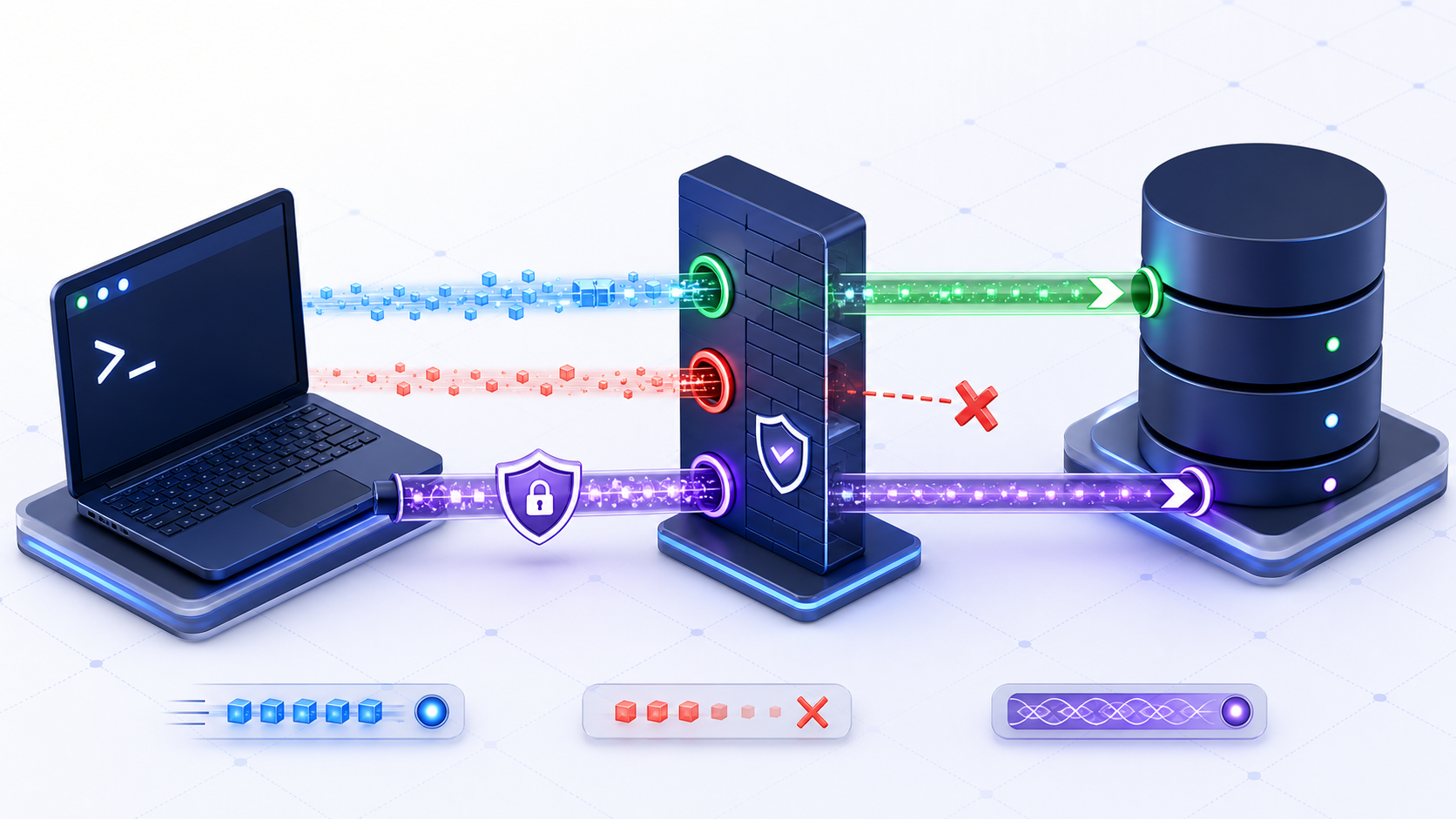
What is a Telnet port test?
A Telnet port test asks whether a TCP connection can be opened from the current machine to a specified host and port. The syntax is telnet <host> <port>. A successful connection supports a reachability conclusion for that source, destination, protocol, and moment; it does not prove that TLS, database login, authorization, query execution, capacity, or long-term reliability works.
The word “Telnet” causes two common misunderstandings. First, Telnet is an interactive terminal protocol whose default server port is TCP 23. Second, the Telnet client can be pointed at another TCP port as a crude connection probe. Running telnet db.example.internal 1433 does not mean SQL Server is using the Telnet protocol; it only asks whether the TCP handshake can be completed to port 1433.
Telnet port keywords and the questions behind them
The primary query telnet port mixes protocol definition, command syntax, port testing, and troubleshooting. This page consolidates close variants that share the same intent instead of creating thin competing pages.
| Keyword group | Likely intent | Best answer |
|---|---|---|
| telnet port / telnet default port | Identify the Telnet service port. | TCP 23 is the default; an explicit client command can target another TCP port. |
| telnet port command / telnet host port | Run a connection attempt. | Use sanitized syntax, correct source context, and an authorized target. |
| telnet port test / telnet port check | Interpret success or failure. | Separate DNS, route, firewall, listener, and application-layer evidence. |
| telnet blank screen | Understand a silent connected session. | Treat it as likely TCP acceptance, not database or TLS validation. |
| telnet connection refused / connect failed | Find the failing boundary. | Verify the exact endpoint, then distinguish refusal, timeout, DNS, and policy. |
Telnet port command syntax and safe examples
How do I use telnet host port syntax?
telnet db.example.internal 5432Replace the sanitized hostname and port only with an endpoint you are authorized to test. Run from the same workload, subnet, VPN state, jump host, container, or virtual machine as the affected application whenever practical. A test from an administrator’s laptop may use different DNS, routes, source addresses, proxies, egress policies, or private-link paths.
How do I open a host and port inside the Telnet prompt?
telnet
open db.example.internal 1433
Microsoft documents the interactive open <hostname> [port] form and notes that the default is TCP port 23 when the port is omitted. Supplying a port prevents the client from silently testing the wrong service. Record the command separately from its output so an incident reviewer knows exactly which endpoint was attempted.
Telnet port 23 versus the port you are testing
A Telnet server listens on TCP port 23. If you omit the port, the client targets 23. To test another service, type the port: telnet db.example.internal 5432 or telnet mail.example.com 443. That does not turn 5432 or 443 into Telnet. It only asks whether that TCP port accepts a connection.
Telnet port test on Windows, macOS, and Linux
How do I install Telnet Client on Windows?
The Windows Telnet command is not necessarily installed by default. Microsoft’s command documentation says the Telnet client software must be installed before the command can run. Use the approved Optional Features or Windows Server role/feature management process for your organization. Do not download an arbitrary executable merely to perform a port test; PowerShell Test-NetConnection -ComputerName host -Port 5432 is normally a more structured Windows alternative.
What if telnet is missing on macOS or Linux?
Many current images do not ship a Telnet client. Use the approved package for that host, or skip Telnet and run an authorized TCP check such as nc -vz host port. Do not install a random binary to answer a port question.
How to interpret a Telnet port test result
| Observed result | What it supports | What it does not prove |
|---|---|---|
| Blank or black screen | The remote TCP endpoint likely accepted the connection and sent no displayable banner. | TLS trust, database protocol, authentication, permissions, query success, or performance. |
| Connection refused | The attempt reached a boundary that actively rejected it. | Whether the intended service is healthy on another address, port, listener, or route. |
| Timeout or prolonged wait | No TCP completion was observed within the client/network timeout behavior. | Whether traffic was dropped by routing, firewall, security group, appliance, or an unavailable host. |
| Name resolution error | The supplied hostname could not be resolved in the tester’s DNS context. | That the database is down; another workload may use split DNS or a different resolver. |
| Readable protocol banner | A service responded with plaintext bytes recognizable by the terminal. | That it is safe to type credentials or that the responding service is the intended one. |
What does a blank Telnet screen mean?
A blank screen is commonly treated as an open TCP connection because the interactive client has left its local prompt and the remote endpoint has not returned terminal-friendly output. The conclusion must remain narrow. Binary database protocols, TLS handshakes, and services that wait for a client greeting may show nothing. Do not type arbitrary characters: they can be logged, interpreted as malformed protocol data, or change the session state.
How do I exit a blank Telnet session?
Use the configured Telnet escape character to return to the Telnet prompt, then issue the documented quit command. The exact interaction can depend on the client configuration. Avoid closing the terminal in a way that loses the timestamp or result if the test is part of an incident record.
Troubleshoot Telnet port failures in the right order
- Confirm authorization and exact targetVerify environment, hostname, port, TCP protocol, private/public classification, expected listener, and owner. Do not turn a focused test into broad scanning.
- Confirm name resolutionResolve the hostname from the same source. Compare the resulting address with the intended private endpoint, load balancer, proxy, writer, reader, or cluster endpoint.
- Confirm the source and routeRecord source host, interface, IP family, VPN state, subnet, egress address, route, peering, and private-link state. A working laptop path does not validate an application path.
- Inspect policy boundariesReview host firewall, network ACL, security group, egress policy, endpoint allowlist, proxy, NAT, and inspection appliance for the exact source/destination pair.
- Verify the listenerOn the authorized server side, confirm the service is running and bound to the intended interface and port. A process bound only to loopback cannot accept a remote connection.
- Escalate to protocol-aware validationAfter TCP reachability, test TLS, driver compatibility, authentication, database selection, permissions, and a minimal health query with an approved client.
Why does Telnet say connection refused?
Refusal usually means an active TCP rejection rather than silence. Frequent causes are an incorrect port, no listener, a listener bound to another interface, a service that has stopped, a load balancer with no eligible backend, or a policy device configured to reject instead of drop. Confirm the destination address actually reached before opening firewall rules. A DNS change can make a valid hostname point to the wrong network boundary.
Why does Telnet time out?
Timeout is less specific. Packets or replies may be dropped by routing, a firewall, a security group, an ACL, an inspection device, an unavailable host, or a broken return path. Compare a known-good source and inspect network telemetry when authorized. Repeating the command without preserving timestamps can hide intermittent behavior and produce little diagnostic value.
What a Telnet port test can and cannot prove for databases
| Layer | Telnet evidence | Required next test |
|---|---|---|
| DNS and route | Only an indirect success/failure signal; the basic client gives limited structured path detail. | Resolve the name and inspect route/source evidence. |
| TCP reachability | A connected session supports that the TCP handshake completed. | Repeat from the actual workload and capture timing. |
| TLS | Not validated by a raw Telnet connection. | Use a TLS-capable protocol-aware client with certificate verification. |
| Database protocol and driver | Not validated; database traffic is not a terminal conversation. | Use the intended JDBC, ODBC, native, or application driver. |
| Credentials and authorization | Never safely established by typing secrets into Telnet. | Use an approved secret source and least-privilege test account. |
| Query health and capacity | Not tested. | Run a minimal read-only health query and observe latency, errors, and pool behavior. |
Can I test SQL Server port 1433 with Telnet?
Yes, as a basic authorized TCP reachability check: telnet <sql-host> 1433. A connection does not prove that the target is SQL Server, that the instance uses 1433, that SQL Browser resolves a named instance, or that encryption and login succeed. Named instances and managed services may use different ports, proxies, gateways, or private endpoints, so verify effective configuration first.
Can I test PostgreSQL or MySQL ports with Telnet?
A Telnet client can attempt TCP connections to an explicitly configured PostgreSQL or MySQL endpoint, commonly associated with ports 5432 and 3306 respectively. The same boundary applies: an open port is not a successful database session. Use the correct native client or driver for negotiation, TLS, authentication, database selection, and a controlled query.
Telnet port testing security and plaintext risks
Never paste database passwords, tokens, connection strings, private keys, or customer data into Telnet. CISA guidance recommends disabling unnecessary plaintext services and protocols such as Telnet. A focused connection attempt to an approved endpoint is not permission to exchange secrets or scan adjacent ports.
Is Telnet encrypted?
The base Telnet model in RFC 854 is a bidirectional byte-oriented terminal facility; modern security guidance treats ordinary Telnet use as plaintext and recommends secure alternatives. Later RFCs describe optional authentication or encryption negotiation, but availability is implementation-specific and must not be assumed. For routine administration, use an approved encrypted remote-access protocol. For database validation, use the database’s TLS-capable client or driver.
What should I record without leaking sensitive data?
- Keep: UTC time, authorized source environment, sanitized target, resolved address if policy permits, port, TCP protocol, observed result, duration, and incident/change identifier.
- Remove: passwords, tokens, full connection strings, customer data, private keys, session cookies, and unrelated internal topology.
- Control: retention, access, ticket attachments, screenshots, and sharing outside the troubleshooting group.
Telnet port test alternatives and when to use each
| Method | Best use | Important limit |
|---|---|---|
nc -vz host port | A short TCP connect check when Telnet is not installed. | Still only proves the TCP handshake, not the application. |
telnet host port | Quick interactive TCP attempt where the approved client already exists. | Minimal structured diagnostics; plaintext interaction risk. |
Test-NetConnection | Windows TCP test with resolved address, source interface, and Boolean result. | Still proves TCP reachability, not database readiness. |
| Native database client | Validate protocol, TLS, login, database selection, and a minimal query. | Must match the intended driver settings and use approved secrets. |
| Application health check | Observe the actual runtime, pool, identity, configuration, and query path. | Can hide detail unless telemetry separates DNS, TCP, TLS, auth, and query stages. |
Choose the least invasive test that answers the current question. Use Telnet only for a narrow TCP hypothesis, then stop. Use structured networking tools for path evidence and protocol-aware tools for application truth. A PostgreSQL check continues at PostgreSQL port 5432.
What a telnet port test cannot prove
Telnet is not encrypted. Use it to see whether a TCP port accepts a connection. Do not use it to log in, to type a password, or to administer a host. A blank screen does not prove TLS, a database login, or that the service is the one you meant. After the port answers, switch to SSH for administration or to Test-NetConnection / nc -vz when you only needed a clearer TCP result.
Turn a Telnet port result into a database compatibility workflow
Before opening the tool, prepare a sanitized endpoint record: database engine, hostname or masked endpoint, TCP port, deployment environment, network location, expected TLS mode, driver family, and the observed reachability result. Do not include passwords or secrets.
Check the endpoint beyond a basic Telnet port test
Use the InfiniSynapse DB Compatibility Checker to structure the next review around endpoint details and compatibility questions. Treat its result as diagnostic guidance, then validate the real connection with your approved driver and environment.
Open DB Compatibility CheckerA reproducible evidence record
For every attempt, capture the question being tested, authorized source, effective hostname, resolved address, port, UTC time, observed behavior, comparison source, and next protocol-aware test. Label conclusions precisely: “TCP connection accepted from workload A at time B” is defensible; “the database is healthy” is not. This evidence discipline makes handoffs between application, database, security, and network teams faster.
Telnet port FAQ
Is the default telnet port 23?
Yes. A Telnet server uses TCP 23. Omit the port only when you mean 23. For any other service, write the port in the command.
Does a blank screen mean the telnet port is open?
It usually means the TCP connection was accepted. It does not mean you logged in, and it does not mean the application protocol is healthy.
Can I use Telnet to log in while I test a port?
No. A telnet port test only opens TCP. Do not type a username or password. Use SSH, or the database’s own client, for a real session.
What port does Telnet use?
A Telnet server uses TCP port 23 by default. The client can attempt another explicitly supplied TCP port, but doing so does not change the remote service into Telnet.
How do I test a port with Telnet?
From an authorized source, run telnet <host> <port>. Record the source, resolved address, target port, time, and exact result. Do not broaden the test to unapproved hosts or ports.
What does a blank Telnet screen mean?
It usually means the TCP connection was accepted and the remote service has not sent displayable data. It does not verify TLS, database authentication, permissions, query execution, or service readiness.
What does Telnet connection refused mean?
It normally means the destination or an intermediate boundary actively rejected the TCP attempt. Check the exact resolved address, expected listener, interface binding, service state, and rejecting policy before changing rules.
Can Telnet test a UDP port?
No. Telnet establishes a TCP connection. Use an authorized protocol-aware client or service-specific health check for UDP.
Is it safe to enter a database password in Telnet?
No. Do not type credentials or secrets into a basic Telnet session. A raw terminal connection is neither a secure secret channel nor a valid database login workflow.