
Use Word and Markdown as different stages of one workflow把 Word 与 Markdown 用作同一流程的不同阶段
Word Markdown searches often combine several questions: Can Microsoft Word open an MD file? Will pasted syntax become headings and tables? Can a team edit Markdown in Word? How should developers and business reviewers collaborate? The answer depends on the specific Word version, platform, feature, Markdown dialect, converter, and required fidelity. Do not assume a universal import or export behavior.
Word 与 Markdown相关搜索通常混合多个问题:Microsoft Word 能否打开 MD 文件?粘贴语法会不会变成标题与表格?团队能否在 Word 中编辑 Markdown?开发者与业务审核者怎样协作?答案取决于具体 Word 版本、平台、功能、Markdown 方言、转换器与保真要求,不能假设存在通用导入或导出行为。
Verify Word Markdown support in the exact environment you use在实际环境中验证 Word 对 Markdown 的支持
Word products and Microsoft 365 experiences differ across desktop, web, mobile, operating systems, release channels, and integrated services. A feature that accepts an .md attachment or creates content from Markdown is not necessarily a general-purpose Markdown editor that preserves every dialect and saves clean source. Test the exact action: open, import, paste, edit, save, export, or create.
Word 产品与 Microsoft 365 体验会因桌面端、网页端、移动端、操作系统、发布通道与集成服务而不同。某项功能能够接受 .md 附件或根据 Markdown 创建内容,并不代表它就是能保留所有方言、还能保存干净源文件的通用 Markdown 编辑器。应逐项测试真实操作:打开、导入、粘贴、编辑、保存、导出或创建。
Microsoft’s published Word save-format guidance lists formats for the versions covered by that article, including DOCX, DOC, RTF, plain text, HTML, PDF, and others. Markdown is not listed there as a standard save format. That evidence should not be overgeneralized to every Microsoft service or future release; it means your workflow must verify current support rather than relying on an assumed “Markdown mode.”
微软发布的 Word 保存格式说明列出了该文章所覆盖版本的 DOCX、DOC、RTF、纯文本、HTML、PDF 等格式,其中没有把 Markdown 列为标准保存格式。这个证据不能被过度推广到所有微软服务或未来版本;它说明工作流必须验证当前支持情况,而不是依赖想象中的“Markdown 模式”。
Practical rule: if you need a clean, reviewable .md source, keep it in a Markdown-aware editor and repository. Use Word for the tasks Word is intended to support, then reconcile approved feedback deliberately.实用规则:如果需要干净、可审查的 .md 源文件,应把它保留在 Markdown 感知编辑器与仓库中。让 Word 承担它擅长的审核任务,再有意识地回写批准反馈。
Separate Markdown source semantics from Word document behavior区分 Markdown 源语义与 Word 文档行为
| Concern关注点 | MarkdownMarkdown | Word DOCXWord DOCX |
|---|---|---|
| Primary representation主要表达 | Plain text plus lightweight markup and dialect extensions纯文本、轻量标记与方言扩展 | Packaged XML parts, styles, numbering, media, relationships, sections, properties打包 XML 部件、样式、编号、媒体、关系、分节与属性 |
| Review strength审核优势 | Line diffs, branches, pull requests, deterministic builds行级差异、分支、合并请求与确定性构建 | Tracked changes, comments, familiar visual review, formal templates修订、批注、熟悉的视觉审核与正式模板 |
| Layout strength版式优势 | Source stays portable; final appearance depends on renderer源文件可移植;最终外观取决于渲染器 | Page layout, headers, footers, sections, fields, print-oriented formatting页面布局、页眉页脚、分节、字段与打印导向格式 |
| Common risk常见风险 | Dialect mismatch, resource paths, unsupported extensions方言不匹配、资源路径与不支持扩展 | Direct formatting, hidden metadata, font substitution, opaque binary diffs直接格式、隐藏元数据、字体替换与不透明二进制差异 |
Conversion is an interpretation between these models. A Markdown heading should become a native heading paragraph style, a list should become an editable Word list, an image reference should become an embedded media relationship, and a link should remain meaningful and clickable. When no native equivalent exists, the workflow needs an explicit fallback and review requirement.
转换是两种模型之间的解释。Markdown 标题应成为原生标题段落样式,列表应成为可编辑 Word 列表,图片引用应成为嵌入媒体关系,链接则应保持有意义且可点击。当不存在原生等价物时,流程必须定义明确回退与审核要求。
Name the source of truth before anyone starts editing在任何人开始编辑前明确单一事实源
A source of truth is the version from which the next deliverable is generated and against which conflicts are resolved. It can be Markdown or DOCX, but it cannot be an undefined mixture of email attachments, chat uploads, local copies, cloud copies, and repository files. Put the decision in the project instructions.
单一事实源是生成下一份交付物的版本,也是解决冲突时的依据。它可以是 Markdown,也可以是 DOCX,但不能是不明确混合的邮件附件、聊天上传、本地副本、云端副本与仓库文件。应把该决定写入项目说明。
Best when content lives in Git, feeds several output formats, requires technical review, or must produce auditable line-level changes. Word becomes a generated review artifact.适合内容位于 Git、需要多格式输出、技术审核或可审计行级变更的场景。Word 成为生成的审核产物。
Best when formal Word templates, legal redlines, complex fields, layout, accessibility remediation, or business coauthoring dominate. Markdown becomes an export, not a parallel master.适合正式 Word 模板、法律红线、复杂字段、版式、可访问性修复或业务协作占主导的场景。Markdown 只能作为导出,而非并行主文件。
Record the authoritative filename or repository path, owner, version identifier, conversion command or service, template, approval state, and where feedback must be entered. If a reviewer edits the non-authoritative format, identify who reconciles those changes and by when.
记录权威文件名或仓库路径、负责人、版本标识、转换命令或服务、模板、批准状态与反馈入口。如果审核者修改了非权威格式,应明确由谁在何时回写这些修改。
Choose among four Word-and-Markdown workflow patterns从四种 Word 与 Markdown 协作模式中选择
| Pattern模式 | Flow流向 | Use when适用情况 | Main control主要控制 |
|---|---|---|---|
| One-way publish单向发布 | MD → DOCXMD → DOCX | Word is a read-only or final delivery formatWord 是只读或最终交付格式 | Regenerate rather than editing the DOCX重新生成而不是修改 DOCX |
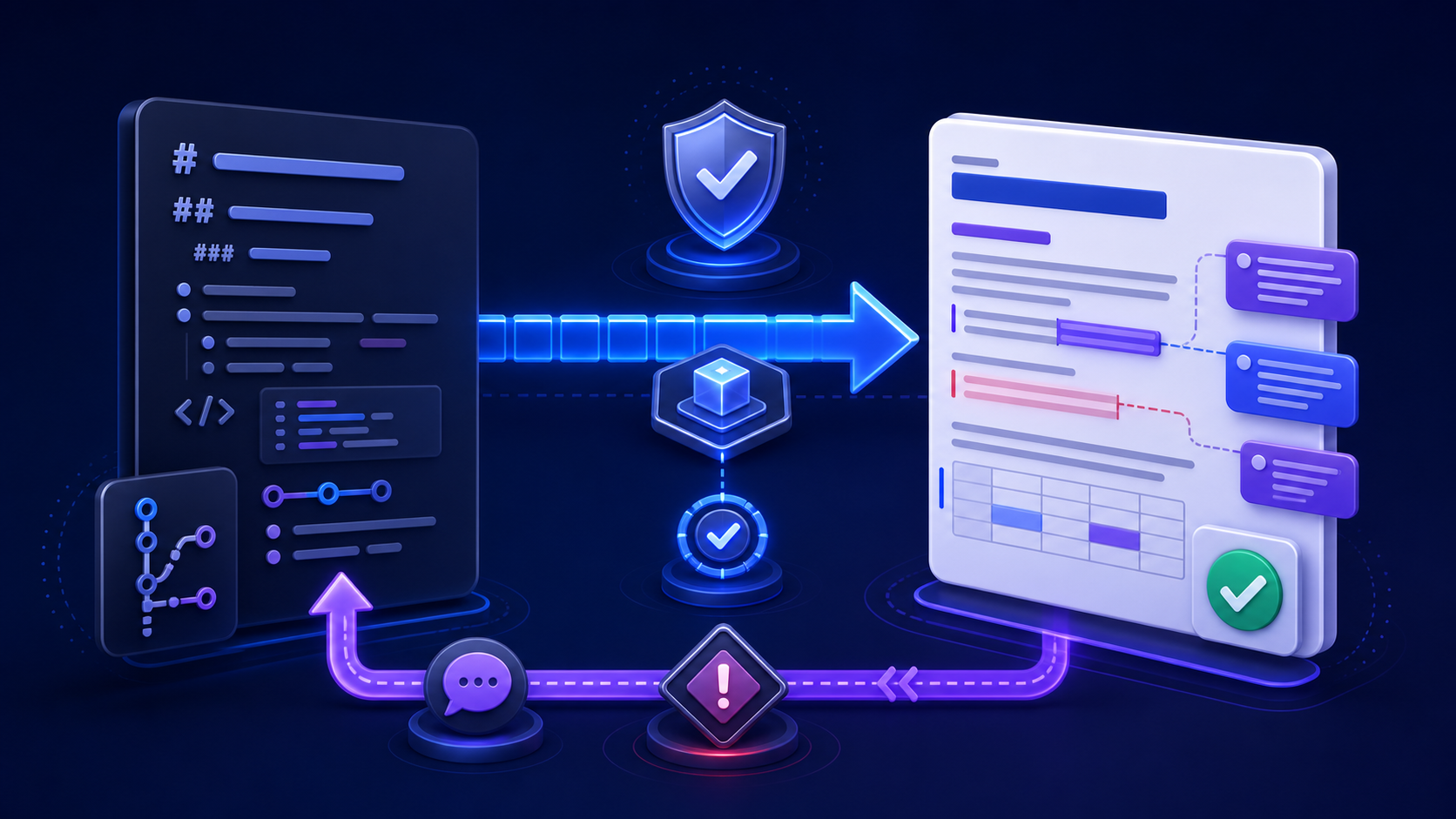
| Review and reconcile审核后回写 | MD → DOCX review → approved changes → MDMD → DOCX 审核 → 批准变更 → MD | Business reviewers need tracked changes or comments业务审核者需要修订或批注 | Named reconciler and change ledger指定回写人和变更登记表 |
| DOCX-led authoringDOCX 主导写作 | DOCX → optional Markdown exportDOCX → 可选 Markdown 导出 | Word features and stakeholders dominateWord 功能与相关人员占主导 | Do not treat exported MD as an independent master不要把导出 MD 当作独立主文件 |
| Controlled round trip受控双向往返 | MD ↔ DOCX through tested transforms通过已测试转换实现 MD ↔ DOCX | Both formats must remain editable and the supported subset is narrow两种格式都必须可编辑,且受支持功能子集较窄 | Round-trip fixture, loss policy, and conflict resolution往返样例、损失策略与冲突解决规则 |
The controlled round trip is the most expensive and fragile. Every feature that cannot survive both directions—comments, fields, complex tables, citations, equations, raw HTML, custom Markdown containers, page layout, and more—needs a rule. Prefer one-way publishing or review-and-reconcile unless bidirectional editing is a real requirement with an owner and test budget.
受控双向往返成本最高、也最脆弱。所有无法在两个方向都存活的功能,例如批注、字段、复杂表格、引用、公式、原始 HTML、自定义 Markdown 容器与页面布局,都需要规则。除非双向编辑是真实需求且有负责人和测试预算,否则优先选择单向发布或审核后回写。
Generate a reviewable DOCX from a versioned source从带版本的源文件生成可审核 DOCX
Freeze the source commit or file hash before conversion. Record the converter and version, reader dialect, command or settings, reference DOCX hash, filters, resource path, fonts, operating system, and date. Name the output so reviewers can connect it to the source version; avoid “final-final-v2.docx.”
转换前冻结源提交或文件哈希。记录转换器与版本、读取方言、命令或设置、参考 DOCX 哈希、过滤器、资源路径、字体、操作系统与日期。输出文件名应能让审核者关联源版本,避免“最终版-最终版-v2.docx”。
For a controlled local process, the official Pandoc User’s Guide documents Markdown readers, DOCX output, reference documents, resource paths, metadata, filters, and related options. Use a tested command, pin the version, and retain a representative fixture. A successful exit code does not prove content or layout fidelity.
对于受控本地流程,官方 Pandoc 用户指南说明了 Markdown 读取器、DOCX 输出、参考文档、资源路径、元数据、过滤器及相关选项。应使用经过测试的命令、固定版本并保留代表性样例。命令成功退出并不能证明内容或版式保真。
Handoff note: state whether reviewers may edit text, apply formatting, add comments, change tracked content, or only approve. Also state the deadline, responsible reconciler, and how to return the file.交接说明:明确审核者是否可编辑文字、应用格式、添加批注、修改修订内容,还是只能批准;同时写明截止时间、回写负责人和文件返回方式。
Use Word comments and tracked changes for defined decisions使用 Word 批注与修订记录明确决策
Word review works best when each mechanism has a purpose. Use tracked changes for proposed content edits that may be accepted or rejected. Use comments for questions, rationale, evidence requests, or decisions that should not silently alter the text. Assign owners and resolve discussions; do not accept all changes merely to produce a clean-looking file.
Word 审核最有效的前提是每种机制都有明确用途。修订用于可接受或拒绝的内容修改;批注用于问题、理由、证据请求或不应静默改变文字的决策。应分配负责人并解决讨论,不能只为得到干净文件而接受全部更改。
Microsoft’s official Track Changes guidance explains tracking, markup display, change review, and comments. These features record editing activity; they do not prove that facts, permissions, security, accessibility, or conversion fidelity were checked. Keep those verification tasks in the review checklist.
微软官方的 Word 修订说明介绍了跟踪、标记显示、变更审阅与批注。这些功能记录编辑活动,但不能证明事实、权限、安全、可访问性或转换保真已经检查,因此这些验证任务仍需进入审核清单。
- Review the document in Final Showing Markup and All Markup views as appropriate.按需要在“最终:显示标记”和“所有标记”视图中审核。
- Use the Navigation pane and generated table of contents to verify heading structure.使用导航窗格与生成目录验证标题结构。
- Inspect links, tables, images, code, equations, captions, footnotes, fields, and page breaks.检查链接、表格、图片、代码、公式、题注、脚注、字段与分页。
- Save, close, reopen, and verify that comments, changes, styles, and relationships persist.保存、关闭、重开,并验证批注、修订、样式与关系仍然存在。
Reconcile approved Word changes back into Markdown deliberately有意识地把已批准 Word 修改回写 Markdown
Do not convert the reviewed DOCX back to Markdown blindly and overwrite the repository. A round-trip converter may normalize whitespace, reorder attributes, flatten structures, change link references, rename media, or lose Word-only features, producing a large diff that hides the reviewer’s real edits.
不要把已审核 DOCX 盲目反转为 Markdown 并覆盖仓库。往返转换器可能规范化空白、重排属性、压平结构、改变链接引用、重命名媒体或丢失 Word 专有功能,形成巨大差异并掩盖审核者真正修改。
- Freeze the reviewed DOCX and export or record its tracked changes and resolved comments.冻结已审核 DOCX,并导出或记录修订与已解决批注。
- Classify each item as content change, source correction, formatting-only request, template change, question, or rejected proposal.把每项反馈分类为内容修改、源纠正、仅格式要求、模板修改、问题或被拒建议。
- Apply approved content changes to the authoritative Markdown in small commits with references to reviewer decisions.把已批准内容修改以小提交方式应用到权威 Markdown,并引用审核决策。
- Apply presentation changes to the template or generator when they should affect future documents.如果呈现修改应影响后续文档,应把它应用到模板或生成器。
- Regenerate DOCX from the updated source and run a focused comparison plus the full acceptance checklist.从更新源重新生成 DOCX,执行针对性比较与完整验收清单。
Keep a reconciliation ledger with item, reviewer, decision, source location, implementing commit, owner, date, and verification result. It provides an audit trail without pretending that Word comments and Git commits are the same system.
维护回写登记表,记录项目、审核者、决定、源位置、实现提交、负责人、日期与验证结果。这样既能形成审计轨迹,也不会假装 Word 批注与 Git 提交是同一种系统。
Stop parallel edits from creating silent content drift阻止并行编辑造成静默内容漂移
The highest-risk period is between DOCX generation and feedback reconciliation. If authors continue editing Markdown while reviewers edit Word, both branches can change the same sentence. Establish a review freeze or a branching rule before handoff. If parallel work is necessary, record the source baseline and perform a three-way comparison among the baseline, current Markdown, and reviewed DOCX changes.
风险最高的时期是 DOCX 生成到反馈回写之间。如果作者继续修改 Markdown,同时审核者编辑 Word,两条分支可能修改同一句话。交接前应建立审核冻结或分支规则。若必须并行工作,应记录源基线,并在基线、当前 Markdown 与已审核 DOCX 修改之间执行三方比较。
| Conflict type冲突类型 | Resolution owner解决负责人 | Required evidence所需证据 |
|---|---|---|
| Same claim edited differently同一结论被不同修改 | Content owner内容负责人 | Sources, rationale, decision, approved wording来源、理由、决定与批准措辞 |
| Template versus manual formatting模板与手工格式冲突 | Document-system owner文档系统负责人 | Brand/accessibility rule and future-scope decision品牌或可访问性规则及未来适用决定 |
| Source structure versus Word layout源结构与 Word 版式冲突 | Author plus document owner作者与文档负责人 | Semantic requirement, target behavior, tested fallback语义要求、目标行为与已测试回退 |
| Stale reviewed copy审核副本过期 | Project owner项目负责人 | Baseline identifiers, changed scope, re-review decision基线标识、变更范围与重新审核决定 |
Verify links, tables, images, code, math, and citations验证链接、表格、图片、代码、公式与引用
These elements carry both content and representation. A link can retain visible text but point to the wrong URL. A table can look similar while losing a cell or header. An image can appear but lose alt text, caption, resolution, or rights information. Code can acquire smart quotes. Math can become an uneditable image. A citation can lose its identifier or field behavior.
这些元素同时承载内容与表达。链接可保留可见文字却指向错误 URL;表格外观相似却丢失单元格或表头;图片显示正常却丢失替代文本、题注、分辨率或权利信息;代码可能出现弯引号;公式可能变成不可编辑图片;引用可能丢失标识或字段行为。
- Compare counts and identifiers between source and output before visual review.视觉审核前先比较源与输出的数量和标识。
- Open every consequential external link and verify the destination supports the anchor and claim.打开每个重要外链,验证目标支持锚文本与对应结论。
- Check table headers, cell order, long values, widths, page breaks, and assistive-technology behavior.检查表头、单元格顺序、长值、宽度、分页与辅助技术行为。
- Confirm images are embedded, aspect ratio is correct, and alternative text is meaningful rather than a filename.确认图片真正嵌入、宽高比正确,替代文本有意义而不是文件名。
- Compare code and quotations character-for-character when exactness is required.需要精确时,逐字符比较代码与引语。
Create a Word review copy from sanitized Markdown从已脱敏 Markdown 创建 Word 审核副本
Use the InfiniSynapse Markdown to Word tool when you need a quick browser-based review copy from sanitized content. Preserve the authoritative MD separately, preview the parsed structure, download the Word-compatible result, label the source baseline, and apply the review-and-reconcile controls in this guide. Use an approved local or internal workflow for sensitive data, strict native DOCX requirements, controlled templates, or automated publishing. The conversion how-to is markdown to word.如需从已脱敏内容快速创建浏览器审核副本,可使用 InfiniSynapse Markdown 转 Word 工具。权威 MD 应单独保留,先预览解析结构,再下载 Word 兼容结果,标记源基线,并执行本指南中的审核与回写控制。敏感数据、严格原生 DOCX、受控模板或自动发布应使用批准的本地或内部流程。转换步骤见 markdown to word。
Open the Markdown to Word tool打开 Markdown 转 Word 工具Inspect privacy, revisions, comments, and hidden Word data检查隐私、修订、批注与 Word 隐藏数据
A review copy may contain author names, organization properties, comments, tracked changes, hidden text, custom XML, embedded objects, document-server properties, or old content. Decide what must remain for audit and what must be removed before external delivery. Inspect a copy because some removals are difficult to reverse.
审核副本可能包含作者姓名、组织属性、批注、修订、隐藏文字、自定义 XML、嵌入对象、文档服务器属性或旧内容。应决定哪些信息因审计必须保留,哪些在外部交付前必须删除。应检查副本,因为某些删除难以撤销。
Follow Microsoft’s official guidance for removing hidden data and personal information with Document Inspector. After inspection, save, close, reopen, and check properties again. Redact confidential content in the Markdown source before upload or conversion; cleaning only the final DOCX does not secure prior copies or service logs.
可遵循微软关于 使用文档检查器删除隐藏数据与个人信息的官方说明。检查后保存、关闭、重开并再次检查属性。机密内容必须在上传或转换前从 Markdown 源中脱敏;只清理最终 DOCX 无法保护旧副本或服务日志。
Automate builds, not unreviewed decisions自动化构建,而不是自动批准决策
Automation can pin the converter, generate DOCX from a tagged commit, apply a reference template, resolve controlled resources, calculate hashes, run structural checks, and publish artifacts. It should not silently accept reviewer changes, overwrite the authoritative source, approve factual claims, remove required records, or distribute a document whose checks failed.
自动化可以固定转换器、从标签提交生成 DOCX、应用参考模板、解析受控资源、计算哈希、运行结构检查并发布产物;但它不应静默接受审核修改、覆盖权威源、批准事实结论、删除必要记录,或分发检查失败的文档。
Source lint, missing assets, broken internal links, schema checks, expected element counts, output opening, style presence, deterministic fixture comparison.源文件检查、资源缺失、内部坏链、结构检查、预期元素数量、输出可打开、样式存在与确定性样例比较。
Factual accuracy, acceptable loss, wording conflicts, confidentiality, permissions, accessibility meaning, legal approval, and fitness for the intended audience.事实准确性、可接受损失、措辞冲突、机密性、权限、可访问性含义、法律批准与目标受众适用性。
Use this Word Markdown collaboration checklist使用这份 Word 与 Markdown 协作清单
- Name the authoritative source, owner, version identifier, and approval state.明确权威源、负责人、版本标识与批准状态。
- Verify current Word behavior for the exact platform, version, and action you require.针对具体平台、版本与所需操作验证当前 Word 行为。
- Declare the Markdown dialect, extensions, resource paths, and unsupported features.声明 Markdown 方言、扩展、资源路径与不支持功能。
- Choose one-way publish, review-and-reconcile, DOCX-led authoring, or a tested round trip.选择单向发布、审核后回写、DOCX 主导写作或已测试双向往返。
- Record the source baseline, converter, version, settings, template, fonts, and output hash.记录源基线、转换器、版本、设置、模板、字体与输出哈希。
- Give reviewers explicit permissions, scope, deadline, return path, and named reconciler.向审核者明确权限、范围、截止时间、返回路径与回写负责人。
- Verify text, links, tables, images, code, math, citations, styles, navigation, and page layout.验证文字、链接、表格、图片、代码、公式、引用、样式、导航与页面布局。
- Reconcile approved content into the authority and presentation changes into the template or generator.把批准内容回写权威源,把呈现修改应用到模板或生成器。
- Regenerate, run regression and accessibility checks, inspect hidden data, and obtain final approval.重新生成,运行回归与可访问性检查,检查隐藏数据并获得最终批准。
Word Markdown workflow FAQWord 与 Markdown 协作常见问题
Behavior varies by Word product, platform, version, and action. Opening or pasting text may show raw syntax rather than parse it into native Word structures, and saving clean Markdown is a separate capability. Test your exact environment; use a Markdown-aware editor for authoritative MD and a controlled converter when native Word review is required.行为因 Word 产品、平台、版本与操作而异。打开或粘贴可能只显示原始语法,而不是解析成原生 Word 结构;保存干净 Markdown 又是另一种能力。应测试实际环境;权威 MD 使用 Markdown 感知编辑器,需要原生 Word 审核时使用受控转换器。
Simple text may be usable, but headings, nested lists, tables, code, math, images, links, and dialect extensions may remain as syntax or degrade. If structure matters, convert a representative fixture and inspect native Word styles and elements rather than relying on paste behavior.简单文字可能可用,但标题、嵌套列表、表格、代码、公式、图片、链接与方言扩展可能保留为语法或发生损坏。如果结构重要,应转换代表性样例并检查原生 Word 样式与元素,不能依赖粘贴行为。
Choose Markdown when versioned plain text, technical review, reproducible publishing, or several outputs dominate. Choose DOCX when legal redlines, complex Word fields, formal templates, layout, accessibility remediation, or business coauthoring dominate. Record the choice and never allow two undefined masters.当版本化纯文本、技术审核、可重复发布或多输出占主导时选择 Markdown;当法律修订、复杂 Word 字段、正式模板、版式、可访问性修复或业务协作占主导时选择 DOCX。记录选择,绝不能存在两个未定义主文件。
Freeze the reviewed DOCX, classify each change, apply approved content edits to Markdown in small referenced commits, move reusable presentation requests into the template, regenerate DOCX, and verify the new output. Avoid blind DOCX-to-MD overwrite because normalization can hide the reviewer’s actual changes.冻结已审核 DOCX,对每项修改分类,把批准内容以有引用的小提交应用到 Markdown,把可复用呈现要求放入模板,重新生成 DOCX 并验证新输出。避免盲目 DOCX 转 MD 覆盖,因为规范化会掩盖审核者真实修改。
About this Word and Markdown collaboration guide关于本 Word 与 Markdown 协作指南
Primary references include Microsoft’s published Word save-format guidance, Microsoft support for tracked changes and Document Inspector, and the official Pandoc manual. Confirm current behavior in the versions, policies, and recipient environments you actually use.
主要参考包括微软发布的 Word 保存格式说明、修订与文档检查器支持文档,以及官方 Pandoc 手册。实际使用时,应在自己的版本、政策与接收者环境中确认当前行为。