
Use a slide viewer that matches how you need to review or present使用匹配审阅或展示任务的 Slide Viewer
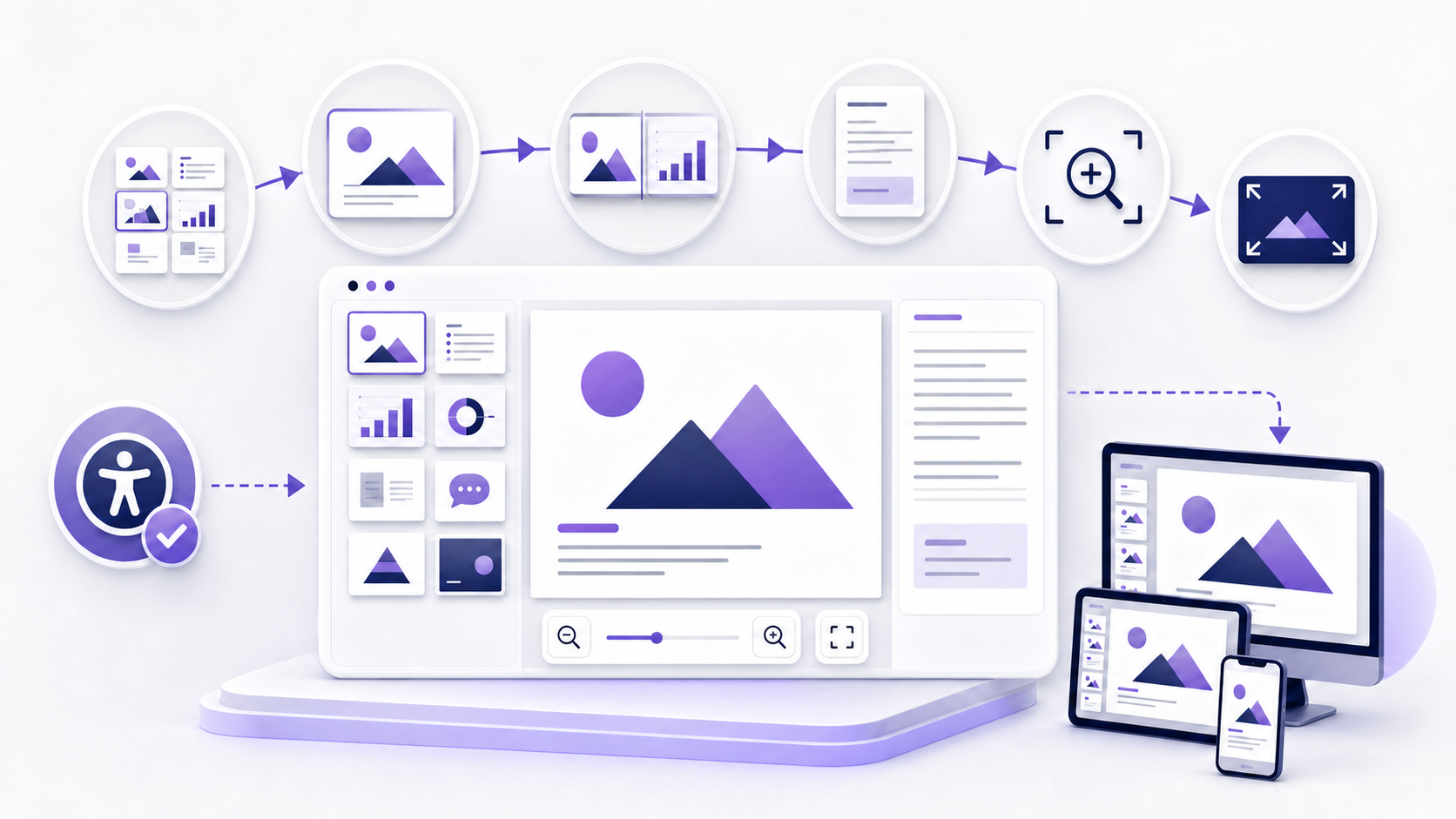
A slide viewer displays a presentation as an ordered set of slides. Use thumbnails or a sorter to inspect sequence, a focused reading view to review content, slide-show mode to test audience delivery, Presenter View to see current and next slides with private notes, and a recipient-like browser or mobile view to confirm the shared experience. Preserve the source, choose an approved environment, scan the whole deck, inspect high-risk slides, test notes, links, media, accessibility, permissions, and the exact final artifact.
Slide Viewer 把演示显示为有顺序的一组幻灯片。使用缩略图或排序视图检查顺序,用聚焦阅读视图审阅内容,用放映模式测试受众交付,用演讲者视图查看当前页、下一页与私密备注,并用类似收件人的浏览器或移动视图确认共享体验。保留源文件,选择获批环境,扫描整套材料,检查高风险页面,并测试备注、链接、媒体、无障碍、权限与确切最终材料。
A viewer is an observation tool, not a quality guarantee. It cannot establish whether claims are true, sources are sufficient, permissions are lawful, notes are safe to disclose, every assistive technology can interpret the deck, or every device will render it identically. Treat each viewing mode as evidence for a defined question.
查看器是观察工具,不是质量保证。它不能证明主张真实、来源充分、权限合法、备注可安全披露、所有辅助技术都能理解文稿,或所有设备渲染完全一致。应把每种查看模式视为回答明确问题的证据。
Define the audience, outcome, and viewing conditions first先定义受众、结果与查看条件
A person searching for a slide viewer may want to skim a deck, study it, present it, read notes, approve a design, compare revisions, extract evidence, or view it on a device without the authoring software. These tasks require different controls and levels of fidelity. Write the user, purpose, device, input method, network, account, permission, privacy level, and whether interaction or editing is allowed.
搜索 Slide Viewer 的用户可能想浏览文稿、学习内容、现场展示、阅读备注、批准设计、比较修订、提取证据,或在没有创作软件的设备上查看。这些任务需要不同控制与保真度。应写明用户、目的、设备、输入方式、网络、账户、权限、隐私级别,以及是否允许交互或编辑。
| Question问题 | Best evidence最佳证据 | Likely view可能视图 |
|---|---|---|
| Is the story ordered?故事顺序是否合理? | All thumbnails and section boundaries全部缩略图与章节边界 | Slide Sorter or thumbnail pane排序视图或缩略图窗格 |
| Can someone read it alone?用户能否独立阅读? | Slide plus visible navigation and notes policy页面、可见导航与备注政策 | Reading view阅读视图 |
| Will live delivery work?现场交付是否正常? | Timing, transitions, media, display, fallback时间、切换、媒体、显示与后备 | Slide Show and Presenter View放映与演讲者视图 |
Separate viewing, presenting, commenting, and editing区分查看、展示、评论与编辑
A viewer may only render slides and navigation. A presentation application may also expose notes, comments, accessibility properties, masters, layouts, hidden slides, object order, links, media settings, and export controls. A sharing service may add comments or collaboration without exposing full source semantics. Do not assume a control exists because another product or account tier has it. Package-level checks for .pptx sit on the pptx viewer page.
查看器可能只渲染页面与导航;演示应用还可能显示备注、批注、无障碍属性、母版、版式、隐藏页、对象顺序、链接、媒体设置与导出控制;共享服务可能增加评论或协作,但不显示完整源语义。不要因为另一个产品或账户等级有某控制,就假定当前环境也有。.pptx 包级检查在 pptx viewer。
Use least privilege. If someone needs only to read, grant view permission rather than edit. If reviewers must comment, confirm whether comments alter the source or create notifications. If a full quality review is required, supplement the viewer with an approved source-aware environment. Viewing a flattened PDF or image can be useful, but it removes dynamic behavior and may remove accessibility semantics.
遵循最小权限。用户只需阅读时授予查看权限而不是编辑;评审者需要评论时,确认评论是否改变源文件或触发通知;需要完整质量复核时,用获批且能理解源语义的环境补充查看器。查看扁平 PDF 或图片可以有用,但会删除动态行为,也可能删除无障碍语义。
Choose the presentation view by the question you are testing根据要验证的问题选择演示视图
Sequence, sections, duplicates, omissions, hidden or outlier slides.顺序、章节、重复、遗漏、隐藏页或异常页。
Self-paced comprehension with simple navigation controls.带简单导航控制的自主阅读理解。
Audience display, timing, transitions, animation, media, and focus.受众显示、时序、切换、动画、媒体与注意力。
Current and next slide, private notes, timer, navigation, and delivery controls.当前页、下一页、私密备注、计时、导航与交付控制。
Microsoft documents that PowerPoint includes Normal, Slide Sorter, Notes Page, Slide Show, Presenter, Reading, Outline, and master views, with availability varying by platform and context. Do not test only the easiest view. A deck intended for both live presentation and asynchronous reading needs separate evidence for each mode.
Microsoft 说明 PowerPoint 包括普通、排序、备注页、放映、演讲者、阅读、大纲与母版视图,具体可用性随平台和情境变化。不要只测试最容易的视图。既用于现场展示又用于异步阅读的文稿,需要分别为两种模式提供证据。
Use Reading view to test self-paced comprehension用阅读视图测试自主理解
Reading view is appropriate when someone reviews a presentation without a live presenter. Test whether controls are discoverable, the current position is clear, the user can move forward, backward, and to a chosen slide, and the content makes sense without spoken explanation. Microsoft notes that Reading view offers a full-screen-like experience with simple navigation, although availability can differ in web and organizational contexts.
阅读视图适合用户在没有现场演讲者时审阅演示。测试控制是否容易发现、当前位置是否清楚、用户能否前进、后退或跳到指定页面,以及内容在没有口头解释时是否成立。Microsoft 说明阅读视图提供类似全屏且带简单导航的体验,但在 Web 与组织环境中的可用性可能不同。
Do a silent read-through. Mark undefined terms, narration-dependent charts, unexplained transitions, tiny footnotes, notes that should be visible, and actions that lack context. If the deck is meant as a read-ahead, add enough evidence and qualification to stand alone rather than copying a live deck and assuming recipients will infer the speaker's explanation.
进行一次静默阅读,标记未定义术语、依赖讲解的图表、未解释过渡、过小脚注、应该可见的备注,以及缺少背景的行动。如果文稿作为会前阅读材料,应补充足够证据与限定条件,使其能够独立成立,而不是直接复制现场文稿并假定收件人会推断演讲者解释。
Test Slide Show view in the actual delivery conditions在真实交付条件中测试放映视图
Slide Show view represents what the audience sees. Rehearse on the destination display, meeting platform, browser, or projector whenever stakes justify it. Test start behavior, full-screen controls, slide advance, keyboard and remote input, links, transitions, animation triggers, audio, video, captions, pointer or annotation tools, black-screen behavior, and the route back after an interruption.
放映视图代表受众看到的内容。风险较高时,应在目标显示器、会议平台、浏览器或投影仪上排练。测试启动行为、全屏控制、页面前进、键盘与遥控输入、链接、切换、动画触发、音频、视频、字幕、指针或批注工具、黑屏行为,以及中断后的返回路径。
Check readability from the farthest expected position and under realistic lighting. Confirm that essential meaning remains available if media, network, animation, or the second display fails. Record a backup copy and a simplified route through the deck. A flawless local preview does not prove that screen sharing, conferencing compression, or room equipment will preserve the result.
在最远预期位置与真实照明下检查可读性,并确认媒体、网络、动画或第二屏故障时,关键含义仍可获得。准备后备副本与简化讲解路径。本地完美预览不能证明屏幕共享、会议压缩或现场设备会保留同样结果。
Use Presenter View without exposing private notes使用演讲者视图且不暴露私密备注
Microsoft describes Presenter View as showing the current slide, next slide, speaker notes, timing, thumbnails, zoom, annotation, and screen controls while the audience sees only the slide show. Test monitor assignment, screen sharing selection, mirroring, cable reconnection, conference-window behavior, and the switch between presenter and audience displays before participants join.
Microsoft 将演讲者视图描述为显示当前页、下一页、演讲者备注、计时、缩略图、缩放、批注与屏幕控制,而受众只看到放映内容。参与者加入前应测试显示器分配、屏幕共享选择、镜像、电缆重连、会议窗口行为,以及演讲者与受众显示之间的切换。
Assume notes could be exposed if the wrong window or display is shared. Keep notes professional, necessary, and free of secrets, personal judgments, private contact information, or instructions that would cause harm if disclosed. Do not use notes as the only location for a factual qualification the audience needs to interpret the slide.
应假定共享错误窗口或显示器时备注可能暴露。备注应专业、必要,并避免密钥、个人判断、私人联系信息或泄露后会造成伤害的说明。不要把受众理解页面所需的事实限定条件只放在备注中。
Review speaker notes and comments as separate content layers把演讲者备注与批注作为独立内容层审阅
Speaker notes can hold narration, citations, timing cues, accessibility descriptions, and delivery reminders. Comments can hold unresolved questions, reviewer names, decisions, and draft feedback. Confirm which layers the selected viewer exposes, which the recipient can access, and whether they are included in print, export, download, or sharing workflows.
演讲者备注可以包含讲解、引用、时间提示、无障碍说明与交付提醒;批注可以包含未解决问题、评审者姓名、决策与草稿反馈。确认所选查看器显示哪些内容层、收件人能够访问哪些层,以及打印、导出、下载或共享流程是否包含这些内容。
Resolve or intentionally retain comments according to the collaboration record. Check notes for outdated numbers, internal URLs, personal data, stage directions, jokes, and claims that conflict with the slide. A viewer that does not show notes or comments cannot prove that the source file lacks them.
依据协作记录解决或有意保留批注。检查备注中的过期数字、内部 URL、个人数据、舞台指令、玩笑,以及与页面冲突的主张。不显示备注或批注的查看器无法证明源文件中不存在这些内容。
Test zoom, fit-to-screen, and focus without losing context测试缩放、适配屏幕与聚焦且不丢失背景
Zoom can help inspect dense charts, small labels, maps, diagrams, and images, but implementation differs. Some controls enlarge slide content; browser zoom may enlarge only the interface; a mobile viewer may reflow controls around a fixed slide canvas. Test zoom-in, zoom-out, fit, reset, panning, keyboard access, touch gestures, focus visibility, and whether the user can return to the original position.
缩放有助于检查密集图表、小标签、地图、图解与图片,但实现方式不同。有些控制会放大页面内容,浏览器缩放可能只放大界面,移动查看器可能围绕固定页面画布重新排列控制。测试放大、缩小、适配、重置、平移、键盘访问、触摸手势、焦点可见性,以及用户能否返回原位置。
Do not use zoom to excuse unreadable design. The default view should communicate the main point at the intended distance and screen size. If a presenter zooms into evidence, explain what the audience should notice and restore the overview before moving on. Provide a textual explanation for complex visuals when accessibility or independent review requires it.
不要用缩放为不可读设计开脱。默认视图应在预定距离与屏幕尺寸上传达主要观点。如果演讲者放大证据,应说明受众需要关注什么,并在继续前恢复全局视图。无障碍或独立审阅需要时,为复杂视觉提供文字说明。
Compare slide revisions with a defined baseline使用明确基线比较幻灯片修订
Side-by-side viewing is useful for before-and-after designs, language variants, executive and technical versions, revisions, or alternative recommendations. Confirm that both slides use the same source version, aspect ratio, zoom, crop, and rendering environment. Label the baseline and candidate, then compare content, evidence, hierarchy, layout, accessibility, notes, links, and intended audience—not only visual polish.
并排查看适用于比较设计前后、语言版本、管理与技术版本、修订或替代建议。确认两页使用相同源版本、宽高比、缩放、裁切与渲染环境,标记基线与候选,再比较内容、证据、层级、版式、无障碍、备注、链接与预期受众,而不只是视觉精美度。
For whole-deck changes, sample high-risk slides and use a title-and-thumbnail inventory to detect insertions, deletions, reorderings, and section changes. Record the reason for each material difference and the reviewer who accepted it. A screenshot comparison can miss notes, hidden slides, metadata, animation, and interaction changes.
整套文稿变化可抽样高风险页面,并用标题与缩略图清单发现插入、删除、重新排序与章节变化。记录每个重大差异的原因与接受该差异的评审者。截图比较可能遗漏备注、隐藏页、元数据、动画与交互变化。
Review the slide story before judging visual polish评价视觉精美度前先审阅幻灯片故事
Read the deck as an argument. Identify the audience, purpose, scope, main claim, evidence, definitions, assumptions, uncertainty, counterevidence, alternatives, recommendation, requested action, and owner. Check whether each slide title states a useful point, each visual supports that point, and each transition explains why the next slide follows.
把整套文稿当作论证阅读。识别受众、目的、范围、主要主张、证据、定义、假设、不确定性、反证、备选方案、建议、预期行动与负责人。检查每页标题是否表达有用观点、每个视觉是否支持该观点,以及每次过渡是否解释下一页为何出现。
Verify claims against current sources rather than treating their presence on a slide as evidence. Recalculate material numbers, confirm denominators and time periods, distinguish observation from estimate, label illustrative or synthetic data, and retain important limitations. A slide viewer can reveal the narrative but cannot validate it without source review.
应根据当前来源核验主张,不能把主张出现在页面上当作证据。重新计算重要数字,确认分母与时间段,区分观察与估算,标记示例或合成数据,并保留重要局限。Slide Viewer 可以显示叙事,但没有来源复核就无法验证叙事。
Inspect visual fidelity at normal size and high zoom在正常尺寸与高倍缩放下检查视觉保真度
Sample slides with custom fonts, dense text, tables, charts, equations, SVG, transparency, gradients, masks, grouped objects, cropped images, multilingual text, precise alignment, and unusual aspect ratios. Compare against an authoritative reference and look for shifted objects, changed line breaks, clipping, missing symbols, altered colors, chart-label changes, incorrect layers, or broken crops.
抽样含自定义字体、密集文字、表格、图表、公式、SVG、透明度、渐变、蒙版、组合对象、裁切图片、多语言文字、精确对齐与特殊宽高比的页面。与权威参考比较,检查对象位移、换行变化、裁切、符号缺失、颜色改变、图表标签变化、层级错误或图片裁切破损。
Record viewer, version, operating system, browser, screen, zoom, and file version. A difference is not automatically a defect: it may be an intentional responsive behavior or a limitation of a non-authoritative view. Classify whether it changes meaning, accessibility, confidence, or delivery, then decide whether to fix the source, change the delivery environment, or provide an alternative artifact.
记录查看器、版本、操作系统、浏览器、屏幕、缩放与文件版本。差异不一定都是缺陷,也可能是有意响应行为或非权威视图限制。判断它是否改变含义、无障碍、可信度或交付,再决定修复源文件、改变交付环境或提供替代材料。
Test links, animation, audio, and video in the delivery view在交付视图中测试链接、动画、音频与视频
Open each critical link and record its destination, redirect, access requirement, and recipient behavior. Test internal slide navigation, image and shape links, custom shows, and any link that launches another application. Avoid vague anchors, broken relative paths, inaccessible internal URLs, and links that expose tokens or private locations.
打开每个关键链接并记录目标、重定向、访问要求与收件人行为。测试内部页面导航、图片与形状链接、自定义放映,以及会启动其他应用的链接。避免模糊锚文本、损坏相对路径、不可访问内部 URL,以及暴露令牌或私有位置的链接。
Play animation, transitions, audio, video, narration, and captions from the start and after navigation or seeking. Confirm triggers, sequence, volume, timing, embedding versus linking, network and codec dependencies, and a fallback for essential meaning. Browser and mobile viewers may preserve, simplify, or omit features; a static preview does not prove playback.
从头播放并在导航或跳转后测试动画、切换、音频、视频、旁白与字幕。确认触发、顺序、音量、时序、嵌入或链接方式、网络与编解码器依赖,以及关键含义的后备方案。浏览器与移动查看器可能保留、简化或省略功能;静态预览不能证明播放。
Test the slide viewer with keyboard, zoom, and source semantics使用键盘、缩放与源语义测试 Slide Viewer
Navigate every control with a keyboard, confirm visible focus, logical control order, clear labels, usable zoom, sufficient contrast, and no interaction that requires only hover, drag, color, or precise pointing. Check whether a screen reader announces the deck title, slide position, slide title, controls, notes state, and meaningful image alternatives in a coherent order.
用键盘导航每个控制,确认焦点可见、控制顺序合乎逻辑、标签清楚、缩放可用、对比度足够,并且没有只依赖悬停、拖动、颜色或精确指向的交互。检查屏幕阅读器是否按连贯顺序朗读文稿标题、页面位置、页面标题、控制、备注状态与有意义图片替代说明。
The viewing surface does not replace source review. Use the presentation's accessibility checker and reading-order tools to inspect unique titles, object sequence, alt text, table headers, meaningful links, captions, language, and decorative objects. Then perform manual and representative-user testing appropriate to the risk. Automated checks cannot judge whether the story or alternative descriptions are understandable.
查看界面不能替代源文件复核。使用演示内无障碍检查器与阅读顺序工具检查唯一标题、对象顺序、替代文本、表头、有意义链接、字幕、语言与装饰对象,再依据风险进行人工与代表性用户测试。自动检查无法判断故事或替代说明是否真正易懂。
Review the deck on desktop, tablet, and phone by risk按风险在桌面、平板与手机上复核文稿
Build a recipient-based matrix rather than testing arbitrary devices. Include the primary desktop or room display, a tablet or touch environment if used, a narrow phone viewport, and a constrained network or offline condition when relevant. Record orientation, screen size, pixel density, operating system, browser or app, account, input method, and whether the file is local or shared.
基于真实收件人建立矩阵,而不是随意选择设备。包含主要桌面或现场显示、实际使用时的平板或触摸环境、窄屏手机,以及相关时的受限网络或离线条件。记录方向、屏幕尺寸、像素密度、操作系统、浏览器或应用、账户、输入方式,以及文件位于本地还是共享环境。
Test slide fit, control visibility, thumbnail usability, pinch and keyboard zoom, full-screen entry and exit, orientation changes, text and chart readability, links, notes, media, captions, focus, and permission prompts. Small screens may technically display the deck while making the information impractical to read. Provide a mobile-friendly alternative when the audience needs detail.
测试页面适配、控制可见性、缩略图可用性、捏合与键盘缩放、全屏进入与退出、方向变化、文字与图表可读性、链接、备注、媒体、字幕、焦点与权限提示。小屏可能技术上能显示文稿,却让信息无法实际阅读;受众需要细节时应提供移动友好替代。
Protect confidential slides, notes, comments, and viewer data保护机密页面、备注、批注与查看数据
Before using an online slide viewer, classify the content and review the service's operator, processing location, encryption, access, authentication, subprocessors, retention, deletion, logs, analytics, incident response, data-training terms, and contracts. Convenience does not establish confidentiality. Use an approved local or managed environment, or a properly sanitized copy, for restricted material.
使用在线 Slide Viewer 前,先分类内容并审查服务运营方、处理地点、加密、访问、认证、分包商、保留、删除、日志、分析、事件响应、数据训练条款与合同。便利性不能证明保密性。受限材料应使用获批本地或托管环境,或经过正确脱敏的副本。
Review visible slides plus speaker notes, comments, hidden slides, off-slide objects, filenames, alt text, links, embedded content, document properties, and personal information. Viewer analytics may also collect recipient identity, IP, device, timestamps, and engagement; confirm that collection, notice, access, retention, and use have an appropriate basis.
检查可见页面以及演讲者备注、批注、隐藏页、页面外对象、文件名、替代文本、链接、嵌入内容、文档属性与个人信息。查看分析还可能收集收件人身份、IP、设备、时间戳与参与度;应确认收集、告知、访问、保留与使用具有适当依据。
Use a three-pass slide-viewer review before release发布前执行三轮 Slide Viewer 审阅
- 1Sequence and meaning. Scan thumbnails, read titles, verify claims, evidence, scope, limitations, and action.顺序与含义。 扫描缩略图、阅读标题,核验主张、证据、范围、局限与行动。
- 2Viewing and delivery. Test reading, show, presenter, notes, zoom, links, media, accessibility, and high-risk visuals.查看与交付。 测试阅读、放映、演讲者、备注、缩放、链接、媒体、无障碍与高风险视觉。
- 3Recipient and release. Test exact permissions, devices, final artifact, privacy, ownership, fallback, and revocation.收件人与发布。 测试确切权限、设备、最终材料、隐私、负责人、后备与撤销。
Log each finding with evidence, severity, owner, due date, fix, and retest. Freeze a release candidate so late edits do not invalidate the result. After changing content, order, layout, fonts, media, notes, accessibility, permissions, or export, repeat the affected pass and verify that the tested artifact is the distributed artifact.
记录每个发现项的证据、严重性、负责人、期限、修复与复测。冻结候选发布版,避免后期编辑使结果失效。内容、顺序、版式、字体、媒体、备注、无障碍、权限或导出发生变化后,重复受影响轮次,并确认测试材料就是分发材料。
Capture slide-viewer findings in a Markdown review brief用 Markdown 审阅简报记录 Slide Viewer 发现
A sanitized Markdown brief creates a searchable record outside positioned slide objects. Record the source version, viewing environment, slide or section, expected behavior, observed result, evidence, severity, proposed action, owner, and retest. This is useful when reviewers need to resolve structure and accountability before rebuilding slides.
脱敏 Markdown 简报可在定位页面对象之外建立可搜索记录。写明源版本、查看环境、页面或章节、预期行为、观察结果、证据、严重性、建议行动、负责人和复测。评审者需要在重建页面前解决结构与责任时,这种方式尤其有用。
# Slide viewer review
Source: [version / date / owner]
Environment: [viewer / device / permission]

## Finding
- Slide or section: [location]
- Expected / observed: [difference]
- Impact: [meaning / fidelity / access / privacy]
- Evidence: [screenshot / link / test]
- Action, owner, retest: [decision / person / status]
Do not paste confidential slide content into an unapproved service. Markdown does not preserve animation, media, notes behavior, visual hierarchy, or source accessibility semantics; use it for review coordination and return to the exact final presentation for verification.
不要把机密页面内容粘贴到未获批服务。Markdown 不保留动画、媒体、备注行为、视觉层级或源无障碍语义;它用于协调审阅,最终仍应返回确切演示材料验证。
Turn a sanitized slide-review brief into a Word document把脱敏的幻灯片审阅简报转成 Word 文档
Use the InfiniSynapse Markdown-to-Word tool after you have created a sanitized review brief. The document can support comments, owner assignment, approval, and handoff. It does not render the source slide deck, test presentation modes, verify facts, inspect permissions, remove hidden data, or certify accessibility.
创建脱敏审阅简报后,可使用 InfiniSynapse Markdown-to-Word 工具。生成文档可支持评论、负责人分配、批准与交接,但不会渲染源演示、测试演示模式、核验事实、检查权限、删除隐藏数据或认证无障碍。
Open Markdown-to-Word Tool打开 Markdown-to-Word 工具Use sanitized content only. Do not upload credentials, secrets, personal data, customer records, or confidential slide content.仅使用脱敏内容,不要上传凭据、密钥、个人数据、客户记录或机密页面内容。
Complete this slide viewer checklist before delivery交付前完成此 Slide Viewer 检查表
- Audience, viewing task, device, mode, permission, privacy level, and owner are explicit.受众、查看任务、设备、模式、权限、隐私级别与负责人明确。
- Slide count, order, sections, duplicate, missing, hidden, and outlier slides are reviewed.页数、顺序、章节、重复、缺失、隐藏与异常页面已复核。
- Claims, sources, definitions, assumptions, limitations, and actions are verified.主张、来源、定义、假设、局限与行动已核验。
- Reading, Slide Show, and Presenter experiences are tested where relevant.相关时已测试阅读、放映与演讲者体验。
- Notes, comments, zoom, links, animation, audio, video, captions, and fallbacks are checked.备注、批注、缩放、链接、动画、音频、视频、字幕与后备方案已检查。
- Visual fidelity, accessibility, keyboard use, focus, zoom, and mobile readability are tested.视觉保真度、无障碍、键盘使用、焦点、缩放与移动可读性已测试。
- Sharing scope, recipient access, download/edit rights, expiration, revocation, and privacy are verified.共享范围、收件人访问、下载或编辑权、到期、撤销与隐私已核验。
- The exact final shared or exported artifact has passed recipient-like retesting.确切最终共享或导出材料已通过类似收件人的复测。
Slide viewer: frequently asked questionsSlide Viewer 常见问题
Use an approved browser or sharing service with view-only permission. Confirm the service supports the format and required features, then test with a recipient account. View-only reduces accidental editing but does not automatically prevent downloading, screenshots, forwarding, or data exposure.
使用获批浏览器或共享服务并设置只读权限。确认服务支持文件格式与所需功能,再用收件人账户测试。只读可以减少误编辑,但不会自动阻止下载、截图、转发或数据暴露。
Reading view supports self-paced review with simple navigation in a window or full-screen-like surface. Slide Show view is intended for audience delivery and tests full-screen behavior, transitions, animation, media, and presentation controls. Availability and details vary by platform.
阅读视图支持带简单导航的自主审阅,通常在窗口或类似全屏界面中运行。放映视图用于受众交付,测试全屏行为、切换、动画、媒体与演示控制。可用性与细节随平台变化。
It depends on the viewer, permission, sharing method, and whether you share the source, notes pages, or the wrong presenter window. Assume notes may be accessible and review them before release. Test with an actual recipient-like account and display setup.
这取决于查看器、权限、共享方式,以及你共享的是源文件、备注页还是错误的演讲者窗口。应假定备注可能被访问,并在发布前复核;使用真实类似收件人的账户与显示设置测试。
Start with thumbnails and titles to inspect slide count, sequence, sections, duplicates, gaps, and outliers. Then sample high-risk slides for content and rendering, test critical interactions, and complete a recipient-like final pass. Fast review should prioritize risk, not skip evidence.
先用缩略图与标题检查页数、顺序、章节、重复、缺口与异常,再抽样高风险页面检查内容与渲染,测试关键交互,最后进行类似收件人的完整检查。快速审阅应按风险排序,而不是跳过证据。
No. A viewer can reveal sequence, visual output, and some interactions. Readiness also requires factual and source verification, accessibility review, notes and hidden-content inspection, rights and privacy checks, permission testing, and verification of the exact final artifact.
不能。查看器可以显示顺序、视觉输出与部分交互,但就绪还需要事实与来源核验、无障碍复核、备注与隐藏内容检查、权利与隐私检查、权限测试,以及确切最终材料验证。
Authoritative guidance for viewing and presenting slides权威幻灯片查看与展示指南
- Microsoft Support: Choose the right view for the taskMicrosoft 支持:为任务选择正确视图
- Microsoft Support: Use Presenter ViewMicrosoft 支持:使用演讲者视图
- Microsoft Support: Show or hide slide thumbnailsMicrosoft 支持:显示或隐藏页面缩略图
- Microsoft Support: Read speaker notes and comments with a screen readerMicrosoft 支持:使用屏幕阅读器读取备注与批注
- Microsoft Support: Share a presentationMicrosoft 支持:共享演示
- Microsoft Support: Make presentations accessibleMicrosoft 支持:让演示无障碍