
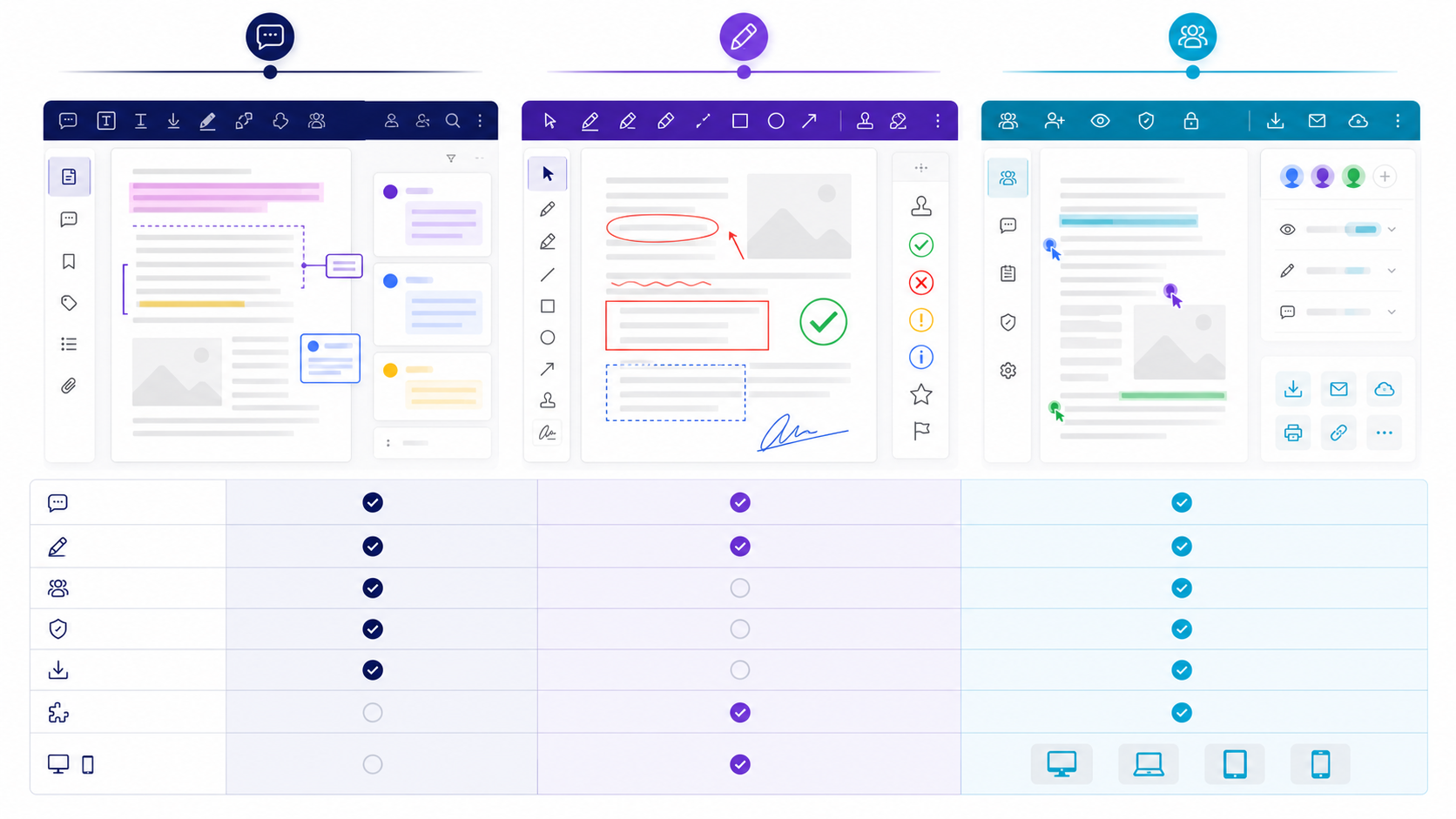
Quick answer: PDF annotation is a review layer, not a source edit快速答案:PDF Annotation 是审阅层,不是源文件修改
PDF annotation adds review objects around existing page content: highlights, notes, underlines, strikeouts, shapes, drawings, stamps, attachments, or replies. It normally leaves the underlying text unchanged. That distinction matters. A highlight can flag a passage, but it does not approve its accuracy; a strikeout can propose deletion, but it does not remove the source sentence. A reliable workflow converts every meaningful mark into an owned decision. For pdf annotation meaning, start with those objects; this page compares tools.
PDF Annotation 会在现有页面内容周围添加审阅对象,例如高亮、便笺、下划线、删除线、图形、手绘、图章、附件或回复,通常不会改变底层正文。这个区别很重要:高亮可以标记段落,却不等于确认内容准确;删除线可以建议删除,却不会真正移除源句。可靠流程必须把每个重要标记转化为有人负责的决定。定义看 pdf annotation meaning;本页只比工具。
Choose a PDF annotation tool with evidence, not a feature-count contest用证据选择 PDF Annotation Tool,而不是比功能数量
The right tool is the one that completes your real review path with acceptable risk. Start with users, document types, annotation actions, approval states, integrations, data boundaries, supported devices, retention rules, and accessibility needs. Turn each requirement into a test that produces observable evidence. A long feature list cannot show whether comments remain anchored after reflow, whether a browser reviewer sees replies, or whether an exported summary preserves owners and status.
合适的工具应在可接受风险下完成真实审阅路径。先确定用户、文档类型、批注动作、批准状态、集成、数据边界、受支持设备、保留规则和无障碍需求,再把每项要求变成能产生可观察证据的测试。冗长功能列表无法证明重排后评论是否仍稳定定位、浏览器审阅者能否看到回复,或导出摘要是否保留负责人和状态。
| Requirement area要求领域 | Representative test代表性测试 | Pass evidence通过证据 |
|---|---|---|
| Markup fidelity标记保真 | Highlight, reply, save, reopen, and view elsewhere高亮、回复、保存、重开并换环境查看 | Anchor, author, state, and appearance persist锚点、作者、状态与外观保持 |
| Collaboration协作 | Two reviewers edit the same issue and resolve a conflict两位审阅者处理同一问题并解决冲突 | History, permissions, and final disposition are clear历史、权限和最终处理结果清晰 |
| Data boundary数据边界 | Trace upload, processing, sharing, export, and deletion追踪上传、处理、分享、导出与删除 | Behavior matches approved policy and contract行为符合批准的政策与合同 |
Build one representative trial file before comparing tools比较工具前先建立一个代表性试用文件
Use a sanitized document containing selectable text, a scanned page, columns, a long table, an image, a link, a form field, bookmarks, tags, and at least one rotated or unusual page. Create expected annotations: highlight, underline, strikeout, insertion, note, shape, drawing, reply, mention, attachment, status, and resolution. Test on every required operating system and viewer path. This small fixture exposes compatibility gaps far faster than a generic demo.
使用已脱敏的文档,包含可选择文字、扫描页、分栏、长表格、图片、链接、表单字段、书签、标签以及至少一个旋转或特殊页面。预设高亮、下划线、删除线、插入、便笺、图形、手绘、回复、提及、附件、状态和解决操作,并在所有必需操作系统和阅读路径中测试。这个小型样本比通用演示更快暴露兼容性缺口。
Weight PDF review software criteria by workflow risk按流程风险给 PDF 审阅软件标准加权
Mark security, mandatory platform support, data residency, retention, and critical export fidelity as pass/fail gates when appropriate. Weight annotation depth, collaboration, accessibility, administration, integration, performance, support, and total cost according to actual use. Score only demonstrated behavior and attach evidence. A weighted score is a decision aid, not a substitute for reviewing unacceptable risks or contractual terms.
必要时把安全、强制平台支持、数据驻留、保留规则和关键导出保真设为通过/失败门槛。再按真实用途为批注深度、协作、无障碍、管理、集成、性能、支持和总成本分配权重。只对已演示行为评分并附证据。加权分数是决策辅助,不能替代对不可接受风险或合同条款的审查。
Translate the review objective into tool requirements把审阅目标转化为工具要求
Start with the decision the review must support. A copy edit, legal review, accessibility check, design proof, data validation, and final approval need different evidence and different annotation conventions. State the review scope, authoritative version, deadline, reviewer roles, prohibited data, and definition of done. Otherwise reviewers may mark the same symptom repeatedly while nobody owns the source correction.
先确定本轮审阅要支持什么决定。文字校对、法律审阅、无障碍检查、设计打样、数据验证和最终批准,需要不同证据与批注约定。应写明范围、权威版本、截止时间、审阅角色、禁止写入的数据以及完成标准,否则多人可能反复标同一症状,却没人负责修改源文件。
| Review objective审阅目标 | Useful evidence有效证据 | Completion signal完成信号 |
|---|---|---|
| Copy accuracy文字准确性 | Quote, proposed replacement, reason原文、替换建议、原因 | Source corrected and re-exported源文件已修订并重新导出 |
| Visual proof视觉校样 | Page, region, expected geometry页码、区域、预期几何关系 | Rendered output rechecked重新检查渲染结果 |
| Approval批准 | Decision, approver, conditions决定、批准人、条件 | All blockers closed所有阻断项已关闭 |
Test whether the tool supports every required annotation action测试工具是否支持每项必需批注动作
Use highlights for passages that need attention, underlines for emphasis or verification, strikeouts for proposed removal, insertion marks for missing copy, sticky notes for contextual explanation, shapes for layout regions, and freehand ink only when geometry is easier to show than describe. Stamps can communicate state, but a decorative “approved” mark should never replace an approval record with identity, time, scope, and conditions.
需要关注的段落用高亮,需要强调或核验的文字用下划线,建议删除用删除线,缺失文字用插入标记,背景说明用便笺,版式区域用图形;只有在几何位置比文字描述更清楚时才用手绘。图章可以表达状态,但装饰性的“已批准”不能替代包含身份、时间、范围和条件的批准记录。
- Observation: what is present and where.观察:哪里存在什么情况。
- Impact: why it matters to the audience or requirement.影响:为什么它会影响受众或要求。
- Action: the exact change or decision requested.动作:请求的准确修改或决定。
- Evidence: source, rule, example, or acceptance test.证据:来源、规则、示例或验收测试。
Evaluate collaboration controls under realistic reviewer conflict在真实审阅冲突中评估协作控制
Choose one authoritative review channel. Emailing separate annotated copies creates divergent threads and makes resolution evidence difficult to reconstruct. Define whether reviewers work sequentially or in parallel, who may resolve a comment, how disagreements escalate, and which status vocabulary is allowed: open, accepted, rejected with reason, deferred with owner, or verified.
应选择唯一权威审阅通道。通过邮件分发多个独立批注副本会产生分叉线程,难以重建解决证据。需明确审阅者是串行还是并行工作、谁可以解决评论、分歧如何升级,以及允许使用哪些状态:待处理、已接受、附理由拒绝、指定负责人延期、已验证。
Compare annotation portability across required devices and viewers比较批注在必需设备与阅读器之间的兼容性
Annotation support varies across desktop viewers, browser viewers, mobile apps, preview panes, print pipelines, and document-management systems. Test the actual route recipients use. Verify visibility, author and timestamp display, replies, status, print behavior, search, export, and reopening after save. If a workflow depends on a feature, record supported viewers instead of assuming universal behavior.
桌面阅读器、浏览器预览、移动应用、系统预览、打印流程和文档管理系统对批注的支持并不一致。应测试收件人实际使用的路径,验证可见性、作者与时间、回复、状态、打印、搜索、导出以及保存后重新打开。如果流程依赖某项功能,应记录受支持阅读器,而不是假设所有环境一致。
Match the PDF annotation tool to the real deployment environment让 PDF 批注工具适配真实部署环境
Test the exact combination of operating systems, browsers, managed desktops, mobile devices, and offline conditions used by reviewers. A browser tool reduces installation friction but may depend on upload limits and network policy; a desktop application can support deeper document controls but creates packaging and update work. Record whether guest reviewers need accounts, whether single sign-on is required, and whether comments remain usable when the file leaves the vendor workspace.
应测试评审者实际使用的操作系统、浏览器、受管桌面、移动设备和离线环境组合。浏览器工具能减少安装成本,但可能受上传限制和网络策略影响;桌面应用可以提供更深入的文档控制,却会增加打包和更新工作。还要记录外部评审者是否必须注册、是否要求单点登录,以及文件离开供应商工作区后批注是否仍然可用。
Test annotation portability instead of trusting a PDF label测试批注可移植性,不要只相信 PDF 标签
Create text highlights, sticky notes, replies, stamps, drawings, attachments, and a resolved thread in the candidate tool. Open the result in every required viewer and verify author, color, position, status, and reply order. If the workflow uses FDF, XFDF, or a comment summary, test import and export in both directions. Document unsupported annotation types before purchase so teams do not discover during a live review that essential comments were converted to static appearance or dropped.
在候选工具中创建文本高亮、便笺、回复、图章、绘图、附件和已解决线程,再用所有必需阅读器打开结果,验证作者、颜色、位置、状态和回复顺序。如果流程使用 FDF、XFDF 或批注汇总,还要双向测试导入与导出。采购前应记录不支持的批注类型,避免团队在正式评审时才发现重要意见被转成静态外观或直接丢失。
Review PDF annotation security, retention, and metadata审查 PDF 批注工具的安全、保留和元数据
Identify where uploaded files, extracted text, comments, and backups are stored; how long they remain; who can administer them; and whether deletion covers replicas and exports. Inspect encryption, access logs, sharing defaults, tenant separation, data residency, and incident processes in the vendor's current documentation. Use a sanitized trial file rather than confidential material. The final decision should distinguish verified controls from sales claims and should record any workflow restrictions required by legal or security teams.
需要确认上传文件、提取文字、批注和备份存储在哪里、保留多久、谁能管理,以及删除操作是否覆盖副本和导出文件。依据供应商当前文档审查加密、访问日志、共享默认值、租户隔离、数据驻留和事件处理流程。试用时使用脱敏文件,不要上传机密材料。最终结论必须区分已验证控制与销售宣传,并记录法务或安全团队要求的流程限制。
Evaluate annotation accessibility with keyboard and assistive technology使用键盘和辅助技术评估批注可访问性
Confirm that reviewers can create, locate, read, reply to, and resolve comments without a mouse. Check focus order, visible focus, zoom behavior, contrast, screen-reader labels, and whether color-coded status also has text. Test a tagged PDF and a scanned PDF separately. A tool may preserve document tags while exposing its own comment panel poorly, so evaluate both the exported file and the review interface rather than treating general accessibility statements as proof.
确认评审者无需鼠标即可创建、定位、阅读、回复和解决批注。检查焦点顺序、可见焦点、缩放行为、对比度、屏幕阅读器标签,以及颜色状态是否同时带有文字。带标签 PDF 与扫描 PDF 要分别测试。工具可能保留文档标签,但自身批注面板仍不易访问,因此必须同时评估导出文件和评审界面,不能把笼统的可访问性声明当作证明。
Compare total workflow cost, not only subscription price比较总体流程成本,而不只是订阅价格
Include reviewer licenses, guest access, storage, API or automation limits, administration, training, migration, support, and the time required to reconcile incompatible comments. Estimate cost against the number of active reviewers and review rounds, not the total employee count alone. A cheaper tool can be expensive if every handoff requires manual flattening or comment re-entry. Record assumptions in the scorecard so a future renewal can compare actual use with the original business case.
成本模型应包括评审者许可、访客访问、存储、API 或自动化限制、管理、培训、迁移、支持,以及处理不兼容批注所需的时间。应按照活跃评审者数量和评审轮次估算,而不能只看员工总数。如果每次交付都需要手工扁平化或重新录入批注,低价工具也可能非常昂贵。把假设写入评分表,续费时才能用实际使用情况对照最初商业论证。
Run a repeatable annotation-tool pilot without inventing rankings运行可重复的批注工具试点,不虚构排名或评分
The following is a reusable test design, not a claim about any named vendor. Give every candidate the same sanitized PDF and the same reviewer accounts. The fixture should contain selectable text, a scanned page, a tagged heading structure, a table, a form field, a long link, multilingual text, and a page that has been rotated or cropped. Create a clean baseline copy and record its checksum so that every trial begins from the same artifact.
以下内容是可复用测试设计,并非对任何具体供应商的评价。为每个候选工具提供同一份已脱敏 PDF 和相同评审账号。样例应包含可选择文本、扫描页、带标签的标题结构、表格、表单字段、长链接、多语言文字,以及旋转或裁剪过的页面。建立干净基线副本并记录校验和,确保每次试用都从同一产物开始。
| Pilot task试点任务 | Evidence to capture需要保存的证据 | Pass condition通过条件 | Failure handling失败处理 |
|---|---|---|---|
| Create markup创建批注 | Highlight, replacement, deletion, note, drawing, stamp, and attachment screenshots plus exported file高亮、替换、删除、便笺、绘图、图章与附件的截图及导出文件 | Each required type can be created, located, edited, and removed by the assigned role指定角色可以创建、定位、编辑和删除每种必需类型 | Record the unsupported type; do not substitute a visually similar action without approval记录不支持类型;未经批准不得用视觉相似操作替代 |
| Resolve reviewer conflict处理评审冲突 | Two conflicting replies, timestamps, authors, resolution state, and notification trail两条冲突回复、时间、作者、解决状态与通知轨迹 | The final decision and rationale remain attributable after reopen and export重开与导出后,最终决定及理由仍可归因 | Define an external decision log if the PDF cannot preserve thread state若 PDF 无法保留线程状态,则定义外部决策日志 |
| Cross-viewer handoff跨阅读器交付 | Same file opened in every required desktop, browser, and mobile viewer在所有必需桌面、浏览器和移动阅读器中打开同一文件 | Position, author, text, reply order, status, and color/text label remain usable位置、作者、文字、回复顺序、状态及颜色/文字标签仍可用 | List exact incompatible combinations and require a supported handoff format列出确切不兼容组合,并要求受支持交付格式 |
| Import and export导入与导出 | PDF, FDF/XFDF or summary before and after a round trip往返前后的 PDF、FDF/XFDF 或摘要 | Record count and required fields reconcile; no silent loss or flattening记录数量和必需字段一致,没有静默丢失或扁平化 | Stop the pilot when a mandatory record cannot be recovered强制记录无法恢复时停止试点 |
| Permission boundary权限边界 | Owner, reviewer, guest, revoked user, sharing link, and audit-log behavior所有者、评审者、访客、已撤销用户、共享链接及审计日志行为 | Least-privilege roles match the approved access matrix and revocation takes effect最小权限角色符合批准矩阵,撤销确实生效 | Treat an unverified control as unmet, not partially passed无法验证的控制按未满足处理,而不是部分通过 |
| Keyboard and assistive use键盘与辅助技术 | Task recording for create, navigate, read, reply, resolve, and export创建、导航、阅读、回复、解决和导出的任务记录 | Required tasks complete without a mouse and controls have meaningful names and focus无需鼠标即可完成必需任务,控件名称和焦点清晰 | Document the blocked task and user impact; a general accessibility statement is not proof记录被阻止任务与用户影响;笼统无障碍声明不能作为证据 |
| Metadata and privacy元数据与隐私 | Author names, comments, hidden data, attachments, backups, deletion, and exported properties作者名、评论、隐藏数据、附件、备份、删除及导出属性 | Only approved data remains and retention/deletion behavior is evidenced只保留获准数据,并有保留/删除行为证据 | Use sanitized files and escalate policy gaps to security or privacy owners使用脱敏文件,并把政策缺口升级给安全或隐私负责人 |
For each row, record candidate version, operating system, browser or viewer, test account role, date, tester, file checksum, observed result, evidence location, severity, owner, and retest status. Score only after mandatory pass/fail gates are applied. A candidate that fails a required security, portability, or accessibility gate should not win because it has more optional features.
每一行都应记录候选版本、操作系统、浏览器或阅读器、测试账号角色、日期、测试人员、文件校验和、观察结果、证据位置、严重程度、负责人和复测状态。先执行强制通过/失败门槛,再计算分数。未满足安全、可移植性或无障碍强制门槛的候选工具,不应因可选功能更多而胜出。
Run a scored pilot before selecting a PDF annotation tool选择 PDF 批注工具前运行可评分试点
Give each candidate the same representative PDF, reviewer roles, tasks, time limit, and exit criteria. Measure completion, comment loss, reviewer errors, support needs, export integrity, and time to reconcile the final package. Require reviewers to explain failures instead of assigning only preference scores. Select the tool that satisfies mandatory controls and performs best on weighted evidence; preserve the test file, scorecard, version numbers, and decision rationale for procurement review.
为每个候选工具提供相同的代表性 PDF、评审角色、任务、时间限制和退出标准。衡量任务完成、批注丢失、评审错误、支持需求、导出完整性和最终汇总耗时。要求评审者解释失败原因,而不是只打偏好分。应选择满足强制控制且加权证据表现最好的工具,并保存测试文件、评分表、版本号和决策理由,以便采购审查。
Convert the annotation-tool scorecard into an editable decision document把批注工具评分表转成可编辑决策文档
Write the weighted criteria, pilot evidence, limitations, and recommendation in Markdown, then convert the result to Word for procurement, security, and stakeholder review.
用 Markdown 记录加权标准、试点证据、限制和建议,再转换为 Word,供采购、安全和相关方评审。
Open Markdown to Word打开 Markdown 转 Word 工具PDF annotation release checklistPDF Annotation 发布检查清单
- The reviewed file and revision are unambiguous.被审文件和修订版本清晰无歧义。
- Every blocking comment has an owner and evidence-backed disposition.每个阻断评论都有负责人和有证据的处理结果。
- Accepted changes were made in the authoritative source.已接受修改已落实到权威源文件。
- The re-exported PDF was visually and technically verified.重新导出的 PDF 已通过视觉与技术验证。
- Supported viewers preserve required annotation behavior.受支持阅读器能保留所需批注行为。
- Sensitive comments, metadata, attachments, and hidden content were reviewed.已检查敏感评论、元数据、附件和隐藏内容。
- A clean release file and separate review record are retained.已分别保留干净发布文件和审阅记录。
PDF annotation questionsPDF Annotation 常见问题
Does annotating a PDF change the original text?批注 PDF 会改变原始文字吗?
Usually no. Annotation objects sit above or beside page content. Apply accepted corrections in the editable source and re-export when the published content must change.通常不会。批注对象位于页面内容之上或旁边。需要改变发布内容时,应在可编辑源文件中实施修改并重新导出。
Why do PDF comments disappear for another reviewer?为什么另一位审阅者看不到 PDF 评论?
The file may have been printed, flattened, exported without annotations, opened in a viewer with limited support, or replaced by another version. Test the actual sharing route.文件可能被打印、扁平化、导出时未包含批注、在支持有限的阅读器中打开,或被另一版本替换。应测试真实分享路径。
Should annotations remain in the final PDF?最终 PDF 应保留批注吗?
Only when the audience and purpose require them. Public or customer-facing releases usually need a clean artifact, while the annotated review copy and decision log are retained separately.只有受众和用途需要时才保留。公开或客户交付通常需要干净文件,批注审阅副本和决定记录应单独保存。
Can I annotate a scanned PDF?扫描 PDF 可以批注吗?
Yes, but text-based highlighting may require a reliable OCR layer. Validate recognition and use region-based notes when text anchors are unstable.可以,但文字高亮可能需要可靠 OCR 文本层。应验证识别结果;文字锚点不稳定时使用区域便笺。
Is flattening the same as redaction?扁平化等于遮盖删除吗?
No. Flattening changes annotation editability and rendering. Redaction must remove targeted content and be verified in the saved output.不等于。扁平化改变的是批注可编辑性和呈现方式;遮盖删除必须移除目标内容并在保存结果中验证。