
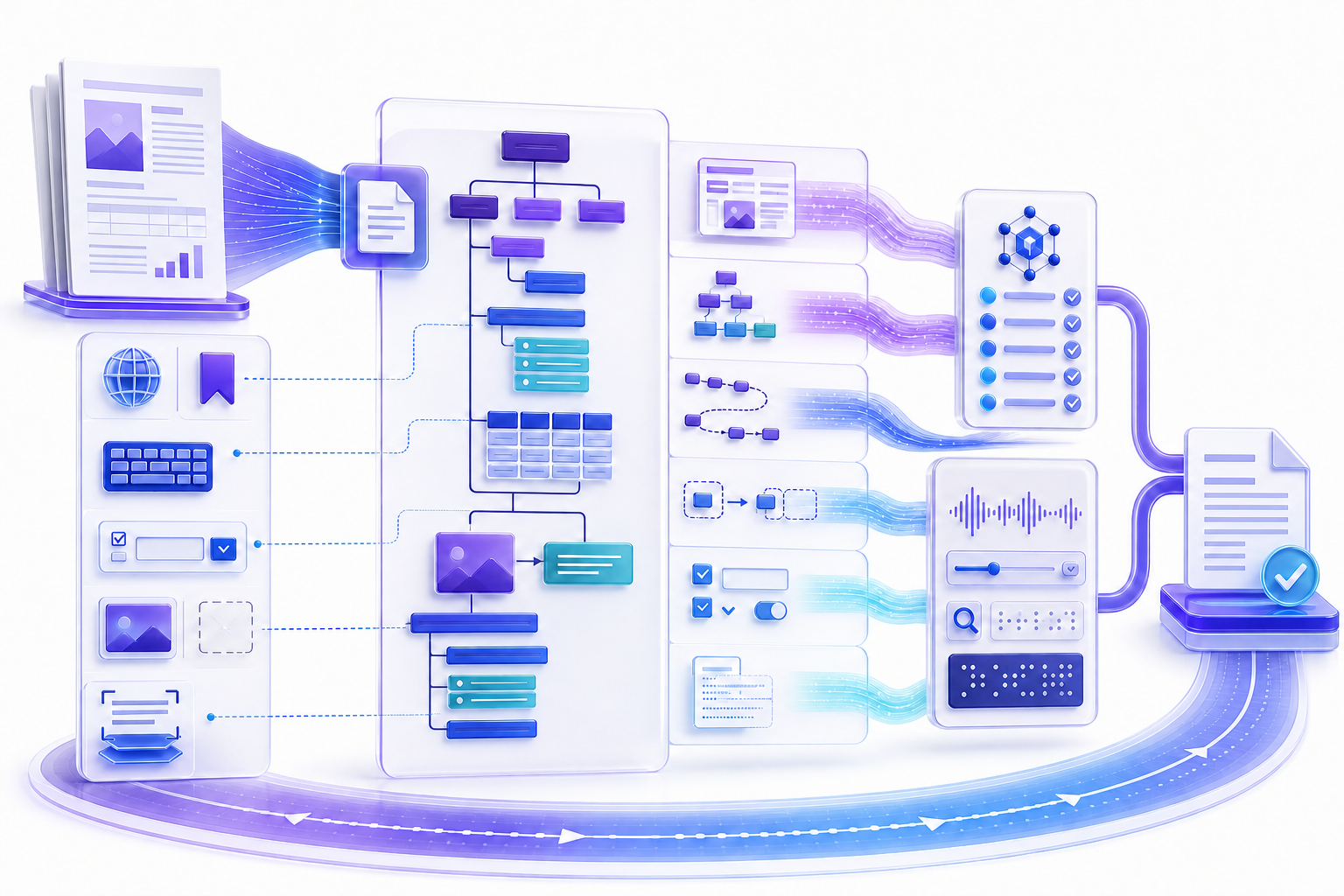
PDF accessibility requires structure, operation, and user evidencePDF Accessibility 需要结构、操作与用户证据
Start with an accessible source when possible, export a tagged PDF through an approved path, preserve the candidate, and verify actual text, document language, title, headings, lists, tables, figures, links, forms, bookmarks, reading order, tab order, color use, magnification, reflow, security, and the tasks real users must complete.
条件允许时从无障碍源文档开始,通过获准路径导出带标签 PDF,保留候选文件,并验证实际文本、文档语言、标题、标题层级、列表、表格、图形、链接、表单、书签、阅读顺序、Tab 顺序、颜色、放大、重排、安全设置以及真实用户要完成的任务。
Accessibility is not a decorative score or one software command. It is the relationship between content, semantic structure, interaction, presentation, assistive technology, and a defined user task. Automated tools can locate some defects, but judgment and manual testing are required for meaning, order, alternatives, labels, instructions, and usability.
无障碍不是装饰性分数,也不是一个软件命令,而是内容、语义结构、交互、呈现、辅助技术与明确用户任务之间的关系。自动工具可以发现部分缺陷,但含义、顺序、替代内容、标签、说明和可用性仍需要人工判断与测试。
Define accessible PDF success before remediation修复前定义无障碍 PDF 成功标准
Identify the audience, content owner, jurisdiction or policy, distribution channel, document lifecycle, languages, devices, assistive technologies, and essential tasks. A short public notice, a complex financial table, a fillable application, and a long technical manual require different evidence. State whether an accessible HTML alternative is available and whether PDF is necessary for the experience.
明确受众、内容责任人、适用司法或政策、分发渠道、文档生命周期、语言、设备、辅助技术与必要任务。简短公开通知、复杂财务表、可填写申请和长篇技术手册所需证据不同。还应说明是否提供无障碍 HTML 替代,以及 PDF 是否确有必要。
Write acceptance criteria that can be observed: headings expose the intended hierarchy, table headers associate with data, figure alternatives communicate purpose, form controls have names and instructions, focus follows a logical path, keyboard users can complete and submit the task, screen-reader output follows the intended sequence, and meaningful content remains usable at required zoom or reflow.
把验收标准写成可观察结果:标题暴露预期层级、表头与数据关联、图片替代内容表达目的、表单控件有名称与说明、焦点按逻辑路径移动、键盘用户可以完成并提交任务、屏幕阅读器按预期顺序输出,以及有意义内容在要求的缩放或重排下仍可使用。
Repair the authoring source before touching the PDF when possible条件允许时先修复创作源文件再处理 PDF
Correct styles, heading levels, list semantics, table headers, alternative text, link purpose, form labels, document language, reading order, and color use in the authoring application, then export using an accessibility-aware method. Source-first repair is repeatable when content changes and reduces fragile manual work in each generated PDF.
在创作应用中修正样式、标题级别、列表语义、表头、替代文本、链接目的、表单标签、文档语言、阅读顺序与颜色,再通过支持无障碍的方式导出。源文件优先修复可在内容变化后重复生成,并减少对每个 PDF 的脆弱手工处理。
Direct remediation is still necessary when the source is unavailable, the export loses structure, legacy content cannot be regenerated, or PDF-specific features such as form controls and annotations require repair. Preserve both source and candidate, identify which system owns each issue, and avoid repeatedly repairing an obsolete derivative.
源文件不可用、导出丢失结构、旧内容无法重新生成,或表单控件与批注等 PDF 特有功能需要修复时,仍必须直接处理 PDF。保留源文件与候选文件,明确每个问题由哪个系统负责,避免反复修复过时衍生版本。
Understand the visual page, content objects, and tag tree理解视觉页面、内容对象与标签树
A PDF can look correct while its semantic structure is missing or wrong. The visual page controls what sighted readers see. Content objects contain text, images, paths, annotations, and controls. The tag tree describes roles and relationships such as headings, paragraphs, lists, tables, figures, links, and form elements. Assistive technology often depends on that logical structure.
PDF 可能视觉正确,却缺少或错误设置语义结构。视觉页面控制有视觉用户看到什么;内容对象包含文字、图像、路径、批注与控件;标签树描述标题、段落、列表、表格、图形、链接和表单元素等角色与关系。辅助技术通常依赖这棵逻辑结构树。
Layout, typography, color, page geometry, and rendered appearance.
版式、字体、颜色、页面几何与渲染外观。
Actual text, graphics, annotations, links, form fields, and reading primitives.
实际文字、图形、批注、链接、表单字段与阅读基础对象。
Tags, hierarchy, relationships, alternatives, language, and logical sequence.
标签、层级、关系、替代内容、语言与逻辑顺序。
Keyboard focus, controls, validation, messages, links, and task completion.
键盘焦点、控件、验证、消息、链接与任务完成。
Inventory page types and accessibility risks盘点页面类型与无障碍风险
Map cover, contents, narrative pages, lists, tables, charts, diagrams, photographs, captions, callouts, footnotes, headers, footers, appendices, scanned inserts, forms, signatures, attachments, multimedia, and security settings. Note repeated templates and exceptional pages. A sample that covers only ordinary paragraphs can miss the defects most likely to block users.
建立封面、目录、叙述页、列表、表格、图表、示意图、照片、题注、提示、脚注、页眉、页脚、附录、扫描插页、表单、签名、附件、多媒体与安全设置清单,标记重复模板和例外页面。只覆盖普通段落的样本会漏掉最可能阻塞用户的问题。
| Page type页面类型 | Primary risk主要风险 | Manual evidence人工证据 |
|---|---|---|
| Multi-column narrative多栏叙述页 | Interleaved reading order阅读顺序交错 | Linearized text and screen-reader sequence线性化文本与屏幕阅读顺序 |
| Complex table复杂表格 | Missing header associations and spans缺少表头关联与跨行跨列 | Navigate cells with row and column context带行列上下文导航单元格 |
| Fillable form可填写表单 | Missing names, instructions, order, or error feedback缺少名称、说明、顺序或错误反馈 | Keyboard-only completion and submission仅键盘完成与提交 |
Preserve the candidate and create a remediation copy保留候选文件并创建修复副本
Save the source, original PDF candidate, and a separately named remediation copy in approved locations. Record filename, version, page count, size, owner, language, generation path, expected standard or policy, checker version, test environment, and any checksum your process uses. Tag edits, OCR, optimization, form repair, security changes, and signing can rewrite the file.
把源文件、原始 PDF 候选和单独命名的修复副本保存在获准位置。记录文件名、版本、页数、大小、责任人、语言、生成路径、预期标准或政策、检查器版本、测试环境与流程使用的校验值。标签编辑、OCR、优化、表单修复、安全变更和签名都可能重写文件。
Keep a defect log tied to page, element, user impact, expected behavior, repair owner, change, retest, and disposition. Do not use screenshots as the only evidence because they cannot prove tag semantics, reading sequence, focus order, or assistive output.
缺陷日志应关联页码、元素、用户影响、预期行为、修复责任人、更改、复测与处置。不要只用截图作为证据,因为截图无法证明标签语义、阅读顺序、焦点顺序或辅助技术输出。
Verify actual text before relying on tags依赖标签前先验证实际文本
Search, select, copy, and extract representative content. Image-only scans need OCR or a better source before semantic tagging is useful. OCR output must be checked for coverage, character accuracy, language, reading order, and alignment. The searchable pdf desk owns that text-layer check. A tagged image of text does not become equivalent to actual accurate text merely because it has a structure role.
搜索、选择、复制和提取代表内容。纯图像扫描件在语义标签发挥作用前需要 OCR 或更好的源文件。OCR 输出必须检查覆盖、字符准确性、语言、阅读顺序与对齐。文本层检查见 searchable pdf。文本图像不会仅因拥有结构角色,就等同于准确的实际文字。
Test names, numbers, punctuation, units, abbreviations, equations, columns, tables, headers, footnotes, and the final pages. Preserve the page image when its visual evidence matters, but ensure machine-readable content represents the same information. Record known limitations rather than silently accepting uncertain text.
测试姓名、数字、标点、单位、缩写、公式、分栏、表格、页眉、脚注和末页。页面图像具有视觉证据价值时应保留,但机器可读内容必须表达相同信息。应记录已知限制,而不是静默接受不确定文本。
Set a meaningful document title and correct language设置有意义的文档标题与正确语言
Set the primary document language so assistive technology can choose suitable pronunciation and text processing. Mark passages in another language where the applicable workflow supports it. Provide a meaningful document title and configure initial view behavior according to policy so the title, not merely a filename, identifies the document.
设置主要文档语言,使辅助技术可以选择合适的发音和文本处理;适用流程支持时,为其他语言段落单独标记语言。提供有意义的文档标题,并按政策配置初始视图,让标题而不只是文件名标识文档。
Verify title and language in document properties and through the accessibility interface exposed by the test tool. A metadata field that looks populated visually may not be the value used by every reader, so test the released file in representative applications.
在文档属性和测试工具暴露的无障碍接口中验证标题与语言。视觉上已填写的元数据字段未必被每个阅读器使用,因此应在代表应用中测试发布文件。
Build a complete, logical PDF tag tree建立完整且合乎逻辑的 PDF 标签树
Every meaningful content object should be represented in the logical structure, while decorative content should be marked as an artifact or otherwise excluded appropriately. Tags must nest in a sequence that reflects the document’s meaning, not the order objects happened to be drawn. Avoid empty tags, orphaned content, duplicate content, deeply fragmented words, and unrelated objects grouped under one role.
每个有意义的内容对象都应在逻辑结构中表示,装饰内容应正确标记为 Artifact 或排除。标签必须按文档含义嵌套,而不是按对象绘制顺序排列。应避免空标签、孤立内容、重复内容、被过度拆分的单词,以及把无关对象归到同一角色。
Auto-tagging can provide a draft, especially for simpler layouts, but it can misclassify headings, lists, tables, figures, artifacts, and reading order. Review the entire tag tree and compare it with the page content. Adobe’s guidance explicitly recommends reviewing and editing tags after automatic creation.
自动加标签可为简单版式提供草稿,但可能错误分类标题、列表、表格、图片、装饰内容与阅读顺序。应审核整个标签树并与页面内容比较。Adobe 官方说明也明确建议在自动创建后审核和编辑标签。
Use headings and lists to expose real hierarchy使用标题与列表暴露真实层级
Tag each actual heading with the level that represents its place in the document hierarchy. Do not choose a heading level because of font size, and do not tag ordinary emphasized text as a heading. Check that the sequence is understandable and that repeated running headers are not announced as structural headings on every page.
每个真实标题应按其在文档层级中的位置标记,不能因为字号选择标题级别,也不能把普通强调文字标记为标题。检查层级顺序是否可理解,并确认重复页眉不会在每页都作为结构标题朗读。
Lists need list, list-item, label, and body relationships appropriate to the file and tool. A row of bullet characters with separate paragraphs may look like a list but expose no list semantics. Test how item count, nesting, and labels are announced.
列表需要适合文件与工具的列表、列表项、标签和正文关系。一排项目符号加独立段落视觉上像列表,却可能没有列表语义。应测试项目数量、嵌套与标签如何被朗读。
Fix logical reading order, not only visual order修复逻辑阅读顺序而不只是视觉顺序
Linearize each page and listen to or inspect the sequence. Multi-column layouts, sidebars, callouts, captions, footnotes, floating figures, repeated headers, and page numbers often create incorrect order. The order panel, content order, and tag tree may represent different aspects; understand which one the target assistive technology uses and verify the outcome.
线性化每页并听取或检查顺序。多栏、侧栏、提示框、题注、脚注、浮动图片、重复页眉和页码经常造成错误顺序。顺序面板、内容顺序与标签树可能表示不同层面,应理解目标辅助技术使用哪一种并验证结果。
Adobe describes the Reading Order tool as a way to inspect and repair basic order and tagging, while noting that advanced structures require the Tags panel. Save a copy before changes, isolate difficult pages, and retest after every structural edit because moving one node can affect downstream sequence.
Adobe 把 Reading Order 工具描述为检查和修复基础顺序与标签的方法,同时说明高级结构需要 Tags 面板。更改前保存副本,隔离困难页面,并在每次结构编辑后复测,因为移动一个节点可能影响后续顺序。
Mark decorative and repeated content as artifacts carefully谨慎把装饰与重复内容标记为 Artifact
Borders, background shapes, crop marks, purely decorative images, repeated page furniture, and some running headers or footers may need exclusion from the logical structure. But do not hide meaningful labels, warnings, figure content, page context, or information required to understand the task. Decide based on meaning, not appearance alone.
边框、背景形状、裁切标记、纯装饰图片、重复页面元素和部分页眉页脚可能需要从逻辑结构中排除,但不能隐藏有意义标签、警告、图形内容、页面上下文或理解任务所需信息。应根据含义而非外观决定。
Give meaningful figures concise, contextual alternatives为有意义图形提供简洁且有上下文的替代内容
Determine whether each image is informative, functional, complex, redundant, or decorative. Alternative text should communicate the image’s purpose in context, not list every visual detail or repeat nearby text. Complex charts and diagrams may need a concise alternative plus an adjacent extended explanation, data table, or equivalent resource.
判断每张图片是信息性、功能性、复杂、重复还是装饰性。替代文本应表达图片在上下文中的目的,而不是罗列所有视觉细节或重复邻近文字。复杂图表和示意图可能需要简短替代文本,再配相邻详细说明、数据表或等效资源。
Check that each meaningful figure has one appropriate figure tag, its alternative is associated with the correct content, captions remain in the reading flow, and decorative elements are not announced. Do not use filenames, generic labels, or generated descriptions without human review.
检查每个有意义图形是否有一个适当 Figure 标签,替代内容是否关联正确内容,题注是否留在阅读流中,装饰元素是否不被朗读。不要使用文件名、通用标签或未经人工审核的生成描述。
Build table structure that preserves row and column meaning建立保留行列含义的表格结构
Use a table container with rows, header cells, and data cells in a logical sequence. Identify whether headers apply by row, column, or both, and represent spans and irregular structures accurately. Avoid using tables only for visual layout. Complex tables may need simplification in the source or an accessible alternative.
使用包含行、表头单元格和数据单元格的表格容器,并按逻辑顺序组织。识别表头是应用于行、列还是两者,准确表示跨行跨列与不规则结构。不要只为视觉布局使用表格;复杂表格可能需要在源文件中简化或提供无障碍替代。
Navigate representative cells using assistive technology and confirm that the user receives enough row and column context to interpret values. Visual borders and bold text do not create header associations. Automated checks can detect some missing tags but may not determine whether the relationships express the intended meaning.
用辅助技术导航代表单元格,确认用户获得足够行列上下文来解释数值。视觉边框和粗体不会创建表头关联;自动检查能发现部分缺失标签,却未必能判断关系是否表达预期含义。
Make link purpose understandable in context让链接目的在上下文中可理解
Use descriptive visible text and a correct link annotation associated with the link tag. Avoid repeated “click here,” raw URLs when a meaningful label is available, and links whose accessible name differs misleadingly from the destination. Confirm focus, activation, target, and whether opening a new context is communicated according to policy.
使用描述性可见文字,并把正确链接批注与 Link 标签关联。避免重复“点击这里”、在有意义标签可用时使用裸 URL,以及无障碍名称与目标误导性不一致。确认焦点、激活、目标,以及按政策是否说明打开新上下文。
Check every externally distributed link for status and destination at release time. A perfectly tagged broken link still blocks the task. For long documents, meaningful bookmarks and a linked table of contents can improve navigation, but both need manual destination verification.
发布时检查每个外部链接的状态与目标。即使标签完美,失效链接仍会阻塞任务。对于长文档,有意义的书签与可点击目录可以改善导航,但两者都需要人工验证目标。
Make PDF forms named, instructed, ordered, and keyboard operable让 PDF 表单有名称、说明、顺序并可用键盘操作
Every interactive control needs an exposed role, meaningful name, current state or value, instructions, required indication, and error feedback appropriate to the task. Group related controls, distinguish choices, and avoid relying on placeholder text alone. Labels must remain clear when users zoom, reflow, or use high contrast.
每个交互控件都需要暴露角色、有意义名称、当前状态或值、说明、必填指示与适合任务的错误反馈。应对相关控件分组、区分选项,并避免只依赖占位文字。用户放大、重排或使用高对比时,标签仍须清晰。
Complete the entire form with keyboard only: enter, revise, select, navigate backward and forward, activate help, trigger validation, understand errors, review, sign if applicable, submit, save, and recover. Confirm tab order follows the visual and logical task rather than object-creation order. Test security settings that could block assistive access or saving.
仅用键盘完成整个表单:输入、修改、选择、前后导航、激活帮助、触发验证、理解错误、复核、适用时签署、提交、保存与恢复。确认 Tab 顺序遵循视觉和逻辑任务,而不是对象创建顺序;测试可能阻止辅助访问或保存的安全设置。
Test color, contrast, zoom, reflow, and text spacing测试颜色、对比度、缩放、重排与文字间距
Do not use color alone to convey status, required fields, categories, or errors. Evaluate text and meaningful graphical contrast according to the applicable requirement. At required magnification, check that text, controls, instructions, and focus remain visible without destructive overlap or loss. Reflow behavior depends on sound structure and may not be suitable for every fixed-layout artifact, so test the defined use case.
不要只靠颜色传达状态、必填字段、类别或错误。根据适用要求评估文字与有意义图形的对比度。在要求放大比例下,检查文字、控件、说明和焦点是否仍可见且不会破坏性重叠或丢失。重排依赖良好结构,也不一定适合每种固定版式,应测试明确使用场景。
Verify selected text, links, focus, comments, form fields, and error states in representative high-contrast or custom display settings. A visually attractive default screenshot cannot prove usability under user preferences.
在代表性高对比或自定义显示设置中验证选中文字、链接、焦点、评论、表单字段与错误状态。漂亮的默认截图无法证明用户偏好设置下的可用性。
Ensure security settings do not block authorized accessibility确保安全设置不阻止获准无障碍访问
Opening passwords, copying restrictions, printing limits, scripts, external content, and protected environments can affect accessibility workflows. Apply only controls required by the risk owner, test authorized assistive access, and document any limitation. Do not weaken security silently; resolve conflicts through the responsible policy owners.
打开密码、复制限制、打印限制、脚本、外部内容与受保护环境可能影响无障碍工作流。只应用风险责任人要求的控制,测试获准辅助访问并记录限制。不要静默降低安全性,应由相关政策责任人解决冲突。
Accessibility does not require publishing confidential content without protection. It requires that authorized users, including people with disabilities, can access and operate the information through an appropriate secure path.
无障碍并不要求在无保护情况下发布机密内容,而是要求包括残障人士在内的授权用户能够通过适当安全路径访问和操作信息。
Use an accessibility checker to locate defects, not certify meaning用无障碍检查器定位缺陷而不是认证含义
Run the approved checker on the final candidate and record tool, version, rules, scope, date, and results. Review every failure, warning, skipped rule, manual-check item, and inaccessible element. A pass can show that selected machine-testable conditions were satisfied; it cannot determine whether alternative text is meaningful, reading order makes sense, instructions are sufficient, or the user task works.
在最终候选上运行获准检查器,并记录工具、版本、规则、范围、日期与结果。审核每个失败、警告、跳过规则、人工检查项和无法访问元素。通过只能表明所选机器可测试条件满足,不能判断替代文本是否有意义、阅读顺序是否合理、说明是否充分或用户任务是否可完成。
Do not delete tags, flatten forms, rasterize pages, or lower security simply to produce a cleaner score. Fix the underlying user impact, then rerun the checker and manual tests. Keep before-and-after evidence for material changes.
不要为了更干净的分数删除标签、压平表单、栅格化页面或降低安全性。应修复底层用户影响,再重新运行检查器与人工测试,并为重要变更保留前后证据。
Perform manual structure and interaction tests执行人工结构与交互测试
Inspect tags against visible content page by page or through a risk-based plan that includes every page type. Linearize content, examine headings and lists, navigate table relationships, inspect figure alternatives, follow links and bookmarks, complete forms with keyboard only, test errors, review focus order, and compare extracted text. Record exact evidence and exceptions.
逐页检查标签与可见内容,或通过覆盖每种页面类型的风险计划检查。线性化内容,检查标题与列表,导航表格关系,审核图片替代内容,使用链接与书签,仅键盘完成表单,测试错误与焦点顺序,并比较提取文字。记录确切证据和异常。
For long repeated documents, validate templates and representative instances, but do not assume one sample covers every generated value, page break, language, empty field, or exception. Increase coverage when consequence, variation, or uncertainty is high.
对于大量重复文档,可以验证模板与代表实例,但不能假设一个样本覆盖所有生成值、分页、语言、空字段或异常。影响、变化或不确定性较高时应扩大覆盖。
Test representative tasks with assistive technology使用辅助技术测试代表性任务
Select representative screen readers, keyboard workflows, magnification, reflow, high contrast, or other technology based on users and policy. Test navigation by headings and links, reading from the beginning and a chosen point, locating information, interpreting tables and figures, completing forms, understanding errors, and saving or submitting results.
根据用户与政策选择代表性屏幕阅读器、键盘流程、放大、重排、高对比或其他技术。测试按标题与链接导航、从开头和选定位置阅读、查找信息、解释表格与图形、完成表单、理解错误,以及保存或提交结果。
A test by one expert in one reader does not prove universal support. Record the environment and scope, distinguish product-specific behavior from file defects, and prioritize the combinations that reflect actual distribution. Involve users with disabilities when the organization’s research and privacy process supports it; do not claim user validation when none occurred.
一名专家在一个阅读器中的测试不能证明普遍支持。记录环境与范围,区分产品特定行为和文件缺陷,并优先考虑真实分发组合。组织研究与隐私流程允许时可邀请残障用户参与;未实际进行用户验证时不要声称已验证。
Scope WCAG, PDF techniques, PDF/UA, and policy correctly正确界定 WCAG、PDF 技术、PDF/UA 与政策
Identify the normative requirement that applies and treat supporting techniques as examples rather than universal mandates. W3C’s WCAG technique collection explicitly describes techniques as examples of ways to meet criteria, not requirements themselves. PDF/UA, Section 508, procurement rules, organizational standards, and legal obligations have different scopes and evidence.
明确适用的规范性要求,并把支持技术视为示例而不是通用强制。W3C WCAG 技术集合明确说明技术是满足准则的方法示例,而非要求本身。PDF/UA、Section 508、采购规则、组织标准与法律义务具有不同范围和证据。
Do not write “compliant” without naming the target, version, scope, evaluator, method, exceptions, and evidence. This guide provides a workflow, not legal advice or certification. The responsible organization must determine its obligations.
不要在未说明目标、版本、范围、评估者、方法、异常与证据的情况下写“合规”。本指南提供工作流,不构成法律建议或认证;义务应由责任组织确定。
Remediate by user impact and retest affected relationships按用户影响修复并复测受影响关系
Prioritize blockers: no actual text, no structure, inaccessible essential form, incorrect reading or focus order, unlabeled controls, unusable tables, missing alternatives for critical figures, inaccessible security, and broken navigation. Then address efficiency and clarity issues. Repair in the source when sustainable, otherwise edit a controlled PDF copy.
优先处理阻塞问题:没有实际文字、没有结构、必要表单不可访问、阅读或焦点顺序错误、控件无标签、表格不可用、关键图形缺少替代内容、安全设置阻止访问以及导航失效。随后处理效率与清晰度问题。可持续时在源文件修复,否则编辑受控 PDF 副本。
Structural repairs interact. Changing reading order can affect headings, figure captions, links, tables, and forms. Re-exporting can replace every manual tag edit. Security or signing can change allowed operations. After each major change, rerun automated checks and the manual tests that cover affected relationships.
结构修复会相互影响:更改阅读顺序可能影响标题、题注、链接、表格和表单;重新导出可能覆盖所有手工标签;安全或签署可能改变允许操作。每次重要变更后都应重新运行自动检查和覆盖相关关系的人工测试。
Use a fourteen-step PDF accessibility workflow使用十四步 PDF Accessibility 工作流
- 1Define users, essential tasks, target requirements, environments, and evidence.定义用户、必要任务、目标要求、环境与证据。
- 2Decide whether accessible HTML or another format should lead.决定是否应优先使用无障碍 HTML 或其他格式。
- 3Inventory source, page types, forms, languages, security, and exceptions.盘点源文件、页面类型、表单、语言、安全与异常。
- 4Repair the authoring source and export through an approved tagged route.修复创作源并通过获准带标签路径导出。
- 5Preserve the candidate and create a named remediation copy.保留候选并创建命名修复副本。
- 6Verify actual text, OCR accuracy, language, title, and metadata.验证实际文字、OCR 准确性、语言、标题与元数据。
- 7Review the complete tag tree, headings, lists, and artifacts.审核完整标签树、标题、列表与 Artifact。
- 8Fix reading order, figures, alternatives, tables, links, and bookmarks.修复阅读顺序、图片、替代内容、表格、链接与书签。
- 9Repair form names, instructions, states, errors, and tab order.修复表单名称、说明、状态、错误与 Tab 顺序。
- 10Check color, contrast, zoom, reflow, security, and protected access.检查颜色、对比度、缩放、重排、安全与受保护访问。
- 11Run the approved automated checker and review every manual item.运行获准自动检查器并审核每个人工项目。
- 12Perform manual structure, keyboard, content, and interaction tests.执行人工结构、键盘、内容与交互测试。
- 13Test representative assistive-technology tasks and retest repairs.测试代表性辅助技术任务并复测修复。
- 14Document scope, evidence, exceptions, approval, release, and maintenance.记录范围、证据、异常、批准、发布与维护。
Create a remediation and test record that can be reproduced创建可复现的修复与测试记录
Record source and output versions, owner, target requirement and version, document languages, generation route, page-type inventory, checker and version, automated findings, manual checks, assistive environments, tested tasks, defects, user impact, remediation, retest, exceptions, approval, accessible alternative, final location, and maintenance trigger. Avoid confidential content and user data in the report.
记录源文件与输出版本、责任人、目标要求及版本、文档语言、生成路径、页面类型清单、检查器及版本、自动结果、人工检查、辅助环境、测试任务、缺陷、用户影响、修复、复测、异常、批准、无障碍替代、最终位置与维护触发。报告中避免机密内容和用户数据。
target: [named requirement and version]
source_and_output: [controlled references]
page_types: [coverage inventory]
automated_check: [tool, version, findings]
manual_tests: [structure, keyboard, content]
assistive_tests: [environment and tasks]
exceptions: [impact, owner, disposition]
approval: [role, date, released version]
Turn PDF accessibility evidence into a structured Word report把 PDF Accessibility 证据整理成结构化 Word 报告
Draft the scope, target, page inventory, automated findings, manual tests, assistive-technology evidence, defects, remediation, exceptions, and approval in Markdown, then use the InfiniSynapse Markdown-to-Word tool to create a reviewable document. The tool prepares reporting; it does not tag, remediate, test, certify, or make a PDF accessible.
先用 Markdown 起草范围、目标、页面清单、自动结果、人工测试、辅助技术证据、缺陷、修复、异常与批准,再使用 InfiniSynapse Markdown-to-Word 工具生成可审核文档。该工具用于整理报告,不会给 PDF 加标签、修复、测试、认证或自动实现无障碍。
Open Markdown-to-Word Tool打开 Markdown-to-Word 工具Use sanitized examples. Do not upload confidential PDFs, personal user information, real credentials, or restricted test evidence to an unapproved service.使用脱敏示例,不要把机密 PDF、个人用户信息、真实凭证或受限测试证据上传到未经批准的服务。
Use this checklist before releasing an accessible PDF发布无障碍 PDF 前使用此检查清单
- Users, tasks, target requirements, environments, and evidence are defined.用户、任务、目标要求、环境与证据已定义。
- The source was repaired where feasible and the released candidate is versioned.可行时已修复源文件,发布候选已版本化。
- Actual text, OCR, title, language, metadata, and page coverage are verified.实际文字、OCR、标题、语言、元数据与页面覆盖已验证。
- The complete tag tree, headings, lists, artifacts, and reading order were manually reviewed.完整标签树、标题、列表、Artifact 与阅读顺序已人工审核。
- Figures, alternatives, tables, links, bookmarks, forms, and tab order passed task tests.图片、替代内容、表格、链接、书签、表单与 Tab 顺序已通过任务测试。
- Color, contrast, zoom, reflow, security, and authorized access were checked.颜色、对比度、缩放、重排、安全与授权访问已检查。
- Automated results were reviewed rather than treated as certification.自动结果已审核,而不是被当作认证。
- Manual, keyboard, and representative assistive-technology tests passed or have documented exceptions.人工、键盘与代表性辅助技术测试通过,或已有异常记录。
- Scope, evidence, defects, repairs, exceptions, approval, release, and maintenance are recorded.范围、证据、缺陷、修复、异常、批准、发布与维护已记录。
Frequently asked questions about PDF accessibility关于 PDF Accessibility 的常见问题
Define the applicable target, run an approved automated checker, review every manual item, inspect actual text and the complete tag tree, test reading and tab order, navigate tables and forms, and perform representative keyboard and assistive-technology tasks.
定义适用目标,运行获准自动检查器,审核所有人工项目,检查实际文字与完整标签树,测试阅读与 Tab 顺序,导航表格与表单,并执行代表性键盘与辅助技术任务。
No. Tags can be incomplete, misordered, incorrectly nested, or semantically wrong. Actual text, alternatives, tables, forms, links, security, visual access, interaction, and user tasks also need verification.
不是。标签可能不完整、顺序错误、嵌套错误或语义错误;实际文字、替代内容、表格、表单、链接、安全、视觉访问、交互与用户任务也要验证。
No. OCR can provide actual text, but accuracy and reading order must be checked, and the PDF may still need language, semantic tags, headings, lists, tables, alternatives, links, forms, bookmarks, and interaction repair.
不够。OCR 可以提供实际文字,但准确性和阅读顺序仍要检查,PDF 还可能需要语言、语义标签、标题、列表、表格、替代内容、链接、表单、书签与交互修复。
Repair the source and regenerate when feasible because the fix is repeatable. Direct PDF remediation is appropriate when the source is unavailable, export loses structure, or PDF-specific forms, annotations, security, and legacy content need repair.
可行时优先修复源文件并重新生成,因为修复可重复。源文件不可用、导出丢失结构,或 PDF 特有表单、批注、安全与旧内容需要处理时,适合直接修复 PDF。
No. It tests selected machine-detectable conditions. Compliance claims require a named target, version, scope, method, manual judgment, interaction evidence, exceptions, and responsible approval. Legal obligations must be determined by the responsible organization.
不能。检查器只测试部分机器可检测条件。合规声明需要明确目标、版本、范围、方法、人工判断、交互证据、异常与责任批准;法律义务应由责任组织确定。
Authoritative sources for accessible PDF structure and testing无障碍 PDF 结构与测试权威资料
- Adobe Acrobat: creating accessible PDFsAdobe Acrobat:创建无障碍 PDF
- Adobe Acrobat: Reading Order toolAdobe Acrobat:Reading Order 工具
- Adobe Acrobat: edit document structure and tagsAdobe Acrobat:编辑文档结构与标签
- W3C WAI: WCAG 2.2 techniques including PDF techniquesW3C WAI:包含 PDF 技术的 WCAG 2.2 技术集合
- Section508.gov: create accessible PDFsSection508.gov:创建无障碍 PDF