
Quick answer: build a Markdown table of contents against the final renderer快速答案:以最终渲染器为准创建 Markdown 目录
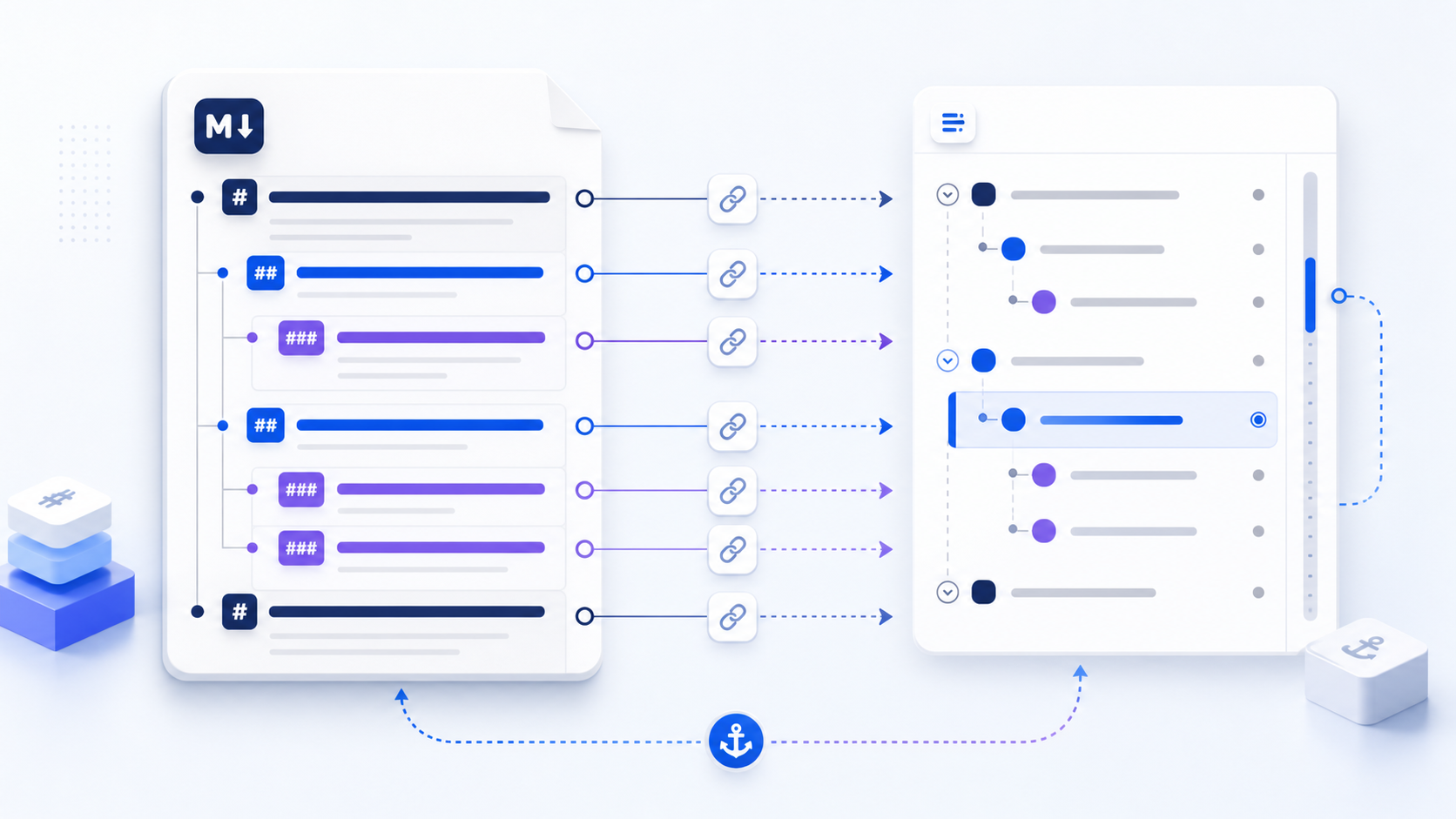
A Markdown TOC is a list of links to the identifiers generated from document headings. Start with one document title and a logical heading hierarchy, generate or copy the anchors according to the destination renderer, limit the TOC to sections readers need, and click-test every entry after the file is published. GitHub, GitLab, a local editor, and a static-site generator may not create identical identifiers from punctuation, duplicate headings, Unicode text, or inline formatting.
Markdown TOC 本质上是一个链接到标题标识符的列表。先建立一个文档标题和清晰的标题层级,再按照最终发布环境生成或复制锚点,只保留读者真正需要的章节,并在发布后逐项点击测试。GitHub、GitLab、本地编辑器和静态站点生成器对标点、重复标题、Unicode 文本及行内格式的标识符处理可能并不相同。
Start the Markdown TOC with a sound heading hierarchy先建立可靠的 Markdown 标题层级
A table of contents cannot repair a document with unclear structure. Use one document title, then organize major topics with second-level headings and subdivisions with third-level headings only when those subdivisions genuinely help navigation. Do not choose heading levels for font size. A jump from level two to level four may still render, but it communicates a missing structural level and produces a confusing nested TOC.
目录无法修复结构混乱的文档。文档应只有一个主标题,主要主题使用二级标题,只有在确实有助于导航时才使用三级标题表示细分内容。不要为了字号选择标题级别。从二级直接跳到四级虽然可能正常渲染,却意味着结构中缺少一层,并会生成令人困惑的嵌套目录。
Repeated headings can produce numbered or otherwise modified anchors that differ by renderer.重复标题可能生成带编号或其他变化的锚点,而且不同渲染器处理方式并不相同。
A TOC should help scanning. Short visible labels may link to longer, descriptive headings.目录用于快速浏览,简短的可见标签可以链接到更完整的描述性标题。
Do not turn notes, slogans, or every card title into headings merely to make them appear in navigation.不要为了让内容出现在目录中,就把提示语、口号或每张卡片标题都改成标题。
Short documents may list only level-two headings; technical references may need a second nested level.短文档通常只列二级标题;技术参考文档可能需要再展示一层嵌套。
# Deployment Guide

## Prerequisites
## Configure the service
### Environment variables
### Database connection
## Validate the deployment
## Troubleshooting
Write a Markdown table of contents with heading links使用标题链接编写 Markdown 目录
The visible part of each entry is normal Markdown link text. The destination begins with # because it points to an identifier inside the current document. Indentation creates hierarchy in the list, but indentation alone does not create a valid relationship; it should mirror the heading levels in the document.
每个目录项的可见部分是普通 Markdown 链接文本。目标地址以 # 开头,因为它指向当前文档内的标识符。缩进用于形成列表层级,但缩进本身不会创造有效关系,目录层级应与文档标题层级一致。
## Table of contents

- [Prerequisites](#prerequisites)
- [Configure the service](#configure-the-service)
  - [Environment variables](#environment-variables)
  - [Database connection](#database-connection)
- [Validate the deployment](#validate-the-deployment)
- [Troubleshooting](#troubleshooting)
If your processor supports a marker, you can put [TOC] in the same place instead. The portable version is still the list above. Do not assume the visible heading text is the literal anchor. Most renderers normalize it: letters may become lowercase, spaces often become hyphens, punctuation may be removed, and duplicate identifiers may receive a suffix. The exact algorithm belongs to the renderer, not to Markdown itself.
若处理器支持标记,也可在同一位置写 [TOC]。可移植的写法仍是上面的链接列表。不要假设可见标题文字就是实际锚点。多数渲染器会进行规范化:字母可能转为小写,空格通常改为连字符,标点可能被删除,重复标识符还可能获得后缀。具体算法由渲染器决定,并不是 Markdown 标准统一规定的。
What markdown TOC markers mean: [TOC], [[toc]], [[_TOC_]]Markdown TOC 标记是什么:[TOC]、[[toc]]、[[_TOC_]]
Core Markdown has no universal TOC directive. These markers only work where a processor replaces them. A portable Markdown TOC is still an ordinary list of # heading links.
核心 Markdown 没有统一的目录指令。下列标记只在对应处理器会替换它们时生效。可移植的 Markdown TOC 仍然是普通的 # 标题链接列表。
| Marker标记 | Where it is recognized常见识别环境 | What to expect预期结果 |
|---|---|---|
[TOC] | Python-Markdown and many static-site or online generatorsPython-Markdown 及不少静态站点 / 在线生成器 | The marker is replaced with a nested list标记被替换为嵌套列表 |
[[toc]] | markdown-it plugins and similar JS pipelinesmarkdown-it 插件及同类 JS 流水线 | Same idea; the slug must match the paired anchor plugin同样替换为目录;slug 必须与配套锚点插件一致 |
[[_TOC_]] | GitLab wiki and some GitLab MarkdownGitLab Wiki 及部分 GitLab Markdown | GitLab-specific; do not expect it on GitHubGitLab 专用;不要指望 GitHub 识别 |
| (none)(无标记) | GitHub READMEGitHub README | Write or generate - [label](#slug) links手写或生成 - [label](#slug) 链接 |
Pick the generator’s preset for the destination (GitHub vs GitLab vs generic). A list built for one slug algorithm will look fine in a local preview and miss on the other host.
生成器的预设必须对准发布环境(GitHub / GitLab / 通用)。按一种 slug 算法生成的列表,在本地预览可能正常,换到另一主机就会失效。
Understand Markdown heading anchor rules理解 Markdown 标题锚点生成规则
| Heading pattern标题模式 | Common result常见结果 | Risk to check需要检查的风险 |
|---|---|---|
Install the CLI | #install-the-cli | Usually predictable通常较容易预测 |
API v2.0: Setup | #api-v20-setup or a variant或其他变体 | Punctuation handling differs标点处理可能不同 |
Café Data | Renderer-dependent取决于渲染器 | Unicode normalizationUnicode 规范化差异 |
Examples repeated twice重复两次 | #examples, #examples-1 or similar或类似形式 | Suffix rules differ后缀规则不同 |
| Heading with inline code含行内代码的标题 | Renderer-dependent取决于渲染器 | Markup may affect the slug标记可能影响 slug |
GitHub documents automatic anchors for rendered headings, but other systems—including static site generators, documentation frameworks, editors, and Word conversion pipelines—may use different slug logic. Treat the target renderer as the authority and test there rather than relying only on a local preview.
GitHub 会为渲染后的标题生成自动锚点,但静态网站生成器、文档框架、编辑器以及 Word 转换流程可能采用不同的 slug 逻辑。应以目标渲染器为准,并在真实目标环境中测试,而不能只依赖本地预览。
Audit a Markdown TOC with a worked README example使用 README 实例审计 Markdown 目录
Suppose a release guide contains the headings below. The first draft was generated in an editor, but the destination is GitHub. The reviewer should not approve the source merely because the links work in preview. The evidence is the rendered destination: copy each section link, compare it with the committed TOC, and record any mismatch before merging.
假设一个发布指南包含下列标题。第一版目录由编辑器生成,但最终发布位置是 GitHub。即使链接在本地预览中正常,审查者也不应直接批准源文件;应以渲染后的目标页面为证据,复制每个章节链接,与提交的目录逐项比较,并在合并前记录差异。
# Release Guide

## Pre-release checks
## API v2.0: Setup
## Examples
## Examples
## 回滚与恢复

## Table of contents
- [Pre-release checks](#pre-release-checks)
- [API v2.0: Setup](#api-v20-setup)
- [Examples](#examples)
- [Examples: recovery](#examples-1)
- [回滚与恢复](#回滚与恢复)| Check检查项 | Evidence to capture需要保留的证据 | Pass condition通过条件 | Failure action失败处理 |
|---|---|---|---|
| Heading scope标题范围 | Rendered outline plus source hierarchy渲染后大纲与源文件层级 | Every listed entry helps a reader reach a real task每个目录项都帮助读者到达真实任务 | Remove decorative or overly deep entries删除装饰性或层级过深的条目 |
| Duplicate headings重复标题 | Copied links for both rendered headings两个渲染标题各自复制的链接 | Each entry opens the intended occurrence每个目录项跳转到预期位置 | Rename for meaning or use the renderer's verified suffix按含义重命名,或使用已验证的渲染器后缀 |
| Punctuation and Unicode标点与 Unicode | Final URL fragment from the published file发布文件中的最终 URL 片段 | The committed destination exactly matches it提交的目标与其完全一致 | Replace guessed slugs with copied destination links用复制的目标链接替换猜测的 slug |
| Change safety变更安全 | Diff of headings and generated TOC标题与生成目录的差异 | Renamed or reordered headings have matching TOC updates标题改名或排序后目录同步更新 | Block the change until internal and known external links are reviewed内部及已知外链审查完成前阻止变更 |
The useful output of this audit is not “the generator ran.” It is a small verification record containing the target renderer, tested commit or document version, date, number of entries, mismatches found, and reviewer. That record makes a later broken link reproducible and distinguishes a stale TOC from a platform-specific anchor change.
这项审计的有效输出不是“生成器运行过”,而是一份简短验证记录:目标渲染器、被测试的提交或文档版本、日期、目录项数量、发现的差异及审查人。它能让后续失效链接问题可复现,并区分“目录过期”和“平台锚点规则变化”。
Build a GitHub Markdown table of contents for README files为 README 创建 GitHub Markdown 目录
A README table of contents is most valuable when the file is long enough that users cannot see the main sections at a glance. Put the TOC after the opening summary and before detailed setup instructions. Keep the top level focused on tasks readers actually seek—installation, configuration, usage, API reference, troubleshooting, contributing, and licensing—rather than listing every heading.
当 README 较长、用户无法一眼看到主要章节时,目录最有价值。目录通常放在开头摘要之后、详细安装步骤之前。顶层应聚焦读者真正寻找的任务,例如安装、配置、使用、API 参考、故障排查、贡献方式和许可证,而不是列出所有标题。
GitHub exposes a heading link through the rendered interface, which is useful when an anchor is uncertain. Open the rendered README, point to the heading, and copy its link. This verifies the final slug and avoids guessing about punctuation, emoji, non-Latin text, or duplicates. Recheck after renaming headings because external links may also depend on those anchors.
当锚点不确定时,可以通过 GitHub 渲染界面获取标题链接。打开渲染后的 README,定位对应标题并复制链接,就能确认最终 slug,避免猜测标点、表情符号、非拉丁文字或重复标题的处理方式。标题改名后应重新检查,因为外部页面也可能依赖这些锚点。
Generate and maintain a Markdown TOC automatically自动生成并维护 Markdown 目录
Automation is useful when a document has many headings or changes frequently. Editor extensions, command-line tools, documentation generators, and build scripts can scan headings and replace a marked TOC region. The safest workflow keeps the generated block clearly delimited, runs the generator consistently, and reviews the resulting diff before commit.
当文档标题很多或经常变化时,自动化非常有用。编辑器扩展、命令行工具、文档生成器和构建脚本都可以扫描标题,并替换一个带标记的目录区域。更安全的流程会明确划定自动生成块,始终使用同一生成器,并在提交前审查生成差异。
- 1Select the authoritative renderer确定权威渲染器
Choose GitHub, a documentation framework, or another destination whose anchor behavior the generator must match.选择 GitHub、文档框架或其他目标环境,生成器必须匹配它的锚点行为。 - 2Define heading depth定义标题深度
Include only the levels readers need; a deeply nested TOC can be harder to scan than the document.只包含读者真正需要的层级;过深目录可能比正文更难浏览。 - 3Regenerate after structural edits结构修改后重新生成
Run the same command or editor action whenever headings are added, removed, renamed, or reordered.标题新增、删除、改名或调整顺序后,都应运行同一命令或编辑器操作。 - 4Review the diff and click-test审查差异并点击测试
Check unexpected slug changes, duplicate anchors, wrong nesting, and links that open the wrong section.检查意外的 slug 变化、重复锚点、错误嵌套以及跳转到错误章节的链接。
Choose between a manual and automatic Markdown TOC选择手动或自动 Markdown 目录
| Decision判断因素 | Manual TOC手动目录 | Automatic TOC自动目录 |
|---|---|---|
| Document length文档长度 | Good for a short, stable guide适合简短稳定的指南 | Better for many headings更适合大量标题 |
| Change frequency修改频率 | Acceptable when headings rarely change适合标题很少变化的内容 | Safer for active documentation更适合持续更新的文档 |
| Custom labels自定义标签 | Easy to shorten or rephrase容易缩短或改写 | May mirror headings exactly可能只能直接复用标题 |
| Build dependency构建依赖 | None, but relies on discipline没有依赖,但依靠人工纪律 | Requires a known tool and version需要明确工具和版本 |
| Review need审查需求 | Click-test after every edit每次修改后点击测试 | Review generated diffs and links审查生成差异和链接 |
Automatic does not mean correct without review. A generator can faithfully reproduce a bad heading hierarchy, include unwanted headings, or follow slug rules that do not match production. Pin the tool version in a repeatable workflow and document the command in contributing instructions.
自动生成并不代表无需审查。生成器可能忠实复制错误标题结构、包含不需要的标题,或者采用与生产环境不同的 slug 规则。应在可重复流程中固定工具版本,并在贡献说明中记录命令。
Related: check headings before Markdown to Word相关:导出 Word 前先核对标题
After the markdown TOC works in its intended renderer, heading structure still matters if you export. That job lives on Markdown to Word—not the TOC task on this page.
Markdown TOC 在目标渲染器里点通之后,如果还要导出,标题结构仍然重要。那是 Markdown to Word 的任务,不是本页的目录任务。
Fix broken Markdown table of contents links修复失效的 Markdown 目录链接
| Symptom现象 | Likely cause可能原因 | Fix修复方法 |
|---|---|---|
| Link stays at the top点击后仍停在顶部 | Anchor does not exist锚点不存在 | Copy the heading link from the rendered target从渲染后的目标页面复制标题链接 |
| Link opens the wrong heading跳转到错误标题 | Duplicate heading text标题文字重复 | Rename headings or use the renderer’s duplicate suffix重命名标题或使用渲染器生成的重复后缀 |
| Works locally, fails on GitHub本地正常,GitHub 失效 | Different slug algorithmsslug 算法不同 | Generate and test against GitHub behavior按 GitHub 规则生成并测试 |
| Nested list renders flat嵌套目录变平 | Inconsistent indentation缩进不一致 | Use consistent spaces and mirror heading depth统一空格并对应标题深度 |
| TOC becomes stale目录内容过期 | Headings changed without regeneration标题修改后未重新生成 | Add regeneration to the review checklist or CI把重新生成加入审查清单或 CI |
When diagnosing a broken link, inspect the rendered HTML identifier if the platform allows it. The visible heading, source Markdown, and final element ID are three different representations. Testing only the source syntax misses the value the browser actually uses.
排查失效链接时,如果平台允许,应检查渲染后 HTML 的实际标识符。可见标题、源 Markdown 和最终元素 ID 是三种不同表示形式。只检查源语法,无法发现浏览器真正使用的值。
Maintain a reliable Markdown table of contents长期维护可靠的 Markdown 目录
- Confirm the document has one clear title and an ordered heading hierarchy.确认文档只有一个明确主标题,并且标题层级有序。
- Choose the maximum TOC depth based on reader tasks, not every available heading.根据读者任务选择目录最大深度,而不是列出所有标题。
- Generate anchors according to the production renderer.按照生产环境渲染器生成锚点。
- Resolve duplicate headings, punctuation, emoji, and non-Latin edge cases.处理重复标题、标点、表情符号和非拉丁文字等边界情况。
- Click every TOC entry in the rendered destination.在渲染后的目标环境中点击每个目录项。
- Regenerate after headings are added, removed, renamed, or reordered.标题新增、删除、改名或排序后重新生成目录。
- Review TOC changes as part of the pull request or publishing checklist.把目录变化纳入 Pull Request 或发布检查清单。
- Avoid renaming stable headings when external links may depend on them.外部链接可能依赖稳定标题时,应避免随意重命名。
For renderer behavior, see GitHub’s official guidance on links and URLs and the CommonMark specification for core Markdown parsing. Anchor generation remains a renderer extension, so production testing is essential.
渲染行为可参考 GitHub 关于链接和网址的官方说明,以及 CommonMark 规范中的核心 Markdown 解析规则。锚点生成仍属于渲染器扩展,因此必须在生产目标中测试。
Official sources and verification references官方来源与验证参考
- GitHub Docs: Basic writing and formatting syntax documents heading hierarchy, automatically generated outlines, section-link rules, punctuation handling, and duplicate-heading suffixes.GitHub Docs:基础写作与格式语法说明标题层级、自动大纲、章节链接规则、标点处理及重复标题后缀。
- GitHub Docs: About READMEs explains GitHub's generated README outline and how to expose a rendered section link.GitHub Docs:关于 README说明 GitHub 生成的 README 大纲以及如何获取渲染后的章节链接。
- The CommonMark specification defines core Markdown block and inline parsing; renderer-generated heading identifiers remain outside that portable core.CommonMark 规范定义核心 Markdown 块级与行内解析,而渲染器生成的标题标识符并不属于这一可移植核心。
- The Pandoc User's Guide documents
--tocand--toc-depthfor generated output; the resulting navigation still needs destination-format testing.Pandoc 用户指南说明用于生成输出目录的--toc与--toc-depth;生成后的导航仍需在目标格式中测试。
These references support syntax and platform behavior, not a claim that every editor or conversion tool behaves identically. The page was last reviewed against the linked documentation on August 4, 2026.
这些资料用于支持语法和平台行为说明,并不代表所有编辑器或转换工具表现完全相同。本页最后一次依据上述链接核验的日期为 2026 年 8 月 4 日。
Know what a Markdown TOC cannot guarantee了解 Markdown 目录无法保证什么
A valid TOC does not prove that the document is well written, accessible, current, or complete. It only shows that selected navigation links resolve in the tested renderer. Generated anchors can change when headings are renamed, duplicate headings are reordered, a renderer updates its slug algorithm, or a conversion tool maps headings to another document model. Preserve stable headings where external links may depend on them, and do not claim cross-platform compatibility without testing every named destination.
有效目录并不能证明文档写作质量、无障碍性、时效性或完整性;它只能说明所选导航链接在被测试的渲染器中能够跳转。标题改名、重复标题重新排序、渲染器更新 slug 算法,或转换工具把标题映射到另一种文档模型时,锚点都可能变化。如果外部链接依赖这些标题,应尽量保持标题稳定;没有逐一测试目标平台时,不应声称跨平台兼容。
Markdown TOC FAQMarkdown TOC 常见问题
Create a bulleted list whose entries link to heading anchors, mirror the document hierarchy with indentation, and test the links in the target renderer. If the processor supports it, a [TOC] marker can generate that list.创建一个链接到标题锚点的项目列表,用缩进对应文档层级,并在目标渲染器中测试链接。若处理器支持,也可用 [TOC] 标记生成这份列表。
No. Core Markdown does not define one universal TOC directive. Common processor markers are [TOC], [[toc]], and GitLab’s [[_TOC_]]. A portable Markdown TOC uses ordinary links to renderer-generated anchors.没有。核心 Markdown 没有统一目录指令。常见处理器标记是 [TOC]、[[toc]] 和 GitLab 的 [[_TOC_]]。可移植的 Markdown TOC 使用普通链接指向渲染器生成的锚点。
[TOC] is the usual Python-Markdown / static-site marker. [[toc]] is common in markdown-it pipelines. [[_TOC_]] is GitLab wiki syntax. None of these are part of CommonMark, and GitHub README files do not expand them—use heading links there.[TOC] 常见于 Python-Markdown 和静态站点。[[toc]] 常见于 markdown-it 流水线。[[_TOC_]] 是 GitLab Wiki 语法。它们都不属于 CommonMark,GitHub README 也不会展开它们——那里要用标题链接。
Common causes include guessing the slug, duplicate headings, punctuation rules, renamed sections, non-Latin normalization, a generator preset aimed at GitLab or another host, or using anchors from a local preview.常见原因包括猜错 slug、标题重复、标点规则、章节改名、非拉丁文字规范化、生成器预设对准了 GitLab 或其他主机,或者使用了本地预览里的锚点。
Automation is useful for long or frequently edited README files, but the generated result still needs diff review and click testing against GitHub. Pin the tool and its GitHub preset.较长或经常修改的 README 适合自动生成目录,但生成结果仍需审查差异,并在 GitHub 中点击测试。应固定工具及其 GitHub 预设。