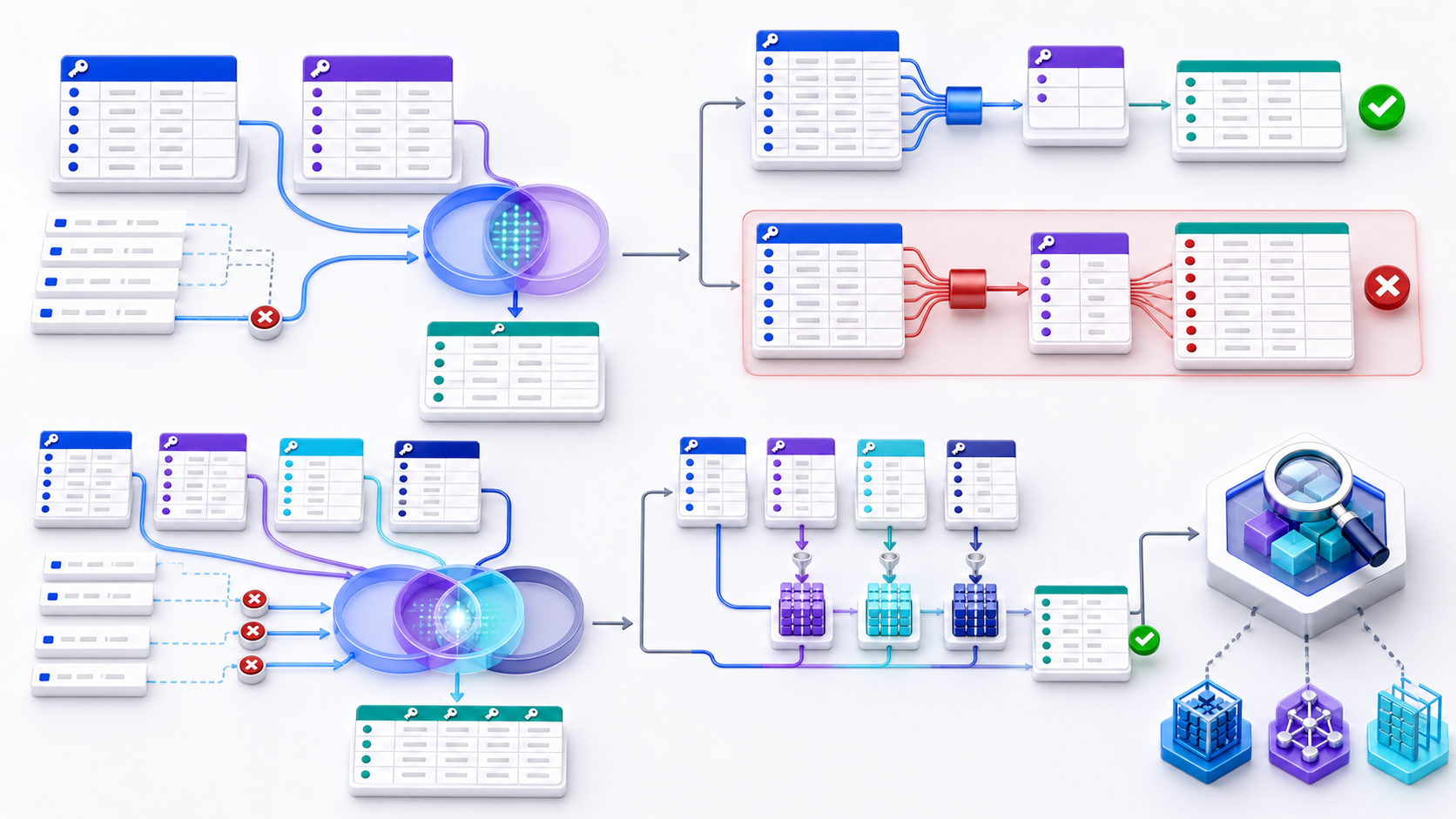
What an inner remote join is
An inner remote join is the SQL Server REMOTE join hint written on an INNER JOIN to a linked server. The hint asks SQL Server to perform that join at the remote site. It is a hint on an inner join. The matched pairs should still be the pairs a plain INNER JOIN would return.
Microsoft’s join-hint documentation limits REMOTE to INNER JOIN. The documented case is a smaller local table on the left and a larger remote table on the right: ship the small key set to the remote site instead of pulling the large table across the network. If both tables are remote and come from the same data source, the hint is unnecessary. Treat that placement rule as the contract to test, then read the actual plan on your instance.
Inner remote join syntax
The examples below are illustrative. They show the two statements to compare. They are not a timing result, and the four-part name must match a linked server you already administer.
-- Plain INNER JOIN. Let the optimizer place the work.
SELECT k.id, o.order_id, o.status
FROM dbo.local_keys AS k
INNER JOIN [linked_server].app.dbo.orders AS o
  ON k.id = o.order_id;

-- INNER REMOTE JOIN. Ask the linked server to perform this join.
SELECT k.id, o.order_id, o.status
FROM dbo.local_keys AS k
INNER REMOTE JOIN [linked_server].app.dbo.orders AS o
  ON k.id = o.order_id;
Run both with the same parameters, the same statistics, and a representative local key set. Record row count, distinct keys, logical reads, and where the join operator runs. Keep the hint only when those measurements show a gain and the row sets match.
When an inner remote join is supposed to help
The hint exists for a narrow shape: few local rows, many remote rows, and a selective equijoin. Sending four local keys to a remote orders table can be cheaper than copying that table to the local instance and joining there. That is the case the REMOTE hint was built for.
Later SQL Server versions often place a linked-server join without the hint. A published SQL Server 2012 comparison of a small local table with a much larger remote table found the plain INNER JOIN faster in almost every trial. Those timings belong to that environment. Repeat the pair of statements on the versions you run before you leave REMOTE in a procedure.
Inner remote join vs INNER JOIN
| Question | INNER JOIN | Inner remote join |
|---|---|---|
| What it is | The logical join: keep matching pairs | The same logical join, plus the REMOTE hint |
| Where it can run | Wherever the optimizer places it | At the site of the right table, when the hint is legal |
| Expected rows | One output row per matching pair | The same pairs, if the remote predicate matches |
| What to compare | Actual plan, reads, and row count | The same three measures on the hinted statement |
A matching row count is the first gate. A faster plan that returns a different set has changed the question. After the counts match, compare work: remote scans, rows transferred, and local probes.
Why an inner remote join can return more rows
When the hinted statement returns more rows than the plain INNER JOIN, the remote engine evaluated a broader predicate than the local plan. Common causes are an implicit type conversion, a collation change on a join column, or a remote view whose definition is wider than the base table you thought you joined. Duplicate keys on the remote side also multiply pairs. That last case is ordinary inner-join cardinality, and the checks in the next sections apply to both statements.
Do not keep the hint to “fix” the larger result. Capture the extra keys, compare them with the plain join, and correct the conversion, collation, or view. Then rerun both statements.
When SQL Server rejects REMOTE
REMOTEis valid only on anINNER JOIN. ALEFT JOIN,RIGHT JOIN, orFULL JOINcannot carry this hint.- The hint is invalid when a join value is converted to another collation with
COLLATE. - The right table is the site where the hinted join runs. A large local table on the left and a small remote table on the right is outside the documented case.
- Two remote tables from the same linked server do not need
REMOTE.
If the statement fails to compile with the hint, remove REMOTE and tune the plain INNER JOIN. Forcing the hint on an outer join is not a supported path.
How to test an inner remote join without changing the answer
- Freeze the inputs. Use the same local keys, the same remote object, and the same parameters for both statements.
- Compare row sets. Count rows and distinct join keys. Investigate any difference before you compare speed.
- Read the actual plan. Confirm whether the join ran at the remote site, and how many rows came back.
- Measure work. Record elapsed time, logical reads, and bytes transferred across more than one run.
- Keep one statement. Leave the hint in place only when the row sets match and the hinted plan does less work on your version.
What does INNER JOIN do in SQL?
INNER JOIN returns one output row for every pair of input rows that satisfies the join condition. Rows with no qualifying partner on the other side are excluded. If one row matches several rows, it appears several times; the operator matches pairs, not business entities.
SELECT
  o.order_id,
  c.customer_name,
  o.order_total
FROM orders o
INNER JOIN customers c
  ON c.customer_id = o.customer_id;
This query answers “return orders that have a matching customer.” It does not return customers without orders or orphaned orders whose customer key has no match. It also does not guarantee one row per order unless customers.customer_id is unique. Before writing the join, state the population that may be lost and the grain that should remain.
Build the join condition from the real relationship
A correct join key identifies the relationship at the required scope. A shared column name is not proof. Multi-tenant systems commonly require both tenant_id and an entity ID; slowly changing dimensions may require an effective-date interval; line items may require order and line number. Omitting one component can link records that look compatible but belong to different owners, periods, versions, or regions.
SELECT f.sale_id, d.segment
FROM sales f
JOIN customer_history d
  ON d.tenant_id = f.tenant_id
 AND d.customer_id = f.customer_id
 AND f.sale_at >= d.valid_from
 AND f.sale_at < d.valid_to;
The half-open interval avoids double matches at adjacent boundaries, but overlapping history rows can still multiply a sale. Enforce non-overlap where the engine supports it, or detect it with quality checks. Normalize types and semantics before joining; casting a large indexed key inside the predicate can impair access paths and may hide inconsistent upstream models.
Predict cardinality before trusting the result
Cardinality describes how many matches each key can produce. In a many-to-one join, each fact should find at most one dimension row, so fact-row count should not increase. In one-to-many, duplication is expected because the output moves to child grain. In many-to-many, both sides contain repeated keys and pair counts can grow multiplicatively. None of these outcomes is automatically wrong; the mistake is expecting a different grain.
| Relationship | Expected effect | Proof to collect |
|---|---|---|
| Many-to-one | Left count stable; unmatched rows removed | Right key uniqueness and match rate |
| One-to-many | Parent repeats at child grain | Child counts per parent |
| Many-to-many | Pair multiplication | Frequency distribution on both sides |
Profile both sides before the join: count rows, distinct keys, null keys, and maximum frequency per key. After the join, compare output rows and distinct entity keys. If a measure is repeated across child rows, aggregate at the correct stage or allocate it deliberately. DISTINCT can conceal the visible symptom while leaving inflated sums or ambiguous ownership unresolved.
Separate matching rules from final filters
For an inner join, moving a simple predicate between ON and WHERE often produces the same rows because unmatched records are discarded either way. That equivalence is not a license to mix intent. Put relationship rules in ON and final-result restrictions in WHERE. The distinction becomes essential when the query later changes to an outer join, and it makes reviews easier.
SELECT o.order_id, p.payment_id
FROM orders o
JOIN payments p
  ON p.order_id = o.order_id
 AND p.is_current = TRUE
WHERE o.created_at >= DATE '2026-01-01';
Here, currentness defines which payment row represents the relationship; order date defines the requested reporting population. Be careful with volatile expressions, nondeterministic functions, null-safe comparisons, and engine-specific semantics because optimizer rewrites are not a substitute for a precise logical model.
Control grain across multi-table INNER JOINs
A chain of inner joins keeps only records that survive every relationship. This is useful for selecting a fully connected process, but it can also create hidden attrition: a missing optional dimension at the fourth join removes an otherwise valid fact. Meanwhile, two one-to-many branches can multiply each other. Add relationships incrementally and record both the surviving entity count and the row-expansion factor after every step.
- Name the output grain. Decide whether one row represents an order, item, payment, customer, or relationship.
- Join one edge. Measure rows, distinct base keys, match rate, and frequency.
- Classify loss. Determine whether excluded keys are expected, late, invalid, or missing.
- Reduce child branches. Aggregate or rank each branch before joining when the output stays at parent grain.
- Reconcile measures. Compare totals against a trusted control query.
Choose EXISTS, lookup, or set operations when they express the question better
Use an inner join when columns or multiplicity from both sides belong in the result. If the question is only whether a relationship exists, EXISTS is often clearer and cannot multiply the outer row. If you need one chosen related row, define a deterministic ranking rule before joining. If the task combines compatible rowsets rather than matching columns, UNION ALL may be the correct operator.
SELECT c.customer_id, c.customer_name
FROM customers c
WHERE EXISTS (
  SELECT 1
  FROM orders o
  WHERE o.customer_id = c.customer_id
    AND o.status = 'open'
);
This returns each qualifying customer once regardless of how many open orders exist. If you later need order-level columns, restore an explicit join and accept or control the new grain instead of adding arbitrary aggregates to the existence query.
Understand hash, merge, and nested-loop joins
SQL describes a logical inner join; the optimizer selects a physical algorithm. A hash join typically builds an in-memory hash table from one input and probes it with the other, which is effective for large equi-joins when memory is sufficient. A merge join walks two ordered inputs and can be efficient when order already exists. A nested-loop join probes the inner input for each outer row and can excel when the outer set is small and the inner side has a selective index.
No algorithm is universally best. Hash spills, expensive sorts, repeated index probes, skewed hot keys, and underestimated rows can each dominate runtime. The Microsoft join documentation explains common physical strategies, while your engine's actual plan provides evidence for the current data and parameters.
Tune INNER JOIN performance without changing the answer
Start with correctness, then reduce the amount of work. Filter early only when the filter is semantically safe, project away unnecessary wide columns, maintain statistics, and index join keys that support real access patterns. Composite index order matters: equality predicates usually precede range predicates, but selectivity, covering needs, write cost, and engine behavior also matter. Do not add indexes mechanically to every foreign key without observing workload evidence.
| Plan evidence | Likely cause | Next check |
|---|---|---|
| Actual rows far above estimate | Duplicates, skew, stale statistics | Key frequencies and statistics freshness |
| Hash spills to disk | Large build input or low memory grant | Safe filters, width, estimates, memory |
| Millions of nested-loop probes | Large outer input or weak inner access | Index, join order, alternative algorithm |
| Sort dominates elapsed time | Merge input or downstream order | Existing order and required final order |
Validate INNER JOIN results with measurable invariants
- Write the business relationship and expected output grain before the SQL.
- Profile nulls, distinct counts, duplicate frequencies, and malformed keys on both sides.
- Test zero matches, one match, several matches, and boundary-date matches.
- Compare row counts and distinct base keys before and after every join.
- List unmatched keys from both sides instead of assuming loss is valid.
- Reconcile sums, counts, and ratios against a trusted control query.
- Inspect the actual execution plan with representative parameters and skew.
- Record whether correctness depends on unenforced uniqueness or freshness assumptions.
A useful invariant might be “every posted invoice has exactly one active account” or “joined revenue equals the ledger total for the same closed period.” When an invariant fails, isolate the smallest key set that explains the gap. This turns a vague join problem into a reproducible data-quality or modeling issue.
Keep a review record that another analyst can reproduce
For a high-impact query, save more than the final SQL. Record the intended grain, key definition, expected relationship cardinality, excluded population, test parameters, engine version, and the actual plan used during review. Include a small sample of unmatched keys and highest-frequency matched keys. This evidence helps the next reviewer distinguish a deliberate business rule from an accidental implementation detail.
Re-run that evidence after schema changes, new data sources, index changes, or material shifts in volume and skew. A join that was one-to-one last quarter can become one-to-many when a source begins retaining history. Treat uniqueness and match rate as monitored data contracts rather than permanent assumptions.
Inspect the complete INNER JOIN query
Paste a sanitized complete statement into the InfiniSynapse SQL Complexity Checker. Review every join, CTE, subquery, window, aggregate, and filter layer together, then confirm cardinality and runtime with your database's real data and execution plan.
Open SQL Complexity CheckerRemove credentials, secrets, personal data, and sensitive literals.INNER JOIN SQL frequently asked questions
An inner remote join is the SQL Server REMOTE hint on an INNER JOIN. It asks the linked server to perform that join. Compare row counts with the plain INNER JOIN before you keep it.
No. SQL Server allows REMOTE only for INNER JOIN operations.
It returns every pair of rows satisfying the join condition and excludes unmatched rows from both sides.
One row is returned for every matching partner. Non-unique keys therefore create one-to-many or many-to-many expansion.
Yes. Include every component needed to identify the relationship, such as tenant ID, entity ID, and effective date.
No. Performance depends on input size, selectivity, indexes, statistics, memory, and the physical plan.
Define grain, profile uniqueness, quantify unmatched records and multiplication, reconcile metrics, and inspect the actual plan.