What is a database browser?
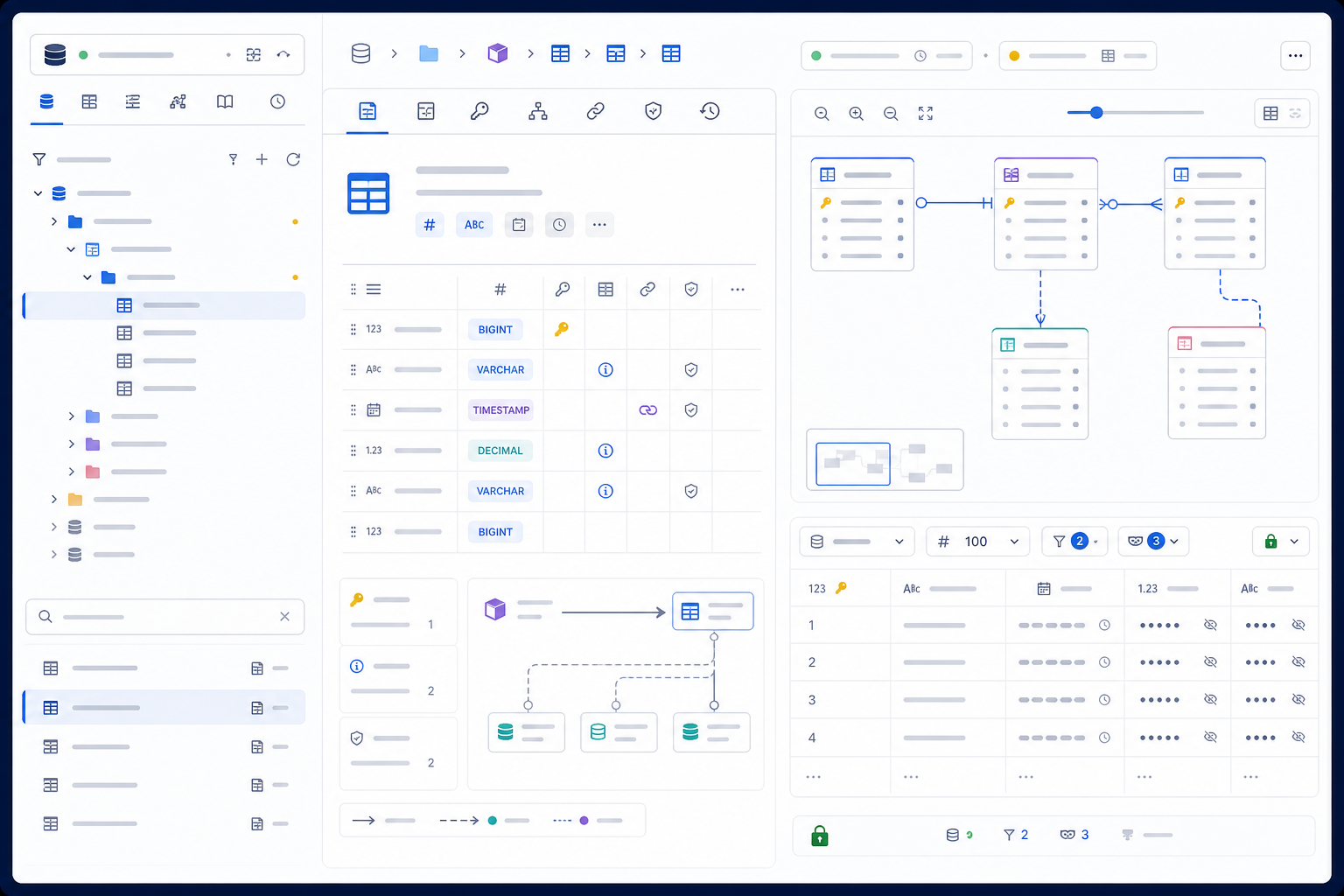
A database browser is an interface for discovering database namespaces and objects, inspecting their definitions and relationships, and often previewing rows without starting from a handwritten query. It commonly presents connections, catalogs, databases, schemas, tables, views, columns, keys, indexes, routines, and other engine-specific objects as a searchable tree. Selecting an object opens metadata, generated or stored DDL, dependencies, diagrams, privileges, statistics, or a data grid.
Browsing is useful when onboarding to an unfamiliar system, validating a query assumption, tracing a support issue, documenting a schema, comparing environments, finding join keys, examining a file database, or preparing a minimal schema description for analytics and AI-assisted SQL. It is not proof that the visible tree is complete, the cached definition is current, an inferred relationship is enforced, or displayed rows are representative.
Separate database browsing from editing, querying, and administration
Search results use “database browser” for a feature, a whole database client, an online file viewer, and several named products. The generic category begins with discovery: what exists, where it lives, how it is defined, how objects relate, and what a limited view of data looks like. Other capabilities may sit beside it, but they introduce different permissions and failure modes.
| Surface | Starts from | Primary task | Critical boundary |
|---|---|---|---|
| Database browser or explorer | Catalog hierarchy and selected object | Discover structure, definitions, relationships, and samples | Visible catalog may be scoped, cached, filtered, or permission-limited |
| SQL editor | Statement text and execution context | Author, navigate, review, and run SQL | Exact statement, parameters, transaction, and destination |
| Data editor | Rows from a table, view, or query | Filter, inspect, and possibly change values | A grid may generate writes, commit changes, or show only a page |
| Database client | Connection and server session | Exchange commands, results, files, and metadata | Drivers, credentials, network path, session, and protocol |
| Administration console | Server, cluster, users, workload, or storage | Operate configuration, availability, security, and maintenance | Privileged actions and broad production impact |
A product may include every surface. Evaluate them separately. A safe object tree does not make its context-menu Drop command safe; a read-only grid does not prove the connection identity cannot write; and a helpful DDL preview does not mean schema changes are migration-controlled. The same-batch SQL editor guide covers query authoring and execution safeguards in depth.
Identify what the database browser is actually browsing
The same interface pattern can sit over four very different sources: a live remote database, a local file database, an offline metadata model, or a managed web service that proxies connections. “Runs in the browser” describes the user interface, not where database code, credentials, metadata, or rows are processed. Before choosing a tool, trace the path from interface to authoritative source.
| Model | Best fit | Main limitation | Evidence to request |
|---|---|---|---|
| Live connected catalog | Current objects, privileges, definitions, dependencies, and samples | Credential, network, query, data, cost, and production risk | Destination, identity, protocol, scope, cache, generated queries, audit |
| Local file viewer | SQLite or other supported files, training, portable inspection | File format support, locking, corruption, writeback, browser memory | Whether bytes leave device, file copy behavior, save/export semantics |
| DDL or metadata snapshot | Review, documentation, source control, architecture discussion | No live privileges, state, data, statistics, or guaranteed freshness | Capture source, scope, timestamp, parser, unsupported constructs |
| Hosted web proxy | Central access, shared policy, zero desktop installation | Service receives credentials, metadata, queries, or results | Architecture, isolation, region, logging, retention, deletion, subprocessors |
| Self-hosted web application | Browser access inside a controlled network boundary | Organization owns patching, secrets, authorization, backups, and monitoring | Threat model, deployment hardening, update process, access tests |
Use synthetic or public data for first evaluation. Do not upload a production database file or create a direct production connection merely to see whether a browser looks convenient. Prove data flow and policy controls before sensitive context enters the tool.
Understand the metadata pipeline behind the object tree
A database browser does not magically “see” structure. It obtains metadata through driver APIs, standard views such as INFORMATION_SCHEMA, vendor system catalogs, object-definition queries, server APIs, or parsers for DDL and database files. The tool then normalizes engine-specific objects into its own model, caches that model, filters it for display, and renders the tree and detail panels.
| Pipeline stage | What can go wrong | Observable evidence |
|---|---|---|
| Select scope | Databases, schemas, object types, or system namespaces excluded | N of M selector, active filters, excluded-pattern list |
| Read catalog | Insufficient privileges, unsupported driver feature, timeout, partial failure | Introspection queries/log, error details, last successful refresh |
| Normalize objects | Vendor object represented generically or omitted | Supported-object matrix, raw properties, engine-specific view |
| Cache model | Renames, grants, definitions, or dependencies remain stale | Cache location, freshness time, incremental/full refresh choice |
| Filter and render | Hidden groups, lazy nodes, search scope, or pagination create false absence | Filter badges, unloaded-node state, object counts, clear-filter action |
DataGrip’s official metadata and introspection documentation describes loading object structure and source code for display, completion, navigation, and search, and explains that selected schemas can be refreshed fully, incrementally, or by fragment depending on the database. DBeaver’s Database Navigator documentation likewise describes a database-specific tree, filters, view modes, and explicit refresh behavior. These examples show why the browser is a derived model, not an infallible mirror.
Select the smallest catalog scope that answers the task
Large platforms may expose hundreds of databases, thousands of schemas, and millions of columns. Loading everything wastes time and disk space, increases catalog traffic, makes search noisy, and expands the sensitive metadata footprint. Loading too little creates false confidence that an object or dependency does not exist. Scope should be explicit and task-specific.
Choose the domain, environment, database, and schema owned by the team or process under investigation before expanding outward.
Add upstream sources, downstream views, reference dimensions, routines, and security objects needed to explain the selected object.
Hide system, archive, temporary, generated, or unrelated namespaces with visible rules and an easy way to reveal them.
A screenshot or dependency claim should state which namespaces and object types were introspected and when.
Treat “show all” as an investigative action, not a neutral default. When verifying absence—no foreign key, no downstream view, no similarly named table—broaden scope and query the authoritative catalog rather than trusting one collapsed tree.
Preserve fully qualified identity from tree to evidence
Names such as orders, users, or events recur across databases, schemas, environments, tenants, and branches. A browser should display a durable path that includes the relevant server or account, catalog or database, schema, object name, and object type. Breadcrumbs, copied identifiers, links, screenshots, DDL, exports, and generated SQL should preserve that identity.
| Identity element | Why it matters | Failure example |
|---|---|---|
| Environment and account | Object names can match across development and production | A production screenshot is documented as staging |
| Catalog or database | Some engines separate namespaces and sessions at database level | A copied table name resolves in the active but wrong database |
| Schema or namespace | Search paths and defaults can resolve an unqualified name differently | A query reads a shadow table with the same name |
| Object name and type | Tables, views, materialized views, synonyms, and routines can overlap conceptually | A view is treated as a stored table during freshness analysis |
| Stable engine identifier | Names can be renamed or recreated | History is attached to a new object that reused an old name |
The browser should quote identifiers according to the target dialect when generating a reusable reference, but it should not add quoting blindly. Case folding, reserved words, Unicode, and special characters differ across engines. Display both a human-readable path and a copy action that produces valid target-specific qualification.
Search the catalog without confusing hidden and absent objects
Object search can operate on loaded tree nodes, an introspected cache, the live database catalog, DDL files, or a global index. Those scopes return different answers. A quick filter that highlights only expanded nodes is excellent for navigation but weak evidence that an object does not exist. A catalog search may find more objects but still respect privileges and selected namespaces.
| Search mode | Useful for | Can miss | Required disclosure |
|---|---|---|---|
| Visible-tree filter | Reducing clutter in already loaded nodes | Collapsed, paged, excluded, or never-introspected objects | “Filters visible objects only” and active filter badge |
| Metadata-cache search | Fast cross-schema search while offline or disconnected | New, renamed, revoked, or unsupported objects | Cache timestamp, scope, and refresh status |
| Live catalog search | Verifying current objects within database-visible permissions | Objects hidden from active role or represented outside searched catalogs | Executed scope, identity, query, timeout, and partial failures |
| DDL/project index | Finding planned or versioned objects without a live database | Runtime-created, drifted, temporary, and privilege-dependent objects | Branch, revision, parser coverage, and generation date |
Search by more than name when possible: object type, schema, owner, comment, column, tag, dependency, or qualified path. Preserve filters in shared links only when recipients can see and clear them. A screenshot of an empty filtered tree should never support an absence claim without the filter and scope visible.
Distinguish stored source, catalog properties, and generated DDL
An object detail panel may show a definition copied from the server, DDL reconstructed from catalog properties, a normalized model, or a migration-ready script. These are not interchangeable. A generated CREATE TABLE statement may omit owner, grants, comments, storage parameters, partition attachment, engine options, statistics, policies, replication settings, or platform-managed properties. A view source may be normalized or rewritten by the engine.
State whether text came from stored source, catalog reconstruction, driver API, parser, or tool generator, including version and capture time.
List ignored object types or attributes instead of producing a clean script that implies completeness.
A readable definition is useful for review; a deployment artifact also needs dependency order, idempotence, ownership, data movement, rollback, and tests.
For consequential changes, query the vendor catalog or supported server command and compare with version-controlled migration state.
DBeaver’s official Database Object Editor documentation describes Properties, Data, and Diagram views for different object aspects. DataGrip’s Database Explorer documentation explicitly distinguishes going to an object’s DDL from generating a runnable DDL script. That distinction should remain visible in any database browser evaluation.
Read keys and constraints as enforceable rules, not decorations
Columns alone do not explain a table. Primary and unique keys define candidate identity; foreign keys encode allowed references; check constraints restrict values; defaults supply missing inputs; generated columns derive values; exclusion constraints and engine-specific rules may enforce relationships that a generic browser cannot normalize. Deferrability, validation state, enablement, trust, match type, and referential action change what a constraint guarantees.
| Metadata | Question to answer | Common misreading |
|---|---|---|
| Primary or unique key | Which columns, order, expression, null semantics, and validation state? | A key icon beside one column implies single-column uniqueness |
| Foreign key | Source and target columns, actions, match behavior, deferral, enforcement? | A diagram line is treated as proof of current referential integrity |
| Check constraint | Exact expression, null behavior, validated rows, engine semantics? | A friendly summary hides an important predicate |
| Default or generated value | Constant, expression, sequence, identity, trigger, computed storage? | Missing input and explicit null are assumed equivalent |
| Index | Key columns, include columns, expression, predicate, method, uniqueness? | An index is treated as an enforced business key |
When planning a join, use constraints as evidence but still verify business cardinality and data quality. A foreign key can be absent even when a logical relationship exists, or present while historical exceptions, deferred validation, filtered models, and privacy transformations change analytical behavior.
Use relationship diagrams as maps with declared provenance
An entity-relationship diagram can compress a catalog into an understandable neighborhood. It is valuable for onboarding, locating bridge tables, spotting hubs, tracing paths, and discussing candidate joins. But the lines may come from enforced foreign keys, tool-created virtual relationships, naming heuristics, imported model files, or manual annotations. The visual must distinguish those sources.
Use labels or line styles for enforced, inferred, virtual, imported, and manually documented relationships; do not rely on color alone.
A table-to-table line is incomplete without source columns, target columns, key order, cardinality claim, and optionality.
Start from the selected object and expand one dependency hop at a time. A whole warehouse diagram often becomes unreadable and expensive.
Export source metadata, scope, layout annotations, capture date, and tool version—not only a bitmap detached from its evidence.
A relationship diagram does not prove join correctness. Before using a path, test uniqueness, nullability, temporal validity, late-arriving records, many-to-many bridges, slowly changing dimensions, tenant boundaries, and filters embedded in views.
Preview rows without treating the first page as the dataset
Opening a Data tab usually causes the tool to generate and execute a query. It may apply a row limit, fetch in pages, add an ordering, issue count or metadata queries, or request large values separately. The first rows returned by an engine without explicit ordering are not a random sample and may not be stable. A grid that displays 100 rows says little about distribution, coverage, duplicates, or rare conditions.
| Grid signal | What it must reveal | Risk if hidden |
|---|---|---|
| Generated query | Qualified object, selected columns, predicates, order, limit, offset | Users assume the grid is a direct unmodified view |
| Fetch state | Fetched rows, total known/unknown, page, truncation, timeout, cancellation | A partial page is reported as complete population |
| Ordering | Server or client ordering, keys, direction, null placement, stability | Visual comparisons change or paging skips and repeats rows |
| Masking and policy | Which columns or rows were masked, filtered, tokenized, or denied | Displayed values are mistaken for raw source truth |
| Editability | Read-only enforcement, key used for updates, transaction and commit behavior | A browsing action changes production data |
Use a server-enforced read-only role for sensitive browsing. A disabled pencil icon or client-side Read Only label improves feedback but does not prevent writes if the database identity still has permission and another action can generate DML.
DBeaver’s official Data Editor documentation describes viewing and editing table or view data, filters, ordering, and metadata-related queries. That is a useful reminder that “preview” can involve real database work and, in some modes, real changes.
Verify whether filtering and sorting happen on the server
A grid may filter the complete relation at the server, filter only fetched rows in the client, or combine both. The same ambiguity applies to sorting, grouping, and search. Client-side operations feel instant but cannot find rows that were never fetched; server-side operations can scan large data, consume credits, hold resources, or expose values through logs. The interface should label the execution boundary.
| Operation | Server-side meaning | Client-side meaning | Validation |
|---|---|---|---|
| Filter | Predicate is sent to database and applies before fetch | Only loaded rows are hidden or shown | Inspect generated query and fetch counters |
| Sort | Database orders qualifying rows with engine null/collation rules | Browser sorts only current page using client types and locale | Compare query, null placement, collation, and next page |
| Search | Database expression may scan columns and use indexes | Text match scans rendered values only | Search for a known row outside first fetch |
| Pagination | Limit/offset or keyset is evaluated against server result | Pages slice one already fetched collection | Inspect query and test concurrent insert/delete behavior |
Offset pagination without deterministic ordering can skip or repeat rows as data changes. Keyset pagination is often more stable but requires a suitable unique ordering and changes how users jump to arbitrary pages. A database browser should show the paging method rather than reducing it to Back and Next buttons.
Label row counts, sizes, and statistics as exact, estimated, or stale
Browsers often display row counts, table sizes, last analyzed times, index usage, or column statistics. Obtaining exact counts can be expensive; system catalogs therefore may expose estimates derived from statistics. Storage size can mean logical data, compressed storage, indexes, auxiliary objects, replicas, snapshots, or allocated capacity. Without provenance and timestamp, a precise-looking number can mislead.
Use labels such as exact query, catalog estimate, sampled statistic, cached value, or unknown—not a bare number.
An exact count or deep size calculation may scan data or metadata across partitions; request confirmation and expose timeout.
Record server statistic time, browser fetch time, engine query or API, and active role.
Two tools or engines may define table size and estimate freshness differently; normalize definitions before comparing.
Separate catalog dependencies from complete data lineage
A browser can often show view dependencies, foreign keys, routine references, triggers, synonyms, and objects found in parsed SQL. That is useful technical lineage, but it may omit dynamic SQL, application queries, orchestration jobs, BI models, file exports, APIs, manual processes, and cross-platform transformations. “No dependencies” usually means none were found by the current sources and parser.
| Lineage source | Strong evidence | Blind spot |
|---|---|---|
| Database dependency catalog | Engine-recorded dependencies among supported objects | External consumers, dynamic text, vendor gaps |
| Parsed stored source | Static object references visible to the parser | Conditional or constructed SQL, parser dialect gaps |
| Query and workload logs | Observed runtime access during retention window | Rare jobs, disabled pipelines, sampled or redacted logs |
| Orchestrator and BI metadata | Declared jobs, models, schedules, owners, dashboards | Ad hoc queries, exports, applications, manual reuse |
| Human ownership records | Business meaning, criticality, approvals, contacts | Drift when documentation is not maintained |
For a change-impact decision, combine sources and report coverage. A diagram generated from one database catalog can support local exploration; it should not be presented as enterprise-wide lineage unless external systems and runtime evidence are included.
Interpret the object tree through the active database identity
Metadata visibility is a security decision. Some engines show object names broadly but hide definitions; others expose only objects the user owns or can access; cloud platforms may add account, project, region, workspace, or catalog policies. Row-level security and column masking can further change sample data without changing object structure. A browser should make the active identity and effective role visible throughout exploration.
- Absence is role-relative: before concluding that a schema, column, policy, or dependency does not exist, repeat the check with an approved metadata-audit identity or authoritative catalog process.
- Definitions can be more sensitive than rows: names, comments, routines, view logic, external locations, and policies can reveal internal architecture and business rules.
- Impersonation needs evidence: if the browser can switch roles or impersonate users, record who authorized it, which identity executed metadata queries, and when the role ended.
- Client filtering is not authorization: hiding a schema or column in the tree does not prevent direct queries when the server still permits access.
SQLite’s official schema table documentation describes the table that stores schema information for tables, indexes, views, and triggers. PostgreSQL’s official information schema documentation notes that its views contain information about objects in the current database to which the current user has access. Metadata layout and visibility remain engine-specific.
Make stale metadata visible instead of silently believable
Metadata caching makes large catalogs usable and enables offline navigation, completion, and search. It also creates a second state that can drift from the server. A schema migration, grant change, dropped view, renamed column, new partition, altered routine, or changed comment may not appear until incremental or full refresh succeeds. Refreshing only the selected node may leave parents, dependencies, or neighboring objects stale.
- Read the freshness signalCheck last successful introspection, selected scope, active identity, cache mode, and any warning or partial failure.
- Refresh the smallest relevant fragmentRefresh the object and necessary parent or dependency neighborhood to reduce load while covering the claim.
- Escalate when evidence conflictsUse full refresh, clear cache, reconnect, or query the authoritative catalog when application behavior and browser metadata disagree.
- Record failure as staleDo not preserve the previous green status after timeout or authorization failure. Show which metadata remains usable and which cannot be trusted.
- Capture evidence with timestampInclude source, object identity, refresh type, tool version, and database version in any consequential report.
Budget catalog traffic and preview queries like production work
Browsing looks passive, but expanding nodes can issue many metadata queries; opening diagrams can traverse dependencies; exact counts can scan data; sorting and filtering can execute new queries; previewing wide tables can transfer large values; and refreshing every namespace can consume server, network, cloud-credit, and workstation resources. The tool should let administrators and users see and control these costs.
| Control | Protects against | Test |
|---|---|---|
| Namespace and object filters | Unnecessary introspection and oversized caches | Compare initial load calls, bytes, time, and cache size |
| Lazy loading and fetch size | Huge child lists and UI freezes | Open schema with thousands of objects and navigate by keyboard |
| Metadata and query timeout | Hung network, locks, expensive counts, long previews | Trigger timeout and confirm server cancellation and clear state |
| Row, column, and value limits | Excess transfer, memory, sensitive exposure, large objects | Preview wide table with binary/text large objects and inspect truncation |
| Query log or preview | Invisible work caused by seemingly passive clicks | Map each action to emitted SQL or API calls and resource tags |
Protect metadata, samples, credentials, and exports as separate assets
Database structure can reveal customer domains, internal services, identity models, financial processes, security controls, and regulated fields before a single row is opened. Sample data, comments, view logic, connection profiles, SSH settings, local caches, diagrams, screenshots, clipboard content, and exported DDL can add further exposure. Security review should inventory each artifact and its storage, network, retention, sharing, and deletion path.
| Asset | Exposure path | Control to verify |
|---|---|---|
| Connection credentials | Profile file, logs, crash dump, copied URI, browser storage | Approved vault/keychain, short-lived auth, redaction, rotation |
| Metadata cache | Local disk, profile sync, backup, shared workstation | Encryption, location, scope, retention, deletion, device policy |
| Row samples | Grid cache, thumbnails, history, screenshots, exports, clipboard | Server row/column policy, masking, result limits, secure cleanup |
| DDL and diagrams | Shared links, documents, issue trackers, source repositories | Classification, access control, watermark policy, expiration, audit |
| Plugins and AI features | Editor buffers, schema, samples, network, telemetry, third parties | Permissions, allow-list, model boundary, retention, training use, opt-out |
Use separate identities for browsing, editing data, and administration. Enforce read-only behavior at the database or policy gateway; mask sensitive fields at the source; log access according to policy; and avoid copying raw production definitions or samples into unapproved AI, chat, ticket, or documentation systems.
Expect object hierarchies and metadata semantics to differ by engine
A universal database browser must map different concepts into one interface. “Catalog,” “database,” “schema,” “namespace,” “dataset,” “keyspace,” and “collection” do not form one universal hierarchy. Data types, identifier rules, partition models, routines, sequences, materialized views, indexes, constraints, policies, external objects, and statistics also vary. A generic tree can improve consistency while hiding important engine detail.
| Area | Generic view helps | Generic view can hide | Evaluation task |
|---|---|---|---|
| Namespace hierarchy | Consistent tree navigation and filtering | Connection boundaries, cross-database limits, account or project scope | Copy fully qualified identifiers for each target engine |
| Data types | Common families for quick comparison | Precision, time zone, collation, arrays, domains, JSON, geography, variants | Inspect raw vendor type and generated DDL round trip |
| Relationships | Shared key and dependency visual language | Unenforced, deferred, distributed, document, graph, or application links | Compare browser graph with authoritative constraint metadata |
| Definitions | One properties layout for frequent fields | Vendor options, policies, storage, distribution, clustering, external locations | Inventory omitted properties on representative objects |
| NoSQL and files | Familiar container and field exploration | Schema inference, mixed types, nested values, partition pruning, evolution | Test heterogeneous records and unsupported values |
Support should be proven per object type and workflow, not reduced to a logo wall. A tool may connect to an engine yet omit important objects, generate incomplete DDL, fail to render large schemas, or provide only read access. Build a representative compatibility packet for every engine that matters.
Export browsed evidence with scope, semantics, and protection
Database browsers may export DDL, diagrams, rows, CSV, JSON, spreadsheets, images, or shareable links. The artifact often outlives the connection controls that protected the original. A recipient needs to know what object, role, time, filters, masking, fetch limit, ordering, encoding, and tool transformation produced it.
- For DDL: include engine and version, source vs generated status, scope, capture time, omitted properties, and dependency coverage.
- For diagrams: include relationship provenance, selected namespaces, hidden object types, layout annotations, and refresh time.
- For rows: include generated query, parameters, policy context, filters, ordering, fetched/total status, truncation, time zone, null representation, and encoding.
- For links: enforce recipient authorization at access time, set expiration, avoid embedding durable secrets, and make active filters obvious.
Spreadsheet export can introduce formula injection when values beginning with formula characters are opened by spreadsheet software. Use a format-appropriate sanitization policy and preserve a raw, access-controlled source when transformations are applied. Export convenience does not override data-classification and retention rules.
Use a ten-step database browsing workflow
- Define the investigationWrite the question, decision, owner, environment, object neighborhood, data classification, and evidence needed.
- Choose the safest source modelPrefer a synthetic file or metadata snapshot for learning; use a live connection only when current privileges, state, or data are necessary.
- Confirm identity and boundaryVerify environment, account or host, database, role, read-only enforcement, network path, and local/remote processing.
- Select introspection scopeLoad the smallest relevant namespaces and object types, plus necessary upstream, downstream, and security neighbors.
- Refresh and record freshnessPerform the appropriate fragment, incremental, or full refresh and record success time, scope, identity, and partial failures.
- Anchor fully qualified identityCopy the selected object’s authoritative path and type into notes before interpreting properties or samples.
- Inspect definition and rulesReview columns, types, keys, constraints, defaults, indexes, partitioning, policies, owner, comments, and provenance of displayed DDL.
- Map relationships with confidence labelsSeparate enforced dependencies from inferred, virtual, imported, and manually documented links; verify column mappings and cardinality.
- Preview the minimum approved dataUse server-side read-only access, masking, explicit query, deterministic order, conservative limits, timeout, and visible truncation.
- Package evidence and limitationsRecord sources, scope, timestamps, filters, role, generated queries, outputs, unsupported objects, unresolved conflicts, and what must be rechecked.
Evaluate a database browser with a representative catalog
Create a disposable evaluation system containing multiple schemas, overlapping names, a composite key, foreign keys with different actions, a check constraint, expression and partial indexes, a view, materialized object, routine, trigger, partition, masked column, row policy, long object names, comments, and enough rows to expose paging and large-value behavior. Add a recent schema change to test refresh. Score observed tasks, not screenshots.
| Category | Example weight | Evidence task | Reject condition |
|---|---|---|---|
| Scope and identity | 15% | Select namespaces, clear filters, copy qualified path, switch similar environments | Selected production object can be mistaken for another object |
| Metadata coverage | 20% | Inspect every representative object and compare with authoritative catalog | Unsupported or omitted properties appear complete without warning |
| Freshness and resilience | 15% | Rename object, change grant, fail refresh, disconnect, clear cache, recover | Stale metadata retains a successful current-state signal |
| Relationships and lineage | 10% | Compare enforced, virtual, inferred, view, routine, and external dependencies | Inferred links are indistinguishable from enforced constraints |
| Data preview safety | 20% | Inspect query, filter boundary, pagination, masking, editability, commit, export | Browsing can write or expose unrestricted sensitive data without explicit control |
| Performance and scale | 10% | Load large catalogs, diagrams, wide tables, large values, and canceled operations | No way to scope, limit, time out, or identify expensive background work |
| Security and governance | 10% | Trace credentials, cache, samples, plugins, telemetry, links, retention, deletion | A required data or credential path is undisclosed or unapproved |
Keep observations beside scores. “Good schema support” is not evidence. “Displayed composite key order and referential actions, omitted partial-index predicate until advanced view, then matched server catalog after full refresh” is reviewable evidence. Any security or write-safety reject condition should override the weighted average.
Use browsing evidence to prepare safer context for NL2SQL
AI-generated SQL improves when object names, types, keys, relationships, definitions, dialect, and expected result grain are explicit. A database browser can help collect and verify those facts. It should not become an excuse to paste a complete production catalog or row sample into an unapproved model. Build the smallest schema packet that answers the question, replace sensitive identifiers when necessary, and preserve mappings in an approved location.
| Schema packet field | Derive from browser | Human decision |
|---|---|---|
| Target dialect and version | Connection metadata and server properties | Which production target and compatibility mode matter? |
| Relevant objects | Fully qualified tables/views within selected scope | Which are authoritative for the business question? |
| Columns and types | Names, raw types, nullability, comments, masking status | Which sensitive or irrelevant fields must be excluded? |
| Keys and relationships | Enforced constraints and clearly labeled virtual links | What is the real business cardinality and temporal rule? |
| Definitions and grain | View source, comments, dimensions, candidate keys | What does one row mean, and which definitions are approved? |
| Representative fixtures | Structure and value shape, not copied production rows | Which synthetic null, duplicate, boundary, and contradiction cases test logic? |
Turn verified schema knowledge into a candidate SQL query
Use the database browser to understand qualified objects, types, keys, relationships, and expected grain. Then formulate a precise analytical question and choose an analogous built-in synthetic schema in InfiniSynapse NL2SQL Query Tester. Review the generated candidate in a SQL editor and validate it against approved target metadata and test fixtures before using real data.
Open NL2SQL Query Tester Do not paste credentials, production rows, or an unapproved production catalog. The tool generates a candidate; it does not validate your live database.Avoid the database browsing mistakes that create false certainty
| Mistake | Why it fails | Better practice |
|---|---|---|
| Assuming a missing tree node means no object | Scope, filters, lazy loading, cache, permissions, and unsupported types hide objects | Clear filters, broaden scope, refresh, and query authoritative catalog |
| Copying an unqualified name | The same name can resolve differently by database, schema, or search path | Preserve environment, catalog, schema, object name, and type |
| Treating generated DDL as a lossless backup | Tool may omit vendor properties, grants, policies, comments, storage, dependencies | Label provenance and compare with supported vendor export and migrations |
| Reading a diagram line as an enforced foreign key | Relationship may be virtual, inferred, imported, or manual | Show provenance, column mapping, enforcement, and validation state |
| Calling the first 100 rows a sample | Without explicit sampling and order, rows are biased and unstable | Define sampling method, population, seed where supported, and limitations |
| Assuming a Read Only label prevents writes | Client label may not change server permissions or every action | Use server-enforced least privilege and test edit, DDL, import, and generated actions |
| Sharing a screenshot without scope or freshness | Recipient cannot know identity, filters, role, cache, or capture time | Attach an evidence header and machine-readable metadata where practical |
Use this database browser checklist before trusting a finding
- The investigation question, decision, owner, environment, object neighborhood, and data classification are explicit.
- The live, local-file, snapshot, hosted-proxy, or self-hosted processing model is understood and approved.
- The connection identity is least privilege and read-only at the server where browsing does not require writes.
- Selected namespaces, object types, filters, lazy loading, and excluded system or generated objects are visible.
- The last successful introspection time, refresh type, active role, cache state, and partial failures are recorded.
- Every finding preserves environment, account or host, database/catalog, schema, object name, and object type.
- Displayed DDL is labeled as stored source, catalog reconstruction, normalized model, or generated script, with omissions noted.
- Keys, constraints, indexes, defaults, policies, partitions, owners, and relationships include enforcement and provenance.
- Row preview shows generated query, filters, ordering, fetch and total status, truncation, masking, timeout, and editability.
- Counts, sizes, and statistics are labeled exact, estimated, sampled, cached, or unknown with source and time.
- Dependencies and lineage state their source coverage and do not turn “not found” into “does not exist.”
- Credential, cache, metadata, sample, diagram, export, clipboard, plugin, AI, retention, and deletion paths satisfy policy.
Frequently asked questions about database browsers
It is an interface for discovering database namespaces and objects, inspecting definitions and relationships, and often previewing rows without starting from a handwritten query. It may be part of a desktop client, IDE, web application, or local file viewer.
A database browser starts from the catalog and helps users discover objects, properties, relationships, and sample data. A SQL editor starts from query text and helps users author, review, and execute statements. Many tools include both.
Only objects visible to the active identity and included in selected introspection scope can be shown. Filters, cached metadata, unsupported object types, permissions, lazy loading, and connection failures can all make the tree incomplete.
Not automatically. Some grids permit direct updates, deletes, or generated write statements. Use a server-enforced read-only role, visible transaction controls, row limits, masking, and explicit edit safeguards for sensitive systems.
Check the last successful introspection time, refresh the relevant schema or object, compare important definitions with the authoritative database catalog, and treat failed or partial refreshes as stale rather than silently valid.
Yes. Use it to verify qualified object names, column types, keys, relationships, definitions, and approved example shapes. Convert that knowledge into a minimal non-sensitive schema packet, then review generated SQL against the actual target catalog.
Primary sources and editorial method
This guide uses primary product and engine documentation. DBeaver’s official Database Navigator, Database Object Editor, and Data Editor documentation informed the distinctions among object navigation, properties, diagrams, data grids, filters, generated actions, and refresh behavior. JetBrains’ official DataGrip documentation for Database Explorer and metadata and introspection informed scope selection, caches, freshness, DDL, filtering, and object search.
Engine-level metadata references include SQLite’s official schema table documentation and PostgreSQL’s official information schema documentation. They support general principles about catalog metadata and role-relative visibility but do not make one browser implementation universal across engines.
The editorial method is evidence-led: separate the mixed search intent, identify the browsed source, trace the metadata pipeline, preserve qualified identity, label freshness and provenance, test samples and exports, and state limitations. The page can improve relevance and usefulness, but it does not guarantee Google indexing, rankings, traffic, complete metadata, data correctness, security, or production compatibility.