
Choose a word processor from the work you must complete根据真实任务选择 Word Processor
The broad keyword word processor covers definition, product-category comparison, online and desktop choices, free tools, document editing, and practical feature questions. This guide gives you a vendor-neutral evaluation method. It does not rank products from unverified claims; it shows how to test candidates against your own work.
宽泛关键词 word processor 同时包含定义、产品类别比较、在线与桌面选择、免费工具、文档编辑和功能问题。本指南提供与厂商无关的评估方法,不根据未经验证的宣传进行排名,而是说明怎样用自己的工作测试候选工具。
What a word processor does—and what it is notWord Processor 能做什么,又不是什么
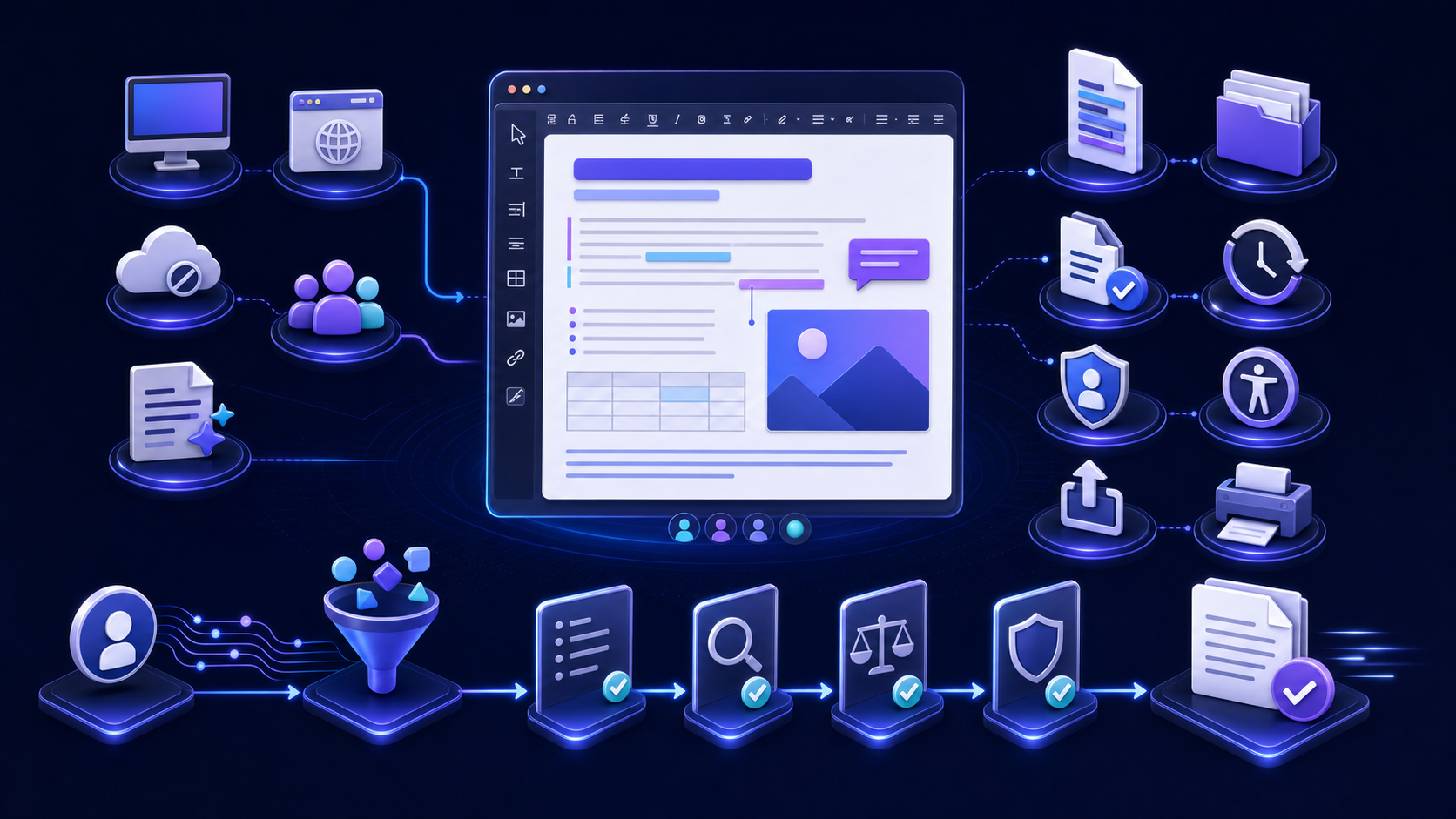
Modern word processing software sits between a plain-text editor and a desktop-publishing system. It understands document structures such as titles, headings, paragraphs, lists, tables, links, notes, images, captions, sections, headers, and footers. It also provides editing, review, spelling, layout, templates, printing, export, and often collaboration.
现代文字处理软件位于纯文本编辑器与桌面排版系统之间。它理解标题、章节标题、段落、列表、表格、链接、脚注、图片、题注、分节、页眉与页脚等文档结构,同时提供编辑、审核、拼写、版式、模板、打印、导出,通常也包括协作。
| Tool category工具类别 | Primary strength主要优势 | Typical limitation典型限制 |
|---|---|---|
| Plain-text editor纯文本编辑器 | Exact characters, code or markup, search, diffs, automation精确字符、代码或标记、搜索、差异与自动化 | Little or no page layout, native office structure, visual review, or print workflow页面布局、原生办公结构、视觉审核或打印流程能力有限 |
| Word processor文字处理器 | Structured writing, familiar editing, review, templates, pages, office formats结构化写作、熟悉编辑、审核、模板、页面与办公格式 | Complex graphics and exact publication layout may be constrained复杂图形和精确出版版式可能受限 |
| Desktop publishing桌面出版 | Precise visual composition, grids, typography, multi-page publication design精确视觉编排、网格、字体与多页出版设计 | Long-form content editing, tracked review, and semantic document exchange may be harder长文内容编辑、修订审核与语义文档交换可能更困难 |
| Markdown workflowMarkdown 流程 | Portable source, version control, technical review, reproducible multi-format publishing可移植源、版本控制、技术审核与可重复多格式发布 | Business reviewers may need a generated Word or PDF artifact业务审核者可能需要生成的 Word 或 PDF 产物 |
Choose the category from the dominant task. A legal agreement with redlines, a technical manual built from Git, a brand brochure, and a quick personal note have different requirements even if all contain words.
应从主导任务选择工具类别。带法律修订的协议、从 Git 构建的技术手册、品牌宣传册和快速个人笔记,即使都包含文字,也有完全不同的要求。
Match the word processor to the document job让 Word Processor 匹配具体文档任务
Letters, notes, assignments, memos, resumes, meeting records, and simple reports need fast editing, styles, spellcheck, templates, export, and dependable saving.信件、笔记、作业、备忘录、简历、会议记录与简单报告需要快速编辑、样式、拼写检查、模板、导出和可靠保存。
Policies, proposals, plans, and research drafts need permissions, comments, suggestions or tracked changes, version history, owner decisions, and conflict handling.政策、方案、计划与研究草稿需要权限、批注、建议或修订、版本历史、负责人决策与冲突处理。
Contracts, manuals, regulated forms, and client deliverables require controlled templates, fields, page layout, citations, accessibility, metadata inspection, and approval records.合同、手册、受监管表单与客户交付物需要受控模板、字段、页面版式、引用、可访问性、元数据检查与批准记录。
Documentation, knowledge bases, and multi-channel content may use Markdown or XML as the source and generate Word only for review or delivery.文档、知识库与多渠道内容可能使用 Markdown 或 XML 作为源,只为审核或交付生成 Word。
Write a one-sentence job statement before evaluating tools: “Named authors create a versioned report, internal reviewers comment, an owner accepts changes, and the approved DOCX plus PDF must open on specified devices without exposing confidential metadata.” This is more useful than “we need a good editor.”
评估工具前先写一句任务陈述,例如:“指定作者创建带版本报告,内部审核者批注,负责人接受变更,批准后的 DOCX 与 PDF 必须在指定设备打开且不泄露机密元数据。”这比“我们需要一个好编辑器”更有用。
Turn preferences into testable requirements把偏好转化为可测试需求
- 1Name users and devices. Authors, reviewers, approvers, recipients, administrators, and accessibility users may work on Windows, macOS, Linux, web, tablet, phone, or managed virtual desktops.明确用户与设备。 作者、审核者、批准人、接收者、管理员和可访问性用户可能使用 Windows、macOS、Linux、网页、平板、手机或受管虚拟桌面。
- 2Name required formats. Identify input, editable master, review copy, archive, web, print, and exchange formats rather than saying “supports files.”明确所需格式。 分别识别输入、可编辑主文件、审核副本、归档、网页、打印与交换格式,而不是笼统写“支持文件”。
- 3Name structures. Test headings, lists, tables, notes, citations, equations, images, captions, cross-references, fields, sections, page numbering, and multilingual text actually used.明确文档结构。 测试真实使用的标题、列表、表格、脚注、引用、公式、图片、题注、交叉引用、字段、分节、页码与多语言文字。
- 4Name controls. Define identity, permissions, retention, residency, encryption, audit, backup, recovery, legal hold, sharing, export, and offboarding requirements.明确控制要求。 定义身份、权限、保留、驻留、加密、审计、备份、恢复、法律保留、共享、导出与离职交接要求。
- 5Name success. Set measurable acceptance conditions, failure owners, evidence, and review dates.明确成功标准。 设定可测验收条件、故障负责人、证据与复查日期。
Compare desktop, online, and hybrid word processors比较桌面、在线与混合 Word Processor
| Decision factor决策因素 | Desktop strength桌面优势 | Online strength在线优势 | Test explicitly必须实测 |
|---|---|---|---|
| Access访问 | Offline authoring, local files, device integration离线写作、本地文件、设备集成 | Browser access, simpler sharing, no local installation for users浏览器访问、共享简单、用户无需本地安装 | Network loss, autosave, offline recovery, managed-device policy断网、自动保存、离线恢复与受管设备政策 |
| Feature depth功能深度 | Often stronger layout, fields, macros, compare/merge, printing通常版式、字段、宏、比较合并与打印更强 | Common editing, comments, sharing, real-time coauthoring常用编辑、批注、共享与实时协作 | Every required feature in both creation and review创建与审核中的每个必需功能 |
| Collaboration协作 | Controlled offline copies and advanced review tools受控离线副本与高级审核工具 | Single shared copy, presence, comments, concurrent edits单一共享副本、在线状态、批注与并发编辑 | Conflict, guest access, link leakage, version restore, export冲突、访客访问、链接泄露、版本恢复与导出 |
| Governance治理 | Local/network controls and established endpoint management本地或网络控制及成熟终端管理 | Central identity, policy, audit, and service-managed updates集中身份、政策、审计与服务托管更新 | Data path, retention, logs, residency, backups, deletion, contracts数据路径、保留、日志、驻留、备份、删除与合同 |
Do not infer parity from a shared product name. Microsoft’s current Word web-versus-desktop feature comparison, for example, distinguishes capabilities such as macros, citations, captions, compare and merge, offline authoring, collaboration, and accessibility. Use the same discipline for any candidate: verify the current version and your exact features.
不要因为产品名称相同就推断功能一致。例如微软当前的 Word 网页版与桌面版功能比较区分了宏、引用、题注、比较合并、离线写作、协作与可访问性等能力。对任何候选工具都应采用相同纪律:验证当前版本和自己的确切功能。
Evaluate features by the evidence they produce根据功能产生的证据进行评估
| Capability能力 | Useful evidence有效证据 | Weak substitute薄弱替代 |
|---|---|---|
| Styles and structure样式与结构 | Native title and heading styles, navigation, TOC, real lists, captions原生标题与章节样式、导航、目录、真实列表与题注 | Manual font size, tabs, spaces, typed numbers手工字号、制表符、空格与手打编号 |
| Review审核 | Named comments, tracked or suggested edits, accept/reject, resolved decisions署名批注、修订或建议、接受拒绝与已解决决定 | Multiple emailed copies and undocumented overwrites多个邮件副本与无记录覆盖 |
| Version history版本历史 | Timestamp, actor, recoverable version, retention, exportable audit时间、操作人、可恢复版本、保留与可导出审计 | Filename suffixes without provenance没有来源信息的文件名后缀 |
| Templates模板 | Controlled styles, sections, fields, metadata, accessibility, ownership, version受控样式、分节、字段、元数据、可访问性、所有权与版本 | Copying an old document with hidden content复制包含隐藏内容的旧文档 |
| Export导出 | Structure and content preserved in tested target formats在已测试目标格式中保留结构与内容 | A file downloads and opens once文件只需下载并成功打开一次 |
Test DOCX, ODT, PDF, HTML, plain text, and Markdown separately分别测试 DOCX、ODT、PDF、HTML、纯文本与 Markdown
“Compatible” must specify direction and operation. Opening a DOCX read-only is different from editing and saving it without structural loss. Importing ODT is different from keeping unsupported features. Exporting PDF is different from creating an accessible tagged PDF. Copying Markdown is different from preserving a clean, versionable MD source.
“兼容”必须说明方向与操作。只读打开 DOCX 与编辑保存且不丢结构不同;导入 ODT 与保留不支持功能不同;导出 PDF 与创建可访问的带标签 PDF 不同;复制 Markdown 与保留干净、可版本控制的 MD 源不同。
- DOCX: verify native styles, numbering, tables, notes, media, relationships, sections, fields, metadata, and reopening across recipients.DOCX:验证原生样式、编号、表格、脚注、媒体、关系、分节、字段、元数据与接收端重开。
- ODT: identify features that change when moving between implementations and define acceptable fallback.ODT:识别在不同实现间移动会改变的功能,并定义可接受回退。
- PDF: test text extraction, tags, reading order, links, bookmarks, fonts, forms, security, and print.PDF:测试文字提取、标签、阅读顺序、链接、书签、字体、表单、安全与打印。
- HTML: check semantic markup, assets, styles, links, scripts, accessibility, and browser behavior.HTML:检查语义标记、资源、样式、链接、脚本、可访问性与浏览器行为。
- TXT/Markdown: confirm encoding, line endings, markup dialect, links, resource paths, and loss of page-specific features.TXT/Markdown:确认编码、换行、标记方言、链接、资源路径与页面专有功能损失。
DOCX is based on Office Open XML. The ECMA-376 standard page describes vocabularies, representation, packaging, and requirements for producers and consumers. The standard’s existence does not guarantee two applications implement every feature identically; interoperability still requires your fixture.
DOCX 基于 Office Open XML。ECMA-376 标准页面说明了词汇、文档表达、打包以及生产者与消费者要求。标准存在并不保证两个应用对每个功能实现完全相同,互操作性仍需自己的测试样例。
Prefer semantic styles and governed templates over direct formatting优先使用语义样式与受管模板,而不是直接格式
Styles name document roles such as Title, Heading 1, Body Text, Quote, Caption, or Code and apply consistent presentation. This enables navigation, table-of-contents generation, global redesign, accessibility, reliable conversion, and automation. Direct formatting changes appearance locally without providing the same structural meaning.
样式为“主标题”“标题 1”“正文”“引用”“题注”或“代码”等文档角色命名并应用一致呈现,从而支持导航、目录生成、全局改版、可访问性、可靠转换与自动化。直接格式只改变局部外观,无法提供相同结构含义。
A template should have an owner, purpose, version, supported application versions, required fonts, styles, sections, fields, sample content, accessibility checks, metadata policy, and change process. Do not create a new document by copying an old client file; hidden comments, revisions, personal data, stale clauses, or links can travel with it.
模板应有负责人、用途、版本、受支持应用版本、所需字体、样式、分节、字段、样例内容、可访问性检查、元数据政策与变更流程。不要通过复制旧客户文件创建新文档,隐藏批注、修订、个人数据、过时条款或链接可能随之传播。
Design collaboration around ownership and decisions围绕所有权与决策设计协作
Real-time cursors are not a complete collaboration model. Define who can view, comment, suggest, edit, approve, share, download, print, export, and delete. Use one controlled copy where possible. Assign content owners for disputed claims and a document owner for structure, template, accessibility, and distribution.
实时光标并不是完整协作模型。应定义谁能查看、批注、建议、编辑、批准、共享、下载、打印、导出与删除。尽量使用一份受控副本。为有争议结论指定内容负责人,并为结构、模板、可访问性与分发指定文档负责人。
| Control控制 | Test测试 | Failure to watch关注故障 |
|---|---|---|
| Sharing共享 | Named user, group, guest, link, expiry, download restriction, revocation指定用户、群组、访客、链接、到期、下载限制与撤销 | Forwardable public link or access surviving offboarding可转发公开链接或离职后访问仍存在 |
| Concurrent editing并发编辑 | Same paragraph, offline edit, reconnect, comment collision, deleted section同段编辑、离线修改、重连、批注冲突与章节删除 | Silent overwrite or unresolved merge静默覆盖或未解决合并 |
| Version restore版本恢复 | Identify actor and timestamp, preview, restore, preserve newer copy, export history识别操作人与时间、预览、恢复、保留新副本与导出历史 | Restore destroys evidence or changes permissions恢复破坏证据或改变权限 |
| Approval批准 | Named approver, version, purpose, date, unresolved exceptions, evidence指定批准人、版本、用途、日期、未解决例外与证据 | “Looks good” without scope or traceability只有“看起来不错”,没有范围或可追溯性 |
Trace the document data path before using an online word processor使用在线 Word Processor 前追踪文档数据路径
Determine where content is processed, stored, cached, backed up, logged, indexed, and transmitted; who can access it; how long each copy remains; how deletion and legal hold work; whether customer content is used for service improvement or model training; and which contract and jurisdiction apply. Confirm the answer in current documentation and agreements for your plan, not in a generic marketing statement.
应确定内容在哪里处理、存储、缓存、备份、记录、索引与传输,谁能访问,各副本保留多久,删除与法律保留如何工作,客户内容是否用于服务改进或模型训练,以及适用合同与司法辖区。答案必须来自当前套餐对应文档与协议,而不是通用营销表述。
- Classify documents before upload and prohibit secrets, credentials, personal data, regulated records, or client material where policy does not approve processing.上传前进行文档分类;政策未批准处理时,禁止上传密钥、凭证、个人数据、受监管记录或客户材料。
- Test identity, multifactor authentication, least privilege, guest access, link settings, session expiry, device policy, audit logs, and alerting.测试身份、多因素认证、最小权限、访客访问、链接设置、会话到期、设备政策、审计日志与告警。
- Treat macros, embedded objects, external links, templates, and imported files as potentially active or untrusted content.把宏、嵌入对象、外链、模板与导入文件视为可能主动执行或不可信内容。
- Inspect hidden properties, comments, revisions, and personal information before external delivery.外部交付前检查隐藏属性、批注、修订与个人信息。
Require accessible authoring and output, not a final checkbox要求写作与输出全过程可访问,而不是最后勾选
Accessibility begins with meaningful structure and authoring choices: built-in heading styles, real lists, simple data tables with headers, descriptive links, meaningful alt text, readable fonts, sufficient contrast, understandable language, correct document language, and a logical reading order. The word processor should help authors detect problems while they can still fix them.
可访问性始于有意义的结构与写作选择:内置标题样式、真实列表、带表头的简单数据表、描述性链接、有意义替代文本、可读字体、足够对比度、易懂语言、正确文档语言与逻辑阅读顺序。文字处理器应在作者仍能修复问题时帮助发现问题。
Microsoft’s current guide to making Word documents accessible covers accessibility checking, headings, alt text, links, fonts, color, lists, tables, and other practices across listed platforms. Automated checking is valuable but incomplete: test with users and assistive technology when the document’s risk and audience require it.
微软当前关于 创建可访问 Word 文档的指南涵盖可访问性检查、标题、替代文本、链接、字体、颜色、列表、表格及所列平台上的其他实践。自动检查很有价值但并不完整;文档风险与受众需要时,应与用户和辅助技术共同测试。
Use one demanding document to test every candidate使用同一份高要求文档测试所有候选工具
Create a synthetic fixture that contains the structures and workflow events you depend on. Synthetic data avoids exposing confidential material while making comparisons repeatable. Keep the fixture, expected outcomes, screenshots, and scorecard under version control.
| Test area测试领域 | Fixture content样例内容 | Acceptance evidence验收证据 |
|---|---|---|
| Structure结构 | Title, heading levels, lists, TOC, bookmarks, sections, headers, footers主标题、标题层级、列表、目录、书签、分节与页眉页脚 | Navigation, fields, numbering, and semantics survive edit/save/reopen导航、字段、编号与语义在编辑保存重开后保留 |
| Content内容 | Multilingual text, symbols, links, code, quotations, footnotes, citations多语言文字、符号、链接、代码、引语、脚注与引用 | Characters, targets, notes, and fields remain correct字符、目标、脚注与字段保持正确 |
| Objects对象 | Images, alt text, captions, wide and simple tables, charts, equations图片、替代文本、题注、宽表与简单表、图表与公式 | Editable where required, readable, accessible, correctly embedded按要求可编辑、可读、可访问且正确嵌入 |
| Review审核 | Concurrent edits, comments, tracked changes, offline work, conflict, restore并发编辑、批注、修订、离线工作、冲突与恢复 | No silent loss; actor, time, decision, and recoverable version are visible没有静默丢失;操作人、时间、决定与可恢复版本可见 |
| Delivery交付 | DOCX exchange, PDF export, print, mobile opening, metadata inspectionDOCX 交换、PDF 导出、打印、移动打开与元数据检查 | Recipients complete the real task without repair, loss, or disclosure接收者无修复、无丢失、无泄露地完成真实任务 |
创建包含所依赖结构与工作事件的合成样例。合成数据既避免暴露机密,也让比较可重复。把样例、预期结果、截图与评分表纳入版本控制。
Evaluate AI and automation as controlled assistance把 AI 与自动化作为受控辅助进行评估
AI can help summarize, rewrite, translate, classify, suggest structure, generate drafts, or answer questions about a document. Automation can apply templates, populate fields, convert formats, generate reports, run checks, and route approvals. Neither capability removes the need to verify facts, permissions, sensitive data, citations, calculations, accessibility, or final fitness for use.
AI 可以帮助摘要、改写、翻译、分类、建议结构、生成草稿或回答文档问题;自动化可以应用模板、填充字段、转换格式、生成报告、运行检查与路由审批。两者都不能取消对事实、权限、敏感数据、引用、计算、可访问性与最终适用性的验证。
- Record where prompts and document content go, what is retained, who can access outputs, and whether data is used to improve models.记录提示词与文档内容流向、保留方式、输出访问者,以及数据是否用于改进模型。
- Separate generated suggestions from approved document content and preserve reviewer decisions.把生成建议与已批准文档内容分离,并保留审核决定。
- Test repeatability, hallucinated sources, changed numbers, prompt injection, unsafe links, and hidden instructions with synthetic cases.使用合成案例测试可重复性、虚构来源、数字变化、提示注入、不安全链接与隐藏指令。
- Require a named human owner for consequential documents and external distribution.对影响重大的文档与外部分发要求指定人工负责人。
Move structured Markdown into a Word review workflow把结构化 Markdown 接入 Word 审核流程
When authors work in Markdown but reviewers need a familiar word processor, use the InfiniSynapse Markdown to Word tool with a sanitized copy. Preview the structure, generate and download the Word-compatible output, then inspect styles, headings, lists, tables, images, links, accessibility, metadata, and recipient compatibility. Preserve the authoritative source and use an approved local or internal route for sensitive, regulated, template-controlled, or automated work.当作者使用 Markdown,而审核者需要熟悉的 Word Processor 时,可用已脱敏副本打开 InfiniSynapse Markdown 转 Word 工具。预览结构,生成并下载 Word 兼容输出,再检查样式、标题、列表、表格、图片、链接、可访问性、元数据与接收端兼容。应保留权威源;敏感、受监管、模板受控或自动化任务使用批准的本地或内部路线。
Open the Markdown to Word tool打开 Markdown 转 Word 工具Score evidence, risk, and workflow fit separately分别评分证据、风险与流程适配
A simple weighted scorecard makes tradeoffs visible without pretending unlike requirements are identical. Set mandatory gates first: a product that fails a legal, security, accessibility, required-format, or recipient-compatibility gate should not win by accumulating convenience points.
| Area领域 | Example weight示例权重 | Evidence to attach附加证据 |
|---|---|---|
| Core editing and structure核心编辑与结构 | 20%20% | Fixture results, native styles, navigation, editing task recording样例结果、原生样式、导航与编辑任务记录 |
| File compatibility and output文件兼容与输出 | 20%20% | Round-trip comparison, recipient tests, exported artifacts往返比较、接收端测试与导出产物 |
| Collaboration and review协作与审核 | 15%15% | Conflict scenario, restore test, permissions and approval record冲突场景、恢复测试、权限与批准记录 |
| Security, privacy, governance安全、隐私与治理 | 20%20% | Architecture, contract, settings, audit events, deletion test架构、合同、设置、审计事件与删除测试 |
| Accessibility and usability可访问性与易用性 | 15%15% | Checker output, manual assistive test, representative user tasks检查器输出、辅助技术人工测试与代表性用户任务 |
| Operations and lifecycle cost运营与全生命周期成本 | 10%10% | License, migration, training, support, administration, exit estimate许可、迁移、培训、支持、管理与退出估算 |
简单加权评分表能让权衡可见,但不能把不同要求假装成同一种分数。应先设强制门槛:未通过法律、安全、可访问性、必需格式或接收端兼容的产品,不能靠便利性得分获胜。
Pilot the workflow before migrating all documents迁移全部文档前先试点工作流
- Select representative low-, medium-, and high-complexity documents plus one sensitive synthetic case.选择低、中、高复杂度代表文档,并加入一个敏感合成案例。
- Run complete author, reviewer, approver, recipient, administrator, accessibility, and recovery tasks.运行作者、审核者、批准人、接收者、管理员、可访问性与恢复的完整任务。
- Inventory templates, formats, macros, integrations, add-ins, fonts, links, ownership, retention, and unsupported items before migration.迁移前盘点模板、格式、宏、集成、加载项、字体、链接、所有权、保留与不支持项目。
- Define fallback, rollback, help desk, training, documentation, incident, and exception processes.定义回退、回滚、服务台、培训、文档、事件与例外流程。
- Measure completion time, error and rework, conversion loss, support volume, accessibility findings, security exceptions, and user success.衡量完成时间、错误与返工、转换损失、支持量、可访问性发现、安全例外与用户成功。
- Approve scope and revisit evidence after important product, policy, format, or workflow changes.批准适用范围,并在重要产品、政策、格式或流程变化后重新验证证据。
Use this final word processor evaluation checklist使用这份最终 Word Processor 评估清单
- Write the document job, users, devices, formats, structures, controls, and measurable success conditions.写明文档任务、用户、设备、格式、结构、控制与可测成功条件。
- Classify mandatory gates separately from scored preferences.把强制门槛与评分偏好分开。
- Build one synthetic fixture covering structure, content, objects, review, recovery, delivery, and accessibility.建立覆盖结构、内容、对象、审核、恢复、交付与可访问性的合成样例。
- Test desktop, web, mobile, offline, recipient, and alternative-editor environments that matter.测试重要的桌面、网页、移动、离线、接收端与替代编辑器环境。
- Verify file-format direction and operation, not a generic compatibility claim.验证文件格式方向与具体操作,而不是通用兼容宣传。
- Test permissions, sharing, conflicts, version restore, audit, retention, deletion, backup, and exit.测试权限、共享、冲突、版本恢复、审计、保留、删除、备份与退出。
- Run automated and manual accessibility, privacy, metadata, print, and export checks.运行自动与人工可访问性、隐私、元数据、打印与导出检查。
- Attach evidence, exceptions, owners, approvers, dates, scope, and retest triggers to the decision.把证据、例外、负责人、批准人、日期、范围与复测触发条件附到决定。
Word processor FAQWord Processor 常见问题
It is software for creating, editing, structuring, reviewing, formatting, saving, and distributing text-centered documents. Modern tools may add templates, tables, images, citations, page layout, comments, tracked changes, version history, collaboration, accessibility, export, and automation.它是用于创建、编辑、组织、审核、排版、保存与分发以文字为中心文档的软件。现代工具还可能提供模板、表格、图片、引用、页面布局、批注、修订、版本历史、协作、可访问性、导出与自动化。
A text editor prioritizes exact plain text, code or markup, search, and diffs. A word processor represents document structures, styles, pages, review, templates, office formats, and print. Some workflows use both: Markdown in a text editor as source, and DOCX in a word processor for review.文本编辑器重视精确纯文本、代码或标记、搜索与差异;Word Processor 表达文档结构、样式、页面、审核、模板、办公格式与打印。有些流程同时使用两者:文本编辑器中的 Markdown 作源,Word Processor 中的 DOCX 作审核稿。
Not universally. Online tools may simplify browser access, sharing, and real-time collaboration. Desktop tools may provide deeper layout, offline work, printing, fields, macros, or compare-and-merge features. Test your exact requirements, data controls, network conditions, and recipient environments.没有普遍答案。在线工具可能简化浏览器访问、共享与实时协作;桌面工具可能提供更深版式、离线工作、打印、字段、宏或比较合并。应测试自己的具体要求、数据控制、网络条件与接收环境。
Use a representative document with headings, lists, tables, images, links, notes, sections, fields, styles, multilingual text, review activity, and metadata. Open, edit, save, close, reopen, print, and export in every required environment; compare structure and content, not just appearance.使用包含标题、列表、表格、图片、链接、脚注、分节、字段、样式、多语言文字、审核活动与元数据的代表文档。在每个要求环境打开、编辑、保存、关闭、重开、打印与导出,并比较结构与内容,而不只是外观。
About this word processor selection guide关于本 Word Processor 选择指南
Primary references include Microsoft’s current Word web-versus-desktop comparison and accessibility guidance, plus the ECMA-376 Office Open XML standard page. Recheck source dates, product versions, policies, and contracts before making a consequential selection.
主要参考包括微软当前的 Word 网页版与桌面版比较、可访问性指南,以及 ECMA-376 Office Open XML 标准页面。在进行重要选择前,应重新核对来源日期、产品版本、政策与合同。