
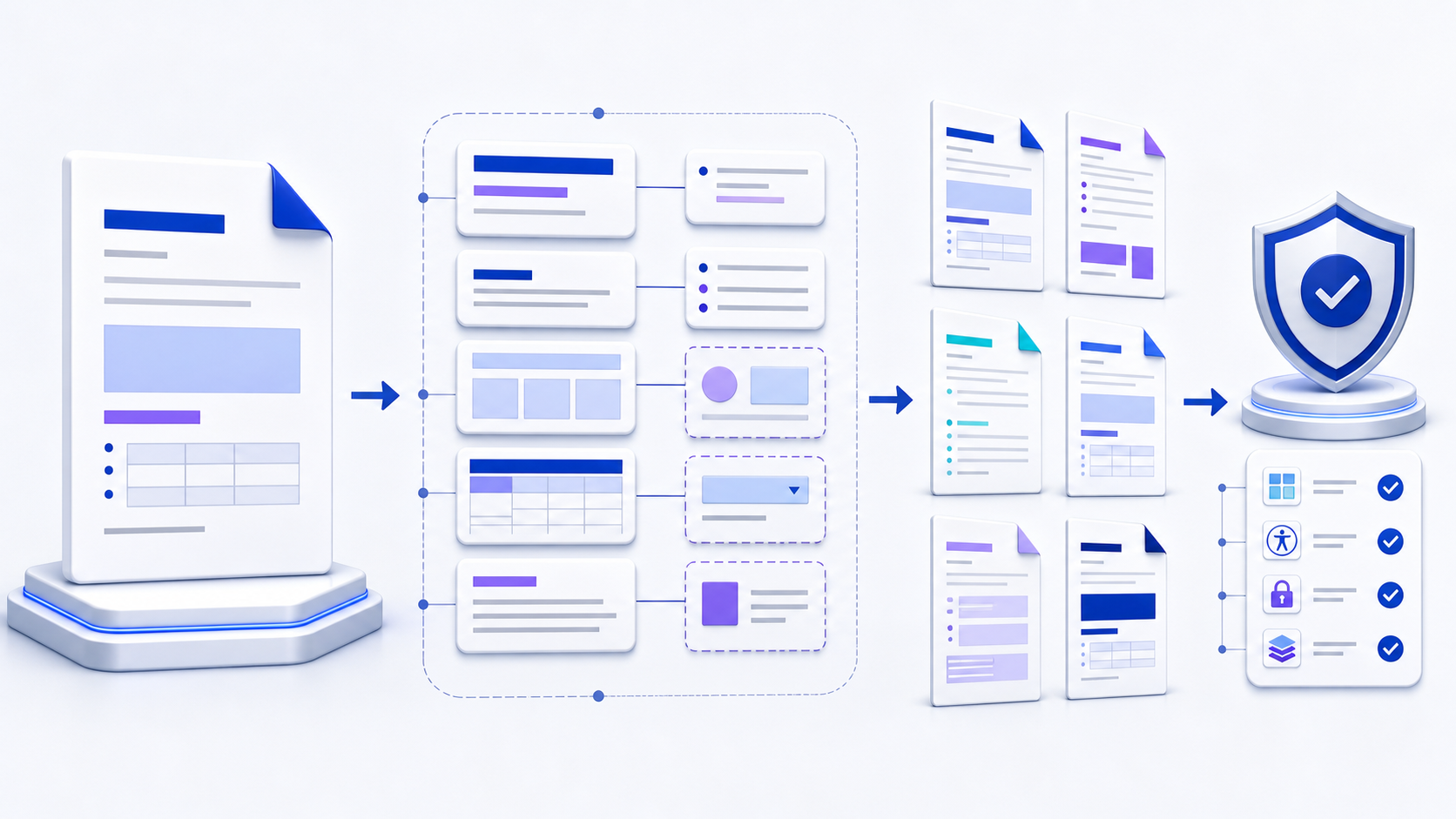
Quick answer: a Word document template is a controlled, reusable starting point快速答案:Word Document Template 是受控、可复用的文档起点
A Word document template stores the structure and defaults
that should be reused when people create new
documents.
A dependable template defines styles, page setup, sections,
headers and footers, reusable text, fields, content controls,
accessibility rules, and ownership. Save a normal reusable
template as .dotx; use .dotm only when
approved macros are genuinely required. Test the master with
realistic content, create documents from it instead of
overwriting it, and verify every generated DOCX before
distribution.
Word Document Template
保存创建新文档时应重复使用的结构与默认规则。可靠模板应定义样式、页面设置、分节、页眉页脚、复用文字、字段、内容控件、无障碍规则与负责人。普通可复用模板保存为
.dotx;只有确实需要且已获批准的宏才使用
.dotm。用真实内容测试母版,从模板创建新文档而不是覆盖母版,并在分发前验证每个生成的
DOCX。
Understand what a Word document template controls理解 Word Document Template 实际控制什么
A template is more than a decorated first page. It is a reusable agreement about how documents begin, how authors add content, and what reviewers should expect. It can carry paragraph and character styles, theme choices, margins, section behavior, page numbering, reusable clauses, cover-page elements, table formats, content controls, and selected document settings. It cannot guarantee that every author follows instructions or that every application renders the file identically.
模板不只是装饰过的首页。它是一份可复用约定,规定文档如何开始、作者如何添加内容,以及审核者应看到什么。模板可以承载段落与字符样式、主题选择、页边距、分节行为、页码、复用条款、封面元素、表格格式、内容控件与部分文档设置,但不能保证每位作者都遵守说明,也不能保证所有应用完全一致地渲染文件。
| Artifact文件类型 | Purpose用途 | Main caution主要注意点 |
|---|---|---|
.docx |
Ordinary editable Word document普通可编辑 Word 文档 | Copying an old DOCX can carry stale content and metadata复制旧 DOCX 可能带入过期内容与元数据 |
.dotx |
Macro-free reusable Word template不含宏的可复用 Word 模板 | Opening behavior and template discovery vary by platform不同平台的打开方式与模板发现路径不同 |
.dotm |
Macro-enabled reusable template启用宏的可复用模板 | Requires security review, trusted source, signing, and lifecycle control需要安全审查、可信来源、签名与生命周期控制 |
.docm |
Macro-enabled document instance启用宏的文档实例 | Do not treat it as a harmless ordinary DOCX不要把它当成普通无害 DOCX |
Define the document system before designing the template设计模板前先定义文档系统
Begin with the documents the template must produce, not with colors and borders. Identify the audience, authoring devices, required sections, optional sections, approval path, output formats, languages, accessibility obligations, sensitivity, retention rules, and downstream automation. Collect representative short, long, simple, and difficult examples. A template for a two-page letter and one for a regulated 120-page report need different section logic, navigation, review controls, and tests.
应从模板需要产出的文档开始,而不是先选颜色和边框。明确受众、创作设备、必选与可选章节、批准路径、输出格式、语言、无障碍义务、敏感度、保留规则与下游自动化。收集有代表性的短文档、长文档、简单文档和困难样例。两页商业信函模板与受监管的 120 页报告模板,在分节逻辑、导航、审阅控制和测试上应完全不同。
List required sections, repeatable blocks, fields, tables, figures, notes, approvals, and conditional content. Mark which elements authors may remove or repeat.
列出必选章节、重复区块、字段、表格、图片、注释、批准与条件内容,并标明哪些元素可删除或重复。
Record supported Word versions, desktop or web use, operating systems, fonts, storage, collaboration route, and PDF or print output.
记录支持的 Word 版本、桌面或网页使用、操作系统、字体、存储、协作路径,以及 PDF 或打印输出。
Name the owner, approver, release identifier, change log, review frequency, distribution channel, and retirement procedure.
明确负责人、批准人、发布标识、变更记录、复审频率、分发渠道与退役流程。
Define what must pass: content completeness, style use, accessibility, pagination, field behavior, metadata, security, export, and cross-platform checks.
定义必须通过的项目:内容完整性、样式使用、无障碍、分页、字段行为、元数据、安全、导出与跨平台检查。
Build the Word template around named styles围绕命名样式构建 Word 模板
Use paragraph, character, table, and list styles as the control layer. Define Normal or body text first, then headings, captions, quotations, notes, code, lists, tables, and special labels. Set spacing, page-break behavior, outline level, language, and “keep with next” where appropriate inside the style rather than through manual formatting. A visible heading that is merely bold text will not provide reliable navigation, table-of-contents generation, or assistive-technology structure.
把段落、字符、表格与列表样式作为控制层。先定义 Normal 或正文样式,再定义标题、题注、引用、注释、代码、列表、表格与特殊标签。在样式内部设置间距、分页行为、大纲级别、语言,以及适用的“与下段同页”,而不是依赖手工格式。看起来像标题但只是加粗文字的段落,无法稳定提供导航、目录生成或辅助技术结构。
Keep the style set small enough to understand. Give each style a purpose, a usage note, and a test case. Avoid multiple styles that look identical but behave differently. If pasting from other documents is common, define a clean-paste procedure and train authors to inspect imported styles rather than silently expanding the template’s style inventory.
样式集合应足够精简,让作者能够理解。为每个样式定义用途、使用说明与测试用例。避免多个样式外观相同、行为却不同。如果经常从其他文档粘贴,应规定干净粘贴流程,并训练作者检查导入样式,而不是让模板样式库不断无声膨胀。
Use fields and content controls for structured input使用字段与内容控件实现结构化输入
Use plain-text, rich-text, date, picture, drop-down, repeating-section, or other supported content controls when authors need clear input locations. Give every control a meaningful title, tag, instruction, and expected data rule. Use document properties or fields for values such as title, owner, version, date, and page numbers when one source should populate multiple locations. Decide whether fields update automatically, on opening, before print, or only through a controlled step.
当作者需要明确输入位置时,可使用纯文本、富文本、日期、图片、下拉列表、重复节或其他受支持的内容控件。为每个控件设置有意义的标题、标签、说明与预期数据规则。当标题、负责人、版本、日期和页码等值应由一个来源填充多处时,可使用文档属性或字段。明确字段是在打开、打印前、自动流程中更新,还是只能通过受控步骤更新。
Do not confuse a placeholder with validation. A control can guide entry, but it does not prove that a value is correct, authorized, complete, current, or safe. Business-critical data still needs source verification and an accountable reviewer.
不要把占位符当成验证。控件可以引导输入,却不能证明值正确、已授权、完整、最新或安全。关键业务数据仍需核实来源并由明确负责人审核。
Design sections, headers, tables, and page behavior deliberately有意识地设计分节、页眉、表格与分页行为
Use section breaks only when page orientation, margins, columns, headers, footers, or numbering must change. Document each break’s purpose because accidental section changes are a common source of broken page numbers and inconsistent headers. Test wide tables, long headings, images, captions, footnotes, blank values, and content that crosses a page boundary. Avoid text boxes for core reading order when normal flow can express the same information.
只有在页面方向、页边距、分栏、页眉页脚或编号确实需要变化时才使用分节符,并记录每个分节的目的,因为意外的分节变化经常导致页码中断与页眉不一致。测试宽表、长标题、图片、题注、脚注、空值和跨页内容。只要普通文档流能够表达同样信息,就不要用文本框承载核心阅读顺序。
Define what is authoritative: editable Word layout, exported PDF, printed output, or semantic content. Font substitution, printer metrics, application version, linked objects, and unsupported features can change pagination. For a layout-sensitive deliverable, package approved fonts only when licensing permits, record the supported environment, and compare the final fixed output rather than assuming the template alone guarantees identical pages.
还需定义哪种输出具有权威性:可编辑 Word 版式、导出 PDF、打印结果还是语义内容。字体替换、打印机度量、应用版本、链接对象与不支持功能都可能改变分页。对于版式敏感的交付物,只在许可证允许时分发批准字体,记录受支持环境,并比较最终固定输出,而不是假设模板本身能保证每页完全一致。
Make the reusable Word template accessible by default让可复用 Word 模板默认具备无障碍基础
Set the document language, use a logical heading sequence, provide descriptive link patterns, include alt-text guidance, use real lists, keep tables simple with designated header rows, preserve meaningful reading order, and maintain sufficient contrast. Do not encode meaning through color alone. If authors will insert images or complex tables, include visible instructions that tell them what accessibility information must be supplied.
设置文档语言,使用逻辑标题顺序,提供描述性链接写法,加入替代文本指引,使用真实列表,保持表格简单并指定表头行,维护有意义的阅读顺序与足够对比度。不要只用颜色表达含义。如果作者会插入图片或复杂表格,应提供可见说明,明确必须补充哪些无障碍信息。
Run Word’s accessibility checker as a useful diagnostic, then perform manual checks for heading logic, link purpose, table interpretation, reading order, document title, language changes, and keyboard use. Automated checks cannot decide whether an alternative description communicates the right meaning or whether a complex table is understandable.
可以运行 Word 无障碍检查器进行诊断,但仍需人工检查标题逻辑、链接目的、表格解释、阅读顺序、文档标题、语言变化与键盘使用。自动检查无法判断替代说明是否传达正确含义,也无法判断复杂表格是否真正可理解。
Create a Word document template in ten controlled steps用十个受控步骤创建 Word Document Template
-
1Define the use case定义使用场景
Name the document type, users, inputs, decisions, outputs, sensitivity, and approval owner.
明确文档类型、用户、输入、决策、输出、敏感度与批准负责人。
-
2Model the content建立内容模型
Separate required, optional, repeating, conditional, and reference content.
区分必选、可选、重复、条件与参考内容。
-
3Build the style system构建样式体系
Define body, headings, lists, tables, captions, notes, and exceptions before decorating pages.
在装饰页面前定义正文、标题、列表、表格、题注、注释与例外样式。
-
4Configure pages and sections配置页面与分节
Set margins, orientation, headers, footers, numbering, and section behavior intentionally.
有意识地设置页边距、方向、页眉页脚、编号与分节行为。
-
5Add structured controls添加结构化控件
Use labelled content controls, fields, and properties where repeated or governed input is needed.
在需要重复或受控输入的位置使用有标签的内容控件、字段与属性。
-
6Write author instructions编写作者说明
Explain what to replace, retain, repeat, delete, verify, and escalate without mixing instructions into final content.
说明哪些内容应替换、保留、重复、删除、验证与升级,且不要让说明混入最终正文。
-
7Save the correct master type保存正确的母版类型
Choose DOTX for a macro-free template or DOTM only for reviewed macro behavior; protect the approved master from casual overwrite.
无宏模板选择 DOTX;只有宏行为已审查时才选择 DOTM,并防止批准母版被随意覆盖。
-
8Test representative instances测试代表性实例
Create new documents with minimum, typical, maximum, missing, multilingual, and adversarial content.
使用最少、典型、最大、缺失、多语言与极端内容创建新文档。
-
9Review and release审核并发布
Record accessibility, security, content, brand, legal, export, and platform evidence before assigning a version.
分配版本前记录无障碍、安全、内容、品牌、法律、导出与平台证据。
-
10Monitor and retire监控并退役
Collect defects, update through one owner, publish a change log, migrate users, and remove obsolete copies.
收集缺陷,通过唯一负责人更新,发布变更记录,迁移用户并移除过期副本。
Test the template with evidence, not a perfect sample用证据测试模板,而不是只看完美样例
| Test area测试领域 | Representative case代表性案例 | Pass evidence通过证据 |
|---|---|---|
| Content内容 | Empty, typical, long, repeated, and missing values空值、典型值、长值、重复值与缺失值 | No orphan instructions, clipping, or ambiguous required fields无遗留说明、裁切或含糊必填字段 |
| Styles样式 | Paste text, apply each style, generate contents粘贴文字、应用每个样式、生成目录 | Predictable hierarchy without duplicate or direct formatting层级可预测,无重复样式或直接格式 |
| Layout版式 | Wide table, large image, long heading, page break, mixed orientation宽表、大图、长标题、分页与混合方向 | Expected pagination in the supported output environment在支持的输出环境中分页符合预期 |
| Accessibility无障碍 | Keyboard, headings, links, tables, alt text, language, reading order键盘、标题、链接、表格、替代文本、语言与阅读顺序 | Automated findings resolved and manual review documented自动发现已解决,人工审核有记录 |
| Security and privacy安全与隐私 | Properties, comments, revisions, hidden content, links, macros, external data属性、批注、修订、隐藏内容、链接、宏与外部数据 | Only approved content and behavior remain仅保留获批准的内容与行为 |
| Distribution分发 | New user, clean device, supported desktop and web routes新用户、干净设备、受支持桌面与网页路径 | Correct version is discoverable and creates a new document safely正确版本可发现并安全创建新文档 |
Govern reusable Word templates as maintained products把可复用 Word 模板作为持续维护的产品治理
Assign one accountable owner and a release identifier that users can see. Keep the editable source, approved template, test documents, fixed-output proofs, change log, and retirement notice together. Separate draft, approved, and obsolete locations. A filename such as “final-v7-new” is not reliable version control; use a controlled library or repository appropriate to the organization and record who approved each change.
指定一个明确负责人,并提供用户可见的发布标识。把可编辑源文件、批准模板、测试文档、固定输出样张、变更记录与退役通知放在受控体系中。区分草稿、已批准与过期位置。“final-v7-new”之类文件名不是可靠版本控制;应使用适合组织的受控库或仓库,并记录每次变更的批准人。
Review templates when brand standards, policies, legal clauses, accessibility requirements, Word versions, fonts, automation, or output systems change. Do not silently replace a template while users are editing documents based on an older version. Publish effective dates, migration guidance, compatibility notes, and a contact for defects.
当品牌标准、政策、法律条款、无障碍要求、Word 版本、字体、自动化或输出系统变化时,应复审模板。用户仍在编辑基于旧版本的文档时,不要静默替换模板。应发布生效日期、迁移指引、兼容说明与缺陷联系人。
Use, edit, and share a Word template without damaging the master在不损坏母版的前提下使用、编辑与共享 Word 模板
To create a document, start a new file from the approved template and save the result as DOCX in the correct workspace. To update the template, open the template itself through the documented maintenance route, change it in a controlled draft, rerun tests, obtain approval, and release a new version. Do not edit an accidental document instance and assume the master changed.
创建文档时,应从已批准模板新建文件,再把结果作为 DOCX 保存到正确工作区。更新模板时,应通过规定的维护路径打开模板本身,在受控草稿中修改,重新测试、获得批准并发布新版本。不要修改偶然创建的文档实例后就以为母版已经更新。
Microsoft’s exact menu labels and storage paths differ across Windows, macOS, Microsoft 365 versions, organizational template libraries, and Word for the web. Verify the supported route in current Microsoft documentation and the organization’s deployment configuration. If a web workflow cannot save the required DOTX master, maintain the approved template in a supported desktop environment and use web copies only through a documented process.
Windows、macOS、不同 Microsoft 365 版本、组织模板库与 Word 网页版的菜单标签和存储路径并不完全相同。应根据最新 Microsoft 文档与组织部署配置验证支持路径。如果网页流程无法保存所需 DOTX 母版,应在受支持桌面环境维护批准模板,并通过规定流程使用网页副本。
Connect structured Markdown to the Word template workflow把结构化 Markdown 接入 Word 模板工作流
When source content begins in Markdown, the InfiniSynapse Markdown to Word tool can turn headings, paragraphs, lists, and supported tables into an editable DOCX draft. That draft can supply clean source content for a Word document template workflow. The tool does not create DOTX or DOTM, install organization templates, run macros, validate fields, enforce styles, approve accessibility, or certify final layout.
当源内容始于 Markdown 时,InfiniSynapse Markdown 转 Word 工具可以把标题、段落、列表与受支持表格转换成可编辑 DOCX 初稿,为 Word Document Template 工作流提供较干净的源内容。该工具不会创建 DOTX 或 DOTM、安装组织模板、运行宏、验证字段、强制样式、批准无障碍或认证最终版式。
Prepare sanitized Markdown with a logical heading hierarchy, concise tables, descriptive links, explicit source notes, and no secrets. Convert and download the DOCX, then open it in the approved Word environment. Map imported paragraphs to approved styles, place content into the required controls and sections, update fields and contents, inspect metadata and review history, run accessibility and layout checks, and save the resulting document under the governed process.
准备脱敏 Markdown,使用逻辑标题层级、简洁表格、描述性链接与明确来源说明,不包含秘密信息。转换并下载 DOCX 后,在批准的 Word 环境中打开;把导入段落映射到批准样式,将内容放入所需控件与章节,更新字段与目录,检查元数据和审阅历史,运行无障碍与版式检查,再按治理流程保存结果。
Create a structured DOCX draft before applying the template应用模板前先创建结构化 DOCX 初稿
Prepare sanitized Markdown, convert it to DOCX, then apply the approved styles, controls, sections, accessibility rules, and validation process in Word.
准备脱敏 Markdown 并转换为 DOCX,再在 Word 中应用批准的样式、控件、分节、无障碍规则与验证流程。
Open Markdown to Word打开 Markdown 转 WordTroubleshoot Word template problems by control layer按控制层排查 Word 模板问题
| Symptom现象 | Likely layer可能层级 | Safe next step安全下一步 |
|---|---|---|
| Opening the template changes the master打开模板后母版被改变 | File type, opening route, permissions文件类型、打开路径、权限 | Restore the approved copy; test new-from-template behavior with a clean user恢复批准副本;用干净用户测试从模板新建行为 |
| Formatting changes after paste粘贴后格式变化 | Imported styles and direct formatting导入样式与直接格式 | Use the defined paste method, clear direct formatting, and apply approved styles使用规定粘贴方式,清除直接格式并应用批准样式 |
| Page numbers or headers restart页码或页眉重新开始 | Section breaks and link-to-previous state分节符与链接到前一节状态 | Show formatting marks, inspect each section, and repair a copy显示格式标记,检查每个分节并在副本中修复 |
| Fields display stale values字段显示旧值 | Update timing, locked field, missing property更新时间、字段锁定、属性缺失 | Verify the source property and execute the documented update step核实源属性并执行规定更新步骤 |
| Layout changes on another device换设备后版式变化 | Fonts, application, printer metrics, unsupported objects字体、应用、打印机度量、不支持对象 | Compare in the supported environment and validate the fixed output在支持环境中对比并验证固定输出 |
| Users find different versions用户找到不同版本 | Distribution and retirement governance分发与退役治理 | Publish one authoritative location, migrate links, and withdraw obsolete copies发布唯一权威位置,迁移链接并撤回过期副本 |
Complete this Word document template release checklist完成这份 Word Document Template 发布清单
- The purpose, users, supported platforms, outputs, owner, approver, version, and effective date are recorded.用途、用户、支持平台、输出、负责人、批准人、版本与生效日期均有记录。
- Required and optional content, controls, fields, styles, sections, and author instructions are unambiguous.必选与可选内容、控件、字段、样式、分节与作者说明均无歧义。
- The master uses the correct DOTX or reviewed DOTM type and is protected from accidental overwrite.母版采用正确的 DOTX 或经审查的 DOTM 类型,并防止意外覆盖。
- Representative minimum, typical, maximum, malformed, multilingual, and cross-platform cases were tested.已测试最少、典型、最大、畸形、多语言与跨平台案例。
- Accessibility, privacy, metadata, review history, links, macros, external data, export, and print were reviewed.已审核无障碍、隐私、元数据、审阅历史、链接、宏、外部数据、导出与打印。
- A new user can find the approved version, create a document, complete it, and obtain help without editing the master.新用户能找到批准版本、创建并完成文档、获得帮助,且不会编辑母版。
- The release includes a change log, defect route, review date, migration guidance, and retirement plan.发布内容包含变更记录、缺陷渠道、复审日期、迁移指引与退役计划。
Frequently asked questions about Word document templates关于 Word Document Template 的常见问题
A DOCX is usually an editable document instance. A DOTX is a macro-free reusable template intended to create new document instances with defined structure and defaults. Actual opening behavior depends on the application and route.
DOCX 通常是可编辑文档实例;DOTX 是不含宏的可复用模板,用于按既定结构与默认规则创建新文档。实际打开行为取决于应用与路径。
Clean the document, define styles and controls, remove stale data and metadata, then use the supported Save As route and select Word Template (.dotx), or DOTM only for reviewed macros. Test a new document before release.
先清理文档,定义样式与控件,移除过期数据和元数据,再使用受支持的“另存为”路径选择 Word Template(.dotx);只有宏已审查时才选择 DOTM。发布前测试从模板新建文档。
Microsoft’s current template guidance says Word for the web does not support saving DOTX templates. Verify the current service and tenant behavior; maintain the master in a supported desktop route when DOTX is required.
Microsoft 当前模板指南说明 Word 网页版不支持保存 DOTX 模板。仍应核实当前服务与租户行为;需要 DOTX 时,应通过受支持桌面路径维护母版。
Use the documented maintenance route to open the template file itself, create a controlled draft, make changes, rerun tests, obtain approval, and publish a new version. The exact menus and storage locations vary by platform.
通过规定的维护路径打开模板文件本身,创建受控草稿,修改后重新测试、获得批准并发布新版本。具体菜单与存储位置因平台而异。
The Markdown to Word tool creates an editable DOCX draft from structured Markdown. It does not create or manage DOTX/DOTM templates. Apply approved styles, controls, template behavior, and validation in Word afterward.
Markdown 转 Word 工具从结构化 Markdown 创建可编辑 DOCX 初稿,不会创建或管理 DOTX/DOTM 模板。之后仍需在 Word 中应用批准样式、控件、模板行为与验证流程。
Sources and references for verifying Word template behavior验证 Word 模板行为的来源与参考资料
Microsoft Support documents how to create, save, edit, and use an Office template, while Microsoft’s template site explains template availability and Word for the web limitations. Microsoft Learn provides an Office Open XML file-extension reference and explains the structure of a WordprocessingML package. Verify instructions for the exact Word version, platform, account, policy, and deployment model.
Microsoft Support 说明如何创建、保存、编辑与使用 Office 模板;Microsoft 模板站点说明模板可用性与 Word 网页版限制。Microsoft Learn 提供 Office Open XML 扩展名参考,并解释 WordprocessingML 文件包结构。应针对实际 Word 版本、平台、账户、策略与部署模式验证说明。