
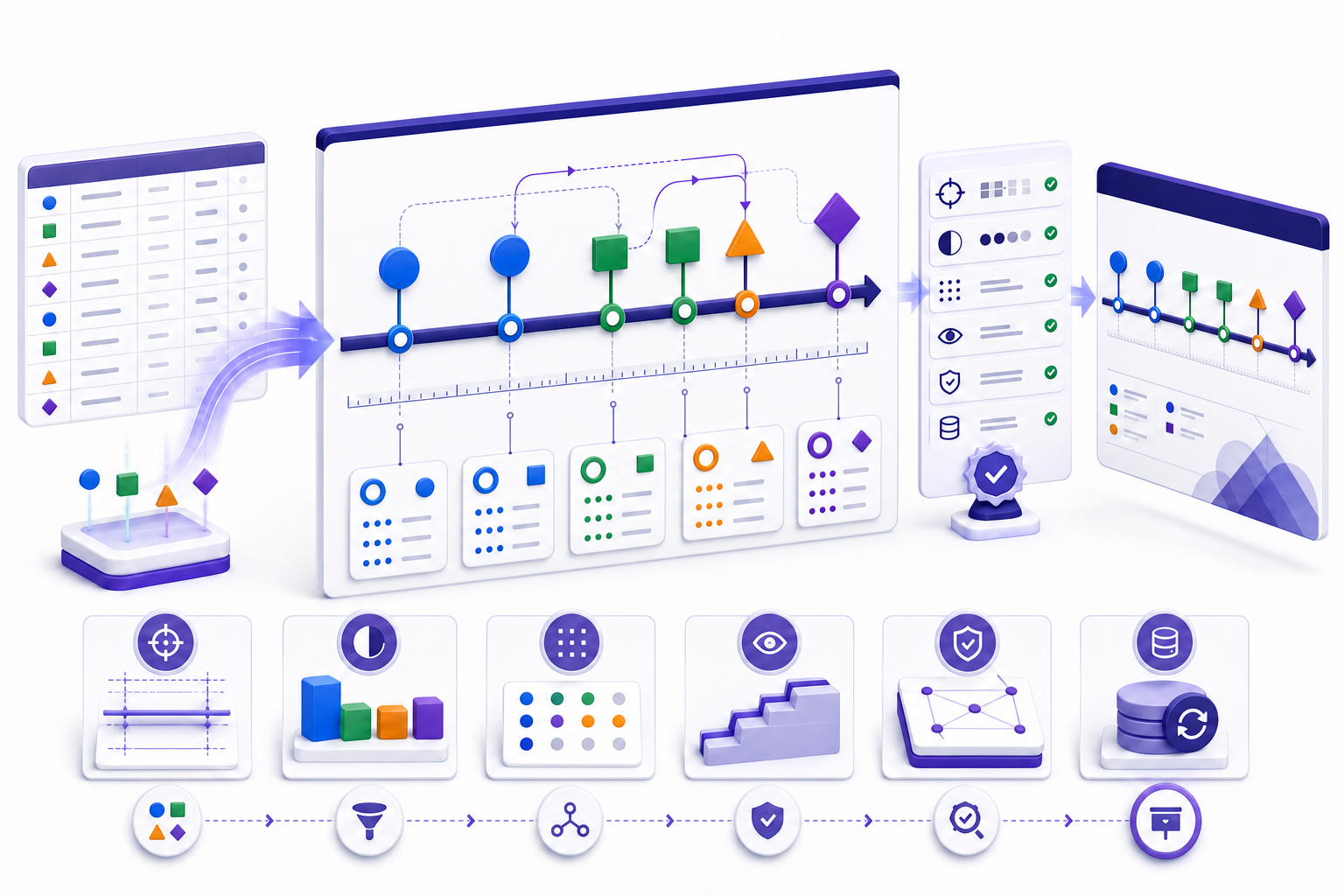
Build a timeline PowerPoint from verified events, not decorative shapes用已核验事件创建 Timeline PowerPoint,而不是堆放装饰形状
Define the audience and time horizon, create a source table, select decision-relevant milestones, choose an honest time scale, show dependencies and status with redundant cues, build the slide, and validate every date against its source. Keep the source data and presentation version connected so updates are reviewable.
先定义受众与时间范围,建立来源表,筛选与决策相关的里程碑,选择真实时间尺度,用不只依赖颜色的方式表达依赖与状态,再制作页面并逐项核对日期。让来源数据与演示版本保持关联,使每次更新都可复核。
A timeline is a communication view, not the scheduling system of record. It can explain sequence, commitments, transitions, risk, and decision points, but it should not hide uncertainty or imply precision the underlying plan does not have. If tasks, resources, baselines, or critical-path calculations drive the decision, link the slide to the approved planning source.
时间线是沟通视图,不是排期记录系统。它可以解释顺序、承诺、阶段转换、风险与决策点,但不应隐藏不确定性,也不应制造基础计划并不存在的精确度。如果决策依赖任务、资源、基线或关键路径计算,应把页面链接到获批的计划来源。
Define the decision, audience, horizon, and update cadence first先定义决策、受众、时间范围与更新频率
Write the question the slide must answer: Are we on track for launch? Which milestones require executive action? How did a program evolve? What happens before a customer migration? Name the decision owner, meeting, deadline, affected scope, and consequence of being wrong. A leadership update, implementation plan, historical chronology, product roadmap, and incident reconstruction need different evidence.
先写出页面必须回答的问题:发布是否按计划?哪些里程碑需要管理层行动?项目如何演进?客户迁移前会发生什么?同时写明决策负责人、会议、截止时间、影响范围与判断错误的后果。管理层更新、实施计划、历史年表、产品路线图与事件复盘需要不同证据。
Set the time horizon and update cadence before choosing the layout. A six-week launch plan may need days; a three-year strategy may need quarters. Record the as-of date and time zone. If the slide is maintained weekly, design for changing dates and status rather than polishing a static picture that becomes fragile after one edit.
在选择版式前确定时间范围与更新频率。六周发布计划可能需要按天显示,三年战略可能按季度显示。记录数据截至日期与时区。如果页面每周维护,应优先设计可变日期与状态,而不是制作一次编辑后就容易错位的静态图片。
Create a milestone source table before drawing the timeline slide绘制时间线页面前先建立里程碑来源表
Collect events in a structured table with stable IDs, names, planned and actual dates, date precision, owner, phase, dependency, status, confidence, source URL or record, last verified time, and reviewer. Preserve original values; derive display labels separately. This prevents a resized shape or copied label from becoming the only record of an important commitment.
用结构化表格收集事件,包括稳定编号、名称、计划与实际日期、日期精度、负责人、阶段、依赖、状态、置信度、来源链接或记录、最近核验时间与复核人。保留原始值,另行生成显示标签,避免缩放后的形状或复制文字成为重要承诺的唯一记录。
| Field字段 | Purpose用途 | Control控制 |
|---|---|---|
| Planned / actual计划 / 实际 | Separate commitment from outcome区分承诺与结果 | Never overwrite the baseline silently不得静默覆盖基线 |
| Precision精度 | Day, month, quarter, or approximate日、月、季度或估计 | Do not invent a day for a quarter estimate不要为季度估计虚构具体日期 |
| Source and verifier来源与核验人 | Trace each claim追溯每项主张 | Require review for material changes重大变更必须复核 |
Select milestones that mark a meaningful state change选择能够标记实质状态变化的里程碑
A milestone should represent approval, delivery, release, dependency completion, contractual commitment, control gate, or measurable outcome. Do not promote every activity to a milestone. For each candidate, ask what changed, who can verify it, what evidence proves completion, and what decision follows. Merge low-value detail into phases or supporting notes.
里程碑应代表批准、交付、发布、依赖完成、合同承诺、控制关口或可衡量结果。不要把每项活动都升级为里程碑。对每个候选事件询问:发生了什么状态变化?谁能核验?什么证据证明完成?之后需要什么决策?低价值细节应合并到阶段或补充说明中。
Limit the primary slide to what the audience can interpret at the intended distance and duration. If removing a point does not change the decision, place it in an appendix. If multiple workstreams must be compared, use lanes with consistent milestone definitions instead of shrinking labels until they are unreadable.
主页面只保留受众在预定观看距离与时间内能够理解的信息。如果删除某个点不会改变决策,就把它放入附录。需要比较多条工作流时,使用定义一致的泳道,而不是把标签缩小到无法阅读。
Use a time scale that does not distort distance or uncertainty使用不会扭曲时间距离与不确定性的尺度
Decide whether position encodes actual elapsed time or only sequence. If spacing is proportional, equal distances must represent equal durations and axis breaks must be visible. If the layout is ordinal, label it as a sequence and avoid a ruler that implies scale. Mixing proportional and equal spacing without disclosure can exaggerate progress or compress delay.
先决定位置表达真实经过时间,还是只表达先后顺序。若按比例布局,相等距离必须代表相等时长,断轴必须可见;若为顺序布局,应明确标为流程,不要添加会暗示比例的标尺。未说明就混用比例间距与等距节点,会夸大进度或压缩延期。
Represent uncertain dates honestly: a range, quarter, window, or confidence marker is better than a fabricated day. Distinguish target, forecast, committed, and actual dates. Add an as-of date so viewers know whether a status is current. When time zones affect a launch or cutover, state the reference zone.
诚实表达不确定日期:范围、季度、时间窗口或置信标记优于虚构具体日期。区分目标、预测、承诺与实际日期,并添加截至日期,让受众知道状态是否仍然有效。若发布或切换受时区影响,应注明参考时区。
Choose a timeline, roadmap, Gantt chart, or calendar by the question根据问题选择时间线、路线图、甘特图或日历
Communicates key events, sequence, transitions, and selected dependencies.传达关键事件、顺序、阶段变化与部分依赖。
Communicates strategic direction, themes, outcomes, and evolving priorities.传达战略方向、主题、结果与变化中的优先级。
Shows task duration, overlap, schedule structure, and often dependencies.显示任务时长、重叠、排期结构与依赖。
Shows date-specific appointments, deadlines, and recurring events.显示具体日期的会议、截止时间与重复事件。
Do not force a crowded delivery plan into a single decorative timeline. Use the simplest view that preserves the information the decision requires, and link to the authoritative schedule when the slide intentionally summarizes it.
不要把拥挤的交付计划强行塞进一条装饰性时间线。应选择能够保留决策所需信息的最简单视图;如果页面只是摘要,就链接到权威排期来源。
Use SmartArt for a simple PowerPoint timeline with limited detail用 SmartArt 创建细节有限的简单 PowerPoint 时间线
Microsoft documents a basic workflow: insert SmartArt, choose a Process timeline layout, enter dates and descriptions, add shapes before or after, move points, and change the layout or colors. SmartArt is useful when milestones are few, order matters more than precise spacing, and maintainers benefit from a structured text pane.
Microsoft 记录的基本流程是:插入 SmartArt,选择“流程”中的时间线版式,输入日期与说明,在前后添加形状,移动节点并调整布局或颜色。里程碑较少、顺序比精确间距更重要,且维护者需要结构化文本窗格时,SmartArt 很实用。
Treat many SmartArt timelines as ordinal unless you explicitly establish a proportional scale. Test adding, deleting, and reordering milestones before committing to the style; automatic layout changes can alter spacing and wrapping. Keep a source table because the visual should not become the only data store.
除非明确建立比例尺度,否则应把许多 SmartArt 时间线视为顺序图。选定样式前测试新增、删除与重排节点,因为自动布局可能改变间距与换行。仍需保留来源表,视觉页面不应成为唯一数据仓库。
Use shapes and connectors when scale or dependencies require control当尺度或依赖需要精确控制时使用形状与连接线
Custom shapes provide control over node position, labels, lanes, ranges, and dependency paths. Set guides and a grid, create one approved milestone component, duplicate it, and bind each horizontal position to the chosen scale. Use actual connectors rather than loose lines when relationships must remain attached as shapes move; Microsoft notes that connectors stay connected to shape connection points.
自定义形状可以精确控制节点位置、标签、泳道、范围与依赖路径。设置参考线与网格,创建一个获批的里程碑组件,再复制并按选定尺度定位。关系需要在形状移动后仍保持连接时,应使用真正的连接线而非普通线条;Microsoft 说明连接线会附着在形状连接点上。
Group only after content and reading order are reviewed. Keep an ungrouped working copy if frequent edits are expected. Name objects in the Selection Pane where supported, maintain consistent stacking, and avoid hidden overlaps that make keyboard selection, accessibility review, and future maintenance difficult.
完成内容与阅读顺序复核后再分组。如果预计频繁修改,保留未分组工作副本。在支持时通过选择窗格命名对象,保持一致层级,并避免隐藏重叠,否则键盘选择、无障碍复核与后续维护都会变难。
Align milestones systematically instead of positioning by eye系统对齐里程碑,不要只靠目测摆放
Use guides, gridlines, alignment commands, and horizontal or vertical distribution. Microsoft documents aligning selected objects, aligning to the slide, using Smart Guides, and distributing at equal distances. Equal distribution is appropriate only when equal spacing is the intended meaning; it is not a substitute for a proportional time calculation.
使用参考线、网格线、对齐命令以及水平或垂直分布。Microsoft 说明了对齐所选对象、对齐到页面、使用智能参考线与等距分布的方法。只有当等距本身就是预期含义时才使用等距分布;它不能替代按时间比例计算的位置。
Create a safe label zone above or below the axis, alternate callouts only when necessary, and reserve whitespace for dense periods. Test the slide at presentation distance and as a thumbnail. A timeline that looks balanced at 200% zoom may fail when projected or viewed on a phone.
在轴线上方或下方建立安全标签区域,仅在必要时交错标注,并为密集时段保留空白。以现场观看距离和缩略图两种方式测试。一个在 200% 缩放下看起来平衡的时间线,投影或手机查看时可能失败。
Write milestone labels as concise, verifiable state changes把里程碑标签写成简洁、可核验的状态变化
Prefer an outcome plus evidence-bearing verb: “security review approved,” “pilot completed,” or “migration window confirmed.” Avoid vague labels such as “phase two,” “work,” or “progress.” Keep grammar parallel, define abbreviations, and use the same date format throughout. Place qualifications in a note or callout rather than shrinking the core label.
优先使用“结果 + 可产生证据的动词”,例如“安全审查获批”“试点完成”“迁移窗口确认”。避免“第二阶段”“工作”“进展”之类模糊标签。保持语法平行,定义缩写,并统一日期格式。限定条件放入备注或标注,不要缩小核心标签。
Do not label forecast dates as completed outcomes. If a milestone has acceptance criteria, make them available in speaker notes, an appendix, or the linked plan. The visible slide should remain concise while the claim remains auditable.
不要把预测日期写成已完成结果。若里程碑有验收标准,应在演讲者备注、附录或链接计划中提供。可见页面可以简洁,但主张必须仍然可审计。
Encode milestone status without relying on color alone表达里程碑状态时不要只依赖颜色
Define status before choosing colors. “At risk” should have a documented threshold; “complete” should require evidence; “blocked” should identify the dependency or decision. Use color plus shape, border, icon, pattern, or short text so the meaning survives grayscale, color-vision differences, poor projection, and print.
在选择颜色前先定义状态。“有风险”应有明确阈值,“已完成”应有证据,“受阻”应指出依赖或所需决策。使用颜色加形状、边框、图标、纹理或简短文字,使含义在灰度、色觉差异、低质量投影与打印中仍然成立。
Separate actual completion from confidence in a future date. A milestone can be not started but high confidence, or active and low confidence. If both dimensions matter, use separate channels and a small legend. Never turn all uncertain work green merely because a date has not yet passed.
把实际完成状态与未来日期置信度分开。一个里程碑可能尚未开始但置信度高,也可能正在进行但置信度低。两者都重要时应使用不同视觉通道和简短图例。不要仅因为日期尚未到来就把所有不确定工作标成绿色。
Show only dependencies that change interpretation or action只显示会改变理解或行动的依赖关系
A presentation timeline should not reproduce every schedule link. Show external gates, cross-workstream handoffs, approval prerequisites, and constraints that explain risk or sequencing. Use connectors with a consistent direction, minimize crossings, and state what the line means. If dependencies become a web, move detail to a schedule or dependency map and keep only the decision-critical chain.
演示时间线不应复制排期中的每条关联。显示能够解释风险或先后顺序的外部关口、跨工作流交接、审批前提与约束。连接线方向应一致,尽量减少交叉,并说明线条含义。如果依赖变成网络,应把细节移到排期或依赖图,只保留对决策关键的链路。
Validate arrows after any layout change. A connector can remain visually attached while pointing to the wrong interpretation if labels or phases move. Compare the slide with the source dependency list and ask each owner to confirm inbound and outbound gates.
每次改版后都要验证箭头。即使连接线仍附着在形状上,标签或阶段移动后也可能表达错误关系。把页面与来源依赖清单比较,并让各负责人确认输入与输出关口。
Use lanes and phase bands to compare workstreams without losing chronology用泳道与阶段带比较工作流,同时保留时间顺序
Use lanes when different teams, products, regions, or decision tracks share one horizon. Give each lane the same scale and status definitions, and align shared gates vertically. Use background phase bands sparingly to show discovery, build, validation, release, or stabilization. Do not let decorative bands hide milestone positions or imply that all work changes phase on the same day.
不同团队、产品、地区或决策轨道共享同一时间范围时,可以使用泳道。所有泳道应采用相同尺度与状态定义,并让共同关口垂直对齐。可谨慎使用背景阶段带表示调研、构建、验证、发布与稳定,但不要让装饰带遮挡节点,也不要暗示所有工作在同一天切换阶段。
If one lane needs a different calendar or precision, disclose it explicitly or use a separate slide. Mixed scales inside a single frame are hard to detect and easy to misread. Keep lane labels short and order them by decision importance rather than organization chart prestige.
如果某条泳道需要不同日历或精度,应明确说明或使用单独页面。同一框架中混合尺度很难发现,也容易误读。泳道标签保持简短,并按决策重要性排序,而不是按组织层级排序。
Separate baseline, current forecast, and actual dates区分基线、当前预测与实际日期
A moved milestone is not the same as a completed milestone. Preserve the approved baseline, show the current forecast, and record the actual date when complete. If the audience needs variance, show the original marker, current marker, and a labeled delta or movement indicator. Do not erase the baseline and present the latest forecast as if it had always been the plan.
里程碑移动并不等于完成。保留获批基线,显示当前预测,并在完成后记录实际日期。受众需要偏差时,显示原始标记、当前标记与明确的差值或移动提示。不要删除基线,再把最新预测表现得像它一直就是原计划。
State the reason for material movement, the approver, the decision date, and downstream effect in notes or the linked change log. Use a consistent threshold for what appears on the executive slide; small changes can remain in the source schedule while material changes receive visible annotation.
在备注或关联变更日志中记录重大移动的原因、批准人、决策日期与下游影响。对管理层页面采用一致阈值;小变化可留在来源排期,重大变化应有可见说明。
Use a data-driven timeline when updates are frequent or numerous更新频繁或节点很多时采用数据驱动时间线
For a recurring portfolio update, calculate positions and labels from a governed table rather than moving shapes manually. A chart, embedded worksheet, script, or controlled export can reduce transcription error, but automation does not validate source truth. Document the input range, date transformation, status mapping, refresh procedure, owner, and fallback.
对重复进行的项目组合更新,应从受治理表格计算位置与标签,而不是手动移动形状。图表、嵌入工作表、脚本或受控导出可以减少抄录错误,但自动化不会验证来源真实性。记录输入范围、日期转换、状态映射、刷新流程、负责人和后备方案。
Microsoft documents that chart data can be edited in PowerPoint or Excel depending on how the chart is embedded or linked. Test what travels with the file, what depends on an external workbook, who can refresh it, and whether recipients see stale data. Include an as-of label generated from the same refresh process.
Microsoft 说明图表数据可根据嵌入或链接方式在 PowerPoint 或 Excel 中编辑。测试哪些内容随文件传递、哪些依赖外部工作簿、谁能刷新,以及收件人是否会看到旧数据。让截至日期由同一刷新流程生成。
Create visual hierarchy around the decision, not decoration围绕决策建立视觉层级,而不是围绕装饰
Make the title state the decision context and as-of date. The timeline axis and milestone labels should dominate; legends, phase bands, and supporting notes should be quieter. Reserve saturated color for exceptions or current focus. Repeating gradients, shadows, 3-D effects, and oversized icons can make every point compete and weaken the chronology.
标题应说明决策情境与截至日期。时间轴和里程碑标签应最突出,图例、阶段带与补充备注应更安静。高饱和颜色只用于异常或当前焦点。重复渐变、阴影、三维效果与过大图标会让所有节点争夺注意力,削弱时间顺序。
Use consistent type size, capitalization, date format, line weight, node size, and padding. Test at the real projection distance, in a meeting window, in exported PDF, and on a phone if that is a delivery channel. A timeline is successful when viewers can explain the sequence and decision without a design tutorial.
统一字号、大小写、日期格式、线宽、节点大小与内边距。在真实投影距离、会议窗口、导出 PDF 与手机上测试。受众无需设计教程就能解释顺序与决策时,时间线才算成功。
Make the PowerPoint timeline understandable beyond visual position让 PowerPoint 时间线不只依赖视觉位置才能理解
Give the slide a unique title, use readable type and contrast, avoid color-only status, and provide concise alt text or a nearby textual summary that explains the purpose, start and end, pivotal milestones, status, and conclusion. Establish a logical reading order; visually left-to-right objects may be announced in creation order instead.
为页面设置唯一标题,使用可读字号与对比度,避免只靠颜色表达状态,并提供简洁替代文本或邻近文字摘要,说明目的、起止范围、关键里程碑、状态与结论。建立合理阅读顺序,因为视觉上从左到右的对象可能按创建顺序被读出。
Microsoft recommends using the Accessibility Checker, accessible layouts, meaningful slide titles, sufficient contrast, alt text, and screen-reader testing. Run the checker after grouping, conversion, export, or major revision because object order and semantics can change. Provide the source table in an accessible appendix when detailed dates and relationships are important.
Microsoft 建议使用无障碍检查器、可访问版式、有意义的页面标题、足够对比度、替代文本与屏幕阅读器测试。分组、转换、导出或重大修改后重新运行检查,因为对象顺序与语义可能变化。详细日期与关系重要时,在可访问附录中提供来源表。
Review dates, claims, scale, and visual output separately分别复核日期、主张、尺度与视觉输出
- 1Source review. Match every displayed milestone, date, status, owner, and dependency to the approved record.来源复核。 把每个显示的里程碑、日期、状态、负责人和依赖与获批记录匹配。
- 2Logic review. Recalculate positions, check the axis, identify broken ranges, and confirm arrows describe the intended relationship.逻辑复核。 重新计算位置,检查坐标轴、断裂区间,并确认箭头表达预期关系。
- 3Owner review. Ask accountable owners to confirm material milestones, acceptance evidence, confidence, and change explanations.负责人复核。 让责任人确认重大里程碑、验收证据、置信度与变更解释。
- 4Delivery review. Present or export the exact final file and test legibility, animation, links, notes, and accessibility.交付复核。 使用确切最终文件放映或导出,测试可读性、动画、链接、备注与无障碍。
Design a controlled update process before the next status cycle在下一轮状态更新前设计受控维护流程
Assign a data owner, slide owner, reviewer, refresh deadline, source location, and naming convention. Record changes rather than overwriting history. Lock approved components or maintain a master, but document how to unlock and edit them. If multiple people update the deck, define which file is authoritative and how conflicts are resolved.
指定数据负责人、页面负责人、复核人、刷新截止时间、来源位置与命名规则。记录变更而不是覆盖历史。锁定获批组件或维护母版,但要说明解锁与编辑方法。多人更新文稿时,定义哪个文件具有权威性以及冲突如何解决。
After each refresh, compare the new slide with the prior approved version. Flag added, removed, moved, or reclassified milestones; verify the as-of date; and rerun accessibility and presentation tests. A controlled update is not complete merely because the file saved successfully.
每次刷新后,把新页面与上一个获批版本比较,标记新增、删除、移动或重新分类的里程碑,核验截至日期,并重新运行无障碍与放映测试。文件成功保存并不代表受控更新已经完成。
Avoid the timeline PowerPoint failures that create false confidence避免会制造错误信心的 Timeline PowerPoint 问题
| Failure问题 | Why it misleads为何误导 | Correction修正 |
|---|---|---|
| Equal spacing presented as elapsed time把等距节点当成经过时间 | Compresses long gaps and expands short ones压缩长间隔并放大短间隔 | Use proportional positions or label as sequence按比例定位或标为顺序 |
| Baseline overwritten基线被覆盖 | Hides schedule movement隐藏排期移动 | Preserve baseline, forecast, and actual保留基线、预测与实际 |
| Green without evidence无证据标绿 | Confuses optimism with completion把乐观与完成混为一谈 | Define status thresholds and evidence定义状态阈值与证据 |
| Tiny labels and crossed arrows小标签与交叉箭头 | Makes sequence and ownership unreadable让顺序与责任无法阅读 | Reduce detail, use lanes or appendix减少细节,使用泳道或附录 |
Present the timeline as a decision narrative, not a visual tour把时间线讲成决策叙事,而不是视觉导览
Orient the audience to the horizon, scale, as-of date, and legend. State the outcome or decision first, then walk through only the milestones that explain it. Distinguish completed evidence, current work, forecast, uncertainty, and required action. Pause at dependency gates and material movement; do not narrate every decorative point.
先帮助受众理解时间范围、尺度、截至日期与图例。先说明结果或决策,再讲解能够解释它的里程碑。区分已完成证据、当前工作、预测、不确定性与所需行动。在依赖关口与重大移动处停留,不要逐个讲解装饰节点。
Prepare an appendix with definitions, detailed schedule, change log, assumptions, and source references. If challenged, move from the summary slide to evidence rather than defending the visual. Record decisions and update the authoritative source after the meeting.
准备包含定义、详细排期、变更日志、假设与来源的附录。受到质询时,应从摘要页面转向证据,而不是为视觉辩护。会议后记录决策并更新权威来源。
Use Markdown to review the timeline story before slide production在制作页面前用 Markdown 复核时间线故事
A short Markdown brief can hold the decision question, audience, horizon, as-of date, source table link, milestone list, definitions, assumptions, changes, unresolved issues, and evidence owners. Reviewers can challenge meaning before time is spent arranging shapes. Keep stable IDs so comments and revisions map back to source events.
简短 Markdown 简报可以记录决策问题、受众、时间范围、截至日期、来源表链接、里程碑清单、定义、假设、变更、未决问题与证据负责人。这样评审者可以在花时间摆放形状前质疑含义。保留稳定编号,使评论与修订能够映射回来源事件。
decision: launch readiness
as_of: approved review time
scale: proportional by week
milestone_id | planned | forecast | status | evidence
gate_a       | source  | source   | defined| linked
Turn the reviewed timeline brief into a shareable document把复核后的时间线简报转换为可共享文档
After the milestone logic is approved, use the InfiniSynapse Markdown conversion tool to create a reviewable Word, PDF, or presentation-oriented deliverable from the written brief. The tool supports document conversion; it does not verify dates, calculate schedules, approve claims, or guarantee PowerPoint fidelity. Review the converted output and build or update the timeline slide in an appropriate presentation environment.
里程碑逻辑获批后,可使用 InfiniSynapse Markdown 转换工具把书面简报生成便于审阅的 Word、PDF 或演示类交付材料。该工具支持文档转换,但不会核验日期、计算排期、批准主张或保证 PowerPoint 保真度。请复核转换结果,并在合适的演示环境中构建或更新时间线页面。
Open the Markdown conversion tool打开 Markdown 转换工具Use this timeline PowerPoint release checklist使用这份 Timeline PowerPoint 发布检查清单
- The slide states its decision context, horizon, scale, as-of date, and time zone where relevant.页面说明决策情境、时间范围、尺度、截至日期,并在需要时注明时区。
- Every displayed milestone has a stable source, owner, status definition, and verification record.每个显示的里程碑都有稳定来源、负责人、状态定义与核验记录。
- Baseline, forecast, and actual dates are not silently merged or overwritten.基线、预测与实际日期没有被静默合并或覆盖。
- Spacing, ranges, axis breaks, phases, lanes, and dependencies have defined meaning.间距、范围、断轴、阶段、泳道与依赖都有明确含义。
- Labels are concise, parallel, readable, and free of unexplained abbreviations.标签简洁、平行、可读,不含未解释缩写。
- Status does not rely on color alone, and uncertainty is not presented as certainty.状态不只依赖颜色,不确定性也没有被表现成确定性。
- Accessibility Checker, reading order, alt text or summary, contrast, and screen-reader behavior were reviewed.已复核无障碍检查器、阅读顺序、替代文本或摘要、对比度与屏幕阅读器表现。
- The exact final file was tested in the intended meeting, export, and sharing environments.已在预定会议、导出与共享环境中测试确切最终文件。
Timeline PowerPoint frequently asked questionsTimeline PowerPoint 常见问题
Define the decision and horizon, build a verified event table, select milestones, choose proportional or ordinal spacing, then use SmartArt for a simple sequence or shapes and connectors for greater control. Validate dates, scale, status, accessibility, and the final presentation environment.
先定义决策与时间范围,建立已核验事件表,筛选里程碑并选择比例或顺序间距;简单流程可用 SmartArt,需要更多控制时使用形状与连接线。最后验证日期、尺度、状态、无障碍与实际放映环境。
Only if the slide represents sequence rather than elapsed time, or if events truly occur at equal intervals. If position represents time, calculate proportional locations and disclose axis breaks. Never imply a time scale with decorative equal spacing.
只有页面表达顺序而非经过时间,或事件确实等间隔发生时才应等距。如果位置代表时间,应按比例计算并披露断轴。不要用装饰性等距节点暗示真实时间尺度。
SmartArt is efficient for a small ordered set with simple labels. Custom shapes are better for proportional scales, ranges, lanes, complex status, or decision-critical dependencies. Choose based on information and maintenance needs, not appearance alone.
少量有序节点与简单标签适合 SmartArt;比例尺度、范围、泳道、复杂状态或决策关键依赖更适合自定义形状。应根据信息与维护需求选择,而不是只看外观。
There is no universal number. Include only points needed for the decision and test at the actual viewing distance. Use lanes, a second slide, or an appendix when labels collide or dependencies become hard to follow.
没有统一数量。只保留决策所需节点,并在真实观看距离测试。标签碰撞或依赖难以理解时,使用泳道、第二页或附录。
Maintain a governed source table, assign data and slide owners, preserve baselines, record changes, define a refresh deadline, and compare every new version with the prior approved slide. Revalidate accessibility and the exact final artifact after each material update.
维护受治理来源表,指定数据与页面负责人,保留基线、记录变更、定义刷新截止时间,并把每个新版本与上一获批页面比较。每次重大更新后重新验证无障碍与确切最终文件。
Authoritative guidance used for PowerPoint timeline construction用于 PowerPoint 时间线制作的权威指南
- Microsoft Support: Create a timeline in PowerPointMicrosoft 支持:在 PowerPoint 中创建时间线
- Microsoft Support: Align or arrange objectsMicrosoft 支持:对齐或排列对象
- Microsoft Support: Draw a line or connectorMicrosoft 支持:绘制线条或连接线
- Microsoft Support: Change data in an existing chartMicrosoft 支持:更改现有图表数据
- Microsoft Support: Make PowerPoint presentations accessibleMicrosoft 支持:让 PowerPoint 演示无障碍