
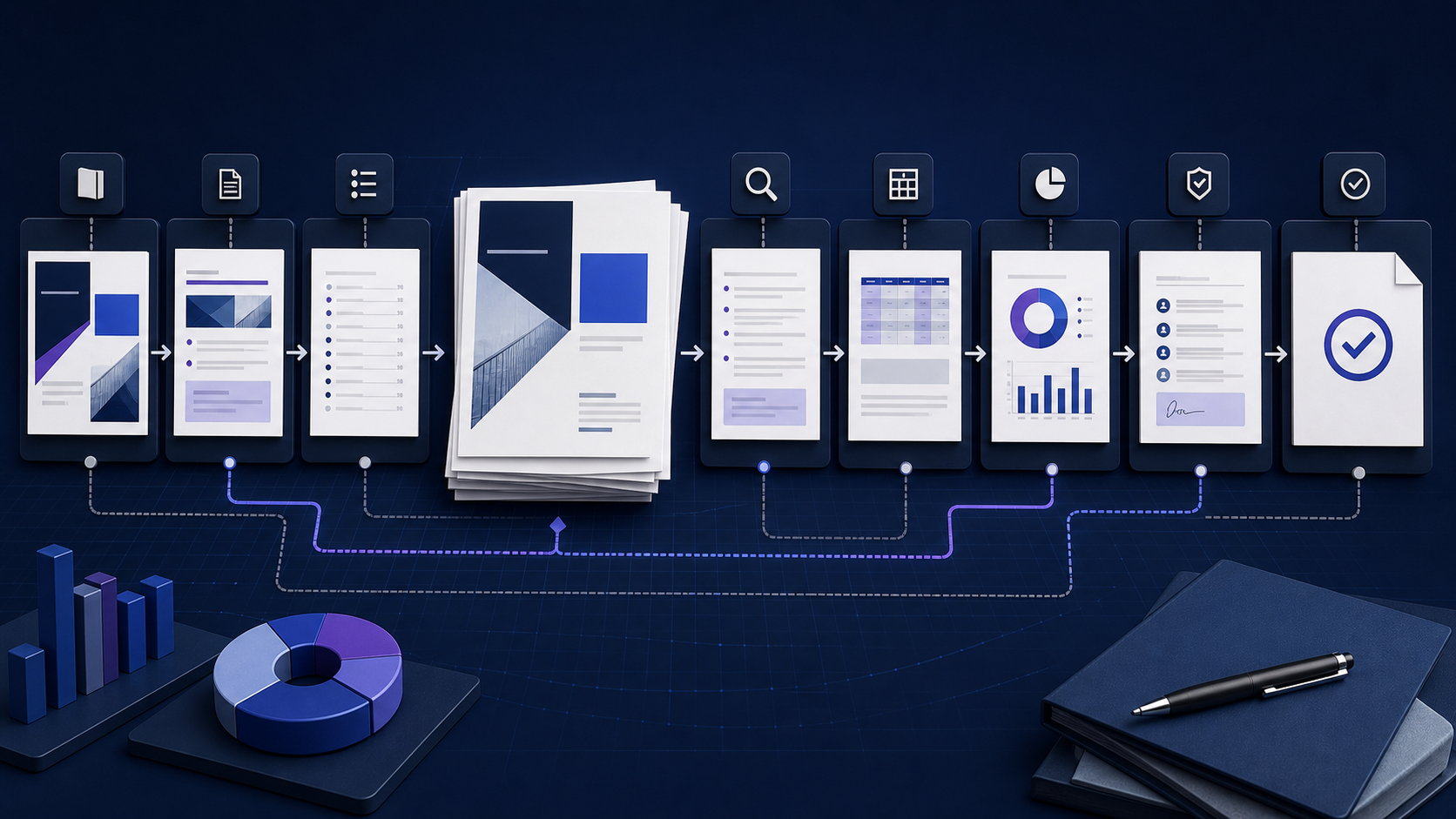
Quick answer: a report template Word file should guide thinking, not only formatting快速答案:Report Template Word 应引导思考,而不只是统一格式
A report template Word file is a reusable document structure for collecting evidence, explaining findings, making recommendations, and recording review. A useful template defines the report’s purpose, audience, required sections, data ownership, writing instructions, Word styles, tables, references, approval states, and output checks. It should reduce omission and rework without forcing every report into the same conclusion. Start with the decision the report supports, then design the template around the evidence and review needed for that decision.
Report Template Word 是可复用的文档结构,用于收集证据、解释发现、提出建议并记录审核。有用的模板应定义报告目的、受众、必填章节、数据负责人、写作说明、Word 样式、表格、引用、批准状态与输出检查。它应减少遗漏和返工,却不能强迫每份报告得出相同结论。先明确报告支持的决策,再围绕该决策所需证据与审核设计模板。
Match the Word report template to the decision让 Word 报告模板匹配实际决策
“Report template” can describe a one-page status update, a research paper, an incident report, an audit, a feasibility study, a quarterly performance review, or a board paper. Copying a visually attractive layout before identifying the decision creates empty sections, duplicated data, and recommendations that nobody owns. Define who will read the report, what they must decide or do, what evidence is authoritative, and when the report becomes final.
“报告模板”可能指一页状态更新、研究论文、事件报告、审计、可行性研究、季度绩效复盘或董事会材料。在明确决策前复制漂亮版式,会产生空章节、重复数据和无人负责的建议。应先定义谁阅读、需要决定或执行什么、哪些证据具有权威性,以及报告何时成为最终版本。
| Report type报告类型 | Core question核心问题 | Essential evidence必要证据 |
|---|---|---|
| Status report状态报告 | Are commitments on track, and what needs action?承诺是否按计划推进,哪里需要行动? | Baseline, milestones, variance, risks, owners基线、里程碑、偏差、风险、负责人 |
| Analysis report分析报告 | What does the evidence support and not support?证据支持什么,又不支持什么? | Question, methods, sources, results, limitations问题、方法、来源、结果、限制 |
| Incident report事件报告 | What happened, what was affected, and what follows?发生了什么、影响什么、下一步是什么? | Timeline, scope, evidence, response, actions时间线、范围、证据、响应、行动 |
| Recommendation report建议报告 | Which option should be chosen under stated criteria?在明确标准下应选择哪个方案? | Options, criteria, tradeoffs, costs, uncertainty方案、标准、取舍、成本、不确定性 |
| Annual or board report年度或董事会报告 | What changed, why, and what oversight is required?发生了什么变化、为什么、需要何种监督? | Governed metrics, narrative, risks, approvals受治理指标、叙述、风险、批准 |
Build the report template Word structure section by section逐节构建 Report Template Word 结构
| Section章节 | Purpose目的 | Template instruction模板说明 |
|---|---|---|
| Cover and control block封面与控制块 | Identify title, owner, period, version, status, classification标识标题、负责人、期间、版本、状态、分级 | Use fields or labeled placeholders with ownership使用字段或带负责人标签的占位符 |
| Executive summary执行摘要 | State the question, answer, evidence, implication, and action说明问题、答案、证据、含义与行动 | Write after analysis; limit to decision-relevant content分析后撰写,仅保留与决策相关内容 |
| Table of contents目录 | Expose hierarchy and navigation展示层级并提供导航 | Generate from built-in heading styles, not manual typing根据内置标题样式生成,不手工输入 |
| Context and scope背景与范围 | Define baseline, boundaries, exclusions, terms, and stakeholders定义基线、边界、排除项、术语与利益相关者 | Require explicit dates, units, populations, and exceptions要求明确日期、单位、总体与例外 |
| Methods and sources方法与来源 | Make evidence traceable and limitations visible让证据可追溯并暴露限制 | Capture source, owner, collection date, method, and quality记录来源、负责人、采集日期、方法与质量 |
| Findings发现 | Present observed results without premature prescription呈现观察结果,不提前下处方 | Separate facts, calculations, interpretation, and uncertainty区分事实、计算、解释与不确定性 |
| Conclusions and recommendations结论与建议 | Connect evidence to decision and owned action把证据连接到决策与有负责人的行动 | Require rationale, owner, due date, dependency, and measure要求理由、负责人、截止日期、依赖与衡量 |
| Appendices and references附录与参考 | Preserve detail without interrupting the main argument保留细节而不中断主论证 | Number items and link them from the report body为项目编号并从正文链接 |
Choose DOCX or DOTX for the reusable report template为可复用报告模板选择 DOCX 或 DOTX
A DOCX can serve as a practical sample or starter document, but users may overwrite it unless the workflow protects the master. A DOTX is a Word template format designed to create a new document from the template. A DOTM can contain macros and therefore requires separate security, signing, support, and governance decisions. The correct choice depends on the editing environment, distribution method, automation, and organizational controls.
DOCX 可以作为实用样例或起始文档,但如果流程不保护母版,用户可能直接覆盖。DOTX 是 Word 模板格式,设计用于从模板创建新文档。DOTM 可以包含宏,因此需要单独的安全、签名、支持与治理决策。正确选择取决于编辑环境、分发方式、自动化与组织控制。
Recipients need a filled example, the workflow copies the master reliably, or broad compatibility matters more than template behavior.
收件人需要填写示例、流程能可靠复制母版,或广泛兼容性比模板行为更重要。
A controlled Word environment should create a fresh report while preserving template styles, building blocks, and content controls.
受控 Word 环境需要创建新报告,同时保留模板样式、构建基块与内容控件。
Macro-enabled templates introduce active code, trust, maintenance, compatibility, and incident-response requirements.
启用宏的模板引入活动代码、信任、维护、兼容性与事件响应要求。
Verify the actual file type, supported application, protection, and source before distribution.
分发前核实实际文件类型、受支持应用、保护与来源。
Design the Word report format with styles, not manual decoration使用样式设计 Word 报告格式,而不是手工装饰
Define styles for title, subtitle, report metadata, Heading 1 and Heading 2, body text, captions, quotations, notes, lists, table text, and references. Styles let one change update repeated elements consistently, support navigation, feed an automatic table of contents, and preserve semantic hierarchy. Avoid spaces for alignment, repeated blank paragraphs, manually bolded headings, and direct formatting that authors cannot reproduce.
为标题、副标题、报告元数据、标题1与标题2、正文、题注、引文、说明、列表、表格文字和参考文献定义样式。样式可以让一次修改一致更新重复元素,支持导航,生成自动目录,并保留语义层级。避免使用空格对齐、重复空段落、手工加粗标题和作者无法复现的直接格式。
Set page size, margins, headers, footers, numbering, sections, theme colors, fonts, paragraph spacing, widow and orphan control, and table defaults deliberately. Test with short and long headings, sparse and dense tables, multiple languages, and realistic images. A template that works only with placeholder text is not ready.
有意识地设置纸张大小、页边距、页眉页脚、编号、分节、主题颜色、字体、段落间距、孤行控制与表格默认值。使用长短标题、稀疏和密集表格、多语言与真实图片进行测试。只能适配占位文字的模板还没有准备好。
Write placeholders that tell authors what evidence belongs编写能说明所需证据的占位说明
Replace vague prompts such as “add details here” with bounded instructions: the question to answer, source to use, owner, date range, unit, expected length, required comparison, and deletion rule for the instruction itself. Make placeholder text visually distinct but accessible. Do not leave sample facts that authors might mistake for real data.
不要使用“在此添加详细信息”这类模糊提示,应明确需要回答的问题、使用的数据源、负责人、日期范围、单位、预期长度、所需对比,以及填写后删除说明的规则。占位文字应在视觉上可区分且可访问。不要留下可能被作者误认为真实数据的样例事实。
| Weak placeholder薄弱占位符 | Stronger instruction更强说明 |
|---|---|
| Insert summary插入摘要 | State the decision, recommended action, two strongest evidence points, material uncertainty, owner, and due date in 150–250 words.用150–250字说明决策、建议行动、两项最强证据、重大不确定性、负责人和截止日期。 |
| Add chart添加图表 | Show monthly actual versus approved baseline for the reporting period; name source, refresh date, unit, and exclusions.显示报告期间每月实际值与批准基线;注明来源、刷新日期、单位和排除项。 |
| Recommendations建议 | For each recommendation, record rationale, owner, deadline, cost or dependency, expected outcome, and success or safety measure.为每项建议记录理由、负责人、截止日期、成本或依赖、预期结果,以及成功或安全指标。 |
Make evidence traceable inside the report template让报告模板中的证据可追溯
Every consequential number or claim should have enough context to be checked: definition, source, owner, collection or extraction date, period, population, unit, calculation, exclusions, and known limitations. Use captions and cross-references for tables and figures. Link to governed evidence repositories when appropriate rather than embedding uncontrolled copies, but make the report understandable if permissions change.
每个重要数字或主张都应提供足够上下文以便核查:定义、来源、负责人、采集或提取日期、期间、总体、单位、计算、排除项与已知限制。为表格与图形使用题注和交叉引用。适当时链接到受治理证据库,而不是嵌入失控副本;同时要确保权限变化后报告仍可理解。
Separate observation from interpretation and recommendation. A chart may show a decline; the explanation requires evidence, and the action requires a decision rule. Make missingness, estimates, restatements, and conflicts visible. Never use a template to manufacture confidence that the underlying data does not support.
区分观察、解释与建议。图表可以显示下降;解释需要证据,行动需要决策规则。让缺失、估算、重述与冲突可见。绝不能用模板制造底层数据无法支持的确定感。
Create a reusable Word report template in nine steps用九个步骤创建可复用 Word 报告模板
-
1Define the decision and audience定义决策与受众
Record the report owner, readers, decision, action, deadline, scope, classification, and authoritative output.
记录报告负责人、读者、决策、行动、截止日期、范围、分级与权威输出。
-
2Collect representative reports收集代表性报告
Inspect successful and failed examples for recurring questions, evidence, omissions, review bottlenecks, and delivery defects.
检查成功与失败样例中的重复问题、证据、遗漏、审核瓶颈与交付缺陷。
-
3Design the content model设计内容模型
Choose required, conditional, and optional sections; define inputs, owners, dependencies, and completion criteria.
选择必填、条件与可选章节;定义输入、负责人、依赖与完成标准。
-
4Build semantic Word styles构建语义化 Word 样式
Create the heading, body, list, caption, table, note, and reference styles before decorative refinement.
先创建标题、正文、列表、题注、表格、说明与参考样式,再进行装饰优化。
-
5Add fields and instructions添加字段与说明
Use controlled placeholders, content controls, metadata, automatic numbering, captions, and a generated table of contents where supported.
在支持时使用受控占位符、内容控件、元数据、自动编号、题注与生成目录。
-
6Embed governance嵌入治理
Include version, status, classification, sources, owners, reviewers, approvals, retention, and distribution fields.
包含版本、状态、分级、来源、负责人、审核人、批准、保留与分发字段。
-
7Test realistic extremes测试真实极端情况
Use long titles, large tables, sparse sections, multilingual text, page breaks, images, missing data, and conflicting review comments.
使用长标题、大表格、稀疏章节、多语言文字、分页、图片、缺失数据与冲突批注测试。
-
8Run accessibility and output checks执行无障碍与输出检查
Check headings, reading order, alt text, links, table headers, language, contrast, navigation, DOCX, PDF, and print behavior.
检查标题、阅读顺序、替代文本、链接、表头、语言、对比度、导航、DOCX、PDF 与打印行为。
-
9Pilot, approve, and version试点、批准与版本化
Observe authors and reviewers using real content, fix friction, assign an owner, publish a controlled version, and define review dates.
观察作者与审核人使用真实内容,修复阻力,指定负责人,发布受控版本并定义复审日期。
Fill the report template without turning it into a checklist dump填写报告模板时不要堆砌清单
Begin with sources and analysis, not the executive summary. Draft findings as evidence statements, test competing explanations, record limitations, and only then write conclusions and recommendations. Remove unused conditional sections, but preserve required controls. Update the table of contents, fields, captions, cross-references, and page numbers before review.
从来源与分析开始,而不是先写执行摘要。把发现写成证据陈述,检验相互竞争的解释,记录限制,然后再写结论与建议。删除未使用的条件章节,但保留必需控制。审核前更新目录、字段、题注、交叉引用与页码。
Direct-answer test: a decision maker should be able to identify the question, answer, strongest evidence, material uncertainty, recommended action, owner, and deadline without reading the appendices. The full report must then show how those statements were derived.
直接回答测试:决策者无需阅读附录,就应能识别问题、答案、最强证据、重大不确定性、建议行动、负责人和截止日期;完整报告随后必须说明这些陈述如何得出。
Turn a structured Markdown report into an editable Word draft把结构化 Markdown 报告转成可编辑 Word 初稿
When the report begins in Markdown, the InfiniSynapse Markdown to Word tool can convert headings, paragraphs, lists, and tables into an editable DOCX draft. It does not supply evidence, choose a report type, create approved corporate styles, or validate a conclusion. Use sanitized Markdown, convert the draft, then apply the governed Word template and complete human review.
当报告从 Markdown 开始时,InfiniSynapse Markdown 转 Word 工具可把标题、段落、列表与表格转换为可编辑 DOCX 初稿。它不会提供证据、选择报告类型、创建批准的企业样式或验证结论。应使用脱敏 Markdown 完成转换,再应用受治理 Word 模板并完成人工审核。
| Prepare in Markdown在 Markdown 中准备 | Finish in Word在 Word 中完成 |
|---|---|
| Logical heading hierarchy, concise paragraphs, lists, simple tables, descriptive links逻辑标题层级、简洁段落、列表、简单表格、描述性链接 | Corporate styles, cover, fields, captions, cross-references, page layout企业样式、封面、字段、题注、交叉引用、页面布局 |
| Evidence notes, source labels, findings, caveats, recommendations证据说明、来源标签、发现、限制、建议 | Review controls, accessibility, metadata, approval, PDF and print proof审核控制、无障碍、元数据、批准、PDF 与打印校样 |
Create a Word report draft from structured Markdown从结构化 Markdown 创建 Word 报告初稿
Convert the content, then apply the approved report template, verify evidence, review the DOCX, and validate the final delivery format.
转换内容后,应用批准的报告模板,核实证据,审核 DOCX,并验证最终交付格式。
Open Markdown to Word打开 Markdown 转 WordMake the Word report template accessible by design从设计阶段让 Word 报告模板可访问
Use built-in heading styles in logical order, descriptive headings, meaningful link text, alt text for informative images, simple tables with header rows, sufficient contrast, document language, readable font sizes, and a sensible reading order. Do not use color alone to communicate status. Avoid merged, split, nested, or fixed-width tables when a simpler structure can express the information.
按逻辑顺序使用内置标题样式,使用描述性标题、有意义的链接文字、信息图片替代文本、带表头的简单表格、足够对比度、文档语言、可读字号与合理阅读顺序。不要只用颜色表达状态。如果简单结构可以表达信息,应避免合并、拆分、嵌套或固定宽度表格。
Run Word’s Accessibility Checker while authoring and inspect the exported PDF if PDF is the delivery format. A template can encourage accessible structure, but authors must supply meaningful alternatives, correct language, accurate link purpose, and logical content. Test with representative assistive technology when the report is high impact.
创作过程中运行 Word 无障碍检查器;如果以 PDF 交付,还要检查导出的 PDF。模板可以鼓励可访问结构,但作者仍必须提供有意义的替代信息、正确语言、准确链接目的与逻辑内容。高影响报告应使用代表性辅助技术测试。
Separate content review, evidence review, and publication approval区分内容审核、证据审核与发布批准
| Gate关口 | Reviewer verifies审核人验证 | Evidence of completion完成证据 |
|---|---|---|
| Content内容 | Question, scope, logic, clarity, completeness, audience fit问题、范围、逻辑、清晰度、完整性、受众匹配 | Resolved comments and owned revisions已解决批注与有负责人的修订 |
| Evidence证据 | Definitions, sources, calculations, reconciliation, limitations定义、来源、计算、核对、限制 | Traceable source register and check record可追溯来源登记与检查记录 |
| Decision决策 | Options, criteria, tradeoffs, recommendation, owner, timing方案、标准、取舍、建议、负责人、时间 | Named decision owner and approval status具名决策负责人和批准状态 |
| Publication发布 | Classification, accessibility, metadata, links, layout, distribution分级、无障碍、元数据、链接、版式、分发 | Approved artifact opened from the delivery location从交付位置打开的批准成品 |
Version and maintain the report template as a controlled asset把报告模板作为受控资产进行版本化维护
Assign an owner and record template ID, version, release date, approved applications, status, classification, change history, dependencies, and next review date. Distribute a read-only master through one authoritative location. Retire obsolete versions visibly and provide a migration route for in-progress reports.
指定负责人,并记录模板ID、版本、发布日期、批准应用、状态、分级、变更历史、依赖与下次复审日期。通过一个权威位置分发只读母版,清晰停用过时版本,并为进行中的报告提供迁移路径。
Measure template quality through omissions, authoring time, review cycles, formatting repairs, accessibility findings, version errors, and user questions—but interpret metrics carefully. Fewer comments can mean a clearer template or a weaker review. Use interviews and artifact audits alongside counts.
通过遗漏、创作时间、审核轮次、格式修复、无障碍发现、版本错误与用户问题衡量模板质量,但要谨慎解释。批注减少可能意味着模板更清晰,也可能意味着审核变弱。应结合访谈与成品审计,而不只看计数。
Validate the completed Word report before delivery交付前验证完成的 Word 报告
- The title, owner, period, version, status, classification, audience, and decision are explicit.标题、负责人、期间、版本、状态、分级、受众与决策均明确。
- The executive summary matches the detailed evidence, findings, limitations, and recommendations.执行摘要与详细证据、发现、限制及建议一致。
- Definitions, sources, units, dates, calculations, exclusions, and conflicts are traceable.定义、来源、单位、日期、计算、排除项与冲突均可追溯。
- The table of contents, page numbers, fields, captions, cross-references, links, tables, and figures are updated.目录、页码、字段、题注、交叉引用、链接、表格与图形均已更新。
- Comments and tracked changes are resolved according to policy; the approved version is unambiguous.批注与修订已按策略解决,批准版本没有歧义。
- Accessibility, spelling, metadata, privacy, file name, permissions, security scanning, PDF, and print output are checked.无障碍、拼写、元数据、隐私、文件名、权限、安全扫描、PDF 与打印输出均已检查。
- The actual shared artifact was reopened from the delivery location by an authorized reviewer.授权审核人已从交付位置重新打开真实共享成品。
Frequently asked questions about Word report templates关于 Word 报告模板的常见问题
No. File → New and Save as Word Template are Microsoft’s create-a-template path and the Word templates guide. This page is the report template Word skeleton: sections, styles, and review before you save DOCX or DOTX.
不是。「文件 → 新建」和另存为 Word 模板看微软帮助与 Word templates。本页是报告骨架:章节、样式、审核,然后再保存 DOCX 或 DOTX。
Common sections are a control block, executive summary, contents, context and scope, methods and sources, findings, conclusions, recommendations, risks, actions, references, and appendices. Include only sections that support the report’s decision and governance.
常见章节包括控制块、执行摘要、目录、背景与范围、方法与来源、发现、结论、建议、风险、行动、参考与附录。只保留支持报告决策与治理的章节。
Define the decision and content model, build semantic styles and fields, add bounded instructions and governance, test realistic content, run accessibility and output checks, pilot with users, then save and distribute a controlled DOCX or DOTX.
定义决策与内容模型,构建语义样式与字段,添加有边界说明与治理,使用真实内容测试,执行无障碍与输出检查,用户试点后保存并分发受控 DOCX 或 DOTX。
Use DOCX for a broadly compatible starter or filled example when copying is controlled. Use DOTX when supported Word environments should create a fresh document from a managed template. Test the actual workflow.
复制受控且需要广泛兼容的起始文件或填写样例可用 DOCX;受支持 Word 环境需要从受管模板创建新文档时可用 DOTX。应测试真实流程。
Use logical built-in heading styles, meaningful links, alt text, simple tables with headers, sufficient contrast, document language, readable text, and a sensible reading order. Run the checker and test the final format.
使用逻辑内置标题样式、有意义链接、替代文本、带表头的简单表格、足够对比度、文档语言、可读文字与合理阅读顺序;运行检查器并测试最终格式。
Yes. A converter can create an editable DOCX draft from structured Markdown. Apply the approved Word report template afterward and verify styles, evidence, tables, fields, accessibility, review, and delivery output.
可以。转换器可从结构化 Markdown 创建可编辑 DOCX 初稿。之后应用批准的 Word 报告模板,并验证样式、证据、表格、字段、无障碍、审核与交付输出。
Sources and references for verifying Word report behavior验证 Word 报告行为的来源与参考资料
To save a DOTX and pick File → New, use docx template. Microsoft explains how to save a Word document as a template and use content controls, how to create and customize Word styles, and how to format a generated table of contents. Its accessibility guidance recommends built-in headings, meaningful links, alt text, and simple tables with headers. Verify steps for the exact Word version and platform in use.
另存 DOTX 与「文件 → 新建」见 docx 模板。 Microsoft 说明了如何把 Word 文档保存为模板并使用内容控件、如何创建和自定义 Word 样式,以及如何格式化生成目录。其无障碍指南建议使用内置标题、有意义链接、替代文本和带表头的简单表格。请针对实际 Word 版本与平台验证步骤。