
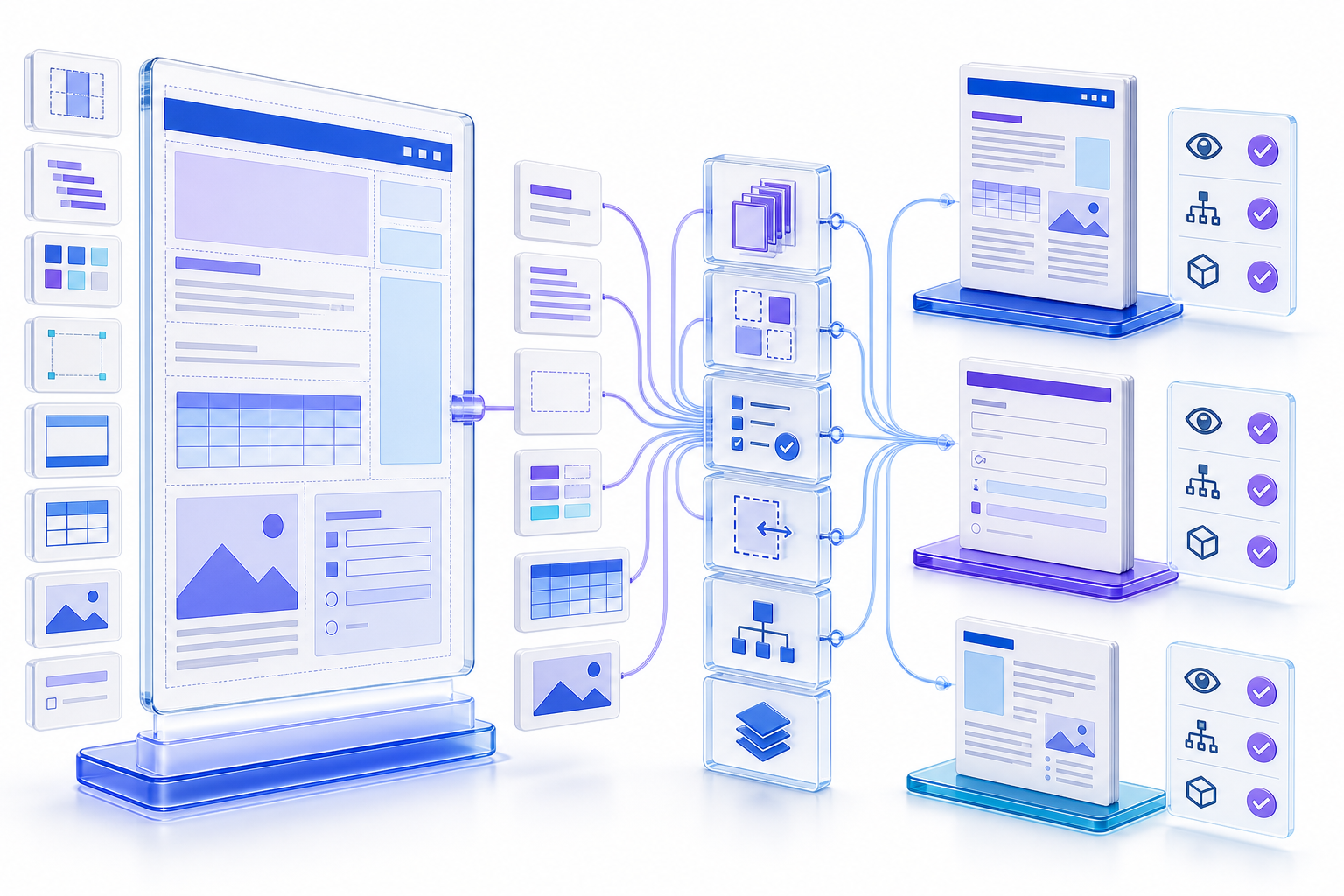
A PDF template is a governed source, not a finished PDFPDF Template 是受治理源文件而不是已完成 PDF
Define the document contract, separate fixed and variable content, choose the authoritative source format, build semantic styles and field rules, specify pagination and failure behavior, test realistic extremes, export through an approved path, and inspect the exact PDF for content, layout, accessibility, links, forms, metadata, privacy, and release status.
定义文档契约,区分固定与可变内容,选择权威源格式,建立语义样式与字段规则,规定分页和失败行为,使用真实极端条件测试,通过获准路径导出,并检查确切 PDF 的内容、版式、无障碍、链接、表单、元数据、隐私与发布状态。
A template does not guarantee a good document. Short names can fit while long names overflow; one language can pass while another breaks; empty fields can leave orphaned labels; a wide table can destroy pagination; and a converter can lose tags, links, fonts, or form behavior. Treat the template, generator, data, and renderer as one production system.
模板不会自动保证好文档。短名称可能适配而长名称溢出;一种语言通过而另一种破版;空字段可能留下孤立标签;宽表可能破坏分页;转换器也可能丢失标签、链接、字体或表单行为。应把模板、生成器、数据与渲染器视为一个生产系统。
Distinguish source templates, PDF masters, forms, and outputs区分源模板、PDF 母版、表单与输出
A source template may be a Word template, Markdown structure, page-layout file, HTML/CSS document, report definition, or code-based schema. A static PDF master provides visual pages but may be difficult to adapt. A fillable PDF form includes interactive fields. A data-driven template merges records into a document. A completed PDF is an instance and should not silently become the master.
源模板可以是 Word 模板、Markdown 结构、页面布局文件、HTML/CSS 文档、报告定义或代码模式。静态 PDF 母版提供视觉页面却可能难以适配;可填写 PDF 表单包含交互字段;数据驱动模板把记录合并成文档;完成的 PDF 是实例,不应静默成为母版。
Reusable styles, sections, tokens, and instructions in the source application.
源应用中的可复用样式、区块、变量与说明。
Fixed artwork or background pages onto which content may be overlaid.
固定图稿或背景页,可在其上叠加内容。
Interactive controls, labels, validation, calculation, and submission behavior.
交互控件、标签、验证、计算与提交行为。
One rendered output tied to specific content, data, time, and approval.
与特定内容、数据、时间与批准关联的一次渲染输出。
Define the template’s users, outputs, and acceptance criteria定义模板用户、输出与验收标准
Identify authors, data owners, reviewers, recipients, administrators, and maintainers. Define document purpose, output language, page sizes, delivery channel, print needs, digital use, accessible alternative, retention, classification, signature requirements, form behavior, and supported viewers. State the consequences of missing, wrong, clipped, stale, or exposed content.
明确作者、数据责任人、审核者、收件人、管理员与维护者。定义文档目的、输出语言、页面尺寸、交付渠道、打印需求、数字用途、无障碍替代、保留、分类、签名要求、表单行为与支持阅读器,并说明内容缺失、错误、裁切、过期或暴露的后果。
| Decision决策 | Evidence证据 | Template effect模板影响 |
|---|---|---|
| Digital, print, or both数字、打印或两者 | Distribution and recipient workflow分发与收件人流程 | Color, page geometry, links, navigation, and print marks颜色、页面几何、链接、导航与打印标记 |
| Fixed report or interactive form固定报告或交互表单 | Required user actions and returned data所需用户操作与返回数据 | Field model, labels, validation, tab order, and submission字段模型、标签、验证、Tab 顺序与提交 |
| One language or multilingual单语言或多语言 | Locales, scripts, expansion, and reading direction区域、文字、扩展与阅读方向 | Fonts, tokens, layout flexibility, metadata, and tags字体、变量、布局弹性、元数据与标签 |
Write a document contract before designing pages设计页面前先编写文档契约
List every section, its purpose, owner, condition, order, allowed repetitions, input fields, data types, length limits, defaults, required status, validation, formatting, error behavior, and source of truth. Define which information must appear together, which sections can split across pages, and which values must never be truncated or inferred.
列出每个区块的目的、责任人、条件、顺序、允许重复次数、输入字段、数据类型、长度限制、默认值、必填状态、验证、格式、错误行为与事实来源。定义哪些信息必须放在一起、哪些区块可以跨页,以及哪些数值绝不能截断或推断。
A visual mockup without a contract hides ambiguity. For example, an empty address might remove one line, preserve blank space, show “not provided,” or block generation. Decide the behavior before production. Record content rules separately from styling so both can be tested and changed deliberately.
没有契约的视觉稿会隐藏歧义。例如地址为空时,可以删除一行、保留空白、显示“未提供”,或阻止生成。应在生产前决定行为,并把内容规则与样式规则分开记录,使两者都能被测试和有意变更。
Choose the authoritative template source for maintainability为可维护性选择权威模板源
Choose Word when business authors need styles, review, content controls, and familiar editing; Markdown when structure and version-controlled text matter; HTML/CSS when responsive composition and automated rendering are governed; a page-layout application when precise print design dominates; or PDF form authoring when interactive fields are the primary artifact. The right answer depends on ownership and lifecycle.
业务作者需要样式、审阅、内容控件和熟悉编辑时可选 Word;重视结构与版本控制文字时可选 Markdown;受治理的响应式组合与自动渲染可选 HTML/CSS;精确印刷设计占主导时可选页面布局应用;交互字段是核心产物时可选 PDF 表单创作。正确答案取决于责任和生命周期。
Avoid editing multiple authoritative copies. Establish one source, one generation configuration, and one release process. A PDF can be the controlled output while Word, Markdown, or another system remains the editable master. Microsoft describes templates as reusable starting points that create separate documents; keep that separation explicit.
避免编辑多个权威副本。建立一个源、一个生成配置和一个发布流程。PDF 可以是受控输出,而 Word、Markdown 或其他系统保留为可编辑母版。Microsoft 把模板描述为创建独立文档的可复用起点,应明确保持这种分离。
Build semantic styles instead of manual formatting建立语义样式而不是手工格式
Use named styles for title, headings, paragraphs, quotations, lists, captions, notes, code, table headers, and other roles. Define hierarchy and spacing in the style system rather than applying isolated bold, size, and color changes. Semantic structure improves consistency, navigation, accessibility, and reliable PDF export.
为标题、各级标题、段落、引用、列表、题注、注释、代码、表头和其他角色使用命名样式。在样式系统中定义层级和间距,而不是零散应用粗体、字号与颜色。语义结构可以改善一致性、导航、无障碍与可靠 PDF 导出。
Test nested headings, lists, tables, figures, captions, cross-references, footnotes, and page breaks in the chosen export route. A source that looks structured can still produce an untagged or misordered PDF if the renderer discards semantics.
在所选导出路径中测试嵌套标题、列表、表格、图片、题注、交叉引用、脚注与分页。源文件看起来结构化,渲染器仍可能丢弃语义并生成无标签或顺序错误的 PDF。
Define typography, spacing, color, and component tokens定义字体、间距、颜色与组件变量
Centralize approved fonts, fallbacks, sizes, line heights, margins, grid, spacing scale, colors, borders, image treatments, table styles, form-field styles, and page furniture. Give each token a semantic purpose. Do not encode brand rules only in screenshots; record values and ownership so implementations can be compared.
集中管理获准字体、回退字体、字号、行高、页边距、网格、间距尺度、颜色、边框、图片处理、表格样式、表单字段样式与页面固定元素,并为每个变量赋予语义目的。不要只在截图中表达品牌规则,应记录数值和责任人以便比较实现。
Check font licensing, embedding behavior, language coverage, symbol support, and substitutions. A template that depends on an unavailable font can change line breaks, table widths, page count, and hierarchy. Test the actual generation environment rather than only the designer’s machine.
检查字体许可、嵌入行为、语言覆盖、符号支持与替换。依赖不可用字体的模板会改变换行、表格宽度、页数与层级。应测试真实生成环境,而不是只在设计者电脑上查看。
Separate fixed copy, variables, conditions, and repeated blocks分离固定文案、变量、条件与重复区块
Mark legal or approved fixed text separately from editable instructions and variable data. Name variables consistently and define their type and source. Model conditional sections explicitly rather than leaving authors to delete paragraphs manually. Repeated blocks such as transactions, findings, products, or signatures need minimum, maximum, empty, and overflow behavior.
把法律或已批准固定文字与可编辑说明和变量数据分开标记。统一命名变量并定义类型与来源。显式建模条件区块,而不是让作者手工删除段落。交易、发现、产品或签名等重复区块需要最小、最大、空值与溢出行为。
Use visible placeholders that cannot be mistaken for real content, and fail safely when required data is absent. Do not publish unresolved tokens, sample names, hidden instructions, test addresses, or dummy identifiers. Add a preflight that searches for placeholder patterns and unexpected blanks.
使用不会被误认为真实内容的明显占位符,必填数据缺失时安全失败。不要发布未解析变量、示例姓名、隐藏说明、测试地址或虚拟标识。增加预检以搜索占位符模式和意外空白。
Design fillable PDF template fields around real tasks围绕真实任务设计可填写 PDF Template 字段
For interactive forms, choose the correct control type, label every field, identify required inputs, provide concise instructions, group related choices, define formats, expose names and states, set logical tab order, and design understandable validation messages. Distinguish static printed blanks from actual interactive controls.
对于交互表单,应选择正确控件类型,为每个字段设置标签,标明必填输入,提供简洁说明,对相关选项分组,定义格式,暴露名称与状态,设置逻辑 Tab 顺序,并设计可理解验证消息。区分静态打印空白与真实交互控件。
Adobe documents creating forms from a blank page or existing documents, but automatically detected fields still need human review. Test keyboard-only completion, backward navigation, errors, calculations, reset behavior, saving, signatures, submission, and data handling in representative readers. Do not collect data that the task does not need.
Adobe 提供从空白页或现有文档创建表单的说明,但自动识别字段仍需人工审核。应在代表阅读器中测试仅键盘完成、反向导航、错误、计算、重置、保存、签名、提交与数据处理,并避免收集任务不需要的数据。
Define page breaks, keep rules, overflow, and blank-page behavior定义分页、同页规则、溢出与空白页行为
Specify which headings stay with following content, which table rows may split, how repeated headers behave, where figures and captions can move, and how footnotes and signatures are handled. Define widows, orphans, page-number formats, section starts, and intentional blank pages. Do not rely on manual line breaks tied to sample content.
规定哪些标题必须与后续内容同页,哪些表格行可以拆分,重复表头如何处理,图片与题注可以移动到哪里,以及脚注和签名如何分页。定义孤行、寡行、页码格式、章节起始与有意空白页。不要依赖与样例内容绑定的手工换行。
Test long words, long URLs, expanded translations, large numbers, negative values, many rows, oversized images, missing images, and nested conditions. The template should wrap, scale, split, continue, or fail according to explicit rules, not silently clip content outside the page.
测试长单词、长 URL、扩展翻译、大数字、负值、大量行、超大图片、缺失图片与嵌套条件。模板应按明确规则换行、缩放、拆分、续页或失败,不能把内容静默裁切到页面外。
Design tables for variable width, length, and semantics为可变宽度、长度与语义设计表格
Define column purpose, priority, width behavior, alignment, number formats, wrapping, repeated headers, row splitting, totals, empty states, and overflow. Avoid shrinking text until it becomes unreadable. If a table cannot fit the page and remain understandable, change orientation, split it deliberately, summarize it, or provide an accessible attachment.
定义列目的、优先级、宽度行为、对齐、数字格式、换行、重复表头、行拆分、合计、空状态与溢出。不要把文字缩小到不可读。如果表格无法在页面内保持可理解,应改变方向、主动拆分、摘要或提供无障碍附件。
Use proper source table structure and verify PDF header associations and reading order. Visual bold and borders do not create semantic headers. Test a row with every optional value, a row with none, extreme numbers, long multilingual labels, and enough rows to cross several pages.
使用正确源表格结构,并验证 PDF 表头关联与阅读顺序。视觉粗体和边框不会创建语义表头。测试包含所有可选值的行、全部缺失的行、极端数字、长多语言标签,以及跨越多页的大量行。
Define image ratios, crops, resolution, captions, and alternatives定义图片比例、裁切、分辨率、题注与替代内容
Specify accepted formats, dimensions, aspect ratios, file-size limits, crop focal rules, background treatment, color profile, captions, attribution, and what happens when an image is missing or invalid. Do not stretch arbitrary source images into a fixed box. Preserve diagrams and small text at a usable resolution.
规定接受格式、尺寸、纵横比、文件大小限制、裁切焦点规则、背景处理、颜色配置、题注、归属,以及图片缺失或无效时的行为。不要把任意源图拉伸进固定框;应让示意图和小字保持可用分辨率。
For accessibility, define whether the image is decorative, informative, functional, or complex. Store a reviewed alternative description with the content record rather than guessing from the filename at export time. Test that the correct alternative and caption remain associated in the generated PDF.
为无障碍定义图片是装饰性、信息性、功能性还是复杂内容。把经审核替代描述与内容记录一起保存,而不是在导出时根据文件名猜测。测试正确替代内容与题注是否在生成 PDF 中保持关联。
Build accessibility into the PDF template and export path把无障碍建立到 PDF Template 与导出路径中
Set language, meaningful title, semantic headings, list structure, table headers, figure alternatives, descriptive links, logical reading order, keyboard order, labeled form controls, bookmarks, and sufficient color communication in the source. Then verify the renderer preserves actual text and tags. A visually consistent template can still generate inaccessible PDFs.
在源中设置语言、有意义标题、语义标题、列表结构、表头、图片替代内容、描述性链接、逻辑阅读顺序、键盘顺序、有标签表单控件、书签与充分颜色表达,再验证渲染器保留实际文字和标签。视觉一致模板仍可能生成不可访问 PDF。
Test minimum and maximum content with keyboard and representative assistive technology. Conditional sections can produce empty headings, broken hierarchy, duplicated IDs, missing labels, or unexpected order. Automated checking finds some defects, but manual review is required for meaning and task completion.
用最小与最大内容执行键盘和代表性辅助技术测试。条件区块可能生成空标题、断裂层级、重复 ID、缺失标签或意外顺序。自动检查能发现部分缺陷,但含义与任务完成必须人工审核。
Plan for translation, expansion, scripts, and locale rules规划翻译扩展、文字体系与区域规则
Externalize translatable copy and avoid embedding sentences in images. Define date, time, number, currency, address, name, and page-number formats by locale. Test longer translations, non-Latin scripts, right-to-left direction where applicable, line breaking, font coverage, sorting, and mixed-language passages.
把可翻译文案外置,并避免把句子嵌入图片。按区域定义日期、时间、数字、货币、地址、姓名与页码格式。测试更长翻译、非拉丁文字、适用时从右到左方向、换行、字体覆盖、排序与混合语言段落。
A translated template is not merely replaced text. Images, examples, legal clauses, form choices, paper size, signatures, reading order, metadata, and accessibility language settings may differ. Assign locale owners and review generated outputs in each supported language.
翻译模板不只是替换文字。图片、示例、法律条款、表单选项、纸张尺寸、签名、阅读顺序、元数据与无障碍语言设置都可能不同。应指定区域责任人,并审核每种支持语言的生成输出。
Control template data, hidden content, and generation security控制模板数据、隐藏内容与生成安全
Classify source templates, test data, generated documents, logs, temporary files, previews, caches, and delivery locations. Do not use production personal or confidential data in template tests unless explicitly approved. Sanitize comments, tracked changes, hidden text, embedded files, metadata, prior values, unused form fields, and example records before release.
对源模板、测试数据、生成文档、日志、临时文件、预览、缓存与交付位置进行分级。未经明确批准,不要用真实个人或机密数据测试模板。发布前清理评论、修订、隐藏文字、嵌入文件、元数据、旧值、未使用表单字段与示例记录。
Validate and encode variable inputs according to the renderer. Untrusted content can break layout, create unsafe links, inject active behavior, expose local paths, or alter document meaning. Define allowed content and reject or escape unsupported input rather than accepting arbitrary markup.
根据渲染器验证和编码变量输入。不受信内容可能破坏版式、创建危险链接、注入活动行为、暴露本地路径或改变文档含义。应定义允许内容,并拒绝或转义不支持输入,而不是接受任意标记。
Test minimum, maximum, missing, multilingual, and hostile inputs测试最小、最大、缺失、多语言与异常输入
Create a versioned test set that covers every section and condition. Include minimum valid data, maximum supported lengths, empty optional values, missing required values, all repeated rows, zero repeated rows, long URLs, long unbroken strings, special characters, emoji if supported, multiple scripts, oversized images, damaged images, wide tables, negative and large numbers, and boundary dates.
创建覆盖每个区块与条件的版本化测试集,包括最小有效数据、最大支持长度、空可选值、缺失必填值、最多重复行、零重复行、长 URL、无断点长字符串、特殊字符、适用时 Emoji、多种文字、超大图片、损坏图片、宽表、负数与大数字及边界日期。
Define expected outcomes before running tests: successful document, deliberate warning, blocked generation, placeholder replacement, omitted section, continued table, scaled image, or review queue. A generator that returns a file after invalid input has not necessarily succeeded.
运行前定义预期结果:成功文档、明确警告、阻止生成、占位替换、省略区块、表格续页、图片缩放或进入审核队列。生成器在无效输入后返回一个文件,并不一定代表成功。
Inspect generated PDFs page by page and by component按页与组件检查生成 PDF
Compare the output at practical zoom and, when relevant, in print. Check page count, page size, margins, fonts, substitutions, line breaks, clipping, overlap, blank pages, headings, tables, totals, images, captions, headers, footers, page numbers, colors, links, forms, signatures, and intentional whitespace. Inspect both ordinary and extreme fixtures.
在实际缩放下比较输出,适用时还应打印。检查页数、页面尺寸、边距、字体、替换、换行、裁切、重叠、空白页、标题、表格、合计、图片、题注、页眉、页脚、页码、颜色、链接、表单、签名与有意留白,并检查普通与极端样本。
Screenshot comparison can detect visual drift, but it cannot prove correct text, semantics, links, metadata, accessibility, or dynamic behavior. Combine visual regression with structural and content assertions.
截图比较可以发现视觉漂移,却不能证明文字、语义、链接、元数据、无障碍或动态行为正确。应把视觉回归与结构和内容断言结合。
Verify content against source data and business rules根据源数据与业务规则验证内容
Check that every required value appears once in the correct location, formatted according to locale and business rules. Recalculate totals independently, reconcile record counts, inspect conditional text, verify names and identifiers, test cross-references, and compare source timestamps. Detect stale cached data and partial generation.
检查每个必填值是否在正确位置出现一次,并按区域与业务规则格式化。独立重算合计、核对记录数、检查条件文字、验证姓名与标识、测试交叉引用并比较源时间戳,同时检测过期缓存数据与部分生成。
Do not infer correctness from layout. A number can be beautifully aligned and wrong. Assign content approval to the accountable subject owner, not only the template designer or developer.
不能从版式推断正确性,数字可以对齐得很漂亮却是错误的。内容批准应由负责主题的责任人承担,而不只是模板设计者或开发者。
Inspect PDF text, tags, links, forms, metadata, and security检查 PDF 文字、标签、链接、表单、元数据与安全
Search and copy representative text, inspect document title and language, review tag hierarchy and reading order, verify table relationships and alternatives, activate every link, navigate bookmarks, complete forms by keyboard, validate calculations and error messages, inspect attachments and metadata, and test security settings in representative viewers.
搜索并复制代表文字,检查文档标题与语言,审核标签层级与阅读顺序,验证表格关系与替代内容,激活每个链接,导航书签,仅键盘完成表单,验证计算与错误消息,检查附件和元数据,并在代表阅读器中测试安全设置。
The output format may preserve layout while losing semantic or interactive features. Microsoft notes that PDF export preserves formatting for sharing, but your workflow must verify every requirement beyond appearance. Product documentation is input to the test plan, not evidence that a specific output passed.
输出格式可能保留版式却丢失语义或交互功能。Microsoft 说明 PDF 导出用于保留共享版式,但实际流程仍需验证所有超出外观的要求。产品说明是测试计划输入,不是特定输出通过的证据。
Version template, generator, dependencies, and test fixtures together统一管理模板、生成器、依赖与测试样本版本
Assign a stable template identifier and version. Record generator version, renderer, fonts, assets, schemas, translations, test fixture set, policy references, owner, change log, approval, release date, and retirement date. A template version without its rendering environment is incomplete because dependency changes can alter output.
分配稳定模板标识与版本,记录生成器版本、渲染器、字体、资源、模式、翻译、测试样本集、政策引用、责任人、更改日志、批准、发布日期与退役日期。没有渲染环境的模板版本并不完整,因为依赖变更会改变输出。
Use change categories and regression scope. Copy edits may require content review; style changes may affect pagination everywhere; field changes may break data; renderer upgrades may change fonts, tags, or links; legal text may require renewed approval. Never replace a production template without a tested rollback path.
使用变更类别与回归范围。文案编辑可能需要内容审核;样式变更可能影响所有分页;字段变更可能破坏数据;渲染器升级可能改变字体、标签或链接;法律文字可能需要重新批准。没有经过测试的回滚路径时,不要替换生产模板。
Monitor template drift, failures, and content change监控模板漂移、失败与内容变化
Track generation failures, warnings, overflow, missing assets, unresolved tokens, invalid fields, link failures, accessibility defects, reviewer corrections, and recipient issues. Review trends by template version and input class. A template that passed at launch can fail when data distributions, translations, brand rules, dependencies, or requirements change.
跟踪生成失败、警告、溢出、资源缺失、未解析变量、无效字段、链接失败、无障碍缺陷、审核修正与收件人问题,并按模板版本和输入类别查看趋势。上线时通过的模板会因数据分布、翻译、品牌规则、依赖或要求变化而失败。
Define review cadence, change triggers, owners, supported versions, deprecation, archive, and migration. Remove obsolete templates from authoring galleries and automation so users do not keep producing outdated documents.
定义审查周期、变更触发、责任人、支持版本、弃用、归档与迁移,并从创作图库和自动化中移除过时模板,避免用户继续生成旧文档。
Use a fourteen-step PDF template workflow使用十四步 PDF Template 工作流
- 1Define users, outputs, required tasks, constraints, and acceptance evidence.定义用户、输出、所需任务、约束与验收证据。
- 2Write the document contract, data model, conditions, and failure behavior.编写文档契约、数据模型、条件与失败行为。
- 3Choose one authoritative source and governed generation path.选择一个权威源与受治理生成路径。
- 4Build semantic styles, tokens, components, and page rules.建立语义样式、变量、组件与页面规则。
- 5Separate fixed copy, variables, repeated groups, and conditions.分离固定文案、变量、重复组与条件。
- 6Design fields, tables, images, headers, footers, and pagination.设计字段、表格、图片、页眉页脚与分页。
- 7Build accessibility, language, metadata, and security into the source.把无障碍、语言、元数据与安全建立到源中。
- 8Create versioned fixtures for minimum, maximum, missing, and multilingual input.创建最小、最大、缺失与多语言输入的版本化样本。
- 9Define expected success, warning, omission, continuation, and failure results.定义预期成功、警告、省略、续页与失败结果。
- 10Generate through the exact production renderer and dependencies.通过确切生产渲染器与依赖生成。
- 11Run visual, content, structural, accessibility, interaction, and security checks.运行视觉、内容、结构、无障碍、交互与安全检查。
- 12Record defects, repair ownership, retests, exceptions, and approval.记录缺陷、修复责任、复测、异常与批准。
- 13Release the versioned template and validated representative outputs.发布版本化模板与已验证代表输出。
- 14Monitor drift, maintain dependencies, migrate users, and retire old versions.监控漂移、维护依赖、迁移用户并退役旧版本。
Create a template specification and validation record创建模板规范与验证记录
Record template ID and version, purpose, users, owner, source format, generator and renderer, dependencies, supported languages, page rules, fields, conditions, data sources, security, accessibility, test fixture version, expected outcomes, actual results, defects, exceptions, approvals, release location, rollback, maintenance schedule, and retirement rule.
记录模板 ID 与版本、目的、用户、责任人、源格式、生成器与渲染器、依赖、支持语言、页面规则、字段、条件、数据源、安全、无障碍、测试样本版本、预期结果、实际结果、缺陷、异常、批准、发布位置、回滚、维护周期与退役规则。
template_id: [stable identifier and version]
source_and_renderer: [controlled references]
document_contract: [fields, rules, conditions]
fixtures: [minimum, maximum, missing, multilingual]
checks: [visual, content, structure, accessibility]
exceptions: [impact, owner, disposition]
approval: [role, date, released version]
maintenance: [trigger, cadence, rollback]
Turn a structured Markdown template into a Word starting point把结构化 Markdown 模板转换成 Word 起点
Define headings, instructions, fixed copy, placeholder variables, tables, checklists, and example sections in sanitized Markdown, then use the InfiniSynapse Markdown-to-Word tool to create a Word document for controlled review and styling. Exporting that document to PDF remains a separate step that must be tested for layout, content, tags, links, metadata, and accessibility.
在脱敏 Markdown 中定义标题、说明、固定文案、占位变量、表格、检查清单与示例区块,再使用 InfiniSynapse Markdown-to-Word 工具创建用于受控审核和样式设计的 Word 文档。把该文档导出为 PDF 仍是独立步骤,必须测试版式、内容、标签、链接、元数据与无障碍。
Open Markdown-to-Word Tool打开 Markdown-to-Word 工具Do not upload confidential templates, production records, credentials, private links, regulated data, or proprietary legal clauses to an unapproved service.不要把机密模板、生产记录、凭证、私密链接、受监管数据或专有法律条款上传到未经批准的服务。
Use this checklist before releasing a PDF template发布 PDF Template 前使用此检查清单
- Users, outputs, constraints, essential tasks, and acceptance evidence are defined.用户、输出、约束、必要任务与验收证据已定义。
- One authoritative source, generator, renderer, and release path are controlled.一个权威源、生成器、渲染器与发布路径受控。
- The document contract covers fields, data types, conditions, repetition, and failure behavior.文档契约覆盖字段、数据类型、条件、重复与失败行为。
- Styles, tokens, pagination, tables, images, forms, language, and accessibility are specified.样式、变量、分页、表格、图片、表单、语言与无障碍已规定。
- Minimum, maximum, missing, multilingual, and invalid inputs have expected outcomes.最小、最大、缺失、多语言与无效输入都有预期结果。
- Representative outputs passed visual, content, text, tag, link, form, metadata, and security checks.代表输出已通过视觉、内容、文字、标签、链接、表单、元数据与安全检查。
- No unresolved tokens, dummy values, hidden instructions, stale data, or confidential test content remain.没有未解析变量、虚拟值、隐藏说明、过期数据或机密测试内容残留。
- Template, dependencies, fixtures, approval, rollback, maintenance, and retirement are versioned.模板、依赖、样本、批准、回滚、维护与退役均已版本化。
Frequently asked questions about PDF templates关于 PDF Template 的常见问题
A template defines reusable structure, styling, fields, and rules. A completed PDF is one output populated with specific content and data. Keep the editable authoritative template separate from released instances.
模板定义可复用结构、样式、字段与规则;完成 PDF 是填入特定内容和数据的一次输出。应把可编辑权威模板与发布实例分开。
Use Word or another source application for reusable structured reports and frequent content revision. Use PDF form authoring when interactive fields are the primary artifact. The right choice depends on owners, automation, accessibility, layout precision, and lifecycle.
可复用结构化报告和频繁内容修订适合 Word 或其他源应用;交互字段是主要产物时适合 PDF 表单创作。选择取决于责任人、自动化、无障碍、版式精度与生命周期。
Define field limits, wrapping, scaling, page continuation, table splitting, image ratios, and deliberate failure behavior. Test long words, URLs, translations, rows, numbers, images, and nested conditions in the production renderer.
定义字段限制、换行、缩放、续页、表格拆分、图片比例与明确失败行为,并在生产渲染器中测试长词、URL、翻译、行、数字、图片与嵌套条件。
Yes, when fields, labels, validation, tab order, calculations, saving, signatures, submission, accessibility, data handling, and viewer support are governed and tested. Preserve a clean master and create separate completed copies.
可以,但字段、标签、验证、Tab 顺序、计算、保存、签名、提交、无障碍、数据处理与阅读器支持必须受治理和测试。保留干净母版,并创建独立完成副本。
No. Output also depends on data, fonts, assets, generator, renderer, versions, locale, security, and environment. Version dependencies and validate representative and extreme outputs after material changes.
不能。输出还取决于数据、字体、资源、生成器、渲染器、版本、区域、安全与环境。应管理依赖版本,并在重大变更后验证代表性与极端输出。
Authoritative sources for document templates, PDF export, and forms文档模板、PDF 导出与表单权威资料
- Microsoft Support: create a templateMicrosoft 支持:创建模板
- Microsoft Support: save a Word document as a templateMicrosoft 支持:把 Word 文档保存为模板
- Microsoft Support: export a Word document as PDFMicrosoft 支持:把 Word 文档导出为 PDF
- Adobe Acrobat: create PDF forms from scratchAdobe Acrobat:从头创建 PDF 表单
- Adobe Acrobat: PDF forms guidanceAdobe Acrobat:PDF 表单指南