
Use PDF password protection only after defining the threat定义威胁后再使用 PDF Password Protection
Decide whether the recipient must be blocked from opening the document or merely restricted from editing, copying, commenting, or printing. Preserve the source, use an approved application and compatible encryption setting, create a strong unique passphrase, save a versioned output, and verify both an unauthorized path and the intended authorized path.
先决定要阻止收件人打开文档,还是只限制编辑、复制、评论或打印。保留原件,使用获准应用与兼容加密设置,创建高强度唯一口令,保存版本化输出,并同时验证未授权路径和预期授权路径。
PDF password protection is one control, not a complete security program. It does not remove sensitive content, prove identity, prevent screenshots, control every downstream copy, repair an unsafe sharing process, or guarantee that every viewer will enforce permissions identically. Match the control to a documented risk and keep the release evidence.
PDF Password Protection 只是一个控制措施,不是完整安全方案。它不会删除敏感内容、证明身份、阻止截图、控制所有下游副本,也不能修复不安全共享流程或保证每个阅读器完全一致地执行权限。应让控制措施匹配已记录风险,并保留发布证据。
Distinguish document-open and permissions passwords区分文档打开密码与权限密码
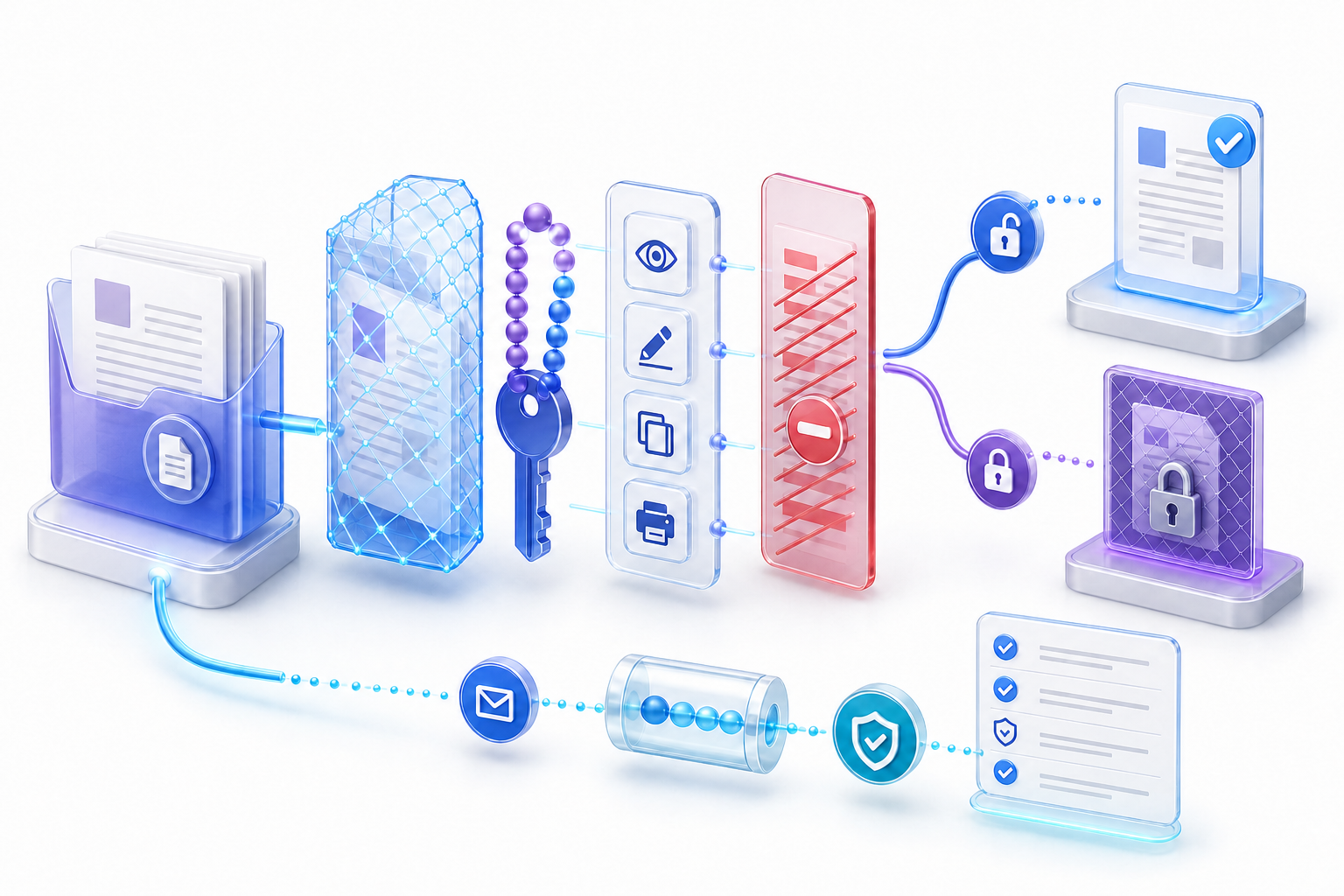
A document-open password is intended to require a secret before the PDF content can be viewed. A permissions password controls changes to security settings and may restrict actions such as editing, printing, copying, or commenting. The labels and available choices vary by application, so inspect the actual security summary rather than assuming that a “protect” button applies both controls. Blocking copy does not prove the file lacks a text layer; that check lives on the searchable pdf desk.
文档打开密码用于在查看 PDF 内容前要求输入秘密;权限密码用于控制安全设置变更,并可能限制编辑、打印、复制或评论。不同应用的标签和选项不同,因此应检查实际安全摘要,不能假设一个“保护”按钮同时应用两种控制。
Controls initial access to encrypted content. Test the file in a clean session without cached credentials.
控制对加密内容的初始访问,应在没有缓存凭证的干净会话中测试。
Expresses allowed operations after opening. Enforcement can depend on the reader and workflow.
表达打开后允许的操作,执行效果可能取决于阅读器和工作流。
Protects document data using a cryptographic method selected by the creator and supported by recipients.
使用创建者选择且收件人支持的加密方法保护文档数据。
Storage, identity, expiring links, rights management, and audit controls operate outside the PDF file.
存储、身份、过期链接、权限管理和审计控制在 PDF 文件之外运行。
Do not confuse passwords with redaction, signatures, or access control不要把密码与涂黑、签名或访问控制混为一谈
Redaction removes selected content when performed correctly; a password limits access or actions. A digital signature can help detect changes and associate a signer with a certificate; it is not the same as confidentiality. A storage permission or expiring link can restrict who retrieves a file; it may not change the PDF itself. Watermarks communicate status or attribution but do not encrypt content.
正确涂黑会删除所选内容;密码限制访问或操作。数字签名可帮助检测更改,并把签署者与证书关联,但不等同于保密。存储权限或过期链接可以限制谁获取文件,却可能不改变 PDF 本身。水印用于表达状态或归属,也不会加密内容。
Choose controls in layers. A sensitive report may require content minimization, proper redaction, encrypted PDF access, approved storage, recipient authentication, limited link lifetime, separate credential delivery, and retention rules. Record which layer addresses which threat so reviewers do not infer protection that was never applied.
应分层选择控制。敏感报告可能同时需要内容最小化、正确涂黑、PDF 加密访问、获准存储、收件人认证、有限链接期限、独立凭证传递和保留规则。记录每层控制针对的威胁,避免审核者推断出从未实施的保护。
Define the recipient, asset, action, and consequence定义收件人、资产、操作与后果
Write who should receive the file, who should not, what content needs protection, which actions are allowed, how long access is needed, and what happens if the file or password is forwarded. Include the devices and readers recipients use, because compatibility affects both usability and the available encryption profile. Decide who owns exceptions and recovery.
写明谁应该收到文件、谁不应该收到、哪些内容需要保护、允许哪些操作、需要访问多久,以及文件或密码被转发会造成什么后果。还要记录收件人的设备和阅读器,因为兼容性会影响可用性与可选加密配置,并明确异常和恢复责任人。
| Question问题 | Evidence needed所需证据 | Control implication控制含义 |
|---|---|---|
| Must unauthorized users be unable to view?未授权者是否必须无法查看? | Classification, recipient list, sharing path分类、收件人清单、共享路径 | Open password or stronger managed access打开密码或更强托管访问 |
| May recipients print or copy?收件人是否可以打印或复制? | Business purpose and downstream use业务目的与下游用途 | Permissions settings plus realistic limitations权限设置及现实边界 |
| Must access expire or be revoked?访问是否必须过期或撤销? | Retention and lifecycle rule保留与生命周期规则 | Managed platform rather than static password alone使用托管平台而非仅靠静态密码 |
Preserve an unmodified source and create a working copy保留未修改源文件并创建工作副本
Keep the authoritative source in an approved location and apply protection to a separately named copy. Record filename, version, owner, page count, size, relevant checksum, sensitivity, intended recipients, and creation route. Password changes, encryption compatibility choices, optimization, signing, or conversion may rewrite the file. A source copy makes comparison and recovery possible.
把权威源文件保存在获准位置,并对单独命名的副本应用保护。记录文件名、版本、责任人、页数、大小、相关校验值、敏感度、目标收件人和创建路径。密码更改、加密兼容选项、优化、签名或转换都可能重写文件;源文件副本让比较和恢复成为可能。
Do not embed the password in the filename, metadata, document body, comments, attachments, or an adjacent text file. Do not use real secrets in screenshots, templates, tickets, reports, or this guide’s Markdown handoff. Use placeholders when documenting the process.
不要把密码写进文件名、元数据、正文、评论、附件或相邻文本文件,也不要在截图、模板、工单、报告或本指南的 Markdown 交接中使用真实秘密。记录流程时应使用占位符。
Choose opening protection, permissions, or managed access选择打开保护、权限限制或托管访问
Use an opening password when the file itself must resist casual unauthorized viewing after it leaves the original storage location. Use permissions settings when the business goal is to communicate allowed operations, while recognizing that reader support and alternative workflows can affect enforcement. Use a managed identity or rights platform when access must be revoked, audited, limited by time, or assigned to named recipients.
当文件离开原存储位置后仍需阻止一般未授权查看时,可使用打开密码。业务目标是表达允许操作时,可使用权限设置,但要认识到阅读器支持和替代工作流会影响执行。访问必须撤销、审计、限时或绑定实名收件人时,应使用托管身份或权限平台。
If the requirement is only to remove selected sensitive content, password protection is not the answer. Redact and sanitize through an approved process, then verify the released copy. Encryption can protect remaining information in transit and at rest, but it cannot make content that still exists disappear.
如果要求只是删除选定敏感内容,密码保护并不是答案。应通过获准流程涂黑和清理,再验证发布副本。加密可以保护传输和存储中的剩余信息,却不能让仍存在的内容消失。
Select an approved encryption and compatibility profile选择获准的加密与兼容配置
PDF applications may offer compatibility choices that determine the encryption available and which readers can open the result. Follow organizational policy and the recipient environment; do not automatically select the oldest profile merely to maximize compatibility. Older readers may lack support for a chosen method, while weaker settings may not meet the data owner’s requirement.
PDF 应用可能提供兼容性选项,它会决定可用加密方式以及哪些阅读器能打开结果。应遵循组织政策和收件人环境,不要为了兼容而自动选择最旧配置。旧阅读器可能不支持所选方法,而较弱设置也可能不满足数据责任人的要求。
Capture the application, version, chosen compatibility, encryption summary, enabled restrictions, and known recipient readers. Test a representative environment before a large release. If compatibility and security requirements conflict, escalate the decision instead of silently weakening protection.
记录应用、版本、所选兼容性、加密摘要、已启用限制和已知收件人阅读器。大规模发布前测试代表环境;如果兼容与安全要求冲突,应上报决策,而不是静默降低保护。
Create a long, unique passphrase and store it safely创建并安全保存长且唯一的口令
Use a password generated or managed through an approved process. Favor length and uniqueness, avoid names, dates, project terms, filenames, public facts, common patterns, and secrets reused for accounts or other documents. NIST’s current public guidance emphasizes password length and recommends password managers for account passwords; apply the same risk-aware principles without claiming that account-authentication guidance certifies a PDF password.
通过获准流程生成或管理密码,优先考虑长度和唯一性,避免姓名、日期、项目术语、文件名、公开事实、常见模式,以及在账户或其他文档中重复使用的秘密。NIST 当前公开建议强调密码长度并建议账户使用密码管理器;可以借鉴这些风险原则,但不能声称账户认证指南认证了某个 PDF 密码。
Do not record the secret in the verification report. Store it only in the approved credential system or transfer mechanism. Plan recovery before release: identify who may retrieve or rotate the password, how authorization is checked, and what happens if the secret is lost.
不要在验证报告中记录真实秘密,只能把它存入获准凭证系统或传递机制。发布前规划恢复:明确谁可以取回或轮换密码、如何检查授权,以及秘密丢失后的处理方法。
Apply PDF password protection to a versioned copy对版本化副本应用 PDF Password Protection
- 1Open the working copy in an approved, updated application and inspect existing security and signatures.在获准且已更新的应用中打开工作副本,检查现有安全设置与签名。
- 2Choose the documented control: opening, permissions, or both, with the approved compatibility profile.按记录选择打开限制、权限限制或两者,并使用获准兼容配置。
- 3Enter the generated unique secret through the protected workflow; never paste it into notes or logs.通过受保护流程输入生成的唯一秘密,不要粘贴到备注或日志。
- 4Save to a new filename, close the application completely, and preserve the creation record without the secret.保存为新文件名,完全关闭应用,并保留不含秘密的创建记录。
Protection often takes effect only after saving. A file that remains open in the creator’s session is weak evidence because credentials or decrypted content may be cached. Acceptance begins with the exact closed-and-reopened output, not with the settings dialog.
保护通常在保存后才生效。创建者会话中仍打开的文件证据很弱,因为凭证或解密内容可能被缓存。验收应从确切输出关闭后重新打开开始,而不是停留在设置对话框。
Test editing, copying, printing, comments, and forms separately分别测试编辑、复制、打印、评论与表单
Permissions are not one switch. Build a matrix of expected allow and deny behavior for document changes, page assembly, copying, accessibility extraction, comments, form filling, signing, and print quality. Check the security summary, then attempt each relevant operation in the representative reader. Distinguish a disabled interface from a cryptographically enforced restriction.
权限不是一个开关。应为文档修改、页面组装、复制、无障碍提取、评论、表单填写、签署和打印质量建立允许/拒绝矩阵。检查安全摘要,再在代表阅读器中尝试每项相关操作,并区分界面禁用与密码学执行的限制。
| Operation操作 | Expected预期 | Evidence证据 |
|---|---|---|
| Open without password无密码打开 | Denied when opening protection is required要求打开保护时应拒绝 | Clean-session prompt before content内容显示前的干净会话提示 |
| Copy or extract text复制或提取文本 | Match approved accessibility and reuse policy符合获准无障碍与复用政策 | Security summary plus representative attempt安全摘要加代表性尝试 |
| Print打印 | Denied or limited to approved quality拒绝或限制为获准质量 | Print dialog and controlled output test打印对话框与受控输出测试 |
Inspect metadata, attachments, layers, comments, and hidden data检查元数据、附件、图层、评论与隐藏数据
Encryption can protect content from unauthorized opening, but an authorized recipient may still see metadata, attachments, embedded files, comments, form data, hidden layers, prior revisions, scripts, links, or other information not obvious on the page. Apply an approved inspection and sanitization workflow before protection when disclosure scope must be minimized.
加密可以阻止未授权打开,但授权收件人仍可能看到元数据、附件、嵌入文件、评论、表单数据、隐藏图层、早期修订、脚本、链接或页面上不明显的信息。需要最小化披露范围时,应在加密前使用获准检查与清理流程。
Do not claim sanitization merely because a “remove metadata” command ran. Reopen the released copy and inspect the relevant properties and attachments. Preserve legally required records separately according to policy rather than deleting evidence without authorization.
不能仅因运行“删除元数据”命令就声称已经清理。应重新打开发布副本并检查相关属性与附件;依法或按政策必须保留的记录应另行保存,不能未经授权删除证据。
Remove sensitive content before relying on password protection依赖密码保护前先真正删除敏感内容
A password does not convert a black rectangle, crop, white shape, or annotation into redaction. If a recipient can open the file, underlying text or images may remain searchable, selectable, extractable, or recoverable. Use an approved redaction tool that removes content, apply the redactions, sanitize as required, and search for the removed terms in the released copy.
密码不会把黑色矩形、裁切、白色形状或批注变成真正涂黑。收件人能够打开文件后,底层文字或图像仍可能可搜索、选择、提取或恢复。应使用真正删除内容的获准涂黑工具,应用涂黑并按要求清理,再在发布副本中搜索被删除词。
Check what happens after saving, printing, exporting, or converting检查保存、打印、导出或转换后的行为
A recipient may create a derivative through Save As, print-to-file, export, browser preview, OCR, screenshot, or conversion. The derivative may not inherit the original password, permissions, metadata state, links, signatures, or accessibility. If downstream transformation is allowed, define how new files are classified and protected. If it is prohibited, use controls suited to the actual threat rather than assuming a PDF permission prevents every path.
收件人可能通过另存为、打印到文件、导出、浏览器预览、OCR、截图或转换创建衍生文件。衍生文件可能不继承原密码、权限、元数据状态、链接、签名或无障碍。如果允许下游转换,应定义新文件如何分类和保护;如果禁止,应使用适合实际威胁的控制,而不是假设 PDF 权限阻止所有路径。
Test approved transformations on sanitized representative content. Record whether protection survives, is intentionally removed by an authorized user, or must be reapplied. Never publish an unprotected derivative simply because the protected source passed.
应在脱敏代表内容上测试获准转换,记录保护是否保留、是否由授权用户有意移除,或是否必须重新应用。不能因为受保护源文件通过,就发布未保护衍生文件。
Coordinate encryption, permissions, and digital signatures协调加密、权限与数字签名
Protection changes can invalidate or alter the status of existing signatures, and signing workflows may require specific permissions or ordering. Define whether the file should be protected before signing, signed before distribution, or managed through a platform. Use the approved application and verify signature status after the final save. Do not claim that a password authenticates the sender.
保护变更可能使现有签名失效或改变其状态,签署流程也可能要求特定权限或顺序。应定义是在签署前保护、签署后分发,还是通过平台管理。使用获准应用,并在最终保存后验证签名状态;不能声称密码能够认证发送者。
Balance copying restrictions with legitimate accessibility needs平衡复制限制与合理无障碍需求
Text extraction may support screen readers and other assistive workflows. Some PDF security settings distinguish general copying from accessibility extraction; support varies. Consult the applicable accessibility policy and test with representative technology. Do not impose a blanket restriction that blocks an authorized user from completing an essential task without reviewing alternatives.
文本提取可能支持屏幕阅读器和其他辅助工作流。有些 PDF 安全设置会区分普通复制与无障碍提取,但支持情况不同。应参考适用无障碍政策并使用代表技术测试,不能在未评估替代方案时用统一限制阻止授权用户完成必要任务。
Password protection itself does not create tags, language, headings, table semantics, alternative text, form labels, bookmarks, or correct reading order. Test accessibility as a separate acceptance dimension after applying final protection.
密码保护本身不会创建标签、语言、标题、表格语义、替代文本、表单标签、书签或正确阅读顺序。应用最终保护后,应把无障碍作为独立验收维度测试。
Troubleshoot password prompts and permission failures safely安全排查密码提示与权限失败
| Symptom症状 | Likely variables可能变量 | Safe next step安全下一步 |
|---|---|---|
| Expected password prompt is absent没有出现预期密码提示 | Wrong copy, unsaved settings, cached session, browser preview副本错误、设置未保存、会话缓存、浏览器预览 | Close fully and test exact output in a clean environment完全关闭后在干净环境测试确切输出 |
| Known password is rejected已知密码被拒绝 | Wrong version, keyboard layout, whitespace, corrupted transfer, reader issue版本错误、键盘布局、空格、传输损坏、阅读器问题 | Verify version and approved credential channel; do not guess repeatedly核对版本与获准凭证渠道,不要反复猜测 |
| Restricted action still works受限操作仍然可用 | Reader behavior, different action, permissions not saved, derivative file阅读器行为、操作不同、权限未保存、衍生文件 | Inspect security summary and threat-model limitation检查安全摘要与威胁模型边界 |
Handle a forgotten PDF password through authorized recovery通过授权恢复处理遗失的 PDF 密码
Do not attempt cracking, brute force, exploit use, or unauthorized removal. Confirm ownership, authority, the exact version, and the organization’s recovery process. Retrieve the credential from the approved manager or custodian, obtain an authorized unprotected source, request a new protected copy from the owner, or restore from a governed backup.
不要尝试破解、暴力猜测、利用漏洞或未经授权移除。确认所有权、权限、确切版本与组织恢复流程;从获准密码管理器或保管人取回凭证,获取获准未保护源文件,向所有者请求新的受保护副本,或从受治理备份恢复。
Adobe documents a supported password-removal workflow that requires the relevant authorization and may prompt for the permissions password. That is different from bypassing security. Record who approved removal, why it was needed, where the unprotected output is stored, and whether protection must be reapplied.
Adobe 提供受支持的密码移除流程,它要求相关授权,并可能要求权限密码。这与绕过安全不同。应记录谁批准移除、原因、未保护输出存放位置,以及是否必须重新应用保护。
Use security policies for consistent high-volume protection使用安全策略保持批量保护一致
When many PDFs require the same approved settings, a managed security policy can reduce manual variation. Define ownership, application version, encryption profile, allowed operations, credential generation, storage, rotation, recipients, exceptions, testing, and retirement. Adobe documents reusable password security policies, but organizational governance determines whether and how they are appropriate.
大量 PDF 需要相同获准设置时,托管安全策略可以减少人工差异。应定义责任人、应用版本、加密配置、允许操作、凭证生成、存储、轮换、收件人、异常、测试与退役。Adobe 提供可复用密码安全策略说明,但是否适用以及如何使用由组织治理决定。
Do not reuse one shared secret across unrelated documents merely for convenience. A single disclosure would expand the affected set. Use the credential model approved for the risk and keep secrets out of batch logs.
不要为了方便在无关文档之间重复使用同一秘密;一次泄露会扩大受影响范围。应使用风险对应的获准凭证模型,并确保批处理日志不含秘密。
Use a twelve-step PDF password protection workflow使用十二步 PDF Password Protection 工作流
- 1Define recipients, prohibited users, allowed actions, duration, and consequences.定义收件人、禁止用户、允许操作、期限与后果。
- 2Classify content and select approved storage and delivery paths.对内容分级并选择获准存储与交付路径。
- 3Preserve the source and create a named working copy.保留源文件并创建命名工作副本。
- 4Inspect redaction, metadata, attachments, signatures, and hidden content.检查涂黑、元数据、附件、签名与隐藏内容。
- 5Choose opening password, permissions, managed access, or layered controls.选择打开密码、权限、托管访问或分层控制。
- 6Select the approved encryption and recipient compatibility profile.选择获准加密与收件人兼容配置。
- 7Generate and store a long unique secret through the approved mechanism.通过获准机制生成并保存长且唯一的秘密。
- 8Apply protection to the copy, save a new version, and close it fully.对副本应用保护,保存新版本并完全关闭。
- 9Test unauthorized opening and restricted actions in clean environments.在干净环境测试未授权打开与受限操作。
- 10Test authorized access, content integrity, usability, and accessibility.测试授权访问、内容完整性、可用性与无障碍。
- 11Deliver file and credential through separate approved channels.通过独立获准渠道交付文件与凭证。
- 12Record evidence, exceptions, approval, version, retention, and recovery owner.记录证据、异常、批准、版本、保留与恢复责任人。
Document the protection decision without recording the password记录保护决定但不要记录密码
A useful record identifies source and output versions, owner, classification, recipients, threat, required controls, application and version, compatibility profile, encryption summary, permissions matrix, clean-session tests, authorized tests, reader environments, metadata and redaction checks, accessibility scope, exceptions, credential channel, recovery owner, approval, final location, and retention date.
实用记录应包括源文件与输出版本、责任人、分类、收件人、威胁、所需控制、应用与版本、兼容配置、加密摘要、权限矩阵、干净会话测试、授权测试、阅读器环境、元数据与涂黑检查、无障碍范围、异常、凭证渠道、恢复责任人、批准、最终位置与保留日期。
source_version: [approved reference]
protected_output: [released filename]
control_goal: [open / permissions / managed access]
allowed_actions: [documented matrix]
test_environments: [reader and version]
credential_channel: [approved mechanism, no secret]
exceptions: [owner and disposition]
approval: [role, date, released version]
Create a sanitized PDF protection and verification report创建脱敏的 PDF 保护与验证报告
Write the threat model, chosen controls, permissions matrix, compatibility, test evidence, exceptions, credential channel, and approval in Markdown, then use the InfiniSynapse Markdown-to-Word tool to create a shareable report. The tool prepares documentation; it does not encrypt PDFs, manage passwords, remove protection, redact content, authenticate recipients, or certify security.
先用 Markdown 记录威胁模型、所选控制、权限矩阵、兼容性、测试证据、异常、凭证渠道与批准,再使用 InfiniSynapse Markdown-to-Word 工具生成可共享报告。该工具用于整理文档,不加密 PDF、不管理密码、不移除保护、不涂黑内容、不认证收件人,也不认证安全性。
Open Markdown-to-Word Tool打开 Markdown-to-Word 工具Never paste a real password, confidential text, private link, recovery code, or unredacted evidence into an unapproved service.不要把真实密码、机密文字、私密链接、恢复码或未涂黑证据粘贴到未经批准的服务中。
Use this checklist before releasing a protected PDF发布受保护 PDF 前使用此检查清单
- Recipients, prohibited users, allowed actions, duration, and consequences are documented.收件人、禁止用户、允许操作、期限与后果已记录。
- The source is preserved and the exact output has a unique version.源文件已保留,确切输出具有唯一版本。
- Redaction, metadata, attachments, signatures, and hidden content were inspected separately.涂黑、元数据、附件、签名与隐藏内容已分别检查。
- The password type, encryption profile, compatibility, and permissions match the approved requirement.密码类型、加密配置、兼容性与权限符合获准要求。
- The secret is long, unique, safely stored, and absent from reports and filenames.秘密长且唯一、安全保存,并未出现在报告和文件名中。
- Unauthorized and authorized paths passed in representative clean environments.未授权与授权路径已在代表性干净环境中通过。
- Accessibility, conversions, and recipient tasks were tested independently.无障碍、转换与收件人任务已独立测试。
- File and credential use separate approved delivery channels.文件与凭证使用独立获准交付渠道。
- Exceptions, approval, recovery, retention, and final file location are recorded.异常、批准、恢复、保留与最终位置已记录。
Frequently asked questions about PDF password protection关于 PDF Password Protection 的常见问题
An open password is intended to block viewing until the secret is entered. A permissions password controls security changes and may restrict editing, printing, copying, or comments after opening. Check the actual application summary and test the saved output.
打开密码用于在输入秘密前阻止查看;权限密码控制安全设置变更,并可能限制打开后的编辑、打印、复制或评论。应检查实际应用摘要并测试保存输出。
No control provides absolute security. Effectiveness depends on encryption, passphrase quality, recipient handling, software, delivery, storage, threat model, and layered controls. Passwords do not remove content, stop screenshots, or revoke static copies.
没有任何控制提供绝对安全。效果取决于加密、口令质量、收件人行为、软件、交付、存储、威胁模型与分层控制。密码不会删除内容、阻止截图或撤销静态副本。
No. Use a separate approved credential channel, verify the recipient, identify the matching file version without repeating the secret elsewhere, and follow the organization’s retention and recovery rules.
不应如此。请使用独立获准凭证渠道,验证收件人,说明匹配文件版本但不要在其他位置重复秘密,并遵守组织保留与恢复规则。
The file may have only an opening password, permissions may allow that operation, changes may not have been saved, the tested file may be a derivative, or the reader may handle permissions differently. Inspect the security summary and test representative readers.
文件可能只有打开密码,权限可能允许该操作,设置可能未保存,测试文件可能是衍生版本,或阅读器对权限处理不同。应检查安全摘要并测试代表阅读器。
Use only authorized recovery: confirm ownership and version, retrieve the credential from the approved custodian, restore an authorized source, or request a new protected copy. Do not crack, brute-force, exploit, or bypass protection.
只能使用授权恢复:确认所有权和版本,从获准保管人取回凭证,恢复授权源文件,或请求新的受保护副本。不要破解、暴力猜测、利用漏洞或绕过保护。
Authoritative sources for PDF passwords and credential practicePDF 密码与凭证实践权威资料
- Adobe Acrobat: password security overviewAdobe Acrobat:密码安全概览
- Adobe Acrobat: restrict PDF editingAdobe Acrobat:限制 PDF 编辑
- Adobe Acrobat: authorized password removalAdobe Acrobat:授权移除密码
- Adobe Acrobat: password security policiesAdobe Acrobat:密码安全策略
- NIST: creating and managing stronger passwordsNIST:创建与管理更强密码