
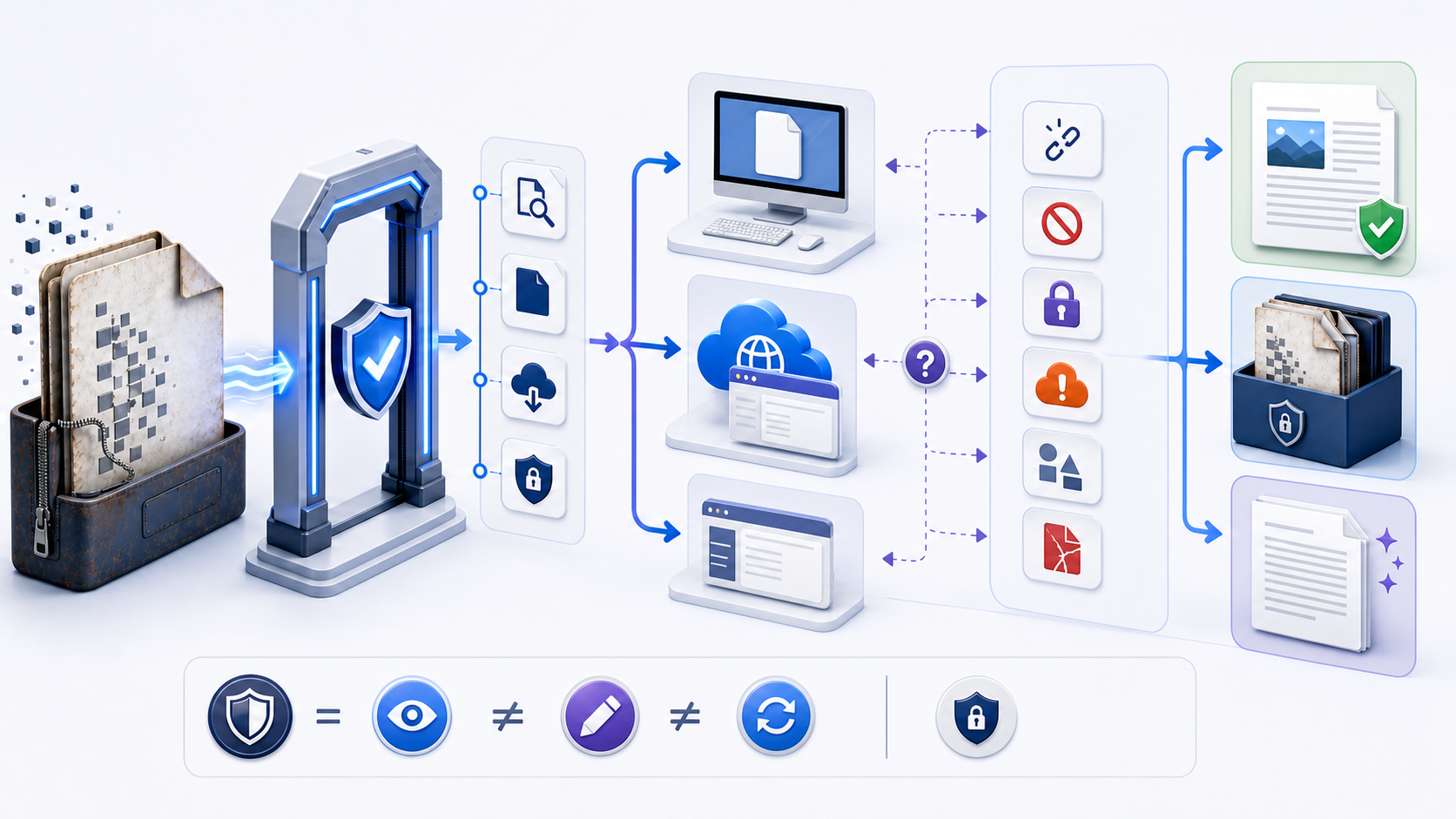
Open a DOC file without changing the originalOpen DOC File 时不要改变原始文件
To open a DOC file safely, confirm that it is an expected Word 97–2003 binary document, preserve the received file unchanged, and open a named copy with an approved current word processor or controlled web viewer. Use protected or read-only mode first. If a browser asks to convert the file, understand that it is creating a separate DOCX copy for editing; viewing and conversion are not the same action. After the file opens, verify identity, page count, key text, tables, images, comments, tracked changes, fields, metadata, and layout before relying on it.
要安全 Open DOC File,先确认它是预期收到的 Word 97–2003 二进制文档,保持接收原件不变,再用获准的当前文字处理器或受控网页查看器打开具名副本。首次应使用受保护或只读模式。如果浏览器要求转换,应明确它是在为编辑创建独立 DOCX 副本;查看与转换不是同一操作。打开后还要核验文件身份、页数、关键文字、表格、图片、批注、修订、域、元数据和版式,再决定是否依赖该视图。
The safest route depends on sensitivity, device, required fidelity, and whether reading alone is enough. Desktop Word is often the reference renderer for complex legacy documents. A qualified compatible suite can be practical offline. Word for the web can provide a controlled view, but Microsoft documents that a `.doc` is view-only there and editing triggers creation of a `.docx` copy. An unknown upload site is a separate data-processing decision, not a harmless preview.
最安全路径取决于敏感度、设备、保真要求以及是否只需阅读。复杂旧文档通常应以桌面 Word 作为参考渲染器;经过资格验证的兼容套件适合离线查看;Word 网页版可提供受控视图,但 Microsoft 明确说明 `.doc` 在其中只能查看,编辑会触发创建 `.docx` 副本。未知上传网站属于独立的数据处理决策,不能当作无害预览。
Confirm the file is a genuine legacy DOC确认文件是真正的旧版 DOC
A `.doc` suffix is a label, not proof. Microsoft’s specification describes the Word Binary File Format used by Word 97, 2000, 2002, and 2003. It differs fundamentally from DOCX, which is an OOXML package. A renamed HTML login page, PDF, RTF, executable, damaged download, or DOCX with the wrong suffix can all produce misleading errors. Display full extensions, record the received filename and size, and use the application’s file information or an approved identification workflow when the type is uncertain.
`.doc` 后缀只是标签,不是证据。Microsoft 规范把 Word Binary File Format 定义为 Word 97、2000、2002 和 2003 使用的格式,它与基于 OOXML 包的 DOCX 在结构上完全不同。被错误命名的 HTML 登录页、PDF、RTF、可执行文件、不完整下载或后缀错误的 DOCX 都可能产生误导性错误。应显示完整扩展名、记录接收文件名与大小;类型不确定时,使用应用文件信息或获准识别流程。
| Observation观察结果 | What it may mean可能含义 | Safe action安全动作 |
|---|---|---|
report.doc | Possible legacy Word binary file可能是旧版 Word 二进制文件 | Preserve and inspect with an approved viewer保留并用获准查看器检查 |
report.doc.exe | Executable disguised by a double extension双扩展名伪装的可执行文件 | Do not open; follow security reporting policy不要打开,按安全政策报告 |
| Very small or zero-byte file异常小或零字节 | Incomplete download, placeholder, or error response下载不完整、占位符或错误响应 | Retrieve again from the verified source从已验证来源重新获取 |
| Archive tool claims the file is ZIP压缩工具识别为 ZIP | It may actually be DOCX with the wrong suffix可能是后缀错误的 DOCX | Identify the real format; never guess by renaming识别真实格式,绝不能靠改名猜测 |
Complete seven checks before opening an old Word file打开旧 Word 文件前完成七项检查
- 1Expected source: confirm the sender, channel, purpose, and filename through a trusted route when risk is meaningful.来源符合预期:风险明显时,通过可信渠道确认发送者、渠道、用途和文件名。
- 2Untouched original: preserve the received file and perform viewing, conversion, or recovery on named copies.原件不变:保留接收文件,查看、转换和恢复均使用具名副本。
- 3Real extension: show complete extensions and reject double-extension executables or unexplained format mismatches.真实扩展名:显示完整扩展名,拒绝双扩展名可执行文件和无法解释的格式不符。
- 4Complete transfer: wait for sync or download to finish and compare expected size or hash when available.传输完整:等待同步或下载完成,在可用时比较预期大小或摘要。
- 5Approved route: match the application, account, storage, network, and device to the document classification.路径获准:让应用、账户、存储、网络和设备符合文档分类要求。
- 6Protected first view: keep Protected View, read-only, malware scanning, and organizational controls enabled.首次受保护查看:保持受保护视图、只读、恶意软件扫描和组织控制开启。
- 7Viewing goal: define whether you need orientation, exact layout, review evidence, extraction, printing, or an editable modern copy.查看目标:明确需要了解内容、精确版式、审阅证据、提取、打印还是可编辑现代副本。
Choose how to open a DOC file by risk and fidelity按风险与保真度选择如何 Open DOC File
| Route路径 | Best use最适用途 | Check first先检查 | Important limit重要限制 |
|---|---|---|---|
| Current desktop Word当前桌面 Word | Complex layout, comments, fields, tracked changes, reference verification复杂版式、批注、域、修订和参考核验 | Updates, policy, Protected View, file block settings更新、政策、受保护视图和文件阻止设置 | Successful opening does not prove the source is safe成功打开不能证明来源安全 |
| Word for the webWord 网页版 | Managed account and controlled view-only access托管账户与受控只读访问 | Tenant, upload location, access, retention, conversion prompt租户、上传位置、访问、保留与转换提示 | Legacy DOC is view-only; editing creates a DOCX copy旧 DOC 只能查看,编辑会创建 DOCX 副本 |
| Approved compatible local suite获准兼容本地套件 | Offline reading of ordinary low-risk documents普通低风险文档的离线阅读 | Source, updates, import filter, fonts, save defaults来源、更新、导入筛选器、字体与保存默认值 | Rendering and round-trip fidelity can differ渲染与往返保真可能不同 |
| Third-party online viewer第三方在线查看器 | Only qualified, low-sensitivity, disposable test copies仅经过资格验证的低敏感可丢弃测试副本 | Data flow, retention, deletion, jurisdiction, authentication数据流、保留、删除、管辖区与认证 | “Free” and “private” are not technical evidence“免费”和“隐私”不是技术证据 |
Open a DOC file on Windows with protection enabled在 Windows 上保持保护并打开 DOC
Save the file to an approved folder, show extensions, preserve the received copy, and scan it according to policy. Open the current approved desktop Word application first, then use File → Open → Browse to select the working copy. Files from email or the internet may enter Protected View. If reading is enough, leave protection enabled. Do not press Enable Editing merely to remove the banner; first verify the sender, expected content, classification, and need.
把文件保存到获准文件夹,显示扩展名,保留接收副本,并按政策扫描。先启动当前获准桌面 Word,再使用“文件 → 打开 → 浏览”选择工作副本。来自邮件或互联网的文件可能进入受保护视图;若阅读足够,应保持保护开启。不要只为去掉提示条而点击“启用编辑”,应先核验发送者、预期内容、分类与必要性。
If double-click launches the wrong application, use Open with on a copy and choose the approved word processor. Set a permanent default only when you intend all `.doc` files to use it. A file-association error changes which program launches; it does not convert or corrupt the document. If Word reports that the file type is blocked, preserve the exact message and follow organizational support rather than weakening global File Block settings.
如果双击启动错误应用,应在副本上使用“打开方式”并选择获准文字处理器;只有确实希望所有 `.doc` 都使用该应用时才永久设为默认。文件关联错误只改变启动程序,不会转换或损坏文档。如果 Word 提示文件类型被阻止,应保留完整信息并遵循组织支持流程,不要削弱全局 File Block 设置。
Open an old DOC on Mac without silent conversion在 Mac 上打开旧 DOC 且避免静默转换
For documents where Word rendering matters, use an approved current Word for Mac and open a copy from File → Open. Finder’s Open With can route the file to the intended application; Get Info can change the default only when that device-wide choice is authorized. A compatible suite or TextEdit may expose basic content, but complex tables, floating objects, fields, comments, tracked changes, custom fonts, and pagination may not match the source.
对 Word 渲染很重要的文档,应使用获准且为当前版本的 Word for Mac,通过“文件 → 打开”打开副本。Finder 的“打开方式”可把文件路由到目标应用;只有设备级选择获准时才通过“显示简介”修改默认值。兼容套件或 TextEdit 可能展示基础内容,但复杂表格、浮动对象、域、批注、修订、自定义字体与分页可能不匹配源文件。
When an application proposes a new format, read the prompt before continuing and save only to a new filename. If macOS reports quarantine, permission, or damage, confirm the source and storage permissions, complete synchronization, and test the copy in an approved reference environment. Do not bypass the warning or overwrite the archive merely because another application can show some text.
应用建议新格式时,应先读懂提示,只保存为新文件名。如果 macOS 报告隔离、权限或损坏,应确认来源与存储权限、完成同步,并在获准参考环境测试副本。不要因另一应用能显示部分文字就绕过警告或覆盖归档。
Open a DOC on iPhone, iPad, or Android for orientation在 iPhone、iPad 或 Android 上打开 DOC 以了解内容
Use the approved file manager, managed Word-compatible app, and authorized account. Confirm the download is complete and choose “just once” before setting a permanent file association. A phone preview is useful for orientation, but the narrow viewport can hide wide tables, comments, tracked changes, headers, footers, footnotes, and page relationships. Do not approve a contract, report, form, or publication layout from a small-screen preview alone.
使用获准文件管理器、受管理 Word 兼容应用和授权账户。确认下载完成,在设置永久文件关联前先选择“仅此一次”。手机预览适合了解内容,但窄视口可能隐藏宽表、批注、修订、页眉页脚、脚注和页面关系。不要只凭小屏预览批准合同、报告、表单或出版版式。
Track whether sharing into an app creates a cloud copy, changes ownership, uploads to a personal account, or leaves copies in downloads and temporary storage. When exact evidence matters, return to the approved desktop reference renderer and verify the same file version.
应追踪分享到应用后是否创建云副本、改变所有权、上传到个人账户,或在下载和临时存储中留下副本。需要精确证据时,应回到获准桌面参考渲染器并核验同一文件版本。
Use Word for the web as a deliberate DOC viewing route把 Word 网页版作为有意选择的 DOC 查看路径
Microsoft states that a document saved in `.doc` format can be viewed in Word for the web. When you choose to edit, the service prompts conversion and makes a `.docx` copy. Before upload, confirm that the Microsoft 365 tenant, account, storage location, sharing configuration, retention, and data classification are authorized. Record which file remains the original and which file becomes the modern copy.
Microsoft 说明,以 `.doc` 格式保存的文档可在 Word 网页版中查看;选择编辑时,服务会提示转换并创建 `.docx` 副本。上传前应确认 Microsoft 365 租户、账户、存储位置、共享配置、保留和数据分类均获授权,并记录哪个文件是原件、哪个成为现代副本。
Do not infer fidelity from a successful browser preview. Compare page count, fonts, breaks, tables, floating elements, comments, tracked changes, fields, and print output with the desktop reference when those features support a decision. A browser can present usable text while still omitting or transforming important evidence.
不要从成功的浏览器预览推断保真。若页数、字体、换行、表格、浮动元素、批注、修订、域与打印输出会影响决策,应与桌面参考环境比较。浏览器即使能呈现可读文字,也可能省略或转换重要证据。
Open a DOC file without Microsoft Word responsibly在没有 Microsoft Word 时负责任地打开 DOC
Microsoft’s old standalone Word Viewer is retired and no longer receives security updates, so it should not be downloaded from unofficial archives. Use a current approved compatible local suite, managed Word for the web, or an organization-qualified viewer instead. Test the exact document class with non-sensitive examples before relying on a replacement, because import filters, fonts, pagination, objects, review markup, and export behavior vary.
Microsoft 的旧独立 Word Viewer 已停用且不再接收安全更新,因此不应从非官方归档下载。可改用当前获准兼容本地套件、受管理 Word 网页版或经组织资格验证的查看器。依赖替代方案前,应以非敏感样例测试同类文档,因为导入筛选器、字体、分页、对象、审阅标记与导出行为会不同。
Viewing is not validation. A replacement viewer can help you read, search, or extract ordinary content. It cannot by itself prove that every hidden field, tracked change, embedded object, macro, comment, or page relationship survived.
查看不等于验证。替代查看器可以帮助阅读、搜索或提取普通内容,但不能单独证明每个隐藏域、修订、嵌入对象、宏、批注或页面关系都得到保留。
Begin with read-only or Protected View从只读或受保护视图开始
Read-only is a workflow control, not a complete security guarantee. It reduces accidental edits to the working copy and makes it easier to distinguish viewing from modification. Protected View adds an application security boundary for files from potentially unsafe locations. Keep organizational malware scanning, file block, rights management, and device controls active. If viewing alone answers the question, close the file without enabling editing.
只读是工作流控制,不是完整安全保证。它减少对工作副本的意外修改,并帮助区分查看与编辑。受保护视图还为来自潜在不安全位置的文件增加应用安全边界。应保持组织恶意软件扫描、文件阻止、权限管理和设备控制开启;若只读已经回答问题,应关闭文件而不启用编辑。
A read-only flag may still allow someone to save a separate copy, and a preview may still process document content. Therefore verify authorization, source, route, and retention even when no edits are planned. For evidentiary or regulated documents, preserve hashes or chain-of-custody records under the responsible workflow rather than treating read-only UI as proof of immutability.
只读标志仍可能允许另存副本,预览也可能处理文档内容。因此即使不计划编辑,也要核验授权、来源、路径与保留。对证据或受监管文档,应在责任流程中保留摘要或保管链记录,而不是把只读界面当作不可变证明。
Handle a DOC file type blocked from opening处理 DOC 文件类型被阻止打开的问题
A File Block message can reflect application version, organizational policy, legacy format controls, trust location, or file history. Record the exact filename, source, application version, storage path, and message. Confirm whether the file is truly DOC and whether an authorized clean source or modern distribution copy exists. Escalate through the organization’s support route; do not disable File Block, Protected View, antivirus, or rights controls globally.
File Block 提示可能来自应用版本、组织政策、旧格式控制、受信任位置或文件历史。应记录完整文件名、来源、应用版本、存储路径和提示,确认文件确实是 DOC,并检查是否存在授权干净来源或现代分发副本。应通过组织支持路径升级处理,不要全局关闭 File Block、受保护视图、杀毒或权限控制。
If the owner authorizes migration, use a supported conversion on a copy in an approved environment and compare the output. A conversion route can change content or features; it is not permission to replace the source or claim exact preservation.
若所有者授权迁移,应在获准环境中对副本执行受支持转换并比较输出。转换路径可能改变内容或功能,不能据此替换源文件或声称精确保留。
Fix a DOC file that opens in the wrong program修复 DOC 被错误程序打开的问题
A wrong association commonly sends DOC to a text editor, archive utility, browser, or obsolete application. Do not save from that accidental view. Close it, preserve the file, use the operating system’s Open With command, and choose an approved current word processor. Test one file before changing the permanent default. If the chosen application shows unreadable symbols, the issue may be wrong format identity rather than association.
错误关联常把 DOC 发送到文本编辑器、压缩工具、浏览器或过时应用。不要从意外视图保存;应关闭、保留文件,使用操作系统“打开方式”选择获准当前文字处理器。修改永久默认值前先测试一个文件。如果所选应用显示乱码,问题可能是真实格式错误,而不只是关联。
File association affects the launcher, not the bytes. Renaming `.doc` to `.docx` does not repair an association and does not convert the binary document. Keep extension correction and format conversion as separate, evidence-based operations.
文件关联影响启动器,不影响文件字节。把 `.doc` 改名为 `.docx` 既不能修复关联,也不能转换二进制文档。扩展名纠正与格式转换必须是两个独立、基于证据的操作。
Separate DOC passwords from storage permissions区分 DOC 密码与存储权限
A file can require an open password, restrict modification, be protected by rights management, inherit storage permissions, or be locked by another process. These controls are not interchangeable. Record the exact prompt, verify the owner, and obtain credentials or access through an approved separate channel. Do not use password-removal websites, copy content around rights controls, or interpret possession of the file as authorization.
文件可能需要打开密码、限制修改、受权限管理保护、继承存储权限,或被另一进程锁定。这些控制不能互换。应记录完整提示、核验所有者,并通过获准独立渠道获取凭据或访问。不要使用密码移除网站、绕过权限复制内容,也不要把持有文件解释为已经授权。
If the browser cannot open the protected file, test the authorized desktop route or request an owner-provided distribution copy. A browser failure does not prove that the password is wrong or the document is corrupt.
如果浏览器无法打开受保护文件,应测试授权桌面路径,或请求所有者提供分发副本。浏览器失败不能证明密码错误或文档损坏。
Rule out an incomplete or false DOC download排除不完整或虚假的 DOC 下载
A cloud placeholder, partial email attachment, interrupted browser download, zero-byte file, or HTML error page saved as `.doc` will not open correctly. Wait for synchronization, retrieve the file again from the verified source, compare expected size or hash when provided, and avoid repairing the same partial copy repeatedly. If authentication expired, sign in through the normal service and download again rather than changing the extension.
云占位符、部分邮件附件、中断的浏览器下载、零字节文件或被保存为 `.doc` 的 HTML 错误页都无法正确打开。应等待同步,从已验证来源重新获取,在提供时比较预期大小或摘要,避免反复修复同一不完整副本。如果认证过期,应通过正常服务登录后重新下载,而不是修改扩展名。
If the file came from removable media, copy the preserved source to an approved local working folder before testing. Do not work directly on an unstable USB device or network location; sudden removal and write interruption can compound damage.
若文件来自移动介质,应先把保留源复制到获准本地工作文件夹再测试。不要直接在不稳定 USB 或网络位置工作;突然移除和写入中断会加重损坏。
Diagnose layout changes after the DOC opens诊断 DOC 打开后的版式变化
Opening successfully does not mean rendering exactly. Missing fonts, different printer metrics, older fields, floating objects, text boxes, embedded spreadsheets, equations, charts, page breaks, section settings, comments, and tracked changes can behave differently across applications and versions. Record the reference application and compare the same file before saving. If possible, obtain an authoritative PDF or screenshot from the owner for high-value layout verification.
成功打开不代表精确渲染。缺失字体、不同打印机度量、旧域、浮动对象、文本框、嵌入表格、公式、图表、分页、分节设置、批注与修订在不同应用和版本中可能表现不同。应记录参考应用,在保存前比较同一文件;高价值版式可向所有者获取权威 PDF 或截图核验。
Check opening and closing paragraphs, headings, names, dates, clauses, totals, footnotes, and hidden or field-generated text.
检查开头与结尾段落、标题、姓名、日期、条款、合计、脚注以及隐藏或域生成文字。
Check page count, breaks, margins, columns, tables, wrapping, images, captions, headers, footers, and signatures.
检查页数、分页、边距、分栏、表格、环绕、图片、题注、页眉页脚与签名。
Check comments, authors, replies, insertions, deletions, unresolved changes, and display mode.
检查批注、作者、回复、插入、删除、未解决修订与显示模式。
Check fields, links, embedded files, charts, formulas, controls, and whether active content is disabled.
检查域、链接、嵌入文件、图表、公式、控件以及活动内容是否禁用。
Open a damaged DOC only through copy-based recovery只通过副本恢复打开损坏 DOC
First distinguish document damage from an environment problem. Can the same application open other trusted DOC files? Can another approved current environment open this file? Does a previous version work? Did the transfer complete? Is the format genuine? Are permissions sufficient? One failing file suggests source or transfer damage; many failures suggest an application, update, profile, policy, storage, or device issue.
首先区分文档损坏与环境问题:同一应用能否打开其他可信 DOC?另一获准当前环境能否打开该文件?早期版本是否正常?传输是否完成?格式是否真实?权限是否足够?单个文件失败更可能是源或传输损坏;多个文件失败更可能是应用、更新、配置、政策、存储或设备问题。
Preserve the original and create a named recovery copy. Start with supported methods: obtain a clean source copy, restore a previous cloud or backup version, or use Microsoft’s documented File → Open → Browse → Open and Repair route when appropriate. Record every action and compare recovered text, pages, tables, images, fields, comments, tracked changes, metadata, and protection. Recovered content is not proof of completeness.
保留原件并创建具名恢复副本。从受支持方法开始:获取干净源副本、恢复云端或备份早期版本,或在适当时使用 Microsoft 文档化的“文件 → 打开 → 浏览 → 打开并修复”。记录每个动作并比较恢复的文字、页面、表格、图片、域、批注、修订、元数据与保护。恢复出内容不等于证明完整。
Verify an opened DOC before relying on it依赖已打开 DOC 前完成核验
An application saying “opened” proves only that it produced a view. Confirm the filename, source, version, owner, expected purpose, page count, opening and closing content, key clauses, totals, tables, figures, links, footnotes, headers, footers, comments, tracked changes, fields, metadata, protection, and signatures. Compare important layout with the owner’s reference output or recipient environment.
应用显示“已打开”只证明它产生了视图。应确认文件名、来源、版本、所有者、预期用途、页数、开头与结尾内容、关键条款、合计、表格、图形、链接、脚注、页眉页脚、批注、修订、域、元数据、保护与签名。重要版式还要与所有者参考输出或接收环境比较。
Check whether the viewer created a cloud copy, changed ownership, autosaved, converted the file, substituted fonts, hid review evidence, or left temporary copies. Record the authoritative file and close without saving when viewing was the only approved task.
检查查看器是否创建云副本、改变所有权、自动保存、转换文件、替换字体、隐藏审阅证据或留下临时副本。记录权威文件;若获准任务仅为查看,应关闭且不保存。
Keep opening a DOC separate from converting it把打开 DOC 与转换文件分开
Opening retrieves a view of the existing file. Conversion creates a new representation in another format. Convert only when a named recipient or workflow supports DOCX, the owner authorizes the change, modern capabilities are required, and a representative test shows acceptable preservation. Keep the original DOC, name the DOCX copy clearly, record the application and settings, and compare content and layout before distribution.
打开是读取现有文件视图,转换则创建另一格式的新表示。只有具名接收者或流程支持 DOCX、所有者授权、确实需要现代能力且代表性测试证明保留程度可接受时才转换。保留原始 DOC,清楚命名 DOCX 副本,记录应用与设置,并在分发前比较内容和版式。
Never convert by renaming the extension. Never use a generated DOCX copy to erase the evidentiary or archival value of the source. If the recipient needs only readable access, an approved view or exported reference PDF may be more appropriate than an editable conversion—but that choice belongs to the accountable workflow.
绝不能通过改扩展名转换,也不能让生成的 DOCX 副本抹去源文件的证据或归档价值。若接收者只需可读访问,获准视图或导出的参考 PDF 可能比可编辑转换更合适,但该选择应由责任流程决定。
Create a new DOCX when your source is Markdown源内容是 Markdown 时创建新 DOCX
If you are not opening an existing DOC and instead need to turn sanitized Markdown into a new editable Word document, the InfiniSynapse Markdown to Word tool can convert supported headings, paragraphs, lists, and tables into DOCX. Download the result, open it through an approved route, and verify structure and layout. The tool does not view, scan, decrypt, repair, recover, or convert an existing legacy DOC.
如果你的目标不是打开现有 DOC,而是把脱敏 Markdown 创建为新的可编辑 Word 文档,InfiniSynapse Markdown 转 Word 工具可把受支持的标题、段落、列表和表格转换为 DOCX。下载后通过获准路径打开并核验结构与版式。该工具不能查看、扫描、解密、修复、恢复或转换现有旧 DOC。
Turn sanitized Markdown into a new editable DOCX把脱敏 Markdown 转为新的可编辑 DOCX
Use the converter only for creating a new document from Markdown, never as a workaround for opening an unknown or damaged DOC.
仅在从 Markdown 创建新文档时使用转换器,不要把它当作打开未知或损坏 DOC 的变通方法。
Open Markdown to Word打开 Markdown 转 WordUse this open DOC file checklist使用这份 Open DOC File 检查表
| Stage阶段 | Required evidence必需证据 | Stop condition停止条件 |
|---|---|---|
| Before打开前 | Expected source, genuine format, complete transfer, untouched original, approved route, protected mode来源符合预期、格式真实、传输完整、原件不变、路径获准、保护开启 | Source, type, authorization, or route is uncertain来源、类型、授权或路径不确定 |
| During打开时 | Read-only first, exact prompts recorded, no security bypass, no overwrite, conversion understood先只读、记录完整提示、不绕过安全、不覆盖、理解转换 | Unexpected executable content, upload, rights warning, or format change appears出现意外活动内容、上传、权限警告或格式变化 |
| After打开后 | Identity, pages, text, layout, review evidence, objects, metadata, copies, and save location verified核验身份、页面、文字、版式、审阅证据、对象、元数据、副本与保存位置 | The view is partial, transformed, stale, or cannot support the decision视图不完整、被转换、过期或无法支持决策 |
Questions about how to open a DOC file关于如何 Open DOC File 的常见问题
Use a current approved compatible local suite, managed Word for the web, or an organization-qualified viewer. Preserve the original, begin read-only, test fidelity with a non-sensitive representative file, and verify the result before saving or approving.
使用当前获准兼容本地套件、受管理 Word 网页版或经组织资格验证的查看器。保留原件,先只读,以非敏感代表文件测试保真,并在保存或批准前核验结果。
Microsoft states that Word for the web can view `.doc`, but editing prompts conversion and creates a `.docx` copy. Confirm that the tenant and upload route are authorized, and keep the original distinct from the modern copy.
Microsoft 说明 Word 网页版可以查看 `.doc`,但编辑会提示转换并创建 `.docx` 副本。应确认租户与上传路径获准,并区分原件与现代副本。
The operating-system file association may point to a text editor, archive utility, browser, or obsolete application. Close without saving, use Open With on a copy, choose an approved current word processor, and test before changing the default.
操作系统文件关联可能指向文本编辑器、压缩工具、浏览器或过时应用。关闭且不保存,在副本上使用“打开方式”选择获准当前文字处理器,测试后再改默认值。
No. DOC is a legacy binary format and DOCX is an OOXML package. Renaming changes only the label and can obscure diagnosis. Use an approved application to open the real format, and use supported conversion on a copy only when authorized.
不能。DOC 是旧二进制格式,DOCX 是 OOXML 包。改名只改变标签并干扰诊断。应使用获准应用打开真实格式;只有获授权时才对副本执行受支持转换。
Preserve the original, rule out transfer, permission, application, and format problems, then work on a named copy. Obtain a clean source or previous version first; use documented Open and Repair only when appropriate, and verify recovered content because recovery does not prove completeness.
保留原件,先排除传输、权限、应用和格式问题,再处理具名副本。优先获取干净来源或早期版本;仅在适当时使用文档化的“打开并修复”,并核验恢复内容,因为恢复不能证明完整。
Official sources for opening legacy DOC files打开旧 DOC 文件的官方资料
- Microsoft Learn: Word DOC Binary File Format specificationMicrosoft Learn:Word DOC 二进制文件格式规范
- Microsoft Support: Compatibility Mode in Word for the webMicrosoft 支持:Word 网页版兼容模式
- Microsoft Support: Microsoft Word Viewer retirementMicrosoft 支持:Microsoft Word Viewer 停用说明
- Microsoft Support: File type blocked from openingMicrosoft 支持:文件类型被阻止打开
- Microsoft Support: Open and Repair after a corruption errorMicrosoft 支持:损坏错误后的打开并修复
- Microsoft Support: Make a document read-onlyMicrosoft 支持:将文档设为只读
- Library of Congress: Word 97–2003 Binary File Format美国国会图书馆:Word 97–2003 二进制文件格式